steering wheel TOYOTA HILUX 2019 Owner's Guide
[x] Cancel search | Manufacturer: TOYOTA, Model Year: 2019, Model line: HILUX, Model: TOYOTA HILUX 2019Pages: 708, PDF Size: 95.31 MB
Page 361 of 708
3614-5. Using the driving support systems
4
Driving
HILUX_OM_OM0K375E_(EE)
WARNING
■When using the rear view monitor system
The rear view monitor system is a supplemental device intended to assist
the driver when backing up. When backing up, be sure to visually check all
around the vehicle both directly and using the mirrors before proceeding.
Observe the following precautions to avoid an accident that could result in
death or serious injuries.
● Never depend on the rear view monitor system entirely when backing up.
The image and the position of the guide lines displayed on the screen may
differ from the actual state.
Use caution, just as you would when backing up any vehicle.
● Be sure to back up slowly, depressing the brake pedal to control vehicle
speed.
● The instructions given are only guide lines.
When and how much to turn the steering wheel will vary according to traf-
fic conditions, road surface conditions , vehicle condition, etc. when park-
ing. It is necessary to be fully aware of this before using the rear view
monitor system.
● When parking, be sure to check that the parking space will accommodate
your vehicle before maneuvering into it.
● Do not use the rear view monitor system in the following cases:
• On icy or slick road surfaces, or in snow
• When using tire chains
• When the tailgate is not closed completely
• On roads that are not flat or straight, such as curves or slopes.
● In low temperatures, the screen may darken or the image may become
faint. The image could distort when the vehicle is moving, or you may
become unable to see the image on the screen. Be sure to visually check
all around the vehicle both directly and using the mirrors before proceed-
ing.
● If the tire sizes are changed, the position of the fixed guide lines displayed
on the screen may change.
● The camera uses a special lens. The distances between objects and
pedestrians that appear in the image displayed on the screen will differ
from the actual distances.
Page 365 of 708
3654-5. Using the driving support systems
4
Driving
HILUX_OM_OM0K375E_(EE)
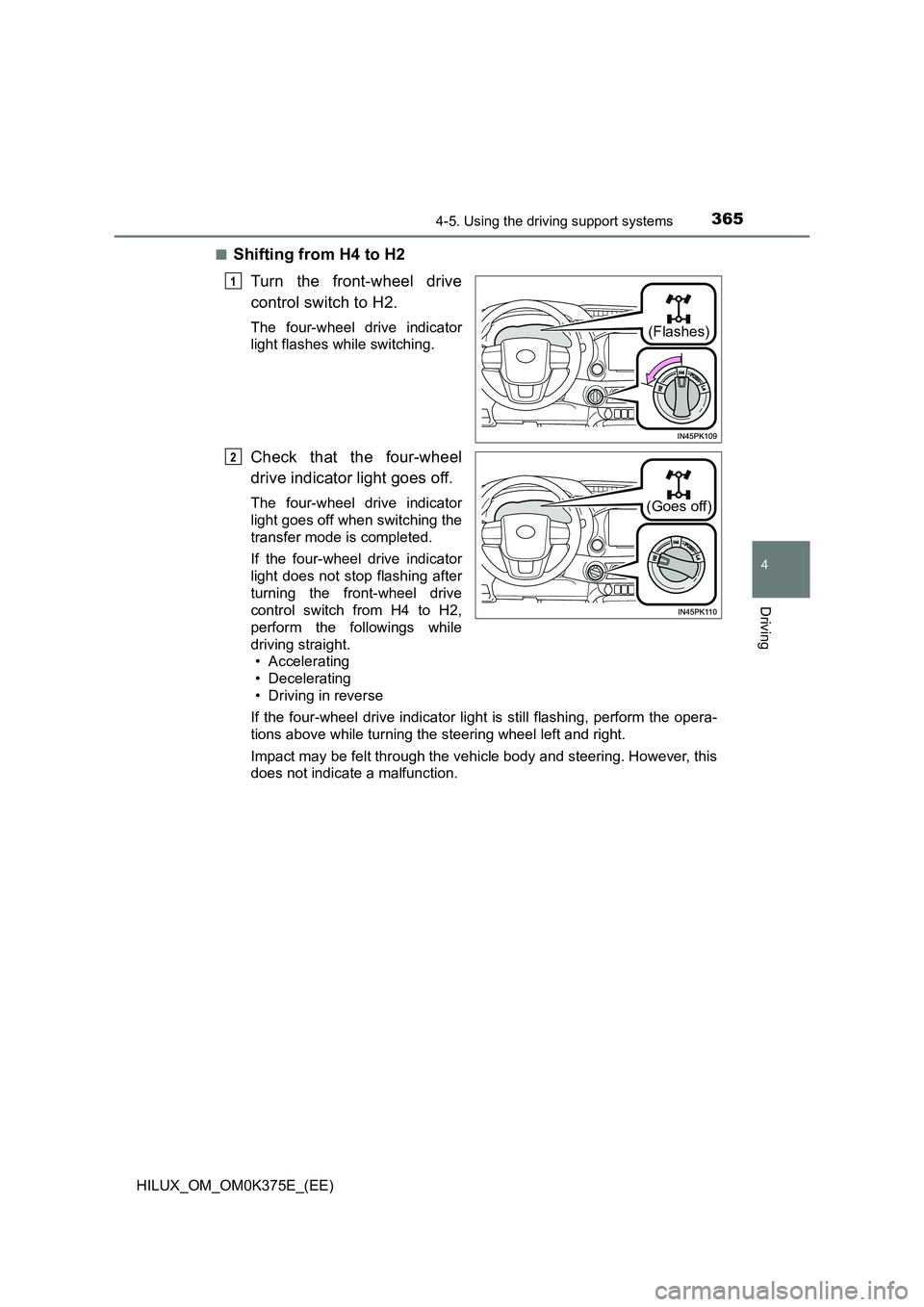
■Shifting from H4 to H2
Turn the front-wheel drive
control switch to H2.
The four-wheel drive indicator
light flashes while switching.
Check that the four-wheel
drive indicator light goes off.
The four-wheel drive indicator
light goes off when switching the
transfer mode is completed.
If the four-wheel drive indicator
light does not stop flashing after
turning the front-wheel drive
control switch from H4 to H2,
perform the followings while
driving straight.
• Accelerating
• Decelerating
• Driving in reverse
If the four-wheel drive indicator light is still flashing, perform the opera-
tions above while turning the steering wheel left and right.
Impact may be felt through the vehicle body and steering. However, this
does not indicate a malfunction.
(Flashes)
1
(Goes off)
2
Page 375 of 708
3754-5. Using the driving support systems
4
Driving
HILUX_OM_OM0K375E_(EE)
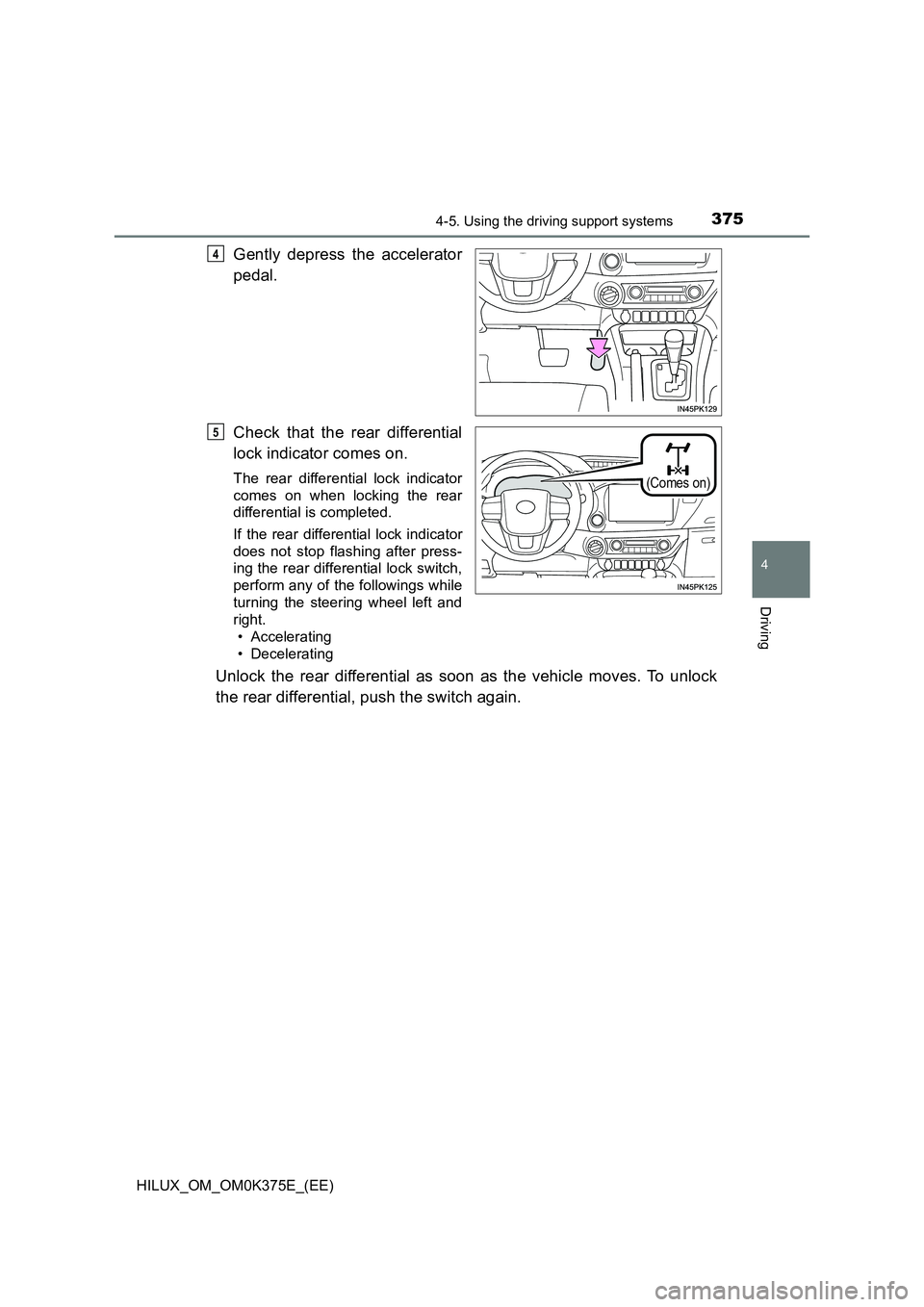
Gently depress the accelerator
pedal.
Check that the rear differential
lock indicator comes on.
The rear differential lock indicator
comes on when locking the rear
differential is completed.
If the rear differential lock indicator
does not stop flashing after press-
ing the rear differential lock switch,
perform any of the followings while
turning the steering wheel left and
right.
• Accelerating
• Decelerating
Unlock the rear differential as soon as the vehicle moves. To unlock
the rear differential, push the switch again.
4
(Comes on)
5
Page 376 of 708
3764-5. Using the driving support systems
HILUX_OM_OM0K375E_(EE)
■Locking the rear differential
The following systems do not operate w hen the rear differential is locked.
It is normal operation for the ABS warning light, VSC OFF indicator (if
equipped) and “TRC OFF” indicator (if equipped) to be on or for “TRC
TURNED OFF”/“TRC turned off” to be displayed on the multi-information dis-
play (if equipped) at this time.
•ABS
• Brake assist (if equipped)
• VSC (if equipped)
• TRC/A-TRC (if equipped)
• Trailer Sway Control (if equipped)
• Hill-start assist control (if equipped)
• Downhill assist control (if equipped)
■ Unlocking the rear differential
If the rear differential lock indicator still flashes even after unlocking the rear
differential, check the safety of the surrounding area and slightly turn the
steering wheel in either direction while the vehicle is in motion.
■ Automatic system cancelation of the rear differential lock system
The rear differential lock is also unlocked in any of the following situations:
● The front-wheel drive control switch is turned to H2 or H4 (4WD models)
● The engine switch is turned to the “ACC” or “LOCK” position (vehicles with-
out smart entry & start system) or A CCESSORY or off (vehicles with smart
entry & start system)
■ After unlocking the rear differential
Check that the indicator goes off.
WARNING
■ To avoid an accident
Failure to observe the following precautions may result in an accident.
● Do not use the rear differential lock system except when wheel spinning
occurs in a ditch or on a slippery or rugged surface. Large steering effort
and careful cornering control will be required.
● Do not lock the rear differential until the wheels have stopped spinning.
Otherwise, the vehicle may move in an unexpected direction when the dif-
ferential lock is engaged, resulting in an accident. This may also lead to
possible damage to rear differential lock component parts.
● Do not drive over 8 km/h (5 mph) when the differential is locked.
● Do not keep driving with the rear differential lock switch on.
Page 379 of 708
3794-5. Using the driving support systems
4
Driving
HILUX_OM_OM0K375E_(EE)
■Operating conditions
● The Stop & Start system is operational when all of the following conditions
are met:
• Vehicles with automatic transmission: The brake pedal is being
depressed firmly
• Vehicles with manual transmission: The clutch pedal is not being
depressed.
• The engine is adequately warmed up.
• The outside temperature is -5 C (23 F) or higher
• Vehicles with automatic transmission: The shift lever is in D or S, or P
after driving in D or S.
• Vehicles with manual transmission: The shift lever is in N.
• Vehicles with automatic air conditioning system: is off.
• The hood is closed. ( P. 380)
• The driver’s seat belt is fastened.
• The driver’s door is closed.
• The accelerator pedal is not being depressed.
● In the following situations, the engine may not be stopped by the Stop &
Start system. This is not a malfunction of the Stop & Start system.
• The air conditioning system is being used when the ambient temperature
is high or low.
• The battery is undergoing a periodic recharge.
• The battery is not sufficiently charged, such as if the vehicle has been
parked for a long time and the battery charge has decreased, the electric
load is large, the battery temperature is excessively low or the battery has
deteriorated.
• The brake booster vacuum is low.
• The vehicle is stopped on a steep incline.
• The steering wheel is being operated
• Due to traffic or other circumstances the vehicle is being stopped repeat-
edly.
• The vehicle is being driven in a high altitude area.
• Engine coolant temperature or tr ansmission fluid temperature is
extremely low or high.
• The battery fluid temperature is extremely low or high.
• For a while after the battery terminals have been disconnected and
reconnected.
• For a while after the battery has been replaced.
• The front-wheel drive control switch is in the L4 position or the rear differ-
ential is locked.
Page 380 of 708
3804-5. Using the driving support systems
HILUX_OM_OM0K375E_(EE)
● In the following situations, the engine will automatically restart if the engine
is stopped by the Stop & Start system. (To enable stopping the engine by
Stop & Start system, drive the vehicle.)
• The air conditioning system is turned on.
• Vehicles with automatic air conditioning system: is turned on.
• The steering wheel is being operated.
• Vehicles with automatic transmission: The shift lever is shifted to a posi-
tion other than D, S or P.
• Vehicles with manual transmission: The shift lever is shifted to a position
other than N
• The driver’s seat belt is unfastened.
• The driver’s door is opened.
• The accelerator pedal is depressed.
• The Stop & Start cancel switch is pressed.
• The vehicle starts to roll on an incline.
Vehicles with automatic transmission: The engine may be stopped by Stop &
Start system automatically without driving the vehicle if the idling stop time is
set to “Long”. ( P. 382)
● In the following situations, the engine may automatically restart if the engine
is stopped by the Stop & Start system. (To enable stopping the engine by
Stop & Start system, drive the vehicle.)
• The brake pedal is pumped or strongly depressed.
• The air conditioning system is being used.
• The battery is not sufficiently charged.
Vehicles with automatic transmission: The engine may be stopped by Stop &
Start system automatically without driving the vehicle if the idling stop time is
set to “Long”. ( P. 382)
■ Hood
● If the hood is opened while the engine is stopped by the Stop & Start sys-
tem, the engine will stall and will not be able to be restarted by the automatic
engine start function. In this case, restart the engine using the normal
engine starting procedure. ( P. 266, 269)
● Even if the hood is closed after the engine is started with the hood open, the
Stop & Start system will not operate. Close the hood, turn the engine switch to
the “LOCK” position (vehicles without smart entry & start system) or off (vehi-
cles with smart entry & start system), wait 30 seconds or more, and then start
the engine.
Page 385 of 708
3854-5. Using the driving support systems
4
Driving
HILUX_OM_OM0K375E_(EE)
● When the engine automatically restarts while stopped by the Stop & Start
system
■ If “Stop & Start system malfunction Visit your dealer” is shown on the
multi-information display
The system may be malfunctioning. Have the vehicle inspected by any autho-
rized Toyota retailer or Toyota authorized repairer, or any reliable repairer.
■ If the Stop & Start cancel indicator continues to flash
The system may be malfunctioning. Have the vehicle inspected by any autho-
rized Toyota retailer or Toyota authorized repairer, or any reliable repairer.
MessageDetails/Actions
“For climate
control”
Vehicles with automatic air conditioning sys-
tem:
• The air conditioning system has been
turned on or is being used.
• has been turned on.
“For brake
system”
The brake pedal has been depressed further
or pumped.
The system will be enabled after the
engine runs and the brake booster vac-
uum reaches a predetermined level.
“Battery charging”
The battery charge may be low.
The engine is restarted to prioritize
battery charging. Operating the engine
for a short while allows the system to
recover.
“Steering wheel
turned”The steering wheel was operated.
“Driver seat belt
unbuckled”The driver seat belt has been unfastened.
Page 394 of 708
3944-5. Using the driving support systems
HILUX_OM_OM0K375E_(EE)
WARNING
■Trailer Sway Control precaution
The Trailer Sway Control system is not able to reduce trailer sway in all situ-
ations. Depending on many factors such as the conditions of the vehicle,
trailer, road surface, and driving envi ronment, the Trailer Sway Control sys-
tem may not be effective. Refer to your trailer owner’s manual for informa-
tion on how to tow your trailer properly.
■ If trailer sway occurs (vehicles with Trailer Sway Control)
Observe the following precautions.
Failing to do so may cause death or serious injury.
● Firmly grip the steering wheel. Steer straight ahead.
Do not try to control trailer sway by turning the steering wheel.
● Begin releasing the accelerator pedal immediately but very gradually to
reduce speed.
Do not increase speed. Do not apply vehicle brakes.
If you make no extreme correction with the steering or brakes, your vehicle
and trailer should stabilize. ( P. 261)
Page 405 of 708
4054-6. Driving tips
4
Driving
HILUX_OM_OM0K375E_(EE)
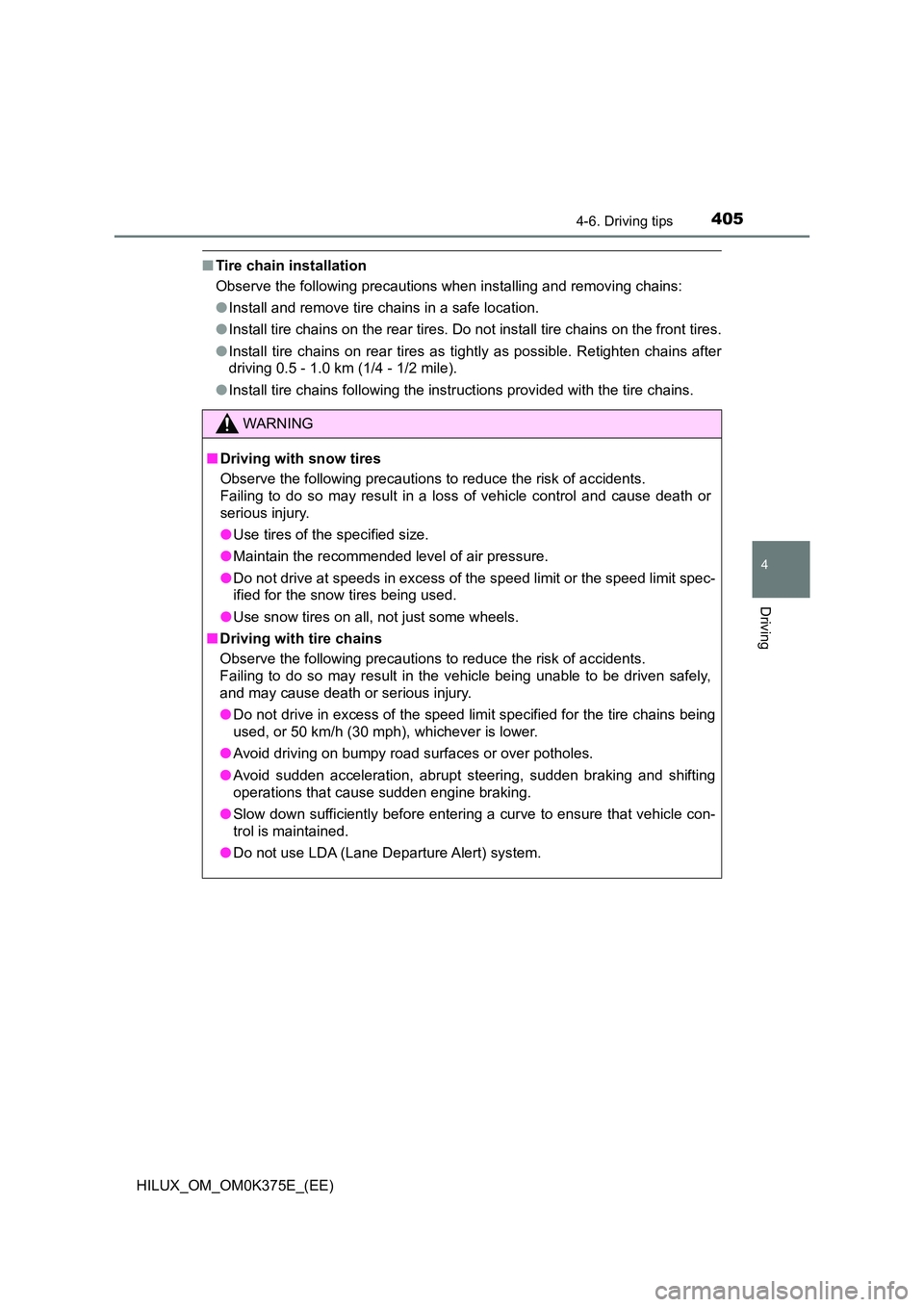
■Tire chain installation
Observe the following precautions when installing and removing chains:
● Install and remove tire chains in a safe location.
● Install tire chains on the rear tires. Do not install tire chains on the front tires.
● Install tire chains on rear tires as tightly as possible. Retighten chains after
driving 0.5 - 1.0 km (1/4 - 1/2 mile).
● Install tire chains following the instructions provided with the tire chains.
WARNING
■Driving with snow tires
Observe the following precautions to reduce the risk of accidents.
Failing to do so may result in a loss of vehicle control and cause death or
serious injury.
● Use tires of the specified size.
● Maintain the recommended level of air pressure.
● Do not drive at speeds in excess of the speed limit or the speed limit spec-
ified for the snow tires being used.
● Use snow tires on all, not just some wheels.
■ Driving with tire chains
Observe the following precautions to reduce the risk of accidents.
Failing to do so may result in the vehicle being unable to be driven safely,
and may cause death or serious injury.
● Do not drive in excess of the speed limit specified for the tire chains being
used, or 50 km/h (30 mph), whichever is lower.
● Avoid driving on bumpy road surfaces or over potholes.
● Avoid sudden acceleration, abrupt steering, sudden braking and shifting
operations that cause sudden engine braking.
● Slow down sufficiently before entering a curve to ensure that vehicle con-
trol is maintained.
● Do not use LDA (Lane Departure Alert) system.
Page 407 of 708
407
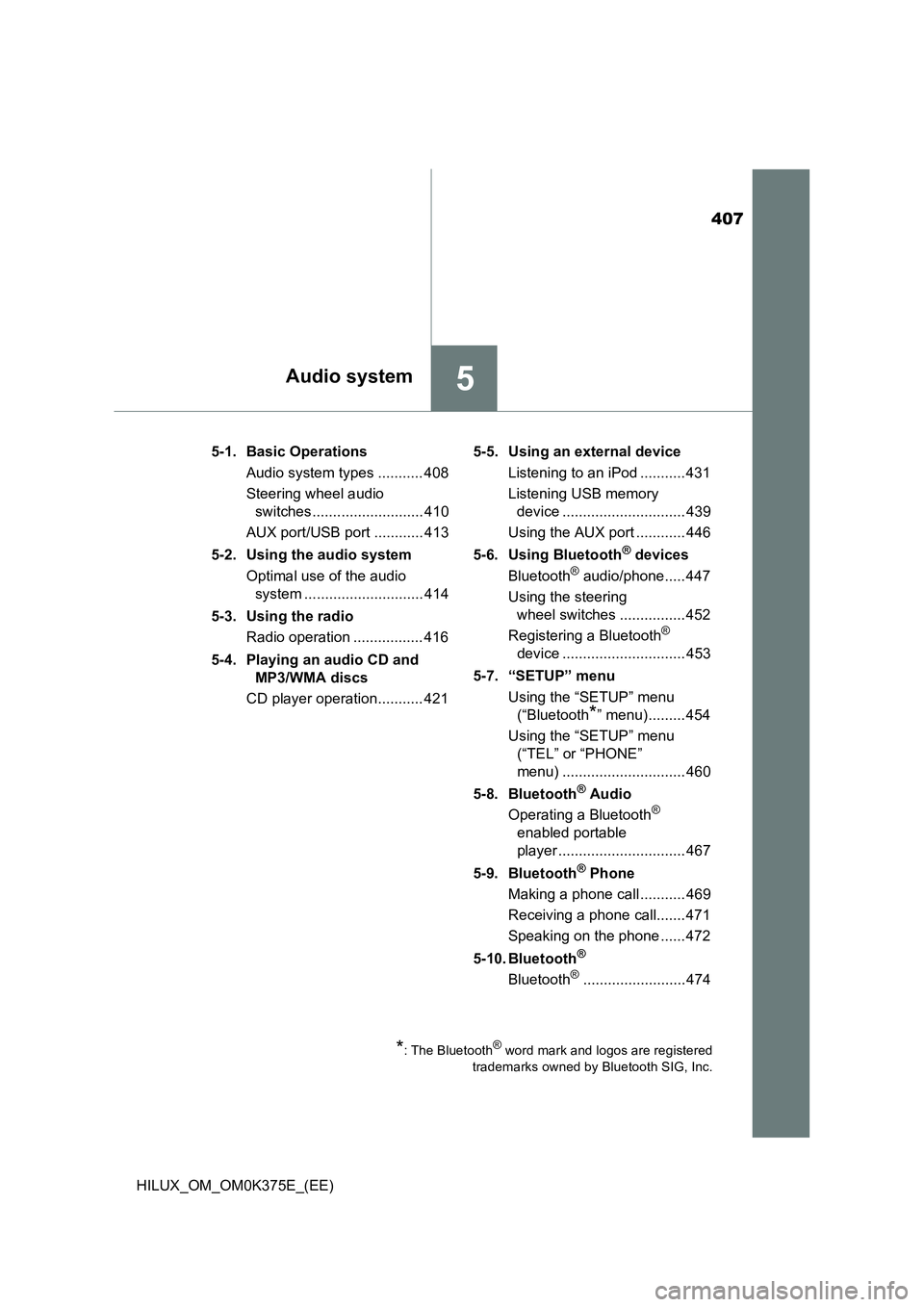
5Audio system
HILUX_OM_OM0K375E_(EE)
5-1. Basic Operations
Audio system types ........... 408
Steering wheel audio
switches ........................... 410
AUX port/USB port ............ 413
5-2. Using the audio system
Optimal use of the audio
system ............................. 414
5-3. Using the radio
Radio operation ................. 416
5-4. Playing an audio CD and
MP3/WMA discs
CD player operation........... 421
5-5. Using an external device
Listening to an iPod ........... 431
Listening USB memory
device .............................. 439
Using the AUX port ............ 446
5-6. Using Bluetooth® devices
Bluetooth® audio/phone..... 447
Using the steering
wheel switches ................ 452
Registering a Bluetooth®
device .............................. 453
5-7. “SETUP” menu
Using the “SETUP” menu
(“Bluetooth*” menu)......... 454
Using the “SETUP” menu
(“TEL” or “PHONE”
menu) .............................. 460
5-8. Bluetooth® Audio
Operating a Bluetooth®
enabled portable
player ............................... 467
5-9. Bluetooth® Phone
Making a phone call ........... 469
Receiving a phone call....... 471
Speaking on the phone ...... 472
5-10. Bluetooth®
Bluetooth®......................... 474
*: The Bluetooth® word mark and logos are registered
trademarks owned by Bluetooth SIG, Inc.