air condition TOYOTA IQ 2012 User Guide
[x] Cancel search | Manufacturer: TOYOTA, Model Year: 2012, Model line: IQ, Model: TOYOTA IQ 2012Pages: 476, PDF Size: 23.52 MB
Page 128 of 476
128 1-7. Safety information
iQ_WE_74014E
Conditions under which the SRS airbags may deploy (inflate), other
than a collision
The SRS front airbags and SRS rear window curtain shield airbag (if
equipped) may also deploy if a serious impact occurs to the underside of
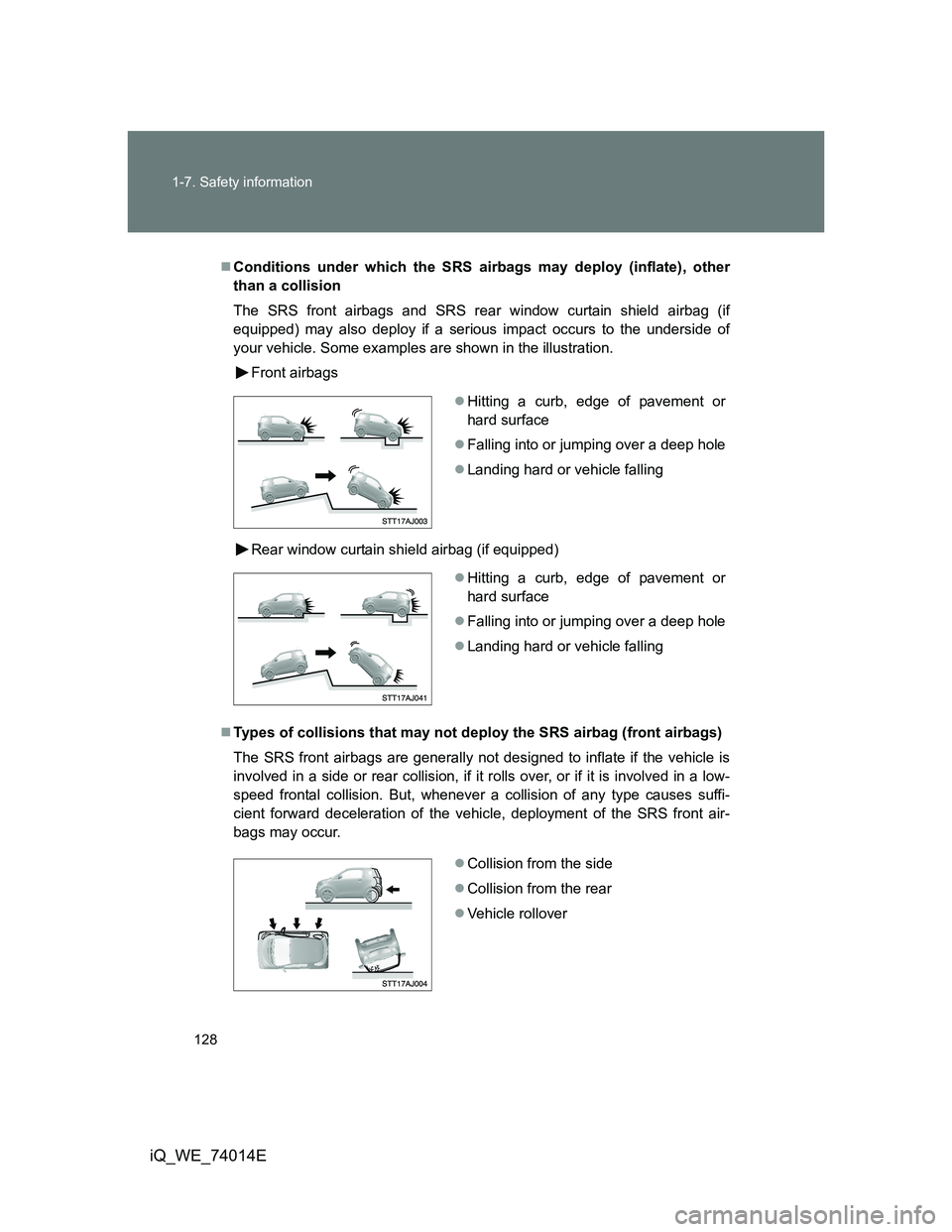
your vehicle. Some examples are shown in the illustration.
Front airbags
Rear window curtain shield airbag (if equipped)
Types of collisions that may not deploy the SRS airbag (front airbags)
The SRS front airbags are generally not designed to inflate if the vehicle is
involved in a side or rear collision, if it rolls over, or if it is involved in a low-
speed frontal collision. But, whenever a collision of any type causes suffi-
cient forward deceleration of the vehicle, deployment of the SRS front air-
bags may occur.
Hitting a curb, edge of pavement or
hard surface
Falling into or jumping over a deep hole
Landing hard or vehicle falling
Hitting a curb, edge of pavement or
hard surface
Falling into or jumping over a deep hole
Landing hard or vehicle falling
Collision from the side
Collision from the rear
Vehicle rollover
Page 175 of 476
175 2-1. Driving procedures
2
When driving
iQ_WE_74014E
NOTICE
When encountering flooded roads
Do not drive on a road that has flooded after heavy rain etc. Doing so may
cause the following serious damage to the vehicle.
Engine stalling
Short in electrical components
Engine damage caused by water immersion
In the event that you drive on a flooded road or the vehicle is flooded, be
sure to have any authorized Toyota dealer or repairer, or another duly quali-
fied and equipped professional check the following.
Brake function
Changes in quantity and quality of engine oil, transmission fluid, etc.
Lubricant condition for the bearings and suspension joints (where possi-
ble) and the function of all joints, bearings, etc.
Page 182 of 476
182 2-1. Driving procedures
iQ_WE_74014E
Steering lock
When the “ENGINE START STOP” switch is turned off and then a door is
opened and closed, the steering lock function locks the steering wheel in its
current position. The steering lock is disabled when the “ENGINE START
STOP” switch is operated again.
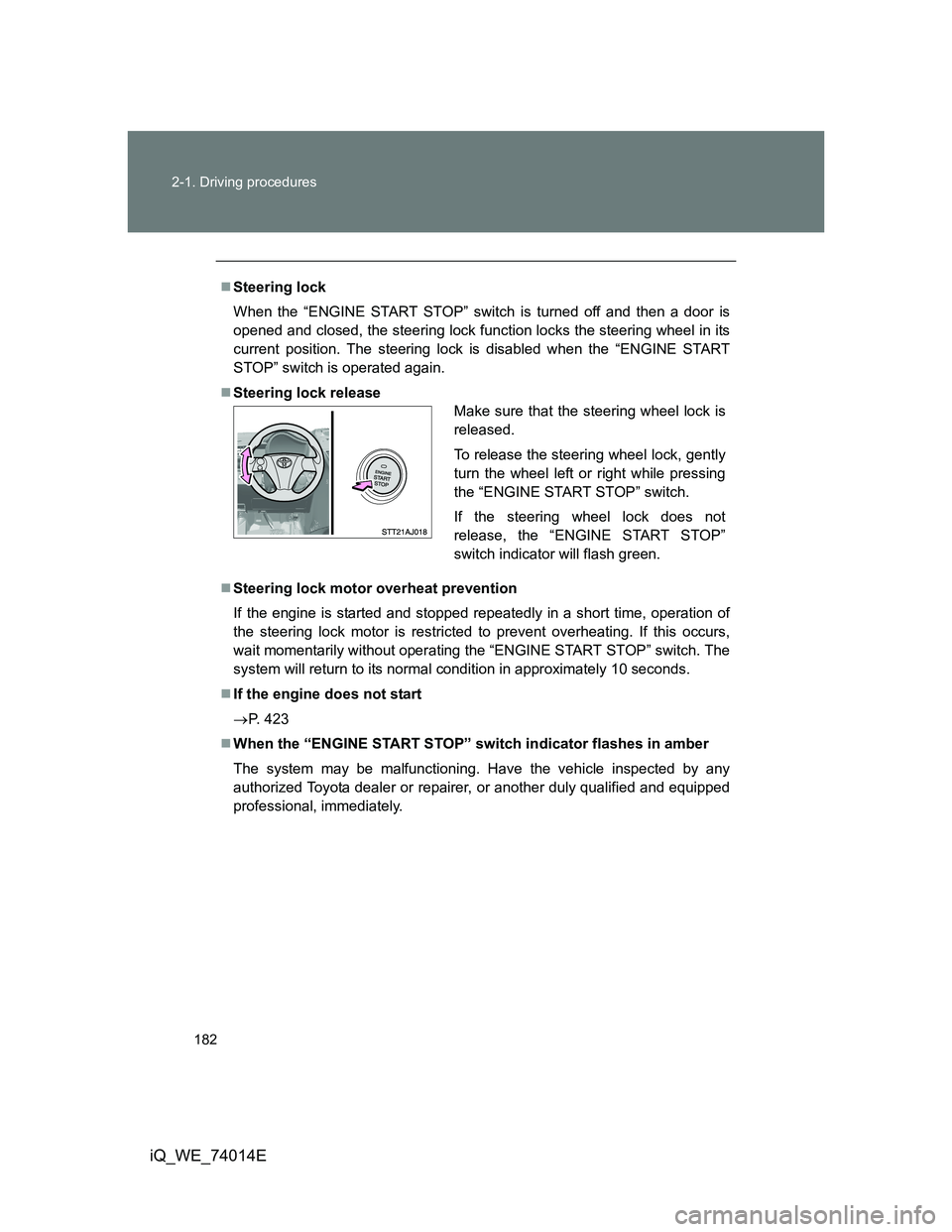
Steering lock release
Steering lock motor overheat prevention
If the engine is started and stopped repeatedly in a short time, operation of
the steering lock motor is restricted to prevent overheating. If this occurs,
wait momentarily without operating the “ENGINE START STOP” switch. The
system will return to its normal condition in approximately 10 seconds.
If the engine does not start
P. 423
When the “ENGINE START STOP” switch indicator flashes in amber
The system may be malfunctioning. Have the vehicle inspected by any
authorized Toyota dealer or repairer, or another duly qualified and equipped
professional, immediately.
Make sure that the steering wheel lock is
released.
To release the steering wheel lock, gently
turn the wheel left or right while pressing
the “ENGINE START STOP” switch.
If the steering wheel lock does not
release, the “ENGINE START STOP”
switch indicator will flash green.
Page 184 of 476
184 2-1. Driving procedures
iQ_WE_74014E
CAUTION
When starting the engine
Always start the engine while sitting in the driver’s seat. Do not depress the
accelerator pedal while starting the engine under any circumstances.
Doing so may cause an accident resulting in death or serious injury.
Caution while driving
If the vehicle is coasting without engine power, for example if the engine
stalls, do not open a door or operate the locks until the vehicle is completely
stopped in a safe condition. Driving with the steering locked may cause an
accident, resulting in death or serious injury.
Stopping the engine in an emergency
If you want to stop the engine in an emergency while driving the vehicle,
press and hold the “ENGINE START STOP” switch for more than 2 seconds,
or press it briefly 3 times or more in succession.
However, do not touch the “ENGINE START STOP” switch while driving
except in an emergency. Turning the engine off while driving will not cause
loss of steering or braking control, but the power assist to these systems will
be lost. This will make it more difficult to steer and brake, so you should pull
over and stop the vehicle as soon as it is safe to do so.
NOTICE
To prevent battery discharge
Do not leave the “ENGINE START STOP” switch in ACCESSORY or IGNI-
TION ON mode for long periods without the engine running.
When starting the engine
Do not race a cold engine.
If the engine becomes difficult to start or stalls frequently, have the engine
checked immediately.
“ENGINE START STOP” switch operation
If you feel something catching or sense irregular resistance when operating
the “ENGINE START STOP” switch, then there may be a malfunction. Imme-
diately contact any authorized Toyota dealer or repairer, or another duly
qualified and equipped professional.
Page 231 of 476
231
2-5. Driving information
2
When driving
iQ_WE_74014E
Winter driving tips
Carry out the necessary preparations and inspections before driving
the vehicle in winter. Always drive the vehicle in a manner appropri-
ate to the prevailing weather conditions.
Pre-winter preparations
Use fluids that are appropriate to the prevailing outside tem-
peratures.
• Engine oil
• Engine coolant
• Washer fluid
Have a service technician inspect the level and specific grav-
ity of battery electrolyte.
Have the vehicle fitted with four snow tires or purchase a set
of tire chains for the front tires.
Ensure that all tires are the same size and brand, and that chains
match the size of the tires.
Before driving the vehicle
Perform the following according to the driving conditions.
Do not try to forcibly open a window, scrape an outside rear
view mirror surface or move a wiper or outside rear view mir-
ror that is frozen. Pour warm water over the frozen area to
melt the ice. Wipe away the water immediately to prevent it
from freezing.
To ensure proper operation of the climate control system fan,
remove any snow that has accumulated on the air inlet vents
in front of the windshield.
Remove any ice that has accumulated on the vehicle chassis.
Periodically check for and remove any excess ice or snow
that may have accumulated in the wheel well or on the
brakes.
Page 237 of 476
3Interior features
237
iQ_WE_74014E
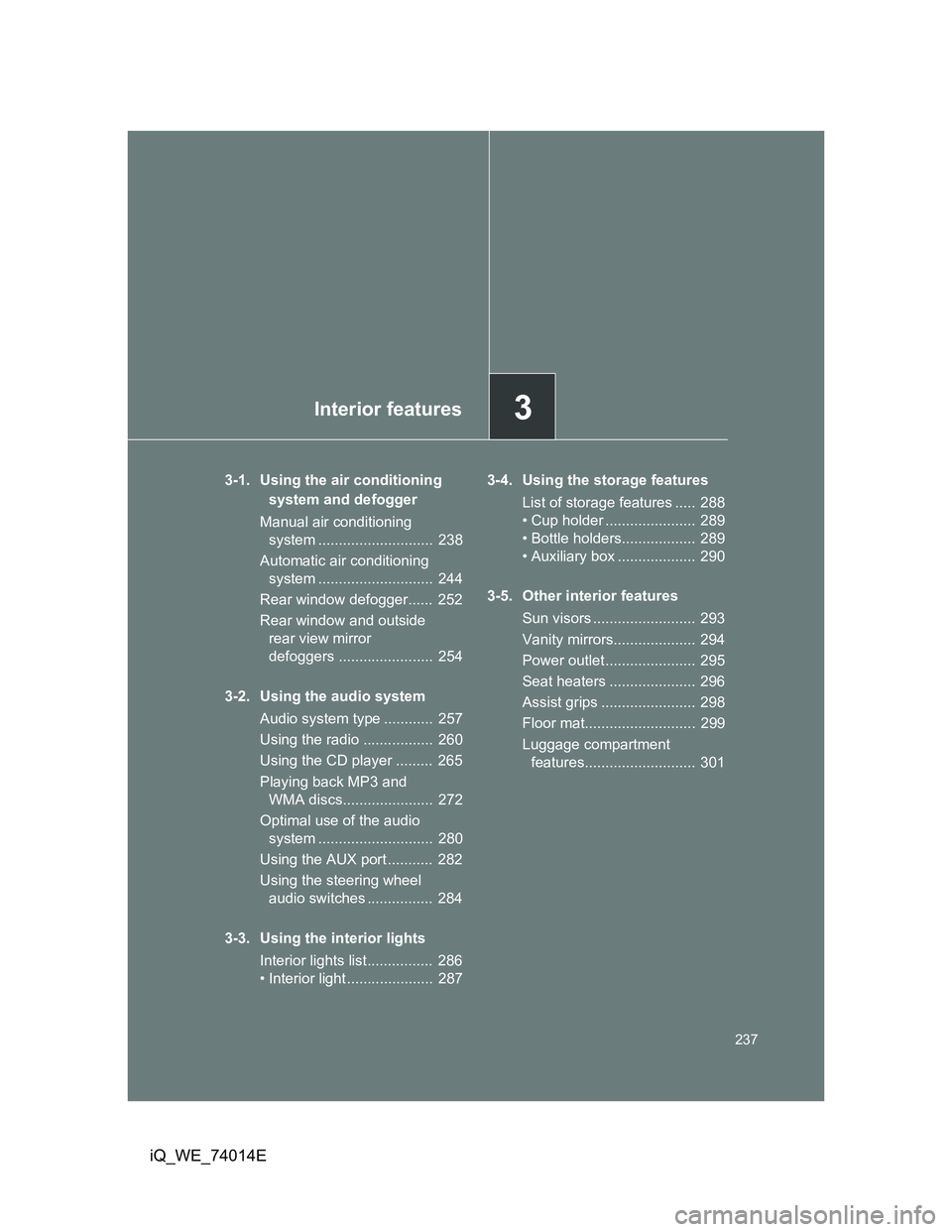
3-1. Using the air conditioning
system and defogger
Manual air conditioning
system ............................ 238
Automatic air conditioning
system ............................ 244
Rear window defogger...... 252
Rear window and outside
rear view mirror
defoggers ....................... 254
3-2. Using the audio system
Audio system type ............ 257
Using the radio ................. 260
Using the CD player ......... 265
Playing back MP3 and
WMA discs...................... 272
Optimal use of the audio
system ............................ 280
Using the AUX port ........... 282
Using the steering wheel
audio switches ................ 284
3-3. Using the interior lights
Interior lights list................ 286
• Interior light ..................... 2873-4. Using the storage features
List of storage features ..... 288
• Cup holder ...................... 289
• Bottle holders.................. 289
• Auxiliary box ................... 290
3-5. Other interior features
Sun visors ......................... 293
Vanity mirrors.................... 294
Power outlet ...................... 295
Seat heaters ..................... 296
Assist grips ....................... 298
Floor mat........................... 299
Luggage compartment
features........................... 301
Page 238 of 476
238
iQ_WE_74014E
3-1. Using the air conditioning system and defogger
Manual air conditioning system
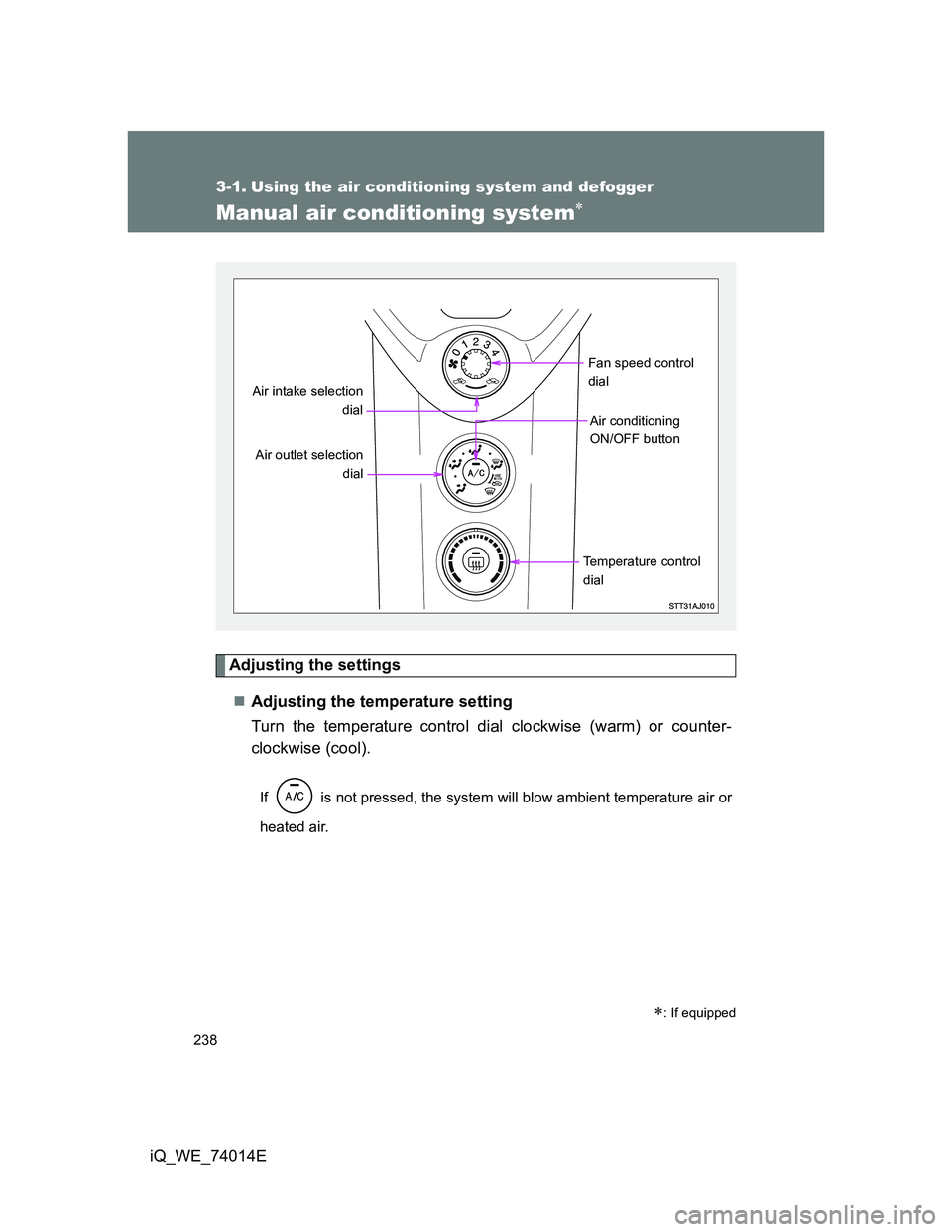
Adjusting the settings
Adjusting the temperature setting
Turn the temperature control dial clockwise (warm) or counter-
clockwise (cool).
If is not pressed, the system will blow ambient temperature air or
heated air.
: If equipped
Air outlet selection
dial
Temperature control
dialFan speed control
dial
Air intake selection
dial
Air conditioning
ON/OFF button
Page 239 of 476
239 3-1. Using the air conditioning system and defogger
3
Interior features
iQ_WE_74014EAdjusting the fan speed
Turn the fan speed control dial clockwise (increase) or counter-
clockwise (decrease).
Set the dial to “0” to turn the fan off.
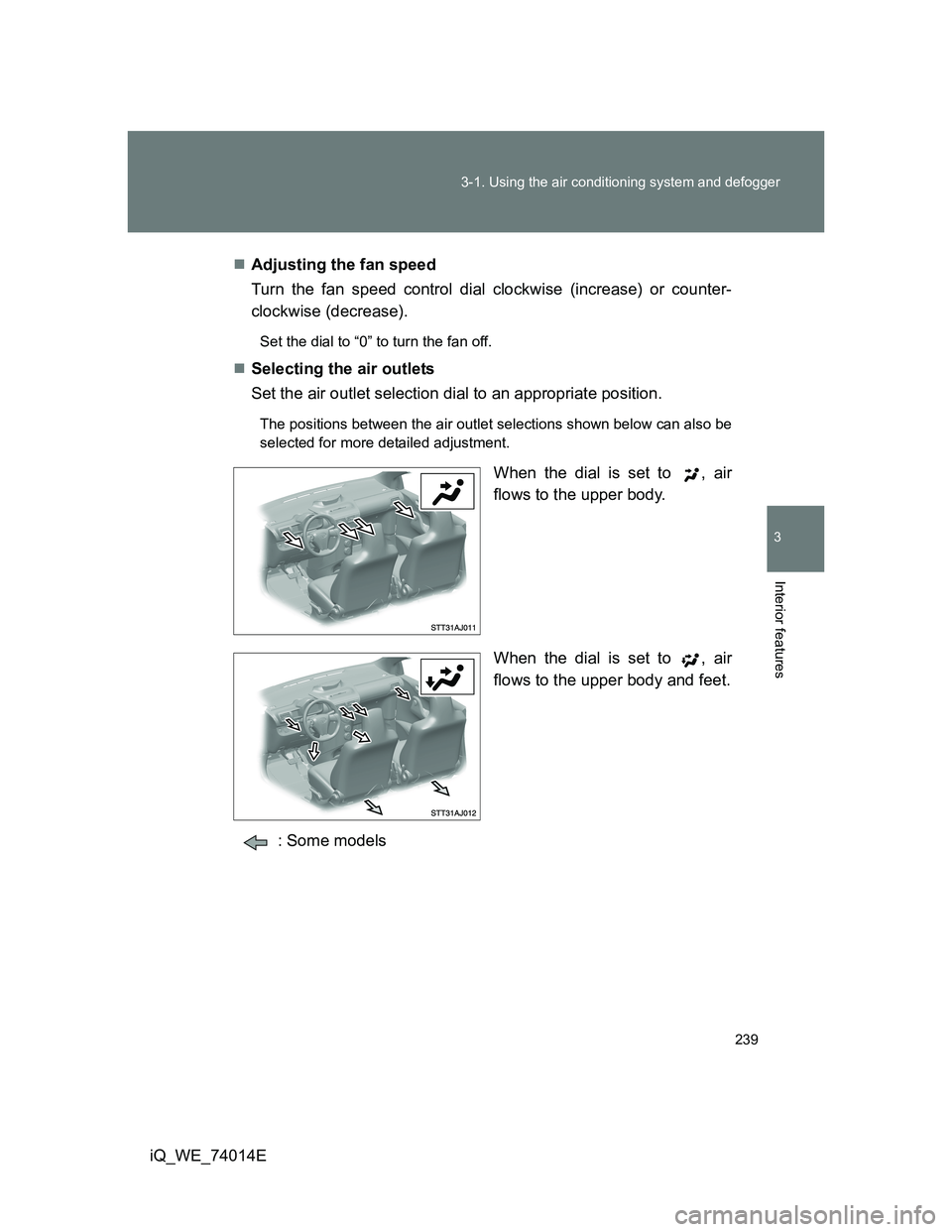
Selecting the air outlets
Set the air outlet selection dial to an appropriate position.
The positions between the air outlet selections shown below can also be
selected for more detailed adjustment.
When the dial is set to , air
flows to the upper body.
When the dial is set to , air
flows to the upper body and feet.
: Some models
Page 240 of 476
240 3-1. Using the air conditioning system and defogger
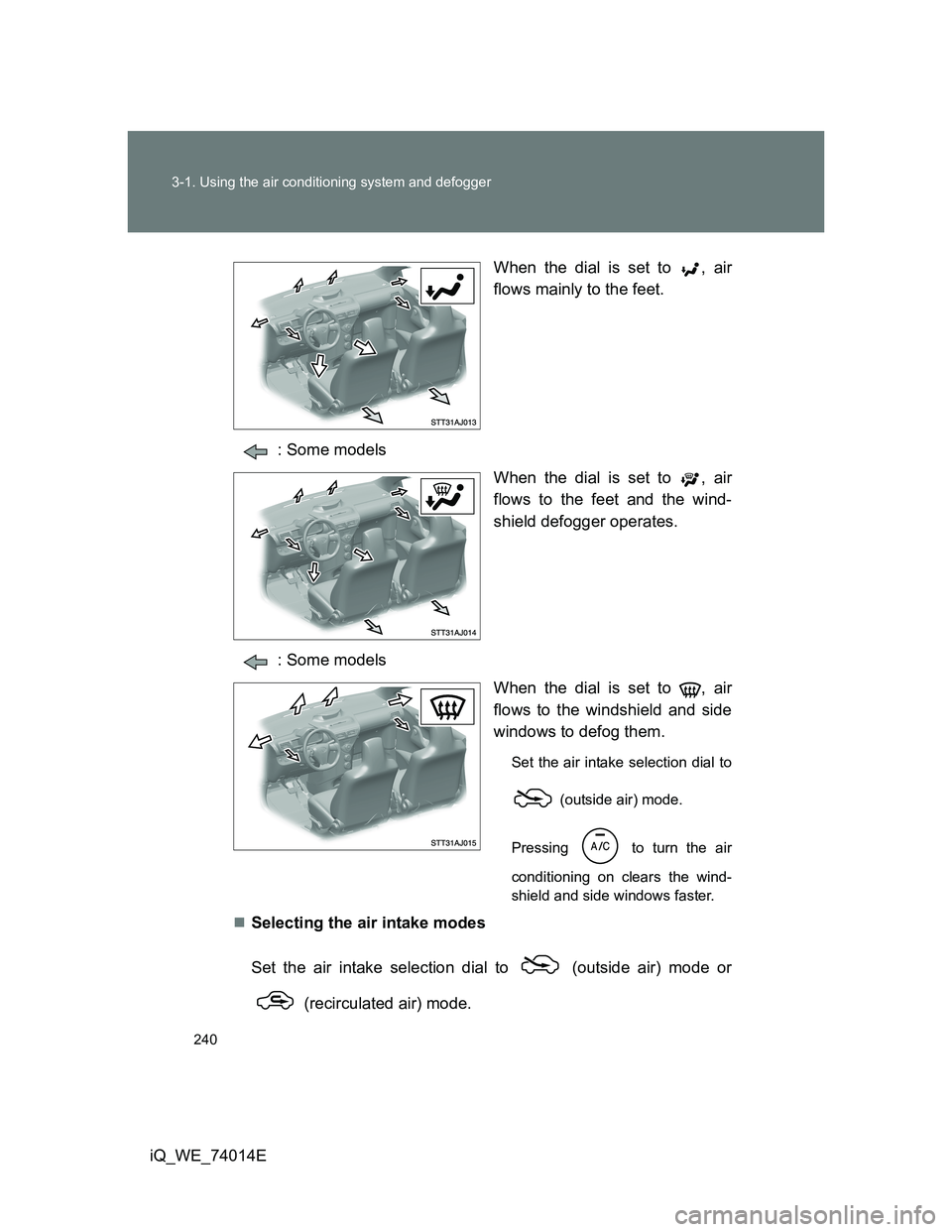
iQ_WE_74014EWhen the dial is set to , air
flows mainly to the feet.
: Some models
When the dial is set to , air
flows to the feet and the wind-
shield defogger operates.
: Some models
When the dial is set to , air
flows to the windshield and side
windows to defog them.
Set the air intake selection dial to
(outside air) mode.
Pressing
to turn the air
conditioning on clears the wind-
shield and side windows faster.
Selecting the air intake modes
Set the air intake selection dial to (outside air) mode or
(recirculated air) mode.
Page 241 of 476
241 3-1. Using the air conditioning system and defogger
3
Interior features
iQ_WE_74014E
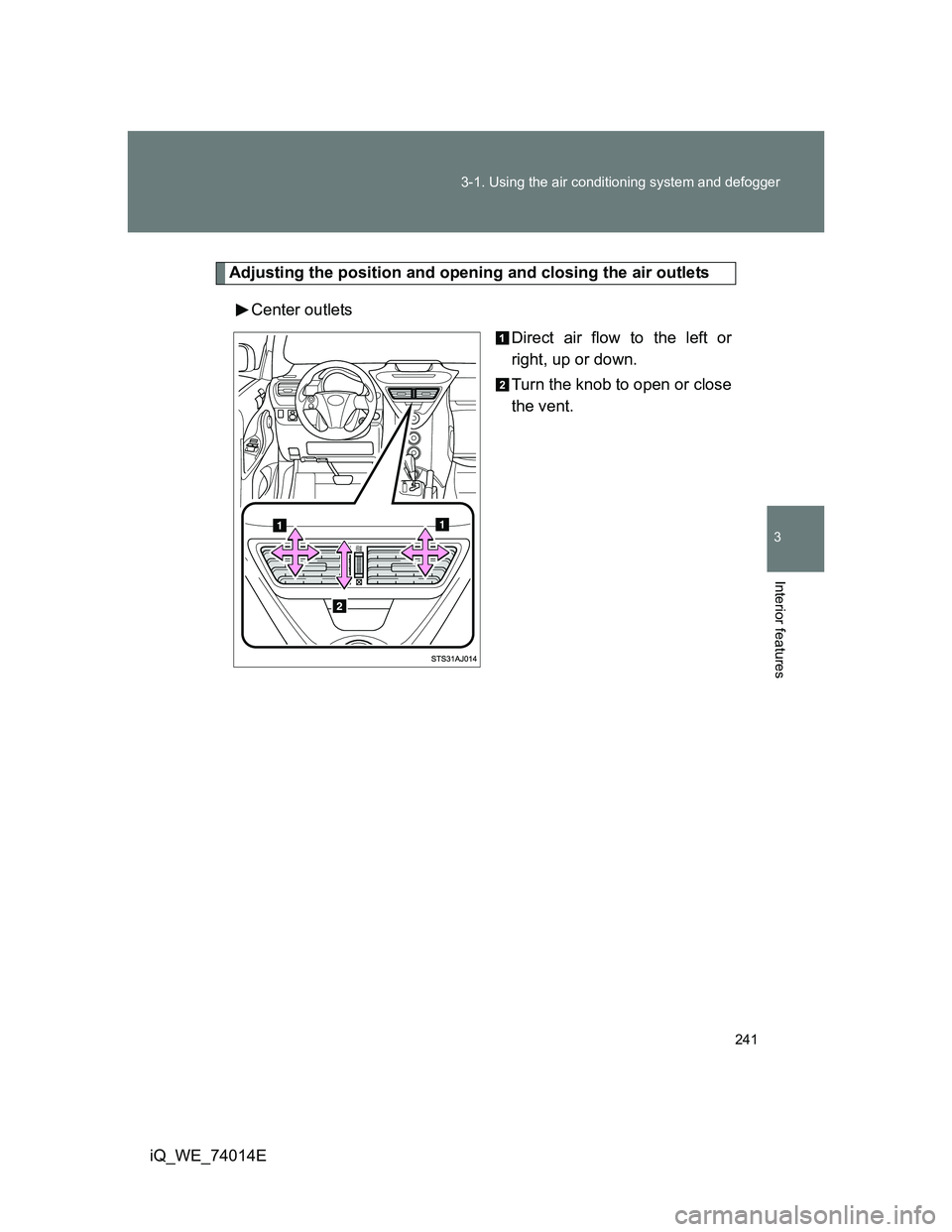
Adjusting the position and opening and closing the air outlets
Center outlets
Direct air flow to the left or
right, up or down.
Turn the knob to open or close
the vent.