key battery TOYOTA IQ 2012 User Guide
[x] Cancel search | Manufacturer: TOYOTA, Model Year: 2012, Model line: IQ, Model: TOYOTA IQ 2012Pages: 476, PDF Size: 23.52 MB
Page 305 of 476
4Maintenance and care
305
iQ_WE_74014E
4-1. Maintenance and care
Cleaning and protecting
the vehicle exterior ......... 306
Cleaning and protecting
the vehicle interior .......... 310
4-2. Maintenance
Maintenance
requirements................... 313
4-3. Do-it-yourself maintenance
Do-it-yourself service
precautions ..................... 316
Hood ................................. 319
Positioning a floor jack ...... 321
Replacing the tire .............. 324
Engine compartment......... 334
Tires .................................. 347
Tire inflation pressure ....... 350
Wheels .............................. 352
Air conditioning filter ......... 354
Key battery........................ 357
Checking and replacing
fuses ............................... 361
Light bulbs ........................ 373
Page 357 of 476
357
4-3. Do-it-yourself maintenance
4
Maintenance and care
iQ_WE_74014E
Key batter y
Replace the battery with a new one if it is discharged.
You will need the following items:
Flathead screwdriver (To prevent damage to the key, cover
the tip of the screwdriver with tape.)
Small flathead screwdriver
Lithium battery
Vehicles without smart entry & start system: CR2016
Vehicles with smart entry & start system: CR1632
Replacing the battery
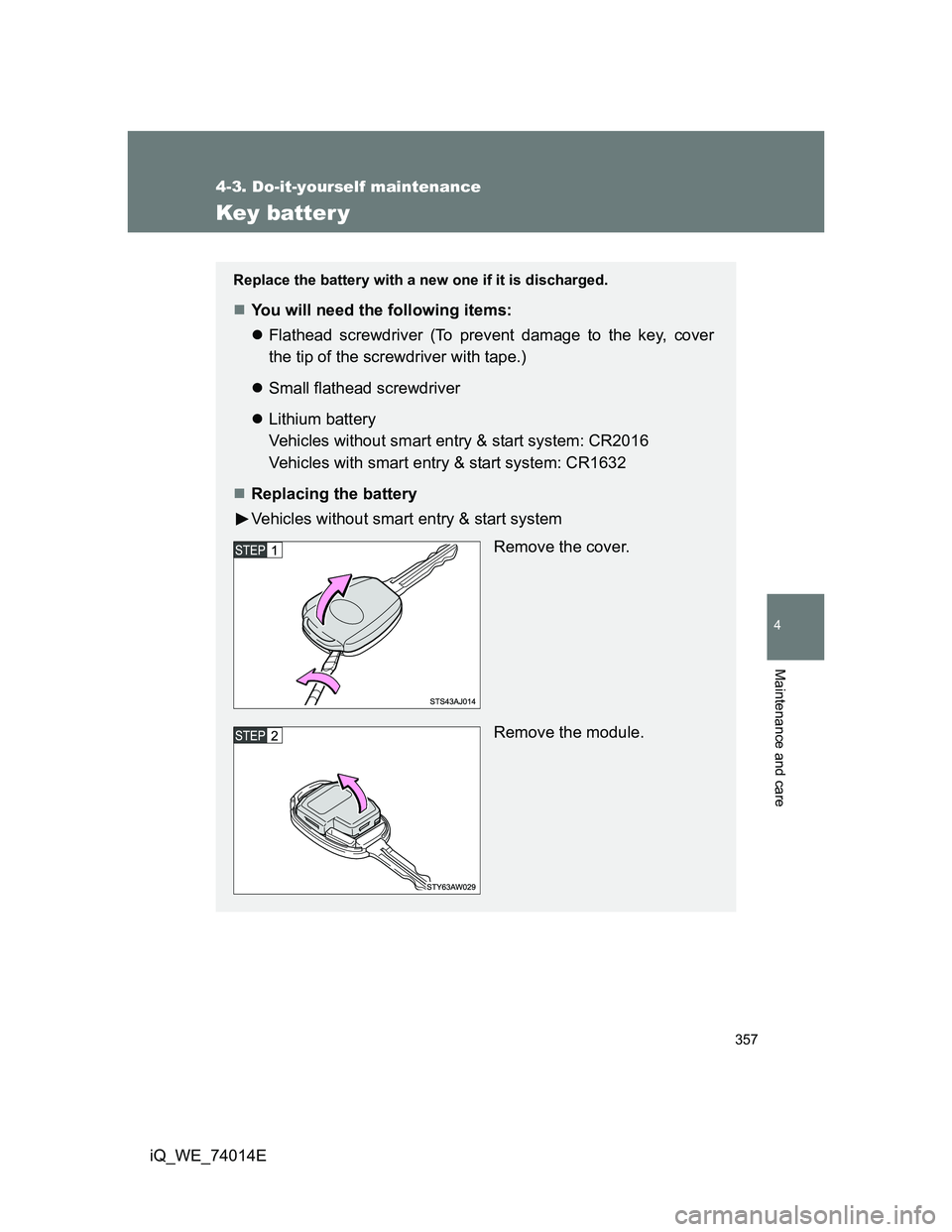
Vehicles without smart entry & start system
Remove the cover.
Remove the module.
Page 358 of 476
358 4-3. Do-it-yourself maintenance
iQ_WE_74014E
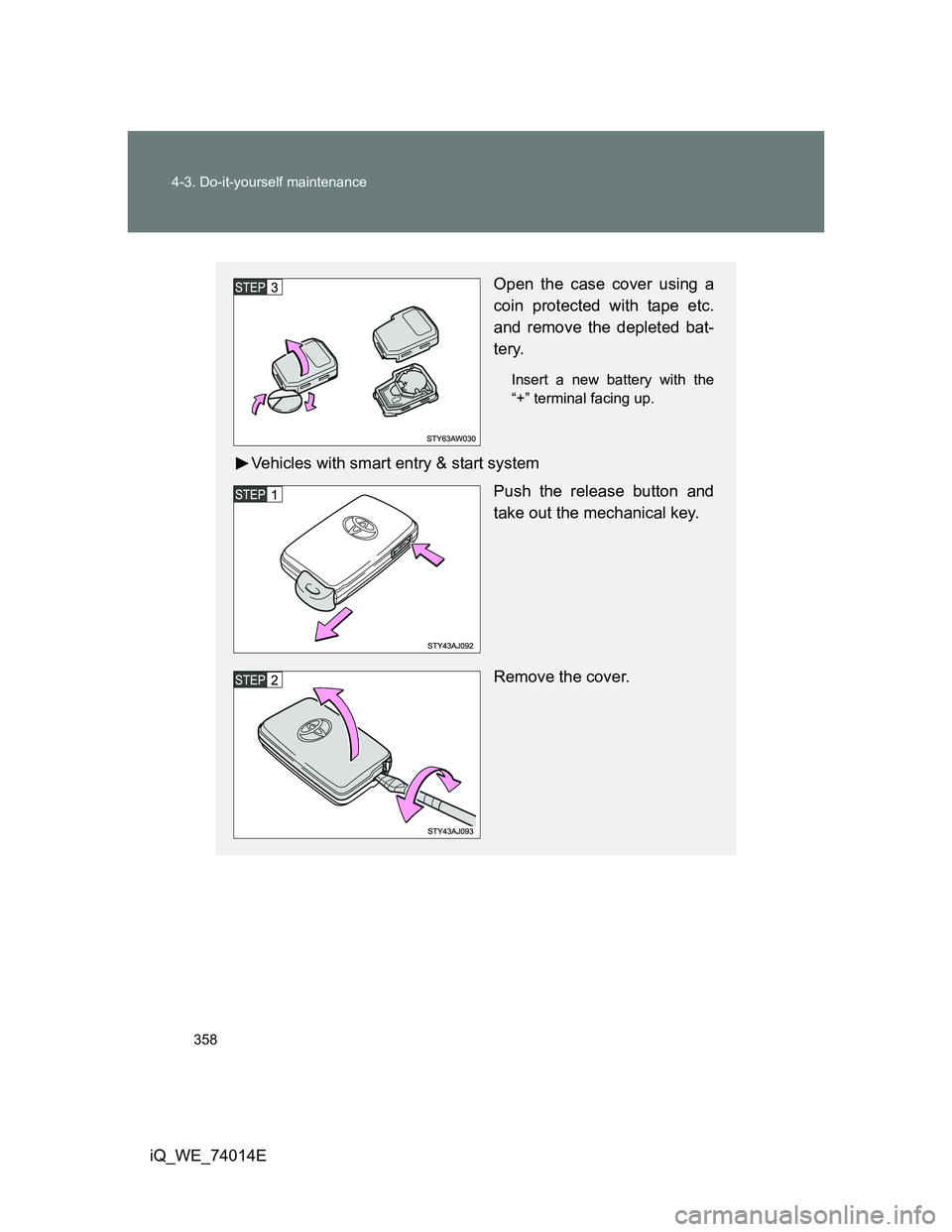
Open the case cover using a
coin protected with tape etc.
and remove the depleted bat-
tery.
Insert a new battery with the
“+” terminal facing up.
Vehicles with smart entry & start system
Push the release button and
take out the mechanical key.
Remove the cover.
Page 359 of 476
359 4-3. Do-it-yourself maintenance
4
Maintenance and care
iQ_WE_74014E
If the key battery is discharged
The following symptoms may occur.
The smart entry & start system (if equipped) and wireless remote control
will not function properly.
The operational range is reduced.
Use a lithium battery
Batteries can be purchased at any authorized Toyota dealer or repairer,
or another duly qualified and equipped professional, jewelers, or camera
stores.
Replace only with the same or equivalent type recommended by any
authorized Toyota dealer or repairer, or another duly qualified and
equipped professional.
Dispose of used batteries according to local laws.
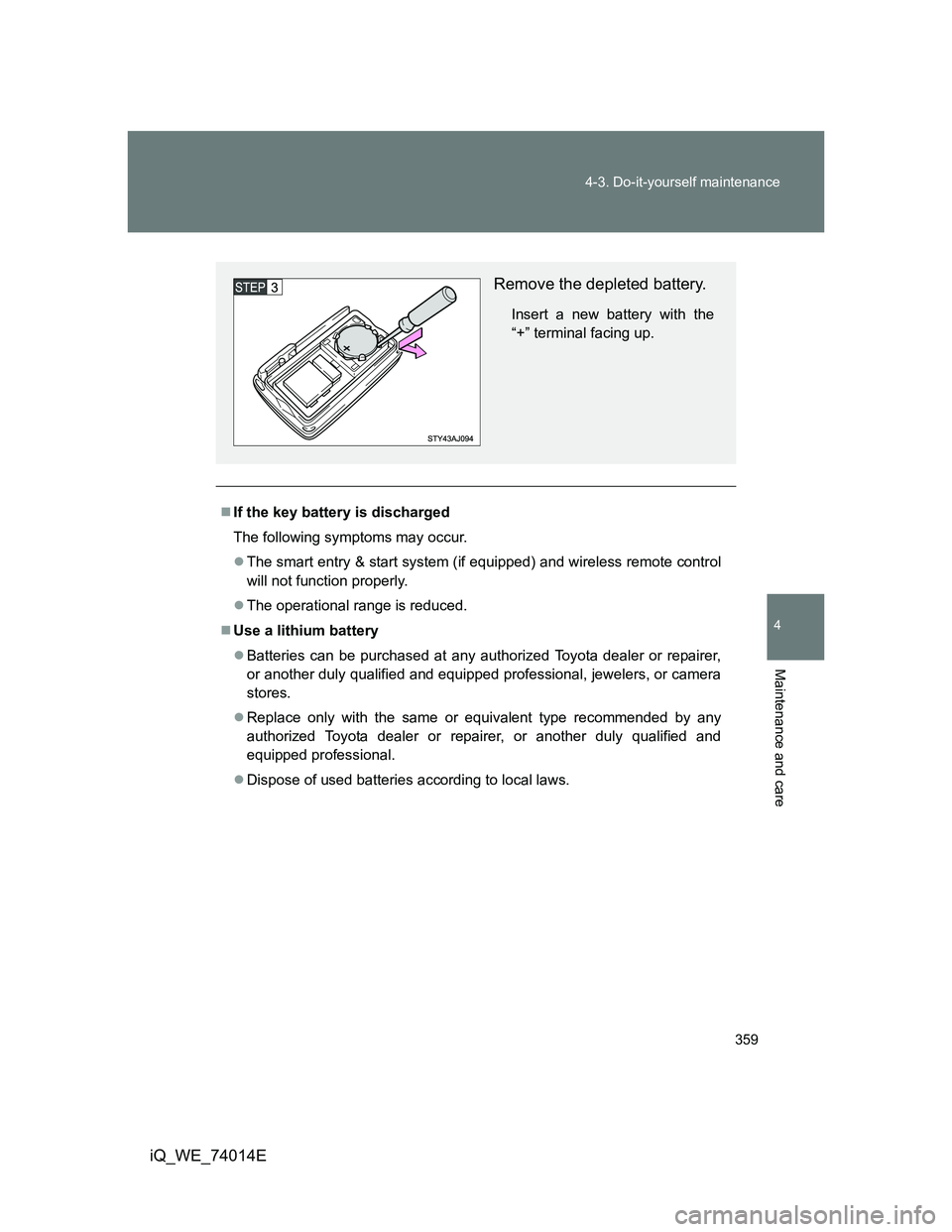
Remove the depleted battery.
Insert a new battery with the
“+” terminal facing up.
Page 360 of 476
360 4-3. Do-it-yourself maintenance
iQ_WE_74014E
CAUTION
Removed battery and other parts
These parts are small and if swallowed by a child, they can cause choking.
Keep away from children. Failure to do so could result in death or serious
injury.
Certification for the key battery
RISK OF EXPLOSION IF BATTERY IS REPLACED BY AN INCORRECT
TYPE. DISPOSE OF USED BATTERIES ACCORDING TO THE INSTRUC-
TIONS.
NOTICE
For normal operation after replacing the battery
Observe the following precautions to prevent accidents.
Always work with dry hands.
Moisture may cause the battery to rust.
Do not touch or move any other components inside the remote control.
Do not bend either of the battery terminals.
Page 385 of 476
5When trouble arises
385
iQ_WE_74014E
5-1. Essential information
Emergency flashers .......... 386
If your vehicle needs
to be towed ..................... 388
If you think something
is wrong .......................... 395
Fuel pump shut off
system ............................ 3965-2. Steps to take
in an emergency
If a warning light turns on
or a warning buzzer
sounds... ......................... 397
If you have a flat tire ......... 405
If the engine will
not start........................... 423
If the shift lever cannot
be shifted from P
(vehicles with
a Multidrive) .................... 425
If you lose your keys ......... 426
If the electronic key does
not operate properly
(vehicles with smart
entry & start system)....... 427
If the vehicle battery is
discharged ...................... 430
If your vehicle
overheats ........................ 435
If the vehicle becomes
stuck ............................... 438
If your vehicle has
to be stopped
in an emergency ............. 440
Page 427 of 476
5
427
5-2. Steps to take in an emergency
When trouble arises
iQ_WE_74014E
If the electronic key does not operate properly (vehicles with smart entr y & start system)
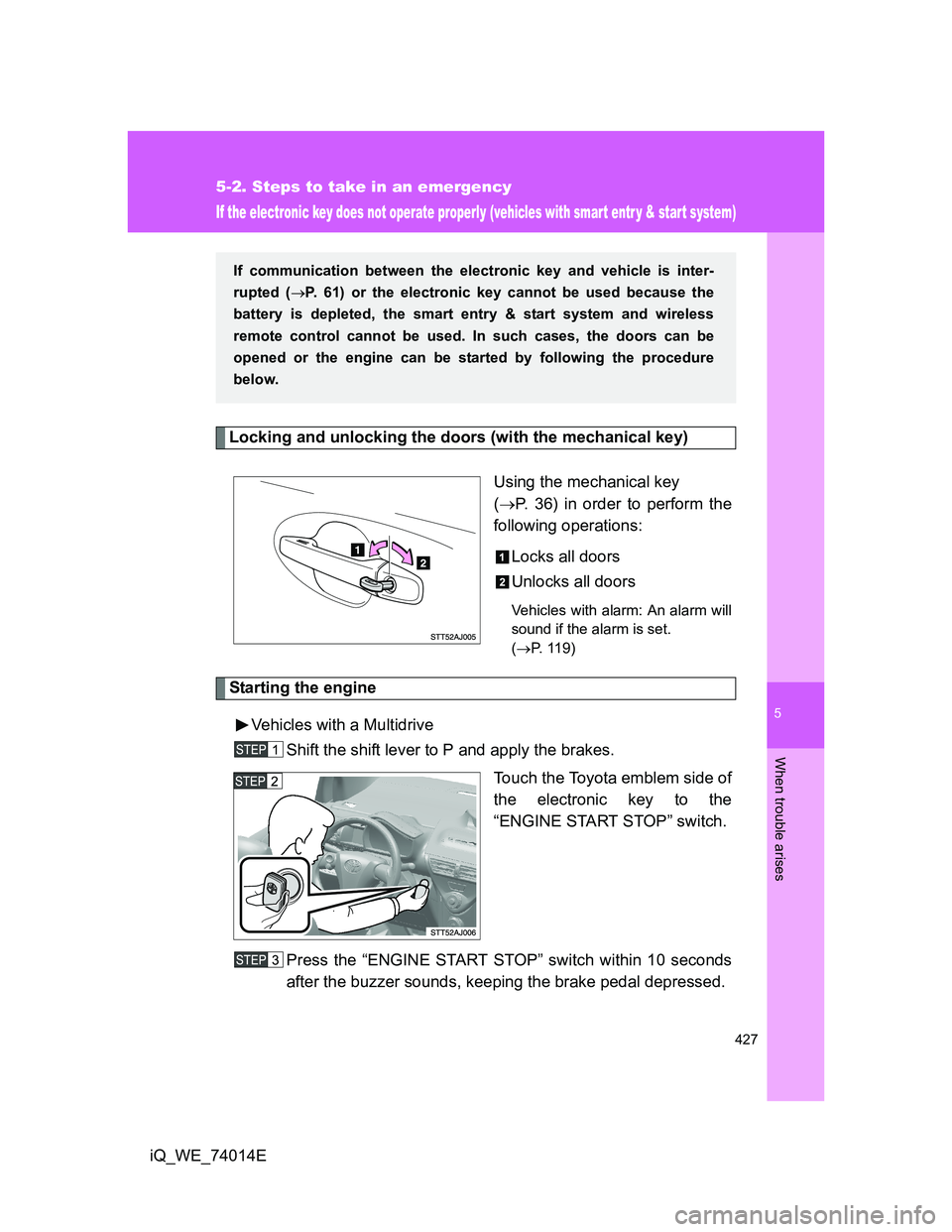
Locking and unlocking the doors (with the mechanical key)
Using the mechanical key
(P. 36) in order to perform the
following operations:
Locks all doors
Unlocks all doors
Vehicles with alarm: An alarm will
sound if the alarm is set.
(P. 119)
Starting the engine
Vehicles with a Multidrive
Shift the shift lever to P and apply the brakes.
Touch the Toyota emblem side of
the electronic key to the
“ENGINE START STOP” switch.
Press the “ENGINE START STOP” switch within 10 seconds
after the buzzer sounds, keeping the brake pedal depressed.
If communication between the electronic key and vehicle is inter-
rupted (P. 61) or the electronic key cannot be used because the
battery is depleted, the smart entry & start system and wireless
remote control cannot be used. In such cases, the doors can be
opened or the engine can be started by following the procedure
below.
Page 428 of 476
428 5-2. Steps to take in an emergency
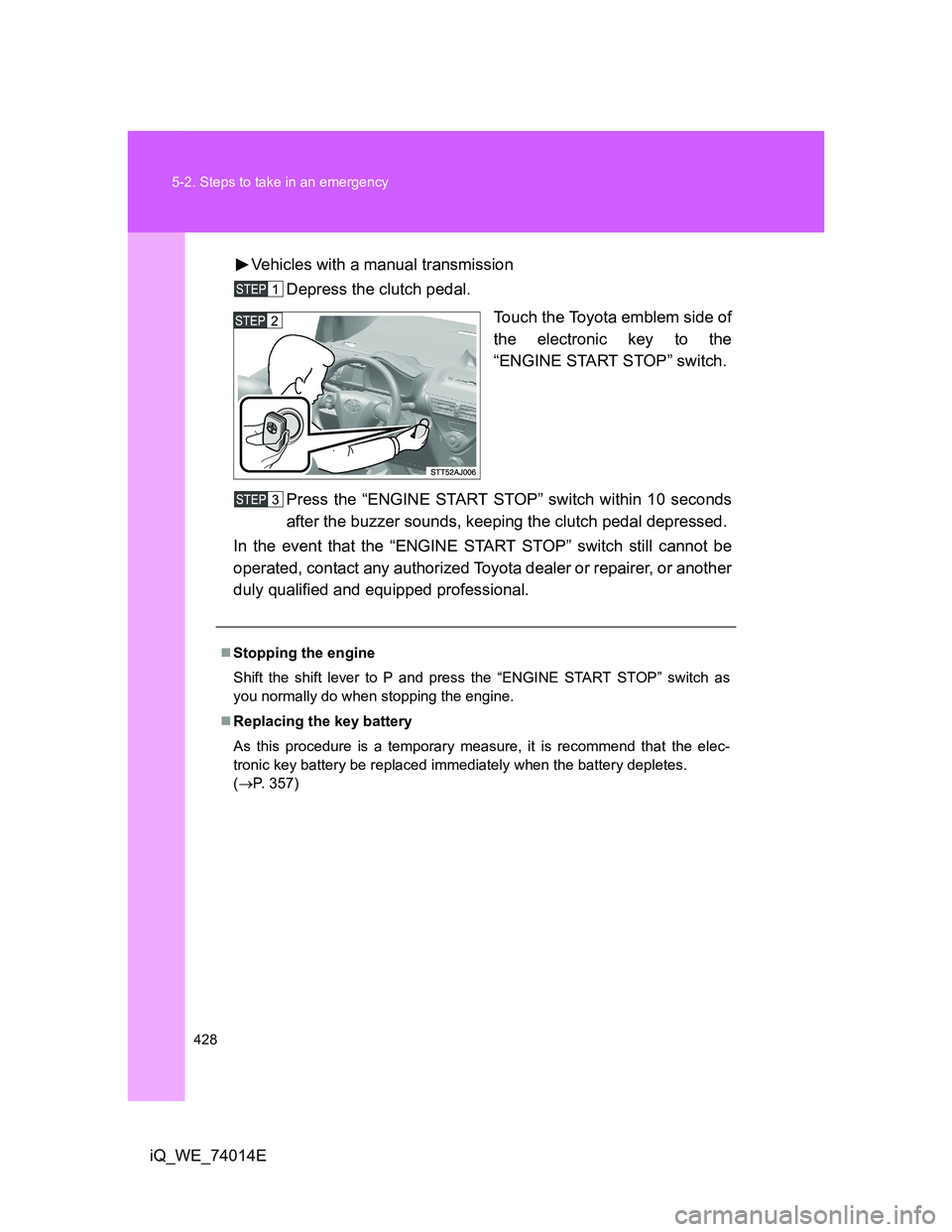
iQ_WE_74014EVehicles with a manual transmission
Depress the clutch pedal.
Touch the Toyota emblem side of
the electronic key to the
“ENGINE START STOP” switch.
Press the “ENGINE START STOP” switch within 10 seconds
after the buzzer sounds, keeping the clutch pedal depressed.
In the event that the “ENGINE START STOP” switch still cannot be
operated, contact any authorized Toyota dealer or repairer, or another
duly qualified and equipped professional.
Stopping the engine
Shift the shift lever to P and press the “ENGINE START STOP” switch as
you normally do when stopping the engine.
Replacing the key battery
As this procedure is a temporary measure, it is recommend that the elec-
tronic key battery be replaced immediately when the battery depletes.
(P. 357)
Page 432 of 476
432 5-2. Steps to take in an emergency
iQ_WE_74014E
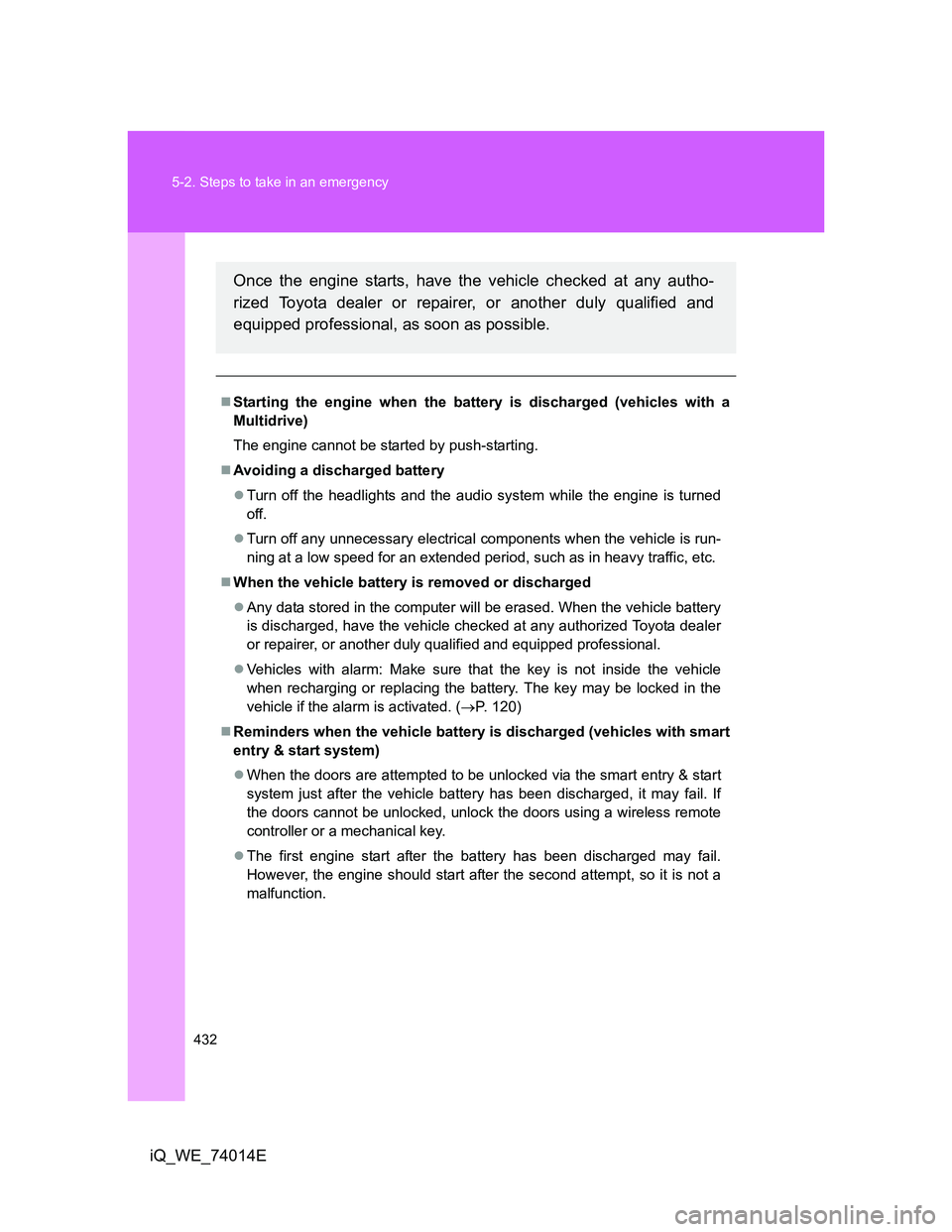
Starting the engine when the battery is discharged (vehicles with a
Multidrive)
The engine cannot be started by push-starting.
Avoiding a discharged battery
Turn off the headlights and the audio system while the engine is turned
off.
Turn off any unnecessary electrical components when the vehicle is run-
ning at a low speed for an extended period, such as in heavy traffic, etc.
When the vehicle battery is removed or discharged
Any data stored in the computer will be erased. When the vehicle battery
is discharged, have the vehicle checked at any authorized Toyota dealer
or repairer, or another duly qualified and equipped professional.
Vehicles with alarm: Make sure that the key is not inside the vehicle
when recharging or replacing the battery. The key may be locked in the
vehicle if the alarm is activated. (P. 120)
Reminders when the vehicle battery is discharged (vehicles with smart
entry & start system)
When the doors are attempted to be unlocked via the smart entry & start
system just after the vehicle battery has been discharged, it may fail. If
the doors cannot be unlocked, unlock the doors using a wireless remote
controller or a mechanical key.
The first engine start after the battery has been discharged may fail.
However, the engine should start after the second attempt, so it is not a
malfunction.
Once the engine starts, have the vehicle checked at any autho-
rized Toyota dealer or repairer, or another duly qualified and
equipped professional, as soon as possible.
Page 464 of 476
464 Alphabetical index
iQ_WE_74014E
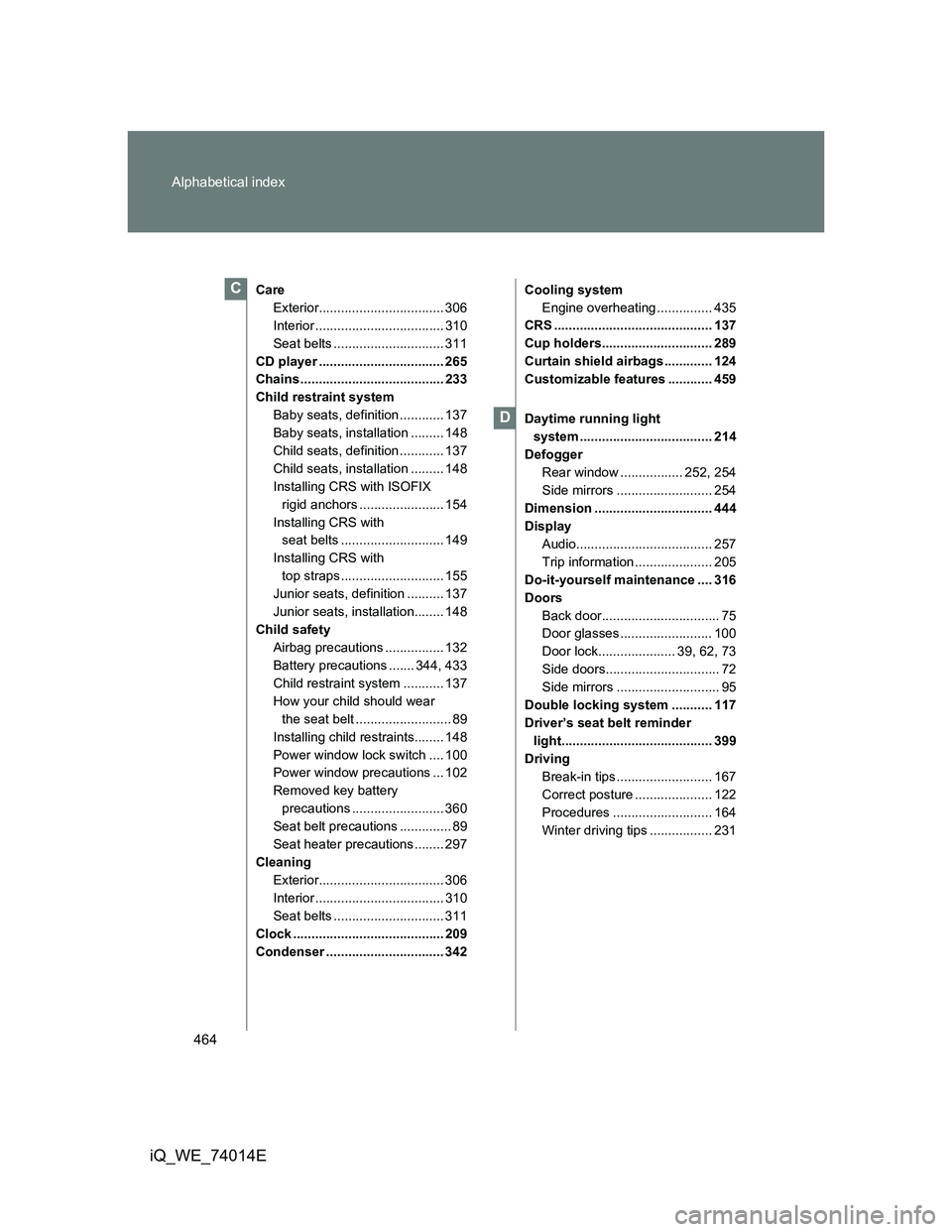
Care
Exterior.................................. 306
Interior ................................... 310
Seat belts .............................. 311
CD player .................................. 265
Chains ....................................... 233
Child restraint system
Baby seats, definition ............ 137
Baby seats, installation ......... 148
Child seats, definition ............ 137
Child seats, installation ......... 148
Installing CRS with ISOFIX
rigid anchors ....................... 154
Installing CRS with
seat belts ............................ 149
Installing CRS with
top straps ............................ 155
Junior seats, definition .......... 137
Junior seats, installation........ 148
Child safety
Airbag precautions ................ 132
Battery precautions ....... 344, 433
Child restraint system ........... 137
How your child should wear
the seat belt .......................... 89
Installing child restraints........ 148
Power window lock switch .... 100
Power window precautions ... 102
Removed key battery
precautions ......................... 360
Seat belt precautions .............. 89
Seat heater precautions ........ 297
Cleaning
Exterior.................................. 306
Interior ................................... 310
Seat belts .............................. 311
Clock ......................................... 209
Condenser ................................ 342Cooling system
Engine overheating ............... 435
CRS ........................................... 137
Cup holders.............................. 289
Curtain shield airbags ............. 124
Customizable features ............ 459
Daytime running light
system .................................... 214
Defogger
Rear window ................. 252, 254
Side mirrors .......................... 254
Dimension ................................ 444
Display
Audio..................................... 257
Trip information ..................... 205
Do-it-yourself maintenance .... 316
Doors
Back door................................ 75
Door glasses ......................... 100
Door lock..................... 39, 62, 73
Side doors............................... 72
Side mirrors ............................ 95
Double locking system ........... 117
Driver’s seat belt reminder
light......................................... 399
Driving
Break-in tips .......................... 167
Correct posture ..................... 122
Procedures ........................... 164
Winter driving tips ................. 231C
D