display TOYOTA IQ 2012 Owner's Guide
[x] Cancel search | Manufacturer: TOYOTA, Model Year: 2012, Model line: IQ, Model: TOYOTA IQ 2012Pages: 476, PDF Size: 23.52 MB
Page 268 of 476
268 3-2. Using the audio system
iQ_WE_74014E
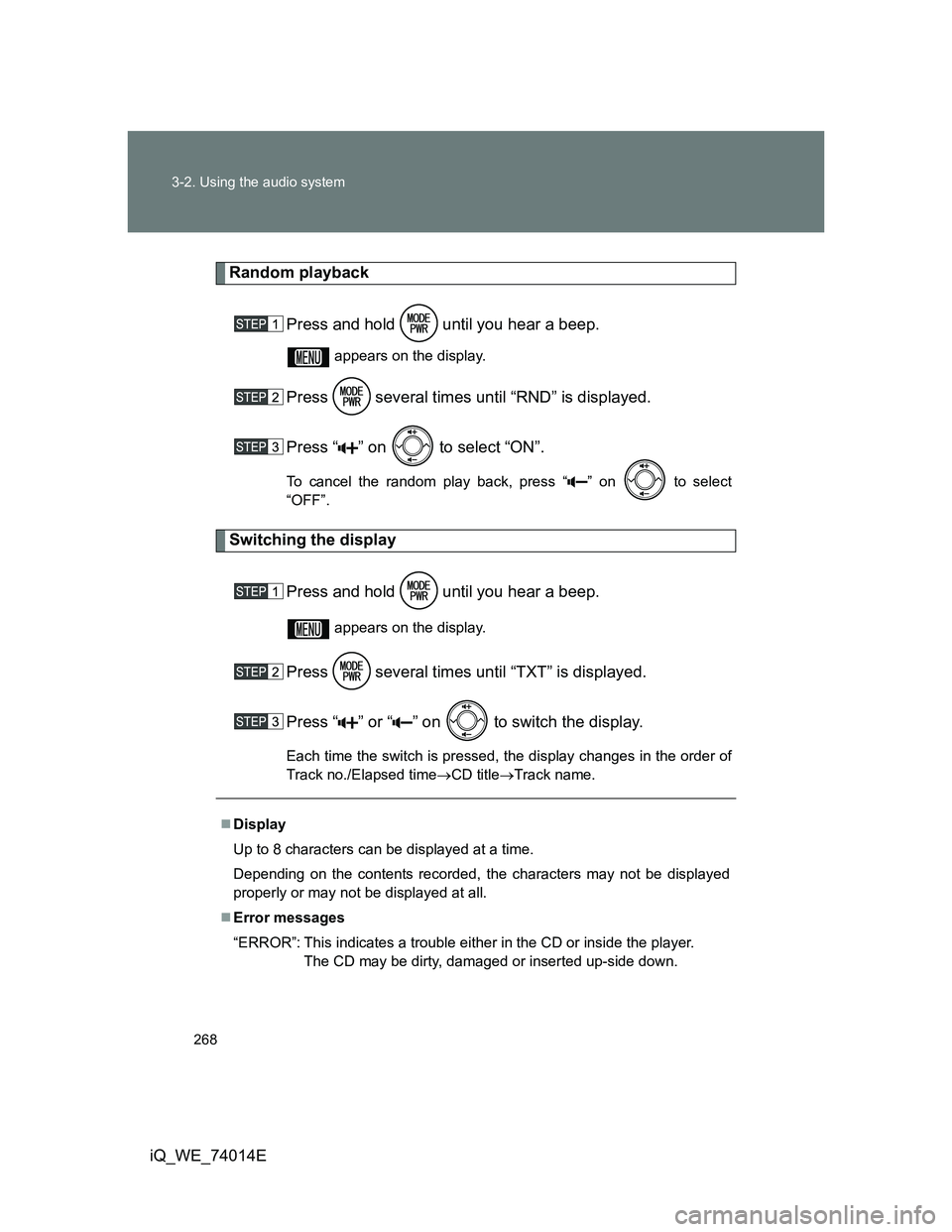
Random playback
Press and hold until you hear a beep.
appears on the display.
Press several times until “RND” is displayed.
Press “ ” on to select “ON”.
To cancel the random play back, press “ ” on to select
“OFF”.
Switching the display
Press and hold until you hear a beep.
appears on the display.
Press several times until “TXT” is displayed.
Press “ ” or “ ” on to switch the display.
Each time the switch is pressed, the display changes in the order of
Track no./Elapsed timeCD titleTrack name.
Display
Up to 8 characters can be displayed at a time.
Depending on the contents recorded, the characters may not be displayed
properly or may not be displayed at all.
Error messages
“ERROR”: This indicates a trouble either in the CD or inside the player.
The CD may be dirty, damaged or inserted up-side down.
Page 272 of 476
272
3-2. Using the audio system
iQ_WE_74014E
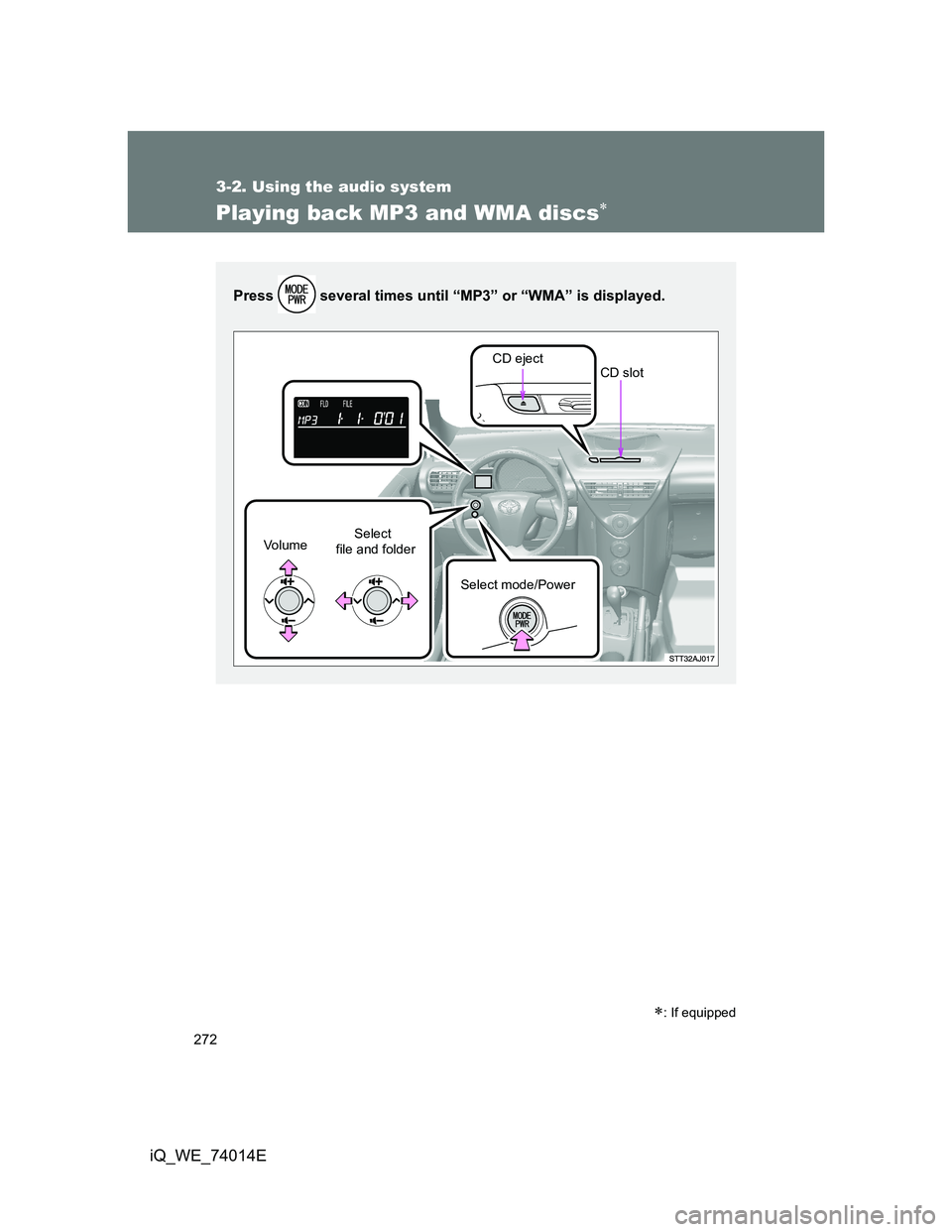
Playing back MP3 and WMA discs
: If equipped
Press several times until “MP3” or “WMA” is displayed.
CD eject
Select
file and folder Vo l u m e
Select mode/PowerCD slot
Page 273 of 476
273 3-2. Using the audio system
3
Interior features
iQ_WE_74014E
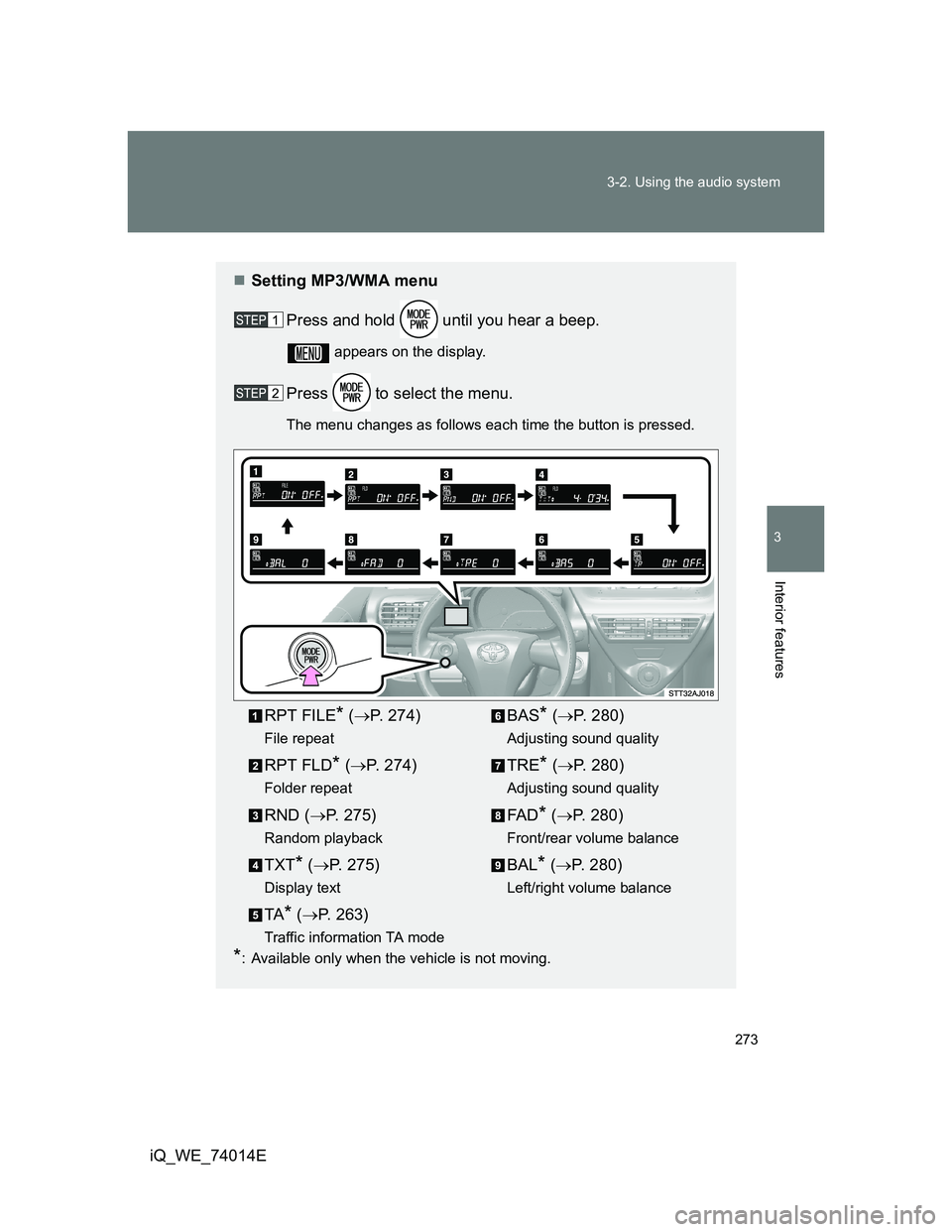
Setting MP3/WMA menu
Press and hold until you hear a beep.
appears on the display.
Press to select the menu.
The menu changes as follows each time the button is pressed.
*: Available only when the vehicle is not moving.
RPT FILE* (P. 274)
File repeat
RPT FLD* (P. 274)
Folder repeat
RND (P. 275)
Random playback
TXT* (P. 275)
Display text
TA* (P. 263)
Traffic information TA mode
BAS* (P. 280)
Adjusting sound quality
TRE* (P. 280)
Adjusting sound quality
FA D* (P. 280)
Front/rear volume balance
BAL* (P. 280)
Left/right volume balance
Page 274 of 476
274 3-2. Using the audio system
iQ_WE_74014E
Loading and ejecting MP3 and WMA discs
Refer to the section entitled “Using the CD player” for details.
(P. 265)
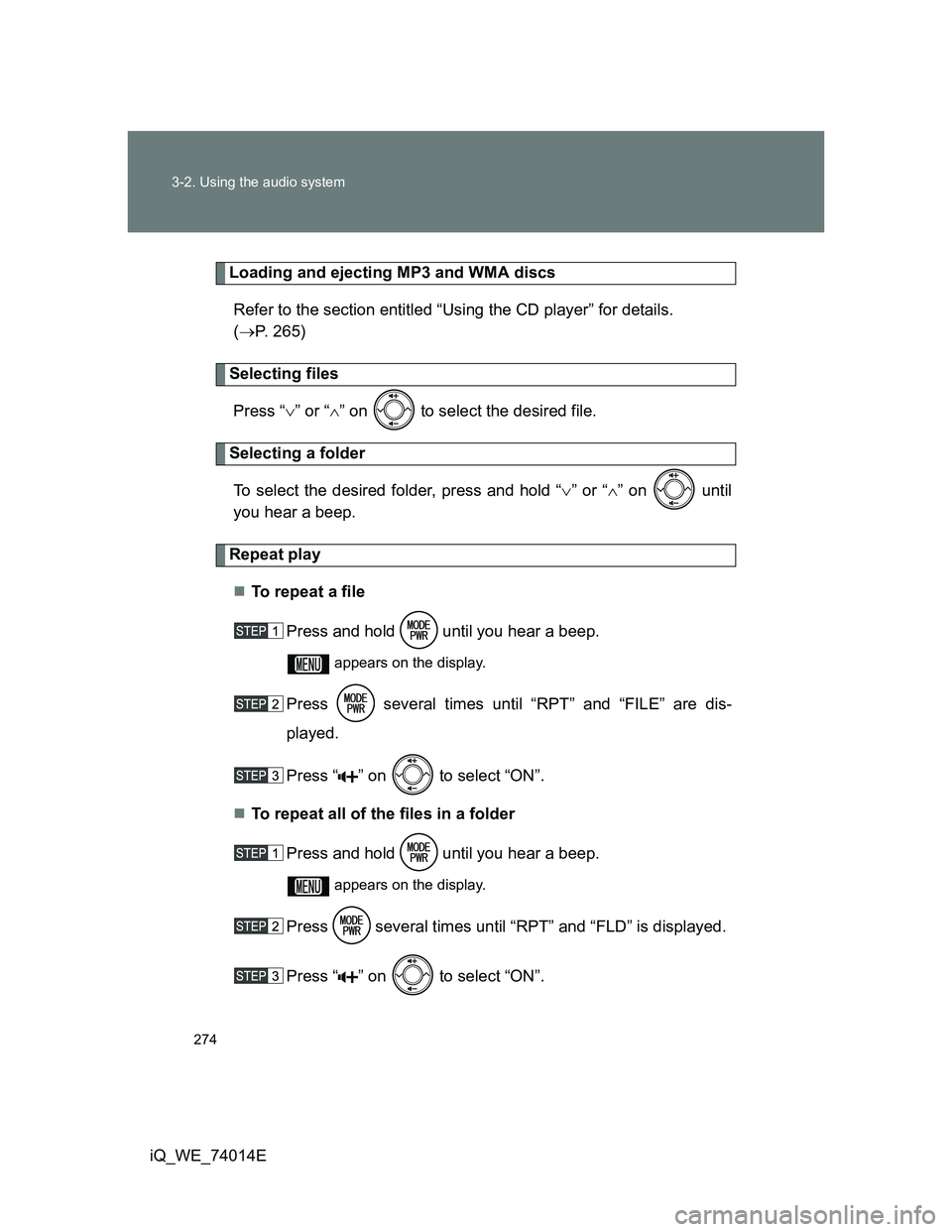
Selecting files
Press “” or “” on to select the desired file.
Selecting a folder
To select the desired folder, press and hold “” or “” on until
you hear a beep.
Repeat play
To r e p e a t a f i l e
Press and hold until you hear a beep.
appears on the display.
Press several times until “RPT” and “FILE” are dis-
played.
Press “ ” on to select “ON”.
To repeat all of the files in a folder
Press and hold until you hear a beep.
appears on the display.
Press several times until “RPT” and “FLD” is displayed.
Press “ ” on to select “ON”.
Page 275 of 476
275 3-2. Using the audio system
3
Interior features
iQ_WE_74014ECancelling repeat playback
Press “ ” on to select “OFF”.
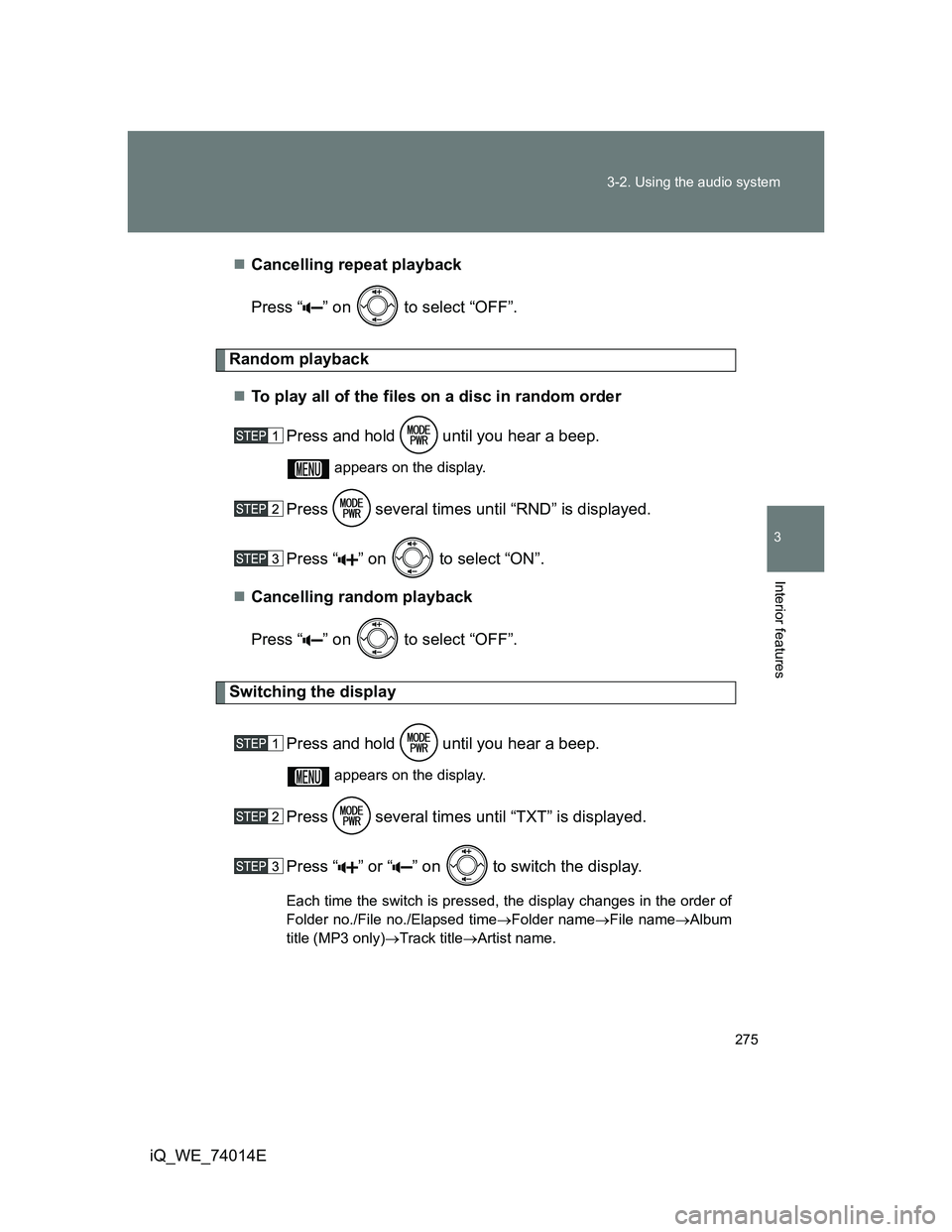
Random playback
To play all of the files on a disc in random order
Press and hold until you hear a beep.
appears on the display.
Press several times until “RND” is displayed.
Press “ ” on to select “ON”.
Cancelling random playback
Press “ ” on to select “OFF”.
Switching the display
Press and hold until you hear a beep.
appears on the display.
Press several times until “TXT” is displayed.
Press “ ” or “ ” on
to switch the display.
Each time the switch is pressed, the display changes in the order of
Folder no./File no./Elapsed timeFolder nameFile nameAlbum
title (MP3 only)Track titleArtist name.
Page 276 of 476
276 3-2. Using the audio system
iQ_WE_74014E
Display
Up to 8 characters can be displayed at a time.
Depending on the contents recorded, the characters may not be displayed
properly or may not be displayed at all.
Error messages
“ERROR”: This indicates a trouble either in the CD or inside the player.
The CD may be dirty, damaged or inserted up-side down.
“NO MUSIC”: This indicates that the MP3/WMA file is not included in the
CD.
Discs that can be used
Discs with the marks shown below can be used.
Playback may not be possible depending on recording format or disc fea-
tures, or due to scratches, dirt or deterioration.
CD player protection feature
To protect the internal components, playback is automatically stopped when
a problem is detected while the CD player is being used.
If CDs are left inside the CD player or in the ejected position for
extended periods
CDs may be damaged and may not play properly.
Lens cleaners
Do not use lens cleaners. Doing so may damage the CD player.
Page 278 of 476
278 3-2. Using the audio system
iQ_WE_74014E
Compatible media
Media that can be used for MP3 and WMA playback are CD-Rs and CD-
RWs.
Playback in some instances may not be possible, depending on the status
of the CD-R or CD-RW. Playback may not be possible or the audio may
jump if the disc is scratched or marked with fingerprints.
Compatible disc formats
The following disc formats can be used.
• Disc formats: CD-ROM Mode 1 and Mode 2
CD-ROM XA Mode 2, Form 1 and Form 2
• File formats: ISO9660 Level 1, Level 2, (Romeo, Joliet)
MP3 and WMA files written in any format other than those listed above
may not play correctly, and their file names and folder names may not
be displayed correctly.
Items related to standards and limitations are as follows.
• Maximum directory hierarchy: 8 levels
• Maximum length of folder names/file names: 32 characters
• Maximum number of folders: 192 (including the root)
• Maximum number of files per disc: 255
File names
The only files that can be recognized as MP3/WMA and played are those
with the extension .mp3 or .wma.
Multi-sessions
As the audio system is compatible with multi-sessions, it is possible to play
discs that contain MP3 and WMA files. However, only the first session can
be played.
ID3 and WMA tags
ID3 tags can be added to MP3 files, making it possible to record the track
title and artist name, etc.
The system is compatible with ID3 Ver. 1.0, 1.1, and Ver. 2.2, 2.3 ID3 tags.
(The number of characters is based on ID3 Ver. 1.0 and 1.1.)
WMA tags can be added to WMA files, making it possible to record the
track title and artist name in the same way as with ID3 tags.
Page 280 of 476
280
3-2. Using the audio system
iQ_WE_74014E
Optimal use of the audio system
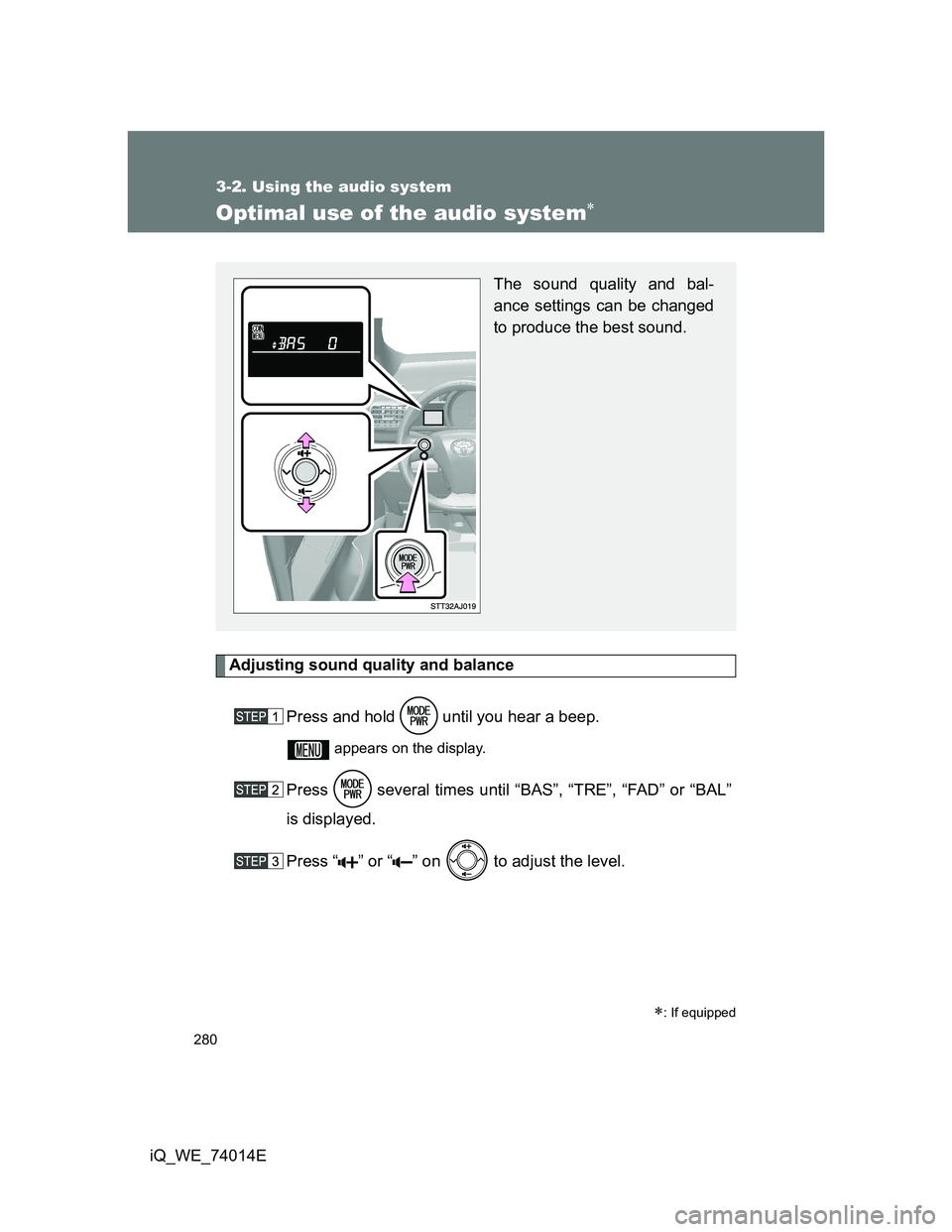
Adjusting sound quality and balance
Press and hold until you hear a beep.
appears on the display.
Press several times until “BAS”, “TRE”, “FAD” or “BAL”
is displayed.
Press “ ” or “ ” on to adjust the level.
: If equipped
The sound quality and bal-
ance settings can be changed
to produce the best sound.
Page 281 of 476
281 3-2. Using the audio system
3
Interior features
iQ_WE_74014E
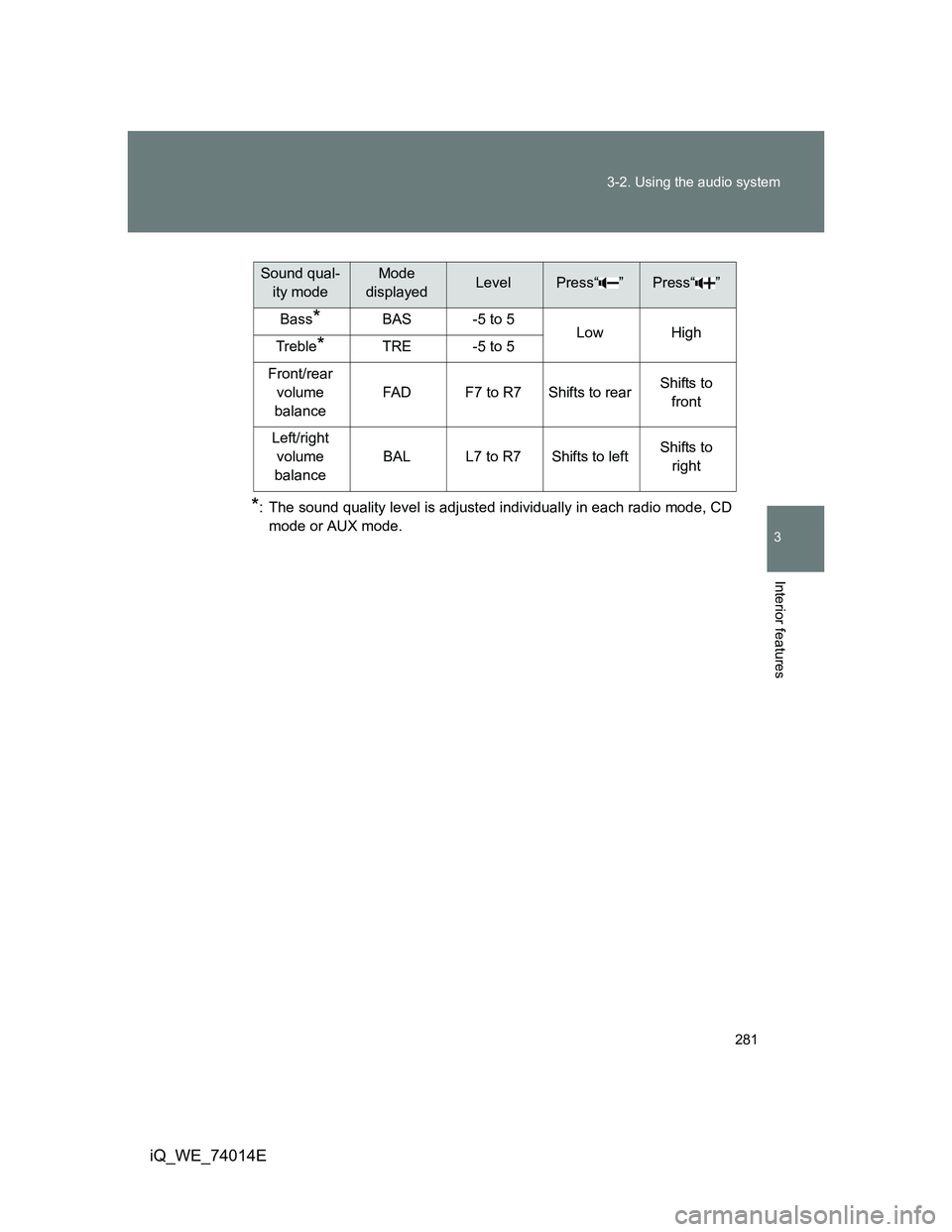
*: The sound quality level is adjusted individually in each radio mode, CD
mode or AUX mode.
Sound qual-
ity modeMode
displayedLevelPress“ ”Press“ ”
Bass*BAS-5 to 5LowHighTreble*TRE-5 to 5
Front/rear
volume
balance
FA DF7 to R7Shifts to rearShifts to
front
Left/right
volume
balance
BALL7 to R7Shifts to leftShifts to
right
Page 282 of 476
282
3-2. Using the audio system
iQ_WE_74014E
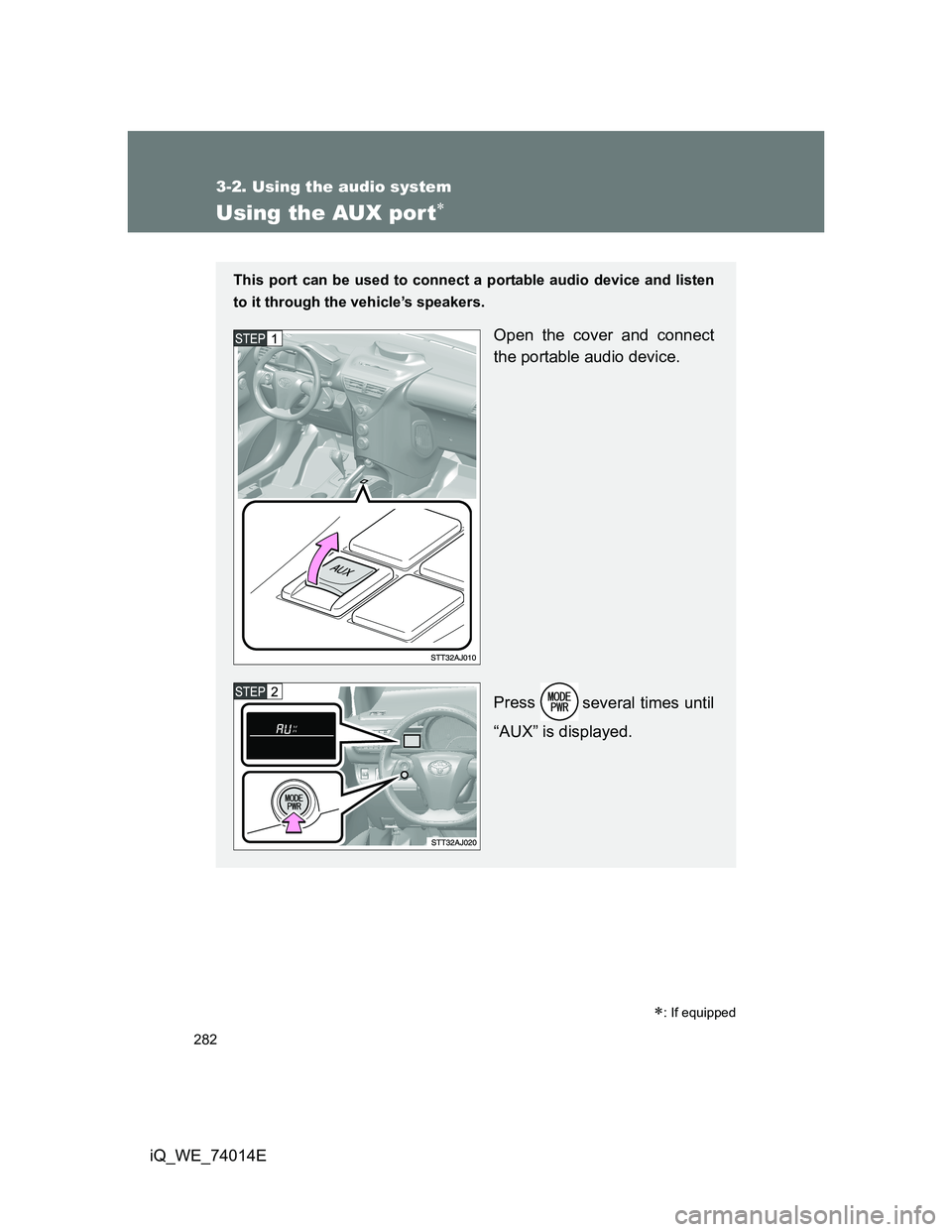
Using the AUX por t
: If equipped
This port can be used to connect a portable audio device and listen
to it through the vehicle’s speakers.
Open the cover and connect
the portable audio device.
Press
several times until
“AUX” is displayed.