light TOYOTA IQ 2012 Workshop Manual
[x] Cancel search | Manufacturer: TOYOTA, Model Year: 2012, Model line: IQ, Model: TOYOTA IQ 2012Pages: 476, PDF Size: 23.52 MB
Page 220 of 476
220 2-3. Operating the lights and wipers
iQ_WE_74014E
The windshield wiper and washer can be operated when
Vehicles without smart entry & start system
The engine switch is in the ON position.
Vehicles with smart entry & start system
The “ENGINE START STOP” switch is in IGNITION ON mode.
Effects of vehicle speed on wiper operation (vehicles with rain-sensing
windshield wipers)
Even when the wipers are not in AUTO mode, wiper operation varies
depending on vehicle speed when the washer is being used (delay until drop
prevention wiper sweep occurs).
Rain drop sensor (vehicles with rain-sensing windshield wipers)
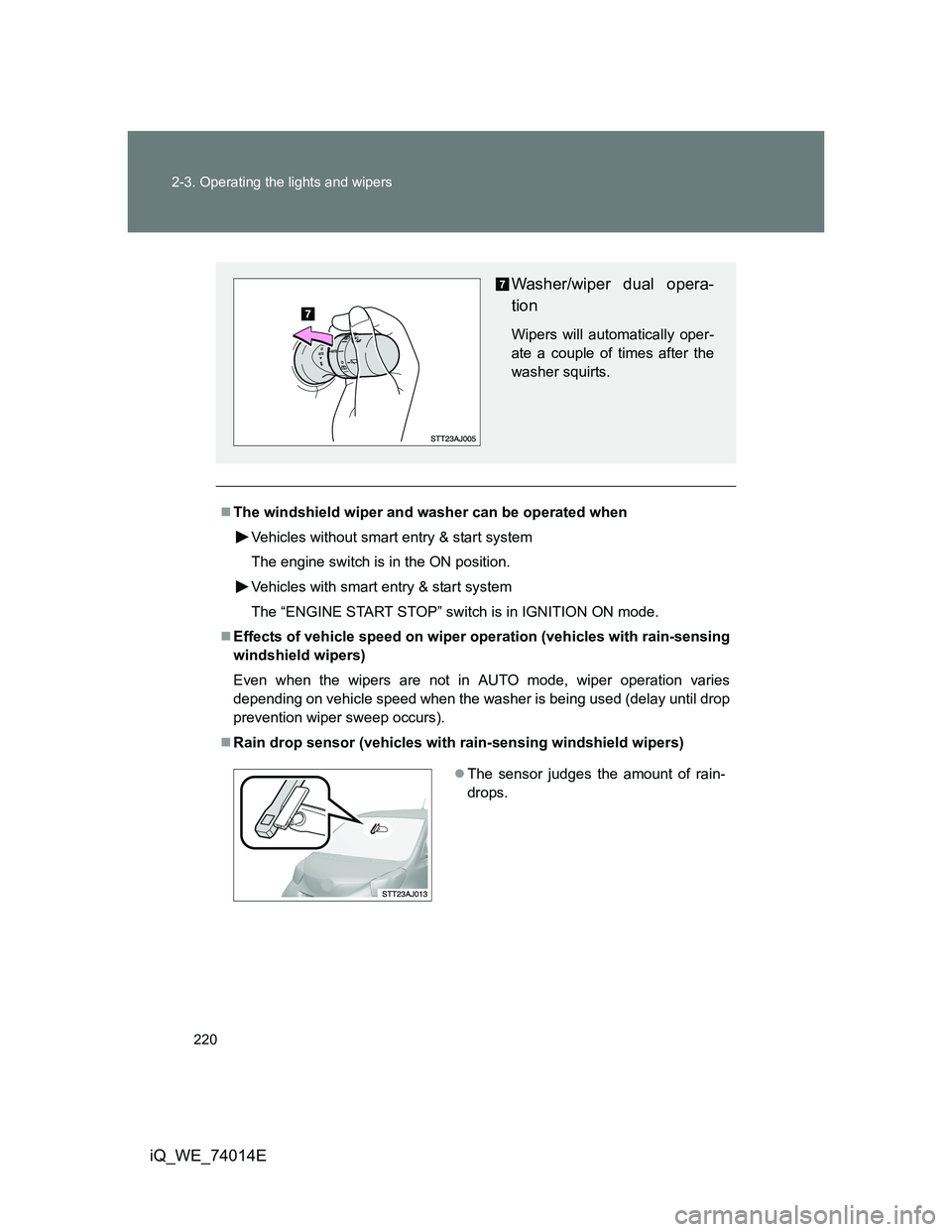
Washer/wiper dual opera-
tion
Wipers will automatically oper-
ate a couple of times after the
washer squirts.
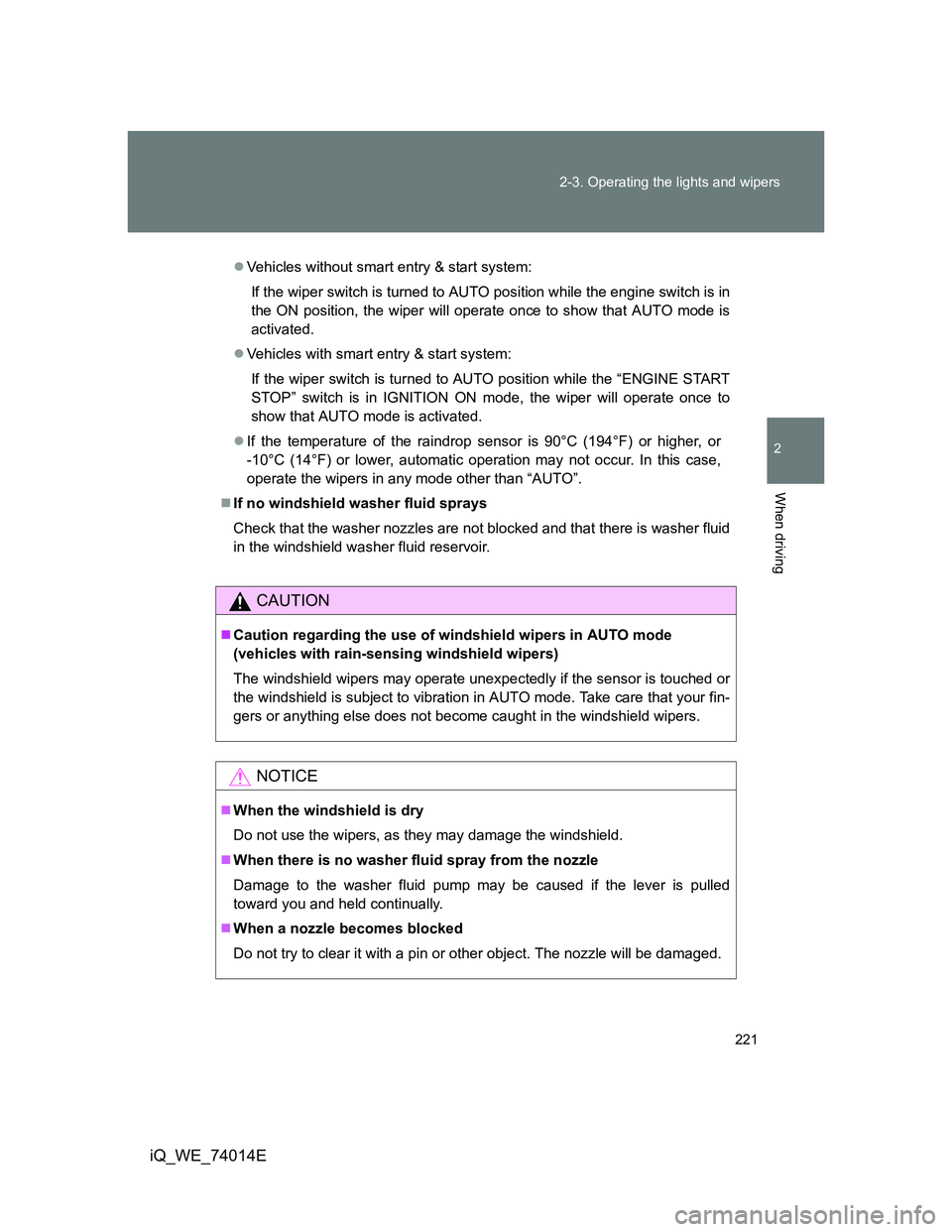
The sensor judges the amount of rain-
drops.
Page 221 of 476
221 2-3. Operating the lights and wipers
2
When driving
iQ_WE_74014E
Vehicles without smart entry & start system:
If the wiper switch is turned to AUTO position while the engine switch is in
the ON position, the wiper will operate once to show that AUTO mode is
activated.
Vehicles with smart entry & start system:
If the wiper switch is turned to AUTO position while the “ENGINE START
STOP” switch is in IGNITION ON mode, the wiper will operate once to
show that AUTO mode is activated.
If the temperature of the raindrop sensor is 90°C (194°F) or higher, or
-10°C (14°F) or lower, automatic operation may not occur. In this case,
operate the wipers in any mode other than “AUTO”.
If no windshield washer fluid sprays
Check that the washer nozzles are not blocked and that there is washer fluid
in the windshield washer fluid reservoir.
CAUTION
Caution regarding the use of windshield wipers in AUTO mode
(vehicles with rain-sensing windshield wipers)
The windshield wipers may operate unexpectedly if the sensor is touched or
the windshield is subject to vibration in AUTO mode. Take care that your fin-
gers or anything else does not become caught in the windshield wipers.
NOTICE
When the windshield is dry
Do not use the wipers, as they may damage the windshield.
When there is no washer fluid spray from the nozzle
Damage to the washer fluid pump may be caused if the lever is pulled
toward you and held continually.
When a nozzle becomes blocked
Do not try to clear it with a pin or other object. The nozzle will be damaged.
Page 222 of 476
222
2-3. Operating the lights and wipers
iQ_WE_74014E
Rear window wiper and washer
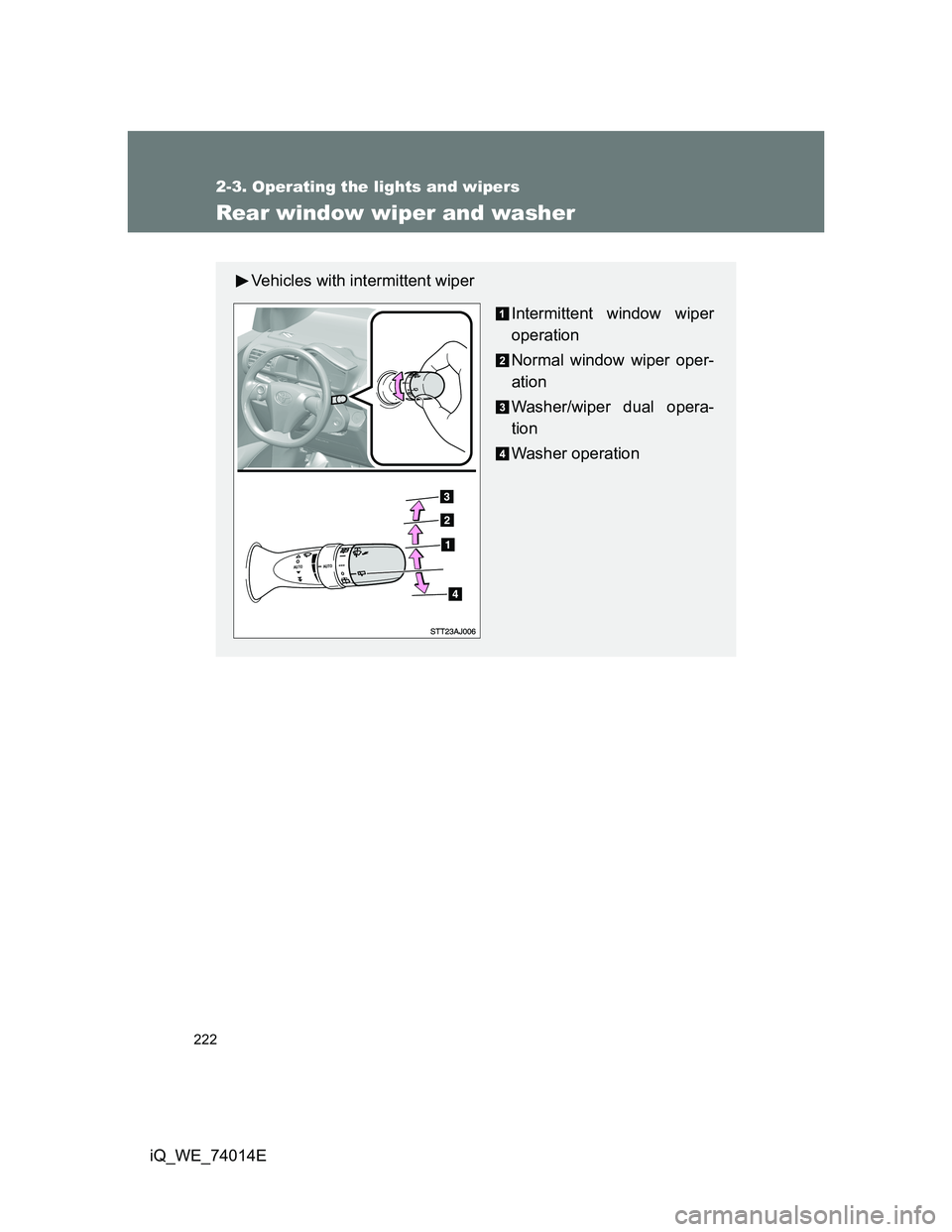
Vehicles with intermittent wiper
Intermittent window wiper
operation
Normal window wiper oper-
ation
Washer/wiper dual opera-
tion
Washer operation
Page 223 of 476
223 2-3. Operating the lights and wipers
2
When driving
iQ_WE_74014E
The rear window wiper and washer can be operated when
Vehicles without smart entry & start system
The engine switch is in the ON position.
Vehicles with smart entry & start system
The “ENGINE START STOP” switch is in IGNITION ON mode.
NOTICE
When the rear window is dry
Do not use the wipers, as they may damage the rear window.
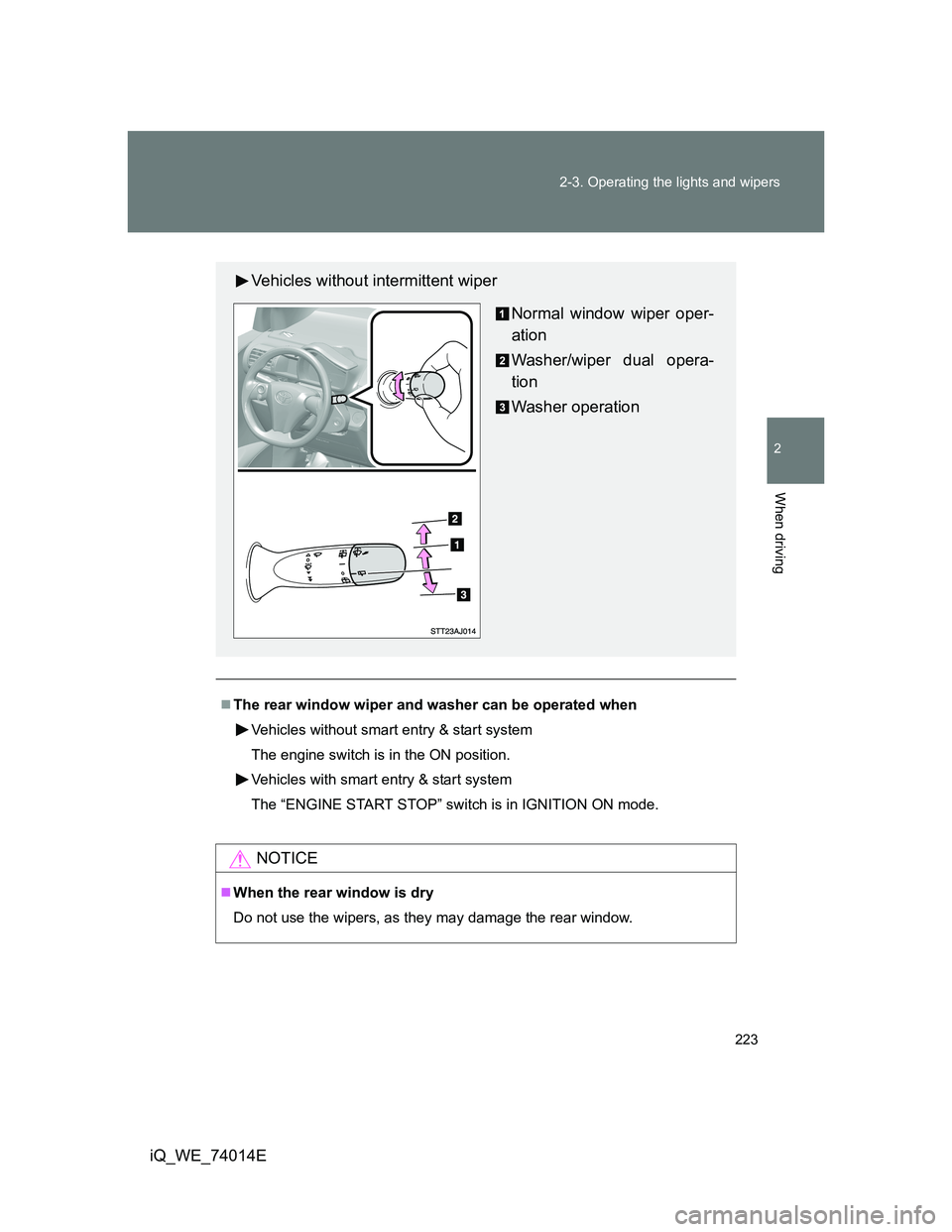
Vehicles without intermittent wiper
Normal window wiper oper-
ation
Washer/wiper dual opera-
tion
Washer operation
Page 226 of 476
226 2-4. Using other driving systems
iQ_WE_74014E
Automatic reactivation of TRC and VSC systems
After turning the TRC and VSC systems off, the systems will be automati-
cally reactivated in the following situations:
Vehicles without smart entry & start system
When the engine switch is turned off
If only the TRC system is turned off, the TRC will turn on when vehicle
speed increases
If both the TRC and VSC systems are turned off, automatic reactivation
will not occur when vehicle speed increases.
Vehicles with smart entry & start system
When the “ENGINE START STOP” switch is turned off
If only the TRC system is turned off, the TRC will turn on when vehicle
speed increases
If both the TRC and VSC systems are turned off, automatic reactivation
will not occur when vehicle speed increases.
Sounds and vibrations caused by the ABS, VSC, TRC and brake assist
systems
A sound may be heard from the engine compartment when the engine is
started or just after the vehicle begins to move. This sound does not indi-
cate that a malfunction has occurred in any of these systems.
Any of the following conditions may occur when the above systems are
operating. None of these indicates that a malfunction has occurred.
• Vibrations may be felt through the vehicle body and steering.
• A motor sound may be heard after the vehicle comes to a stop.
• The brake pedal may pulsate slightly after the ABS is activated.
• The brake pedal may move down slightly after the ABS is activated.
EPS operation sound
When the steering wheel is operated, a motor sound (whirring sound) may
be heard. This does not indicate a malfunction.
Page 237 of 476
3Interior features
237
iQ_WE_74014E
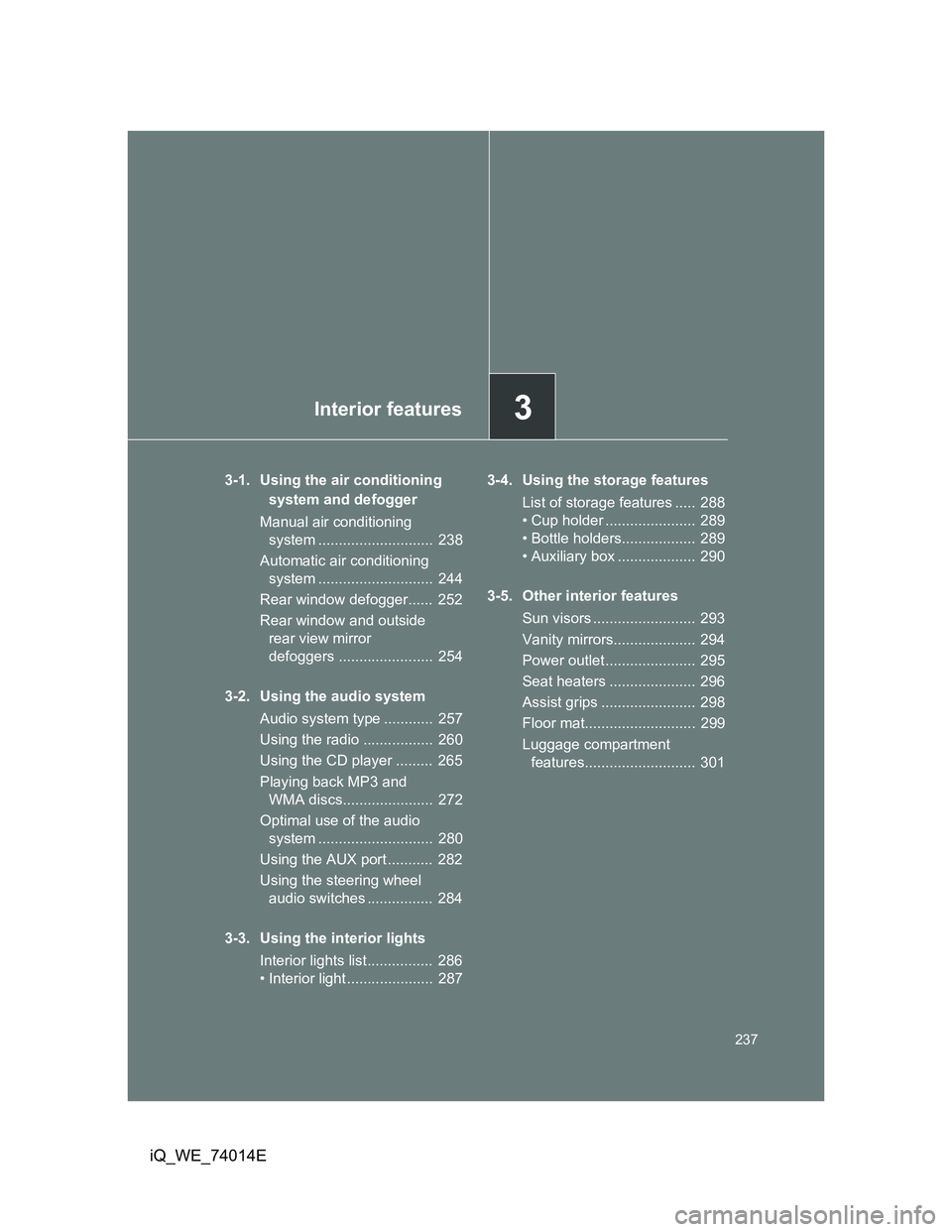
3-1. Using the air conditioning
system and defogger
Manual air conditioning
system ............................ 238
Automatic air conditioning
system ............................ 244
Rear window defogger...... 252
Rear window and outside
rear view mirror
defoggers ....................... 254
3-2. Using the audio system
Audio system type ............ 257
Using the radio ................. 260
Using the CD player ......... 265
Playing back MP3 and
WMA discs...................... 272
Optimal use of the audio
system ............................ 280
Using the AUX port ........... 282
Using the steering wheel
audio switches ................ 284
3-3. Using the interior lights
Interior lights list................ 286
• Interior light ..................... 2873-4. Using the storage features
List of storage features ..... 288
• Cup holder ...................... 289
• Bottle holders.................. 289
• Auxiliary box ................... 290
3-5. Other interior features
Sun visors ......................... 293
Vanity mirrors.................... 294
Power outlet ...................... 295
Seat heaters ..................... 296
Assist grips ....................... 298
Floor mat........................... 299
Luggage compartment
features........................... 301
Page 244 of 476
244
3-1. Using the air conditioning system and defogger
iQ_WE_74014E
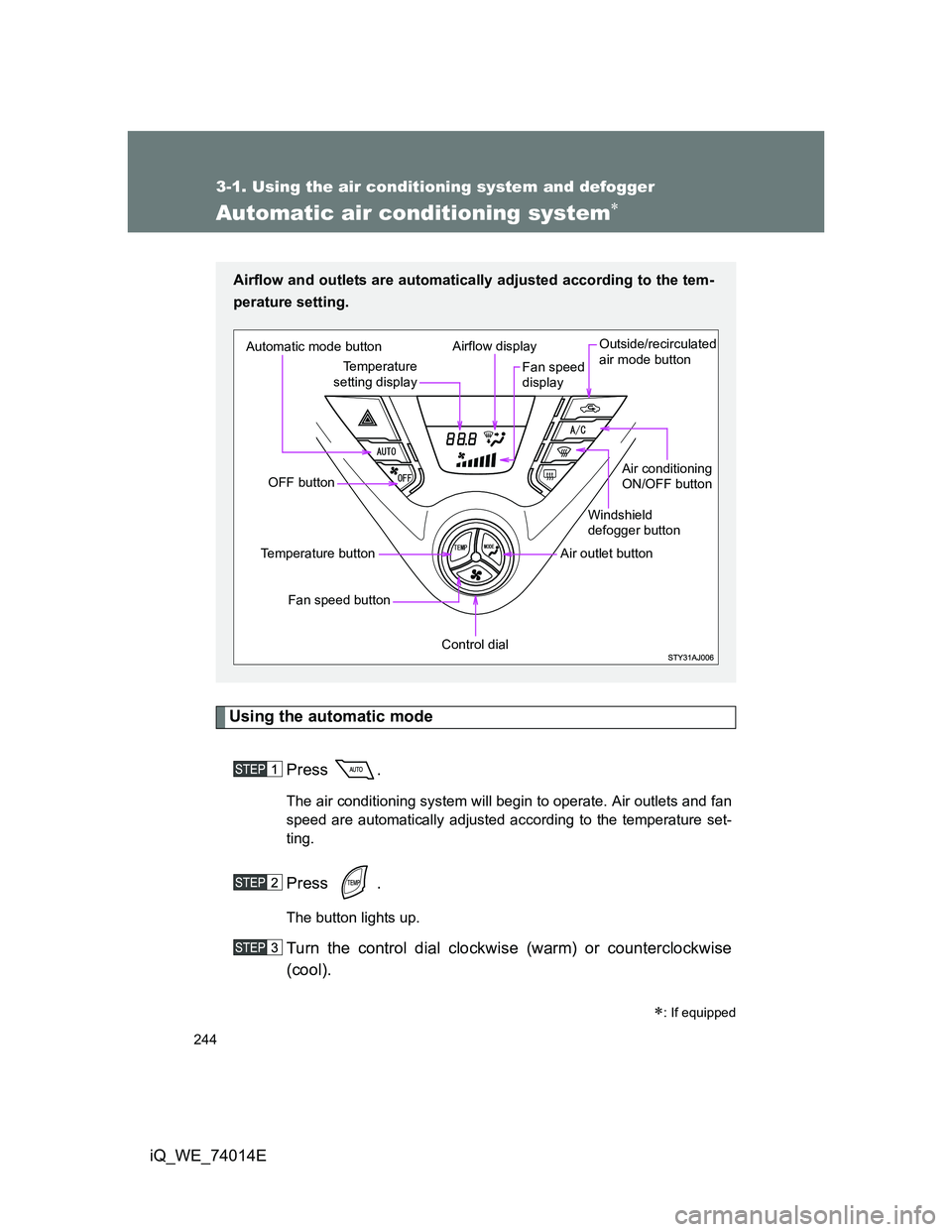
Automatic air conditioning system
Using the automatic mode
Press .
The air conditioning system will begin to operate. Air outlets and fan
speed are automatically adjusted according to the temperature set-
ting.
Press .
The button lights up.
Turn the control dial clockwise (warm) or counterclockwise
(cool).
: If equipped
Airflow and outlets are automatically adjusted according to the tem-
perature setting.
Automatic mode button
OFF button
Fan speed button
Temperature button
Control dial
Air outlet buttonWindshield
defogger button
Air conditioning
ON/OFF button Outside/recirculated
air mode button
Fan speed
display Airflow display
Temperature
setting display
Page 245 of 476
245 3-1. Using the air conditioning system and defogger
3
Interior features
iQ_WE_74014E
Adjusting the settings
Adjusting the temperature setting
Press .
The button lights up.
Turn the control dial clockwise (warm) or counterclockwise
(cool).
Adjusting the fan speed
Press .
The button lights up.
Turn the control dial clockwise (increase) or counterclockwise
(decrease).
The fan speed is shown on the display. (7 levels)
Press to turn the fan off.
Page 246 of 476
246 3-1. Using the air conditioning system and defogger
iQ_WE_74014EChanging the air outlets
Press .
The button lights up.
Turn the control dial.
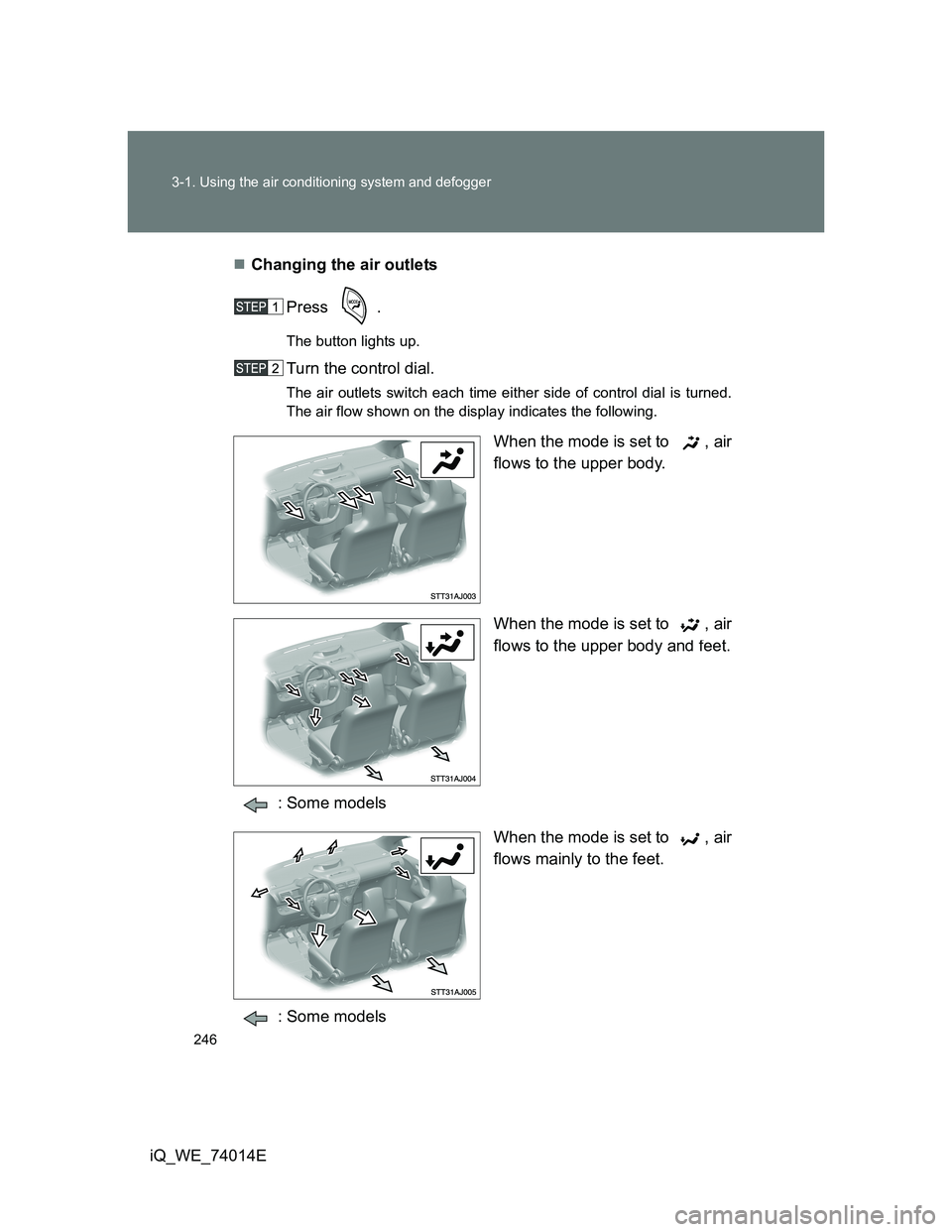
The air outlets switch each time either side of control dial is turned.
The air flow shown on the display indicates the following.
When the mode is set to , air
flows to the upper body.
When the mode is set to , air
flows to the upper body and feet.
: Some models
When the mode is set to , air
flows mainly to the feet.
: Some models
Page 271 of 476
271 3-2. Using the audio system
3
Interior features
iQ_WE_74014E
NOTICE
CD player precautions
Failure to follow the precautions below may result in serious damage to the
CDs or the player itself.
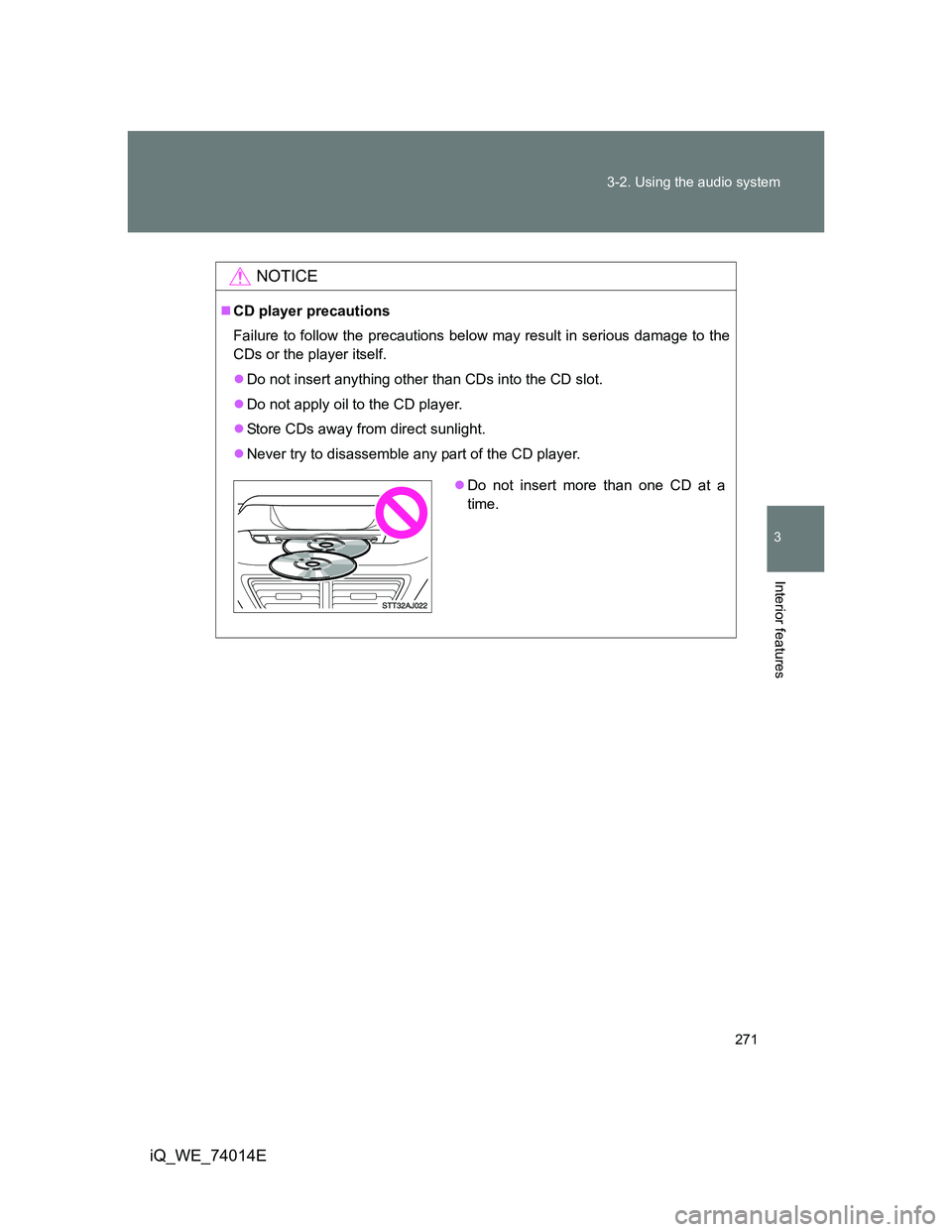
Do not insert anything other than CDs into the CD slot.
Do not apply oil to the CD player.
Store CDs away from direct sunlight.
Never try to disassemble any part of the CD player.
Do not insert more than one CD at a
time.