AUX TOYOTA IQ 2012 Owners Manual
[x] Cancel search | Manufacturer: TOYOTA, Model Year: 2012, Model line: IQ, Model: TOYOTA IQ 2012Pages: 476, PDF Size: 23.52 MB
Page 3 of 476
1
2
3
4
5
6
3
iQ_WE_74014E
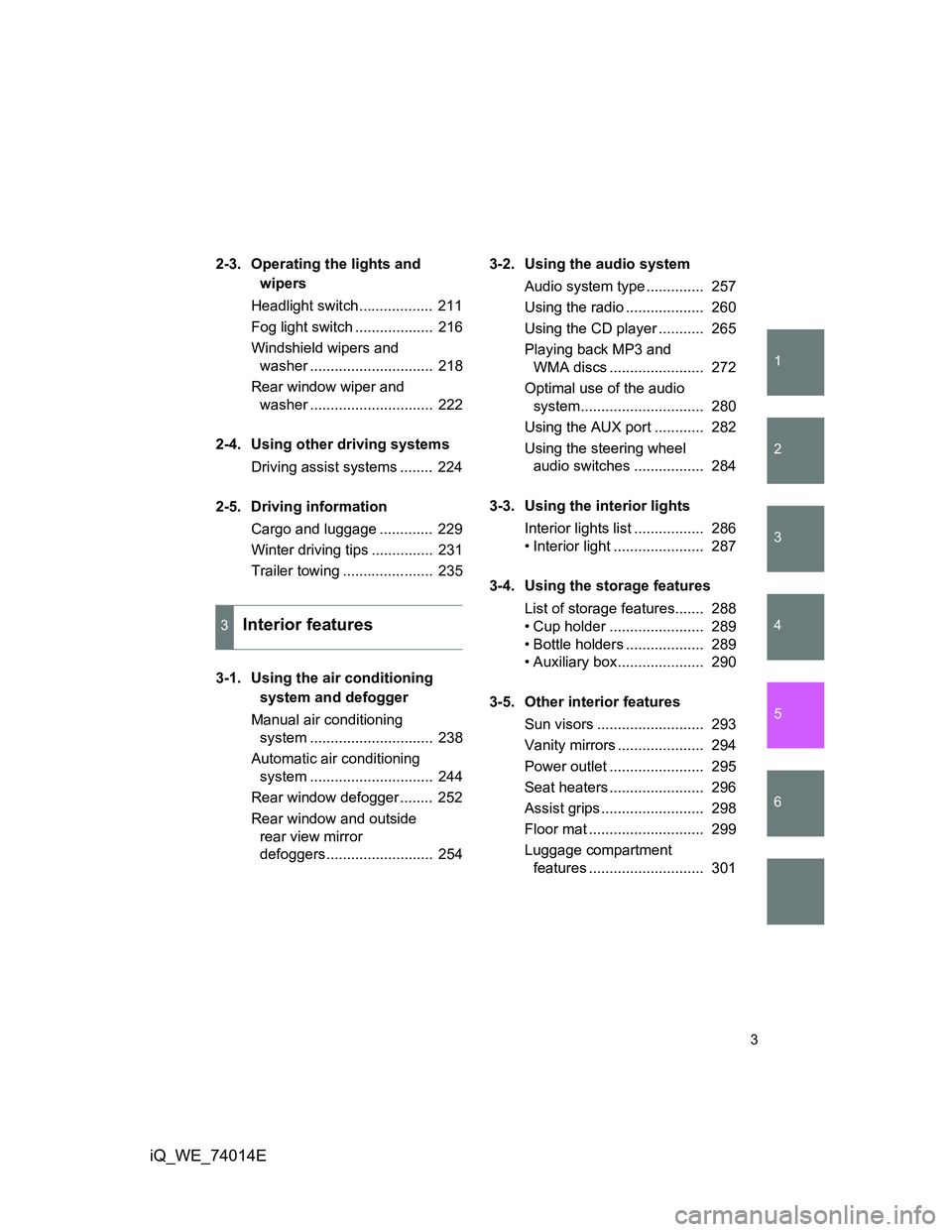
2-3. Operating the lights and
wipers
Headlight switch.................. 211
Fog light switch ................... 216
Windshield wipers and
washer .............................. 218
Rear window wiper and
washer .............................. 222
2-4. Using other driving systems
Driving assist systems ........ 224
2-5. Driving information
Cargo and luggage ............. 229
Winter driving tips ............... 231
Trailer towing ...................... 235
.
3-1. Using the air conditioning
system and defogger
Manual air conditioning
system .............................. 238
Automatic air conditioning
system .............................. 244
Rear window defogger ........ 252
Rear window and outside
rear view mirror
defoggers.......................... 2543-2. Using the audio system
Audio system type .............. 257
Using the radio ................... 260
Using the CD player ........... 265
Playing back MP3 and
WMA discs ....................... 272
Optimal use of the audio
system.............................. 280
Using the AUX port ............ 282
Using the steering wheel
audio switches ................. 284
3-3. Using the interior lights
Interior lights list ................. 286
• Interior light ...................... 287
3-4. Using the storage features
List of storage features....... 288
• Cup holder ....................... 289
• Bottle holders ................... 289
• Auxiliary box..................... 290
3-5. Other interior features
Sun visors .......................... 293
Vanity mirrors ..................... 294
Power outlet ....................... 295
Seat heaters ....................... 296
Assist grips ......................... 298
Floor mat ............................ 299
Luggage compartment
features ............................ 301
3Interior features
Page 8 of 476
8
iQ_WE_74014E
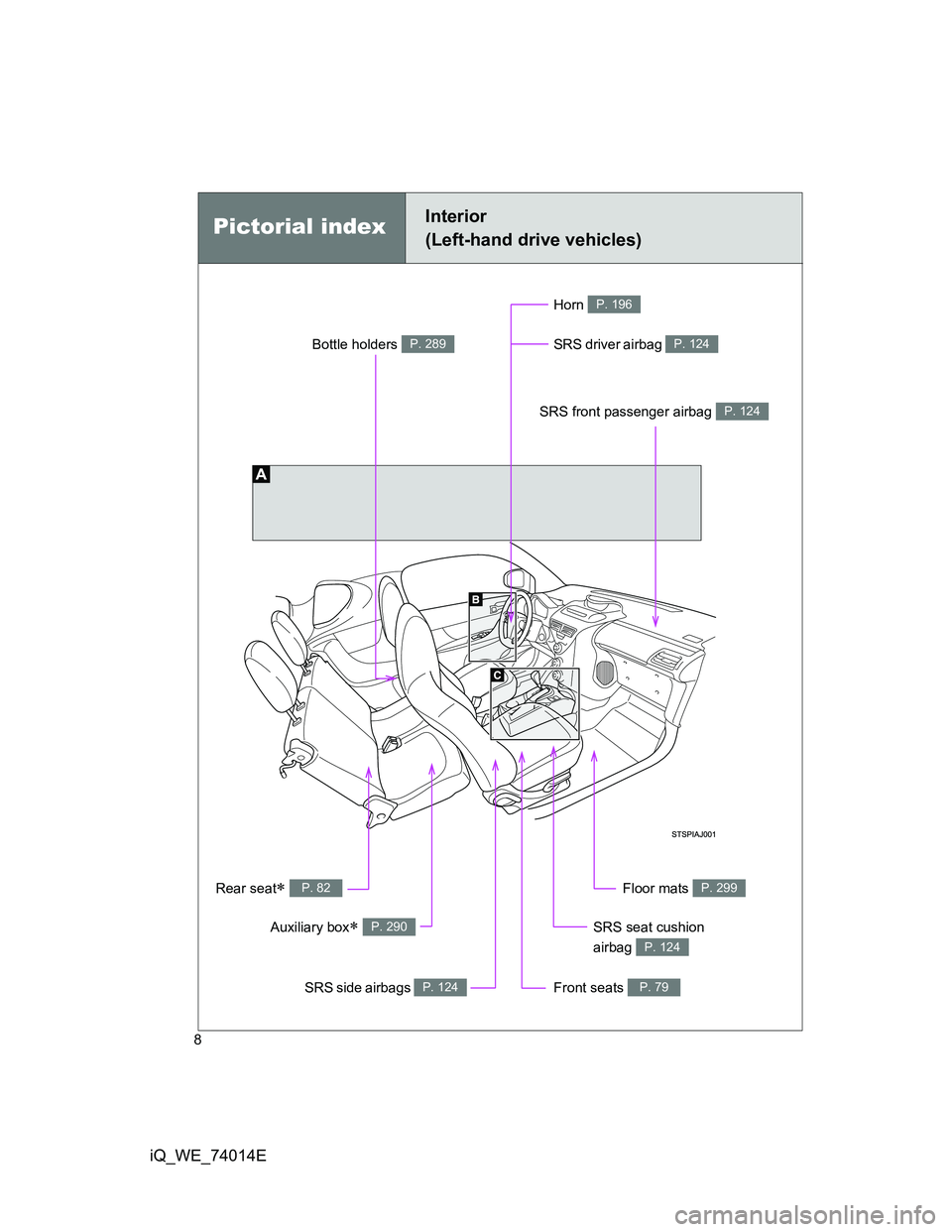
Pictorial indexInterior
(Left-hand drive vehicles)
SRS front passenger airbag P. 124
SRS driver airbag P. 124
Front seats P. 79
SRS seat cushion
airbag
P. 124
SRS side airbags P. 124
Rear seat P. 82Floor mats P. 299
Horn P. 196
Bottle holders P. 289
Auxiliary box P. 290
Page 11 of 476
11
iQ_WE_74014E
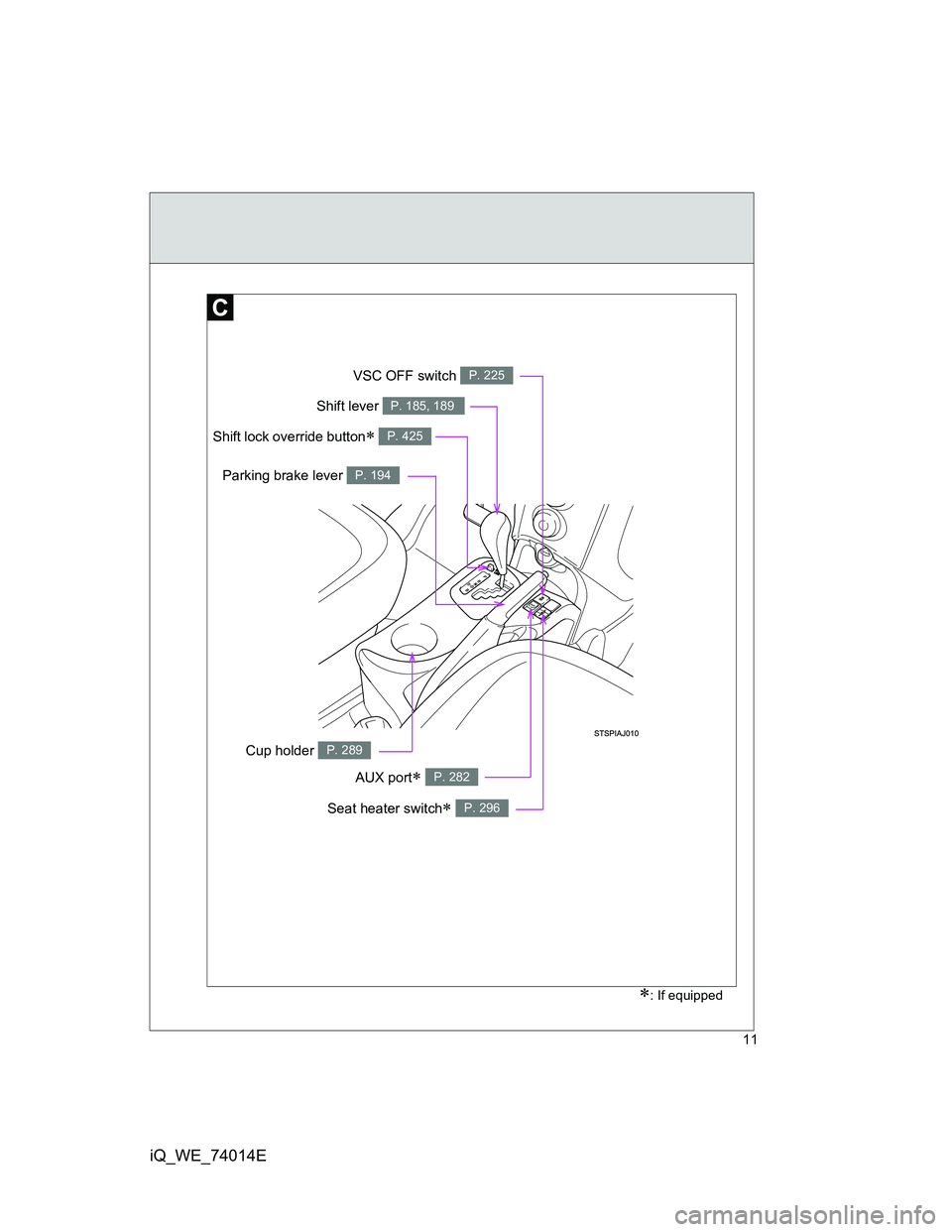
AUX port P. 282
: If equipped
Seat heater switch P. 296
Parking brake lever P. 194
VSC OFF switch P. 225
Cup holder P. 289
Shift lever P. 185, 189
Shift lock override button P. 425
Page 19 of 476
19
iQ_WE_74014E
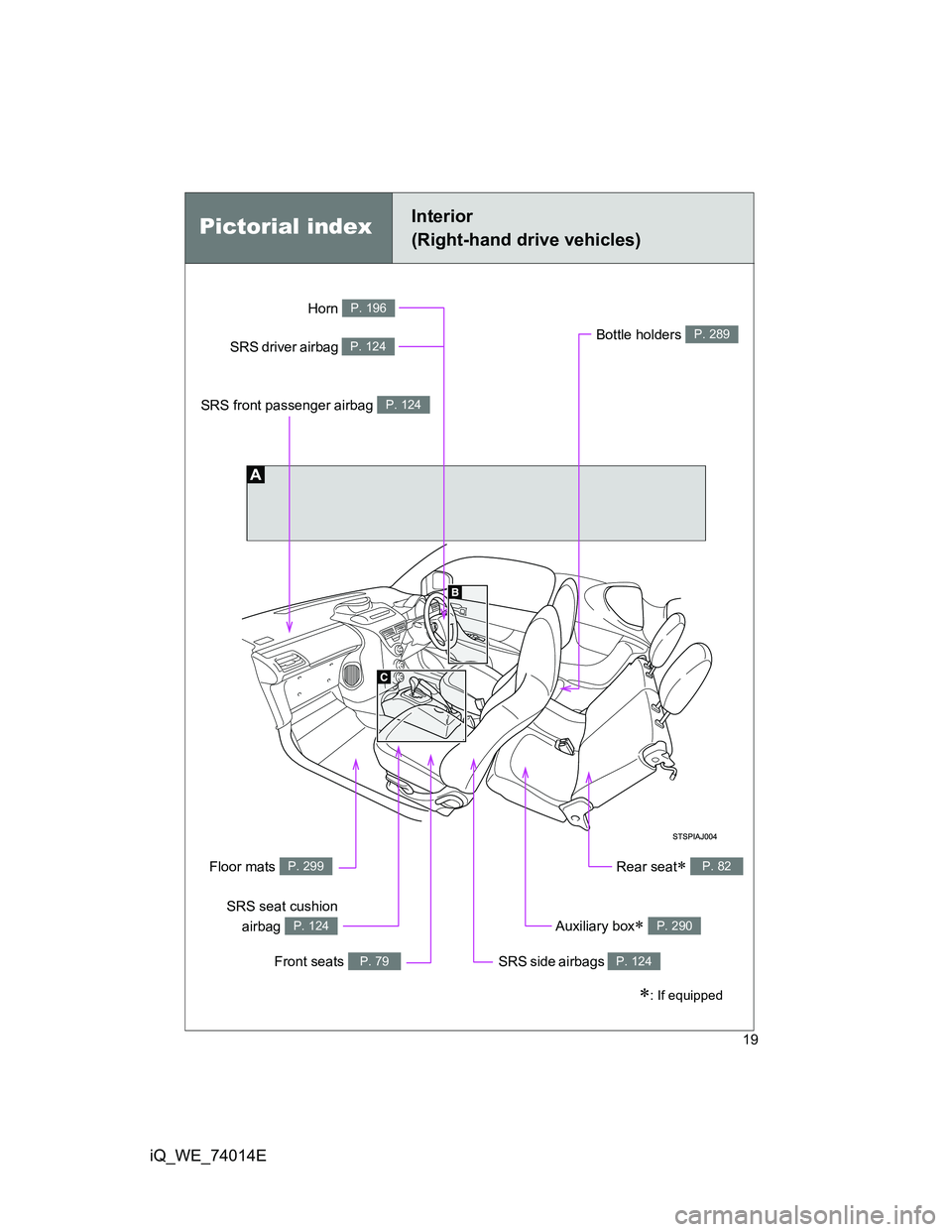
Pictorial indexInterior
(Right-hand drive vehicles)
: If equipped
SRS front passenger airbag P. 124
SRS driver airbag P. 124
Front seats P. 79
SRS seat cushion
airbag
P. 124
SRS side airbags P. 124
Rear seat P. 82Floor mats P. 299
Horn P. 196
Bottle holders P. 289
Auxiliary box P. 290
Page 22 of 476
22
iQ_WE_74014E
Pictorial index
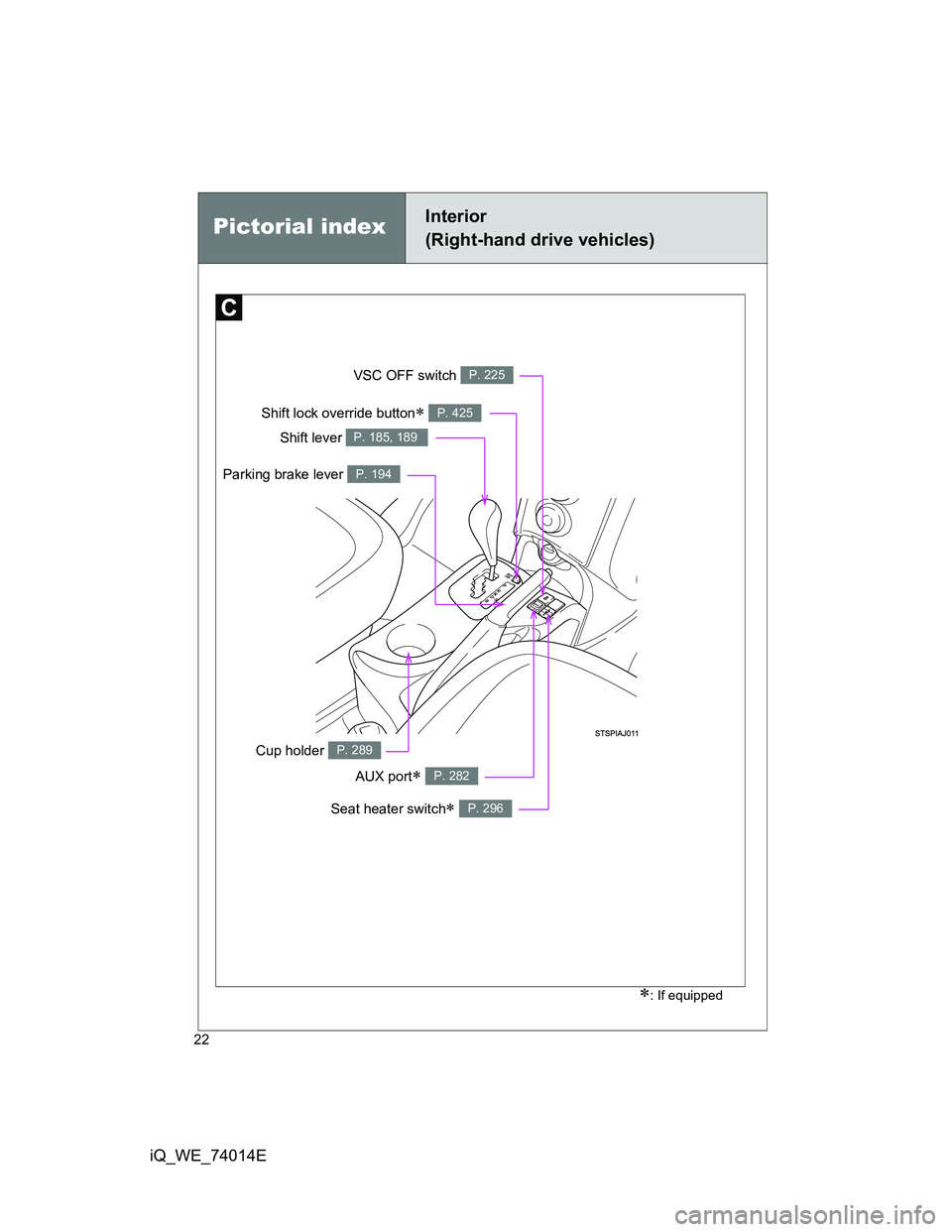
AUX port P. 282
Seat heater switch P. 296
Parking brake lever P. 194
VSC OFF switch P. 225
Cup holder P. 289
Shift lever P. 185, 189
Shift lock override button P. 425
Interior
(Right-hand drive vehicles)
: If equipped
Page 229 of 476
229
2
When driving
iQ_WE_74014E
2-5. Driving information
Cargo and luggage
CAUTION
Things that must not be carried in the luggage compartment
The following things may cause a fire if loaded in the luggage compartment.
Receptacles containing gasoline
Aerosol cans
Storage precautions
Observe the following precautions.
Failing to do so may result in death or serious injury.
Do not place cargo or luggage in or on the following locations as the item
may get under the brake or accelerator pedal and prevent the pedals from
being depressed properly, block the driver’s vision, or hit the driver or pas-
sengers, causing an accident.
• Driver’s feet
• Front passenger or rear seats (when stacking items)
• Instrument panel
• Dashboard
• Auxiliary box or tray that has no lid
Do not stack anything in the luggage compartment higher than the seat-
backs.
Such items may be thrown about and possibly injure people in the vehicle
during sudden braking or in an accident.
Take notice of the following information about storage precautions,
cargo capacity and load.
Stow cargo and luggage in the luggage compartment whenever
possible.
Be sure all items are secured in place.
Be careful to keep the vehicle level. Placing the weight as far for-
ward as possible helps maintain vehicle balance.
For better fuel economy, do not carry unnecessary weight.
Page 237 of 476
3Interior features
237
iQ_WE_74014E
3-1. Using the air conditioning
system and defogger
Manual air conditioning
system ............................ 238
Automatic air conditioning
system ............................ 244
Rear window defogger...... 252
Rear window and outside
rear view mirror
defoggers ....................... 254
3-2. Using the audio system
Audio system type ............ 257
Using the radio ................. 260
Using the CD player ......... 265
Playing back MP3 and
WMA discs...................... 272
Optimal use of the audio
system ............................ 280
Using the AUX port ........... 282
Using the steering wheel
audio switches ................ 284
3-3. Using the interior lights
Interior lights list................ 286
• Interior light ..................... 2873-4. Using the storage features
List of storage features ..... 288
• Cup holder ...................... 289
• Bottle holders.................. 289
• Auxiliary box ................... 290
3-5. Other interior features
Sun visors ......................... 293
Vanity mirrors.................... 294
Power outlet ...................... 295
Seat heaters ..................... 296
Assist grips ....................... 298
Floor mat........................... 299
Luggage compartment
features........................... 301
Page 257 of 476
257
3
Interior features
iQ_WE_74014E
3-2. Using the audio system
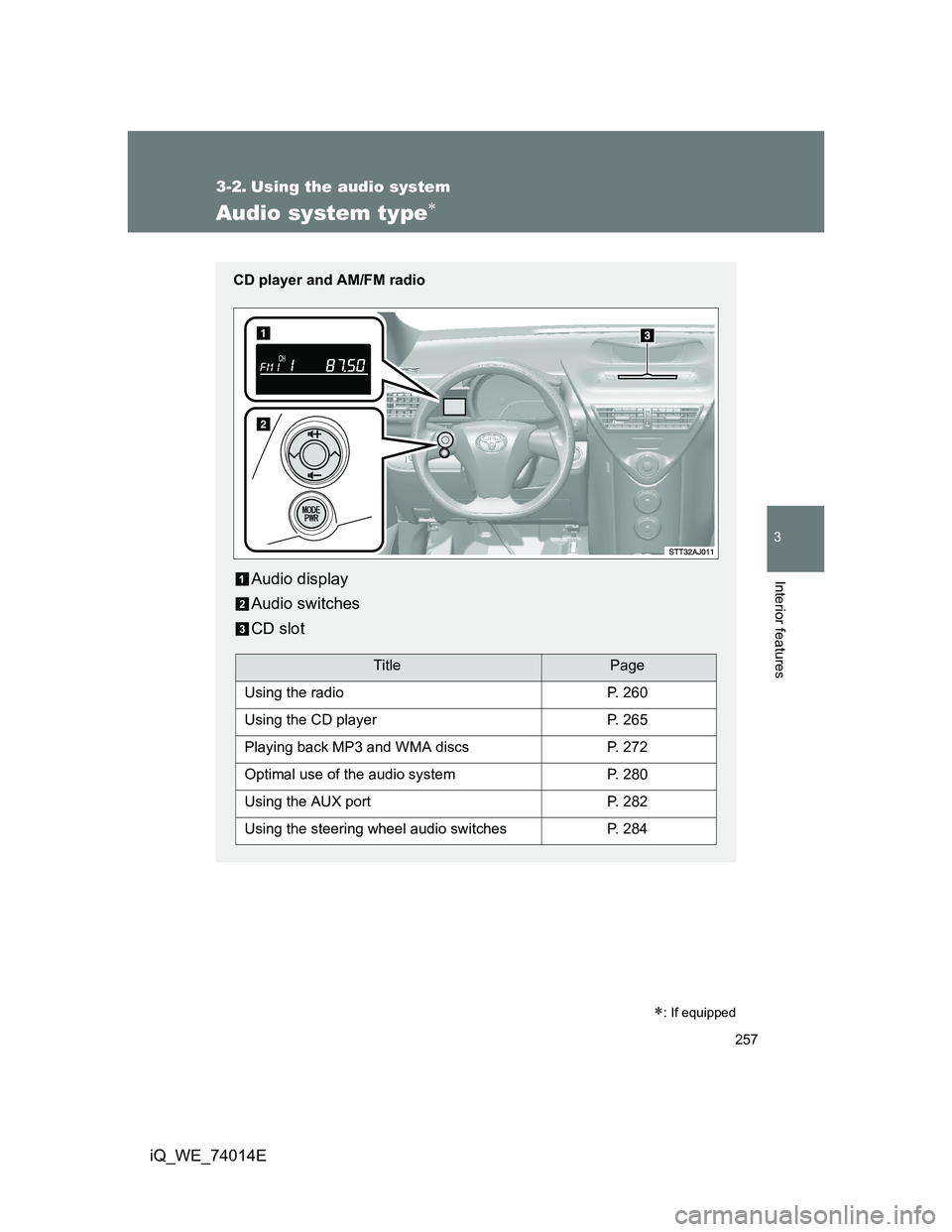
Audio system type
: If equipped
CD player and AM/FM radio
Audio display
Audio switches
CD slot
TitlePage
Using the radioP. 260
Using the CD playerP. 265
Playing back MP3 and WMA discsP. 272
Optimal use of the audio systemP. 280
Using the AUX portP. 282
Using the steering wheel audio switchesP. 284
Page 258 of 476
258 3-2. Using the audio system
iQ_WE_74014E
Turning on the power
Press when the audio system is turned off.
The audio system can be turned off by holding the switch down until you
hear two beeps.
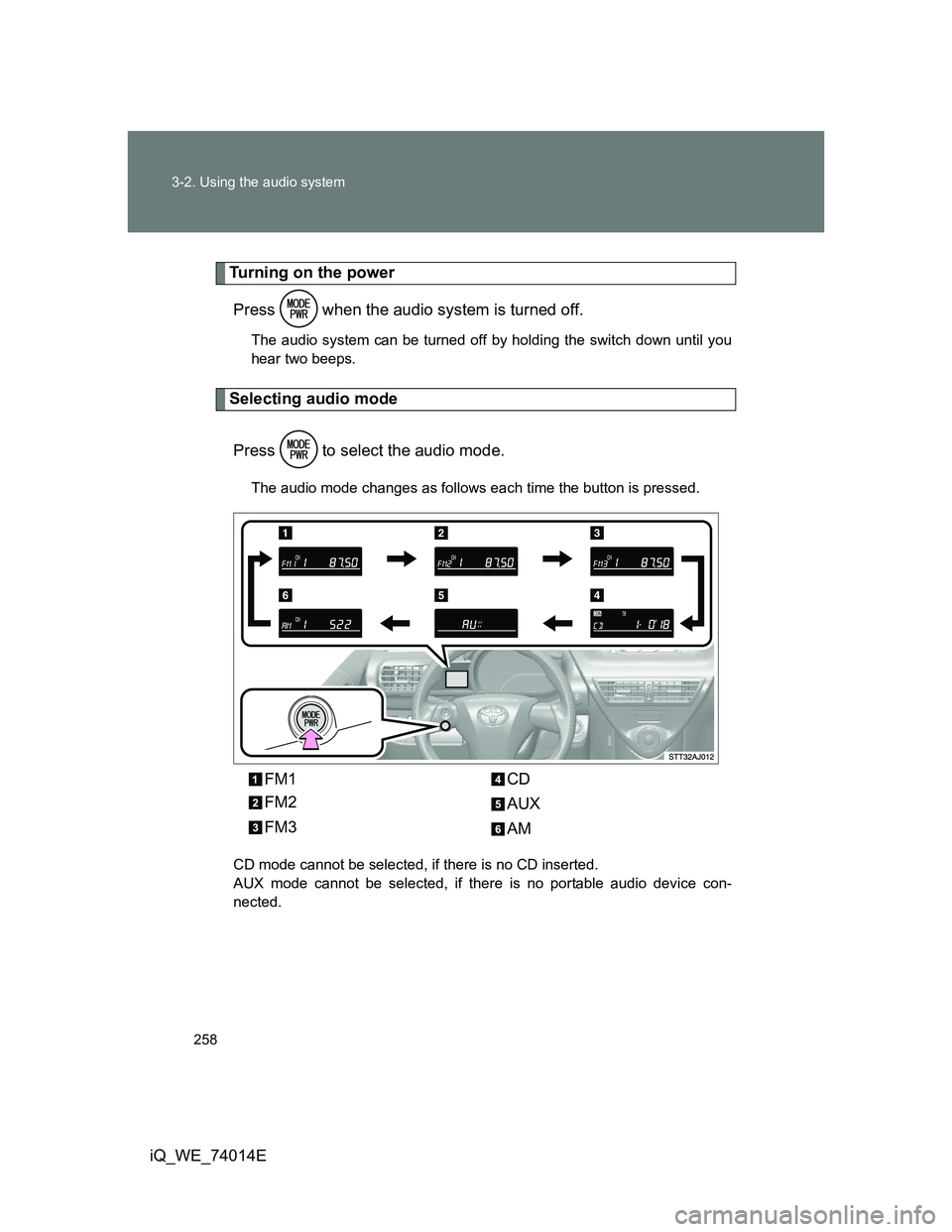
Selecting audio mode
Press to select the audio mode.
The audio mode changes as follows each time the button is pressed.
CD mode cannot be selected, if there is no CD inserted.
AUX mode cannot be selected, if there is no portable audio device con-
nected.
FM1
FM2
FM3CD
AUX
AM
Page 263 of 476
263 3-2. Using the audio system
3
Interior features
iQ_WE_74014E
RDS (Radio Data System)
This feature allows your radio to receive data from radio stations that
broadcast this information.
Traffic information
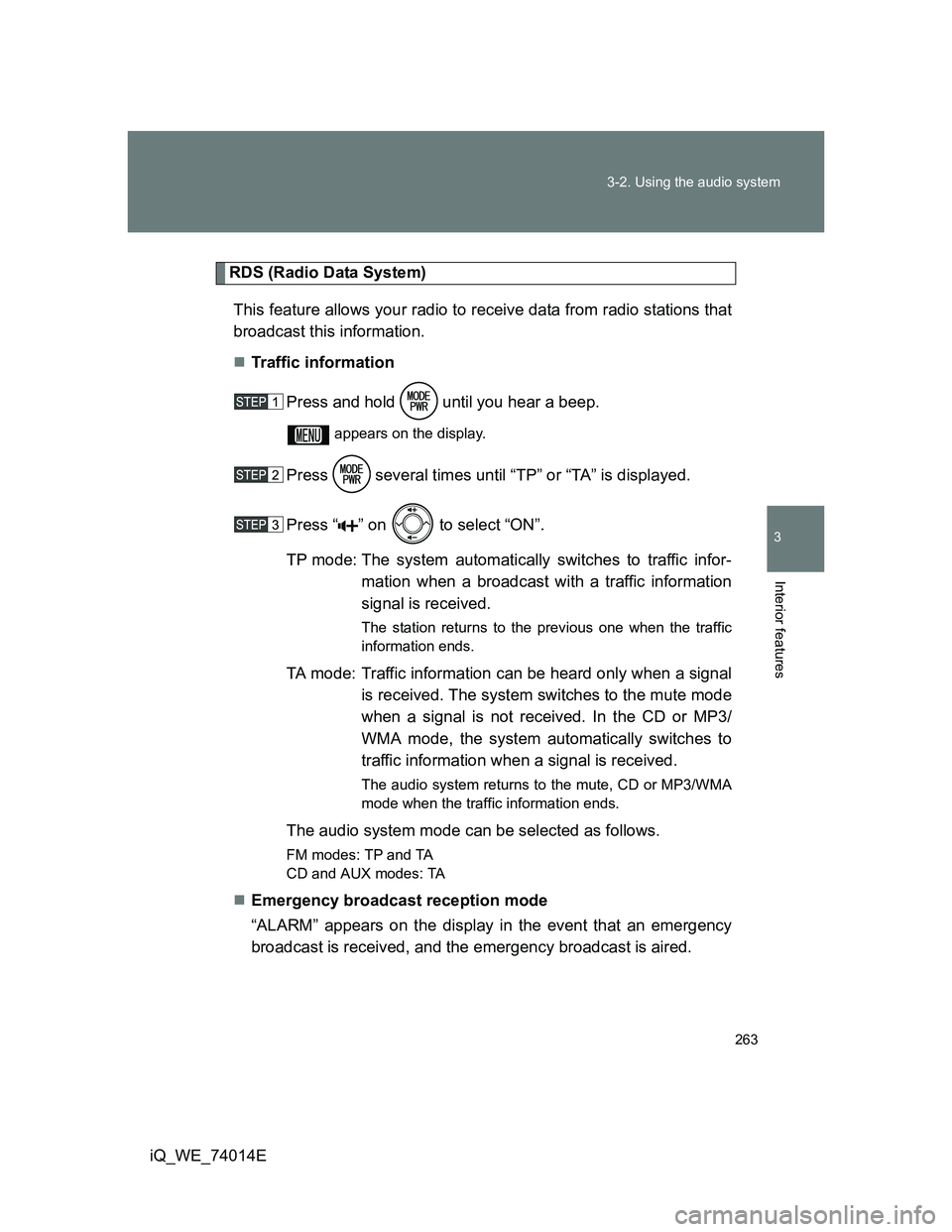
Press and hold until you hear a beep.
appears on the display.
Press several times until “TP” or “TA” is displayed.
Press “ ” on to select “ON”.
TP mode: The system automatically switches to traffic infor-
mation when a broadcast with a traffic information
signal is received.
The station returns to the previous one when the traffic
information ends.
TA mode: Traffic information can be heard only when a signal
is received. The system switches to the mute mode
when a signal is not received. In the CD or MP3/
WMA mode, the system automatically switches to
traffic information when a signal is received.
The audio system returns to the mute, CD or MP3/WMA
mode when the traffic information ends.
The audio system mode can be selected as follows.
FM modes: TPand TA
CD and AUX modes: TA
Emergency broadcast reception mode
“ALARM” appears on the display in the event that an emergency
broadcast is received, and the emergency broadcast is aired.