fuel consumption TOYOTA IQ 2012 Owners Manual
[x] Cancel search | Manufacturer: TOYOTA, Model Year: 2012, Model line: IQ, Model: TOYOTA IQ 2012Pages: 476, PDF Size: 23.52 MB
Page 187 of 476
187 2-1. Driving procedures
2
When driving
iQ_WE_74014E
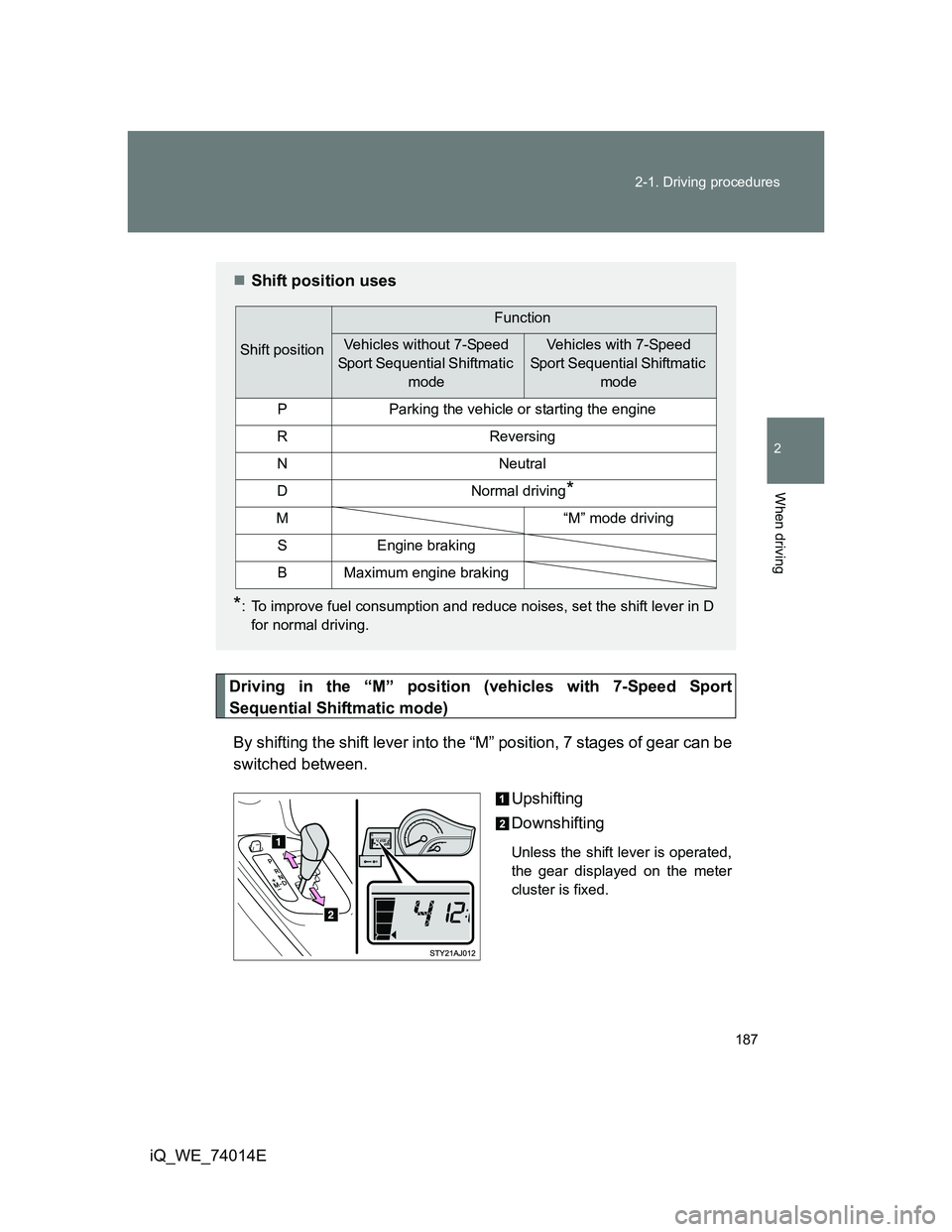
Driving in the “M” position (vehicles with 7-Speed Sport
Sequential Shiftmatic mode)
By shifting the shift lever into the “M” position, 7 stages of gear can be
switched between.
Upshifting
Downshifting
Unless the shift lever is operated,
the gear displayed on the meter
cluster is fixed.
Shift position uses
*: To improve fuel consumption and reduce noises, set the shift lever in D
for normal driving.
Shift position
Function
Vehicles without 7-Speed
Sport Sequential Shiftmatic
modeVehicles with 7-Speed
Sport Sequential Shiftmatic
mode
PParking the vehicle or starting the engine
RReversing
NNeutral
DNormal driving*
M“M” mode driving
SEngine braking
BMaximum engine braking
Page 205 of 476
205
2-2. Instrument cluster
2
When driving
iQ_WE_74014E
Multi-infor mation display
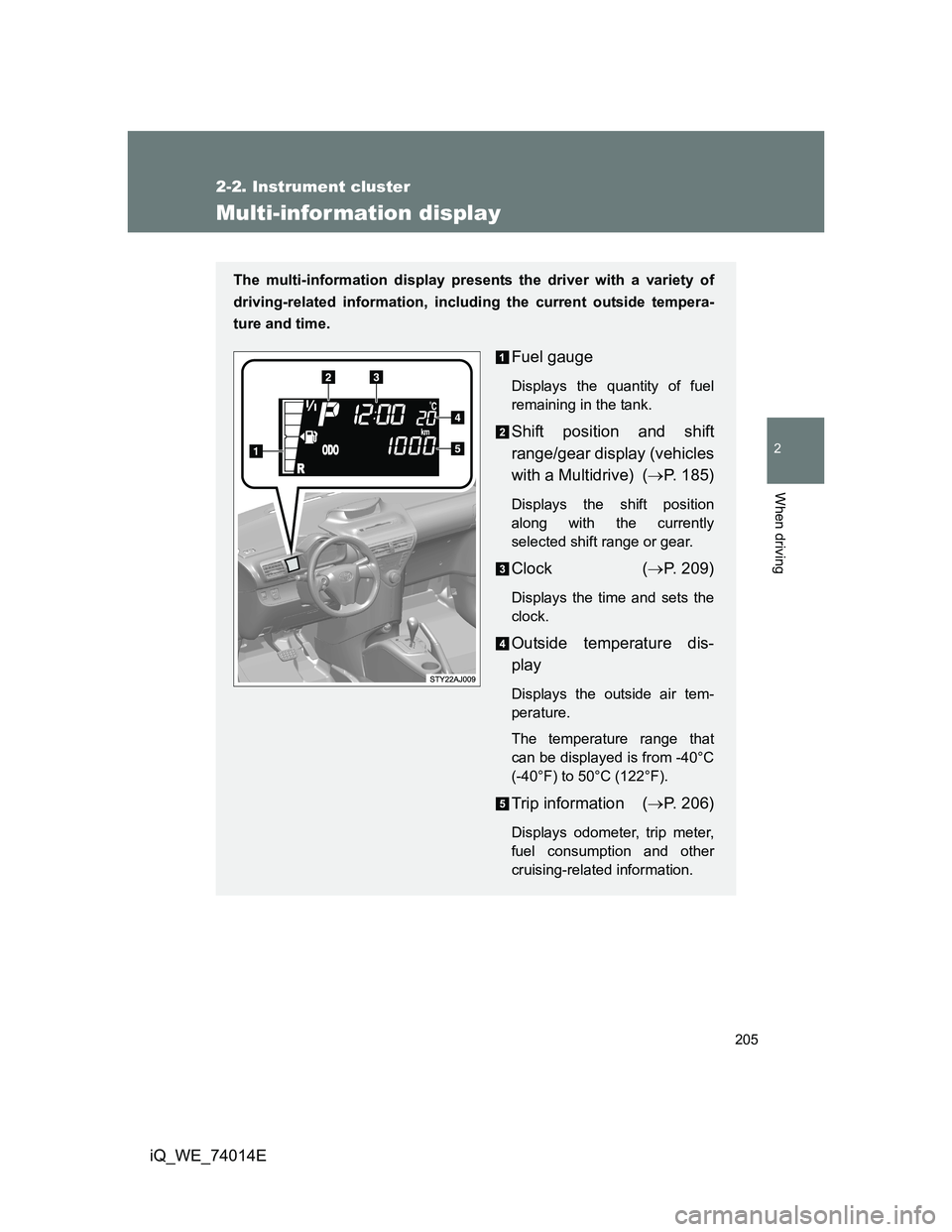
The multi-information display presents the driver with a variety of
driving-related information, including the current outside tempera-
ture and time.
Fuel gauge
Displays the quantity of fuel
remaining in the tank.
Shift position and shift
range/gear display (vehicles
with a Multidrive) (P. 185)
Displays the shift position
along with the currently
selected shift range or gear.
Clock (P. 209)
Displays the time and sets the
clock.
Outside temperature dis-
play
Displays the outside air tem-
perature.
The temperature range that
can be displayed is from -40°C
(-40°F) to 50°C (122°F).
Trip information (P. 206)
Displays odometer, trip meter,
fuel consumption and other
cruising-related information.
Page 207 of 476
207 2-2. Instrument cluster
2
When driving
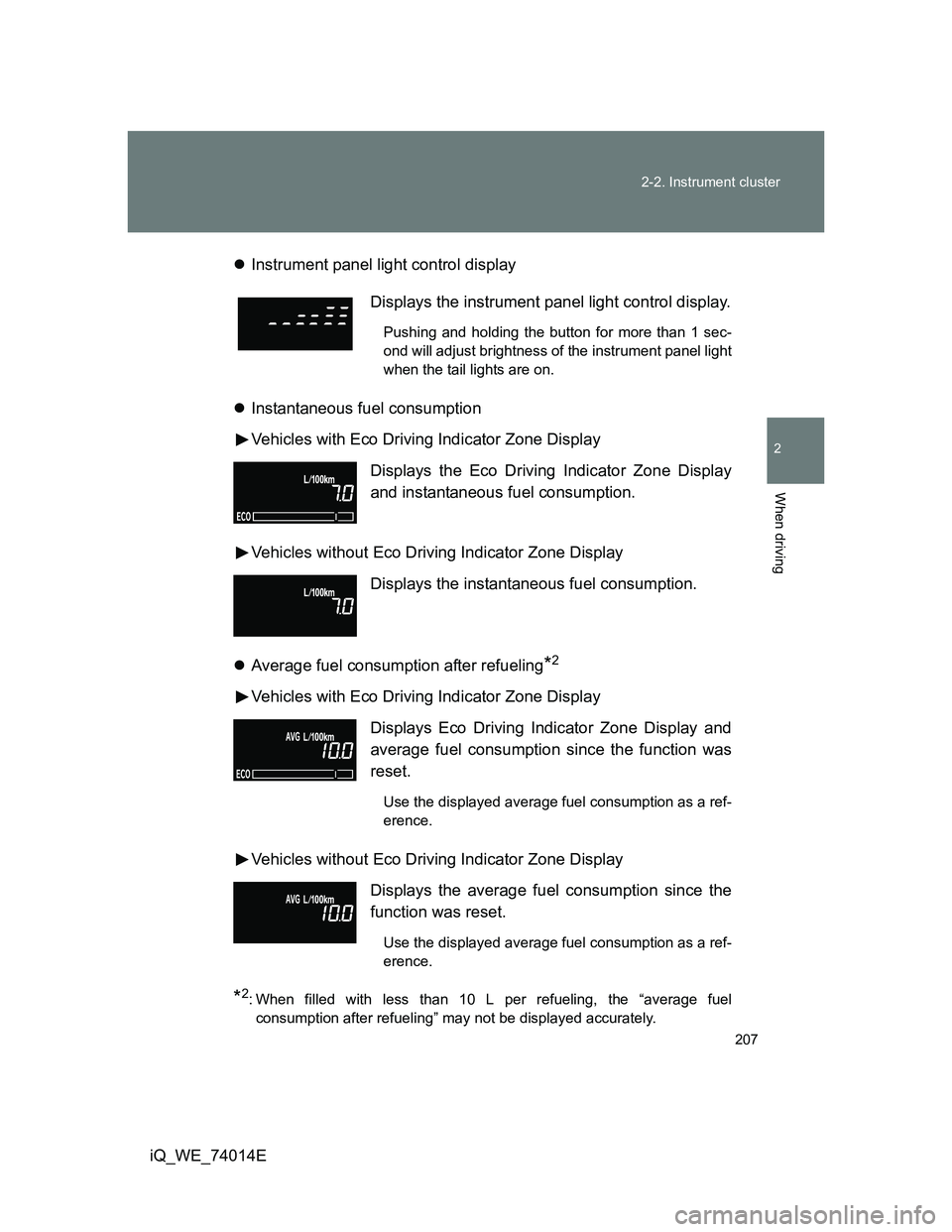
iQ_WE_74014EInstrument panel light control display
Instantaneous fuel consumption
Vehicles with Eco Driving Indicator Zone Display
Vehicles without Eco Driving Indicator Zone Display
Average fuel consumption after refueling
*2
Vehicles with Eco Driving Indicator Zone Display
Vehicles without Eco Driving Indicator Zone Display
*2: When filled with less than 10 L per refueling, the “average fuel
consumption after refueling” may not be displayed accurately.
Displays the instrument panel light control display.
Pushing and holding the button for more than 1 sec-
ond will adjust brightness of the instrument panel light
when the tail lights are on.
Displays the Eco Driving Indicator Zone Display
and instantaneous fuel consumption.
Displays the instantaneous fuel consumption.
Displays Eco Driving Indicator Zone Display and
average fuel consumption since the function was
reset.
Use the displayed average fuel consumption as a ref-
erence.
Displays the average fuel consumption since the
function was reset.
Use the displayed average fuel consumption as a ref-
erence.
Page 210 of 476
210 2-2. Instrument cluster
iQ_WE_74014EPress the clock reset button to adjust the minutes.
After adjusting the minutes, wait 5 seconds to allow the minutes to
be automatically input.
Press the clock reset button to adjust the hours.
After adjusting the hours, wait 5 seconds to allow the hours to be
automatically input and the mode to return to normal.
The multi-information display can be operated when
Vehicles without smart entry & start system
The engine switch is in the ON position.
Vehicles with smart entry & start system
The “ENGINE START STOP” switch is in IGNITION ON mode.
When disconnecting and reconnecting battery terminals
The following information will be reset.
Clock
Trip meter
Average fuel consumption after refueling
Average vehicle speed
Adjusting to a full hour
If you press the clock reset button, the minute values will be rounded to the
nearest hour. So, minute values from “:00” to “:29” are rounded down, and
values from “:30” to “:59” are rounded up.
*
*
: e.g.
1:00 to 1:29 1:00
1:30 to 1:59 2:00