TOYOTA LAND CRUISER 2008 J200 Owner's Guide
LAND CRUISER 2008 J200
TOYOTA
TOYOTA
https://www.carmanualsonline.info/img/14/6481/w960_6481-0.png
TOYOTA LAND CRUISER 2008 J200 Owner's Guide
Page 278 of 531
282
3−2. Using the audio system
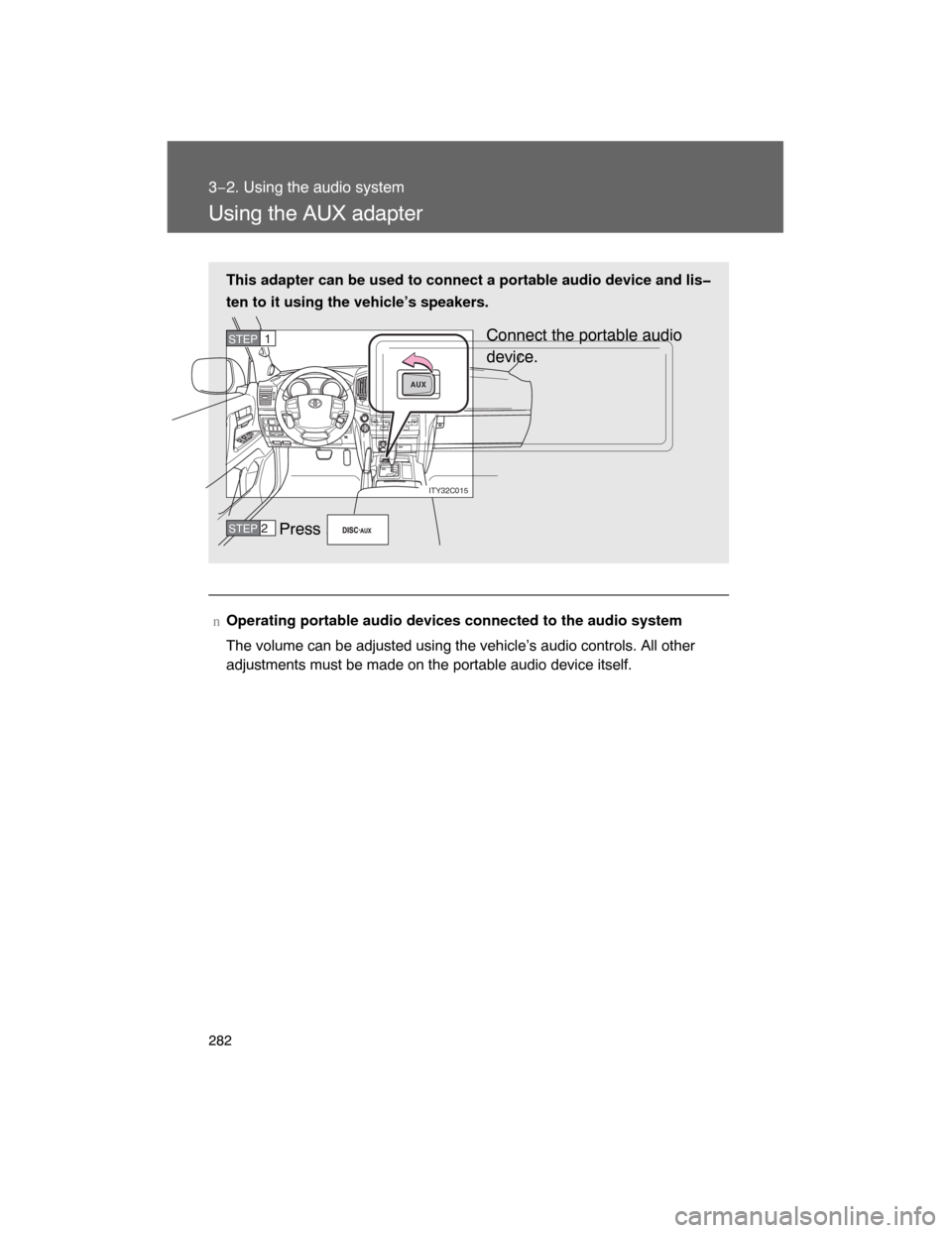
Using the AUX adapter
nOperating portable audio devices connected to the audio system
The volume can be adjusted using the vehicle’s audio controls. All other
adjustments must be made on the portable audio device itself. This adapter can be used to connect a portable audio device and lis
ten to it using the vehicle’s speakers.
Connect the portable audio
device.
Press .
AUX
ITY32C015
STEP1
STEP 2
Page 279 of 531
283
3−2. Using the audio system
3
Interior features
Using the steering switches
Turning on the power
Press when the audio system is turned off.
The audio system can be turned off by holding the switch down until you
hear a beep.
Changing the audio source
Press when the audio system is turned on. The audio source
changes as follows each time the button is pressed. If a cassette tape
or CD is not inserted,
that mode will be skipped.
FM (1, 2)
CD player AUX
AM
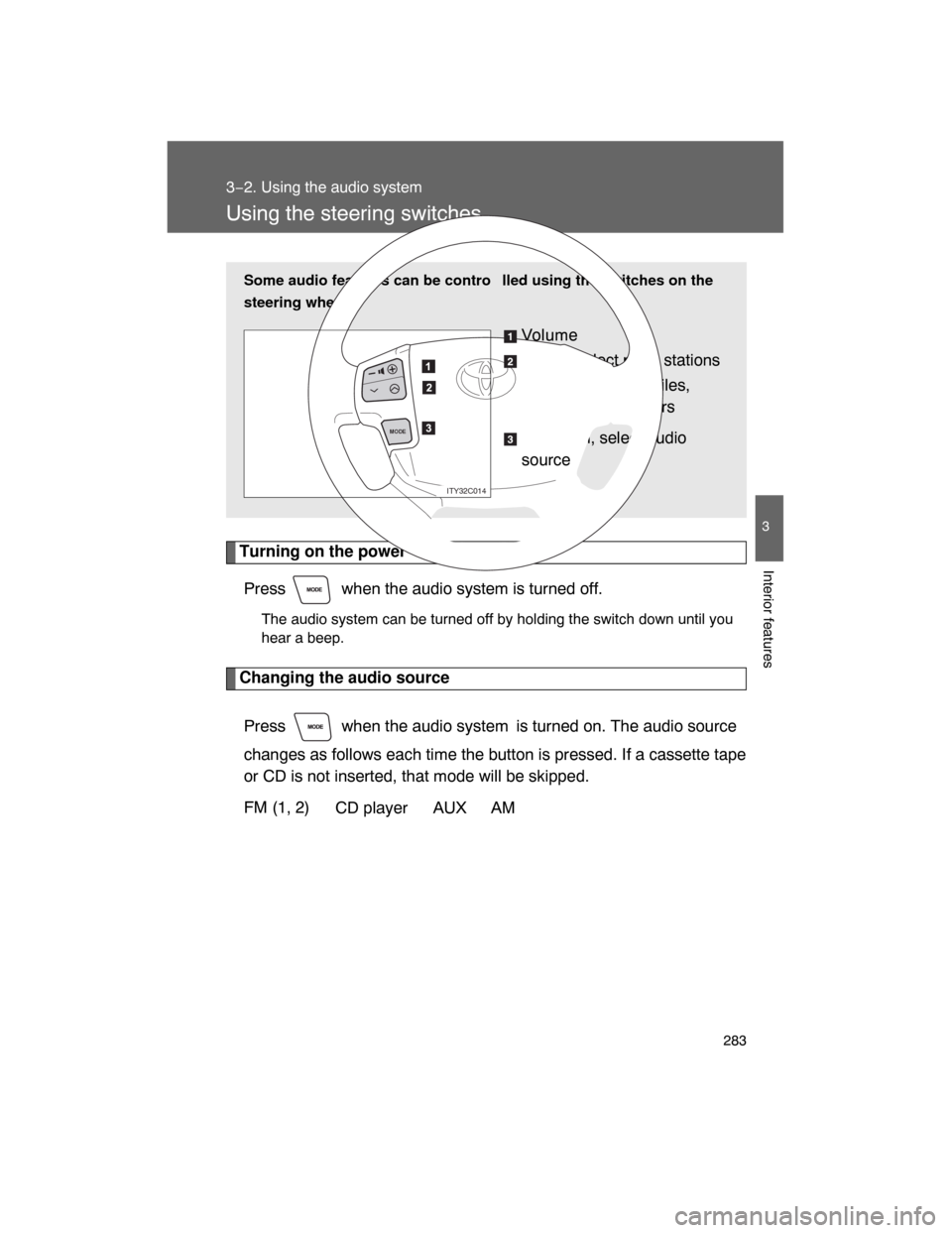
Some audio features can be contro lled using the switches on the
steering wheel.
Vo l u m e
Radio: Select radio stations
CD: Select tracks, files,
discs and folders
Power on, select audio
source
MODE
ITY32C014
Page 280 of 531
284 3−2. Using the audio system
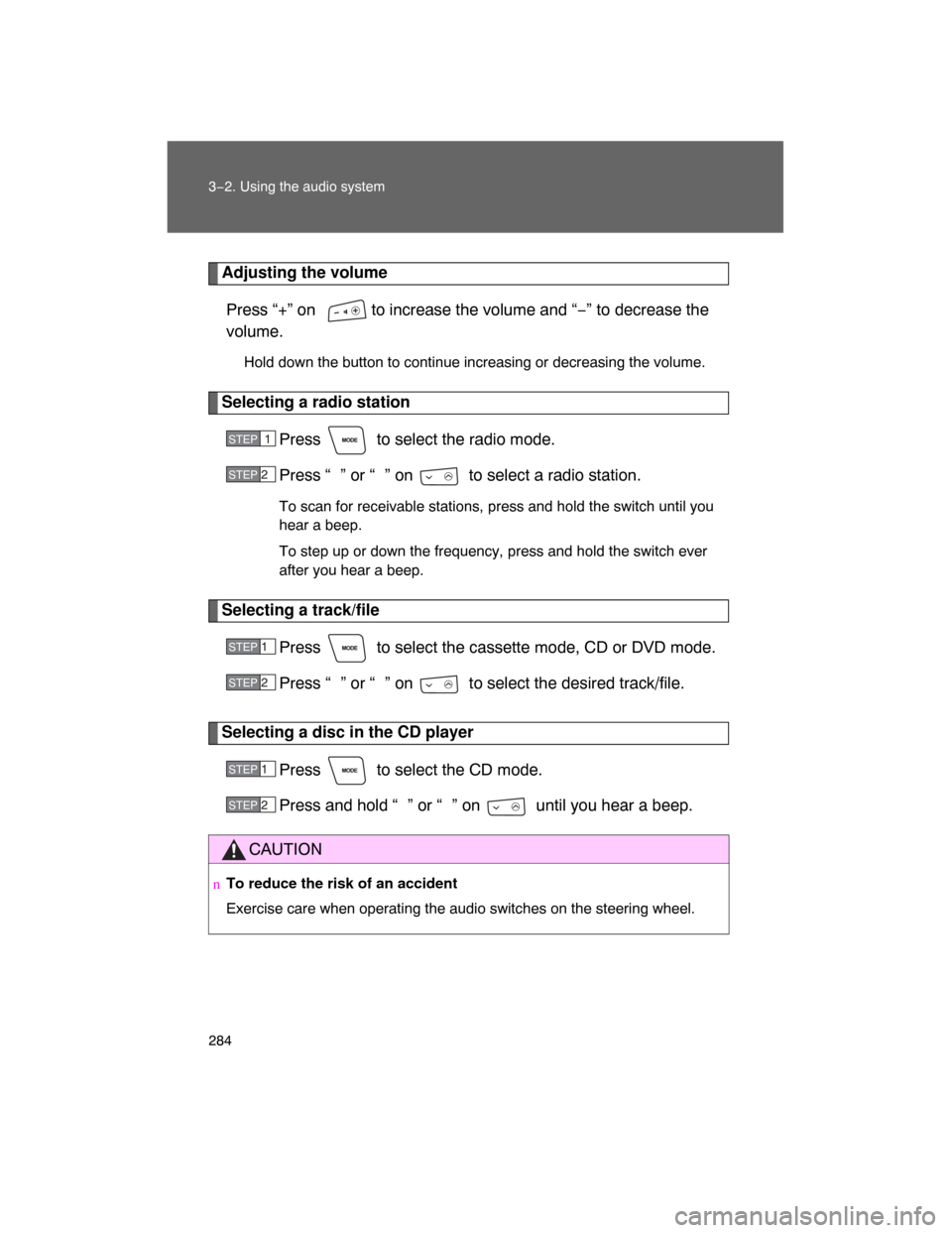
Adjusting the volume
Press “+” on to increase the volume and “−” to decrease the
volume.
Hold down the button to continue increasing or decreasing the volume.
Selecting a radio station
Press to select the radio mode.
Press “ ” or “ ” on to select a radio station.
To scan for receivable stations, press and hold the switch until you
hear a beep.
To step up or down the frequency, press and hold the switch ever
after you hear a beep.
Selecting a track/file
Press to select the cassette mode, CD or DVD mode.
Press “ ” or “
” on to select the desired track/file.
Selecting a disc in the CD player
Press to select the CD mode.
Press and hold “ ” or “
” on until you hear a beep.
CAUTION
nTo reduce the risk of an accident
Exercise care when operating the audio switches on the steering wheel.
STEP1
STEP 2
STEP 1
STEP 2
STEP 1
STEP 2
Page 281 of 531
285
3
Interior features
3−3. Using the rear seat enter tainment system
Rear seat enter tainment system features (if equipped)
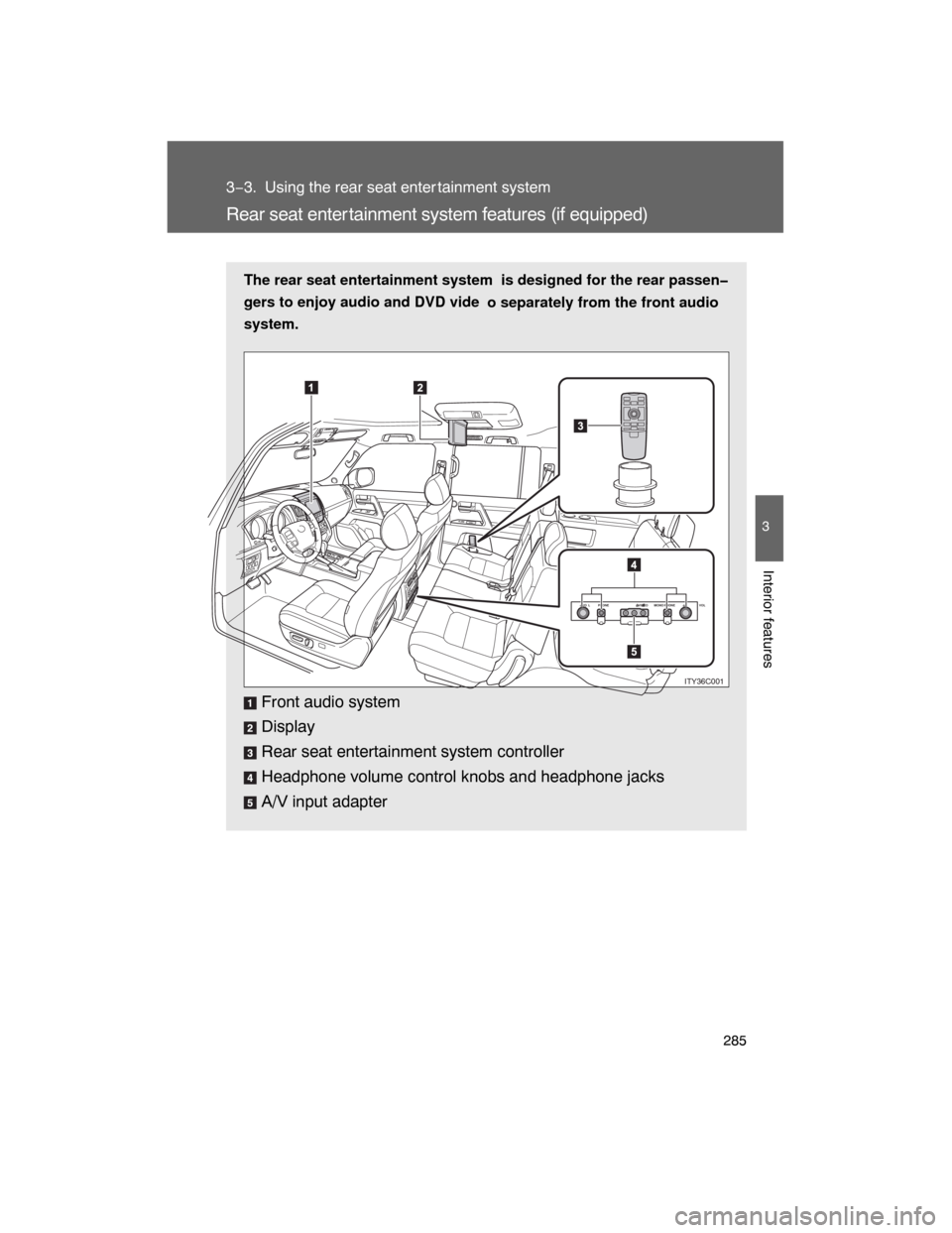
The rear seat entertainment system is designed for the rear passen
gers to enjoy audio and DVD vide
o separately from the front audio
system.
Front audio system
Display
Rear seat entertainment system controller
Headphone volume control knobs and headphone jacks
A/V input adapter
PHONE VOLPHONE VIDEO MONOLVO LR
ITY36C001
Page 283 of 531
287
3−3. Using the rear seat entertainment system
3
Interior features
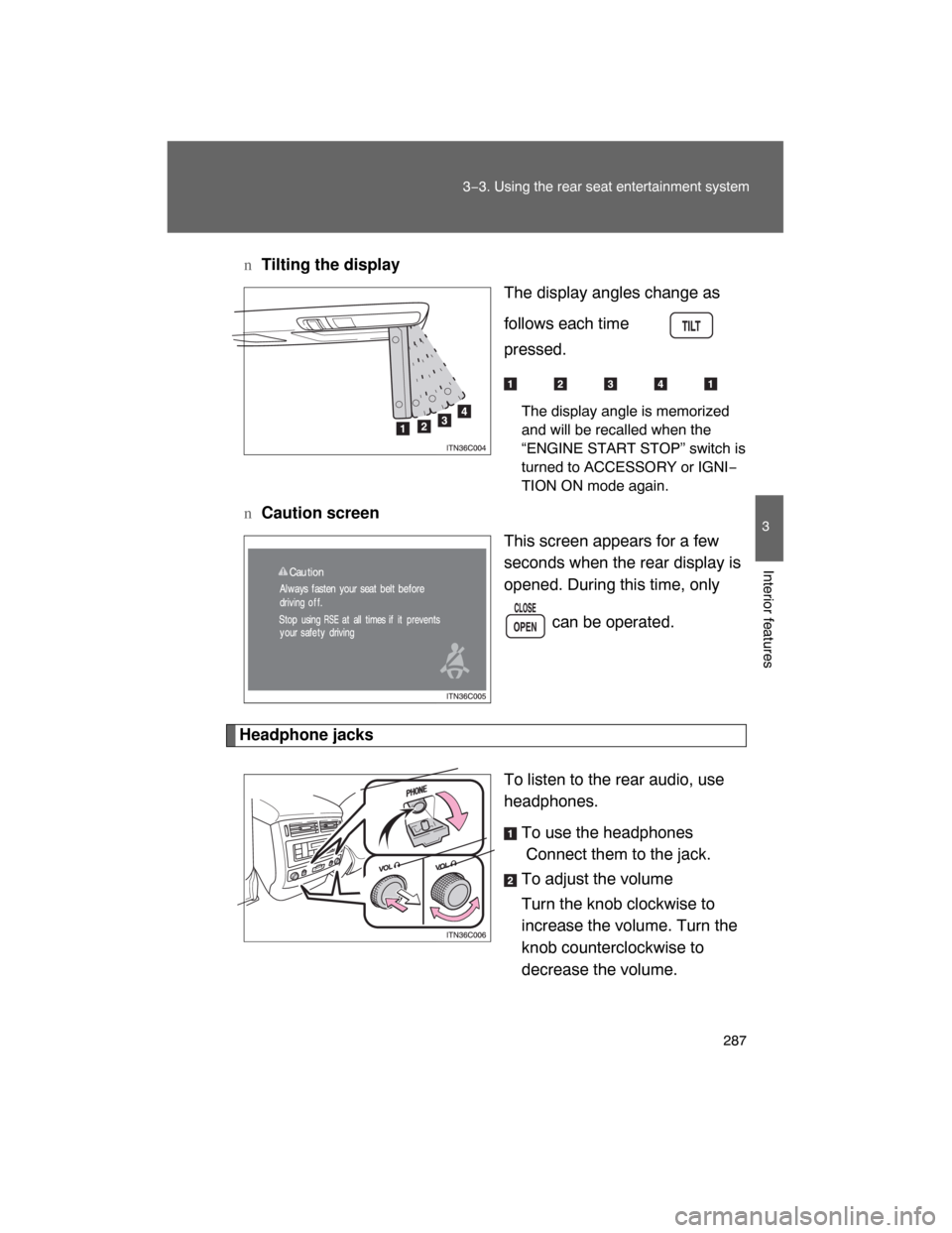
nTilting the display
The display angles change as
follows each time is
pressed.
The display angle is memorized
and will be recalled when the
“ENGINE START STOP” switch is
turned to ACCESSORY or IGNI−
TION ON mode again.
nCaution screen
This screen appears for a few
seconds when the rear display is
opened. During this time, only
can be operated.
Headphone jacks
To listen to the rear audio, use
headphones.
To use the headphones
Connect them to the jack.
To adjust the volume
Turn the knob clockwise to
increase the volume. Turn the
knob counterclockwise to
decrease the volume.
Page 284 of 531
288 3−3. Using the rear seat entertainment system
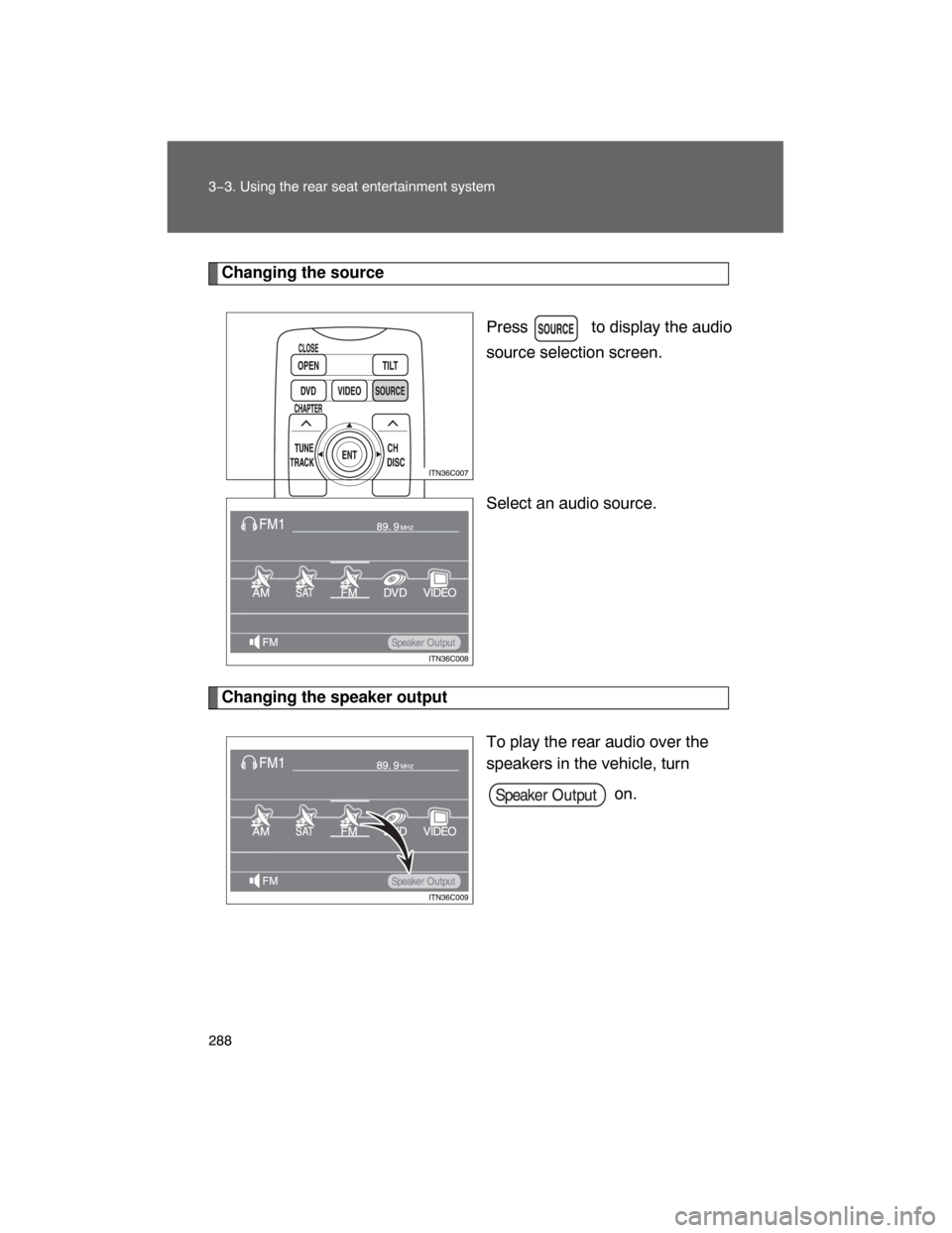
Changing the source
Press to display the audio
source selection screen.
Select an audio source.
Changing the speaker output
To play the rear audio over the
speakers in the vehicle, turn
on.
Page 286 of 531
290 3−3. Using the rear seat entertainment system
nVo l u m e
lAdjust the volume when you connect the headphones to the jack. Loud
sounds may have a significant impact on the human body.
l
Conversational speech on some DVDs is recorded at a low volume to
emphasize the impact of sound effects. If you adjust the volume assuming
that the conversations represent the maximum volume level that the DVD
will play, you may be startled by louder sound effects or when you change
to a different audio source. Be sure to adjust the volume with this in mind.
CAUTION
nWhen the rear seat entertainment system is not used
Keep the display closed.
In the event of an accident or sudden braking, an occupant may hit the
opened display, resulting in injury.
nTo prevent accidents and electric shock
Do not disassemble or modify the remote control.
nWhen the remote controller is not used
Stow the remote controller.
Injuries may result in the event of an accident or sudden braking.
nClosing the display
Never use any part of your body to intentionally activate the jam protection
function.
Page 289 of 531
293
3−3. Using the rear seat entertainment system
3
Interior features
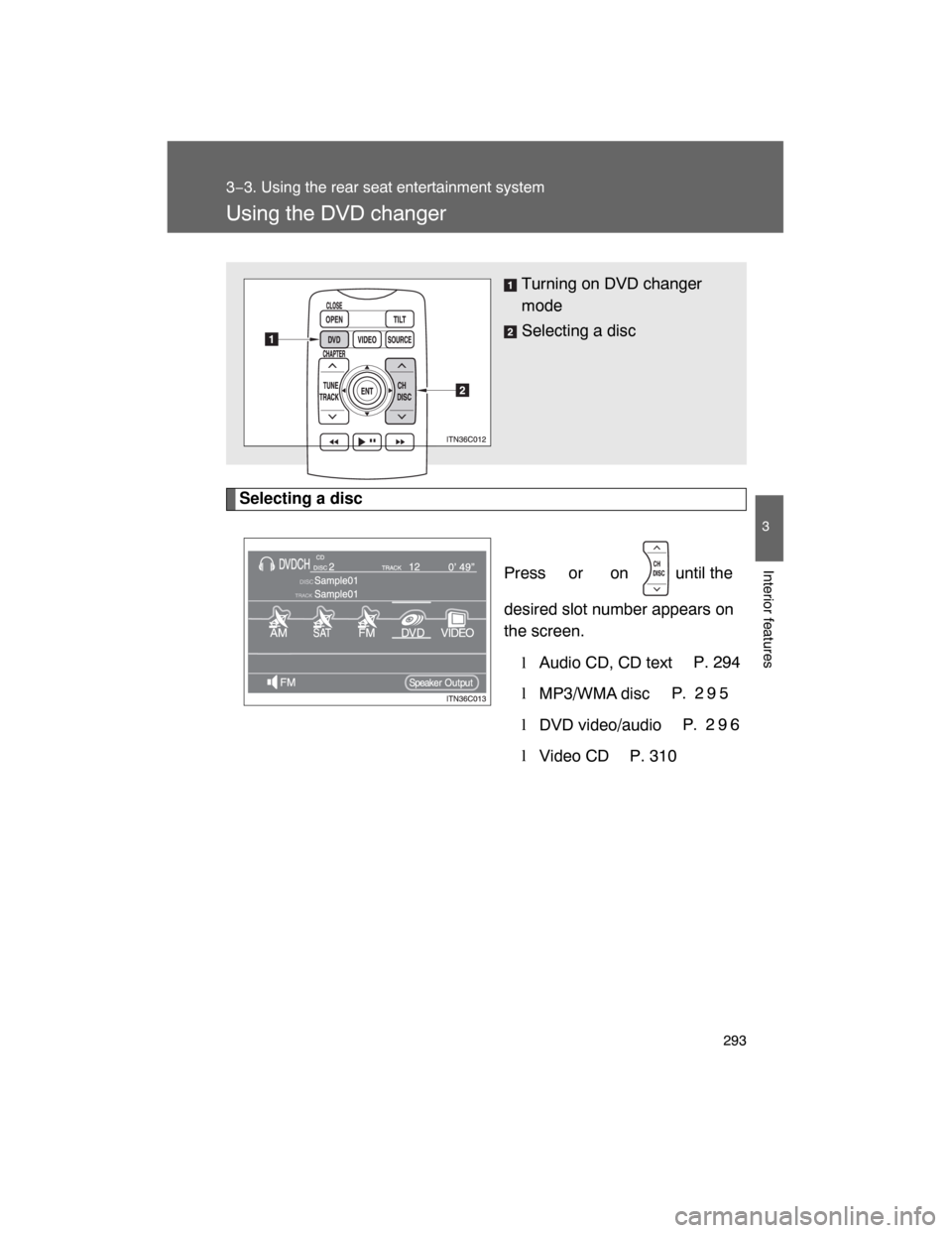
Using the DVD changer
Selecting a disc
Press or on until the
desired slot number appears on
the screen.
lAudio CD, CD textP. 294
l
MP3/WMA discP. 2 9 5
l
DVD video/audioP. 2 9 6
l
Video CD
P. 310 Turning on DVD changer
mode
Selecting a disc
Page 290 of 531
294
3−3. Using the rear seat entertainment system
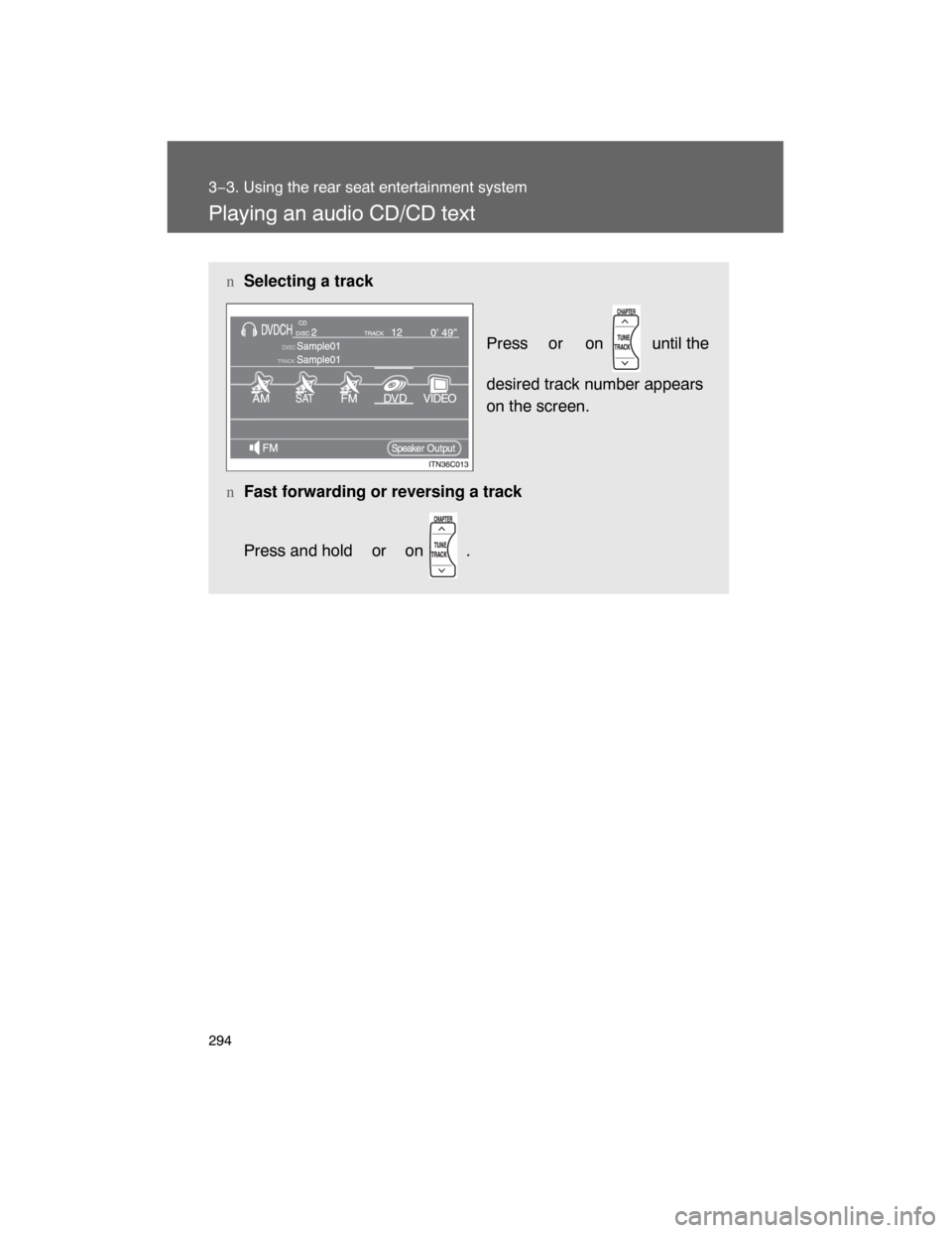
Playing an audio CD/CD text
nSelecting a track
Press or on until the
desired track number appears
on the screen.
nFast forwarding or reversing a track
Press and hold or
on .
Page 292 of 531
296
3−3. Using the rear seat entertainment system
Playing DVD video/audio
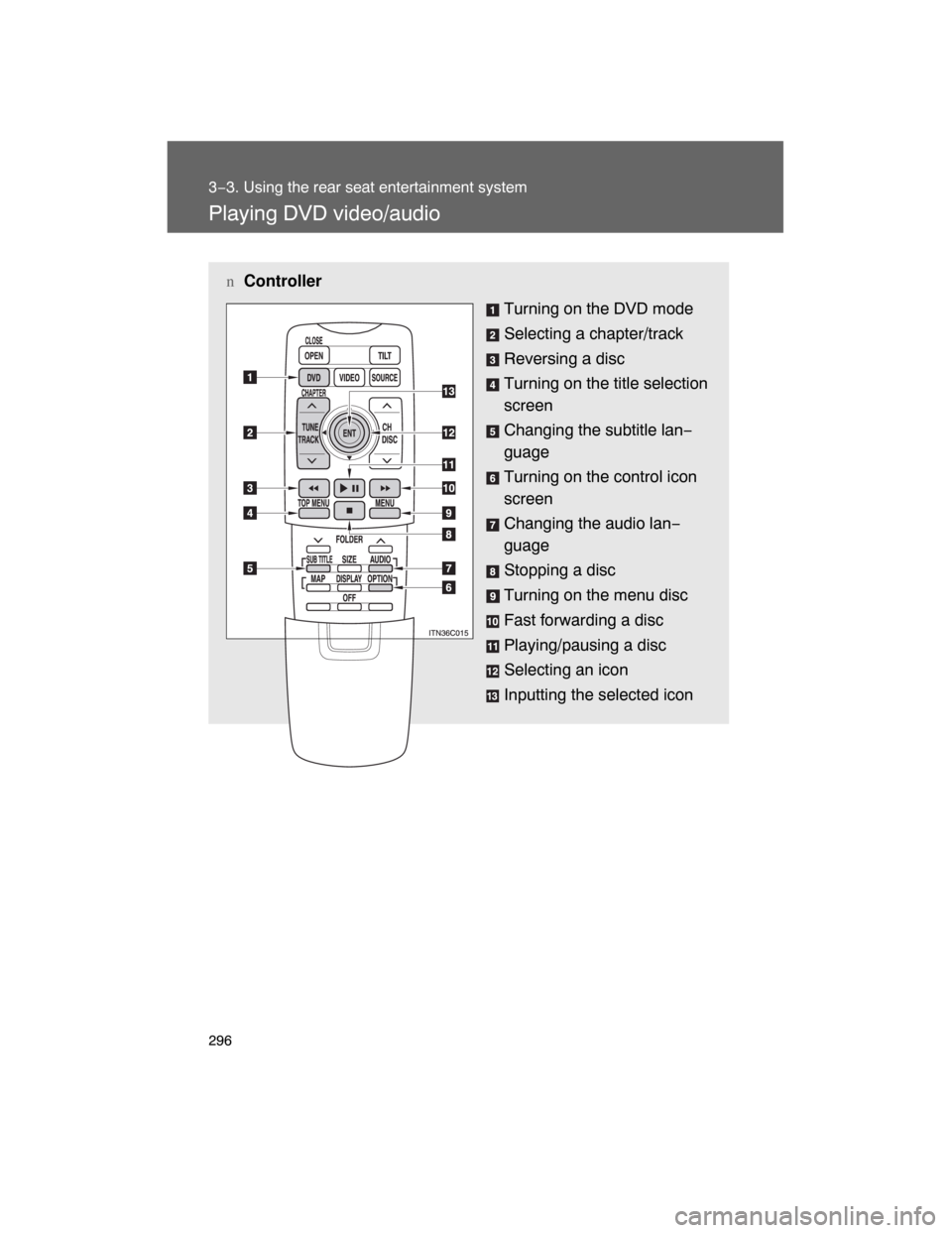
nController
Turning on the DVD mode
Selecting a chapter/track
Reversing a disc
Turning on the title selection
screen
Changing the subtitle lan−
guage
Turning on the control icon
screen
Changing the audio lan−
guage
Stopping a disc
Turning on the menu disc
Fast forwarding a disc
Playing/pausing a disc
Selecting an icon
Inputting the selected icon