air conditioning TOYOTA LAND CRUISER 2010 J200 Owners Manual
[x] Cancel search | Manufacturer: TOYOTA, Model Year: 2010, Model line: LAND CRUISER, Model: TOYOTA LAND CRUISER 2010 J200Pages: 592, PDF Size: 7.98 MB
Page 1 of 592
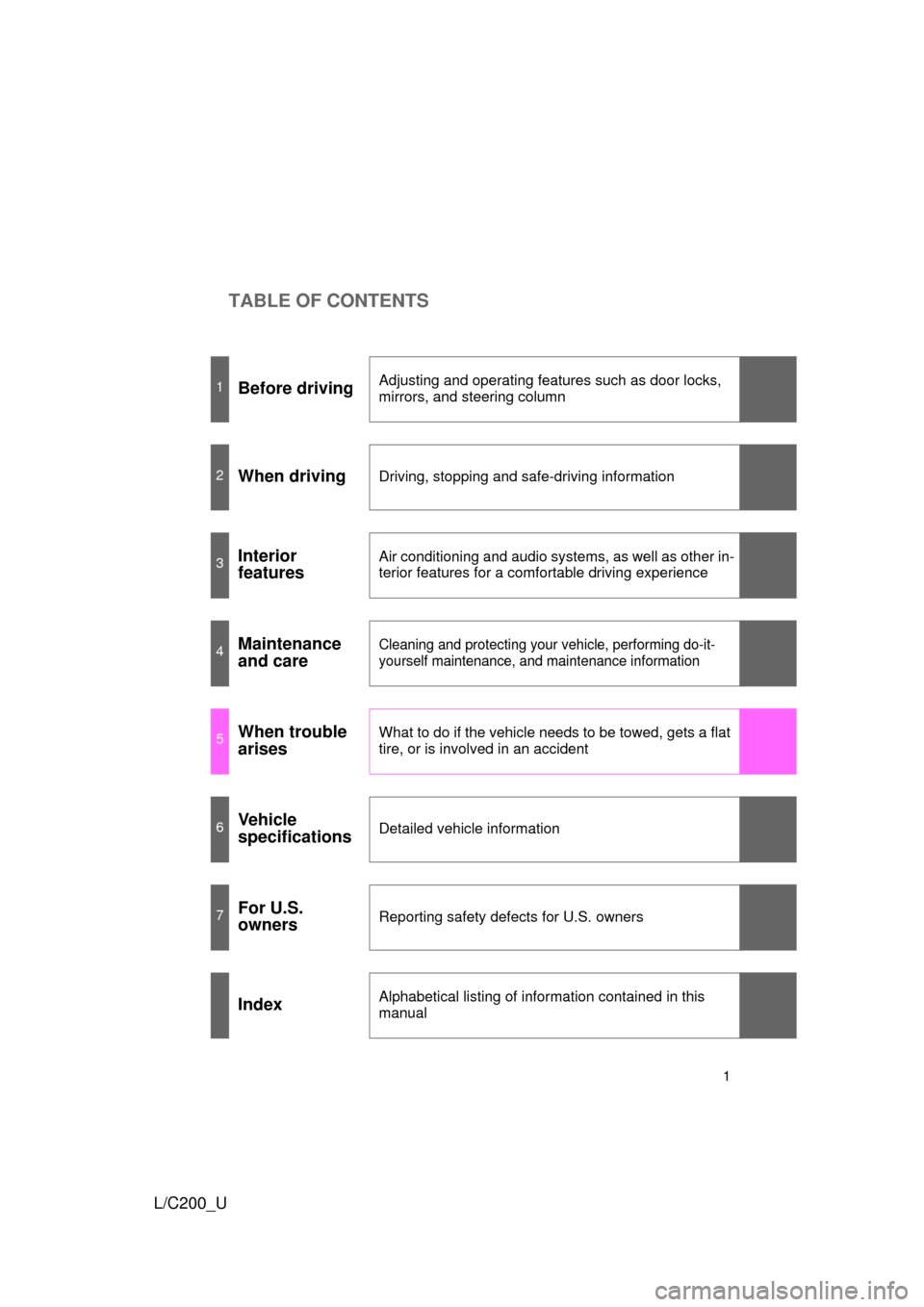
TABLE OF CONTENTS
1
L/C200_U
1Before drivingAdjusting and operating features such as door locks,
mirrors, and steering column
2When drivingDriving, stopping and safe-driving information
3Interior
featuresAir conditioning and audio systems, as well as other in-
terior features for a comfortable driving experience
4Maintenance
and careCleaning and protecting your vehicle, performing do-it-
yourself maintenance, and maintenance information
5When trouble
arisesWhat to do if the vehicle needs to be towed, gets a flat
tire, or is involved in an accident
6Vehicle
specificationsDetailed vehicle information
7For U.S.
ownersReporting safety defects for U.S. owners
IndexAlphabetical listing of information contained in this
manual
Page 3 of 592

1
2
3
4
5
6
7
3
L/C200_U
Windshield wipers and washer .............................. 177
Rear window wiper and washer .............................. 182
Headlight cleaner switch ..... 183
2-4. Using other driving systems Cruise control ...................... 184
Intuitive parking assist......... 188
Four-wheel drive system ..... 197
Crawl Control ...................... 202
Driving assist systems ........ 206
Pre-Collision System........... 212
2-5. Driving information Off-road precautions ........... 213
Cargo and luggage ............. 218
Vehicle load limits ............... 225
Winter driving tips ............... 226
Trailer towing ...................... 231
Dinghy towing ..................... 243
3-1. Using the air conditioning system and defogger
Front air conditioning system .............................. 246
Rear air conditioning system .............................. 256
Rear window and outside rear view mirror
defoggers .......................... 260
Windshield wiper de-icer ..... 261 3-2. Using the audio system
Audio system type .............. 262
Using the radio ................... 265
Using the CD player ........... 274
Playing back MP3 and WMA discs ....................... 282
Operating an iPod
®............ 289
Operating a USB memory ............................ 296
Optimal use of the audio system .............................. 304
Using the AUX adapter....... 306
Using the steering switches ........................... 307
3-3. Using the Bluetooth
® audio
system
Bluetooth
® audio system .... 311
Using the Bluetooth
® audio
system .............................. 314
Operating a Bluetooth
®
enabled portable player.... 320
Setting up a Bluetooth
®
enabled portable player.... 323
Bluetooth
® audio system
setup ................................ 330
3-4. Using the hands-free system (for cellular phone)
Hands-free system (for cellular phone) ........... 331
Using the hands-free system .............................. 335
Making a phone call ........... 343
Setting a cellular phone ...... 348
Security and system setup ................................ 354
Using the phone book ........ 3603Interior features
Page 4 of 592

TABLE OF CONTENTSIndex
4
L/C200_U
3-5. Using the interior lightsInterior lights list ................. 369
• Interior lights .................... 370
• Personal lights ................. 371
3-6. Using the storage features List of storage features....... 372
• Glove box ......................... 373
• Console box ..................... 374
• Overhead console ............ 375
• Cup holders...................... 376
• Bottle holders ................... 377
• Card holders .................... 379
• Auxiliary box..................... 379
3-7. Other interior features Cool box ............................. 380
Sun visors .......................... 382
Vanity mirror ....................... 383
Clock .................................. 384
Outside temperature display .............................. 385
Ashtrays ............................. 386
Cigarette lighter .................. 388
Power outlets ..................... 389
Seat heaters ....................... 391
Armrest............................... 393
Floor mats .......................... 394
Luggage compartment features ............................ 395
Garage door opener ........... 397
Safety Connect................... 404 4-1. Maintenance and care
Cleaning and protecting the vehicle exterior ........... 412
Cleaning and protecting the vehicle interior ............ 415
4-2. Maintenance Maintenance requirements .................... 418
General maintenance ......... 420
Emission inspection and maintenance (I/M)
programs .......................... 423
4-3. Do-it-yourself maintenance Do-it-yourself service precautions ....................... 424
Hood ................................... 427
Engine compartment .......... 428
Tires.................................... 443
Tire inflation pressure ......... 452
Wheels................................ 456
Air conditioning filter ........... 458
Electronic key battery ......... 461
Checking and replacing fuses ................................. 464
Light bulbs .......................... 477
4Maintenance and care
Page 8 of 592
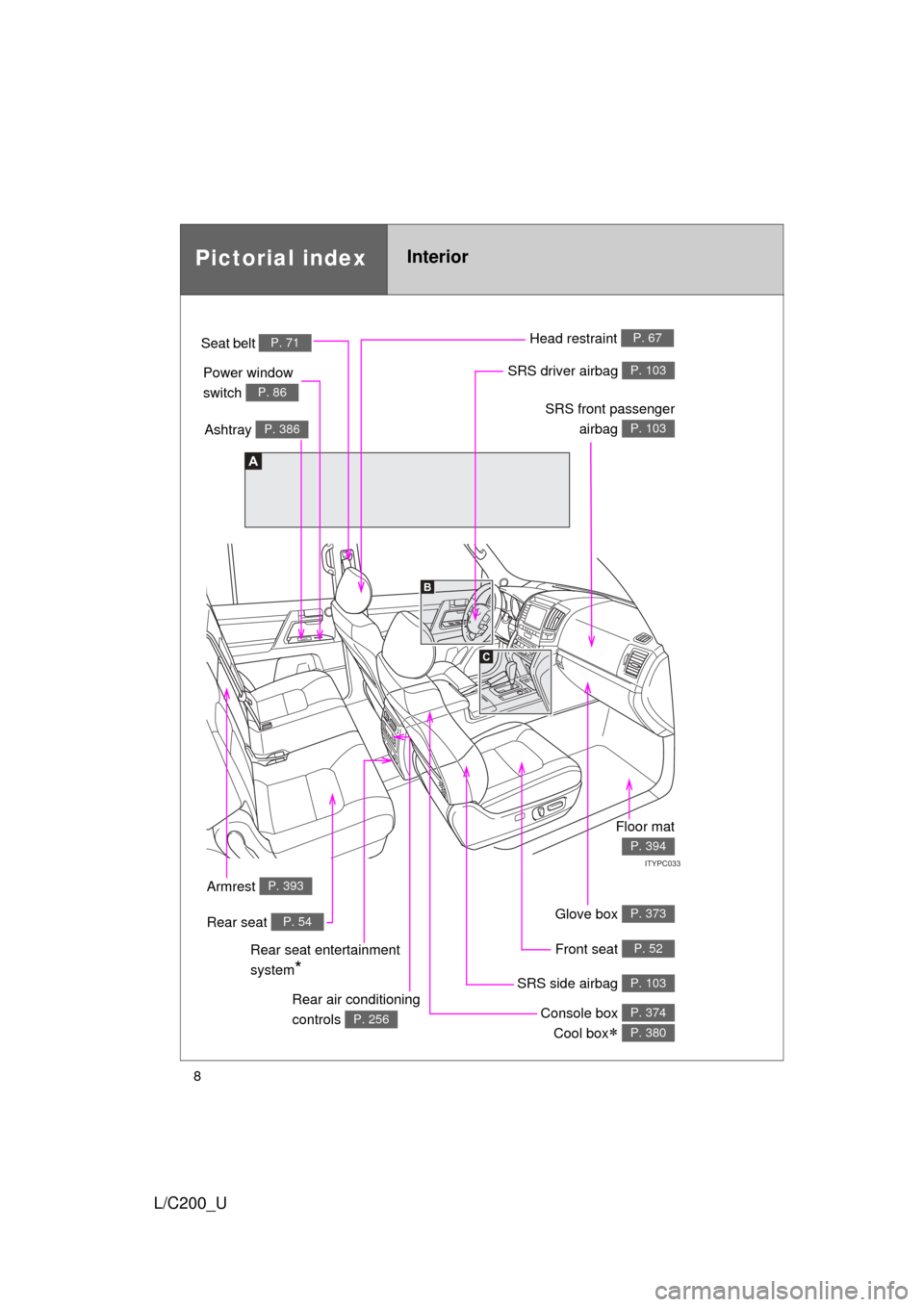
8
L/C200_U
A
C
B
ITYPC033
Power window
switch
P. 86
Pictorial indexInterior
Seat belt P. 71
SRS front passengerairbag
P. 103
SRS driver airbag P. 103
Head restraint P. 67
Front seat P. 52
SRS side airbag P. 103
Console box Cool box
P. 374
P. 380
Ashtray P. 386
Rear air conditioning
controls
P. 256
Armrest P. 393
Floor mat
P. 394
Rear seat entertainment
system
*
Glove box P. 373Rear seat P. 54
Page 13 of 592
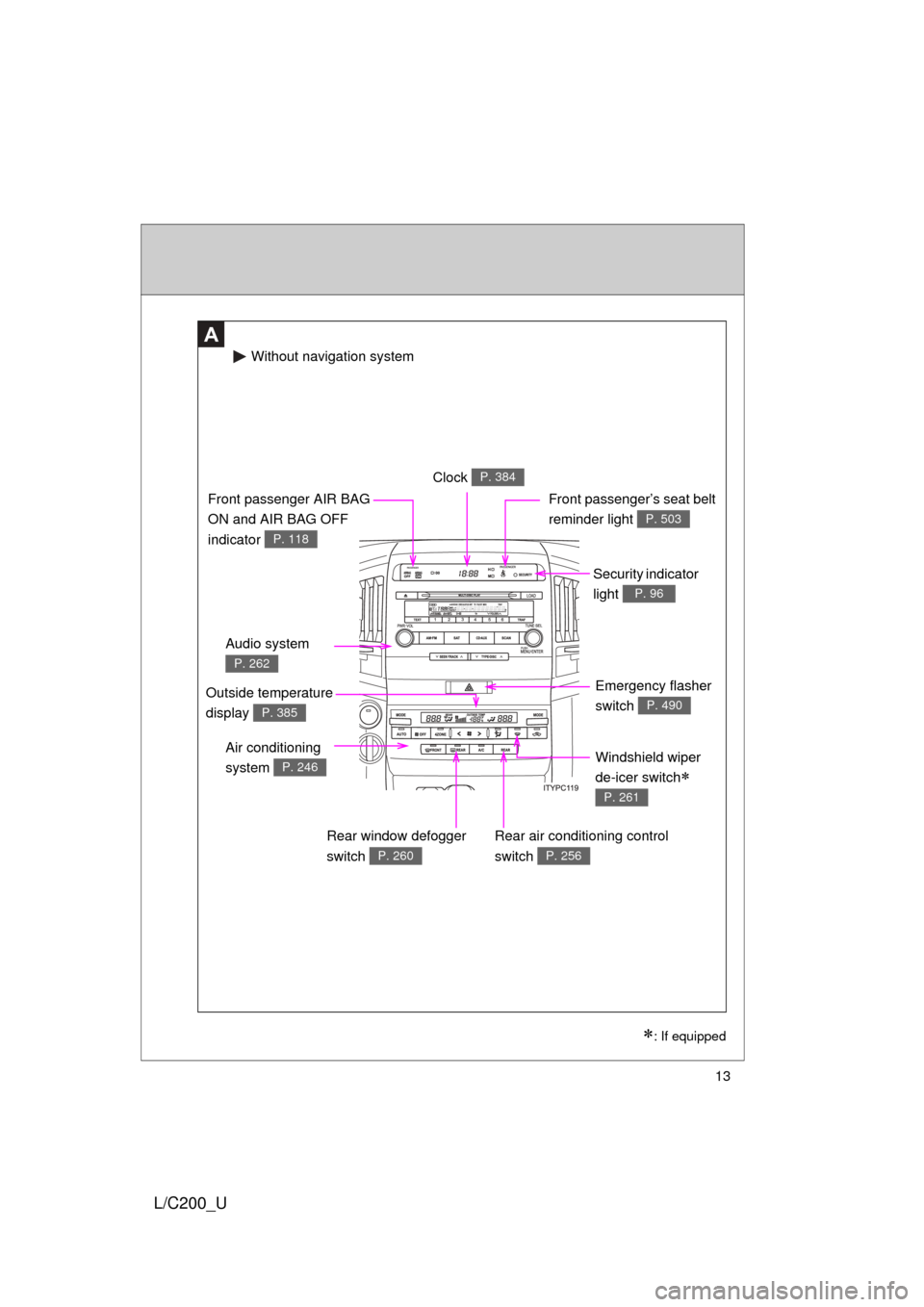
13
L/C200_U
A
Windshield wiper
de-icer switch
P. 261
Clock P. 384
Security indicator
light
P. 96
Audio system
P. 262
Front passenger AIR BAG
ON and AIR BAG OFF
indicator
P. 118
Front passenger’s seat belt
reminder light
P. 503
Air conditioning
system
P. 246
Rear air conditioning control
switch
P. 256
Emergency flasher
switch
P. 490
Rear window defogger
switch
P. 260
Without navigation system
: If equipped
Outside temperature
display
P. 385
Page 14 of 592
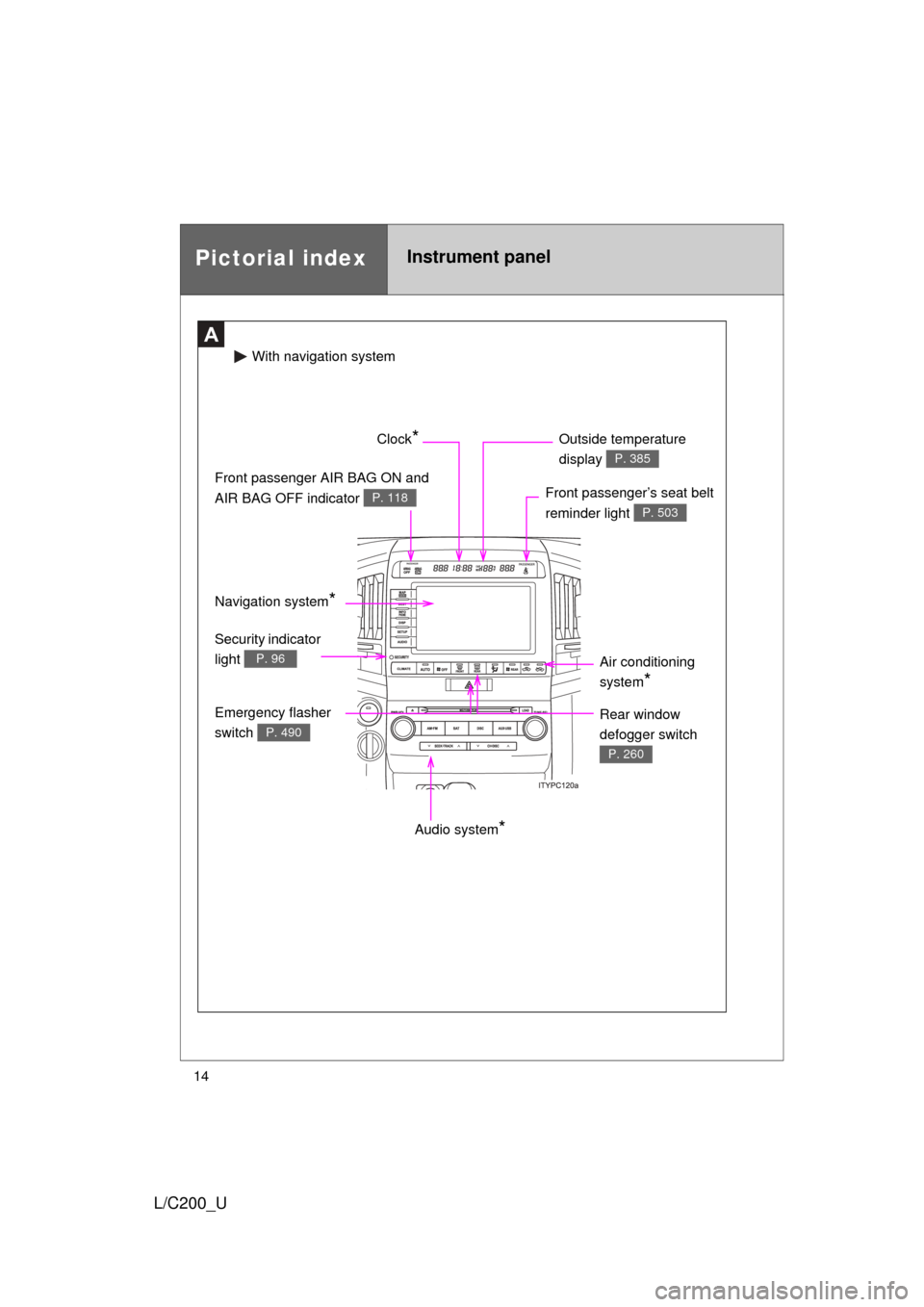
14
L/C200_U
Pictorial indexInstrument panel
A
Audio system*
Front passenger’s seat belt
reminder light
P. 503
Front passenger AIR BAG ON and
AIR BAG OFF indicator
P. 118
Clock* Outside temperature
display
P. 385
Air conditioning
system
*
Emergency flasher
switch
P. 490
Security indicator
light
P. 96
With naviga tion system
Rear window
defogger switch
P. 260
Navigation system*
Page 244 of 592
244
L/C200_U
3-1. Using the air conditioning system and defogger
Front air conditioning system ........................... 246
Rear air conditioning system ........................... 256
Rear window and outside rear view mirror
defoggers ....................... 260
Windshield wiper de-icer ............................ 261
3-2. Using the audio system Audio system type............ 262
Using the radio ................. 265
Using the CD player ......... 274
Playing back MP3 and WMA discs ..................... 282
Operating an iPod
®.......... 289
Operating a USB memory .......................... 296
Optimal use of the audio system ........................... 304
Using the AUX adapter .... 306
Using the steering switches ......................... 307
Interior features3
Page 246 of 592

246
L/C200_U
3-1. Using the air conditioning system and defogger
Front air conditioning system
: If equipped
Airflow and outlets are automatically adjusted according to the tem-
perature setting.
With navigation system
Owners of models equipped with a navigation system should
refer to the “Navigation System Owner’s Manual”.
Without navig ation system
Vehicles with windshield wiper de-icer
Vehicles without windshield wiper de-icer
*: The front air conditioning system cannot be switched off while the cool box is on. ( P. 380)
Driver’s side temperature control
Changes the air outlets used Off *Airflow display
Fan speed display
Fan speed
Airflow display
Passenger’s side
temperature
setting display Passenger’s side temperature control
Changes the air
outlets usedOutside air or
recirculated
air mode
Outside airmode
Recirculated
air mode
Rear air conditioning operation mode Micro dust and pollen filter
Air conditioning on/off switch
4-zone operation switch
Windshield
defogger
Automatic
mode
Driver’s side
temperature
setting display
A
B
Page 247 of 592
247
3-1. Using the air conditioning system
and defogger
3
Interior features
L/C200_U
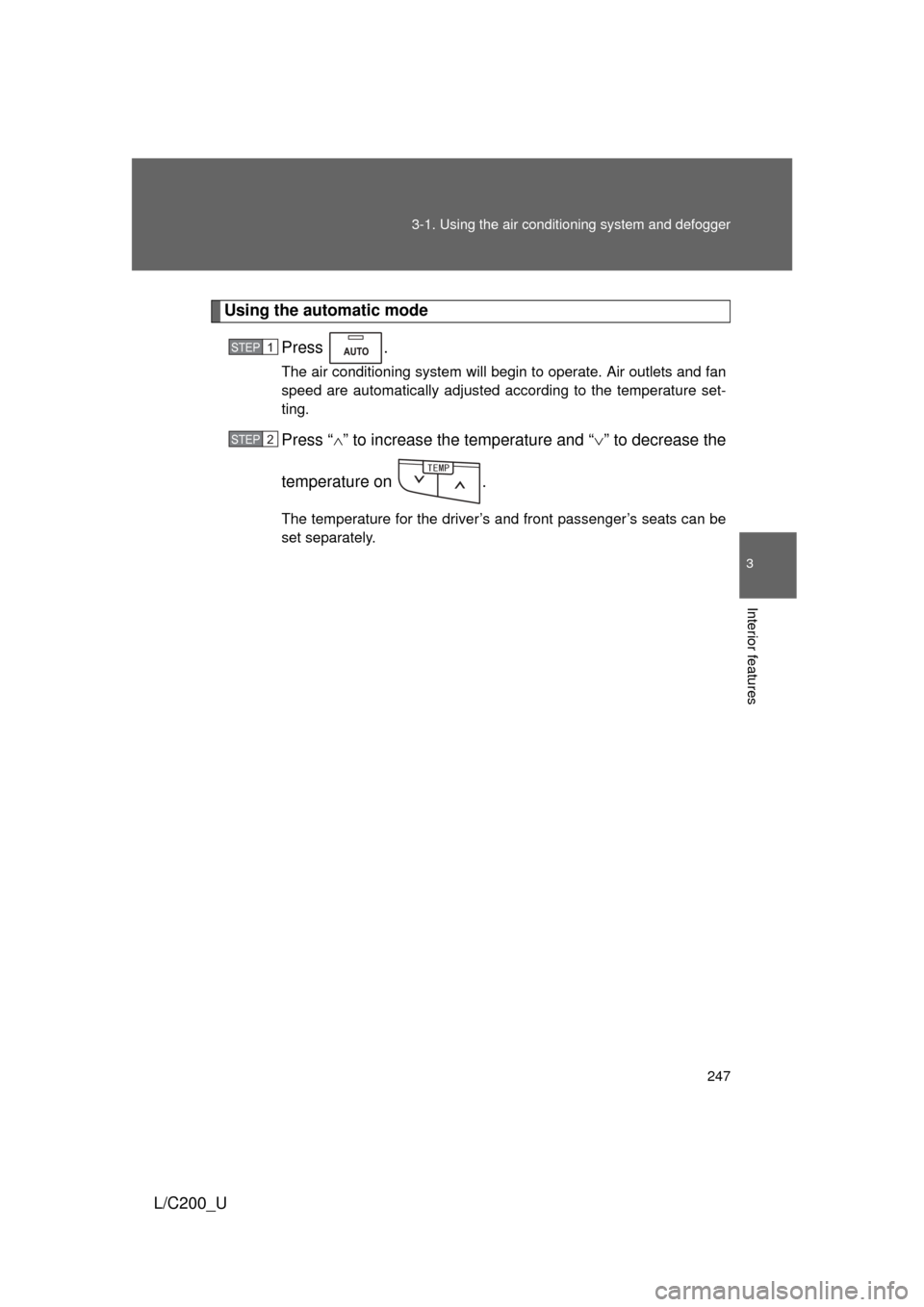
Using the automatic mode
Press .
The air conditioning system will begin to operate. Air outlets and fan
speed are automatically adjusted according to the temperature set-
ting.
Press “” to increase the temperature and “ ” to decrease the
temperature on .
The temperature for the driver’s and front passenger’s seats can be
set separately.
STEP1
STEP2
6'/2
Page 248 of 592
248 3-1. Using the air conditioning system and defogger
L/C200_U
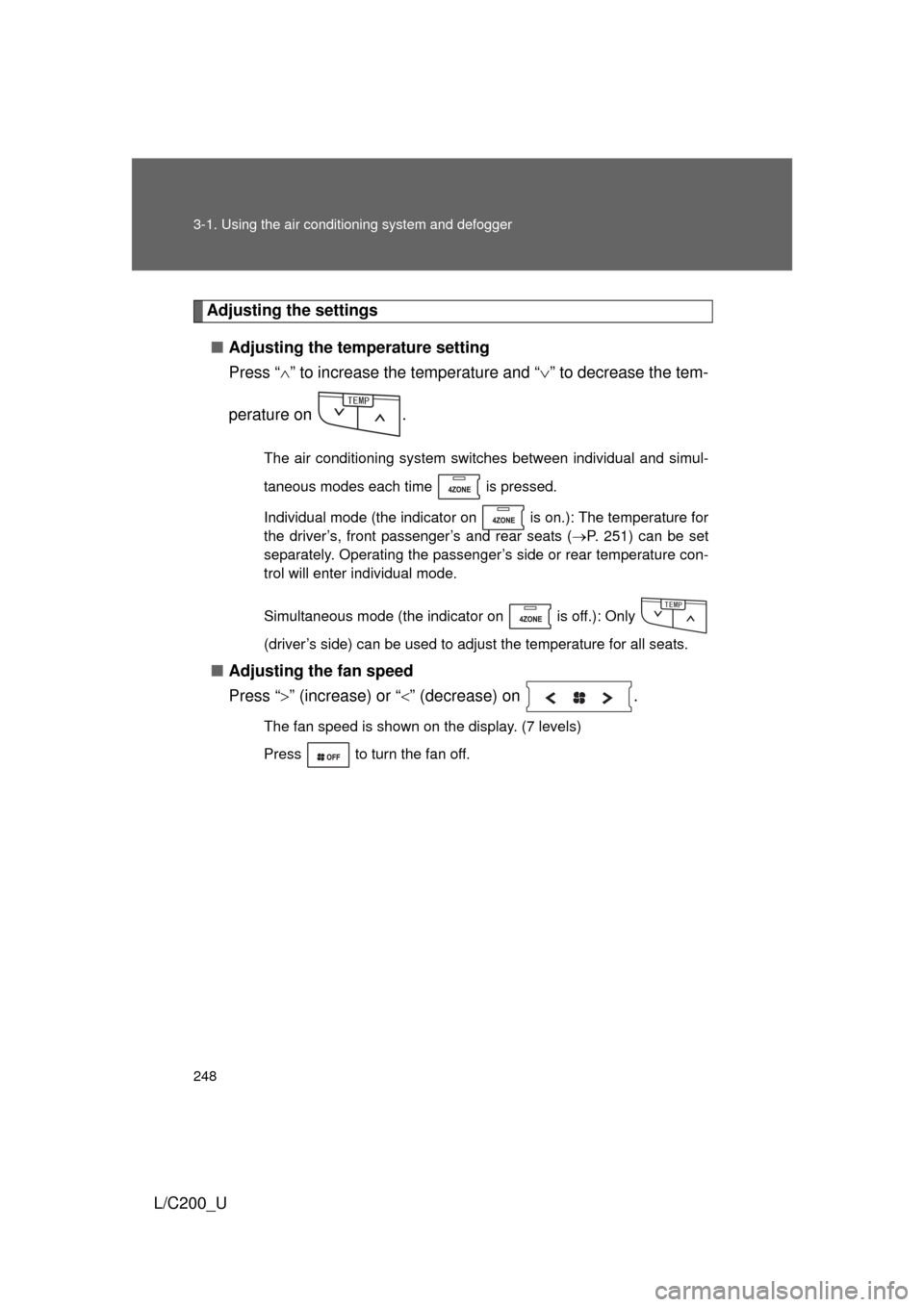
Adjusting the settings
■ Adjusting the temperature setting
Press “ ” to increase the temperature and “ ” to decrease the tem-
perature on .
The air conditioning system switches between individual and simul-
taneous modes each time is pressed.
Individual mode (the indicator on is on.): The temperature for
the driver’s, front passenger’s and rear seats ( P. 251) can be set
separately. Operating the passenger’s side or rear temperature con-
trol will enter individual mode.
Simultaneous mode (the indicator on is off.): Only
(driver’s side) can be used to adjust the temperature for all seats.
■ Adjusting the fan speed
Press “ ” (increase) or “ ” (decrease) on .
The fan speed is shown on the display. (7 levels)
Press to turn the fan off.
6'/2
6'/2