instrument panel TOYOTA LAND CRUISER 2014 J200 User Guide
[x] Cancel search | Manufacturer: TOYOTA, Model Year: 2014, Model line: LAND CRUISER, Model: TOYOTA LAND CRUISER 2014 J200Pages: 724, PDF Size: 11 MB
Page 180 of 724
180 2-2. Instrument cluster
LC200_OM_OM60L09U_(U)
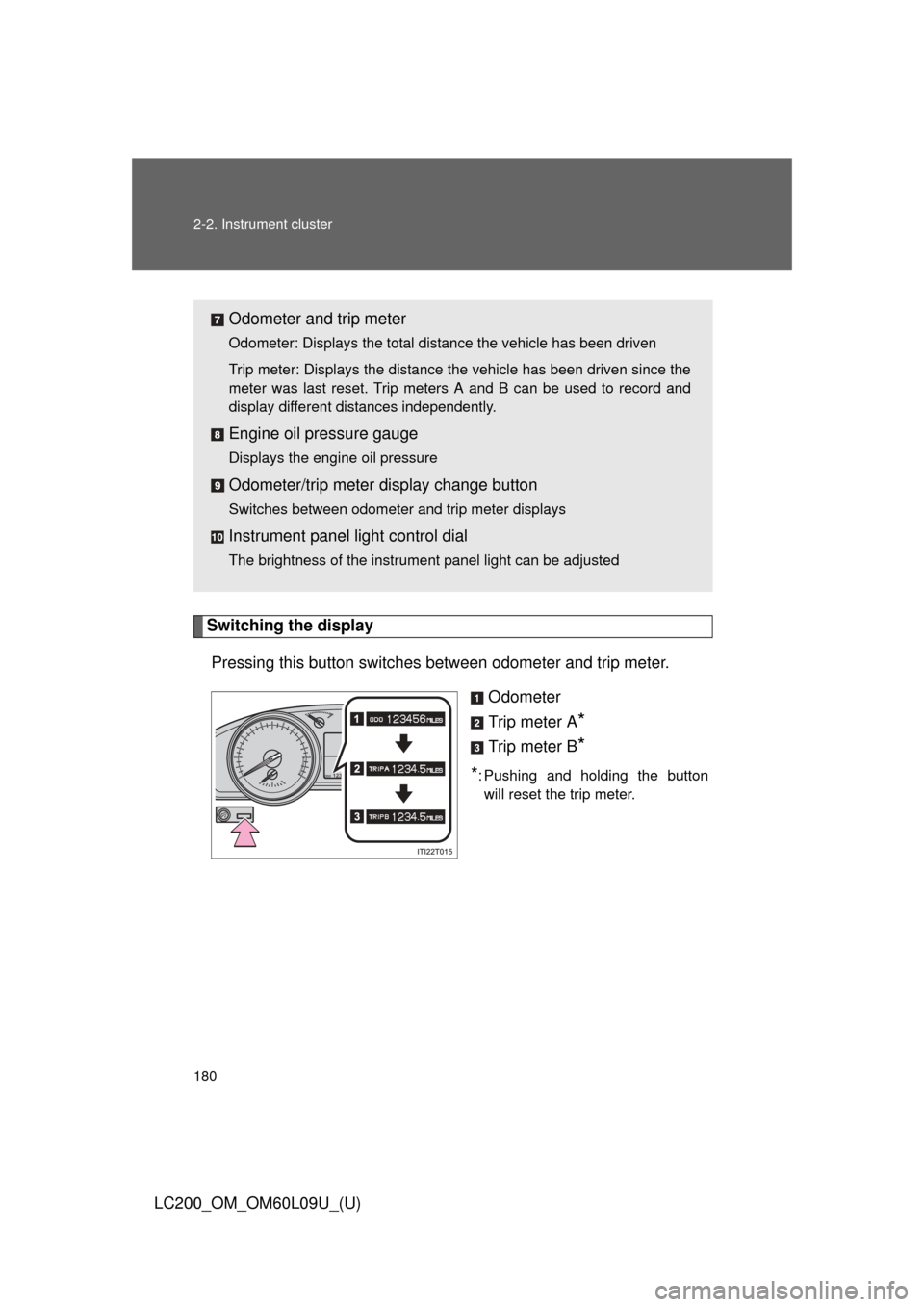
Switching the displayPressing this button switches between odometer and trip meter.
Odometer
Trip meter A
*
Trip meter B*
*: Pushing and holding the buttonwill reset the trip meter.
Odometer and trip meter
Odometer: Displays the total distance the vehicle has been driven
Trip meter: Displays the distance the vehicle has been driven since the
meter was last reset. Trip meters A and B can be used to record and
display different distances independently.
Engine oil pressure gauge
Displays the engine oil pressure
Odometer/trip meter display change button
Switches between odometer and trip meter displays
Instrument panel light control dial
The brightness of the instrument panel light can be adjusted
Page 182 of 724
182 2-2. Instrument cluster
LC200_OM_OM60L09U_(U)
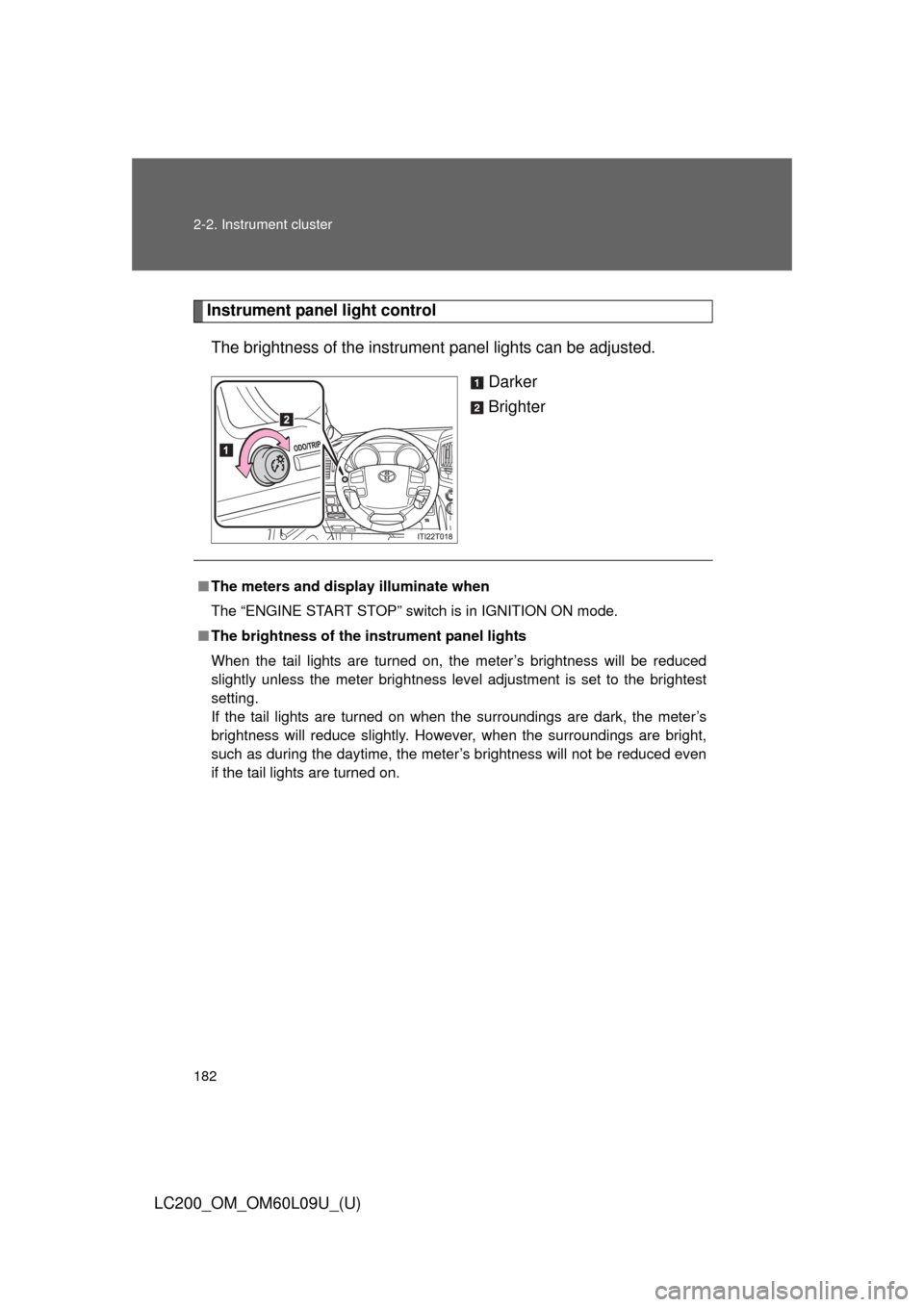
Instrument panel light controlThe brightness of the instrument panel lights can be adjusted.
Darker
Brighter
■The meters and display illuminate when
The “ENGINE START STOP” switch is in IGNITION ON mode.
■ The brightness of the instrument panel lights
When the tail lights are turned on, the meter’s brightness will be reduced
slightly unless the meter brightness level adjustment is set to the brightest
setting.
If the tail lights are turned on when the surroundings are dark, the meter’s
brightness will reduce slightly. However, when the surroundings are bright,
such as during the daytime, the meter’s brightness will not be reduced even
if the tail lights are turned on.
Page 184 of 724
184
2-2. Instrument cluster
LC200_OM_OM60L09U_(U)
Indicators and warning lights
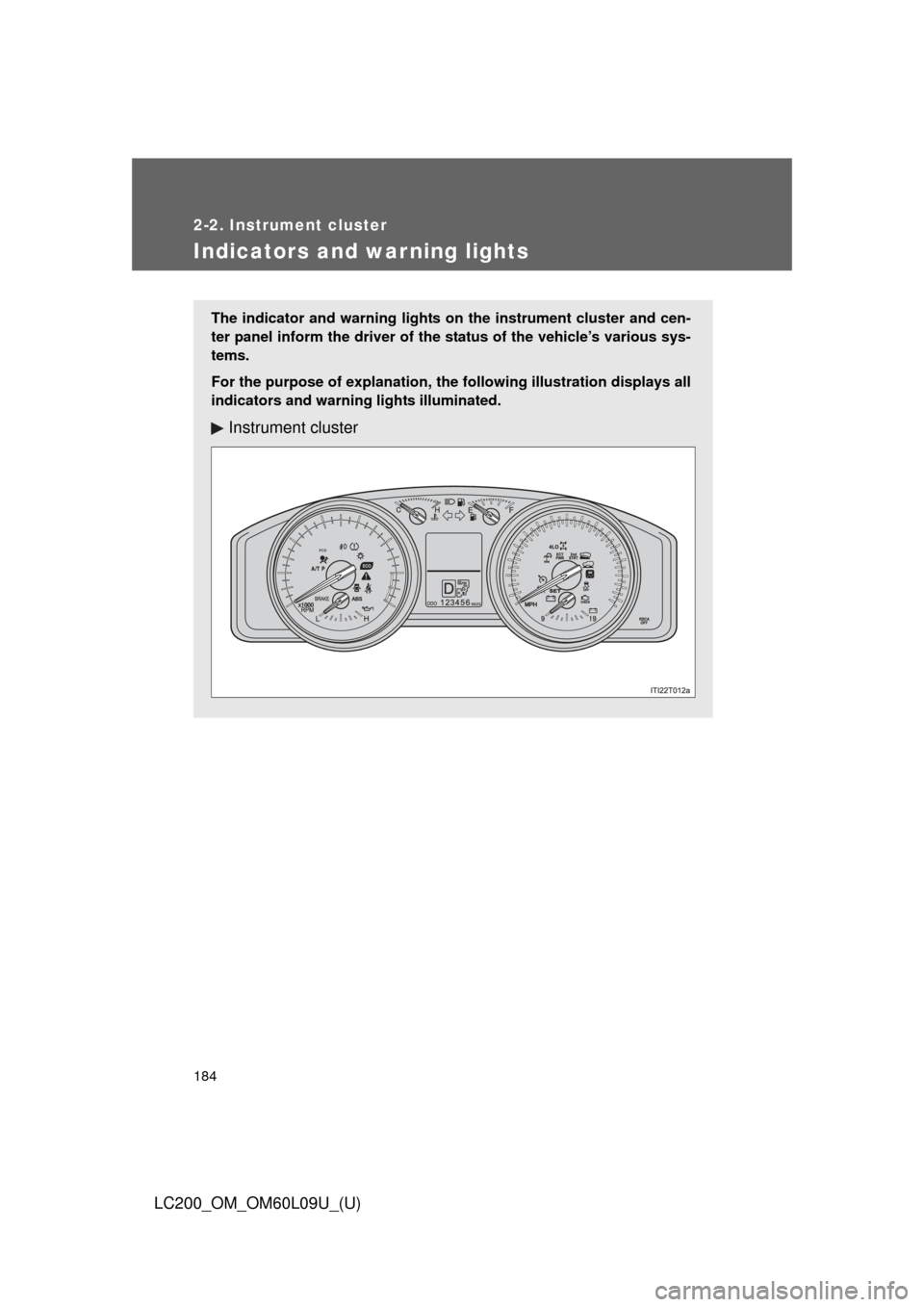
The indicator and warning lights on the instrument cluster and cen-
ter panel inform the driver of the status of the vehicle’s various sys-
tems.
For the purpose of explanation, the fo llowing illustration displays all
indicators and warning lights illuminated.
Instrument cluster
Page 185 of 724
185
2-2. Instrument cluster
2
When driving
LC200_OM_OM60L09U_(U)
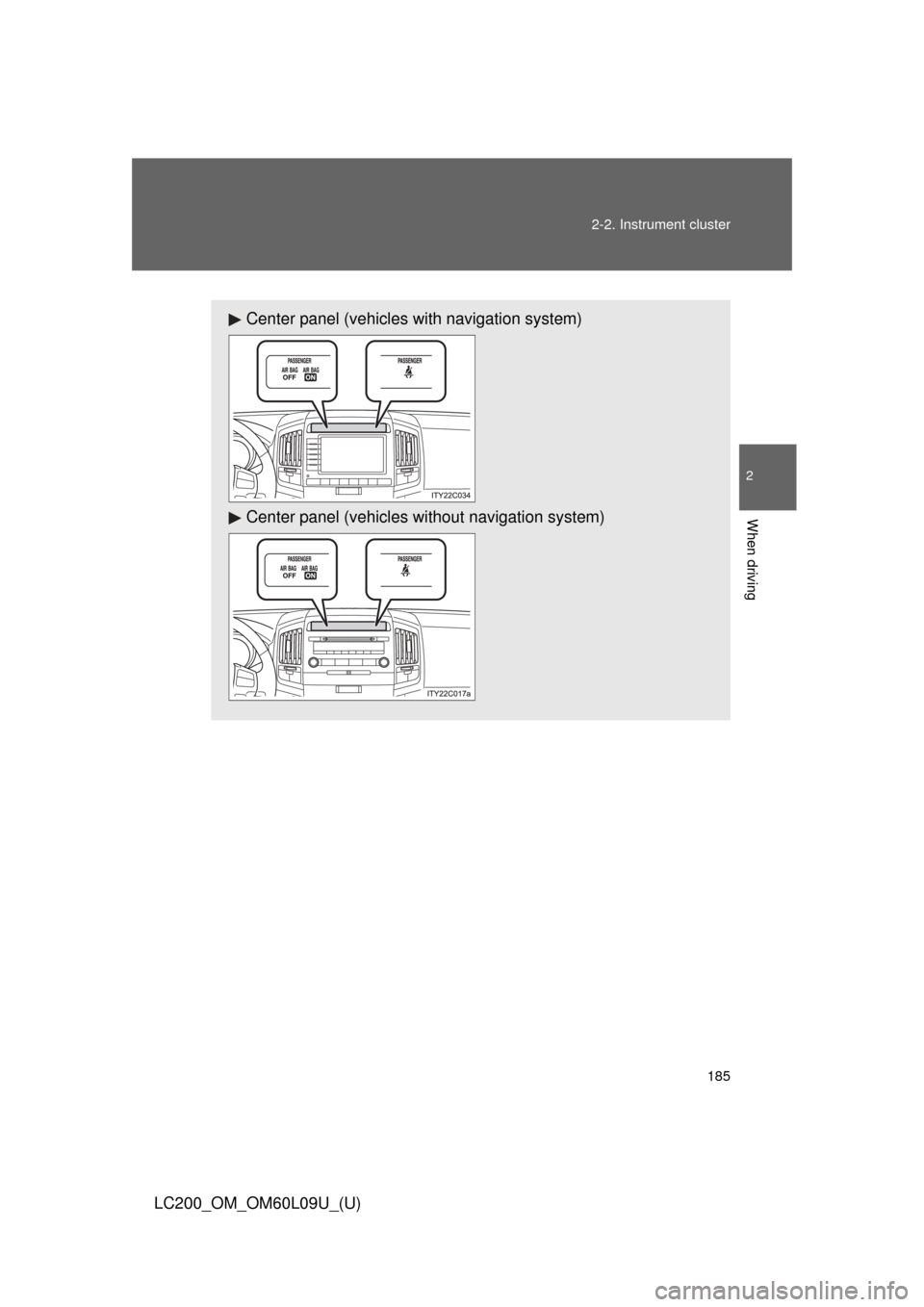
Center panel (vehicles with navigation system)
Center panel (vehicles without navigat
ion system)
Page 196 of 724
196
LC200_OM_OM60L09U_(U)
2-3. Operating the lights and wipers
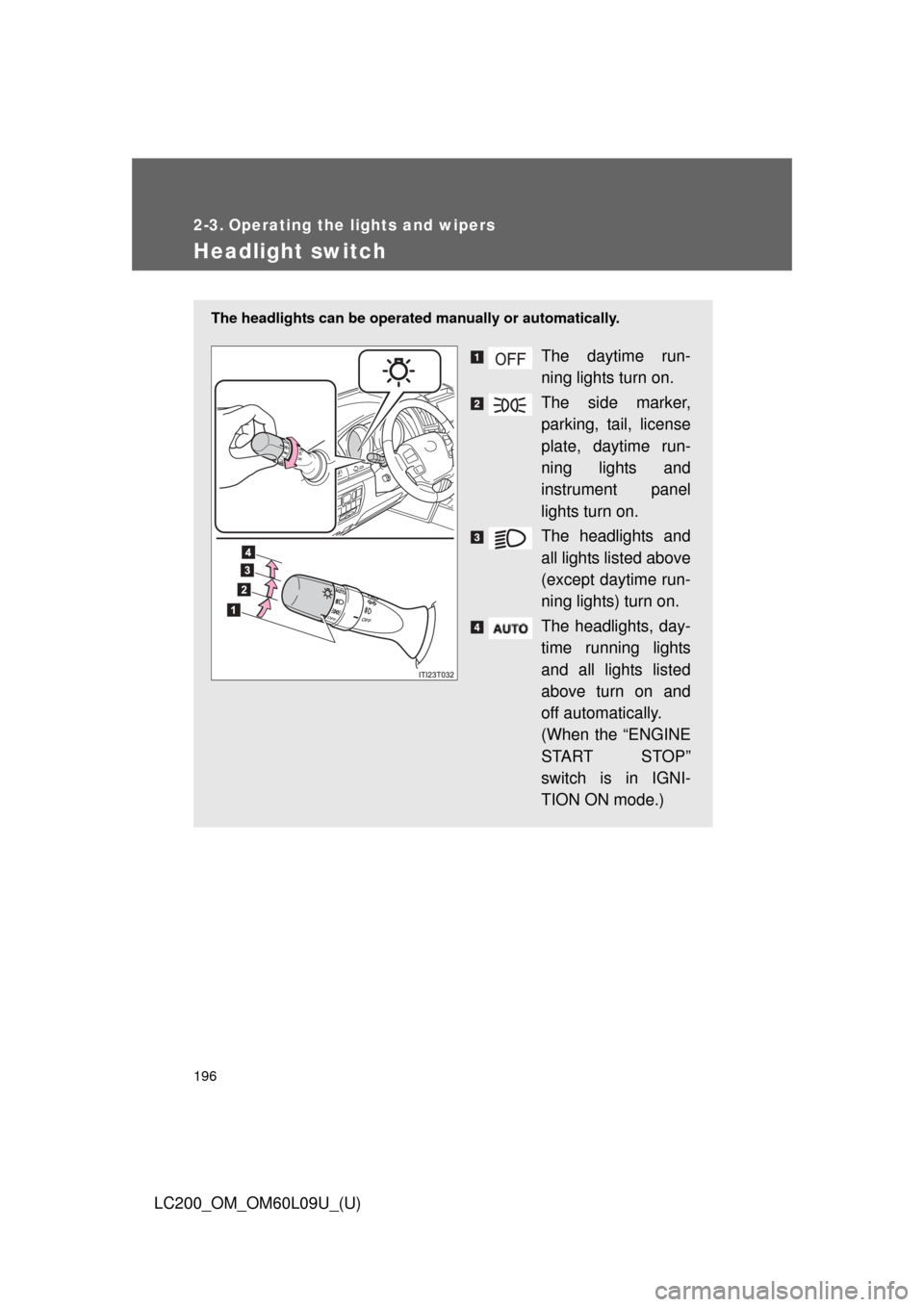
Headlight switch
The headlights can be operated manually or automatically.
The daytime run-
ning lights turn on.
The side marker,
parking, tail, license
plate, daytime run-
ning lights and
instrument panel
lights turn on.
The headlights and
all lights listed above
(except daytime run-
ning lights) turn on.
The headlights, day-
time running lights
and all lights listed
above turn on and
off automatically.
(When the “ENGINE
START STOP”
switch is in IGNI-
TION ON mode.)
Page 305 of 724
305
2-5. Driving information
2
When driving
LC200_OM_OM60L09U_(U)
CAUTION
■Things that must not be carried in the luggage compartment
The following things may cause a fire if loaded in the luggage compart-
ment.
●Receptacles containing gasoline
●Aerosol cans
■Storage precautions
Observe the following precautions.
Failing to do so may result in death or serious injury.
●Stow cargo and luggage in the luggage compartment whenever possi-
ble.
●Do not stack anything in the luggage compartment higher than the
seatbacks.
Such items may be thrown about and possibly injure people in the
vehicle during sudden braking, sudden swerving or in an accident.
●Do not place cargo or luggage in or on the following locations as the
item may get under the brake or accelerator pedal and prevent the
pedals from being depressed properly,
block the driver’s vision, or hit
the driver or passengers, causing an accident.
• Feet of the driver
• Front passenger or rear seats (when stacking items)
• Instrument panel
• Dashboard
• Auxiliary box or tray that has no lid
●Secure all items in the occupant compartment, as they may shift and
injure someone during sudden braking, sudden swerving or an acci-
dent.
●When you fold down the rear seats, long items should not be placed
directly behind the front seats.
●Never allow anyone to ride in the luggage compartment. It is not
designed for passengers. They should ride in their seats with their seat
belts properly fastened. Otherwise, they are much more likely to suffer
death or serious injury, in the event of sudden braking, sudden swerv-
ing or an accident.
Page 390 of 724
390 3-2. Using the audio system
LC200_OM_OM60L09U_(U)
Switching the displayPress .
Each time the button is pressed, the display changes in the following
order: Elapsed time Folder name File name Album title Track
title Artist name
■ When using the USB port
You may be unable to use the instrument panel power outlet if a device is
connected to the USB port at the same time.
■ USB memory functions
Depending on the USB memory that is connected to the system, certain
functions may not be available. Disconnecting the device and reconnecting it
once again may resolve some malfunctions.
■ Display
P. 369
■ Error messages
“ERROR”: This indicates a problem in the USB memory or its connection.
“NO MUSIC”: This indicates that no MP3/WMA files are included in the USB memory.
Page 474 of 724
474 3-6. Using the storage features
LC200_OM_OM60L09U_(U)
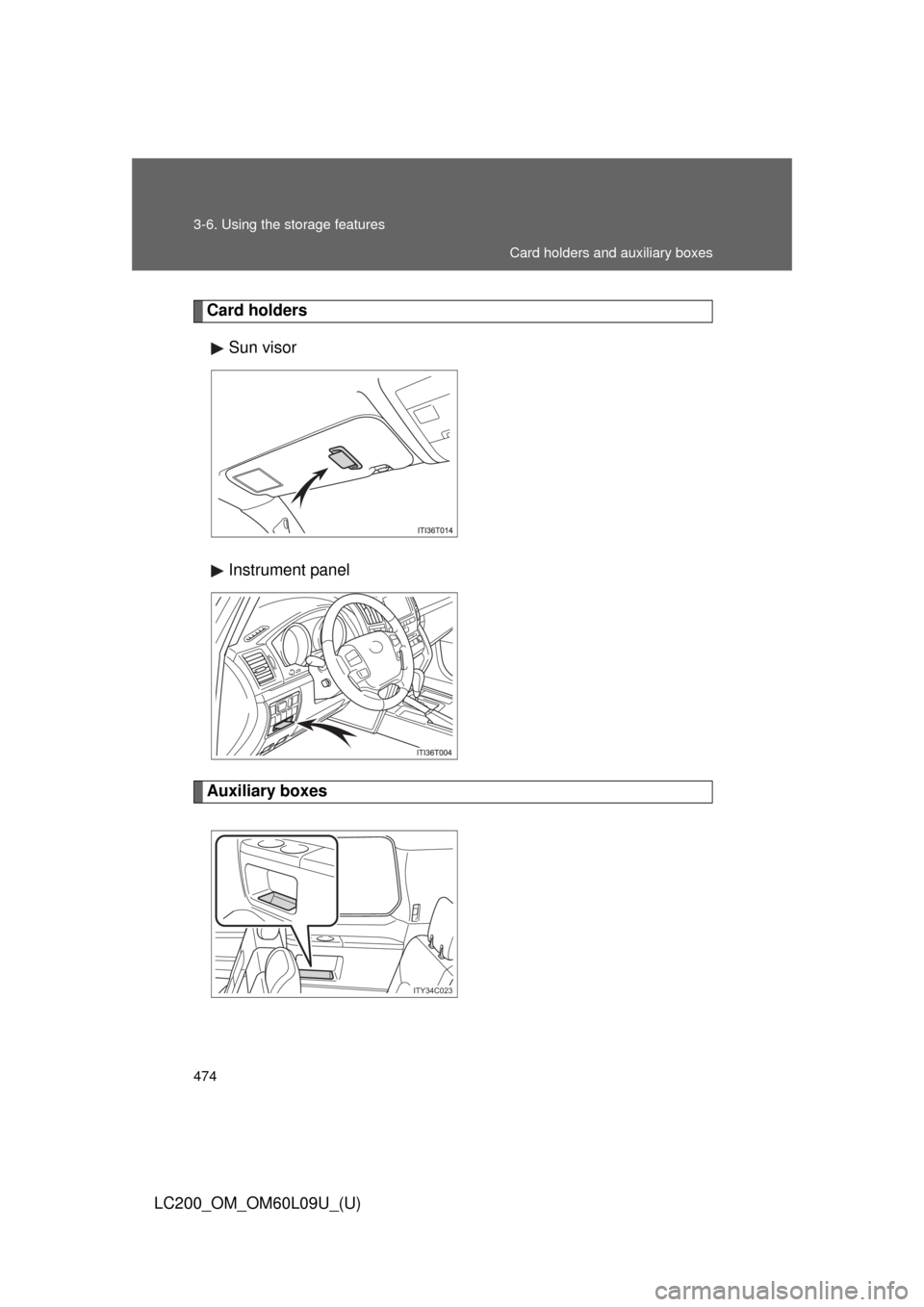
Card holdersSun visor
Instrument panel
Auxiliary boxes
ITY34C023
Card holders and auxiliary boxes
Page 486 of 724
486 3-7. Other interior features
LC200_OM_OM60L09U_(U)
■The power outlets can be used when
12V: The “ENGINE START STOP” switch is in ACCESSORY or IGNITION
ON mode.
120V: The “ENGINE START STOP” switch is in IGNITION ON mode.
■ When using the instrument panel power outlet
You may be unable to use the USB port if a device is connected to the instru-
ment panel power outlet at the same time.
NOTICE
■To avoid damaging the power outlets
Close the power outlet lid when not in use.
Foreign objects or liquids that enter the power outlet may cause a short cir-
cuit.
■ To prevent the fuse from being blown
12V: Do not use an accessory that uses more than 12V/10A.
120V: Do not use a 120V AC appliance that requires more than 100W.
If a 120V AC appliance that consumes more than 100W is used, the pro-
tection circuit will cut the power supply.
■ To prevent the battery from being discharged
Do not use the power outlet longer than necessary when the engine is not\
running.
■ Appliances that may not ope rate properly (120V AC)
The following 120V AC appliances may not operate even if their power con-
sumption is under 100W.
● Appliances with high initial peak wattage
● Measuring devices that process precise data
● Other appliances that require an extremely stable power supply
Page 516 of 724
516 4-1. Maintenance and care
LC200_OM_OM60L09U_(U)
■Caring for leather areas
Toyota recommends cleaning the interior of the vehicle at least twice a year
to maintain the quality of the vehicle’s interior.
■ Shampooing the carpets
There are several commercial foaming-type cleaners available. Use a
sponge or brush to apply the foam. Rub in overlapping circles. Do not apply
water. Excellent results are obtained by keeping the carpet as dry as possi-
ble.
■ Seat belts
Clean with mild soap and lukewarm water using a cloth or sponge. Also
check the belts periodically for excessive wear, fraying or cuts.
CAUTION
■Water in the vehicle
●Do not splash or spill liquid in the vehicle.
Doing so may cause electrical components etc. to malfunction or catch
fire.
● Do not get any of the SRS components or wiring in the vehicle interior wet.
( P. 115)
Electrical malfunction may cause the airbags to deploy or not function
properly, resulting in death or serious injury.
■ Cleaning the interior (esp ecially instrument panel)
Do not use polish wax or polish cleaner. The instrument panel may reflect off
the windshield, obstructing the driver’s view and leading to an accident,
resulting in death or serious injury.