four wheel drive TOYOTA LAND CRUISER 2015 J200 User Guide
[x] Cancel search | Manufacturer: TOYOTA, Model Year: 2015, Model line: LAND CRUISER, Model: TOYOTA LAND CRUISER 2015 J200Pages: 728, PDF Size: 10.53 MB
Page 252 of 728
252 2-4. Using other driving systems
LC200_OM_OM60L83U_(U)
■The Crawl Control and Turn Assist function can be operated when
Crawl Control
● The engine is running.
● The shift lever is in any gear other than “P” or “N”.
● The four-wheel drive control switch is in “L4”.
● The driver’s door is closed.
Turn Assist function
● Crawl Control is operating.
● The center differential is not locked.
● The accelerator and brake are not being operated.
● The shift lever is in any gear other than “P”, “R” or “N”.
● The steering wheel is turned very far.
■ Automatic system cancelation
Crawl Control
In the following situations, the buzzer will sound intermittently and Cr\
awl
Control will be canceled automatically. In this event, the Crawl Control indi-
cator will flash and then go off, the Turn Assist indicator will go off (if the Turn
Assist function is in use), and a message stating that Crawl Control has
been turned off will be displayed on the multi-information display for several
seconds.
● When the shift lever is moved to “P” or “N”.
● When the four-wheel drive control switch is in “H4”.
● When the driver’s door is opened.
Turn Assist function
When the center differential is locked, the buzzer will sound intermittently
and the Turn Assist function will be canceled automatically. In this event, the
Turn Assist indicator will go off, and a message stating that the Turn Assist
function has been turned off will be displayed on the multi-information dis-
play for several seconds.
Page 257 of 728
257
2-4. Using other
driving systems
2
When driving
LC200_OM_OM60L83U_(U)
■Multi-terrain Select c ontrol starting conditions
When all of the following conditi ons are satisfied, the Multi-ter-
rain Select indicator will come on, the mode select screen will be
displayed on the multi-information display, and Multi-terrain
Select control will begin.
● The four-wheel drive control switch is in “L4”.
● Both Active TRAC and VSC are not off.
● Crawl Control is off.
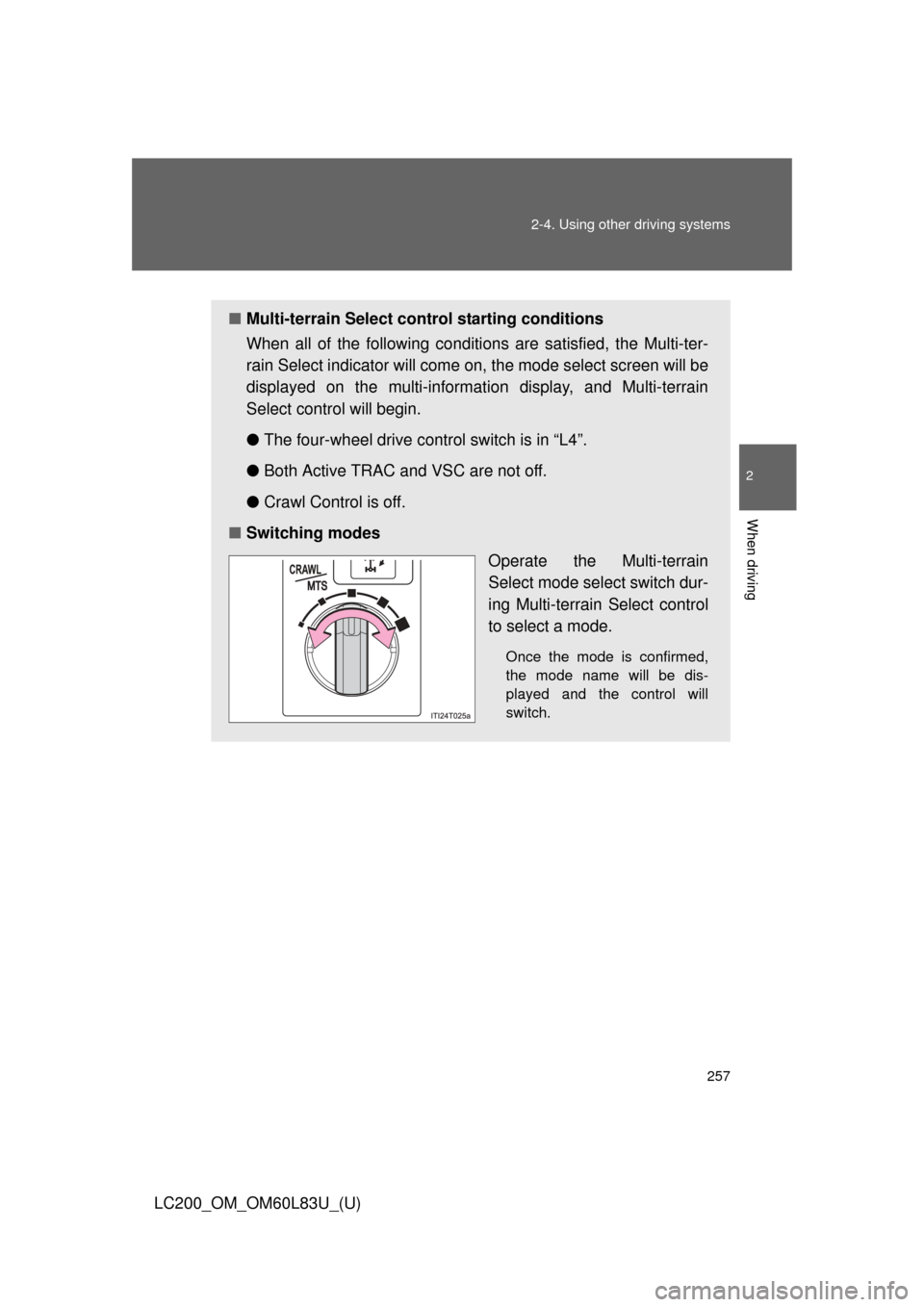
■ Switching modes
Operate the Multi-terrain
Select mode select switch dur-
ing Multi-terrain Select control
to select a mode.
Once the mode is confirmed,
the mode name will be dis-
played and the control will
switch.
Page 259 of 728

■Automatic system cancelation
In the following situations, the Multi-terrain Select indicator will go \
off, and
Multi-terr")
259
2-4. Using other
driving systems
2
When driving
LC200_OM_OM60L83U_(U)
■Automatic system cancelation
In the following situations, the Multi-terrain Select indicator will go \
off, and
Multi-terrain Select will be canceled automatically.
●When the four-wheel drive control switch is in “H4”.
● When Active TRAC and VSC are off.
● When Crawl Control is on.
■ When it is difficult to generate traction
MUD & SAND mode provides the largest amount of tire slippage, followed
by LOOSE ROCK, MOGUL, ROCK & DIRT and ROCK mode.
Drivability can be improved by selecting a mode which provides a smaller
amount of tire slippage than the current mode when the amount of tire slip-
page is large, or conversely selecting a mode which provides a larger
amount of tire slippage than the current mode when the amount of tire slip-
page is small.
■ When the vehicle is stuck
Switching the transfer and differential
For the operation of the following functions, refer to the following pages.
●Four-wheel drive system ( P. 244)
● Center differential lock ( P. 244)
■ When the brake system operates continuously
The brake system may overheat. In this case, a buzzer will sound, either the
“TRAC OFF” will be displayed on the multi-information display, and Multi-ter-
rain Select will be temporarily inoperable. In this event, stop the vehicle
immediately in a safe place, and allow the brake system to cool down suffi-
ciently. (There is no problem with continuing normal driving.)
After a short time, the message on the multi-information display will go off,
and you will be able to use Multi-terrain Select.
■ When there is a malfunction in the system
The slip indicator light will come on. Have the vehicle inspected by your
Toyota dealer immediately.
Page 262 of 728
262 2-4. Using other driving systems
LC200_OM_OM60L83U_(U)
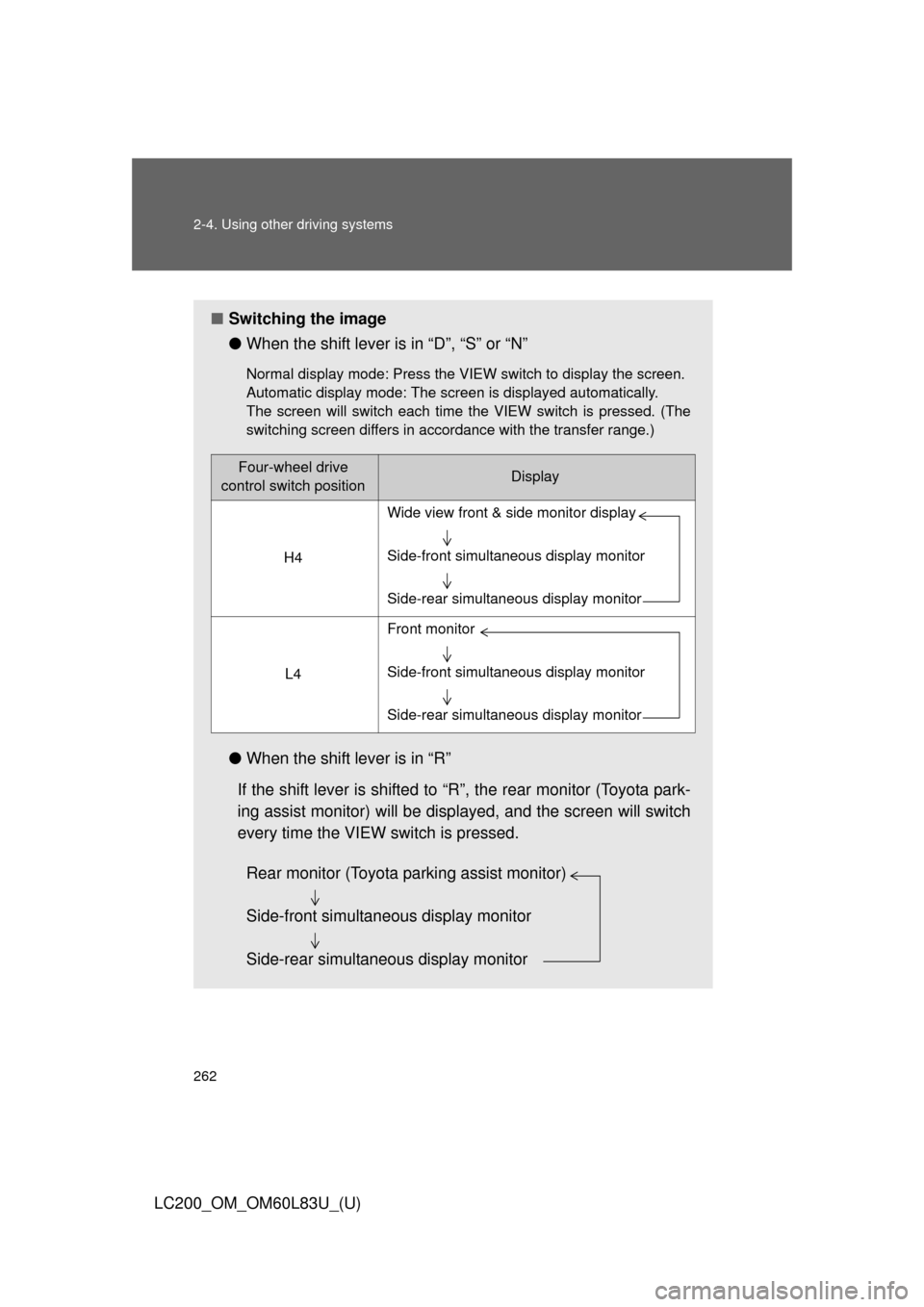
■Switching the image
●When the shift lever is in “D”, “S” or “N”
Normal display mode: Press the VIEW switch to display the screen.
Automatic display mode: The screen is displayed automatically.
The screen will switch each time the VIEW switch is pressed. (The
switching screen differs in accordance with the transfer range.)
●When the shift lever is in “R”
If the shift lever is shifted to “R”, the rear monitor (Toyota park-
ing assist monitor) will be disp layed, and the screen will switch
every time the VIEW switch is pressed.
Four-wheel drive
control switch positionDisplay
H4
L4
Wide view front & side monitor display
Side-front simultaneous display monitor
Side-rear simultaneous display monitor
Front monitor
Side-front simultaneous display monitor
Side-rear simultaneous display monitor
Rear monitor (Toyota parking assist monitor)
Side-front simultaneous display monitor
Side-rear simultaneous display monitor
Page 579 of 728
579
4-3. Do-it-yourself maintenance
4
Maintenance and care
LC200_OM_OM60L83U_(U)
■
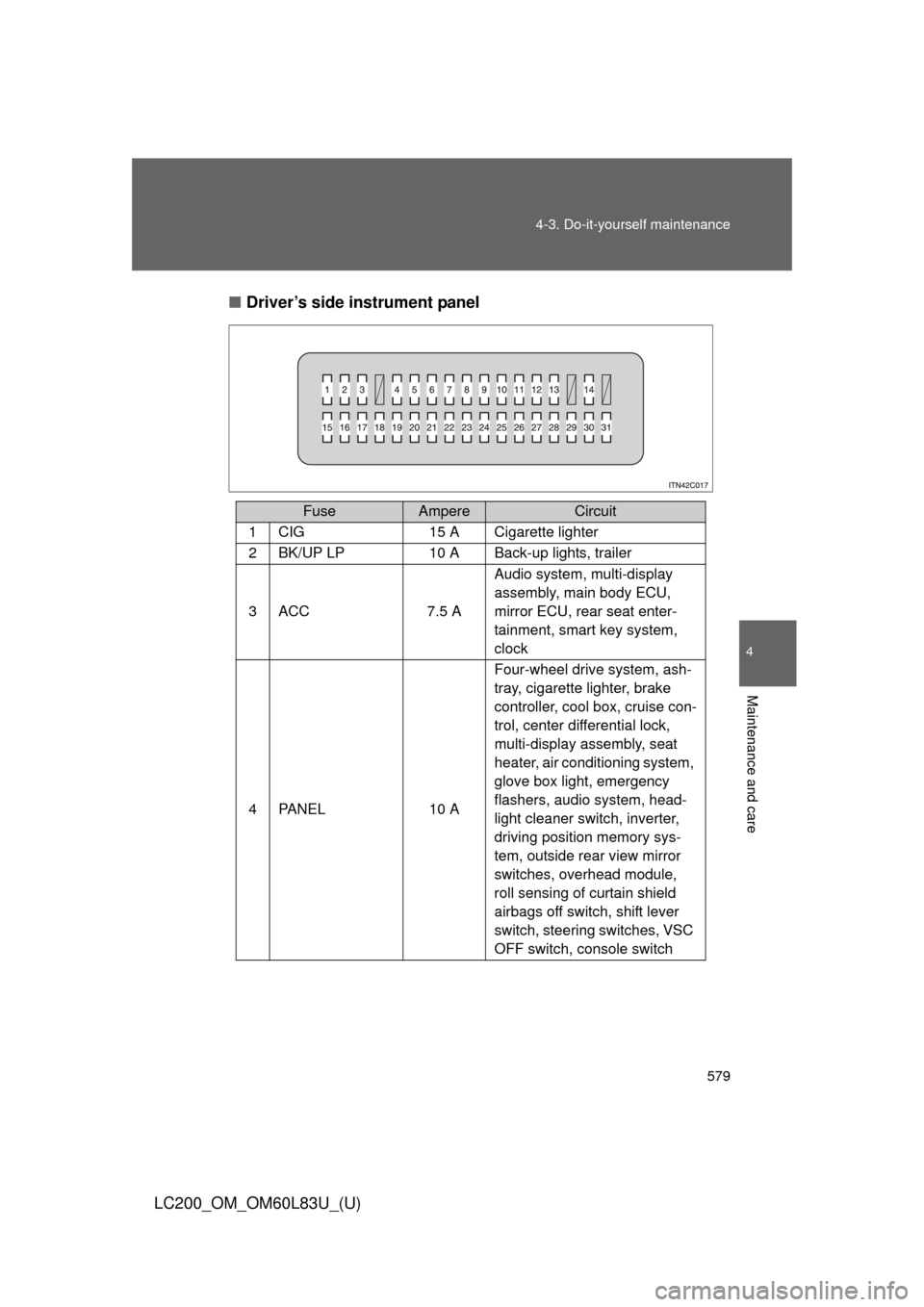
Driver’s side instrument panel
FuseAmpereCircuit
1CIG15 A Cigarette lighter
2BK/UP LP10 A Back-up lights, trailer
3ACC7.5 A Audio system, multi-display
assembly, main body ECU,
mirror ECU, rear seat enter-
tainment, smart key system,
clock
4PA N E L10 AFour-wheel drive system, ash-
tray, cigarette lighter, brake
controller, cool box, cruise con-
trol, center differential lock,
multi-display assembly, seat
heater, air conditioning system,
glove box light, emergency
flashers, audio system, head-
light cleaner switch, inverter,
driving position memory sys-
tem, outside rear view mirror
switches, overhead module,
roll sensing of curtain shield
airbags off switch, shift lever
switch, steering switches, VSC
OFF switch, console switch
Page 609 of 728
5
When trouble arises
609
5-1. Essential information
LC200_OM_OM60L83U_(U)
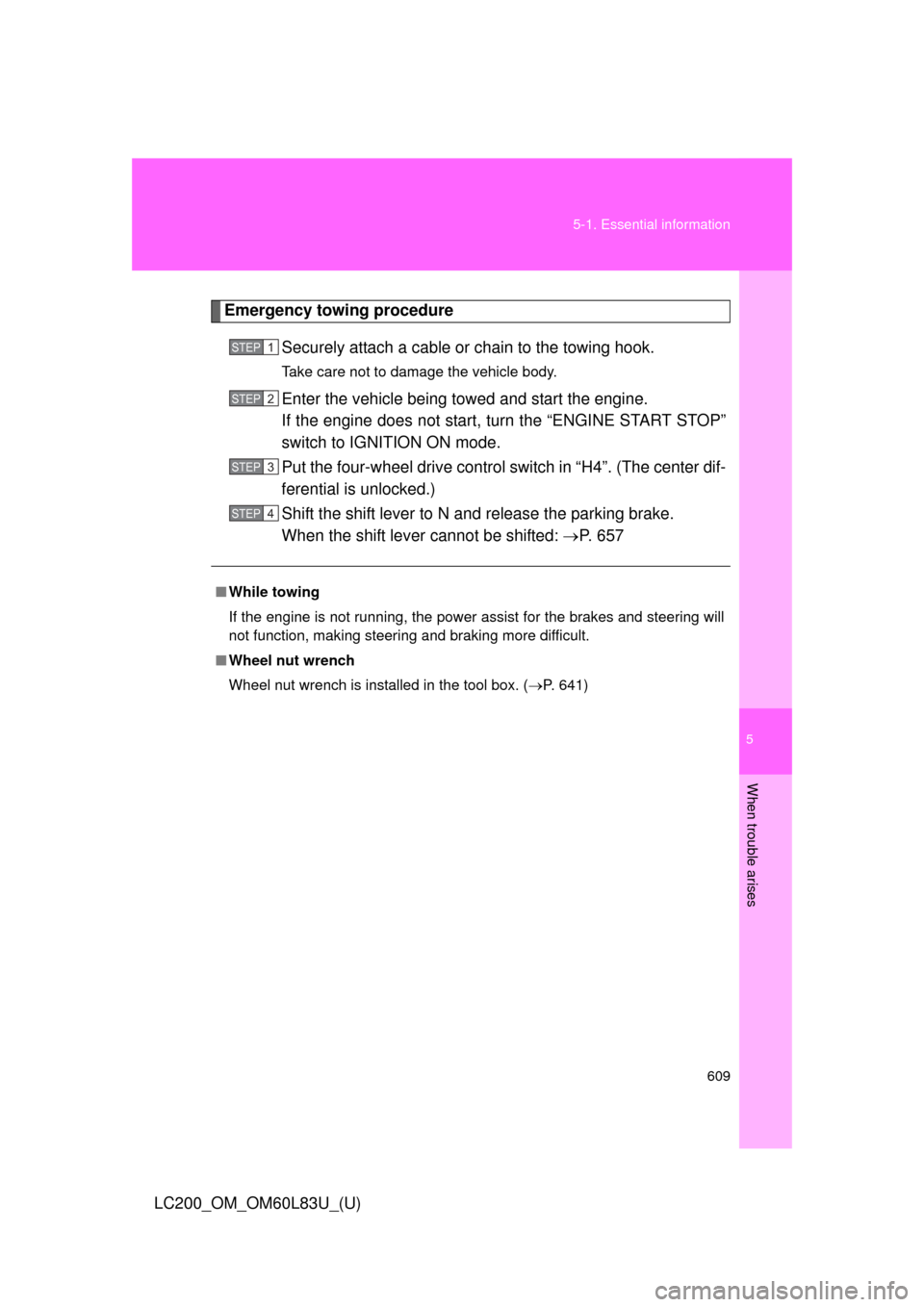
Emergency towing procedure
Securely attach a cable or chain to the towing hook.
Take care not to damage the vehicle body.
Enter the vehicle being towed and start the engine.
If the engine does not start, turn the “ENGINE START STOP”
switch to IGNITION ON mode.
Put the four-wheel drive control switch in “H4”. (The center dif-
ferential is unlocked.)
Shift the shift lever to N and release the parking brake.
When the shift lever cannot be shifted: P. 657
■While towing
If the engine is not running, the power assist for the brakes and steering will
not function, making steering and braking more difficult.
■ Wheel nut wrench
Wheel nut wrench is installed in the tool box. ( P. 641)
STEP1
STEP2
STEP3
STEP4
Page 610 of 728
610 5-1. Essential information
LC200_OM_OM60L83U_(U)
CAUTION
Observe the following precautions.
Failure to do so may result in death or serious injury.
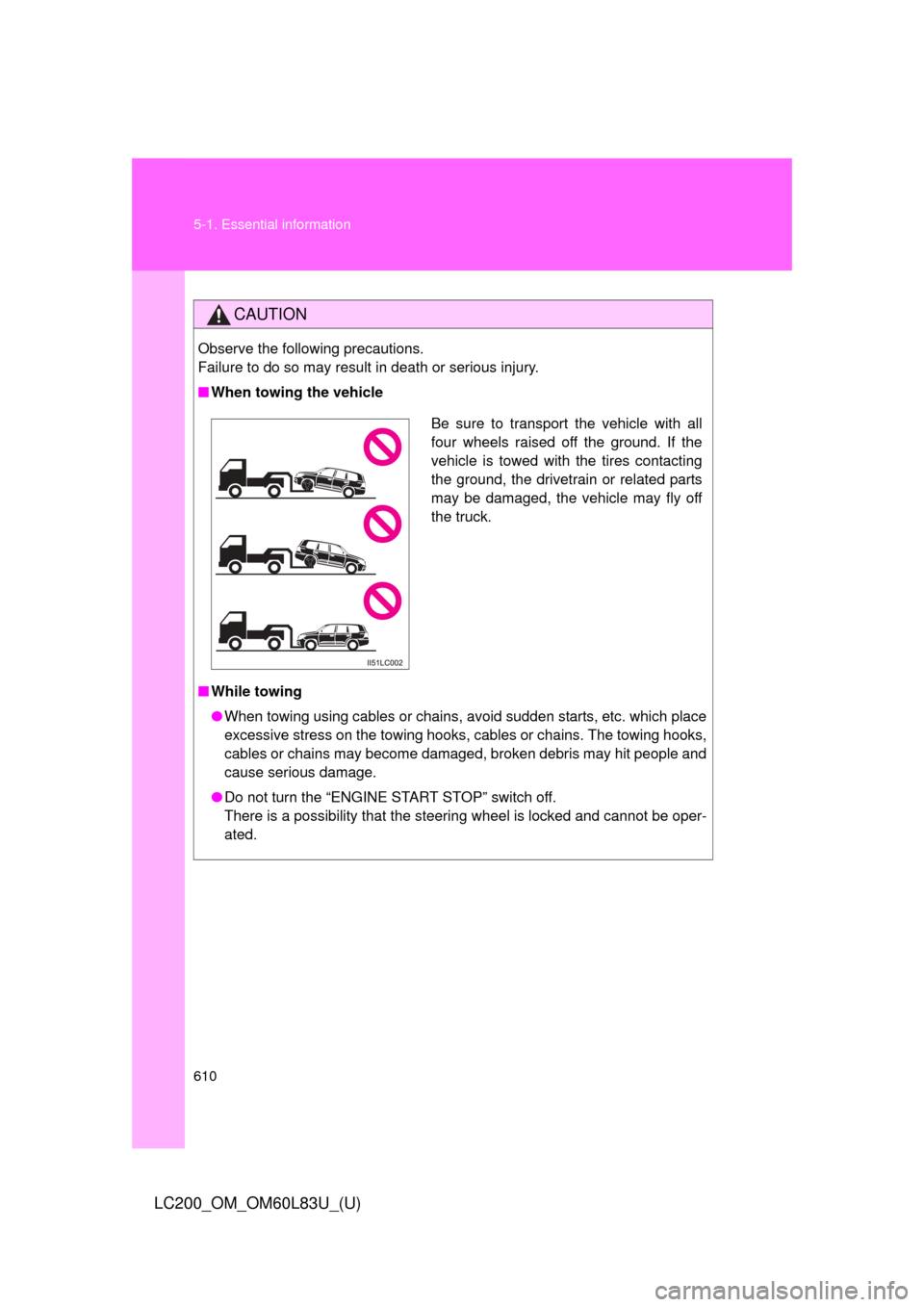
■When towing the vehicle
■ While towing
●When towing using cables or chains, avoid sudden starts, etc. which place
excessive stress on the towing hooks, cables or chains. The towing hooks,
cables or chains may become damaged, broken debris may hit people and
cause serious damage.
● Do not turn the “ENGINE START STOP” switch off.
There is a possibility that the steering wheel is locked and cannot be oper-
ated.
Be sure to transport the vehicle with all
four wheels raised off the ground. If the
vehicle is towed with the tires contacting
the ground, the drivetrain or related parts
may be damaged, the vehicle may fly off
the truck.
Page 617 of 728
5
When trouble arises
617
5-2. Steps to take in an emergency
LC200_OM_OM60L83U_(U)
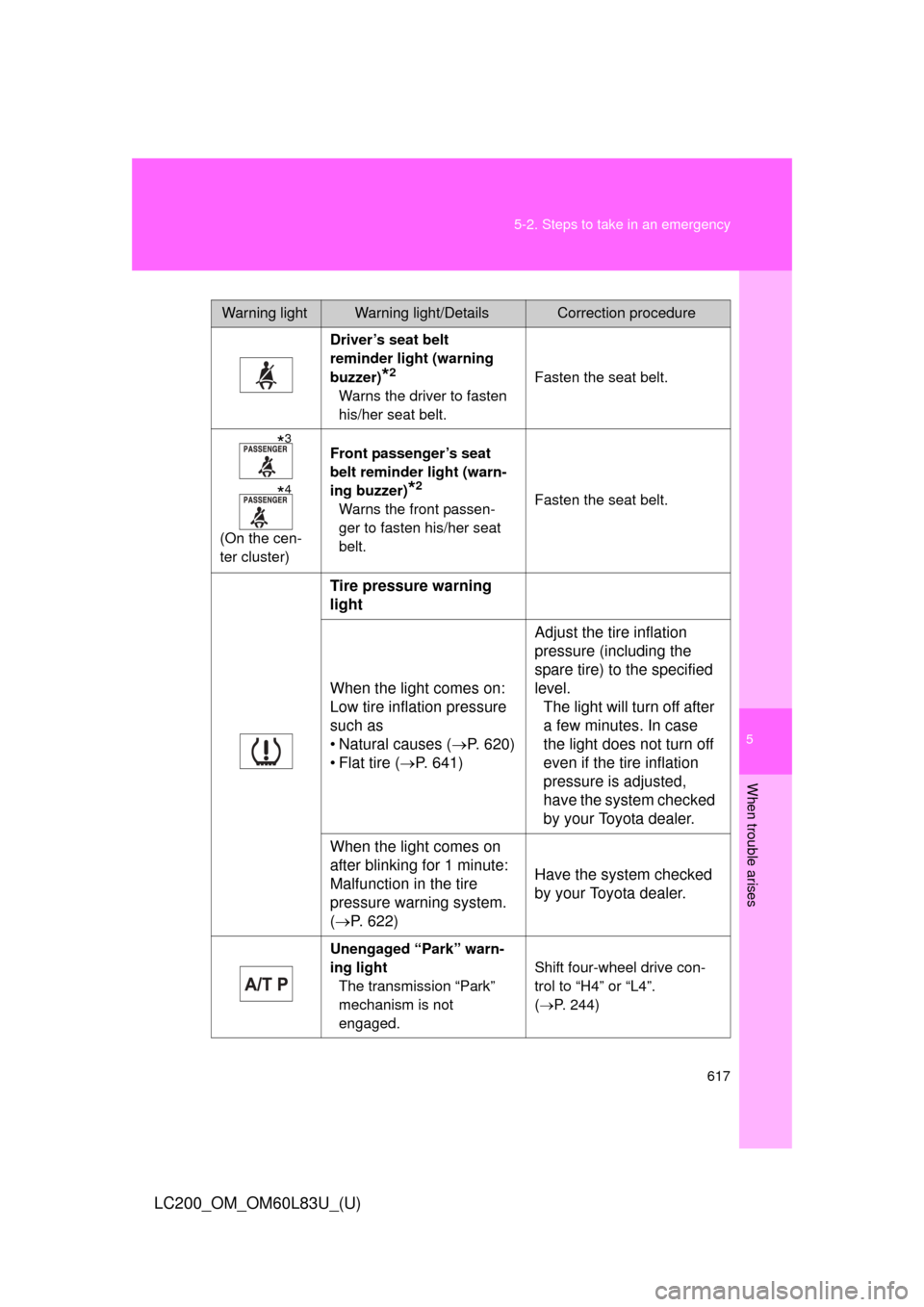
Warning lightWarning light/DetailsCorrection procedure
Driver’s seat belt
reminder light (warning
buzzer)
*2
Warns the driver to fasten
his/her seat belt. Fasten the seat belt.
(On the cen-
ter cluster) Front passenger’s seat
belt reminder light (warn-
ing buzzer)
*2
Warns the front passen-
ger to fasten his/her seat
belt.
Fasten the seat belt.
Tire pressure warning
light
When the light comes on:
Low tire inflation pressure
such as
• Natural causes (
P. 620)
• Flat tire ( P. 641) Adjust the tire inflation
pressure (including the
spare tire) to the specified
level.
The light will turn off after
a few minutes. In case
the light does not turn off
even if the tire inflation
pressure is adjusted,
have the system checked
by your Toyota dealer.
When the light comes on
after blinking for 1 minute:
Malfunction in the tire
pressure warning system.
( P. 622) Have the system checked
by your Toyota dealer.
Unengaged “Park” warn-
ing light
The transmission “Park”
mechanism is not
engaged. Shift four-wheel drive con-
trol to “H4” or “L4”.
(
P. 244)
*3
*4
Page 619 of 728
5
When trouble arises
619
5-2. Steps to take in an emergency
LC200_OM_OM60L83U_(U)
■
If the malfunction indicator lamp comes on while driving
First check the following:
● Is the fuel empty?
If it is, fill the fuel tank immediately.
● Is the fuel tank cap loose?
If it is, tighten it securely.
The malfunction indicator lamp will go off after taking several driving trips. If
the malfunction indicator lamp does not go off even after several trips, con-
tact your Toyota dealer as soon as possible.
■ If the low speed four-wheel drive in dicator light or the center differen-
tial lock indicator light blinks
Take the specified steps. ( P. 247)
If the brake system warning light or the malfunction indicator light also
comes on, or the low speed four-wheel drive indicator light or the center dif-
ferential lock indicator light continues to blink after taking the specified steps,
there may be a malfunction in the engine, the brake system or the four-
wheel drive system. In this case, you may not be able to transfer between
“H4” and “L4” modes, and the center differential lock may not be able to be
locked or unlocked. Have the vehicle inspected by your Toyota dealer imme-
diately.
■ Front passenger detection sensor and passenger seat belt reminder
● If luggage is placed on the front passenger seat, the front passenger
detection sensor may cause the warning light to flash, even if a passen-
ger is not sitting in the seat.
● If a cushion is placed on the seat, the sensor may not detect a passen-
ger, and the warning light may not operate properly.
Page 639 of 728
5
When trouble arises
639
5-2. Steps to take in an emergency
LC200_OM_OM60L83U_(U)
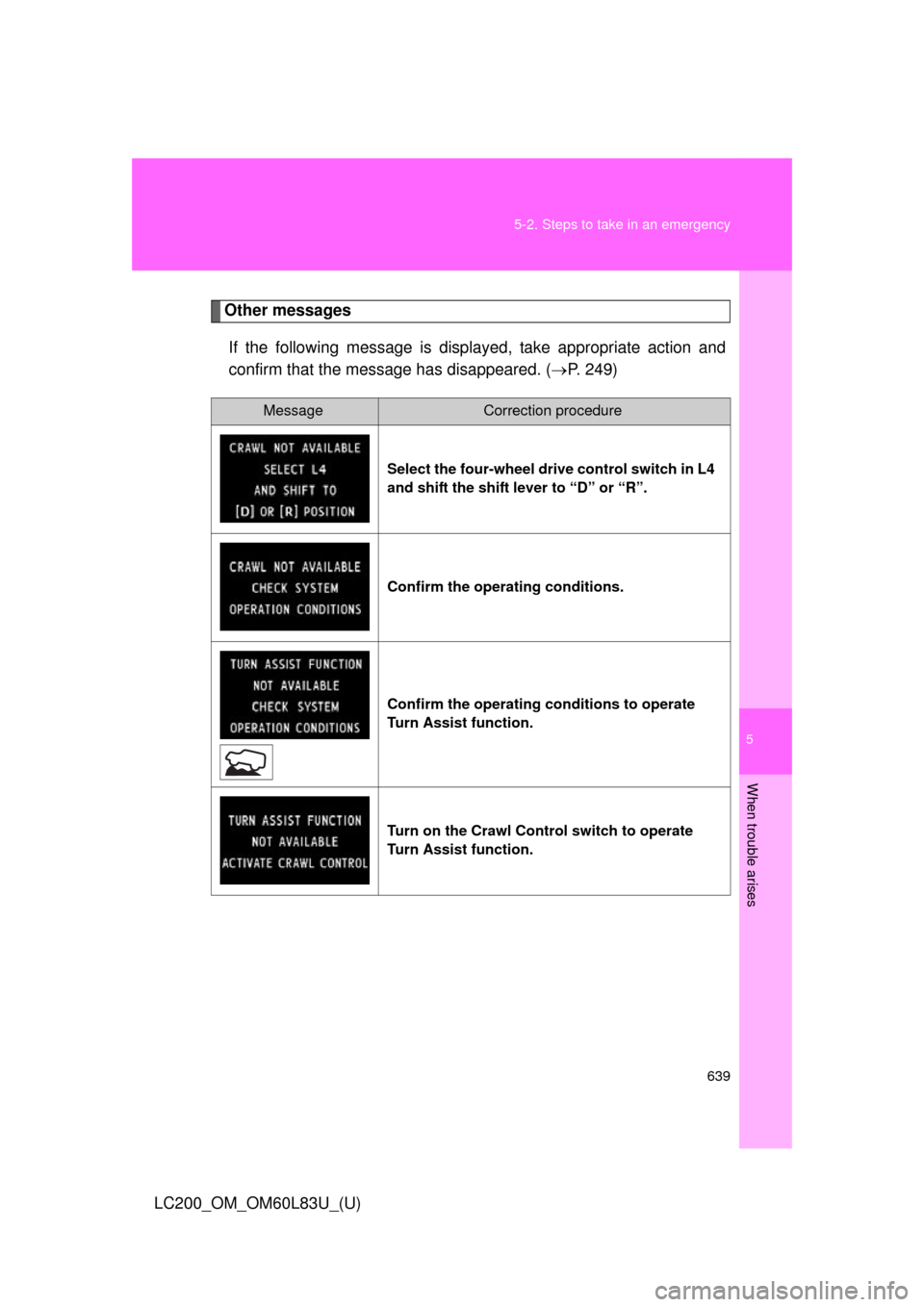
Other messages
If the following message is disp layed, take appropriate action and
confirm that the message has disappeared. ( P. 249)
MessageCorrection procedure
Select the four-wheel drive control switch in L4
and shift the shift lever to “D” or “R”.
Confirm the operating conditions.
Confirm the operating conditions to operate
Turn Assist function.
Turn on the Crawl Control switch to operate
Turn Assist function.