Battery TOYOTA LAND CRUISER 2015 J200 Owner's Manual
[x] Cancel search | Manufacturer: TOYOTA, Model Year: 2015, Model line: LAND CRUISER, Model: TOYOTA LAND CRUISER 2015 J200Pages: 728, PDF Size: 10.53 MB
Page 350 of 728
350 3-1. Using the air conditioning system and defogger
LC200_OM_OM60L83U_(U)
CAUTION
■To prevent the windshield from fogging up
Do not use during cool air operation in extremely humid weather.
The difference between the temperature of the outside air and that of the
windshield can cause the outer surface of the windshield to fog up, blocking
your vision.
NOTICE
■To prevent battery discharge
Do not leave the air conditioning system on longer than necessary when the
engine is stopped.
Page 354 of 728
354 3-1. Using the air conditioning system and defogger
LC200_OM_OM60L83U_(U)
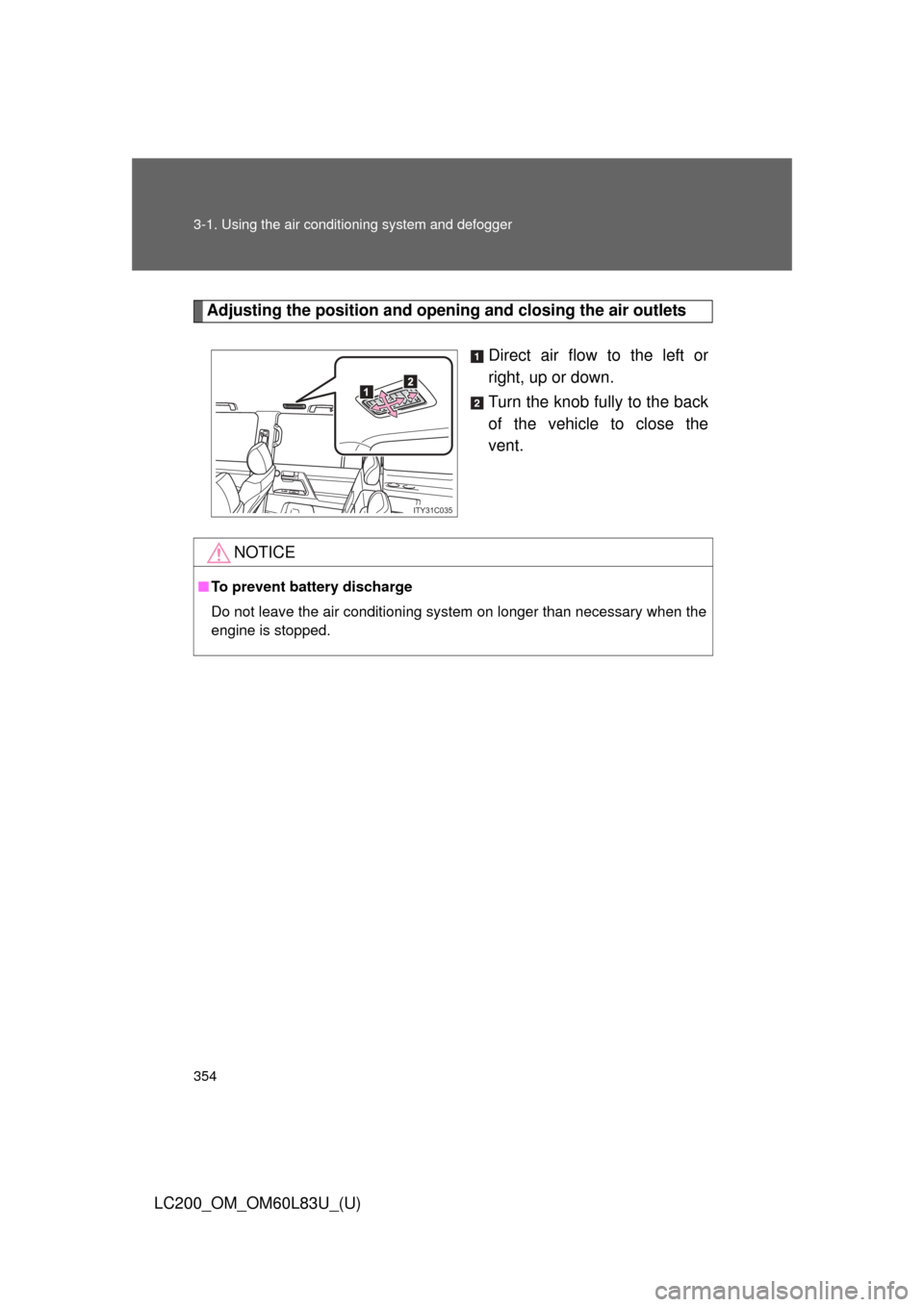
Adjusting the position and openi ng and closing the air outlets
Direct air flow to the left or
right, up or down.
Turn the knob fully to the back
of the vehicle to close the
vent.
ITY31C035
NOTICE
■To prevent battery discharge
Do not leave the air conditioning system on longer than necessary when the
engine is stopped.
Page 359 of 728
359
3-2. Using the audio system
3
Interior features
LC200_OM_OM60L83U_(U)
■
Using cellular phones
Interference may be heard through the audio system’s speakers if a cellular
phone is being used inside or close to the vehicle while the audio syste\
m is
operating.
CAUTION
■For vehicles sold in the U.S.A.
●Part 15 of the FCC Rules
FCC Warning:
Any unauthorized changes or modifications to this equipment will void the
user’s authority to operate this device.
● Laser products
• Do not take this unit apart or attempt to make any changes yourself.
This is an intricate unit that uses a laser pickup to retrieve information
from the surface of compact discs. The laser is carefully shielded so
that its rays remain inside the cabinet. Therefore, never try to disas-
semble the player or alter any of its parts since you may be exposed to
laser rays and dangerous voltages.
• This product utilizes a laser. Use of controls or adjustments or performance of procedures other
than those specified herein may result in hazardous radiation expo-
sure.
NOTICE
■ To prevent battery discharge
Do not leave the audio system on longer than necessary with the engine o\
ff.
■ To avoid damaging the audio system
Take care not to spill drinks or other fluids over the audio system.
Page 365 of 728
365
3-2. Using the audio system
3
Interior features
LC200_OM_OM60L83U_(U)
■
Displaying radio text messages
Press .
If MSG is shown on the display, a text message will be displayed.
If the text continues past the end of the display, is displayed. Press
and hold until you hear a beep.
■Traffic announcement
Press .
“TRAF SEEK” appears on the display, and the radio will start seeking
any station broadcasting traffic program information.
If no traffic program station is found, “NO TRAF INFO” appears on the
display.
■ When the battery is disconnected
All preset stations are erased.
■ Reception sensitivity
●Maintaining perfect radio reception at all times is difficult due to the con-
tinually changing position of the antenna, differences in signal strength
and surrounding objects, such as trains, transmitters, etc.
● The radio antenna is mounted inside the rear quarter window. To main-
tain clear radio reception, do not attach metallic window tinting or other
metallic objects to the antenna wire mounted inside the rear quarter win-
dow.
Page 406 of 728
406
LC200_OM_OM60L83U_(U)
3-3. Using the Bluetooth® audio system
Bluetooth® audio system
■Conditions under which th e system will not operate
● If using a portable player that does not support Bluetooth
®
●If the portable player is switched off
● If the portable player is not connected
● If the portable player’s battery is low
● If the portable player is behind the seat or in the glove box or console box
● If metal is covering or touching the portable player
The Bluetooth® audio system enables you to enjoy music played on
a portable digital audio player (portable player) from the vehicle
speakers via wireless communication.
This audio system supports Bluetooth
®, a wireless data system
capable of playing portable audio music without cables. If your por-
table player does not support Bluetooth
®, the Bluetooth® audio sys-
tem will not function.
Vehicles with a navigation system
Refer to the “Navigation System Owner’s Manual”.
Vehicles without a navigation system
TitlePage
Using the Bluetooth® audio systemP. 410
Operating a Bluetooth® enabled portable playerP. 416
Setting up a Bluetooth® enabled portable playerP. 419
Bluetooth® audio system setupP. 426
Page 428 of 728
428 3-4. Using the hands-free system (for cellular phone)
LC200_OM_OM60L83U_(U)
■Conditions under which th e system will not operate
● If using a mobile phone that does not support Bluetooth
®
●If the mobile phone is switched off
● If you are outside service range
● If the mobile phone is not connected
● If the mobile phone’s battery is low
● If the mobile phone is behind the seat or in the glove box or console box
● If metal is covering or touching the phone
■ When using the hands-free system
●The audio system and voice guidance are muted when making a call.
● If both parties speak at the same time, it may be difficult to hear.
● If the incoming call volume is overly loud, an echo may be heard.
● Try to face toward the microphone as much as possible when speaking.
● In the following circumstances, it may be difficult to hear the other party:
• When driving on unpaved roads
• When driving at high speeds
• When a window is open
• When the air conditioning is blowing directly on the microphone
• When the air conditioning is set to high
■ When transferring ownership of the vehicle
Be sure to initialize the system to prevent the personal data from being
improperly accessed.
Page 469 of 728
469
3-5. Using the interior lights
3
Interior features
LC200_OM_OM60L83U_(U)
■
Illuminated entry system
The lights automatically turn on/off according to “ENGINE START STOP”
switch mode, the presence of the electronic key, whether the doors are
locked/unlocked, and whether the doors are open/closed.
■ To prevent battery discharge
If the interior lights remain on when the “ENGINE START STOP” switch is
turned off, the lights will go off automatically after 20 minutes.
■ Customization
Settings (e.g. Time period before the interior lights turn off) can be changed.
(Customizable features
P. 700)
Page 480 of 728

480 3-7. Other interior features
LC200_OM_OM60L83U_(U)
CAUTION
■While driving
Keep the cool box closed.
Injuries may result in the event of sudden braking, sudden swerving or an
accident.
NOTICE
■To prevent battery discharge
Do not leave the cool box on longer than necessary when the engine is
stopped.
Page 482 of 728
482
3-7. Other interior features
LC200_OM_OM60L83U_(U)
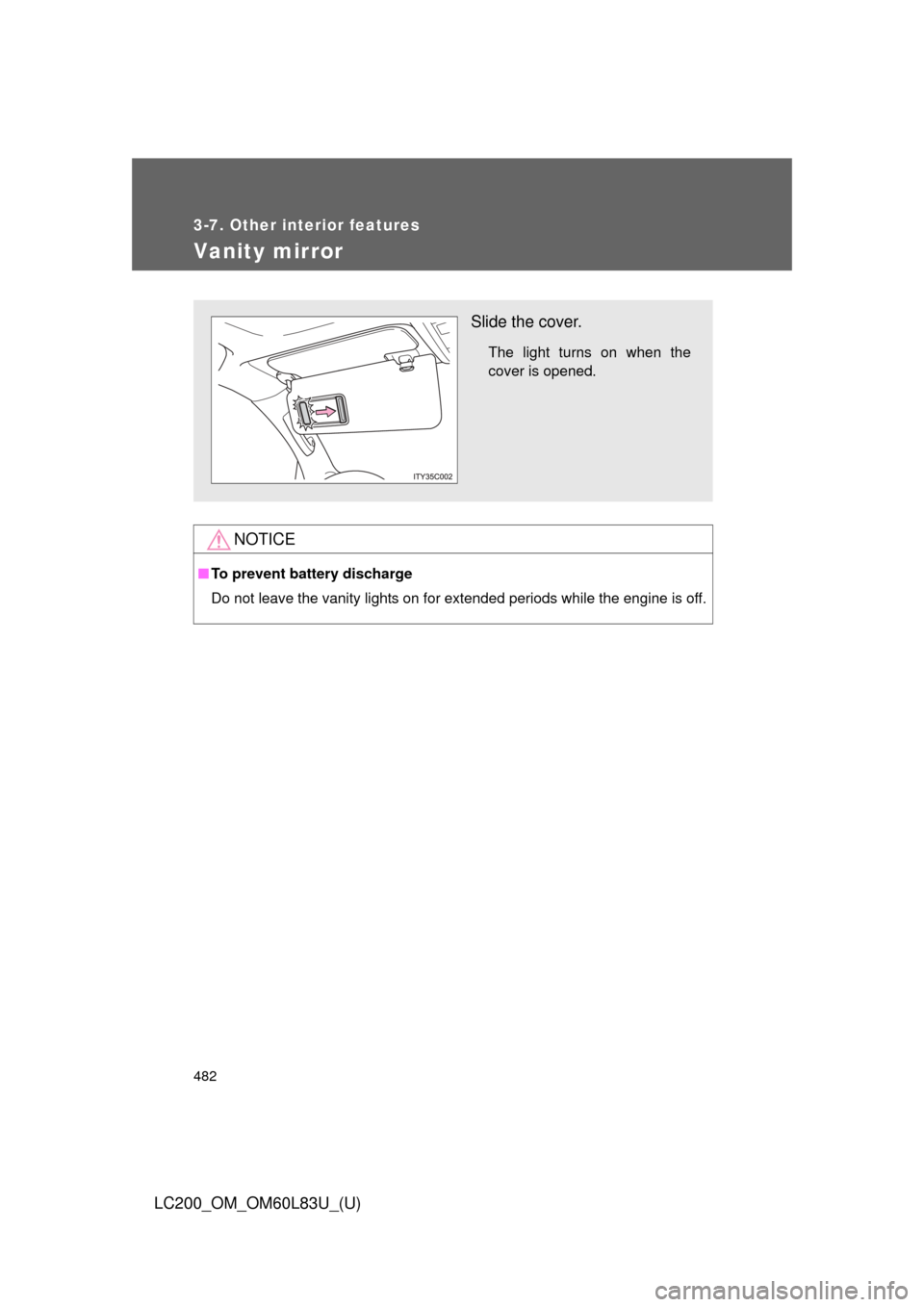
Vanity mirror
NOTICE
■To prevent battery discharge
Do not leave the vanity lights on for extended periods while the engine is off.
Slide the cover.
The light turns on when the
cover is opened.
Page 483 of 728
483
3-7. Other interior features
3
Interior features
LC200_OM_OM60L83U_(U)
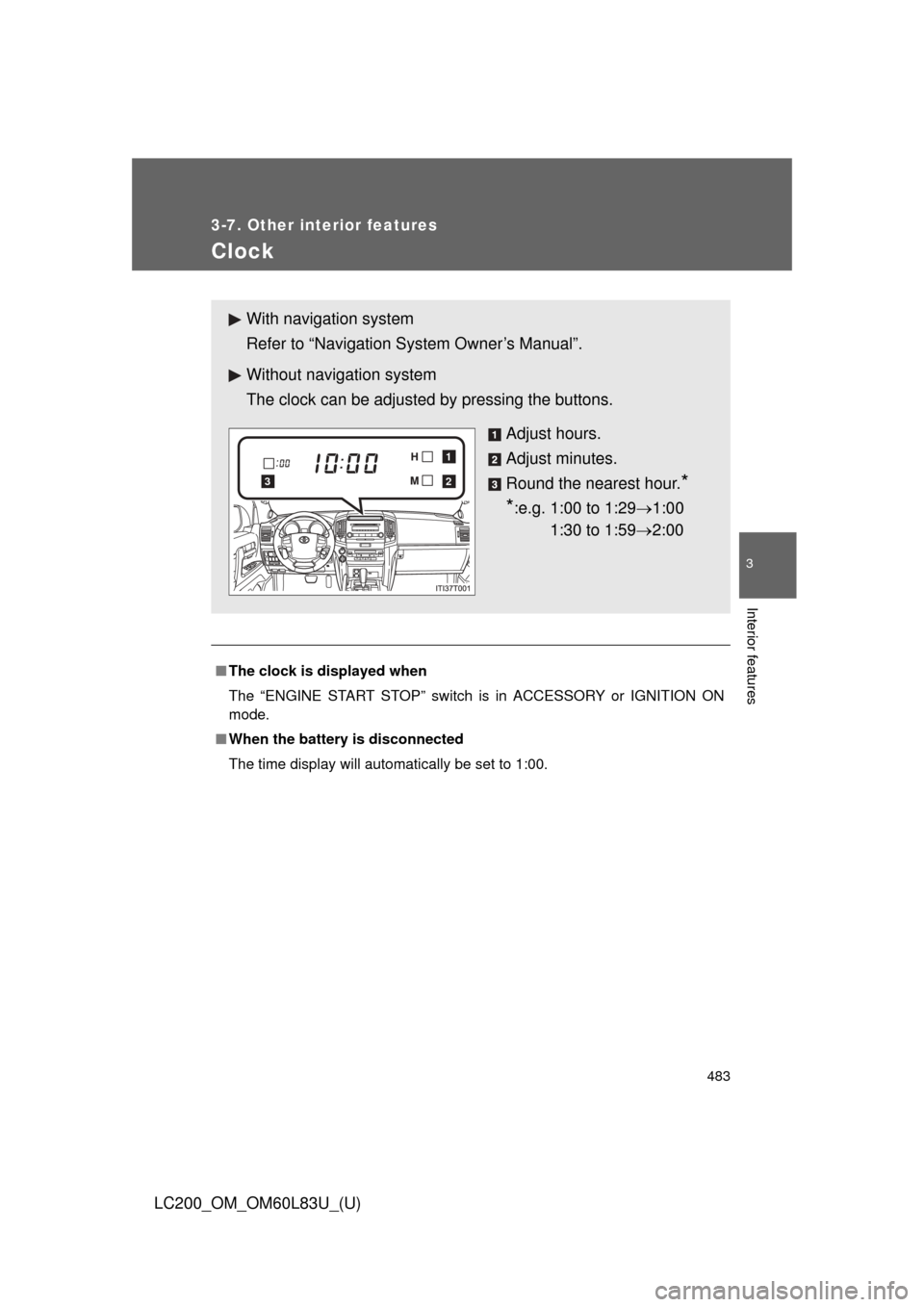
Clock
■The clock is displayed when
The “ENGINE START STOP” switch is in ACCESSORY or IGNITION ON
mode.
■ When the battery is disconnected
The time display will automatically be set to 1:00.
With navigation system
Refer to “Navigation System Owner’s Manual”.
Without navig ation system
The clock can be adjusted by pressing the buttons.
Adjust hours.
Adjust minutes.
Round the nearest hour.
*
*
:e.g. 1:00 to 1:29 1:00
1:30 to 1:59 2:00
2
1
3