navigation system TOYOTA LAND CRUISER 2015 J200 Owner's Manual
[x] Cancel search | Manufacturer: TOYOTA, Model Year: 2015, Model line: LAND CRUISER, Model: TOYOTA LAND CRUISER 2015 J200Pages: 728, PDF Size: 10.53 MB
Page 357 of 728
357
3
Interior features
LC200_OM_OM60L83U_(U)
3-2. Using the audio system
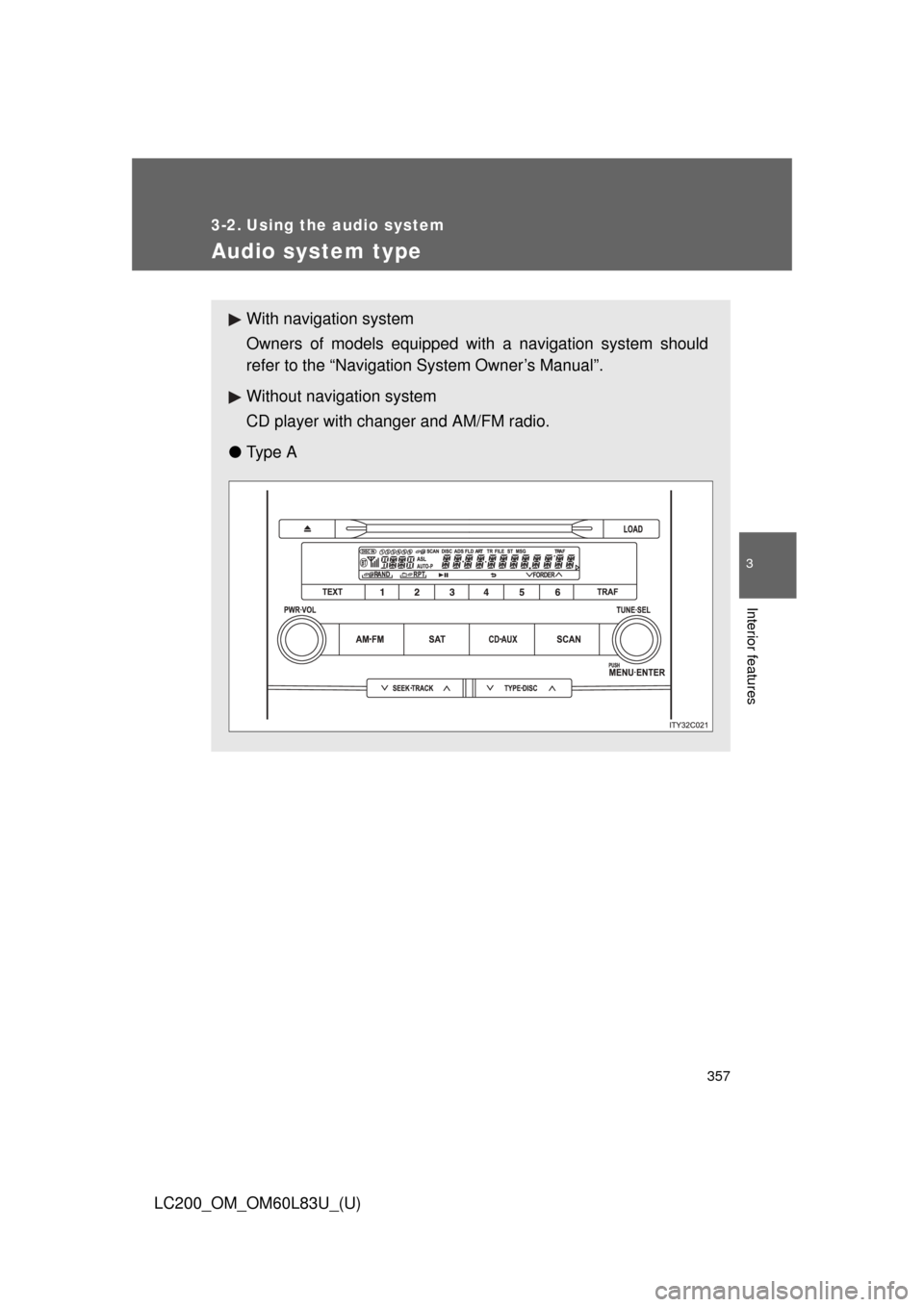
Audio system type
With navigation system
Owners of models equipped with a navigation system should
refer to the “Navigation System Owner’s Manual”.
Without navig ation system
CD player with changer and AM/FM radio.
● Ty p e A
Page 402 of 728
402
3-2. Using the audio system
LC200_OM_OM60L83U_(U)
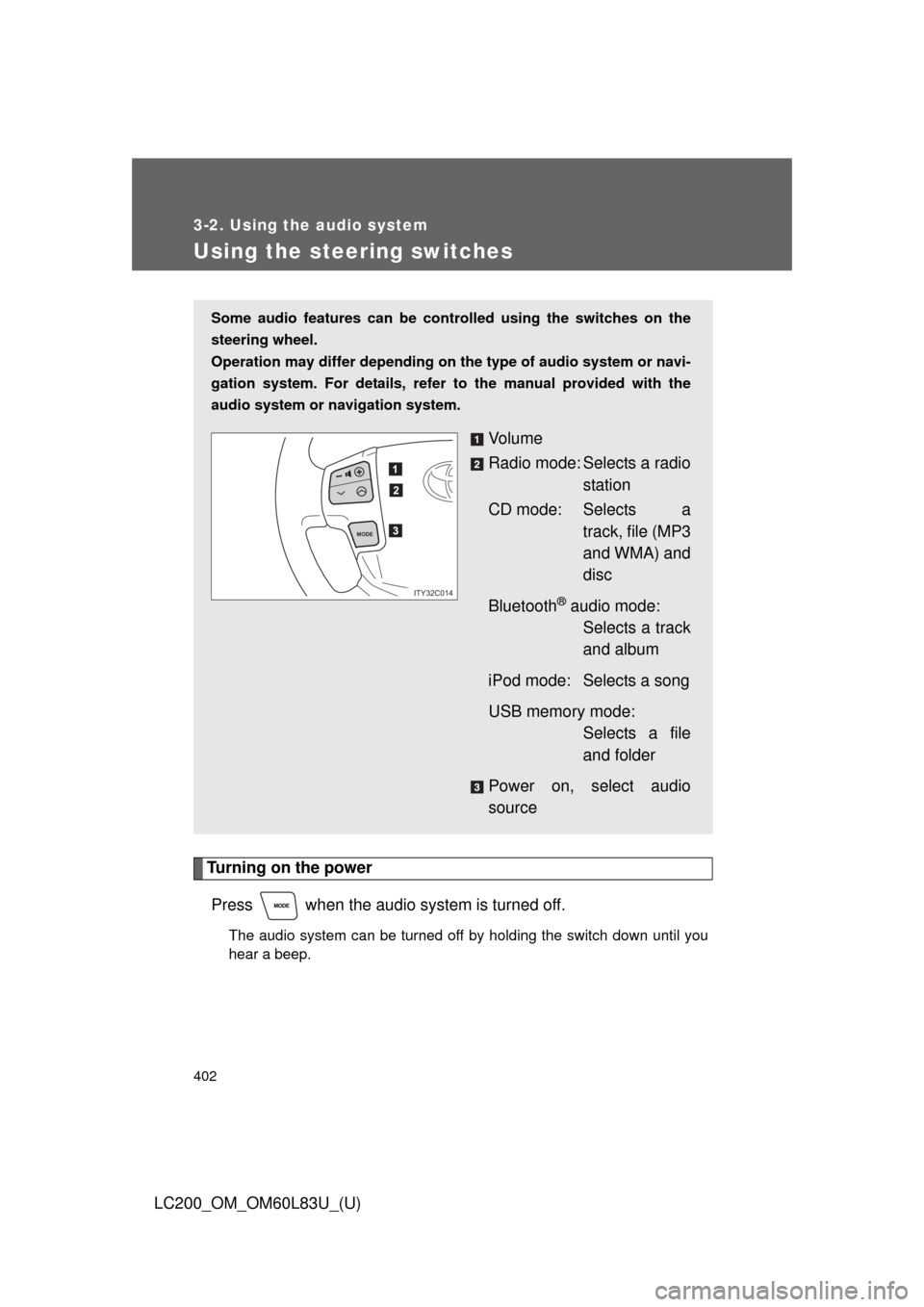
Using the steering switches
Turning on the powerPress when the audio system is turned off.
The audio system can be turned off by holding the switch down until you
hear a beep.
Some audio features can be cont rolled using the switches on the
steering wheel.
Operation may differ depending on th e type of audio system or navi-
gation system. For details, refer to the manual provided with the
audio system or navigation system.
Vo l u m e
Radio mode: Selects a radio station
CD mode: Selects a track, file (MP3
and WMA) and
disc
Bluetooth
® audio mode: Selects a track
and album
iPod mode: Selects a song
USB memory mode: Selects a file
and folder
Power on, select audio
source
MODE
ITY32C014
Page 406 of 728
406
LC200_OM_OM60L83U_(U)
3-3. Using the Bluetooth® audio system
Bluetooth® audio system
■Conditions under which th e system will not operate
● If using a portable player that does not support Bluetooth
®
●If the portable player is switched off
● If the portable player is not connected
● If the portable player’s battery is low
● If the portable player is behind the seat or in the glove box or console box
● If metal is covering or touching the portable player
The Bluetooth® audio system enables you to enjoy music played on
a portable digital audio player (portable player) from the vehicle
speakers via wireless communication.
This audio system supports Bluetooth
®, a wireless data system
capable of playing portable audio music without cables. If your por-
table player does not support Bluetooth
®, the Bluetooth® audio sys-
tem will not function.
Vehicles with a navigation system
Refer to the “Navigation System Owner’s Manual”.
Vehicles without a navigation system
TitlePage
Using the Bluetooth® audio systemP. 410
Operating a Bluetooth® enabled portable playerP. 416
Setting up a Bluetooth® enabled portable playerP. 419
Bluetooth® audio system setupP. 426
Page 427 of 728
427
3
Interior features
LC200_OM_OM60L83U_(U)
3-4. Using the hands-free system (for cellular phone)
Hands-free system (for cellular phone)
The hands-free system is a function that allows you to use your cel-
lular phone without touching it.
This system supports Bluetooth
®, which allows you to make or
receive calls without using cables to connect a cellular phone and
the system, and without oper ating the cellular phone.
With navigation system
Refer to the “Navigation System Owner’s Manual”.
Without navigation system
TitlePage
Using the hands-free systemP. 432
Making a phone callP. 440
Setting a cellular phoneP. 445
Security and system setupP. 451
Using the phone bookP. 457
Page 483 of 728
483
3-7. Other interior features
3
Interior features
LC200_OM_OM60L83U_(U)
Clock
■The clock is displayed when
The “ENGINE START STOP” switch is in ACCESSORY or IGNITION ON
mode.
■ When the battery is disconnected
The time display will automatically be set to 1:00.
With navigation system
Refer to “Navigation System Owner’s Manual”.
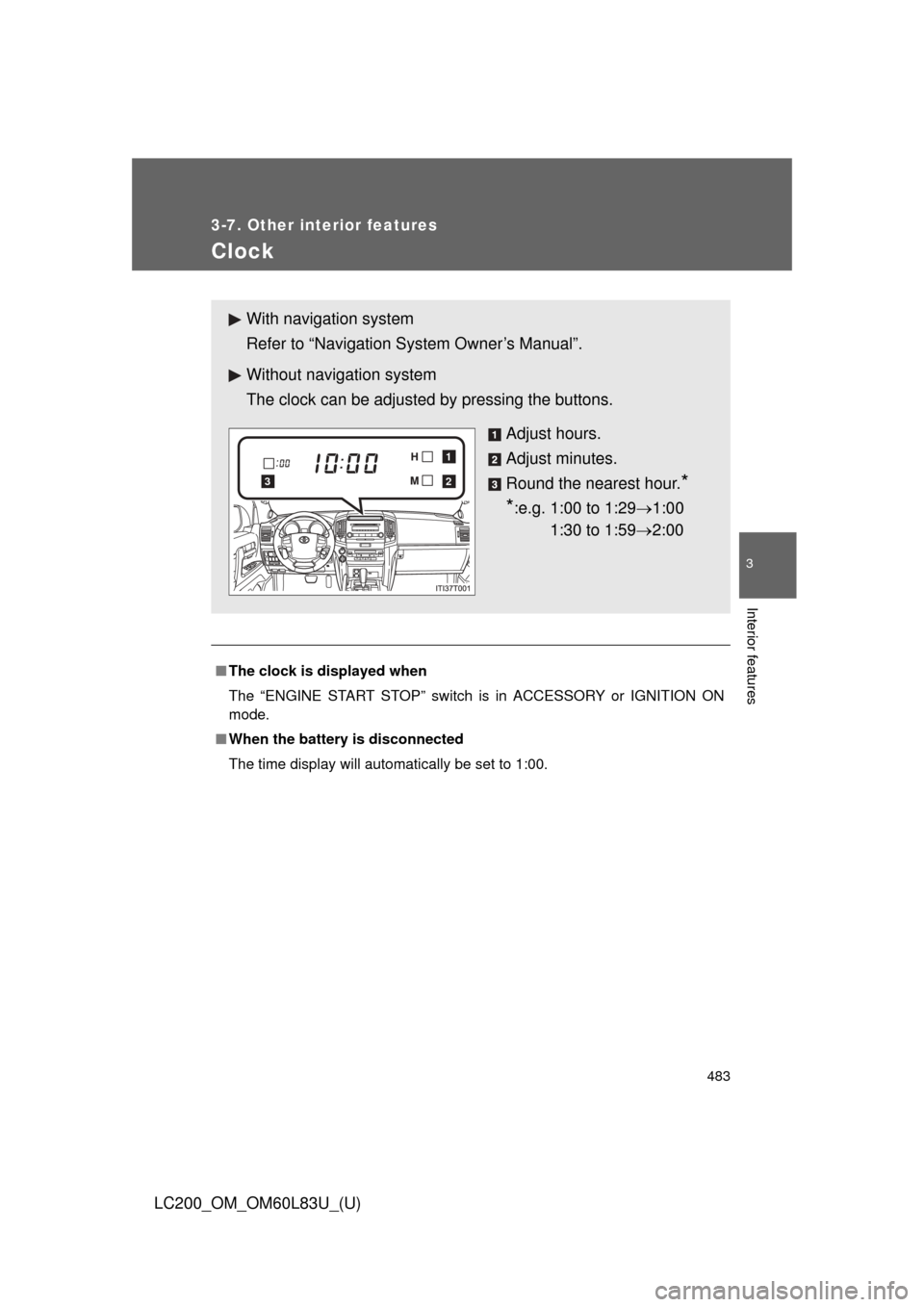
Without navig ation system
The clock can be adjusted by pressing the buttons.
Adjust hours.
Adjust minutes.
Round the nearest hour.
*
*
:e.g. 1:00 to 1:29 1:00
1:30 to 1:59 2:00
2
1
3
Page 484 of 728
484
3-7. Other interior features
LC200_OM_OM60L83U_(U)
Outside temperature display
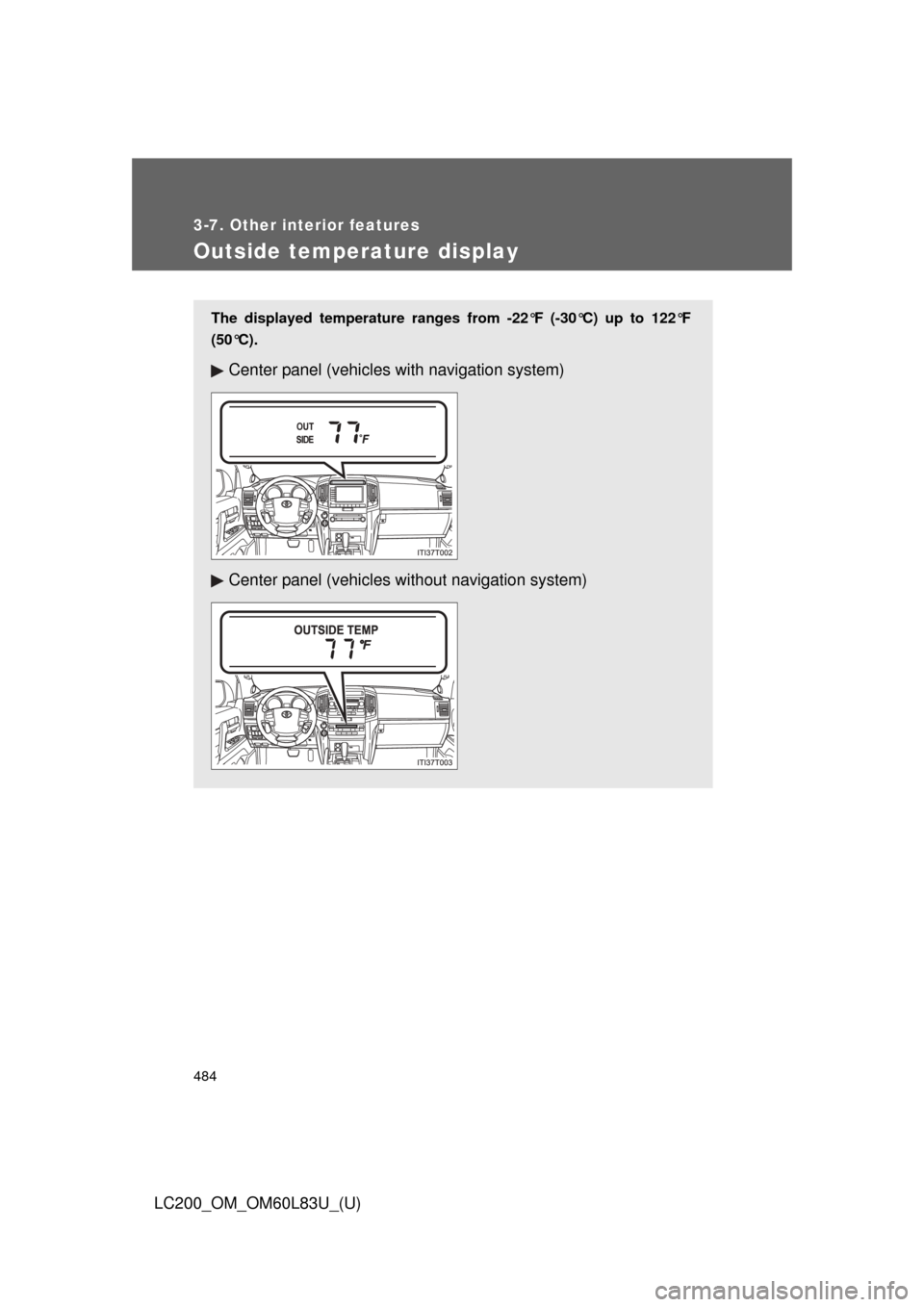
The displayed temperature ranges from -22°F (-30°C) up to 122°F
(50°C).
Center panel (vehicles with navigation system)
Center panel (vehicles without navigation system)
Page 576 of 728

576 4-3. Do-it-yourself maintenance
LC200_OM_OM60L83U_(U)
31 ABS230 A ABS
32 ST 30 A Starter system
33 IMB 7.5 AID code box, smart key system,
GBS
34 AM2 5 A Main body ECU
35 DOME2 7.5 AVanity lights, overhead module,
rear interior light
36 ECU-B2 5 A Driving position memory system
37 AMP 2 30 A Audio system
38 RSE 7.5 A Rear seat entertainment
39 TOWING 30 A Towing
40 DOOR NO.2 25 A Main body ECU
41 STR LOCK 20 A Steering lock system
42 TURN-HAZ 15 A Meter, front turn signal lights, side
turn signal lights, rear turn signal
lights, trailer
43 EFI MAIN2 20 A Fuel pump
44 ETCS 10 A EFI
45 ALT-S 5 A IC-ALT
46 AMP 1 30 A Audio system
47 RAD NO.1 10 A Navigation system, audio system,
parking assist system
FuseAmpereCircuit
Page 618 of 728
618 5-2. Steps to take in an emergency
LC200_OM_OM60L83U_(U)
*1: Open door warning buzzer:
The open door warning buzzer sounds to alert one or more of the doors is
not fully closed (with the vehicle having reached a speed of 3 mph [5 km/h]).
*2: Driver’s seat belt buzzer:
The driver’s seat belt buzzer sounds to alert the driver that his or her seat
belt is not fastened. Once the engine switch is turned to IGNITION ON
mode, the buzzer sounds for 6 seconds. If the vehicle reaches a speed of
12 mph (20 km/h), the buzzer sounds once. If the seat belt is still unfastened
after 30 seconds, the buzzer will sound intermittently for 10 seconds. Then,
if the seat belt is still unfastened, the buzzer will sound in a different tone for
20 more seconds.
Front passenger’s seat belt buzzer:
The front passenger’s seat belt buzzer sounds to alert the front passenger
that his or her seat belt is not fastened. The buzzer sounds once if the vehi-
cle reaches a speed of 12 mph (20 km/h). If the seat belt is still unfastened
after 30 seconds, the buzzer will sound intermittently for 10 seconds. Then,
if the seat belt is still unfastened, the buzzer will sound in a different tone for
20 more seconds.
*3: Vehicles with navigation system
*4: Vehicles without navigation system
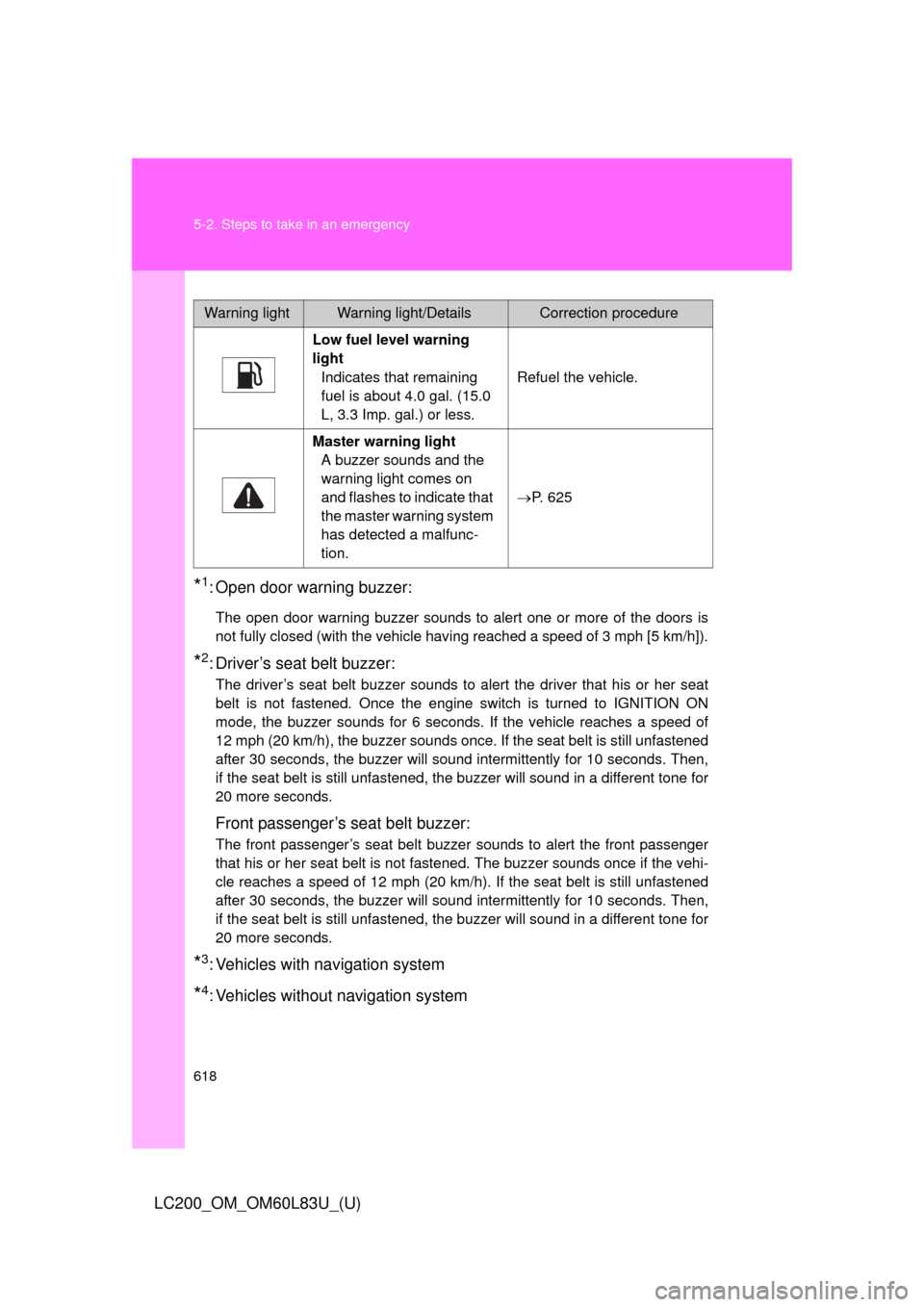
Warning lightWarning light/DetailsCorrection procedure
Low fuel level warning
light Indicates that remaining
fuel is about 4.0 gal. (15.0
L, 3.3 Imp. gal.) or less. Refuel the vehicle.
Master warning light A buzzer sounds and the
warning light comes on
and flashes to indicate that
the master warning system
has detected a malfunc-
tion. P. 625
Page 700 of 728
700
LC200_OM_OM60L83U_(U)
6-2. Customization
Customizable features
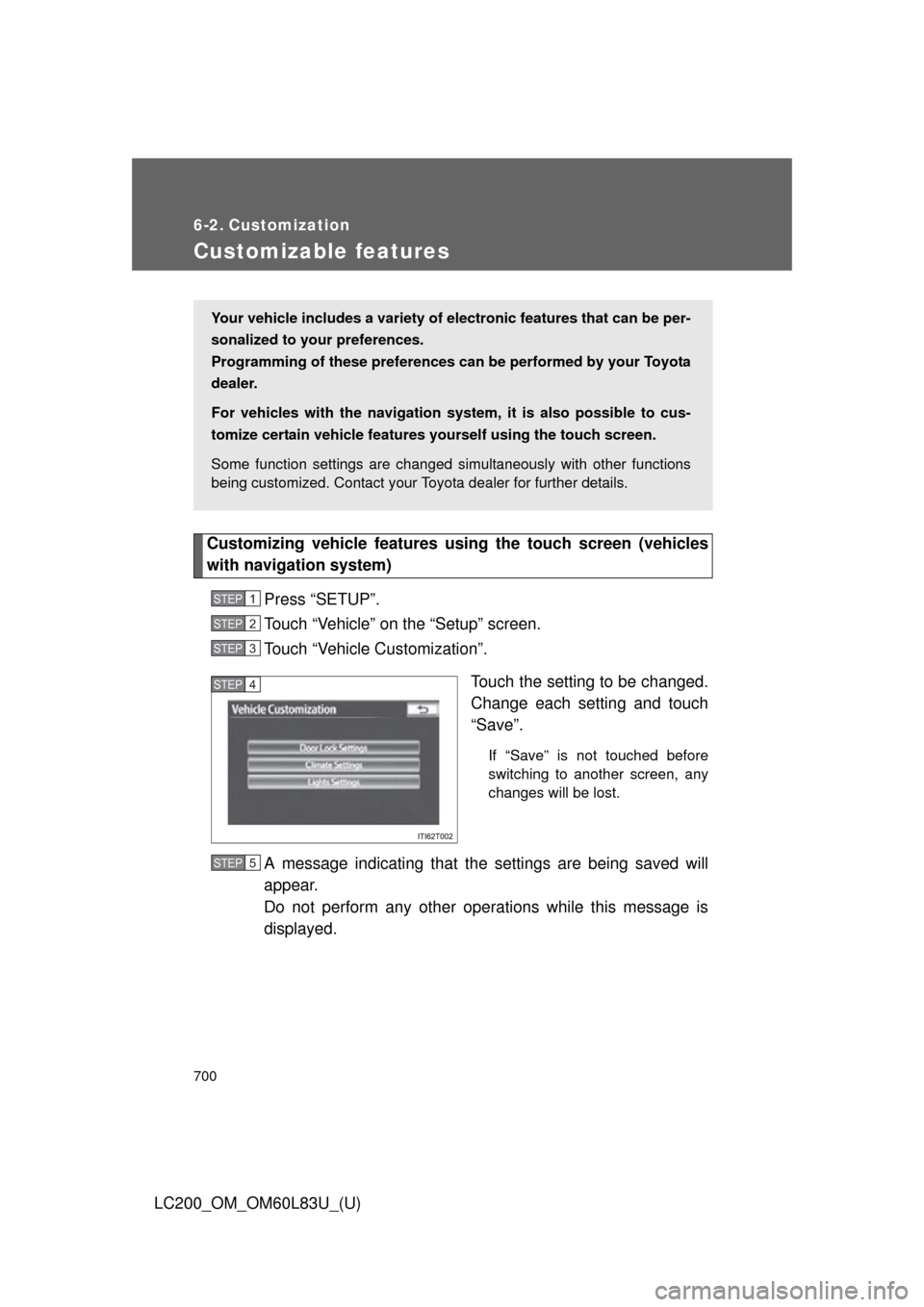
Customizing vehicle features using the touch screen (vehicles
with navigation system)
Press “SETUP”.
Touch “Vehicle” on the “Setup” screen.
Touch “Vehicle Customization”. Touch the setting to be changed.
Change each setting and touch
“Save”.
If “Save” is not touched before
switching to another screen, any
changes will be lost.
A message indicating that the settings are being saved will
appear.
Do not perform any other operations while this message is
displayed.
Your vehicle includes a variety of electronic features that can be per-
sonalized to your preferences.
Programming of these preferences can be performed by your Toyota
dealer.
For vehicles with the navigation syst em, it is also possible to cus-
tomize certain vehicle features yourself using the touch screen.
Some function settings are changed simultaneously with other functions
being customized. Contact your Toyota dealer for further details.
STEP1
STEP2
STEP3
STEP4
STEP5
Page 701 of 728
701
6-2. Customization
6
Vehicle specifications
LC200_OM_OM60L83U_(U)
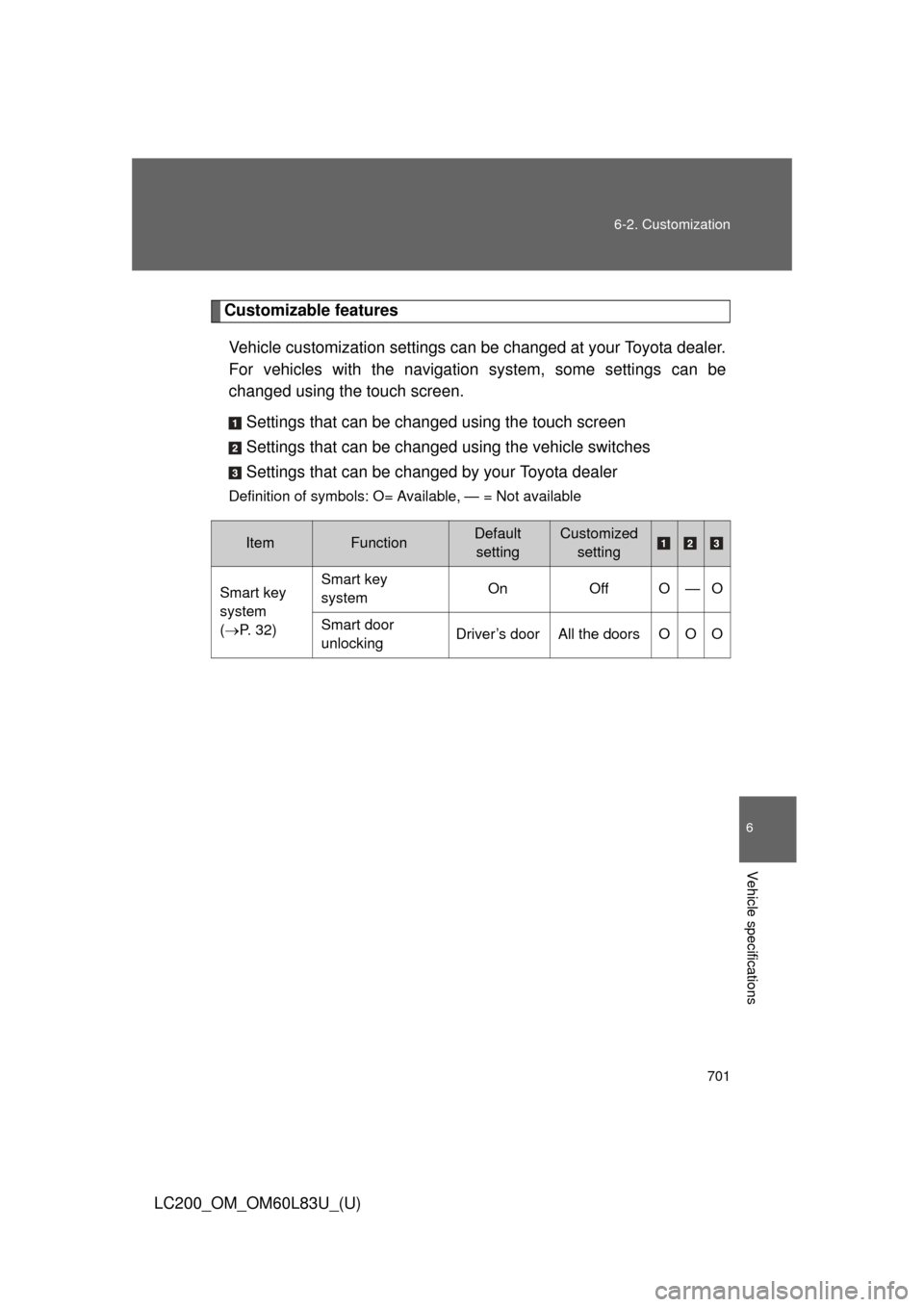
Customizable features
Vehicle customization settings can be changed at your Toyota dealer.
For vehicles with the navigation system, some settings can be
changed using the touch screen.
Settings that can be changed using the touch screen
Settings that can be chan ged using the vehicle switches
Settings that can be chan ged by your Toyota dealer
Definition of symbols: O= Available, — = Not available
ItemFunctionDefault
settingCustomized setting
Smart key
system
(P. 32) Smart key
system
On
Off O — O
Smart door
unlocking Driver’s door All the doors O O O