tires TOYOTA LAND CRUISER 2015 J200 Owners Manual
[x] Cancel search | Manufacturer: TOYOTA, Model Year: 2015, Model line: LAND CRUISER, Model: TOYOTA LAND CRUISER 2015 J200Pages: 728, PDF Size: 10.53 MB
Page 5 of 728

1
2
3
4
5
6
7
5
LC200_OM_OM60L83U_(U)
3-6. Using the storage featuresList of storage features ....... 470
• Glove box.......................... 471
• Console box ...................... 472
• Overhead console............. 473
• Cup holders ...................... 474
• Bottle holders .................... 476
• Card holders ..................... 478
• Auxiliary boxes.................. 478
3-7. Other interior features Cool box .............................. 479
Sun visors ........................... 481
Vanity mirror........................ 482
Clock ................................... 483
Outside temperature display............................... 484
Ashtrays .............................. 486
Cigarette lighter................... 488
Power outlets ...................... 489
Heated steering wheel ........ 491
Seat heaters and ventilators ......................... 493
Armrest ............................... 495
Assist grips.......................... 496
Floor mats ........................... 497
Luggage compartment features ............................. 499
Garage door opener............ 501
Safety Connect ................... 508 4-1. Maintenance and care
Cleaning and protecting the vehicle exterior ........... 516
Cleaning and protecting the vehicle interior ............ 519
4-2. Maintenance Maintenance requirements .................... 522
General maintenance ......... 525
Emission inspection and maintenance (I/M)
programs .......................... 528
4-3. Do-it-yourself maintenance Do-it-yourself service precautions....................... 529
Hood ................................... 532
Engine compartment .......... 533
Tires ................................... 548
Tire inflation pressure ......... 557
Wheels ............................... 561
Air conditioning filter ........... 564
Electronic key battery ......... 567
Checking and replacing fuses ................. 570
Headlight aim ..................... 584
Light bulbs .......................... 586
4Maintenance and care
Page 9 of 728
9
LC200_OM_OM60L83U_(U)
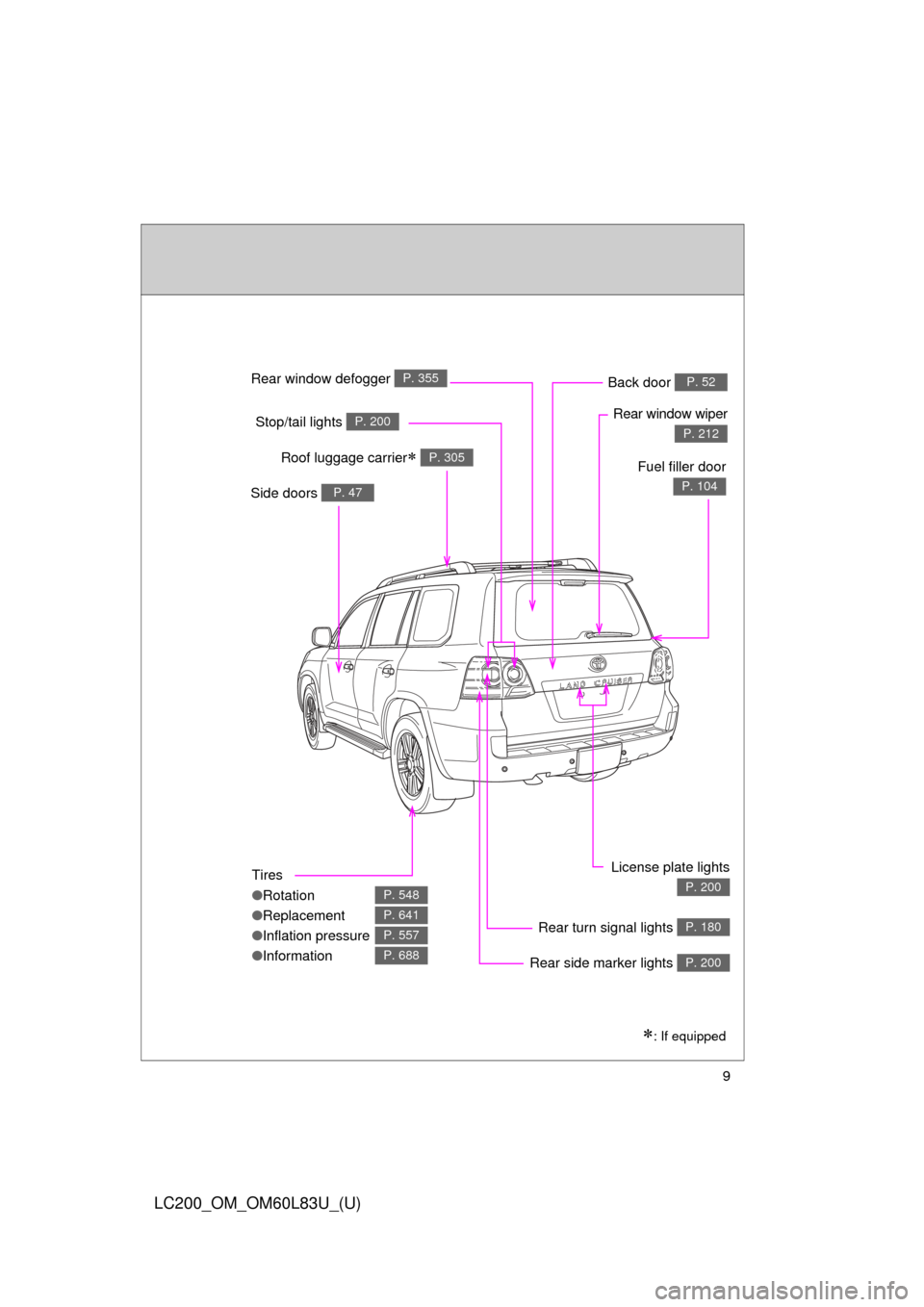
Tires
●Rotation
● Replacement
● Inflation pressure
● Information
P. 548
P. 641
P. 557
P. 688
Rear window defogger P. 355
Rear window wiper
P. 212Stop/tail lights P. 200
Side doors P. 47
Rear turn signal lights P. 180
License plate lights
P. 200
Roof luggage carrier P. 305
Back door P. 52
: If equipped
Fuel filler door
P. 104
Rear side marker lights P. 200
Page 159 of 728

159
2-1. Driving procedures
2
When driving
LC200_OM_OM60L83U_(U)
■
Driving in the rain
●Drive carefully when it is raining, because visibility will be reduced, the
windows may become fogged-up, and the road will be slippery.
● Drive carefully when it starts to rain, because the road surface will be
especially slippery.
● Refrain from high speeds when driving on an expressway in the rain,
because there may be a layer of water between the tires and the road
surface, preventing the steering and brakes from operating properly.
■ Engine speed while driving
In the following conditions, the engine speed may become high while driving.
This is due to automatic up-shifting control or down-shifting implementation
to meet driving conditions. It does not indicate sudden acceleration.
●The vehicle is judged to be driving uphill or downhill
● When the accelerator pedal is released
● When the brake pedal is depressed while power mode is selected
( P. 176)
■ Breaking in your new Toyota
To extend the life of the vehicle, the following precautions are recommended
to observe:
●For the first 200 miles (300 km):
Avoid sudden stops.
● For the first 500 miles (800 km):
Do not tow a trailer.
● For the first 1000 miles (1600 km):
• Do not drive at extremely high speeds.
• Avoid sudden acceleration.
• Do not drive continuously in the low gears.
• Do not drive at a constant speed for extended periods.
Page 163 of 728

163
2-1. Driving procedures
2
When driving
LC200_OM_OM60L83U_(U)
CAUTION
●
Do not drive in excess of the speed limit. Even if the legal speed limit per-
mits it, do not drive over 85 mph (140 km/h) unless your vehicle has high-
speed capability tires. Driving over 85 mph (140 km/h) may result in tire
failure, loss of control and possible injury. Be sure to consult a tire dealer
to determine whether the tires on your vehicle are high-speed capability
tires or not before driving at such speeds.
■ When driving on slippery road surfaces
●Sudden braking, acceleration and steering may cause tire slippage and
reduce your ability to control the vehicle, resulting in an accident.
● Sudden acceleration, engine braking due to shifting, or changes in engine
speed could cause the vehicle to skid, resulting in an accident.
● After driving through a puddle, lightly depress the brake pedal to make
sure that the brakes are functioning properly. Wet brake pads may prevent
the brakes from functioning properly. If the brakes on only one side are wet
and not functioning properly, steering control may be affected, resulting in
an accident.
■ When shifting the shift lever
Be careful not to shift the shift lever with the accelerator pedal depressed.
This may lead to unexpected rapid acceleration of the vehicle that may
cause an accident and result in death or serious injury.
■ If you hear a squealing or scrapin g noise (brake pad wear limit indica-
tors)
Have your Toyota dealer check and replace the brake pads as soon as pos-
sible.
Rotor damage may result if the pads are not replaced when needed.
It is dangerous to drive the vehicle when the wear limits of the brake pads
and/or those of the rotors are exceeded.
Page 196 of 728
196 2-2. Instrument cluster
LC200_OM_OM60L83U_(U)■
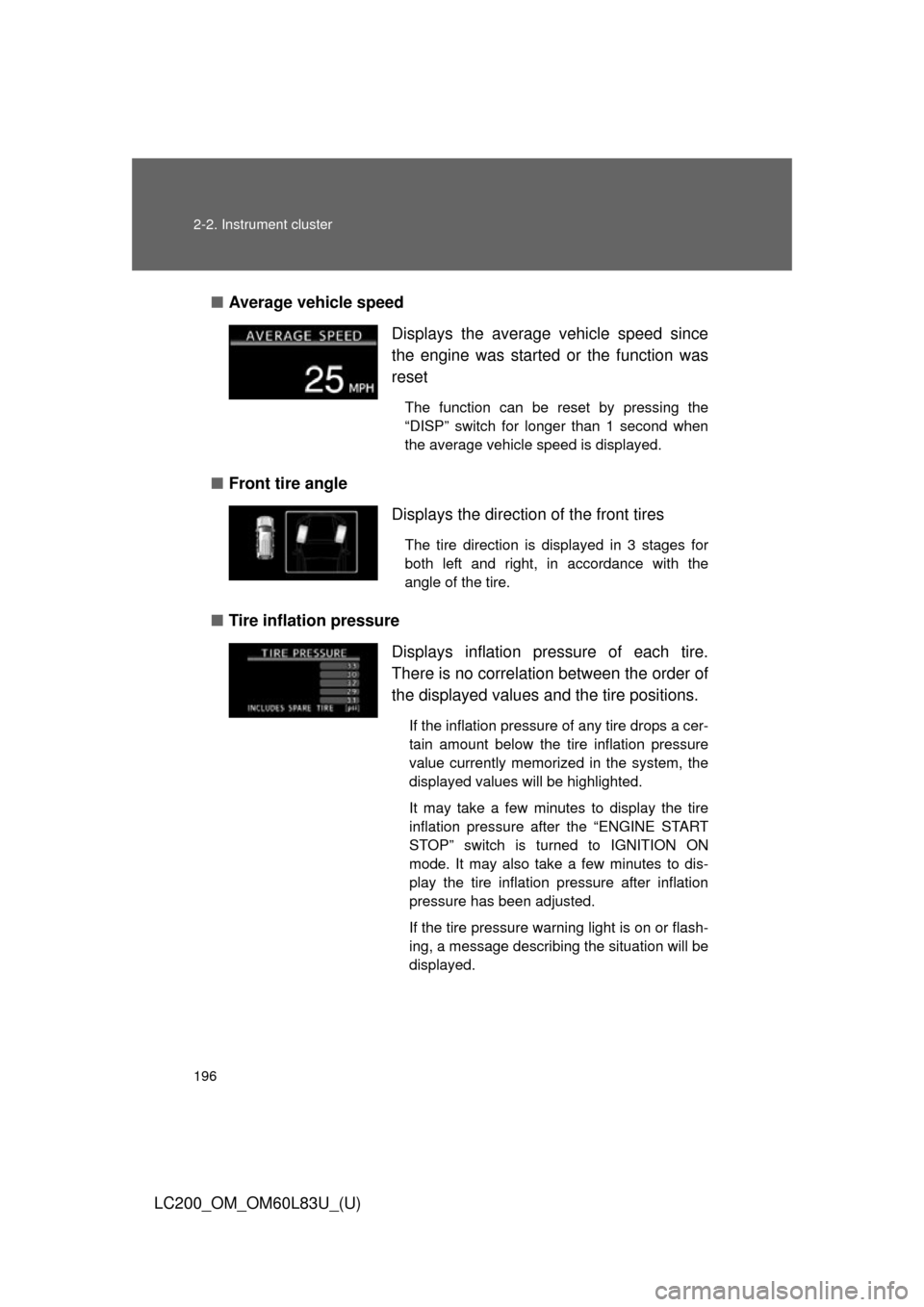
Average vehicle speed
■ Front tire angle
■ Tire inflation pressure Displays the average vehicle speed since
the engine was started
or the function was
reset
The function can be reset by pressing the
“DISP” switch for longer than 1 second when
the average vehicle speed is displayed.
Displays the direction of the front tires
The tire direction is displayed in 3 stages for
both left and right, in accordance with the
angle of the tire.
Displays inflation pressure of each tire.
There is no correlation between the order of
the displayed values and the tire positions.
If the inflation pressure of any tire drops a cer-
tain amount below the tire inflation pressure
value currently memorized in the system, the
displayed values will be highlighted.
It may take a few minutes to display the tire
inflation pressure after the “ENGINE START
STOP” switch is turned to IGNITION ON
mode. It may also take a few minutes to dis-
play the tire inflation pressure after inflation
pressure has been adjusted.
If the tire pressure warning light is on or flash-
ing, a message describing the situation will be
displayed.
Page 261 of 728
261
2-4. Using other driving systems
2
When driving
LC200_OM_OM60L83U_(U)
Multi-terrain Monitor
: If equipped
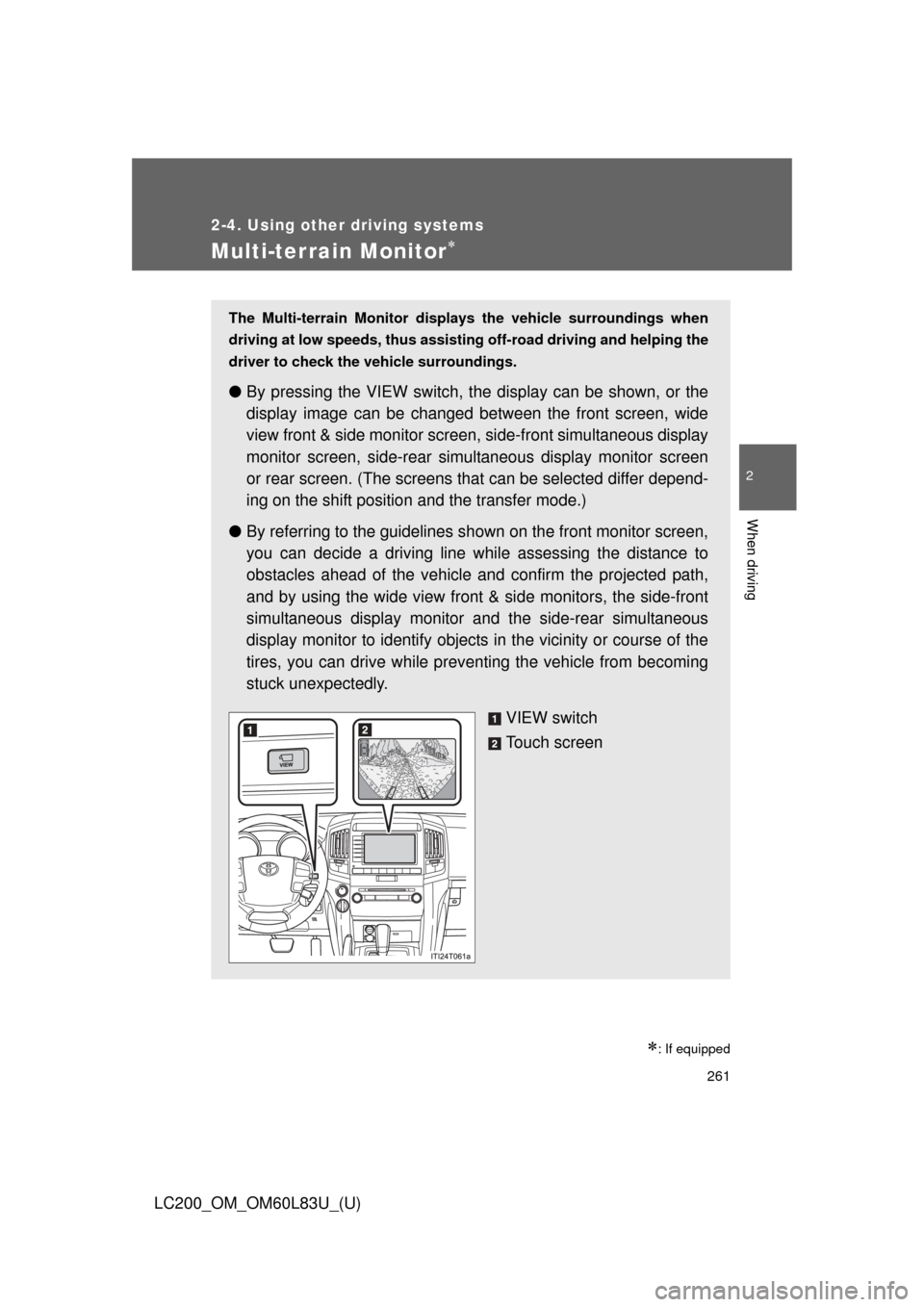
The Multi-terrain Monitor displays the vehicle surroundings when
driving at low speeds, thus assisting off-road driving and helping the
driver to check the vehicle surroundings.
●By pressing the VIEW switch, t he display can be shown, or the
display image can be changed between the front screen, wide
view front & side monitor screen, side-front simultaneous display
monitor screen, side-rear simultaneous display monitor screen
or rear screen. (The screens that can be selected differ depend-
ing on the shift position and the transfer mode.)
● By referring to the guidelines s hown on the front monitor screen,
you can decide a driving line while assessing the distance to
obstacles ahead of the vehicle and confirm the projected path,
and by using the wide view front & side monitors, the side-front
simultaneous display monitor and the side-rear simultaneous
display monitor to identify objects in the vicinity or course of the
tires, you can drive while prev enting the vehicle from becoming
stuck unexpectedly.
VIEW switch
Touch screen
Page 265 of 728
265
2-4. Using other
driving systems
2
When driving
LC200_OM_OM60L83U_(U)
Display
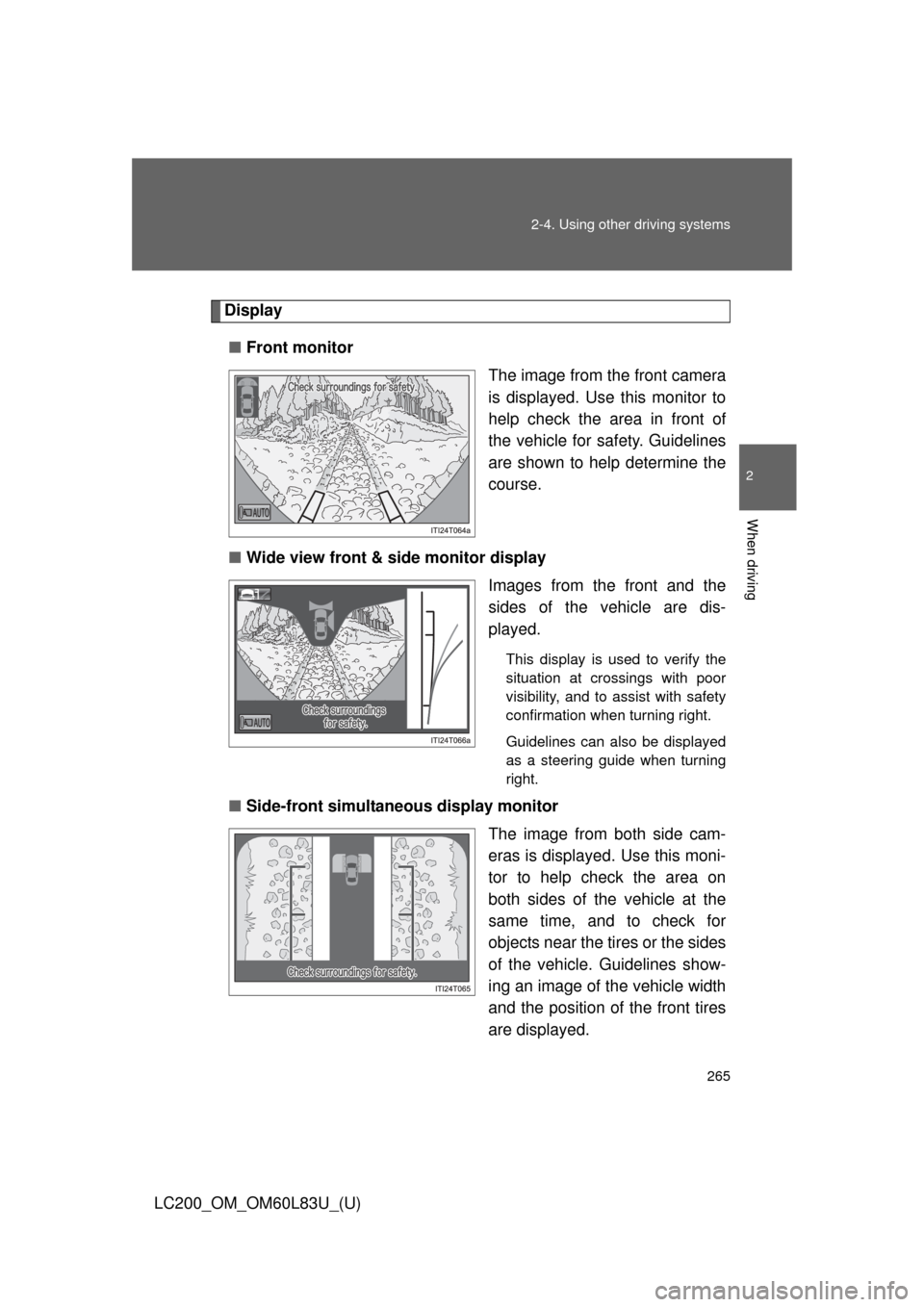
■ Front monitor
The image from the front camera
is displayed. Use this monitor to
help check the area in front of
the vehicle for safety. Guidelines
are shown to help determine the
course.
■ Wide view front & side monitor display
Images from the front and the
sides of the vehicle are dis-
played.
This display is used to verify the
situation at crossings with poor
visibility, and to assist with safety
confirmation when turning right.
Guidelines can also be displayed
as a steering guide when turning
right.
■Side-front simultaneous display monitor
The image from both side cam-
eras is displayed. Use this moni-
tor to help check the area on
both sides of the vehicle at the
same time, and to check for
objects near the tires or the sides
of the vehicle. Guidelines show-
ing an image of the vehicle width
and the position of the front tires
are displayed.
Page 266 of 728
266 2-4. Using other driving systems
LC200_OM_OM60L83U_(U)■
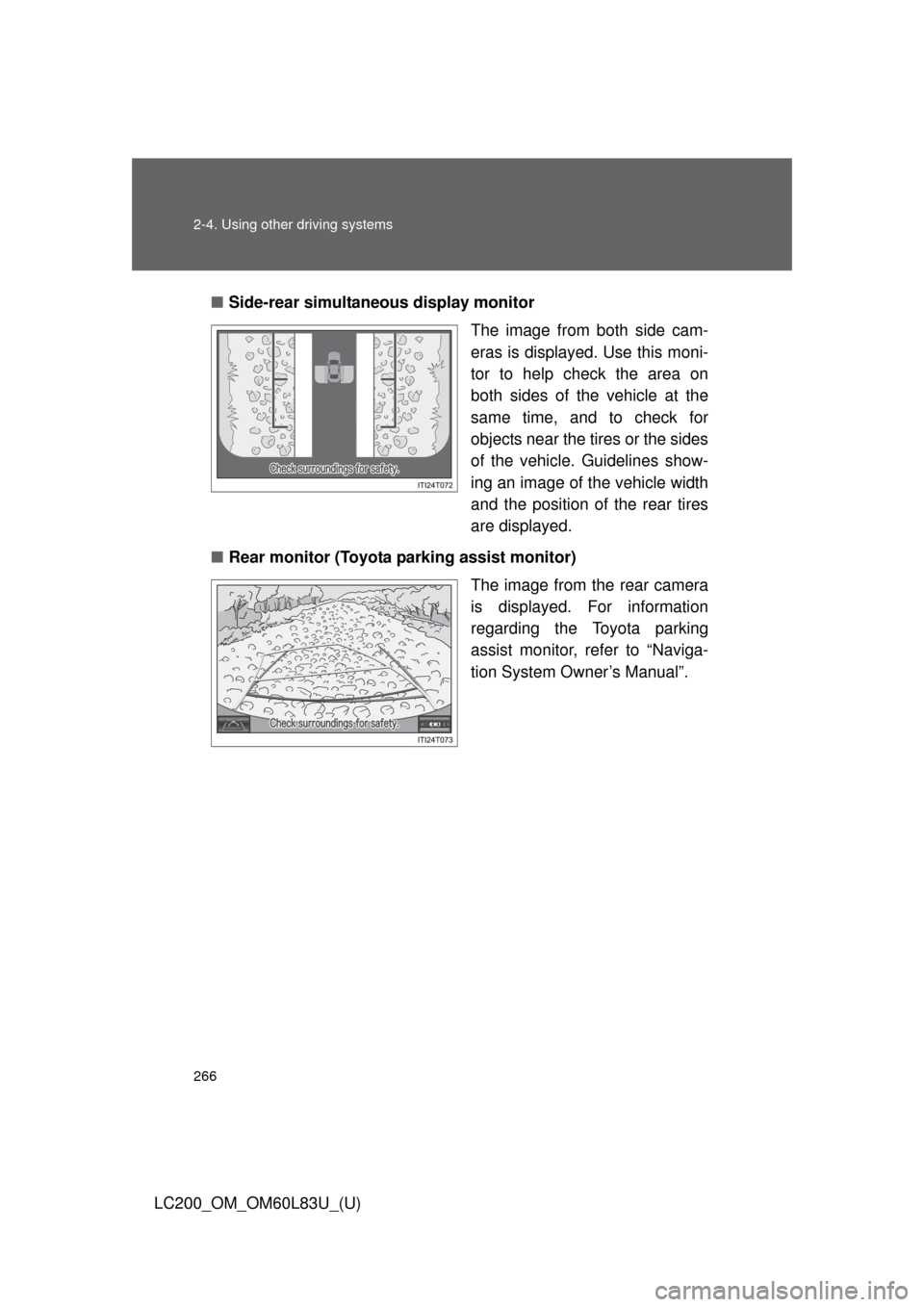
Side-rear simultane ous display monitor
The image from both side cam-
eras is displayed. Use this moni-
tor to help check the area on
both sides of the vehicle at the
same time, and to check for
objects near the tires or the sides
of the vehicle. Guidelines show-
ing an image of the vehicle width
and the position of the rear tires
are displayed.
■ Rear monitor (Toyota parking assist monitor)
The image from the rear camera
is displayed. For information
regarding the Toyota parking
assist monitor, refer to “Naviga-
tion System Owner’s Manual”.
Page 284 of 728

284 2-4. Using other driving systems
LC200_OM_OM60L83U_(U)
CAUTION
■Conditions which may affect the Multi-terrain Monitor system
●If the tires are changed, the position of the guide lines displayed on the
screen may be incorrect. When changing the tires, consult your Toyota
dealer.
● Depending on the circumstances of the vehicle (number of passengers,
amount of luggage, etc.), the position of the guide lines displayed on the
screen may change. Be sure to check visually behind and all around the
vehicle before proceeding.
● Depending on the overall length of the vehicle (if a frontal protection sys-
tem is installed or the bumper has been replaced, etc.), the position of the
distance guidelines displayed on the front monitor may change. Be sure to
check visually behind and all around the vehicle before proceeding.
● When washing the vehicle, do not apply intensive bursts of water to the
camera or camera area. Doing so may result in the camera malfunction-
ing.
NOTICE
■When using the Multi-terrain Monitor
●Even if an obstacle is no longer visible on the side monitor, do not turn the
steering wheel further in the direction the vehicle is turning until the vehicle
has moved completely past the obstacle. If the steering wheel is turned to
full lock, the vehicle will turn in the smallest possible turning circle, and
may collide with the obstacle.
● It may be difficult to judge distance with the image from the front camera
due to the characteristics of the lens. Drive carefully while checking the
actual distance to the obstacles displayed on the screen. Also, give your
full attention to sudden bumps in the road.
Page 290 of 728

290 2-4. Using other driving systems
LC200_OM_OM60L83U_(U)
CAUTION
Any of the following conditions may result in an accident which could cause
death or serious injury:
■The Multi Terrain ABS does no t operate effectively when
● The limits of tire gripping performance have been exceeded (such as
excessively worn tires on a snow covered road).
● The vehicle hydroplanes while driving at high speed on the wet or slick
road.
■ Stopping distance when the Multi Terrain ABS is operating may exceed
that of normal conditions
The Multi Terrain ABS is not designed to shorten the vehicle’s stopping dis-
tance. Always maintain a safe distance from the vehicle in front of you, espe-
cially in the following situations.
● When driving on dirt, gravel or snow-covered roads
● When driving with tire chains
● When driving over bumps in the road
● When driving over roads wi th potholes or uneven roads
■ Active TRAC may not operate effectively when
Directional control and power may not be achievable while driving on slip-
pery road surfaces, even if the Active TRAC is operating.
Do not drive the vehicle in conditions where stability and power may be lost.
■ If the hill-start assist contro l does not operate effectively
Do not overly rely on the hill-start assist control. The hill-start assist control
may not operate effectively on steep inclines and roads covered in ice.
■ When Active TRAC, VSC and Tr ailer Sway Control are off
Be especially careful and drive at a speed appropriate to the road condi-
tions. As there are systems to help ens ure vehicle stability and driving force,
do not turn off Active TRAC, VSC and Trailer Sway Control unless neces-
sary.