lock TOYOTA LAND CRUISER 2016 J200 Owner's Manual
[x] Cancel search | Manufacturer: TOYOTA, Model Year: 2016, Model line: LAND CRUISER, Model: TOYOTA LAND CRUISER 2016 J200Pages: 608, PDF Size: 10.91 MB
Page 76 of 608
761-2. Theft deterrent system
LC200_OM_OM60M88U_(U)
Alar m
The alarm uses light and sound to give an alert when an intrusion is
detected.
The alarm is triggered in the following situations when the alarm is
set:
●A locked door is unlocked or opened in any way other than using
the entry function or wireless re mote control. (The doors will lock
again automatically.)
● The hood is opened.
● The battery is reconnected.
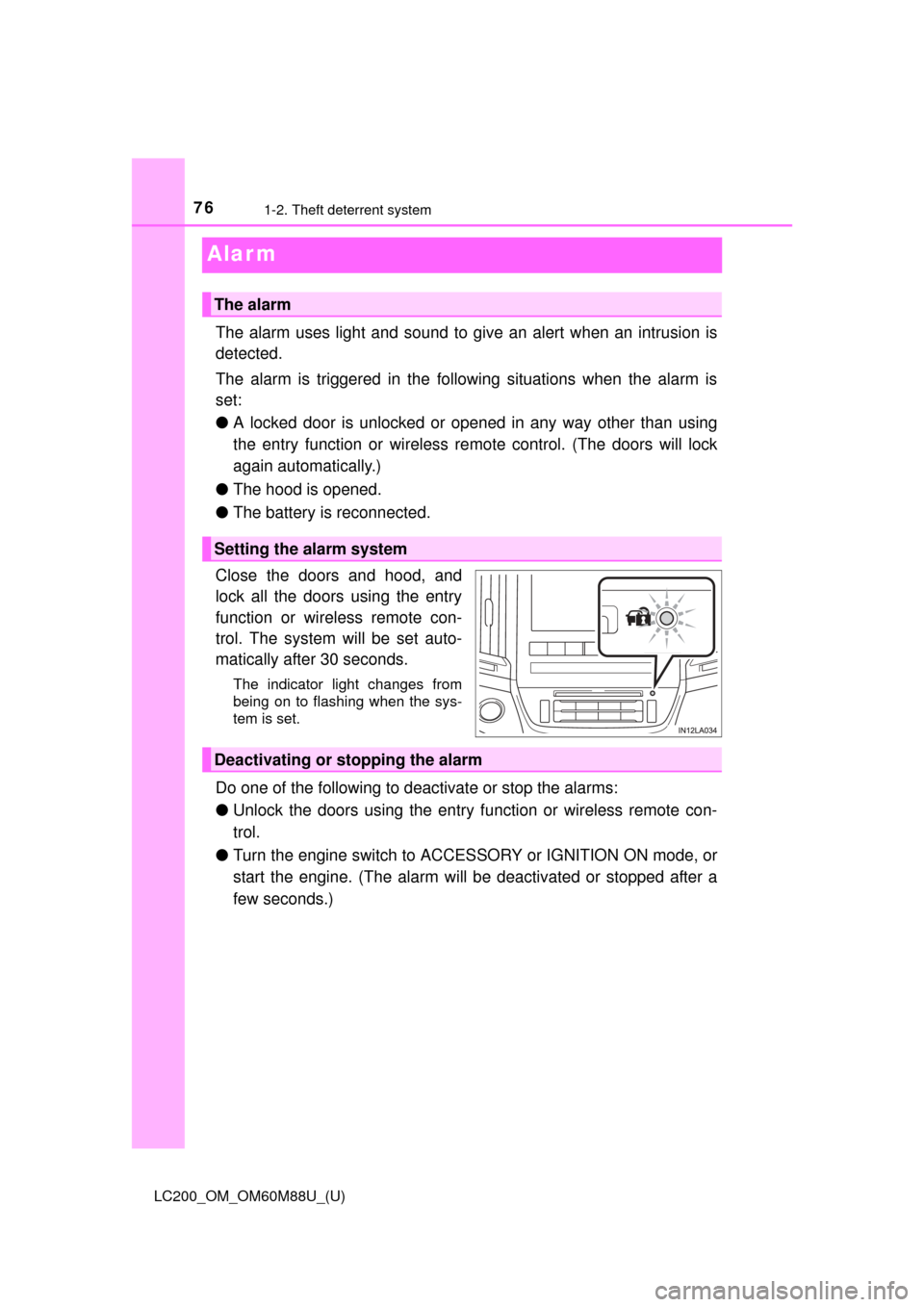
Close the doors and hood, and
lock all the doors using the entry
function or wireless remote con-
trol. The system will be set auto-
matically after 30 seconds.
The indicator light changes from
being on to flashing when the sys-
tem is set.
Do one of the following to d eactivate or stop the alarms:
● Unlock the doors using the entry function or wireless remote con-
trol.
● Turn the engine switch to ACC ESSORY or IGNITION ON mode, or
start the engine. (The alarm will be deactivated or stopped after a
few seconds.)
The alarm
Setting the alarm system
Deactivating or stopping the alarm
Page 77 of 608
771-2. Theft deterrent system
LC200_OM_OM60M88U_(U)
1
For safety and security
■System maintenance
The vehicle has a maintenance-free type alarm system.
■ Items to check before locking the vehicle
To prevent unexpected triggering of the alarm and vehicle theft, make sure of
the following.
●Nobody is in the vehicle.
● The windows and moon roof are closed before the alarm is set.
● No valuables or other personal items are left in the vehicle.
■ Triggering of the alarm
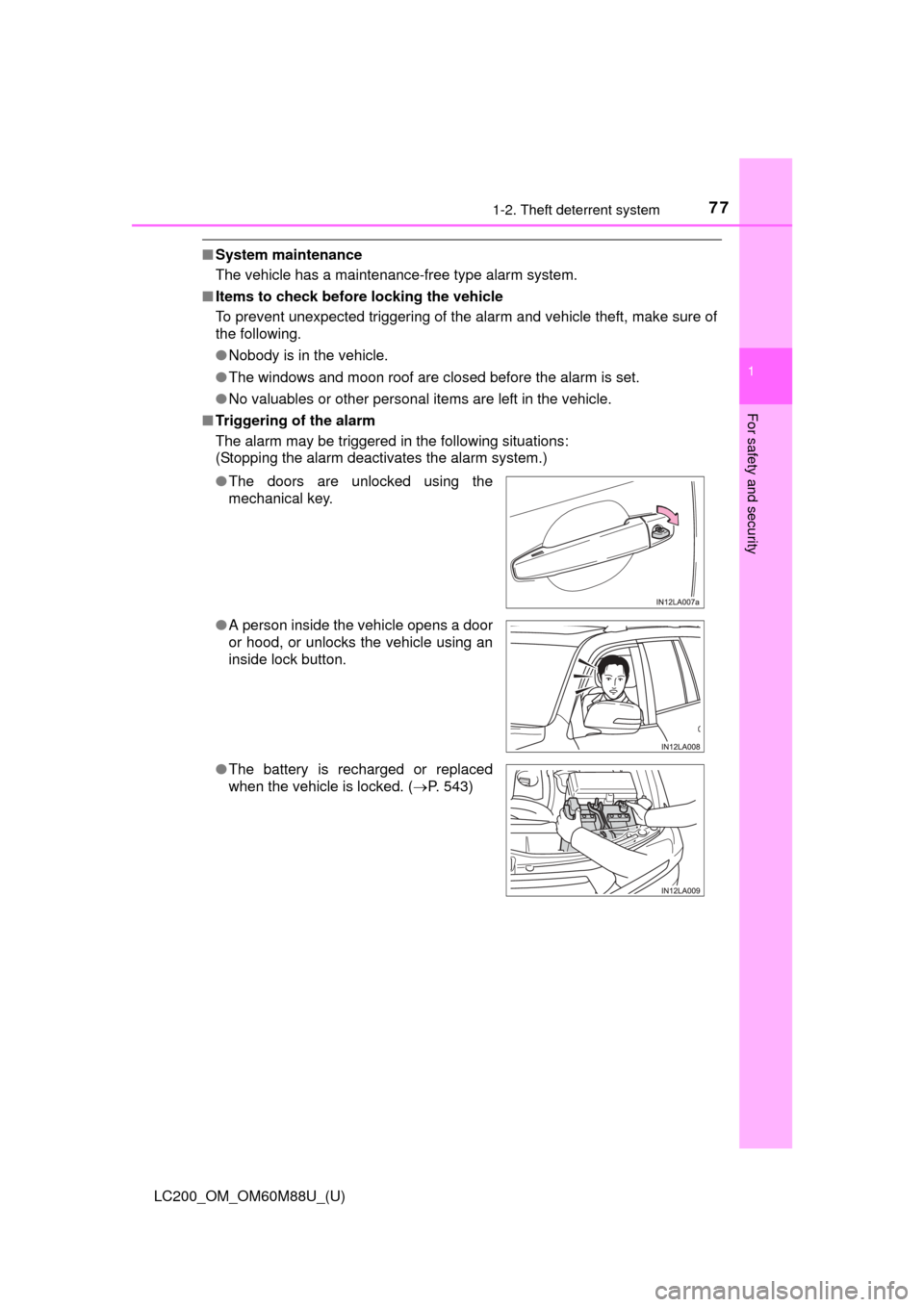
The alarm may be triggered in the following situations:
(Stopping the alarm deactivates the alarm system.)
●The doors are unlocked using the
mechanical key.
● A person inside the vehicle opens a door
or hood, or unlocks the vehicle using an
inside lock button.
● The battery is recharged or replaced
when the vehicle is locked. ( P. 543)
Page 78 of 608

781-2. Theft deterrent system
LC200_OM_OM60M88U_(U)■
Alarm-operated door lock
In the following cases, depending on the situation, the door may automatically
lock to prevent improper entry into the vehicle:
●When a person remaining in the vehicle unlocks the door and the alarm is
activated.
● While the alarm is activated, a person remaining in the vehicle unlocks the
door.
● When recharging or replacing the battery.
NOTICE
■ To ensure the system operates correctly
Do not modify or remove the system. If modified or removed, the proper
operation of the system cannot be guaranteed.
Page 82 of 608
82
LC200_OM_OM60M88U_(U)
2. Instrument cluster
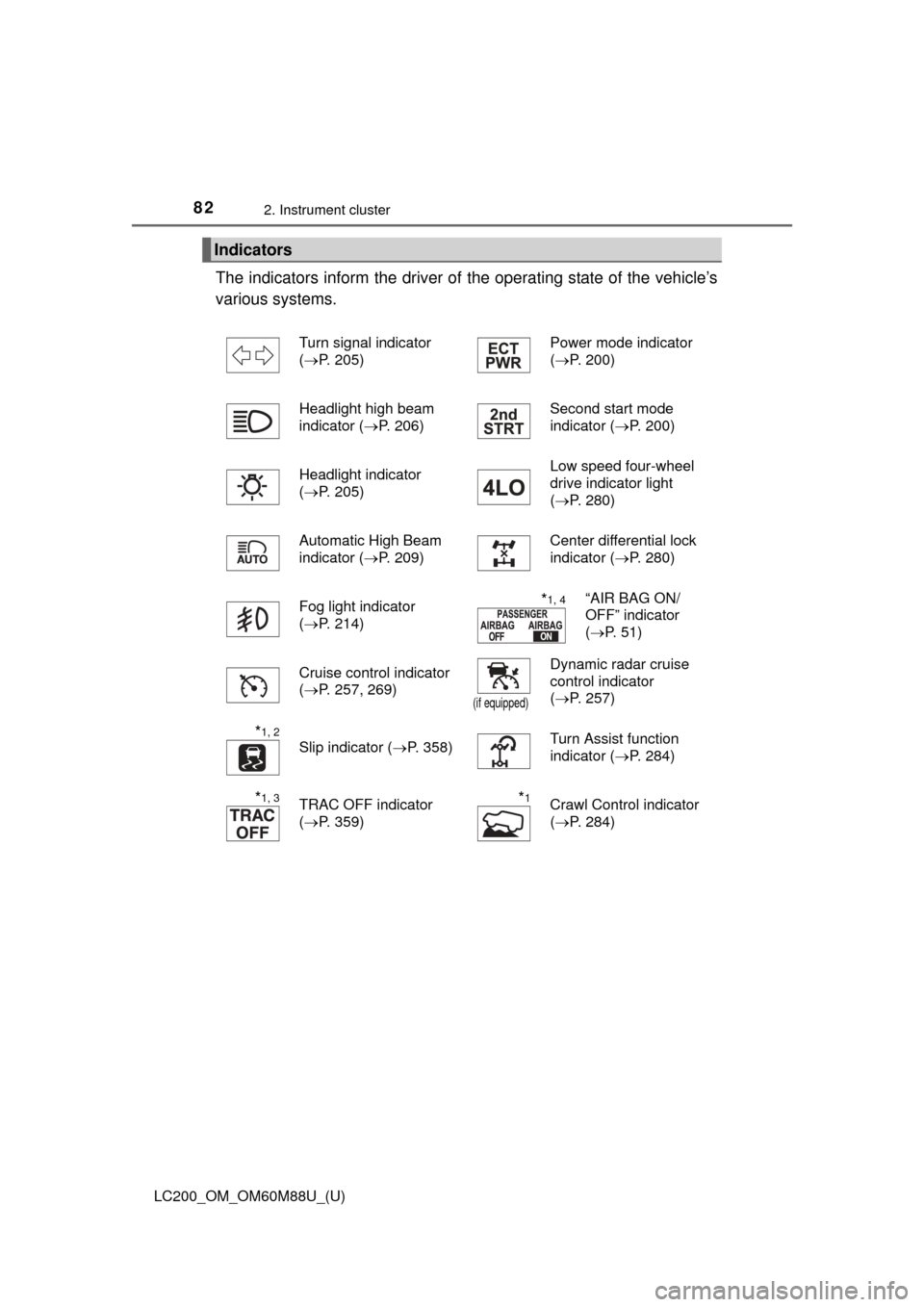
The indicators inform the driver of the operating state of the vehicle’s
various systems.
Indicators
Turn signal indicator
( P. 205) Power mode indicator
(
P. 200)
Headlight high beam
indicator ( P. 206) Second start mode
indicator (
P. 200)
Headlight indicator
( P. 205) Low speed four-wheel
drive indicator light
(
P. 280)
Automatic High Beam
indicator ( P. 209) Center differential lock
indicator (
P. 280)
Fog light indicator
( P. 214)
*1, 4“AIR BAG ON/
OFF” indicator
(P. 51)
Cruise control indicator
( P. 257, 269)
(if equipped)
Dynamic radar cruise
control indicator
(P. 257)
*1, 2
Slip indicator ( P. 358)Turn Assist function
indicator (P. 284)
*1, 3TRAC OFF indicator
(P. 359)*1Crawl Control indicator
(P. 284)
Page 101 of 608

101
LC200_OM_OM60M88U_(U)
3
Operation of
each component
3-1. Key information
Keys .................................. 102
3-2. Opening, closing and locking the doors
Side doors ......................... 106
Back door .......................... 114
Smart key system ............. 120
3-3. Adjusting the seats Front seats ........................ 127
Rear seats......................... 129
Driving position memory ... 136
Head restraints.................. 140
3-4. Adjusting the steering wheel and mirrors
Steering wheel .................. 143
Inside rear view mirror ...... 145
Outside rear view mirrors ............................. 147
3-5. Opening, closing the windows and moon roof
Power windows ................. 150
Moon roof .......................... 154
Page 102 of 608
102
LC200_OM_OM60M88U_(U)
3-1. Key information
Keys
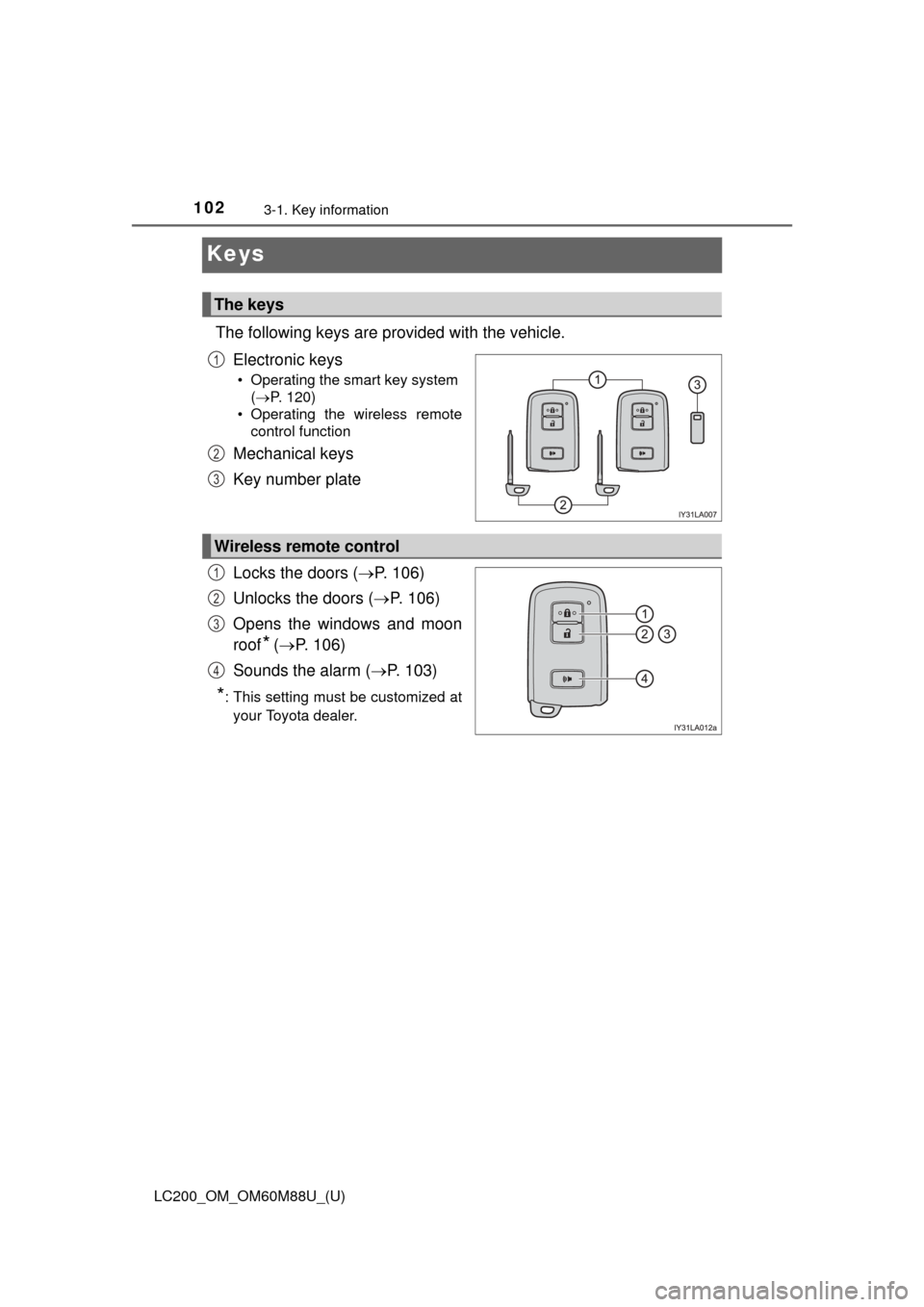
The following keys are provided with the vehicle.Electronic keys
• Operating the smart key system ( P. 120)
• Operating the wireless remote control function
Mechanical keys
Key number plate
Locks the doors ( P. 106)
Unlocks the doors ( P. 106)
Opens the windows and moon
roof
* ( P. 106)
Sounds the alarm ( P. 103)
*: This setting must be customized at
your Toyota dealer.
The keys
1
2
3
Wireless remote control
1
2
3
4
Page 103 of 608
LC200_OM_OM60M88U_(U)
1033-1. Key information
3
Operation of each component
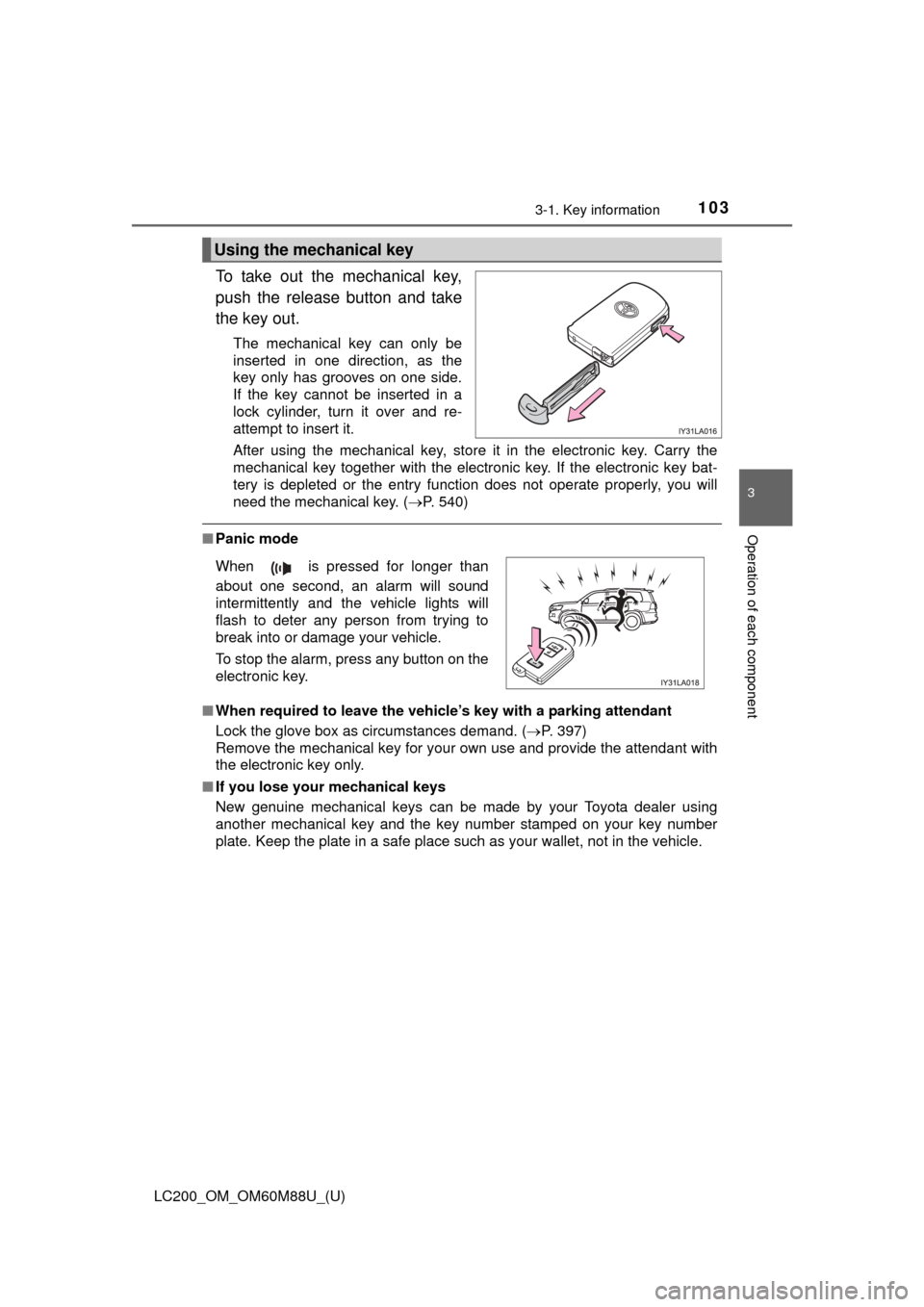
To take out the mechanical key,
push the release button and take
the key out.
The mechanical key can only be
inserted in one direction, as the
key only has grooves on one side.
If the key cannot be inserted in a
lock cylinder, turn it over and re-
attempt to insert it.
After using the mechanical key, store it in the electronic key. Carry the
mechanical key together with the electronic key. If the electronic key bat-
tery is depleted or the entry function does not operate properly, you will
need the mechanical key. (P. 540)
■Panic mode
■ When required to leave the vehicle’s key with a parking attendant
Lock the glove box as circumstances demand. ( P. 397)
Remove the mechanical key for your own use and provide the attendant with
the electronic key only.
■ If you lose your mechanical keys
New genuine mechanical keys can be made by your Toyota dealer using
another mechanical key and the key number stamped on your key number
plate. Keep the plate in a safe place such as your wallet, not in the vehicle.
Using the mechanical key
When is pressed for longer than
about one second, an alarm will sound
intermittently and the vehicle lights will
flash to deter any person from trying to
break into or damage your vehicle.
To stop the alarm, press any button on the
electronic key.
Page 106 of 608
106
LC200_OM_OM60M88U_(U)
3-2. Opening, closing and locking the doors
Side doors
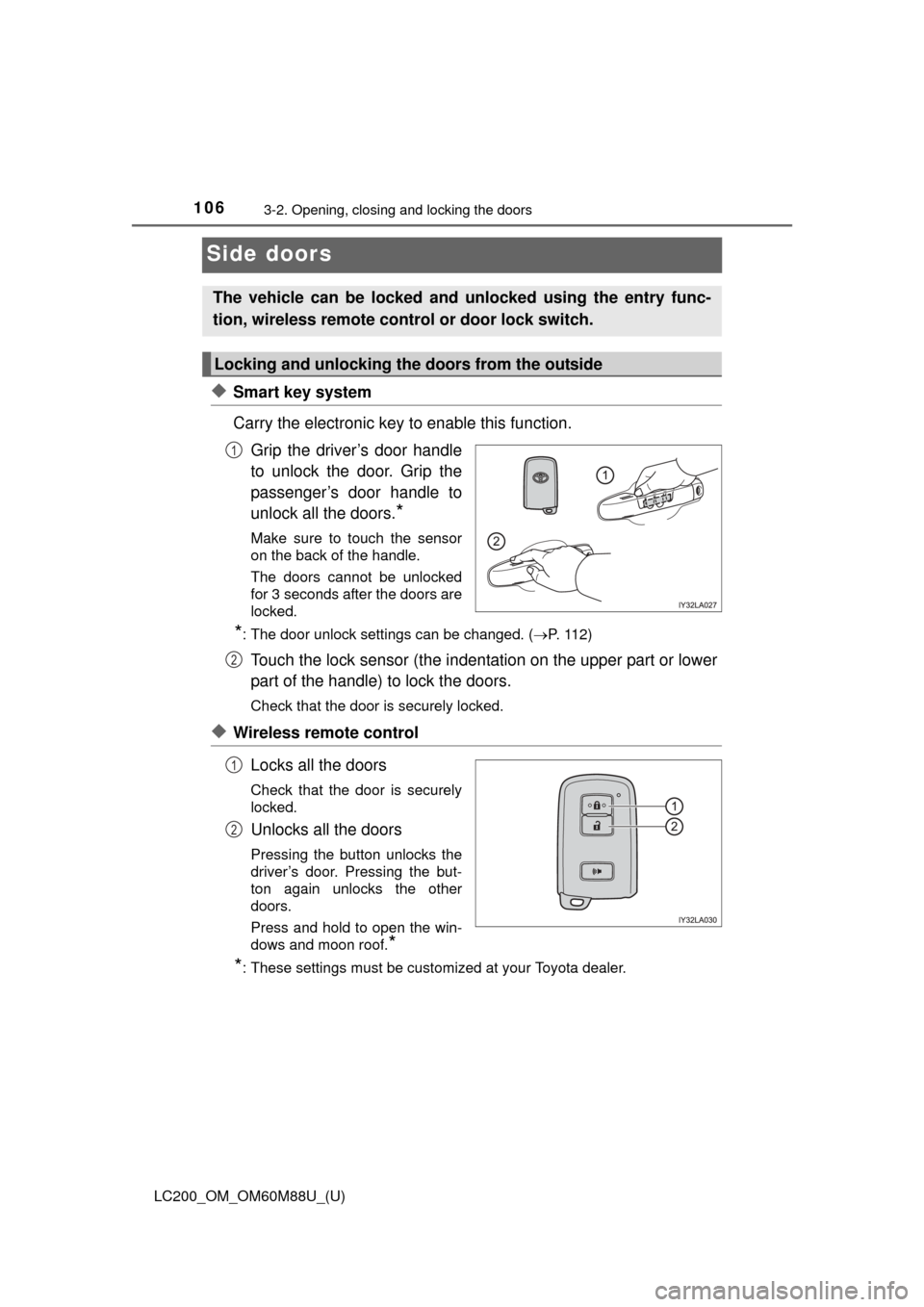
◆Smart key system
Carry the electronic key to enable this function.Grip the driver’s door handle
to unlock the door. Grip the
passenger’s door handle to
unlock all the doors.
*
Make sure to touch the sensor
on the back of the handle.
The doors cannot be unlocked
for 3 seconds after the doors are
locked.
*: The door unlock settings can be changed. ( P. 112)
Touch the lock sensor (the indentation on the upper part or lower
part of the handle) to lock the doors.
Check that the door is securely locked.
◆Wireless remote control
Locks all the doors
Check that the door is securely
locked.
Unlocks all the doors
Pressing the button unlocks the
driver’s door. Pressing the but-
ton again unlocks the other
doors.
Press and hold to open the win-
dows and moon roof.
*
*
: These settings must be customized at your Toyota dealer.
The vehicle can be locked and unlocked using the entry func-
tion, wireless remote c ontrol or door lock switch.
Locking and unlocking the doors from the outside
1
2
1
2
Page 107 of 608
LC200_OM_OM60M88U_(U)
1073-2. Opening, closing and locking the doors
3
Operation of each component
■Operation signals
Doors: A buzzer sounds and the emergency flashers flash to indicate that the
doors have been locked/unlocked. (Locked: once; Unlocked: twice)
Windows and moon roof: A buzzer sounds to indicate that the windows and
moon roof are operating.
■ Security feature
If a door is not opened within approximately 60 seconds after the vehicle is
unlocked, the security feature automatically locks the vehicle again.
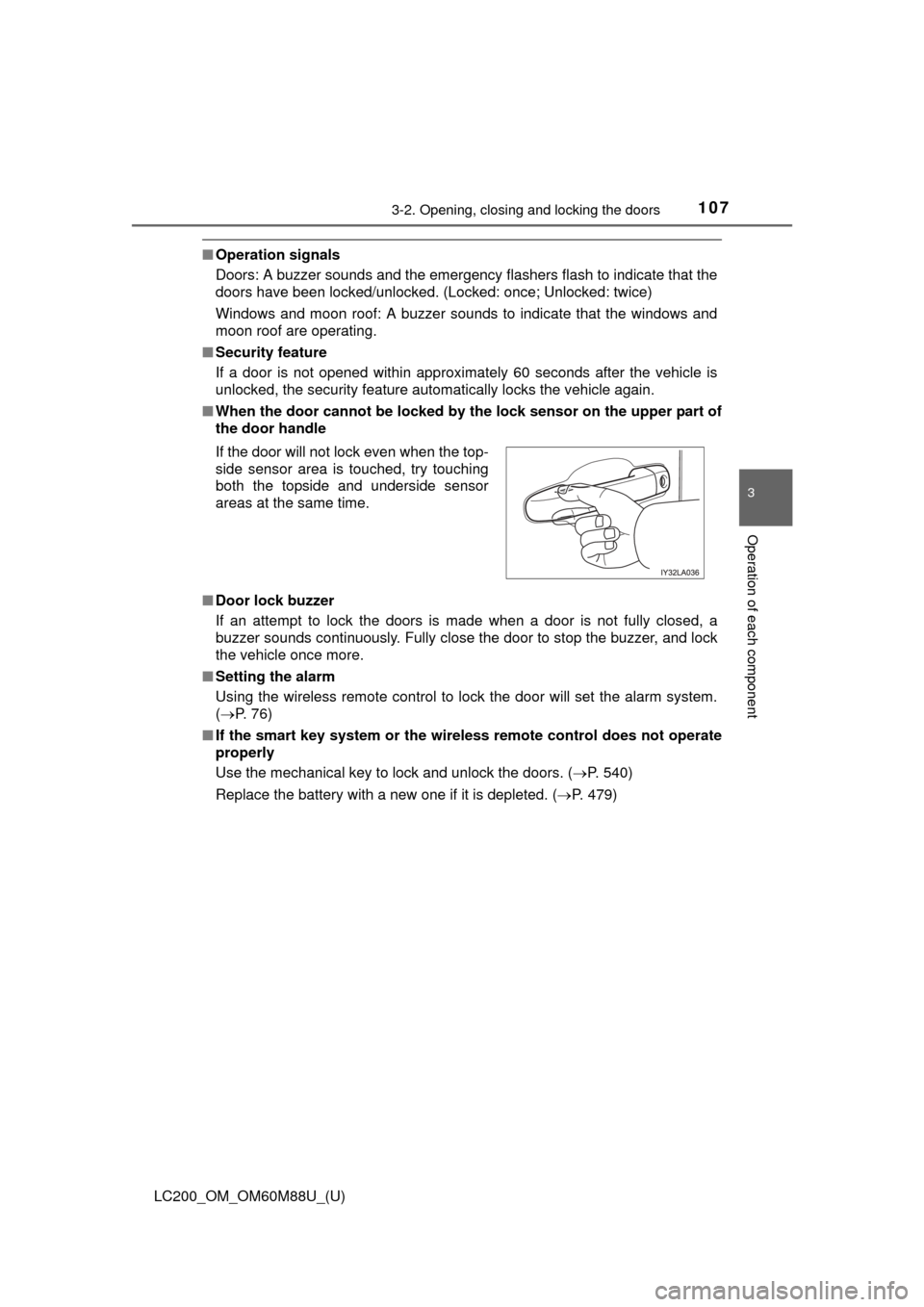
■ When the door cannot be locked by the lock sensor on the upper part of
the door handle
■ Door lock buzzer
If an attempt to lock the doors is made when a door is not fully closed, a
buzzer sounds continuously. Fully close the door to stop the buzzer, and lock
the vehicle once more.
■ Setting the alarm
Using the wireless remote control to lock the door will set the alarm system.
( P. 76)
■ If the smart key system or the wireless remote control does not operate
properly
Use the mechanical key to lock and unlock the doors. ( P. 540)
Replace the battery with a new one if it is depleted. ( P. 479)
If the door will not lock even when the top-
side sensor area is touched, try touching
both the topside and underside sensor
areas at the same time.
Page 108 of 608
108
LC200_OM_OM60M88U_(U)
3-2. Opening, closing and locking the doors
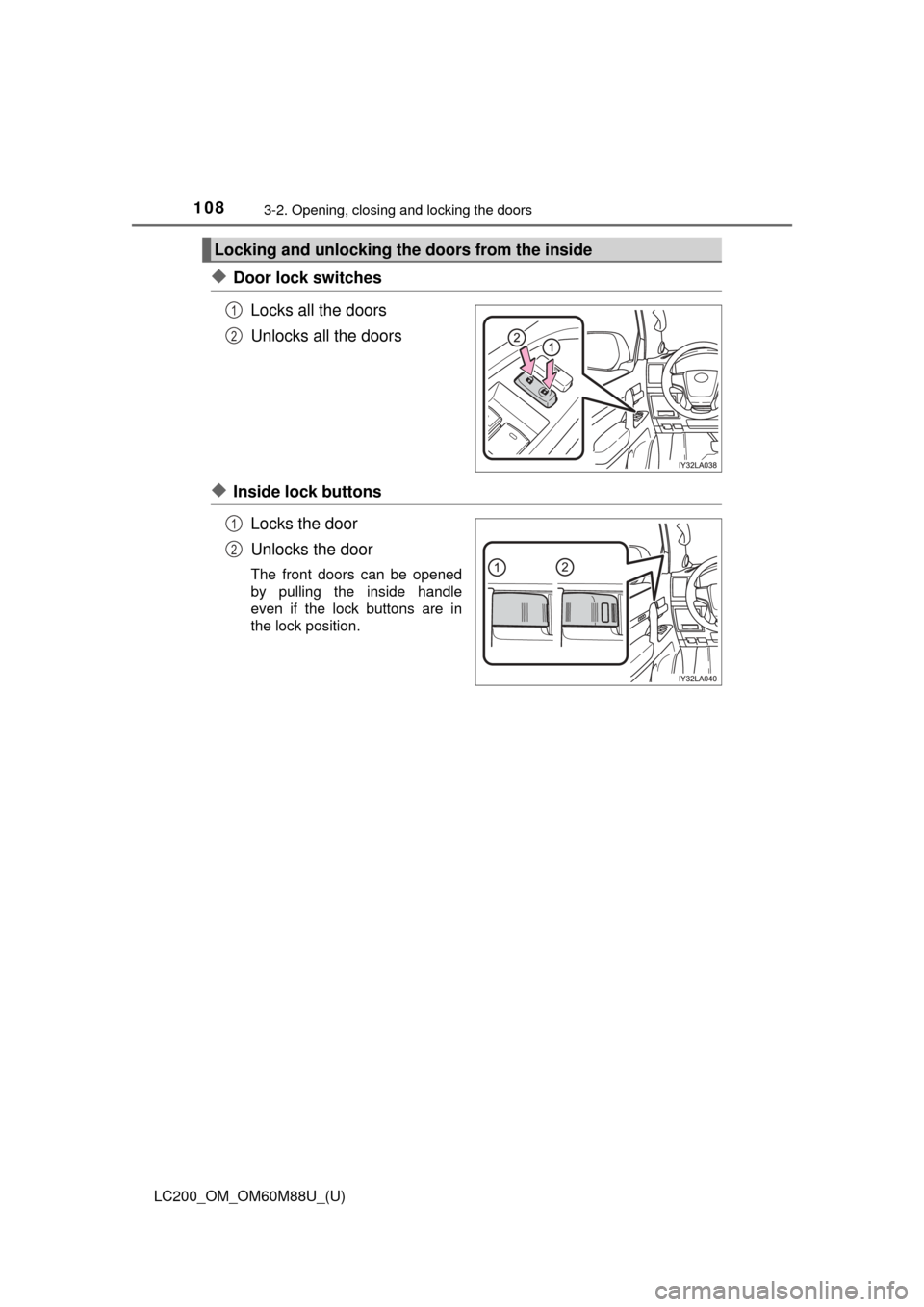
◆Door lock switchesLocks all the doors
Unlocks all the doors
◆Inside lock buttonsLocks the door
Unlocks the door
The front doors can be opened
by pulling the inside handle
even if the lock buttons are in
the lock position.
Locking and unlocking the doors from the inside
1
2
1
2