maintenance reset TOYOTA LAND CRUISER 2016 J200 Owners Manual
[x] Cancel search | Manufacturer: TOYOTA, Model Year: 2016, Model line: LAND CRUISER, Model: TOYOTA LAND CRUISER 2016 J200Pages: 608, PDF Size: 10.91 MB
Page 95 of 608
LC200_OM_OM60M88U_(U)
952. Instrument cluster
2
Instrument cluster
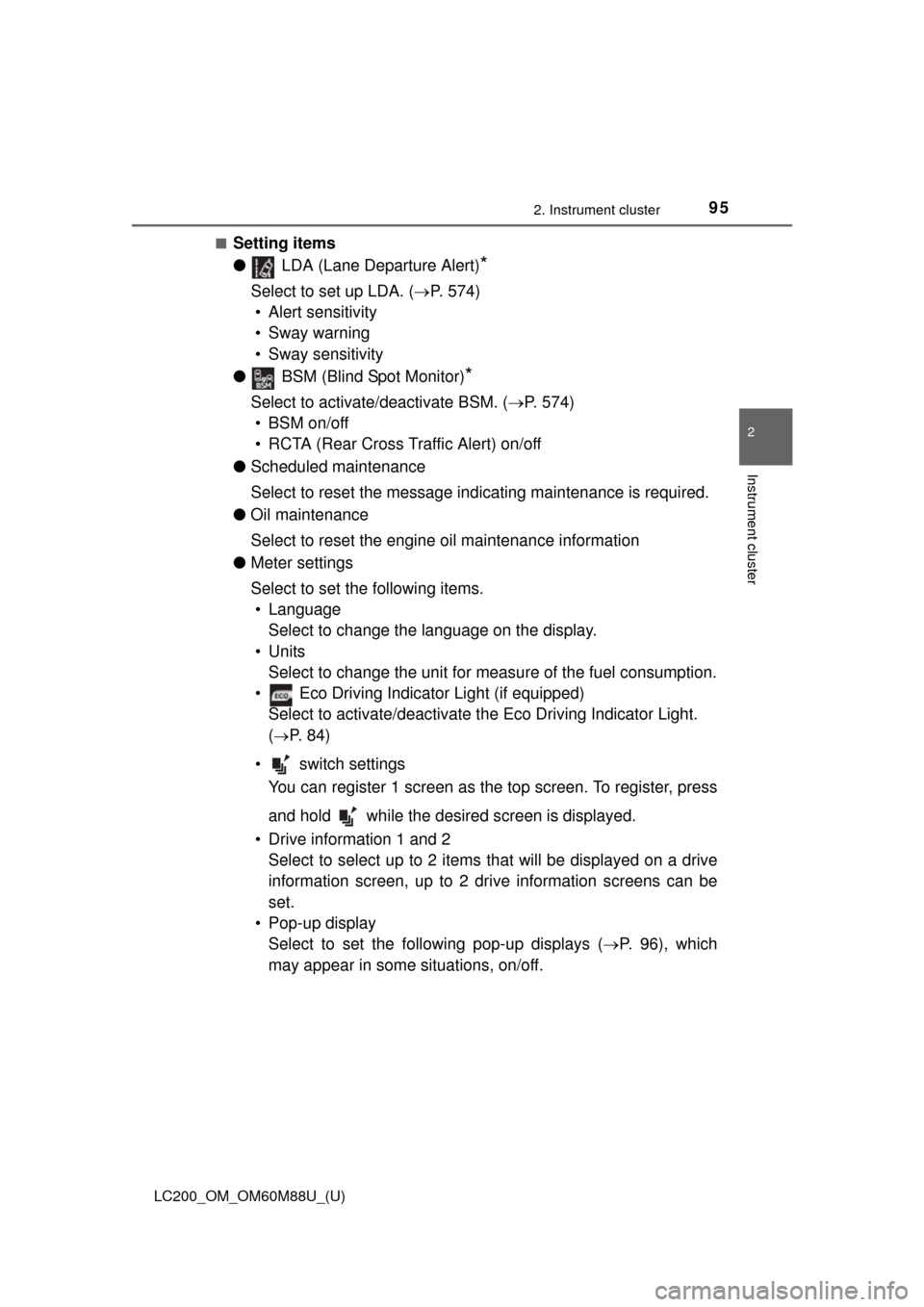
■Setting items
● LDA (Lane Departure Alert)
*
Select to set up LDA. ( P. 574)
• Alert sensitivity
• Sway warning
• Sway sensitivity
● BSM (Blind Spot Monitor)
*
Select to activate/deactivate BSM. ( P. 574)
• BSM on/off
• RCTA (Rear Cross Traffic Alert) on/off
● Scheduled maintenance
Select to reset the message indicating maintenance is required.
● Oil maintenance
Select to reset the engine oil maintenance information
● Meter settings
Select to set the following items.
• Language Select to change the language on the display.
•Units Select to change the unit for measure of the fuel consumption.
• Eco Driving Indicator Light (if equipped) Select to activate/deactivate th e Eco Driving Indicator Light.
(
P. 8 4 )
• switch settings You can register 1 screen as the top screen. To register, press
and hold while the desired screen is displayed.
• Drive information 1 and 2 Select to select up to 2 items th at will be displayed on a drive
information screen, up to 2 dr ive information screens can be
set.
• Pop-up display Select to set the following pop-up displays ( P. 9 6 ) , w h i c h
may appear in some situations, on/off.
Page 441 of 608
LC200_OM_OM60M88U_(U)
4416-2. Maintenance
6
Maintenance and care
■Repair and replacement
It is recommended that genuine Toyota parts be used for repairs to ensure
performance of each system. If non-Toyota parts are used in replacement or if
a repair shop other than a Toyota dealer performs repairs, confirm the war-
ranty coverage.
■ Resetting the message indicating maintenance is required
After the required maintenance is performed according to the maintenance
schedule, please reset the message.
To reset the message, follow the procedures described below:
Press or of the meter control switches, select .
Press or of the meter control switches, select “Scheduled
Maintenance” and then press .
Select the “Yes” and press .
A message is displayed on the multi-information display.
■ Allow inspection and repairs to be performed by a Toyota dealer
●Toyota technicians are well-trained specialists and are kept up to date with
the latest service information. They are well informed about the operation of
all systems on your vehicle.
● Keep a copy of the repair order. It proves that the maintenance that has
been performed is under warranty cove rage. If any problem should arise
while your vehicle is under warranty, your Toyota dealer will promptly take
care of it.
1
2
3
4
Page 454 of 608
454
LC200_OM_OM60M88U_(U)
6-3. Do-it-yourself maintenance
■After changing the engine oil
The engine oil maintenance data should be reset. Perform the following pro-
cedures:
Press or of the meter control switches, select .
Press or of the meter control switches, select “Oil Maintenance”
and then press .
Select the “Yes” and press .
A message is displayed on the multi-information display.
WARNING
■ Used engine oil
●Used engine oil contains potentially harmful contaminants which may
cause skin disorders such as inflammation or skin cancer, so care should
be taken to avoid prolonged and repeated contact. To remove used engine
oil from your skin, wash thoroughly with soap and water.
● Dispose of used oil and filters only in a safe and acceptable manner. Do
not dispose of used oil and filters in household trash, in sewers or onto the
ground. Call your Toyota dealer, service station or auto parts store for
information concerning recycling or disposal.
● Do not leave used engine oil within the reach of children.
NOTICE
■To prevent serious engine damage
Check the oil level on regular basis.
■ When replacing the engine oil
●Be careful not to spill engine oil on the vehicle components.
● Avoid overfilling, or the engine could be damaged.
● Check the oil level on the dipstick every time you refill the vehicle.
● Be sure the engine oil filler cap is properly tightened.
1
2
3
4
Page 465 of 608
LC200_OM_OM60M88U_(U)
4656-3. Do-it-yourself maintenance
6
Maintenance and care
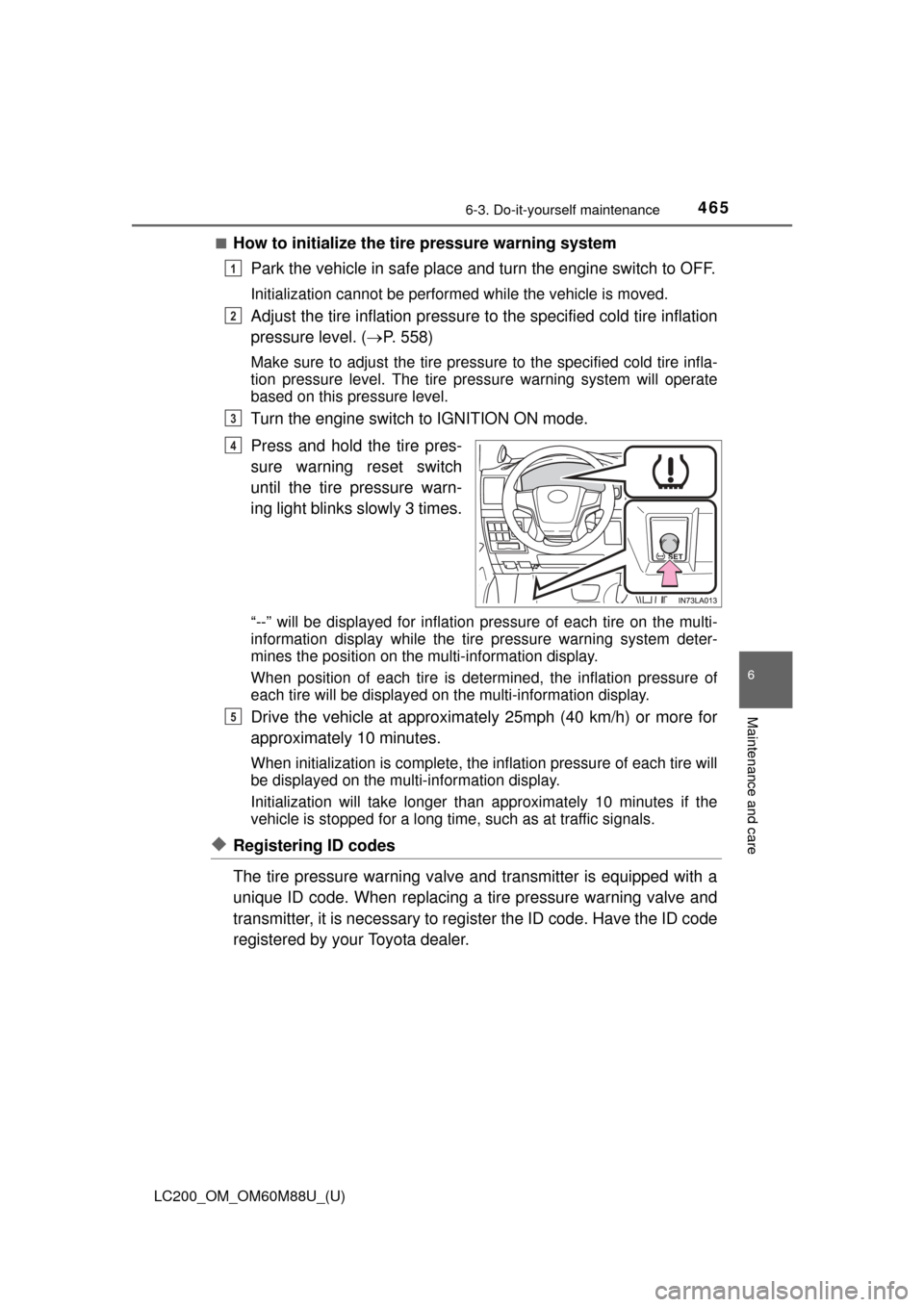
■How to initialize the tire pressure warning systemPark the vehicle in safe place and turn the engine switch to OFF.
Initialization cannot be performed while the vehicle is moved.
Adjust the tire inflation pressure to the specified cold tire inflation
pressure level. ( P. 558)
Make sure to adjust the tire pressu re to the specified cold tire infla-
tion pressure level. The tire pressure warning system will operate
based on this pressure level.
Turn the engine switch to IGNITION ON mode.
Press and hold the tire pres-
sure warning reset switch
until the tire pressure warn-
ing light blinks slowly 3 times.
“--” will be displayed for inflation pressure of each tire on the multi-
information display while the tire pressure warning system deter-
mines the position on the multi-information display.
When position of each tire is determined, the inflation pressure of
each tire will be displayed on the multi-information display.
Drive the vehicle at approximatel y 25mph (40 km/h) or more for
approximately 10 minutes.
When initialization is co mplete, the inflation pre ssure of each tire will
be displayed on the multi-information display.
Initialization will take longer than approximately 10 minutes if the
vehicle is stopped for a long time, such as at traffic signals.
◆Registering ID codes
The tire pressure warning valve and transmitter is equipped with a
unique ID code. When replacing a tire pressure warning valve and
transmitter, it is necessary to register the ID code. Have the ID code
registered by your Toyota dealer.
1
2
3
4
5
Page 469 of 608

LC200_OM_OM60M88U_(U)
4696-3. Do-it-yourself maintenance
6
Maintenance and care
■The initialization operation
●Make sure to carry out initialization after adjusting the tire inflation pres-
sure. Also, make sure the tires are cold before carrying out initialization
or tire inflation pressure adjustment.
●If you have accidentally turned the engine switch off during initialization,
it is not necessary to press the reset switch again as initialization will
restart automatically when the engine switch has been turned to IGNI-
TION ON mode for the next time.
●If you accidentally press the reset s witch when initialization is not neces-
sary, adjust the tire inflation pressu re to the specified level when the
tires are cold, and conduct initialization again.
●While the position of each tire is being determined and the inflation pres-
sures are not being displayed on the multi-information display, if the
inflation pressure of a tire drops, the tire pressure warning light will come
on.
■Warning performance of the ti re pressure warning system
The warning of the tire pressure warning system will change in accor-
dance with the conditions under which it was initialized. For this reason,
the system may give a warning even if the tire pressure does not reach a
low enough level, or if the pressure is higher than the pressure that was
adjusted to when the system was initialized.
■When initialization of the tire pr essure warning system has failed
Initialization may take longer to comp lete if the vehicle is driven on an
unpaved road. When performing initia lization, drive on a paved road if
possible. Depending on the driving environment and condition of the tires,
initialization will be completed in approx imately 10 minutes. If initialization
is not complete after driving approxima tely 10 minutes, continue driving
for a while.
If the inflation of each tire is not displayed after driving for approximately 1
hour, perform the following procedure.
●Park the vehicle in a safe place for approximately 20 minutes. Then
drive straight (with occasional left and right turns) at approximately
25 mph (40 km/h) or more for approximately 10 to 20 minutes.
However, in the following situations, the tire inflation pressure will not be
recorder and the system will not operate properly. Perform initialization.
●When operating the tire pressure warning reset switch, the tire pressure
warning light does not blink 3 times.
●After performing initialization, the ti re pressure warning light blinks for 1
minute then stays on after driving for about 20 minutes.
If the inflation pressure of each tire is still not displayed, have the vehicle
inspected by your Toyota dealer.
Page 470 of 608
470
LC200_OM_OM60M88U_(U)
6-3. Do-it-yourself maintenance
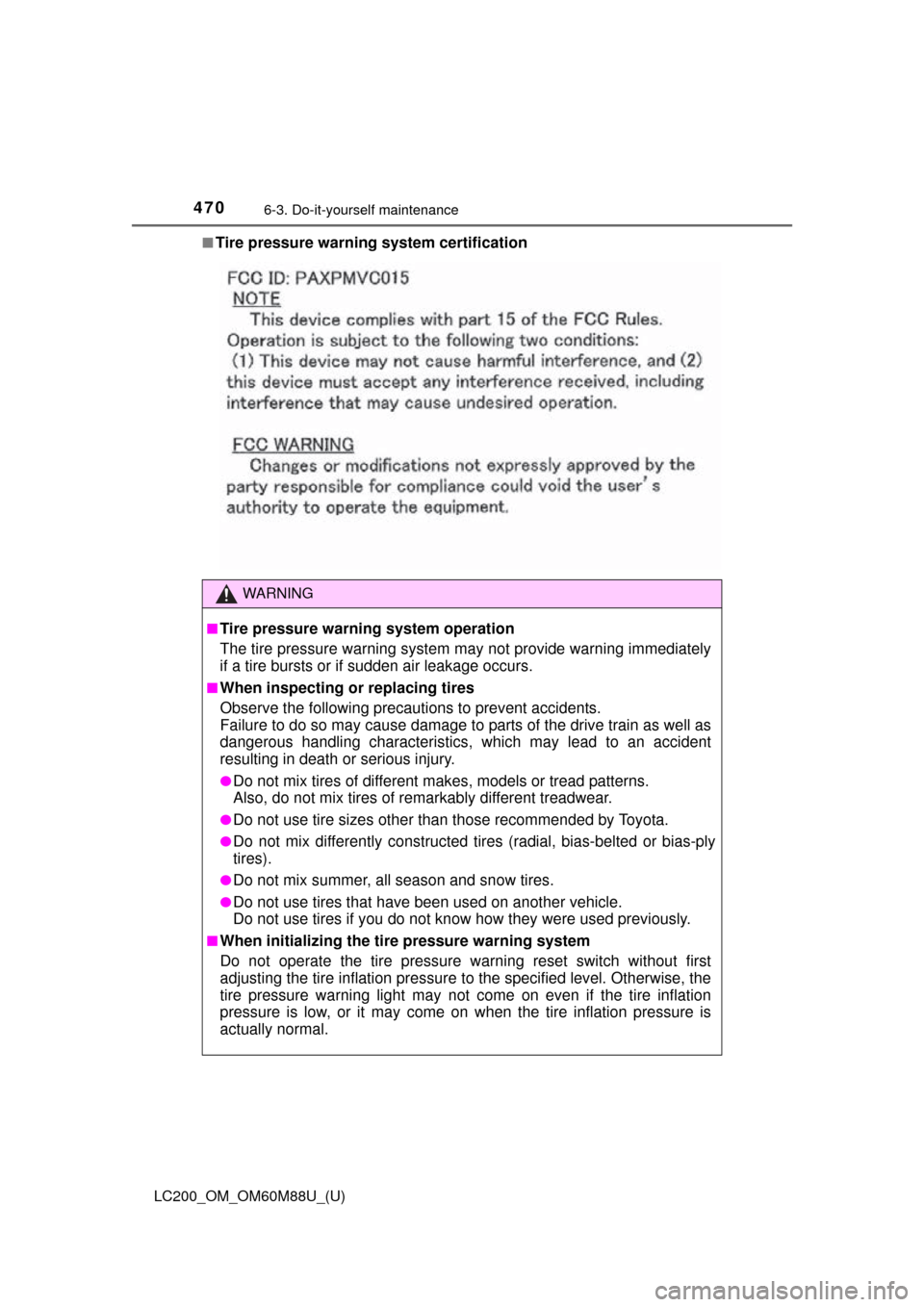
■Tire pressure warning system certification
WARNING
■Tire pressure warning system operation
The tire pressure warning system may not provide warning immediately
if a tire bursts or if sudden air leakage occurs.
■When inspecting or replacing tires
Observe the following precautions to prevent accidents.
Failure to do so may cause damage to parts of the drive train as well as
dangerous handling characteristics, which may lead to an accident
resulting in death or serious injury.
●Do not mix tires of different makes, models or tread patterns.
Also, do not mix tires of remarkably different treadwear.
●Do not use tire sizes other than those recommended by Toyota.
●Do not mix differently constructed ti res (radial, bias-belted or bias-ply
tires).
●Do not mix summer, all season and snow tires.
●Do not use tires that have been used on another vehicle.
Do not use tires if you do not know how they were used previously.
■When initializing the tire pressure warning system
Do not operate the tire pressure warning reset switch without first
adjusting the tire inflation pressure to the specified level. Otherwise, the
tire pressure warning light may not come on even if the tire inflation
pressure is low, or it may come on when the tire inflation pressure is
actually normal.
Page 522 of 608

5227-2. Steps to take in an emergency
LC200_OM_OM60M88U_(U)■
If “Forward Camera System Unavaila ble” or “Forward Camera System
Unavailable Clean Windshield” is displayed. (if equipped)
The following systems may be suspended until the problem shown in the
message is resolved.
● Dynamic radar cruise control
● PCS (Pre-Collision System)
● LDA (Lane Departure Alert with steering control)
● AHB (Automatic High Beam)
■ If “Engine Oil Level Low” is shown
Indicates that engine oil level is low.
Check the level of engine oil, and add if necessary.
This message may appear if the vehicle is stopped on a slope.
Move the vehicle to a level surface and check to see if the message disap-
pears.
■ If a following message is shown, take appropriate action and confirm
that the message has disappeared. ( P. 284)
●
“Crawl Not Available Select L4 and Shift to [D] or [R] Position”
●“Crawl Not Available Check System Operation Conditions”
●“Turn Assist Function Not Available Check System Operation Conditions”
●“Turn Assist Function Not Available Activate Crawl Control”
■ If “Maintenance Required Soon” is shown (U.S.A. only)
Indicates that all maintenance according to the driven distance on the mainte-
nance schedule
* should be performed soon.
Comes on approximately 4500 miles (7200 km) after the message has been
reset.
If necessary, perform maintenance.
*: Refer to the separate “Scheduled Maintenance Guide” or “Owner’s Manual
Supplement” for the maintenance interval applicable to your vehicle.
■ If “Maintenance Required Visit Your Dealer” is shown (U.S.A. only)
Indicates that all maintenance is required to correspond to the driven distance
on the maintenance schedule
*.
Comes on approximately 5000 miles (8000 km) after the message has been
reset. (The indicator will not work properly unless the message has been
reset.)
Perform the necessary maintenance. Please reset the message after the
maintenance is performed ( P. 440)
*: Refer to the separate “Scheduled Maintenance Guide” or “Owner’s Manual
Supplement” for the maintenance interval applicable to your vehicle.
Page 523 of 608
5237-2. Steps to take in an emergency
LC200_OM_OM60M88U_(U)
7
When trouble arises
■If “Oil Maintenance Required Soon” is shown
Indicates that the engine oil is scheduled to be changed. (The indicator will
not work properly unless the message has been reset.)
Check the engine oil, and change if necessary. After changing the engine oil,
the message should be reset. ( P. 452)
■ If “Oil Maintenance Required Visit Your Dealer” is shown
Indicates that the engine oil should be changed. (The indicator will not work
properly unless the message has been reset.)
Check and change the engine oil, and oil filter by your Toyota dealer. After
changing the engine oil, the message should be reset. ( P. 452)
■ If “Visit Your Dealer” is shown
The system or part shown on the multi-information display is malfunctioning.
Have the vehicle inspected by your Toyota dealer immediately.
■ Warning buzzer
In some cases, the buzzer may not be heard due to being in a noisy location
or audio sound.
Page 602 of 608

602Alphabetical index
LC200_OM_OM60M88U_(U)
Panic mode .............................. 103
Parking assist sensors (intuitive parking assist) ....... 272
Parking brake ........................... 204 Operation .............................. 204
Parking brake engaged
warning buzzer ................... 204
Parking lights ........................... 205
Light switch ........................... 205
Replacing light bulbs............. 497
PCS (Pre-Collision system) .... 233
Enabling/disabling the system ......... ....................... 237
Function ................................ 233
Warning light ......................... 511
Personal lights ......................... 393 Switch ................................... 395
Power outlets ........................... 410
Power steering Fluid ...................................... 558
Power windows........................ 150 Jam protection function......... 151
Operation .............................. 150
Window lock switch............... 150
Pre-Collision system (PCS) ...................................... 233Enabling/disabling the
system ......... ....................... 237
Function ................................ 233
Warning light ......................... 511 Radar cruise control
(dynamic radar cruise
control)................................... 257
Radiator .................................... 456
Radio
*
Rear air conditioning system.................................... 385
Rear seat .................................. 129
Adjustment............................ 129
Folding up the third seats................................... 132
Tumbling the second seats................................... 130
Rear side marker lights........... 205
Light switch ........................... 205
Replacing light bulbs ............ 497
Rear step bumper .................... 116
Rear turn signal lights ............ 203
Replacing light bulbs ............ 494
Turn signal lever ................... 203
Wattage ................................ 559
Rear view mirror Inside rear view mirror .......... 145
Outside rear view mirrors ..... 147
Rear view monitor system
*
Rear window defogger ............ 380
Rear window wiper .................. 219
Refueling .................................. 222 Capacity................................ 554
Fuel types ............................. 554
Opening the fuel tank cap..... 222
Replacing Electronic key battery ........... 479
Fuses .................................... 481
Light bulbs ............................ 487
Tires...................................... 524
Reporting safety defects for U.S. owners...................... 586
Resetting the message
indicating maintenance is
required.................................. 441
Roof luggage carrier ............... 169
PR
Page 605 of 608
605Alphabetical index
LC200_OM_OM60M88U_(U)
Meter control switches ............ 91
Moon roof switches ............... 154
Outside rear view mirror switches.............................. 147
Personal light switch ............. 395
Power door lock switch ......... 108
Power window switch............ 150
Rear window wiper and
washer switch ..................... 219
Rear window and outside rear view mirror
defoggers switch ................ 380
Seat heater switches ............ 390
Seat ventilator switches ........ 390
“SOS” button ......................... 427
Talk switch
*
Telephone switches*
Tilt and telescopic steering control switch...................... 143
Tire pressure warning
reset switch ........................ 465
Vehicle-to-vehicle distance button ................................. 263
VSC OFF switch ................... 359
Window lock switch............... 150
Windshield wipers and washer switch ..................... 215
Wireless charger power supply switch ...................... 412 Tachometer ................................ 85
Tail lights.................................. 205
Light switch ........................... 205
Replacing light bulbs ............ 497
Talk switch
*
Telephone switches*
Theft deterrent system Alarm ...................................... 76
Immobilizer system .. ............... 74
Tire inflation pressure............. 472 Maintenance data ................. 558
Warning light......................... 512
Tire information ....................... 563 Glossary ............................... 569
Size....................................... 565
Tire identification number ..... 564
Uniform Tire Quality
Grading .............................. 567
Tire pressure warning system.................................... 464
Function ................................ 464
Initializing .............................. 464
Installing tire pressure warning valves and
transmitters ........................ 464
Registering ID codes ............ 465
Tire pressure warning reset switch ........................ 465
Warning light......................... 512
T
*: Refer to the “NAVIGATION SYSTEM OWNER’S MANUAL”.