remote start TOYOTA LAND CRUISER 2016 J200 Owners Manual
[x] Cancel search | Manufacturer: TOYOTA, Model Year: 2016, Model line: LAND CRUISER, Model: TOYOTA LAND CRUISER 2016 J200Pages: 608, PDF Size: 10.91 MB
Page 11 of 608
LC200_OM_OM60M88U_(U)
11
The SRS airbag and seat belt pretensioner devices in your Toyota contain
explosive chemicals. If the vehicle is scrapped with the airbags and seat belt
pretensioners left as they are, this may cause an accident such as fire. Be
sure to have the systems of the SRS airbag and seat belt pretensioner
removed and disposed of by a qualified service shop or by your Toyota dealer
before you scrap your vehicle.
Special handling may apply,
See www.dtsc.ca.gov/hazardouswaste/perchlorate.
Your vehicle has components that may contain perchlorate. These
components may include airbag, seat belt pretensioners, and wireless remote
control batteries.
Scrapping of your Toyota
Perchlorate Material
WARNING
■General precautions while driving
Driving under the influence: Never drive your vehicle when under the influ-
ence of alcohol or drugs that have impaired your ability to operate your vehi-
cle. Alcohol and certain drugs delay reaction time, impair judgment and
reduce coordination, which could lead to an accident that could result in
death or serious injury.
Defensive driving: Always drive defensively. Anticipate mistakes that other
drivers or pedestrians might make and be ready to avoid accidents.
Driver distraction: Always give your full attention to driving. Anything that
distracts the driver, such as adjusting controls, talking on a cellular phone or
reading can result in a collision with resulting death or serious injury to you,
your occupants or others.
■ General precaution regard ing children’s safety
Never leave children unattended in the vehicle, and never allow children to
have or use the key.
Children may be able to start the vehicle or shift the vehicle into neutral.
There is also a danger that children may injure themselves by playing with
the windows, the moon roof, or other features of the vehicle. In addition,
heat build-up or extremely cold temperatures inside the vehicle can be fatal
to children.
Page 76 of 608
761-2. Theft deterrent system
LC200_OM_OM60M88U_(U)
Alar m
The alarm uses light and sound to give an alert when an intrusion is
detected.
The alarm is triggered in the following situations when the alarm is
set:
●A locked door is unlocked or opened in any way other than using
the entry function or wireless re mote control. (The doors will lock
again automatically.)
● The hood is opened.
● The battery is reconnected.
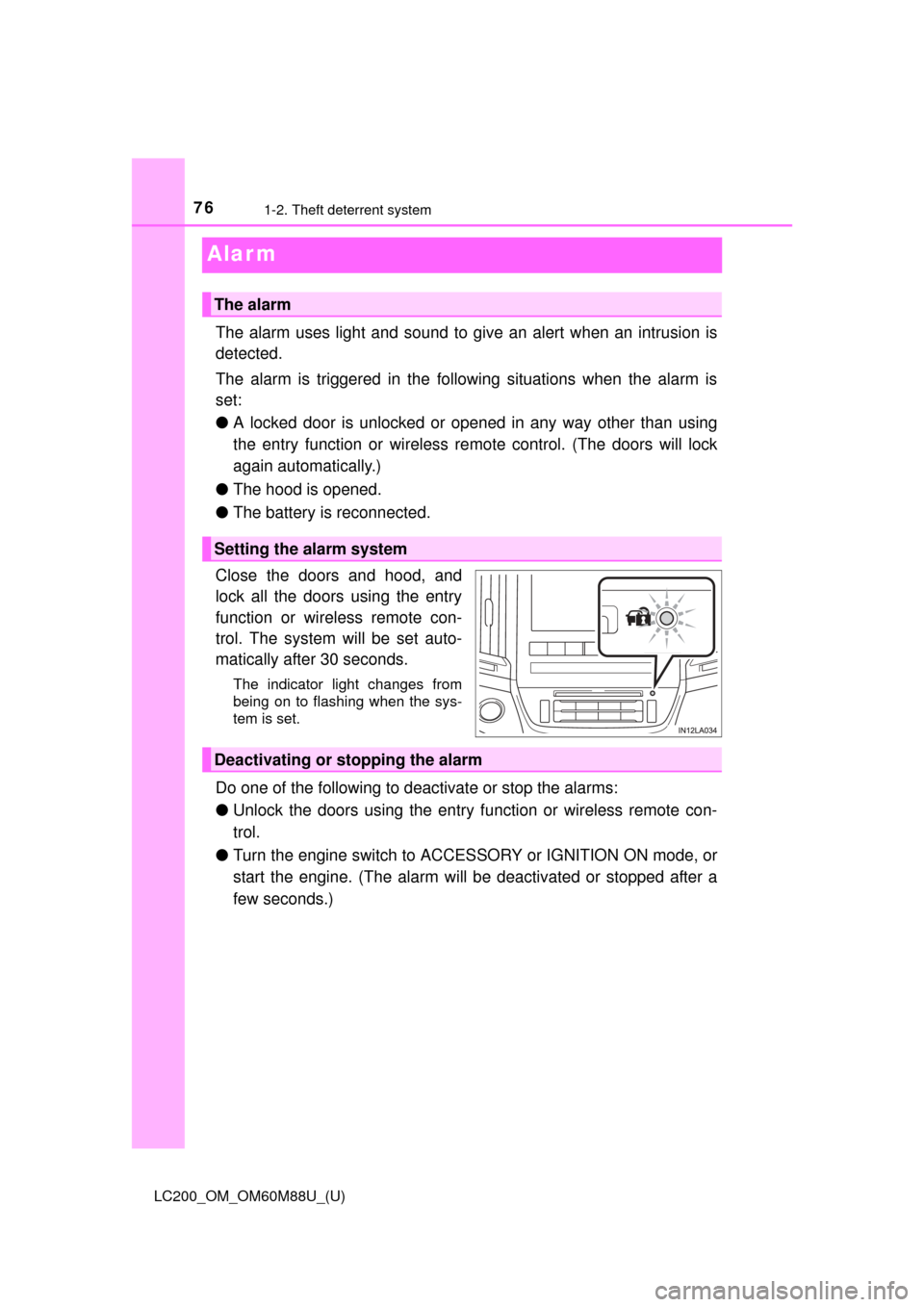
Close the doors and hood, and
lock all the doors using the entry
function or wireless remote con-
trol. The system will be set auto-
matically after 30 seconds.
The indicator light changes from
being on to flashing when the sys-
tem is set.
Do one of the following to d eactivate or stop the alarms:
● Unlock the doors using the entry function or wireless remote con-
trol.
● Turn the engine switch to ACC ESSORY or IGNITION ON mode, or
start the engine. (The alarm will be deactivated or stopped after a
few seconds.)
The alarm
Setting the alarm system
Deactivating or stopping the alarm
Page 123 of 608
LC200_OM_OM60M88U_(U)
1233-2. Opening, closing and locking the doors
3
Operation of each component
●When carrying the electronic key together with the following devices that
emit radio waves
• When carrying a portable radio, cellular phone, cordless phone or other
wireless communication device
• Another vehicle’s electronic key or a wireless key that emits radio waves
• Personal computers or personal digital assistants (PDAs)
• Digital audio players
• Portable game systems
● If window tint with a metallic content or metallic objects are attached to the
rear window
● When the electronic key is placed near a battery charger or electronic
devices
■ Note for the entry function
●Even when the electronic key is within the effective range (detection areas),
the system may not operate properly in the following cases:
• The electronic key is too close to the window or outside door handle, near
the ground, or in a high place when the doors are locked or unlocked.
• The electronic key is on the instrument panel or floor, or in the door pock- ets or glove box when the engine is st arted or engine switch modes are
changed.
● Do not leave the electronic key on top of the instrument panel or near the
door pockets when exiting the vehicle. Depending on the radio wave recep-
tion conditions, it may be detected by the antenna outside the cabin and the
doors will become lockable from the outside, possibly trapping the electronic
key inside the vehicle.
● As long as the electronic key is within the effective range, the doors may be
locked or unlocked by anyone. However, only the doors detecting the elec-
tronic key can be used to unlock the vehicle.
● Even if the electronic key is not inside the vehicle, it may be possible to start
the engine if the electronic key is near the window.
● The doors may unlock or lock if a large amount of water splashes on the
door handle, such as in the rain or in a car wash, when the electronic key is
within the effective range. (The doors will automatically be locked after
approximately 60 seconds if the doors are not opened and closed.)
● Touching the door lock or unlock sensor while wearing gloves may prevent
lock or unlock operation.
● If the wireless remote control is used to lock the doors when the electronic
key is near the vehicle, there is a possibility that the door may not be
unlocked by the entry function. (Use the wireless remote control to unlock
the doors.)
● When the lock operation is performed using the lock sensor, recognition sig-
nals will be shown up to two consecutive times. After this, no recognition
signals will be given.
Page 152 of 608

152
LC200_OM_OM60M88U_(U)
3-5. Opening, closing the windows and moon roof
■When the window cannot be opened or closed
When the jam protection function or catch protection function operates
unusually and the door window cannot be opened or closed, perform the fol-
lowing operations with the power window switch of that door.
● Stop the vehicle. With the engine switch in IGNITION ON mode, within 4
seconds of the jam protection function or catch protection function acti\
vat-
ing, continuously operate the power window switch in the one-touch closing
direction or one-touch opening direction so that the door window can be
opened and closed.
● If the door window cannot be opened and closed even when performing the
above operations, perform the following procedure for function initialization.
Turn the engine switch to IGNITION ON mode.
Pull and hold the power window switch in the one-touch closing direction
and completely close the door window.
Release the power window switch for a moment and then resume pulling
and holding the switch in the one-touch closing direction for approxi-
mately 4 seconds.
Press and hold the power window switch in the one-touch opening direc-
tion. After the door window is completely opened, continue holding the
switch for an additional 1 second or more.
Pull and hold the power window switch in the one-touch closing direction
again. After the door window is completely closed, continue holding the
switch for a further 1 second or more.
If you release the switch while the window is moving, start again from the
beginning.
If the window reverses and cannot be fully closed or opened, have the vehicle
inspected by your Toyota dealer.
■ Door lock linked window operation
●The power windows can be opened and closed using the mechanical key.
*
(P. 540)
● The power windows can be opened using the wireless remote control.
*
( P. 106)
*: The settings must be customized at your Toyota dealer.
■ Power windows open warning buzzer
The buzzer sounds and a message is shown on the multi-information display
in the instrument cluster when the engine switch is turned off and the driver’s
door is opened with the power windows open.
■ Customization
Settings (e.g. linked door lock operation) can be changed.
(Customizable features: P. 574)
1
2
3
4
5
Page 207 of 608
LC200_OM_OM60M88U_(U)
2074-3. Operating the lights and wipers
4
Driving
■Daytime running light system
●To make your vehicle more visible to other drivers during daytime driving,
the daytime running lights turn on automatically (at a reduced intensity)
whenever the engine is started and the parking brake is released. Daytime
running lights are not designed for use at night.
For the U.S.A.: Daytime running lights can be turned off by operating the
switch.
● Compared to turning on the headlights, the daytime running light system
offers greater durability and consumes less electricity, so it can help improve
fuel economy.
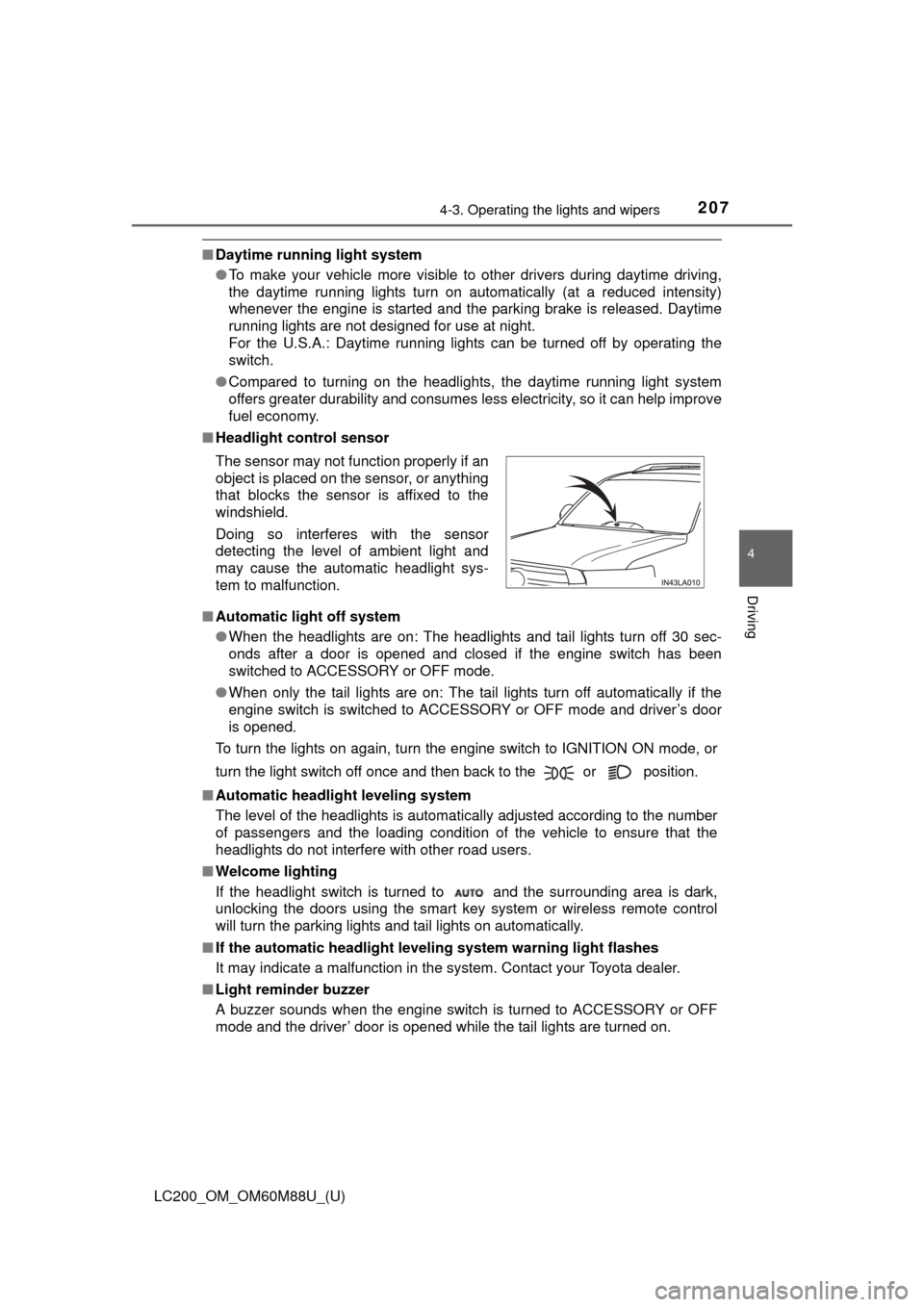
■ Headlight control sensor
■ Automatic light off system
●When the headlights are on: The headlights and tail lights turn off 30 sec-
onds after a door is opened and closed if the engine switch has been
switched to ACCESSORY or OFF mode.
● When only the tail lights are on: The tail lights turn off automatically if the
engine switch is switched to ACCESSORY or OFF mode and driver’s door
is opened.
To turn the lights on again, turn the engine switch to IGNITION ON mode, or
turn the light switch off once and then back to the or position.
■ Automatic headlight leveling system
The level of the headlights is automatically adjusted according to the number
of passengers and the loading condition of the vehicle to ensure that the
headlights do not interfere with other road users.
■ Welcome lighting
If the headlight switch is turned to and the surrounding area is dark,
unlocking the doors using the smart key system or wireless remote control
will turn the parking lights and tail lights on automatically.
■ If the automatic headlight level ing system warning light flashes
It may indicate a malfunction in the system. Contact your Toyota dealer.
■ Light reminder buzzer
A buzzer sounds when the engine switch is turned to ACCESSORY or OFF
mode and the driver’ door is opened while the tail lights are turned on. The sensor may not function properly if an
object is placed on the sensor, or anything
that blocks the sensor is affixed to the
windshield.
Doing so interferes with the sensor
detecting the level of ambient light and
may cause the automatic headlight sys-
tem to malfunction.
Page 424 of 608
424
LC200_OM_OM60M88U_(U)
5-4. Using the other interior features
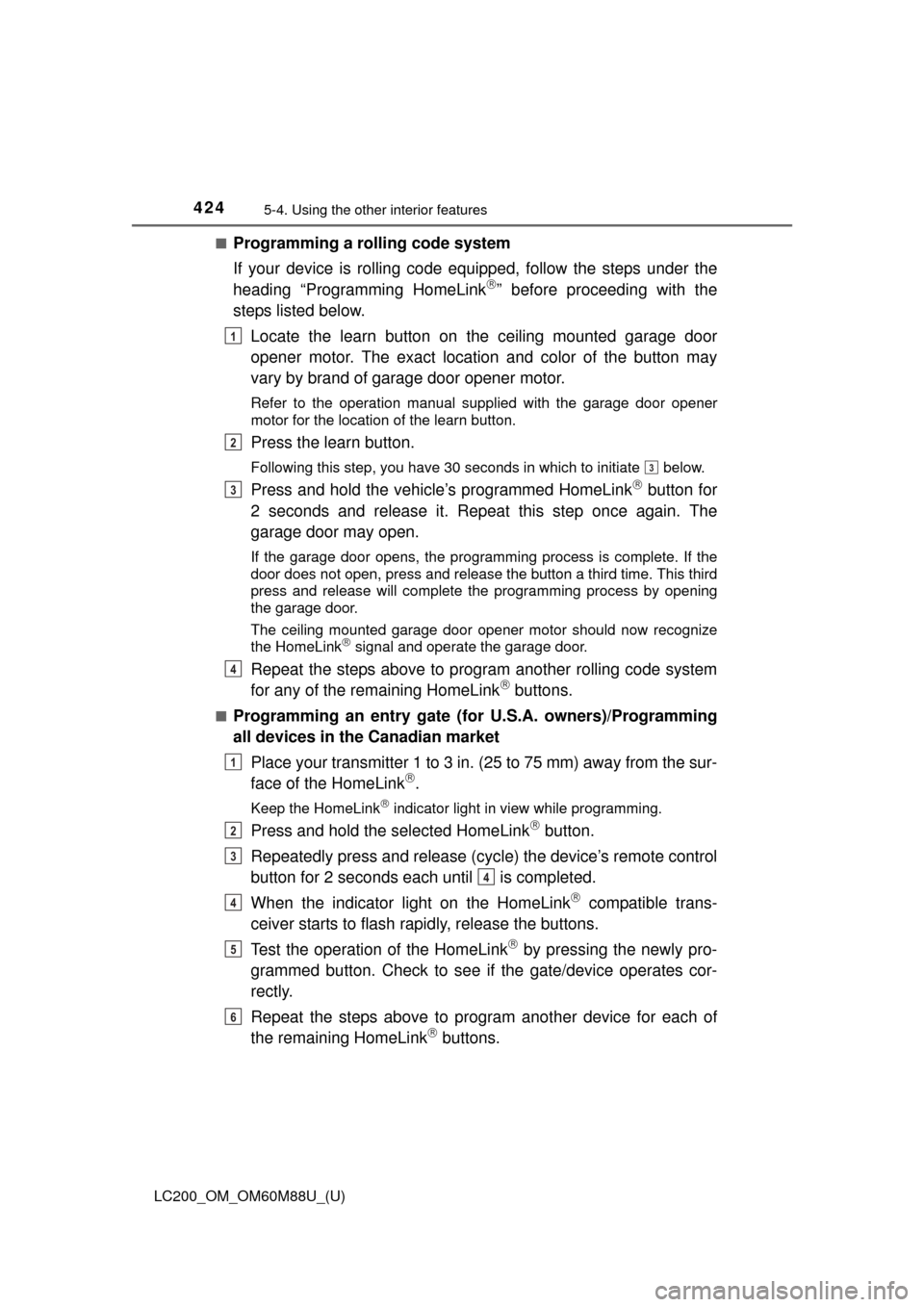
■Programming a rolling code system
If your device is rolling code equipped, follow the steps under the
heading “Programming HomeLink
” before proceeding with the
steps listed below.
Locate the learn button on the ceiling mounted garage door
opener motor. The exact location and color of the button may
vary by brand of garage door opener motor.
Refer to the operation manual supplied with the garage door opener
motor for the location of the learn button.
Press the learn button.
Following this step, you have 30 seconds in which to initiate below.
Press and hold the vehicle’s programmed HomeLink button for
2 seconds and release it. Repeat this step once again. The
garage door may open.
If the garage door opens, the programming process is complete. If the
door does not open, press and release the button a third time. This third
press and release will complete the programming process by opening
the garage door.
The ceiling mounted garage door opener motor should now recognize
the HomeLink
signal and operate the garage door.
Repeat the steps above to program another rolling code system
for any of the remaining HomeLink buttons.
■Programming an entry gate (for U.S.A. owners)/Programming
all devices in the Canadian market
Place your transmitter 1 to 3 in. (25 to 75 mm) away from the sur-
face of the HomeLink
.
Keep the HomeLink indicator light in view while programming.
Press and hold the selected HomeLink button.
Repeatedly press and release (cyc le) the device’s remote control
button for 2 seconds each until is completed.
When the indicator light on the HomeLink
compatible trans-
ceiver starts to flash rapidly, release the buttons.
Test the operation of the HomeLink
by pressing the newly pro-
grammed button. Check to see if the gate/device operates cor-
rectly.
Repeat the steps above to program another device for each of
the remaining HomeLink
buttons.
1
2
3
3
4
1
2
3
4
4
5
6
Page 460 of 608
460
LC200_OM_OM60M88U_(U)
6-3. Do-it-yourself maintenance
■Before recharging
When recharging, the battery produces hydrogen gas which is flammable and
explosive. Therefore, observe the following before recharging:
●If recharging with the battery installed on the vehicle, be sure to disconnect
the ground cable.
● Make sure the power switch on the charger is off when connecting and dis-
connecting the charger cables to the battery.
■ After recharging/reconnecting the battery
The engine may not start. Follow the procedure below to initialize the system.
Shift the shift lever to P
Open and close any of the doors.
Restart the engine.
● Unlocking the doors using the smart key system may not be possible imme-
diately after reconnecting the battery. If this happens, use the wireless
remote control or the mechanical key to lock/unlock the doors.
● Start the engine with the engine switch in ACCESSORY mode. The engine
may not start with the engine switch turned off. However, the engine will
operate normally from the second attempt.
● The engine switch mode is recorded by the vehicle. If the battery is recon-
nected, the vehicle will return the engine switch mode to the status it was in
before the battery was disconnected. Make sure to turn off the engine
before disconnect the battery. Take extra care when connecting the battery
if the engine switch mode prior to discharge is unknown.
If the engine will not start even after multiple attempts at both methods, con-
tact your Toyota dealer.
WARNING
■ Chemicals in the battery
Batteries contain poisonous and corrosive sulfuric acid and may produce
hydrogen gas which is flammable and explosive. To reduce the risk of death
or serious injury, take the following precautions while working on or near
battery:
●Do not cause sparks by touching the battery terminals with tools.
● Do not smoke or light a match near the battery.
● Avoid contact with eyes, skin and clothes.
● Never inhale or swallow electrolyte.
● Wear protective safety glasses when working near the battery.
● Keep children away from the battery.
■ Where to safely charge the battery
Always charge the battery in an open area. Do not charge the battery in a
garage or closed room where there is not sufficient ventilation.
1
2
3
Page 540 of 608
540
LC200_OM_OM60M88U_(U)
7-2. Steps to take in an emergency
If the electronic key does not operate
properly
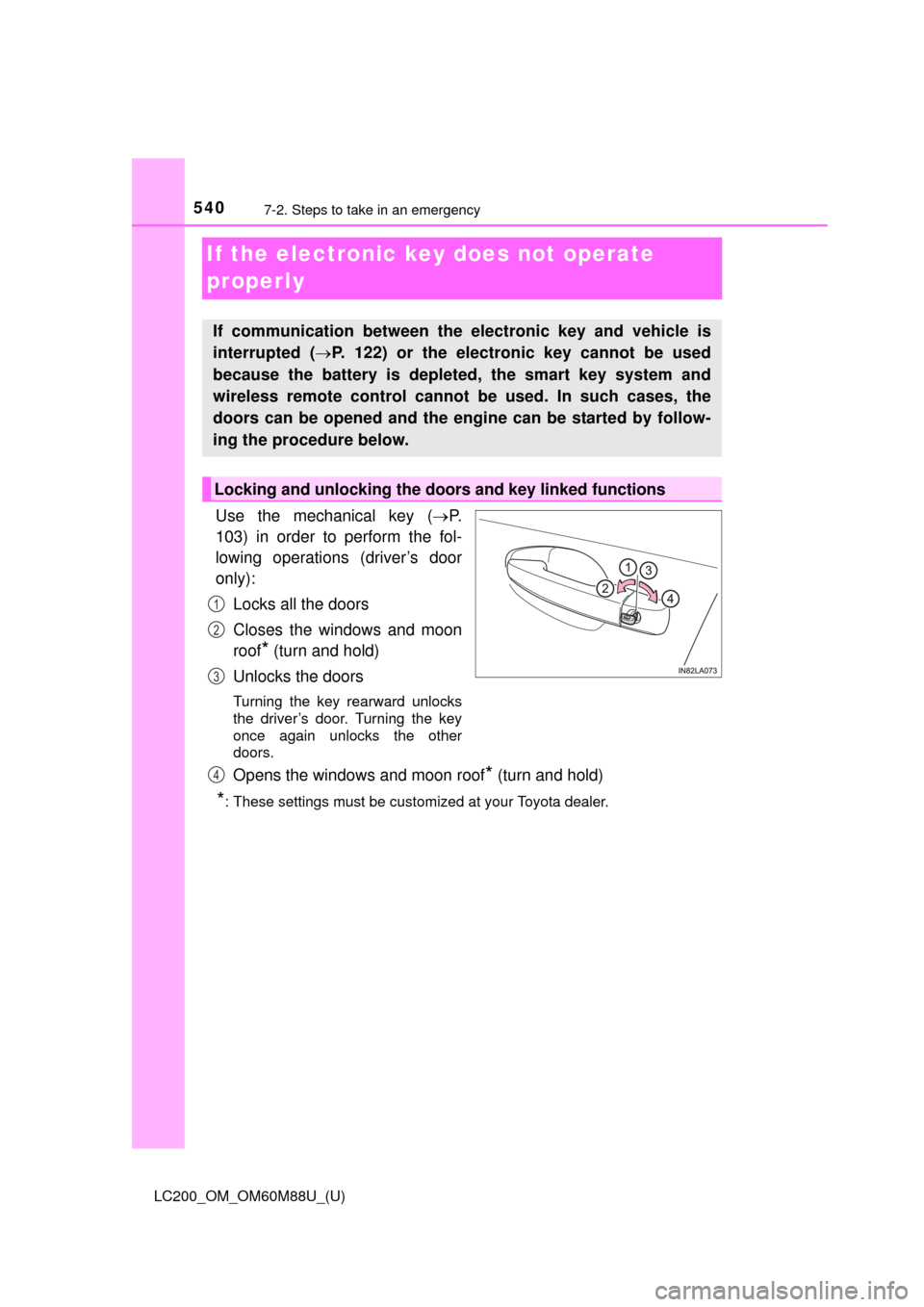
Use the mechanical key (P.
103) in order to perform the fol-
lowing operations (driver’s door
only):
Locks all the doors
Closes the windows and moon
roof
* (turn and hold)
Unlocks the doors
Turning the key rearward unlocks
the driver’s door. Turning the key
once again unlocks the other
doors.
Opens the windows and moon roof* (turn and hold)
*: These settings must be customized at your Toyota dealer.
If communication between the electronic key and vehicle is
interrupted ( P. 122) or the electronic key cannot be used
because the battery is depleted, the smart key system and
wireless remote control cannot be used. In such cases, the
doors can be opened and the engine can be started by follow-
ing the procedure below.
Locking and unlocking the doors and key linked functions
1
2
3
4
Page 593 of 608
593Alphabetical index
LC200_OM_OM60M88U_(U)
Anti-lock brake system (ABS) ...................................... 357
Function ................................ 357
Warning light ......................... 511
Approach warning
Dynamic radar cruise control................................. 264
Armrest ..................................... 420
Assist grips .............................. 421
Audio input
*
Audio system*
Automatic air conditioning
systemAir conditioning filter ............. 477
Automatic air conditioning
system ......... ....................... 374
Automatic door locking and
unlocking systems ................ 110
Automatic headli ght leveling
system .................................... 207
Function ................................ 207
Automatic High Beam ............. 209
Automatic light control system .................................... 207 Automatic transmission ......... 199
2nd start switch..................... 200
Downshift restriction
warning buzzer ................... 202
If the shift lever cannot be
shifted from P ..................... 539
S mode ................................. 201
AUX port
*
Auxiliary boxes ........................ 403
Back door ................................. 114
Back door handle.................. 115
Wireless remote control ........ 106
Back-up lights Replacing light bulbs ............ 492
Wattage ................................ 559
Battery ...................................... 459 Battery checking ................... 459
If the vehicle battery is discharged ...................... 543
Preparing and checking before winter ...................... 369
Voltmeter ................................ 85
Warning light......................... 510
Blind Spot Monitor (BSM) ....... 343
Bluetooth
®*
B
*: Refer to the “NAVIGATION SYSTEM OWNER’S MANUAL”.
Page 604 of 608

604Alphabetical index
LC200_OM_OM60M88U_(U)
Shift leverAutomatic transmission......... 199
If the shift lever cannot be
shifted from P ..................... 539
Shift lock system ..................... 539
Side airbags ............................... 38
Side doors ................................ 106
Side marker lights ................... 205
Light switch ........................... 205
Replacing light bulbs..... 489, 497
Wattage ................................ 559
Side mirrors ............................. 147 Adjusting and folding ............ 147
Blind Spot Monitor ................ 343
Heaters ................................. 380
Mirror position memory ......... 136
Smart key system .................... 120
Antenna location ................... 120
Entry functions .............. 106, 114
Starting the engine................ 193
Snow tires ................................ 369
“SOS” button ........................... 427
Spare tire Inflation pressure .................. 558
Storage location .................... 525
Spark plug ................................ 556
Specifications .......................... 552
Speedometer .............................. 85
SRS airbags ............................... 38
Steering Column lock release ............. 196
Fluid ...................................... 558
Steering wheel ......................... 143
Adjustment ............................ 143
Audio switches
*
Heated steering wheel .......... 389
Meter control switches ............ 91
Telephone switches
*
Stop/tail lightsReplacing light bulbs ............ 497
Storage feature ........................ 396
Stuck If the vehicle becomes
stuck ................................... 549
Sun visors ................................ 408
Sunshade Roof ...................................... 155
Switch Audio remote control
switches
*
Automatic High Beam switch ................................. 209
Center differential lock/unlock switch .............. 281
Clock adjustment buttons ..... 409
Cruise control switch .... 269, 257
Door lock switch ................... 108
Driving position memory
switches ............................. 136
Emergency flashers switch ................................. 500
Engine switch ....................... 193
Fog light switch ..................... 214
Four-wheel drive control switch ................................. 280
Garage door opener switches ............................. 422
Headlight cleaner switch....... 221
Heated steering wheel .......... 389
Interior light switch ................ 394
Intuitive parking assist .......... 272
Ignition switch ....................... 193
LDA (Lane Departure Alert)................................... 251
Light switches ....................... 205