USB TOYOTA LAND CRUISER 2018 Accessories, Audio & Navigation (in English)
[x] Cancel search | Manufacturer: TOYOTA, Model Year: 2018, Model line: LAND CRUISER, Model: TOYOTA LAND CRUISER 2018Pages: 276, PDF Size: 7.11 MB
Page 7 of 276
LC200_Navi_OM60Q52U_(U)
17.06.09 10:34
1
2
3
4
5
6
7
8
7
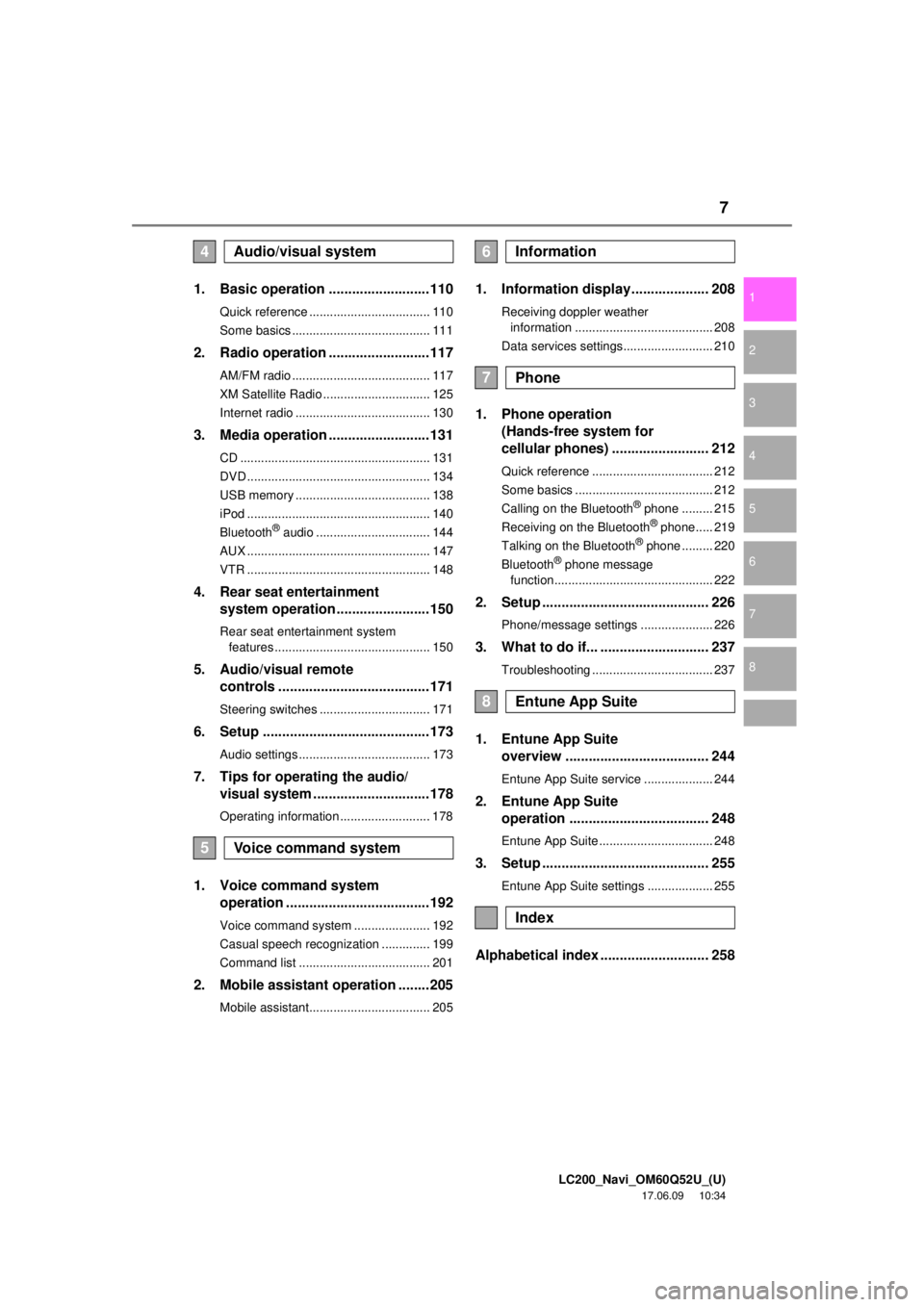
1. Basic operation ..........................110
Quick reference ................................... 110
Some basics ........................................ 111
2. Radio operation ..........................117
AM/FM radio ........................................ 117
XM Satellite Radio ............................... 125
Internet radio ....................................... 130
3. Media operation ..........................131
CD ....................................................... 131
DVD ..................................................... 134
USB memory ....................................... 138
iPod ..................................................... 140
Bluetooth
® audio ................................. 144
AUX ..................................................... 147
VTR ..................................................... 148
4. Rear seat entertainment system operation ........................150
Rear seat entertainment system
features ............................................. 150
5. Audio/visual remote controls .......................................171
Steering switches ................................ 171
6. Setup ...........................................173
Audio settings ...................................... 173
7. Tips for operating the audio/visual system ..............................178
Operating information .......................... 178
1. Voice command system operation .....................................192
Voice command system ...................... 192
Casual speech recognization .............. 199
Command list ...................................... 201
2. Mobile assistant operation ........205
Mobile assistant................................... 205
1. Information display.................... 208
Receiving doppler weather
information ........................................ 208
Data services settings.......................... 210
1. Phone operation (Hands-free system for
cellular phones) ......................... 212
Quick reference ................................... 212
Some basics ........................................ 212
Calling on the Bluetooth
® phone ......... 215
Receiving on the Bluetooth® phone..... 219
Talking on the Bluetooth® phone ......... 220
Bluetooth® phone message
function.............................................. 222
2. Setup ........................................... 226
Phone/message settings ..................... 226
3. What to do if... ............................ 237
Troubleshooting ................................... 237
1. Entune App Suite overview ..................................... 244
Entune App Suite service .................... 244
2. Entune App Suite
operation .................................... 248
Entune App Suite ................................. 248
3. Setup ........................................... 255
Entune App Suite settings ................... 255
Alphabetical index ............................ 258
4Audio/visual system
5Voice command system
6Information
7Phone
8Entune App Suite
Index
Page 46 of 276
LC200_Navi_OM60Q52U_(U)
17.06.09 10:34
463. Other settings
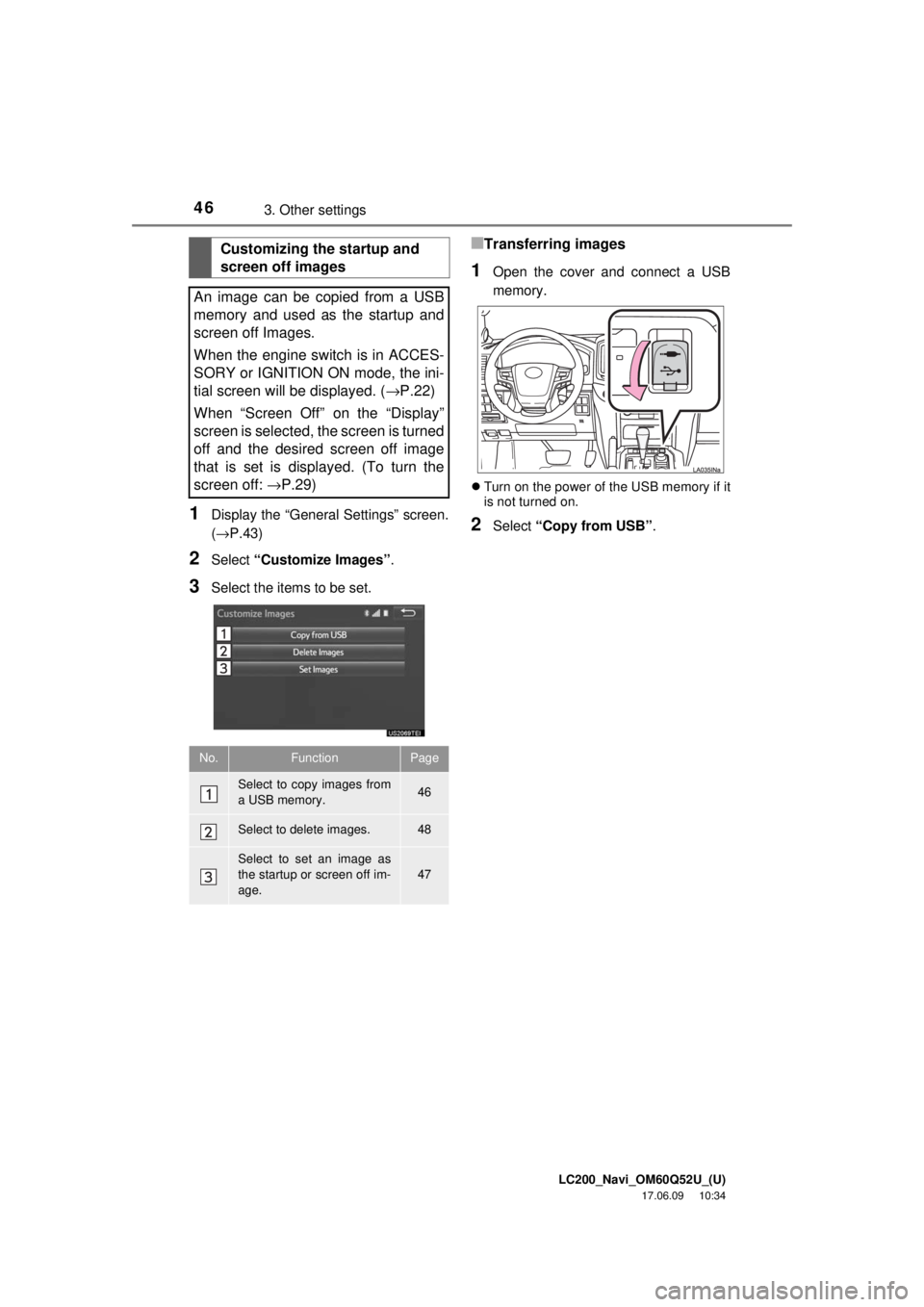
1Display the “General Settings” screen.
(→P.43)
2Select “Customize Images” .
3Select the items to be set.
■Transferring images
1Open the cover and connect a USB
memory.
Turn on the power of the USB memory if it
is not turned on.
2Select “Copy from USB” .
Customizing the startup and
screen off images
An image can be copied from a USB
memory and used as the startup and
screen off Images.
When the engine switch is in ACCES-
SORY or IGNITION ON mode, the ini-
tial screen will be displayed. ( →P.22)
When “Screen Off” on the “Display”
screen is selected, the screen is turned
off and the desired screen off image
that is set is displayed. (To turn the
screen off: →P.29)
No.FunctionPage
Select to copy images from
a USB memory.46
Select to delete images.48
Select to set an image as
the startup or screen off im-
age.47
Page 47 of 276
LC200_Navi_OM60Q52U_(U)
17.06.09 10:34
Basic function
2
473. Other settings
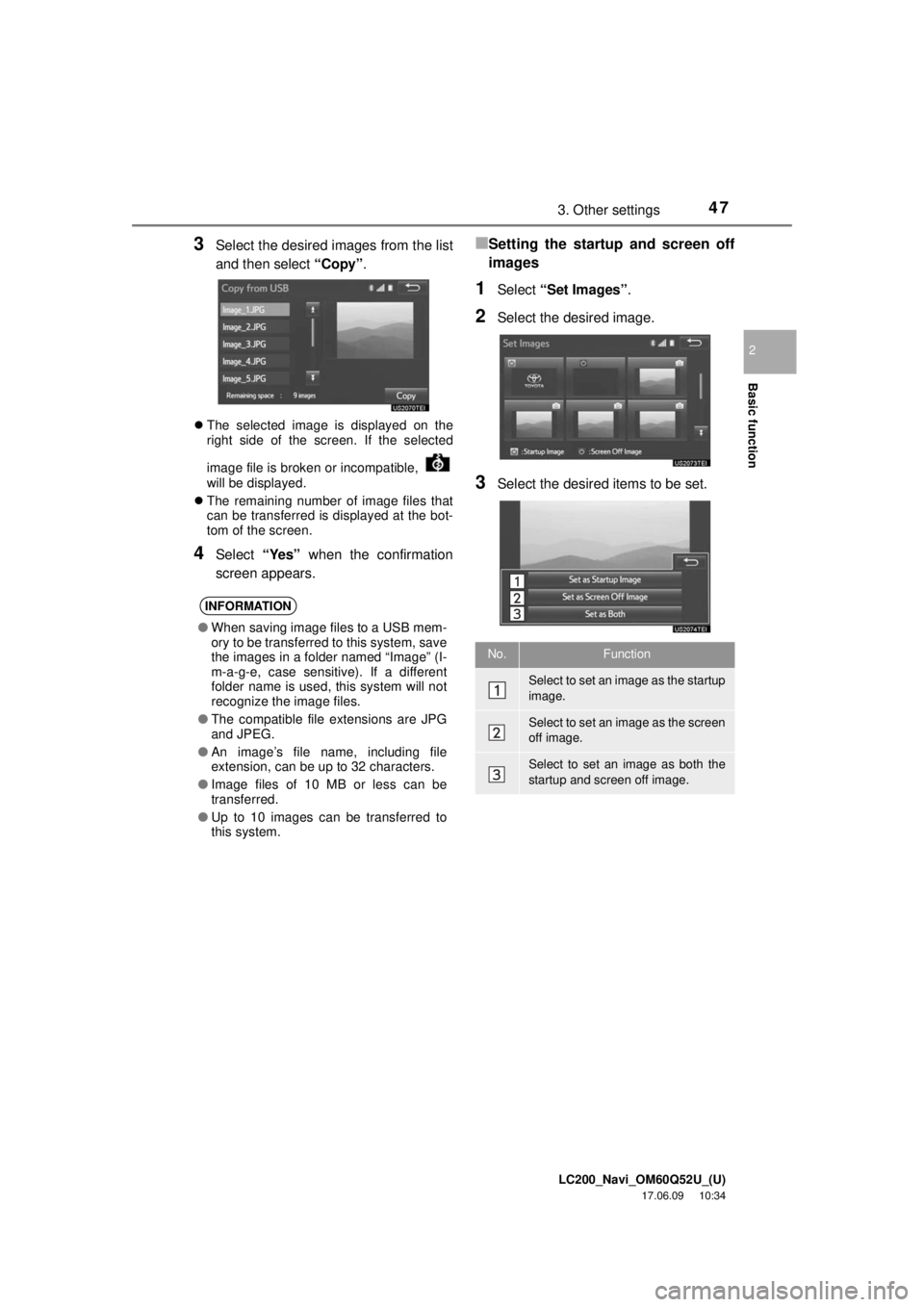
3Select the desired images from the list
and then select “Copy”.
The selected image is displayed on the
right side of the screen. If the selected
image file is broken or incompatible,
will be displayed.
The remaining number of image files that
can be transferred is displayed at the bot-
tom of the screen.
4Select “Yes” when the confirmation
screen appears.
■Setting the startu p and screen off
images
1Select “Set Images” .
2Select the desired image.
3Select the desired items to be set.
INFORMATION
●When saving image files to a USB mem-
ory to be transferred to this system, save
the images in a folder named “Image” (I-
m-a-g-e, case sensitive). If a different
folder name is used, this system will not
recognize the image files.
● The compatible file extensions are JPG
and JPEG.
● An image’s file name, including file
extension, can be up to 32 characters.
● Image files of 10 MB or less can be
transferred.
● Up to 10 images can be transferred to
this system.
No.Function
Select to set an image as the startup
image.
Select to set an image as the screen
off image.
Select to set an image as both the
startup and screen off image.
Page 108 of 276

LC200_Navi_OM60Q52U_(U)
17.06.09 10:34
108
1. Basic operation
Quick reference....................... 110
Some basics ........................... 111
Turning the system on and off ... 111
Selecting an audio source ......... 111
Disc slot ..................................... 112
USB/AUX port ........................... 113
Sound settings........................... 114
Audio screen adjustment ........... 115
Voice command system ............ 116
2. Radio operation
AM/FM radio ........................... 117
Overview ................................... 117
Presetting a station.................... 118
Selecting a station from the list ............................. 119
Caching a radio program ........... 119
Radio broadcast data system .... 120
Traffic announcement (FM radio) ............................... 121
Using HD Radio™ technology... 122
Available HD Radio™ technology .............................. 122
Troubleshooting guide ............... 124
XM Satellite Radio ................... 125
Overview ................................... 125
How to subscribe to an XM Satellite Radio ............. 126
Displaying the radio ID .............. 127
Presetting a channel ................. 128
Selecting a channel from the list ............................. 128
If the satellite radio tuner malfunctions ........................... 129
Internet radio ........................... 130
Listening to internet radio.......... 130
3. Media operation
CD ........................................... 131
Overview ................................... 131
Playing an audio CD ................. 132
Playing an MP3/WMA/
AAC disc................................. 133
DVD ......................................... 134
Overview ................................... 134
DVD options .............................. 136
USB memory ........................... 138
Overview ................................... 138
USB audio ................................. 139
iPod ......................................... 140
Overview ................................... 140
iPod audio ................................. 143
iPod video ................................. 143
4Audio/visual system
Page 109 of 276
LC200_Navi_OM60Q52U_(U)
17.06.09 10:34
109
4
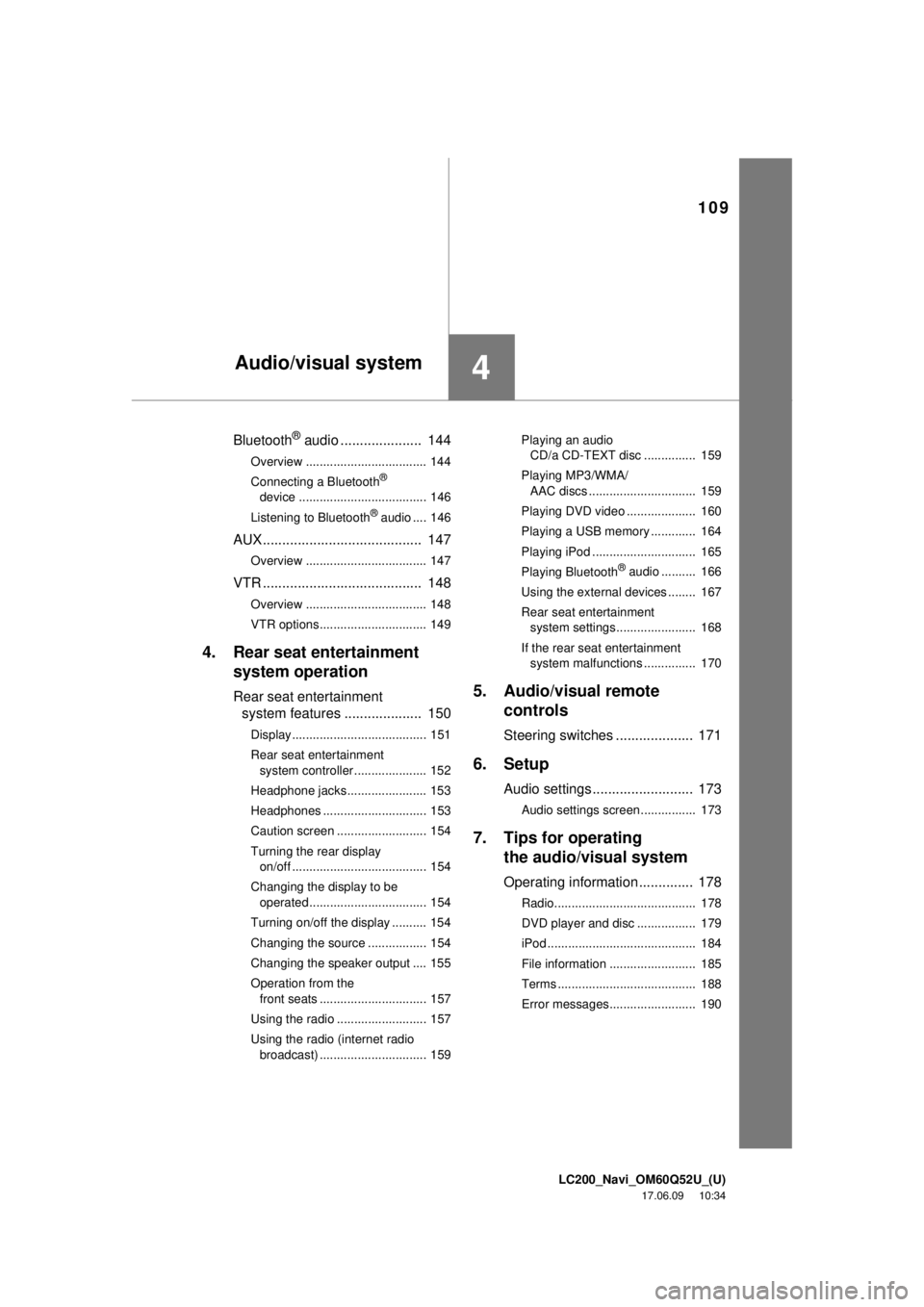
Bluetooth® audio ..................... 144
Overview ................................... 144
Connecting a Bluetooth®
device ..................................... 146
Listening to Bluetooth
® audio .... 146
AUX ......................................... 147
Overview ................................... 147
VTR ......................................... 148
Overview ................................... 148
VTR options............................... 149
4. Rear seat entertainment system operation
Rear seat entertainment
system features .................... 150
Display....................................... 151
Rear seat entertainment
system controller ..................... 152
Headphone jacks....................... 153
Headphones .............................. 153
Caution screen .......................... 154
Turning the rear display on/off ....................................... 154
Changing the display to be operated .................................. 154
Turning on/off the display .......... 154
Changing the source ................. 154
Changing the speaker output .... 155
Operation from the front seats ............................... 157
Using the radio .......................... 157
Using the radio (internet radio broadcast) ............................... 159 Playing an audio
CD/a CD-TEXT disc ............... 159
Playing MP3/WMA/ AAC discs ............................... 159
Playing DVD video .................... 160
Playing a USB memory ............. 164
Playing iPod .............................. 165
Playing Bluetooth
® audio .......... 166
Using the external devices ........ 167
Rear seat entertainment system settings....................... 168
If the rear seat entertainment system malfunctions ............... 170
5. Audio/visual remote controls
Steering switches .................... 171
6. Setup
Audio settings .......................... 173
Audio settings screen................ 173
7. Tips for operatingthe audio/visual system
Operating information .............. 178
Radio......................................... 178
DVD player and disc ................. 179
iPod ........................................... 184
File information ......................... 185
Terms ........................................ 188
Error messages......................... 190
Audio/visual system
Page 110 of 276
LC200_Navi_OM60Q52U_(U)
17.06.09 10:34
1101. Basic operation
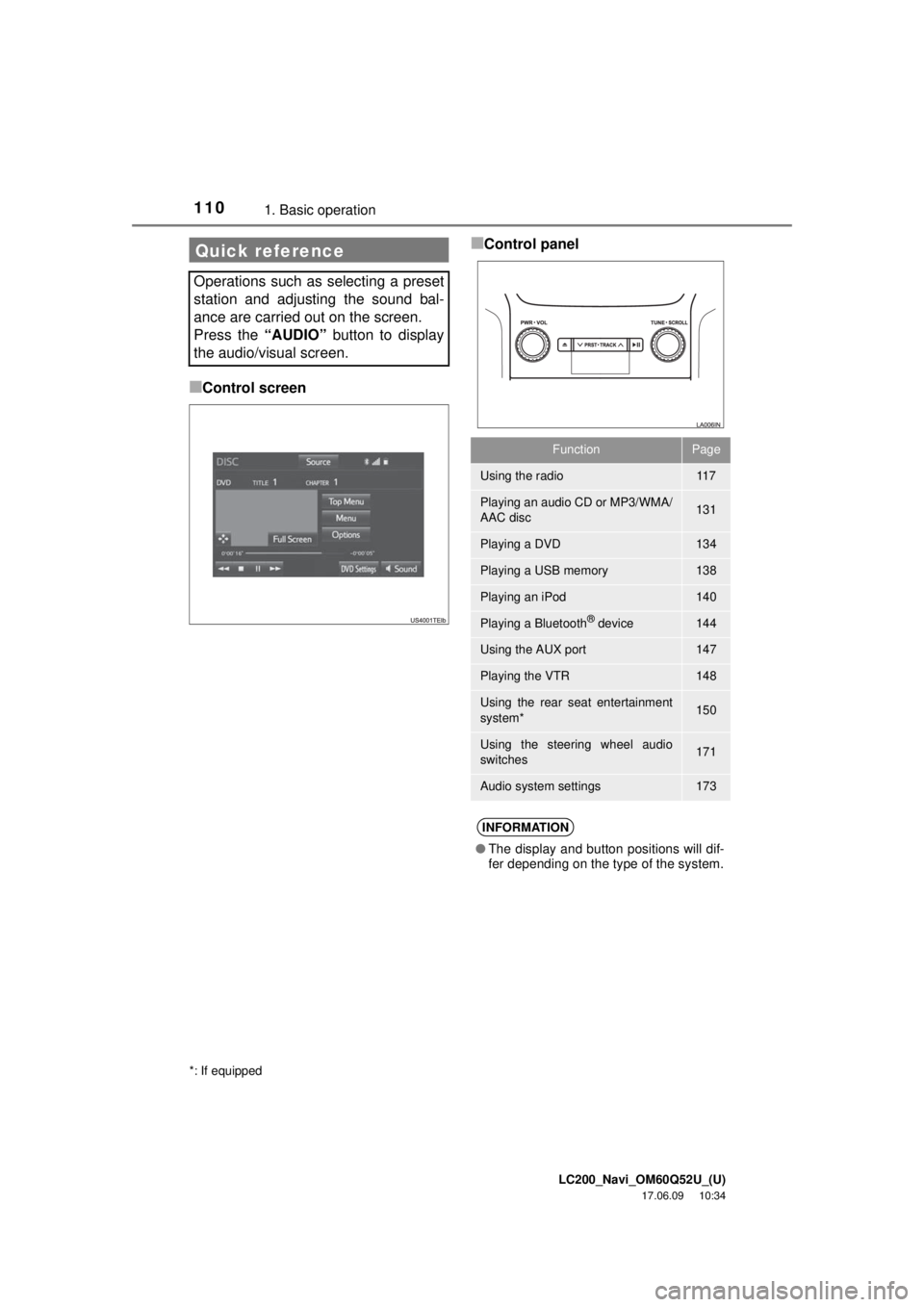
■Control screen
■Control panelQuick reference
Operations such as selecting a preset
station and adjusting the sound bal-
ance are carried out on the screen.
Press the “AUDIO” button to display
the audio/visual screen.
*: If equipped
FunctionPage
Using the radio11 7
Playing an audio CD or MP3/WMA/
AAC disc131
Playing a DVD134
Playing a USB memory138
Playing an iPod140
Playing a Bluetooth® device144
Using the AUX port147
Playing the VTR148
Using the rear seat entertainment
system*150
Using the steering wheel audio
switches171
Audio system settings173
INFORMATION
● The display and button positions will dif-
fer depending on the type of the system.
Page 113 of 276
LC200_Navi_OM60Q52U_(U)
17.06.09 10:34
Audio/visual system
4
1131. Basic operation
1Open the cover and connect a device.
Turn on the power of the device if it is not
turned on.
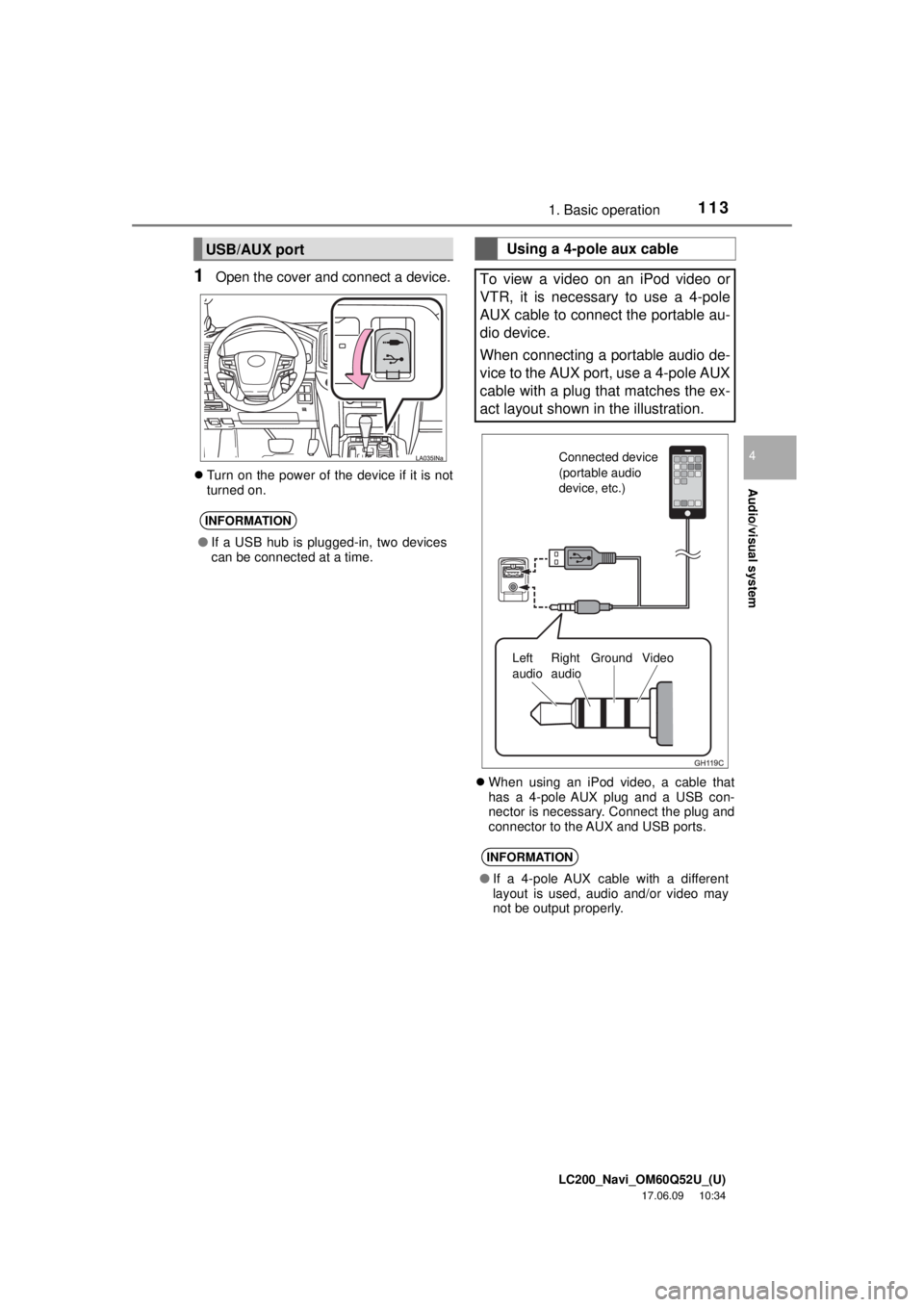
When using an iPod video, a cable that
has a 4-pole AUX plug and a USB con-
nector is necessary. Connect the plug and
connector to the AUX and USB ports.
USB/AUX port
INFORMATION
● If a USB hub is plugged-in, two devices
can be connected at a time.
Using a 4-pole aux cable
To view a video on an iPod video or
VTR, it is necessary to use a 4-pole
AUX cable to connect the portable au-
dio device.
When connecting a portable audio de-
vice to the AUX port, use a 4-pole AUX
cable with a plug that matches the ex-
act layout shown in the illustration.
INFORMATION
● If a 4-pole AUX cable with a different
layout is used, audio and/or video may
not be output properly.
Connected device
(portable audio
device, etc.)
Left
audio Right
audio Ground Video
Page 130 of 276
LC200_Navi_OM60Q52U_(U)
17.06.09 10:34
1302. Radio operation
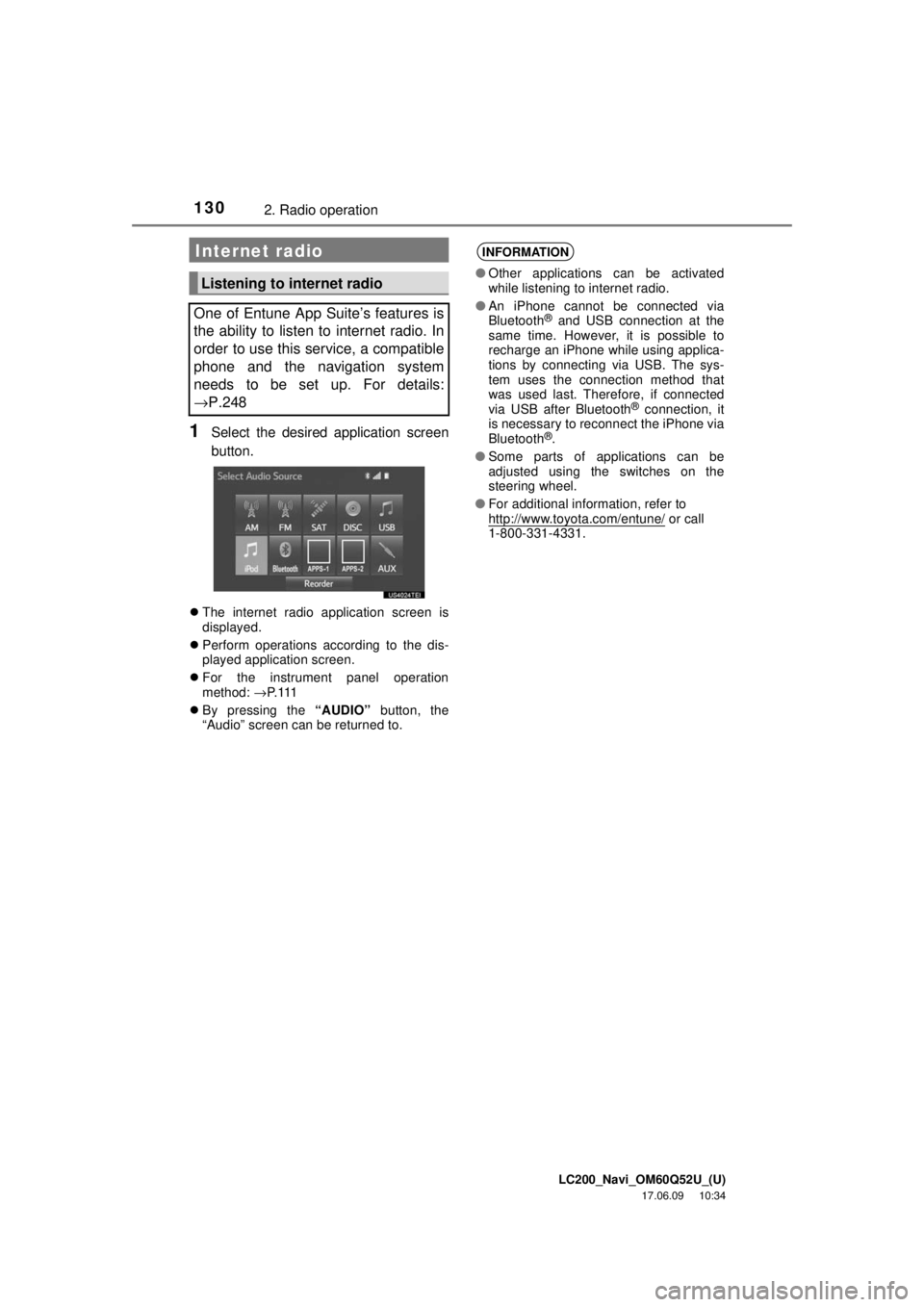
1Select the desired application screen
button.
The internet radio application screen is
displayed.
Perform operations according to the dis-
played application screen.
For the instrument panel operation
method: →P. 11 1
By pressing the “AUDIO” button, the
“Audio” screen can be returned to.
Internet radio
Listening to internet radio
One of Entune App Suite’s features is
the ability to listen to internet radio. In
order to use this service, a compatible
phone and the navigation system
needs to be set up. For details:
→P.248
INFORMATION
● Other applications can be activated
while listening to internet radio.
● An iPhone cannot be connected via
Bluetooth
® and USB connection at the
same time. However, it is possible to
recharge an iPhone while using applica-
tions by connecting via USB. The sys-
tem uses the connection method that
was used last. Therefore, if connected
via USB after Bluetooth
® connection, it
is necessary to reconnect the iPhone via
Bluetooth
®.
● Some parts of applications can be
adjusted using the switches on the
steering wheel.
● For additional information, refer to
http://www.toyota.com/entune/
or call
1-800-331-4331.
Page 138 of 276
LC200_Navi_OM60Q52U_(U)
17.06.09 10:34
1383. Media operation
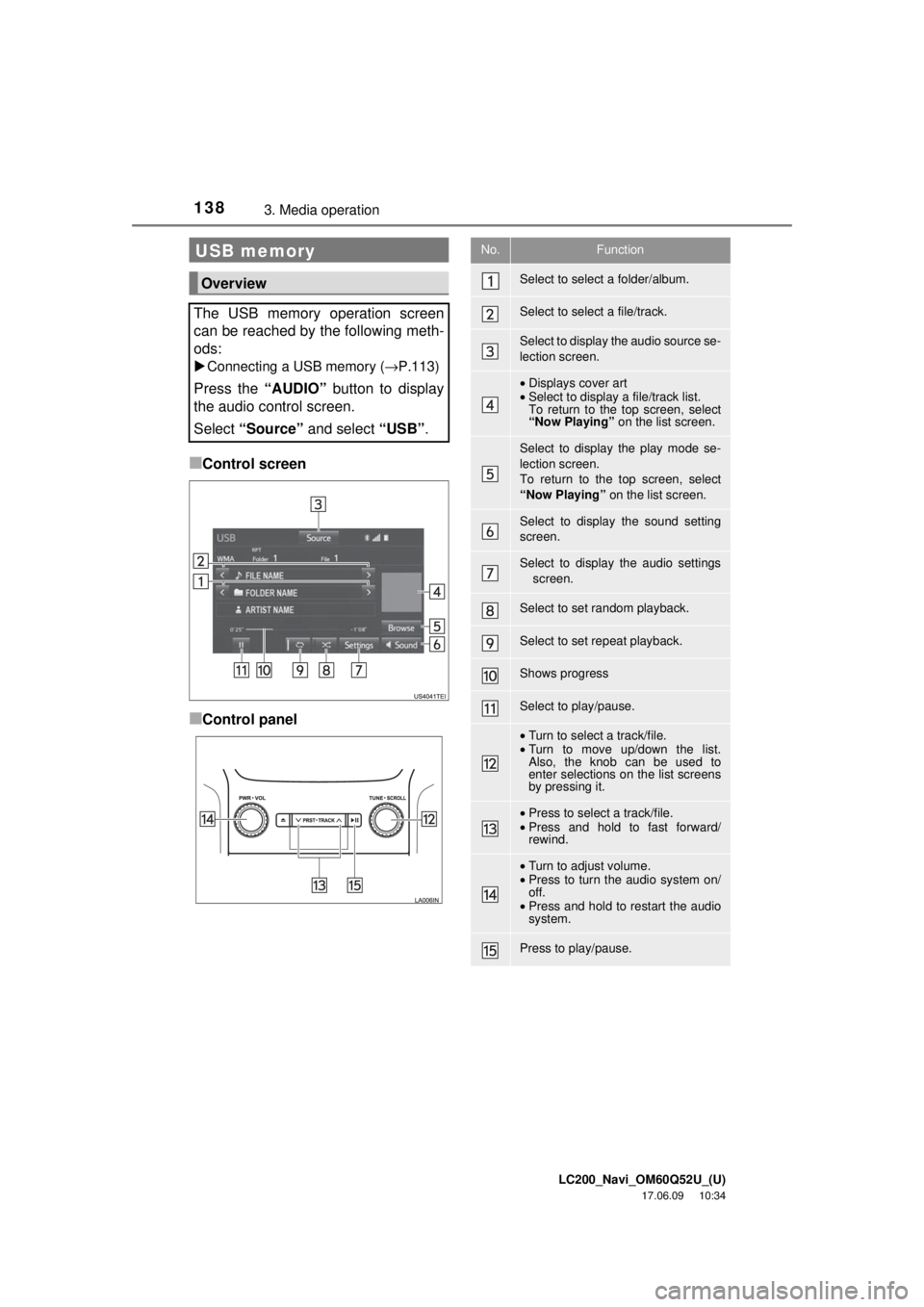
■Control screen
■Control panel
USB memory
Overview
The USB memory operation screen
can be reached by the following meth-
ods:
Connecting a USB memory ( →P.113)
Press the “AUDIO” button to display
the audio control screen.
Select “Source” and select “USB” .
No.Function
Select to select a folder/album.
Select to select a file/track.
Select to display the audio source se-
lection screen.
•Displays cover art
• Select to display a file/track list.
To return to the top screen, select
“Now Playing” on the list screen.
Select to display the play mode se-
lection screen.
To return to the top screen, select
“Now Playing” on the list screen.
Select to display the sound setting
screen.
Select to display the audio settings
screen.
Select to set random playback.
Select to set repeat playback.
Shows progress
Select to play/pause.
•Turn to select a track/file.
• Turn to move up/down the list.
Also, the knob can be used to
enter selections on the list screens
by pressing it.
•Press to select a track/file.
• Press and hold to fast forward/
rewind.
•Turn to adjust volume.
• Press to turn the audio system on/
off.
• Press and hold to restart the audio
system.
Press to play/pause.
Page 139 of 276
LC200_Navi_OM60Q52U_(U)
17.06.09 10:34
Audio/visual system
4
1393. Media operation
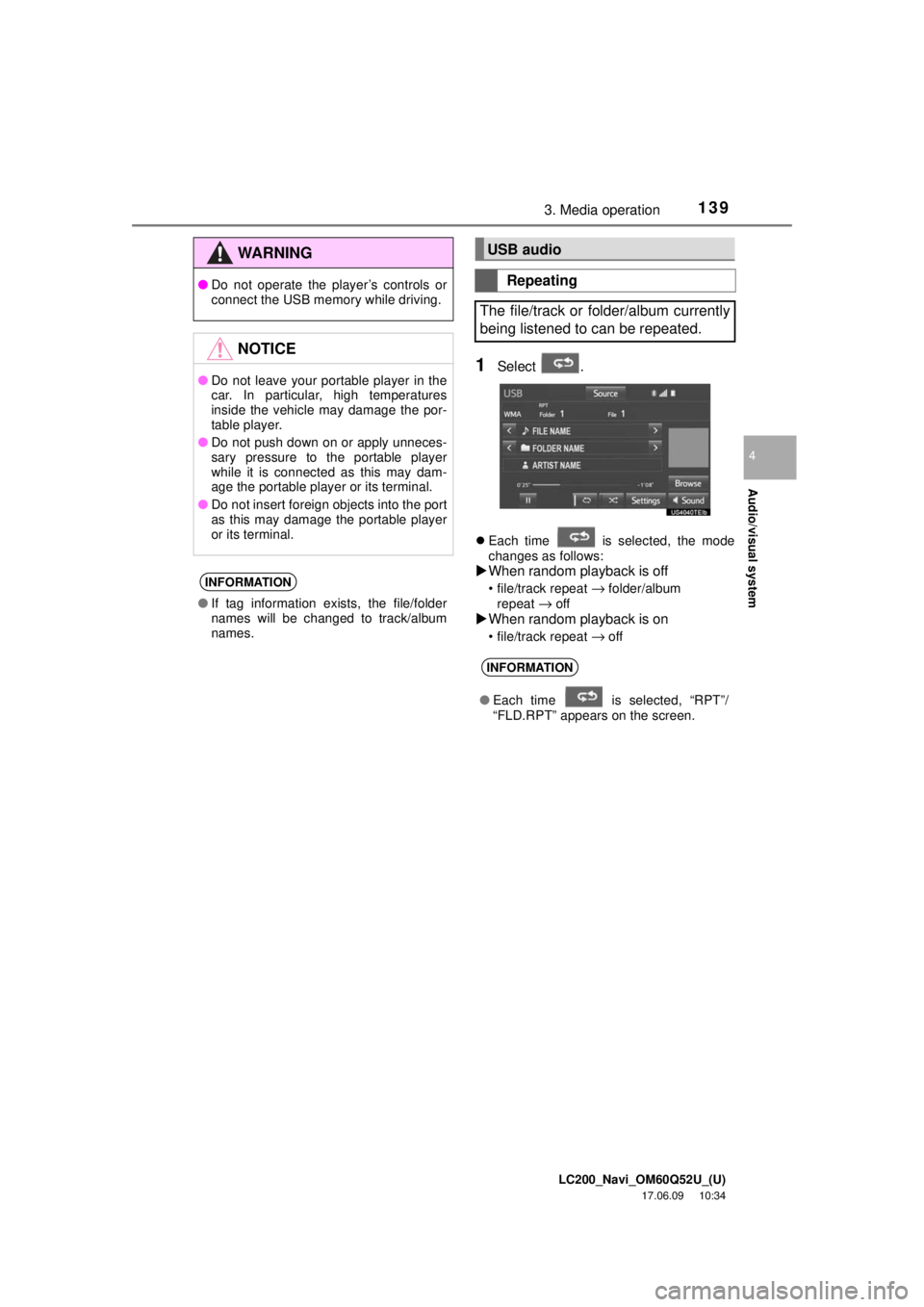
1Select .
Each time is selected, the mode
changes as follows:
When random playback is off
• file/track repeat → folder/album
repeat → off
When random playback is on
• file/track repeat → off
WA R N I N G
● Do not operate the player’s controls or
connect the USB memory while driving.
NOTICE
●Do not leave your portable player in the
car. In particular, high temperatures
inside the vehicle may damage the por-
table player.
● Do not push down on or apply unneces-
sary pressure to the portable player
while it is connected as this may dam-
age the portable player or its terminal.
● Do not insert foreign objects into the port
as this may damage the portable player
or its terminal.
INFORMATION
●If tag information exists, the file/folder
names will be changed to track/album
names.
USB audio
Repeating
The file/track or folder/album currently
being listened to can be repeated.
INFORMATION
● Each time is selected, “RPT”/
“FLD.RPT” appears on the screen.