steering TOYOTA LAND CRUISER 2018 Accessories, Audio & Navigation (in English)
[x] Cancel search | Manufacturer: TOYOTA, Model Year: 2018, Model line: LAND CRUISER, Model: TOYOTA LAND CRUISER 2018Pages: 276, PDF Size: 7.11 MB
Page 7 of 276
LC200_Navi_OM60Q52U_(U)
17.06.09 10:34
1
2
3
4
5
6
7
8
7
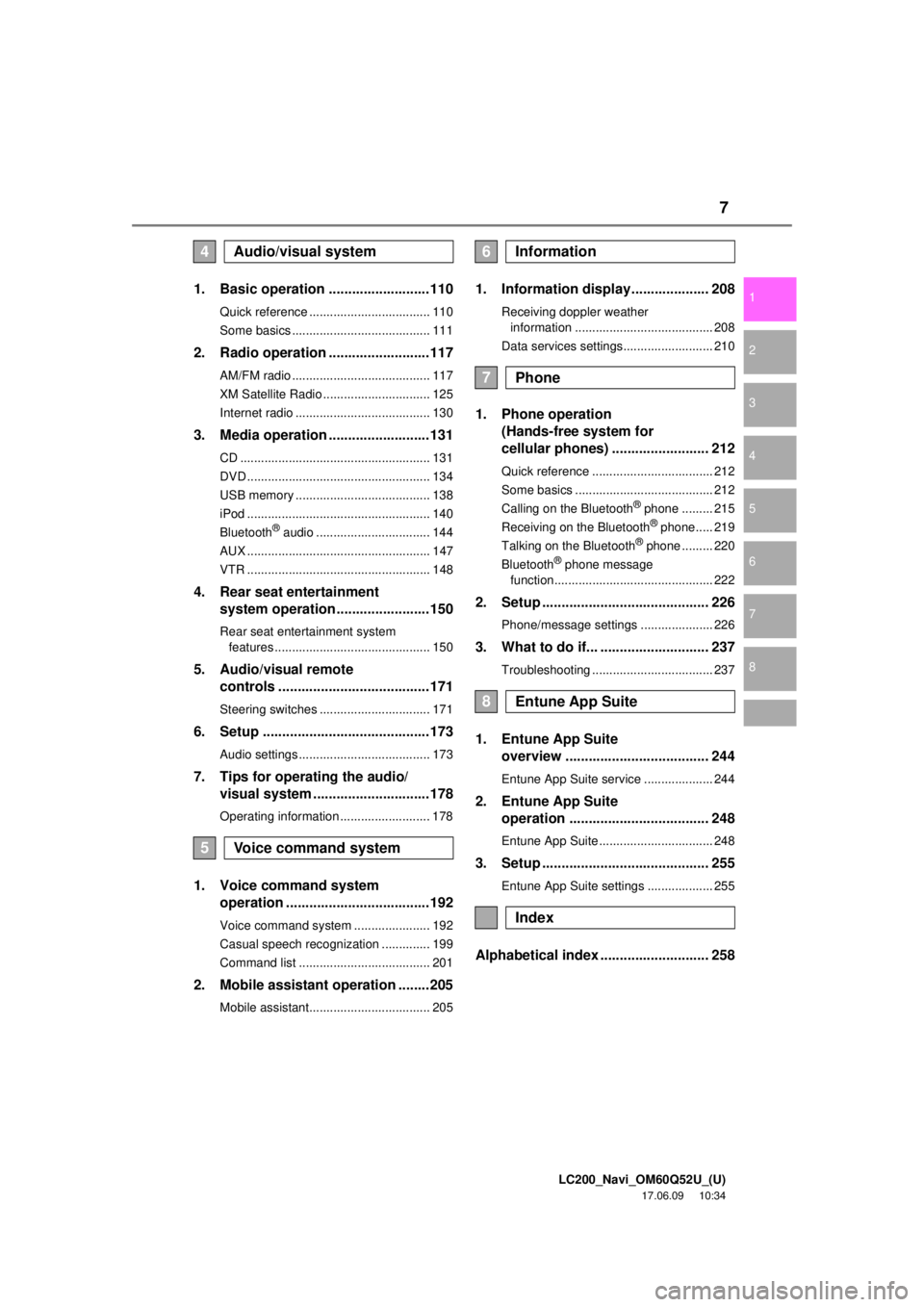
1. Basic operation ..........................110
Quick reference ................................... 110
Some basics ........................................ 111
2. Radio operation ..........................117
AM/FM radio ........................................ 117
XM Satellite Radio ............................... 125
Internet radio ....................................... 130
3. Media operation ..........................131
CD ....................................................... 131
DVD ..................................................... 134
USB memory ....................................... 138
iPod ..................................................... 140
Bluetooth
® audio ................................. 144
AUX ..................................................... 147
VTR ..................................................... 148
4. Rear seat entertainment system operation ........................150
Rear seat entertainment system
features ............................................. 150
5. Audio/visual remote controls .......................................171
Steering switches ................................ 171
6. Setup ...........................................173
Audio settings ...................................... 173
7. Tips for operating the audio/visual system ..............................178
Operating information .......................... 178
1. Voice command system operation .....................................192
Voice command system ...................... 192
Casual speech recognization .............. 199
Command list ...................................... 201
2. Mobile assistant operation ........205
Mobile assistant................................... 205
1. Information display.................... 208
Receiving doppler weather
information ........................................ 208
Data services settings.......................... 210
1. Phone operation (Hands-free system for
cellular phones) ......................... 212
Quick reference ................................... 212
Some basics ........................................ 212
Calling on the Bluetooth
® phone ......... 215
Receiving on the Bluetooth® phone..... 219
Talking on the Bluetooth® phone ......... 220
Bluetooth® phone message
function.............................................. 222
2. Setup ........................................... 226
Phone/message settings ..................... 226
3. What to do if... ............................ 237
Troubleshooting ................................... 237
1. Entune App Suite overview ..................................... 244
Entune App Suite service .................... 244
2. Entune App Suite
operation .................................... 248
Entune App Suite ................................. 248
3. Setup ........................................... 255
Entune App Suite settings ................... 255
Alphabetical index ............................ 258
4Audio/visual system
5Voice command system
6Information
7Phone
8Entune App Suite
Index
Page 31 of 276

LC200_Navi_OM60Q52U_(U)
17.06.09 10:34
Basic function
2
311. Basic information before operation
Linking multi-information
display and navigation
system
The following functions of the naviga-
tion system are linked with the multi-in-
formation display in the instrument
cluster:
Navigation
Audio
etc.
These functions can be operated using
multi-information display control
switches on the steering wheel. For de-
tails, refer to “Owner’s Manual”.
Page 32 of 276
LC200_Navi_OM60Q52U_(U)
17.06.14 14:20
322. Bluetooth® settings
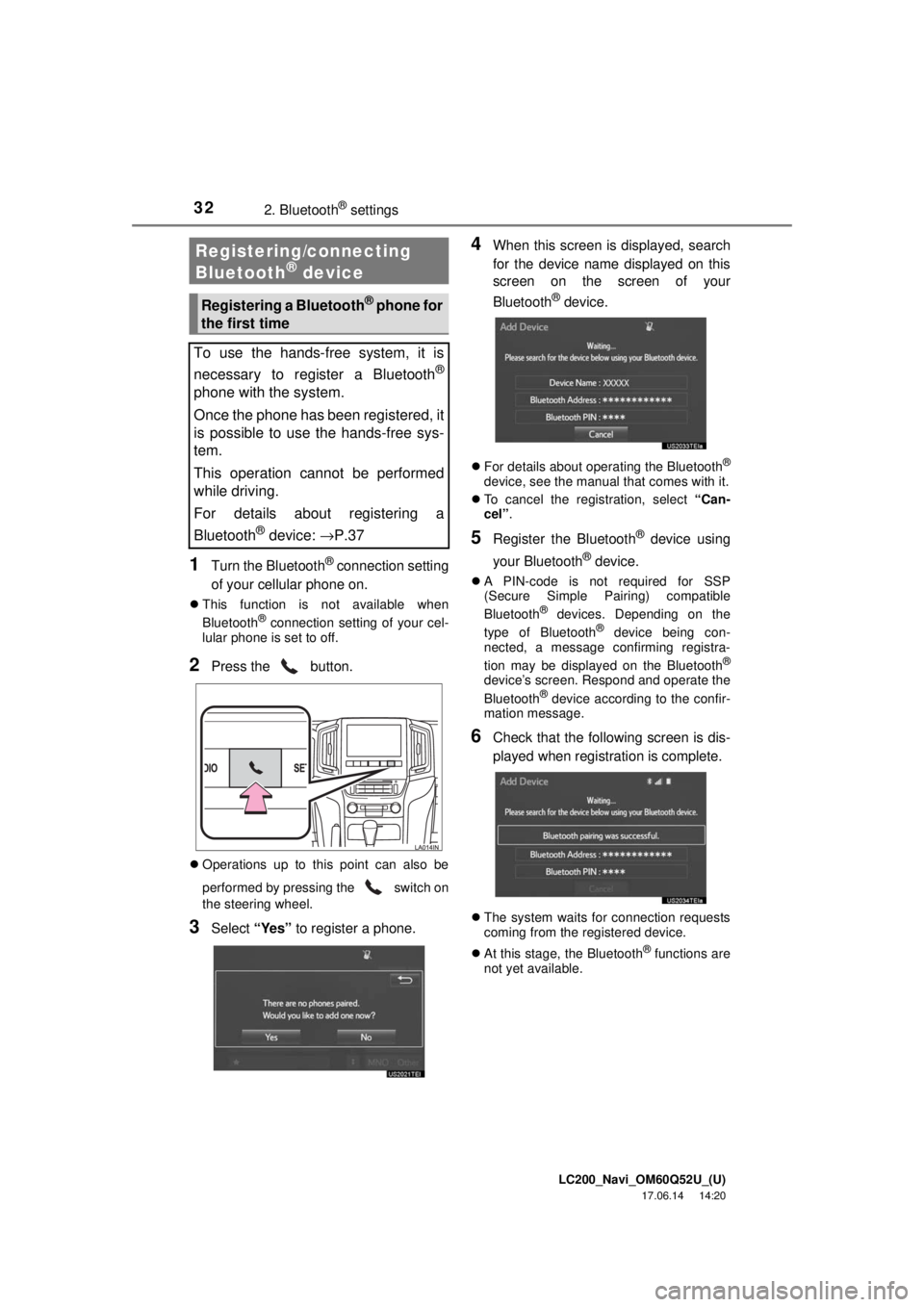
1Turn the Bluetooth® connection setting
of your cellular phone on.
This function is not available when
Bluetooth® connection setting of your cel-
lular phone is set to off.
2Press the button.
Operations up to this point can also be
performed by pressing the switch on
the steering wheel.
3Select “Yes” to register a phone.
4When this screen is displayed, search
for the device name displayed on this
screen on the screen of your
Bluetooth
® device.
For details about operating the Bluetooth®
device, see the manual that comes with it.
To cancel the registration, select “Can-
cel”.
5Register the Bluetooth® device using
your Bluetooth
® device.
A PIN-code is not required for SSP
(Secure Simple Pairing) compatible
Bluetooth
® devices. Depending on the
type of Bluetooth® device being con-
nected, a message confirming registra-
tion may be displayed on the Bluetooth
®
device’s screen. Respond and operate the
Bluetooth® device according to the confir-
mation message.
6Check that the following screen is dis-
played when registration is complete.
The system waits for connection requests
coming from the registered device.
At this stage, the Bluetooth
® functions are
not yet available.
Registering/connecting
Bluetooth® device
Registering a Bluetooth® phone for
the first time
To use the hands-free system, it is
necessary to register a Bluetooth
®
phone with the system.
Once the phone has been registered, it
is possible to use the hands-free sys-
tem.
This operation cannot be performed
while driving.
For details about registering a
Bluetooth
® device: →P.37
Page 109 of 276

LC200_Navi_OM60Q52U_(U)
17.06.09 10:34
109
4
Bluetooth® audio ..................... 144
Overview ................................... 144
Connecting a Bluetooth®
device ..................................... 146
Listening to Bluetooth
® audio .... 146
AUX ......................................... 147
Overview ................................... 147
VTR ......................................... 148
Overview ................................... 148
VTR options............................... 149
4. Rear seat entertainment system operation
Rear seat entertainment
system features .................... 150
Display....................................... 151
Rear seat entertainment
system controller ..................... 152
Headphone jacks....................... 153
Headphones .............................. 153
Caution screen .......................... 154
Turning the rear display on/off ....................................... 154
Changing the display to be operated .................................. 154
Turning on/off the display .......... 154
Changing the source ................. 154
Changing the speaker output .... 155
Operation from the front seats ............................... 157
Using the radio .......................... 157
Using the radio (internet radio broadcast) ............................... 159 Playing an audio
CD/a CD-TEXT disc ............... 159
Playing MP3/WMA/ AAC discs ............................... 159
Playing DVD video .................... 160
Playing a USB memory ............. 164
Playing iPod .............................. 165
Playing Bluetooth
® audio .......... 166
Using the external devices ........ 167
Rear seat entertainment system settings....................... 168
If the rear seat entertainment system malfunctions ............... 170
5. Audio/visual remote controls
Steering switches .................... 171
6. Setup
Audio settings .......................... 173
Audio settings screen................ 173
7. Tips for operatingthe audio/visual system
Operating information .............. 178
Radio......................................... 178
DVD player and disc ................. 179
iPod ........................................... 184
File information ......................... 185
Terms ........................................ 188
Error messages......................... 190
Audio/visual system
Page 110 of 276
LC200_Navi_OM60Q52U_(U)
17.06.09 10:34
1101. Basic operation
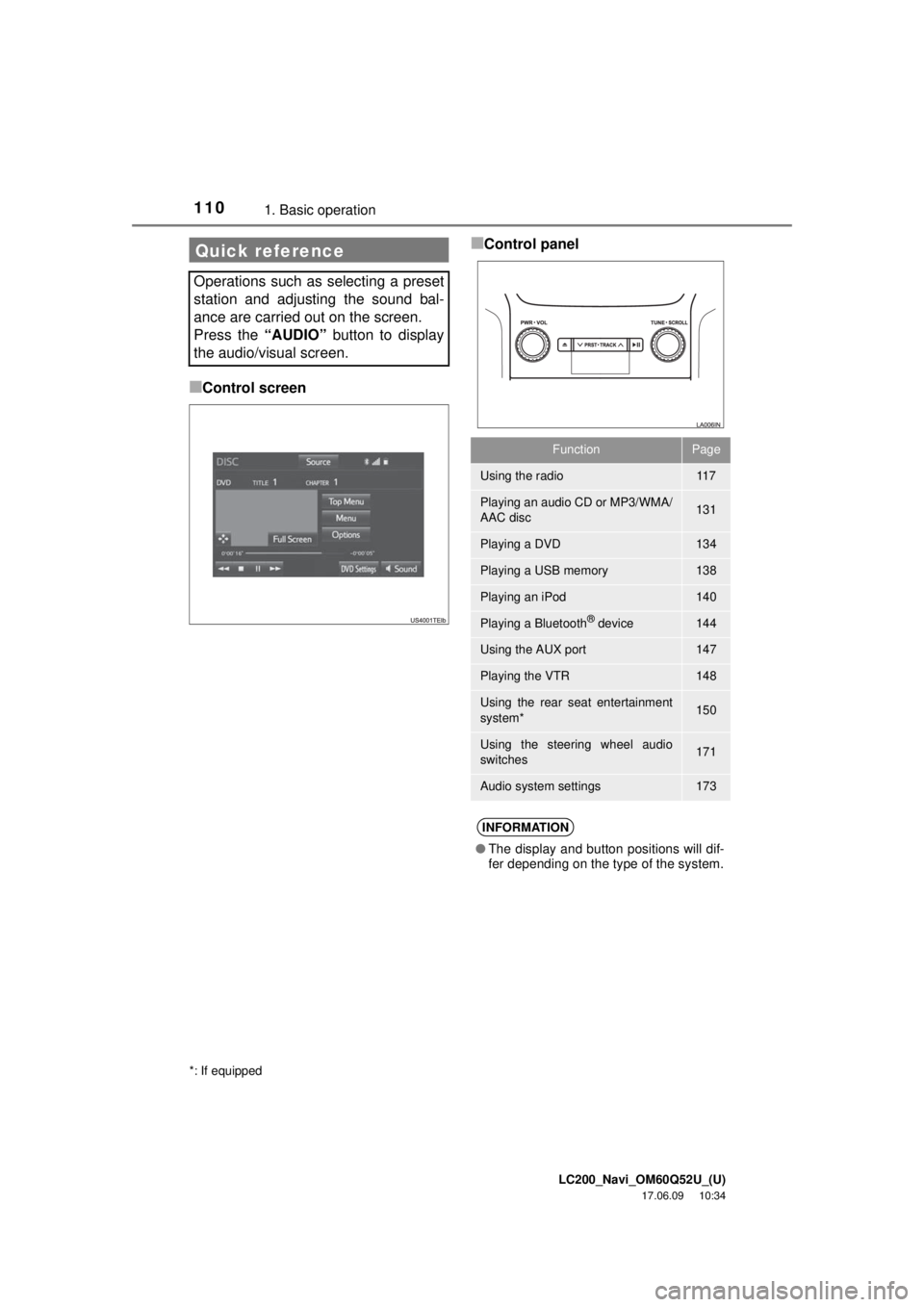
■Control screen
■Control panelQuick reference
Operations such as selecting a preset
station and adjusting the sound bal-
ance are carried out on the screen.
Press the “AUDIO” button to display
the audio/visual screen.
*: If equipped
FunctionPage
Using the radio11 7
Playing an audio CD or MP3/WMA/
AAC disc131
Playing a DVD134
Playing a USB memory138
Playing an iPod140
Playing a Bluetooth® device144
Using the AUX port147
Playing the VTR148
Using the rear seat entertainment
system*150
Using the steering wheel audio
switches171
Audio system settings173
INFORMATION
● The display and button positions will dif-
fer depending on the type of the system.
Page 130 of 276
LC200_Navi_OM60Q52U_(U)
17.06.09 10:34
1302. Radio operation
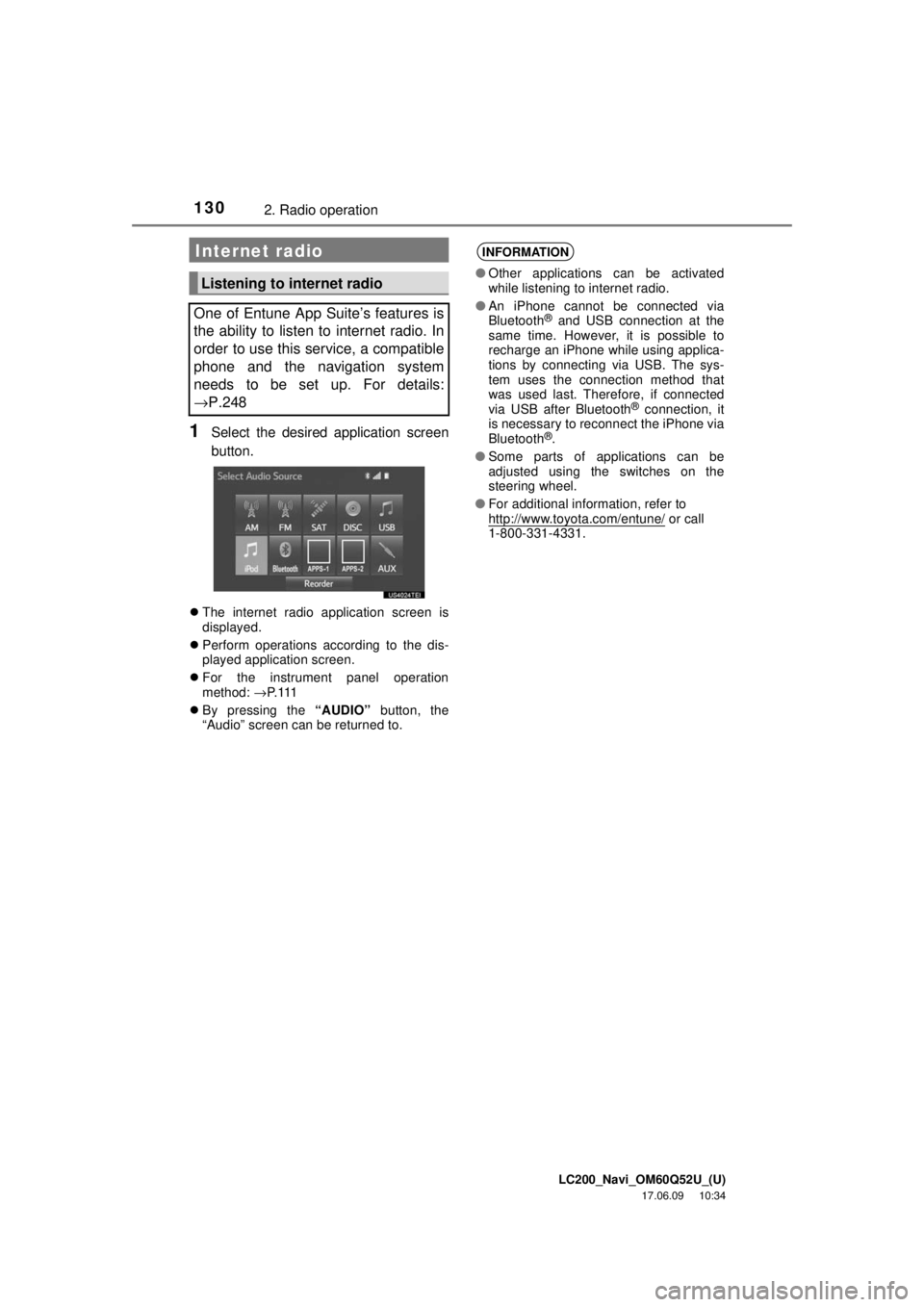
1Select the desired application screen
button.
The internet radio application screen is
displayed.
Perform operations according to the dis-
played application screen.
For the instrument panel operation
method: →P. 11 1
By pressing the “AUDIO” button, the
“Audio” screen can be returned to.
Internet radio
Listening to internet radio
One of Entune App Suite’s features is
the ability to listen to internet radio. In
order to use this service, a compatible
phone and the navigation system
needs to be set up. For details:
→P.248
INFORMATION
● Other applications can be activated
while listening to internet radio.
● An iPhone cannot be connected via
Bluetooth
® and USB connection at the
same time. However, it is possible to
recharge an iPhone while using applica-
tions by connecting via USB. The sys-
tem uses the connection method that
was used last. Therefore, if connected
via USB after Bluetooth
® connection, it
is necessary to reconnect the iPhone via
Bluetooth
®.
● Some parts of applications can be
adjusted using the switches on the
steering wheel.
● For additional information, refer to
http://www.toyota.com/entune/
or call
1-800-331-4331.
Page 171 of 276
LC200_Navi_OM60Q52U_(U)
17.06.09 10:34
Audio/visual system
4
1715. Audio/visual remote controls “∧∨ ” switch
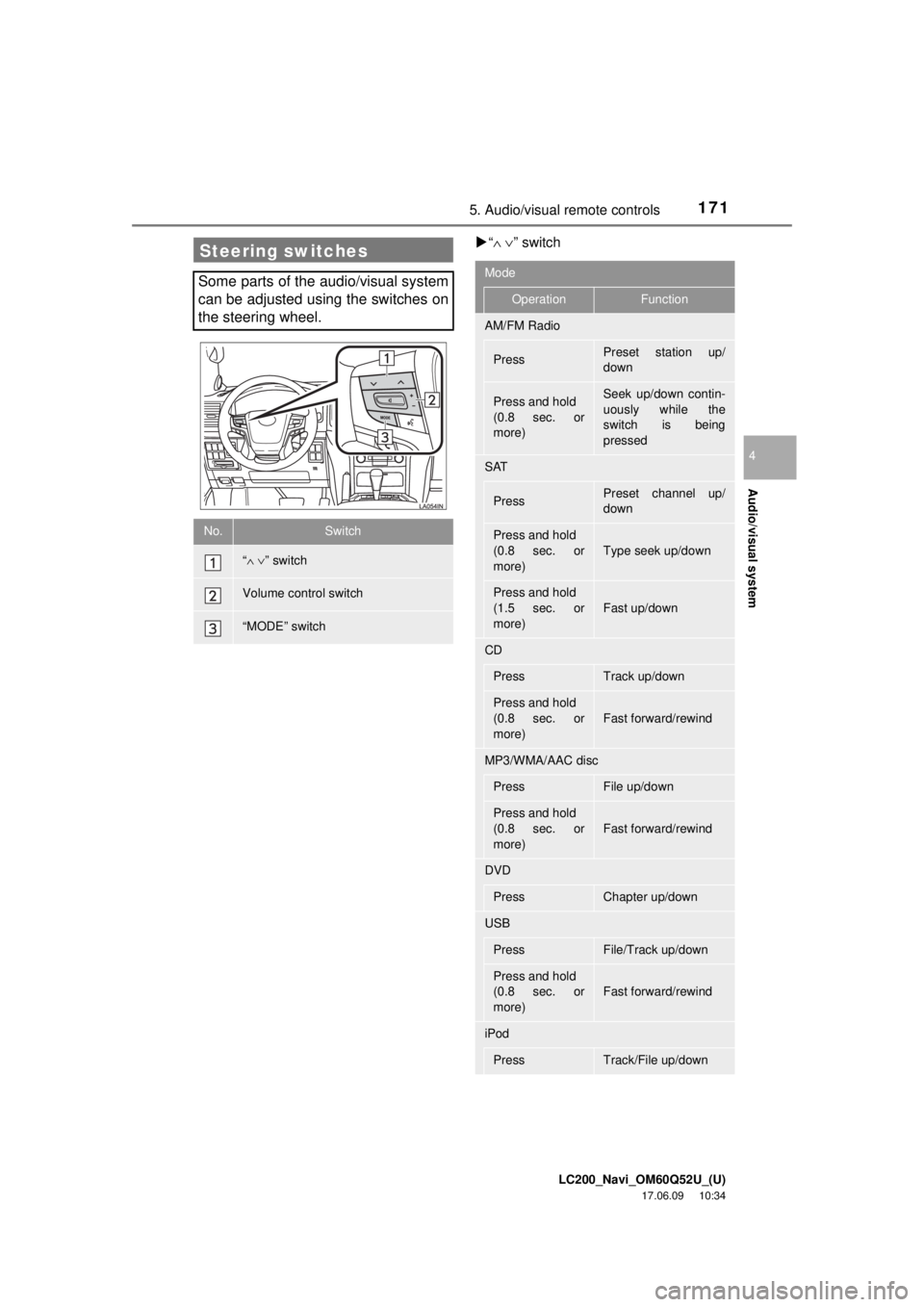
Steering switches
Some parts of the audio/visual system
can be adjusted using the switches on
the steering wheel.
No.Switch
“∧∨ ” switch
Volume control switch
“MODE” switch
Mode
OperationFunction
AM/FM Radio
PressPreset station up/
down
Press and hold
(0.8 sec. or
more)Seek up/down contin-
uously while the
switch is being
pressed
SAT
PressPreset channel up/
down
Press and hold
(0.8 sec. or
more)Type seek up/down
Press and hold
(1.5 sec. or
more)
Fast up/down
CD
PressTrack up/down
Press and hold
(0.8 sec. or
more)
Fast forward/rewind
MP3/WMA/AAC disc
PressFile up/down
Press and hold
(0.8 sec. or
more)
Fast forward/rewind
DVD
PressChapter up/down
USB
PressFile/Track up/down
Press and hold
(0.8 sec. or
more)
Fast forward/rewind
iPod
PressTrack/File up/down
Page 192 of 276
LC200_Navi_OM60Q52U_(U)
17.06.09 10:34
1921. Voice command system operation
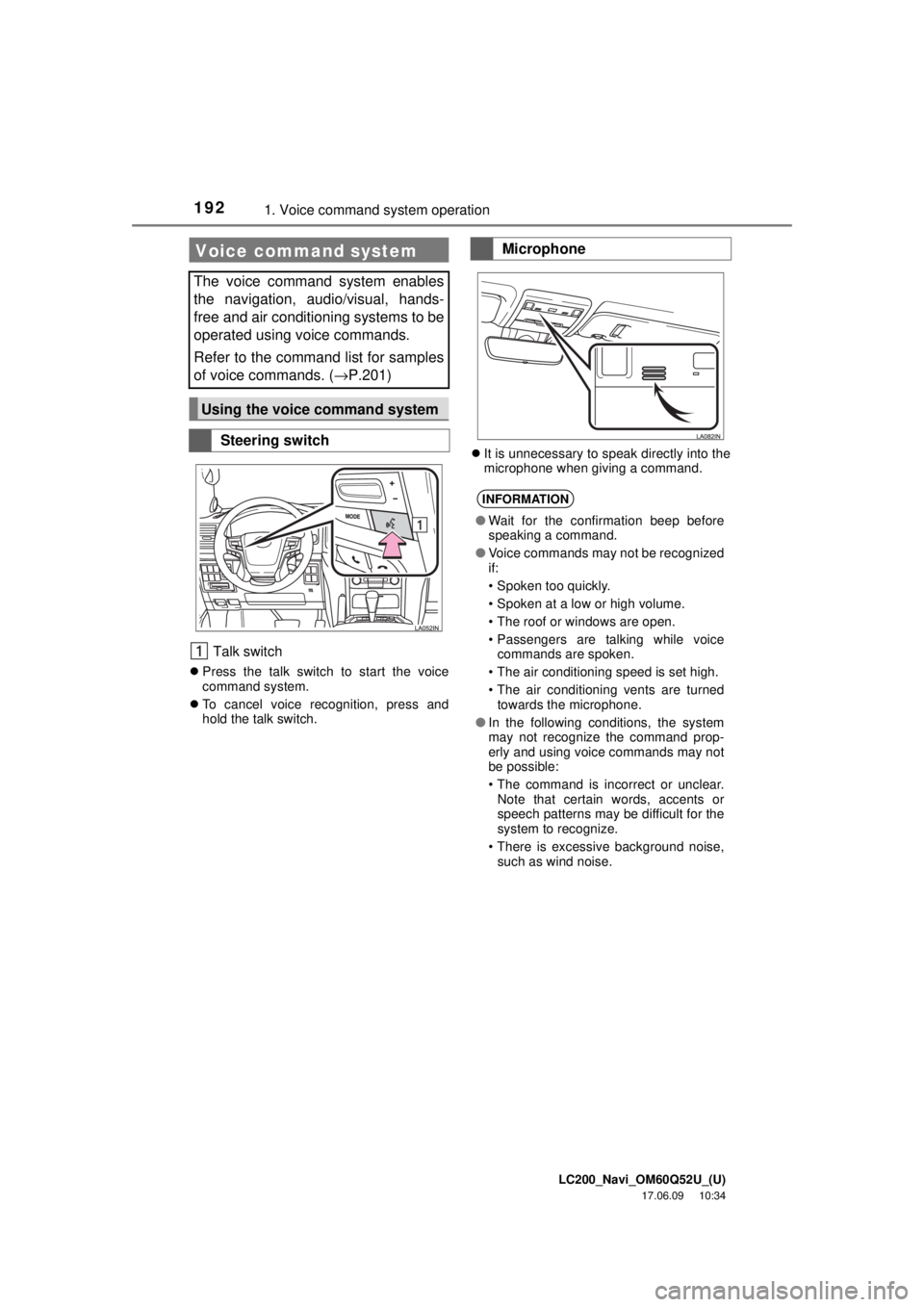
Talk switch
Press the talk switch to start the voice
command system.
To cancel voice recognition, press and
hold the talk switch.
It is unnecessary to speak directly into the
microphone when giving a command.
Voice command system
The voice command system enables
the navigation, audio/visual, hands-
free and air conditioning systems to be
operated using voice commands.
Refer to the command list for samples
of voice commands. ( →P.201)
Using the voice command system
Steering switch
Microphone
INFORMATION
●Wait for the confirmation beep before
speaking a command.
● Voice commands may not be recognized
if:
• Spoken too quickly.
• Spoken at a low or high volume.
• The roof or windows are open.
• Passengers are talking while voice
commands are spoken.
• The air conditioning speed is set high.
• The air conditioning vents are turned towards the microphone.
● In the following conditions, the system
may not recognize the command prop-
erly and using voice commands may not
be possible:
• The command is incorrect or unclear.
Note that certain words, accents or
speech patterns may be difficult for the
system to recognize.
• There is excessive background noise, such as wind noise.
Page 198 of 276
LC200_Navi_OM60Q52U_(U)
17.06.09 10:34
1981. Voice command system operation
1Press the talk switch.
2Say the phone number.
In the same manner as it is displayed on
the screen, “Dial
“Dial a number” say the phone number.
Say the phone number one digit at a time.
For example, if the phone number is
2345678:
Say “two three four five six seven
eight”
3When the confirmation screen ap-
pears, say “Yes” or select “Yes” or
press the switch on the steering
wheel.
Calling to other phone numbers
3Say “Call” or press the switch on
the steering wheel.
INFORMATION
● In the same manner as it is displayed on
the screen, “Call
say the name, or the name and type of
phone, of a contact.
For example: “Call a contact”, “John
Smith” or “Call a contact” , “Mary
Davis”, “Mobile”
● There are 4 types of phones: Home,
Mobile, Office and Other.
● Short or abbreviated names in the con-
tacts list may not be recognized. Change
names in the contacts list to full names.
● Sometimes a voice recognition result
confirmation screen will be displayed.
After confirming the result, say “Yes” or
“No” .
● When the system recognizes multiple
names from the contacts list, a name
candidate list will be displayed on the
screen. If the desired name is not dis-
played on the top of the screen, say or
select the number of the name from the
candidate list to select a name from the
candidate list.
● When a contact has multiple phone
numbers registered in the contacts list, a
candidate list will be displayed. If the
desired phone number is not displayed
on the top of the screen, say or select
the number of the desired phone num-
ber from the candidate list to select a
phone number from the candidate list.
Voice command example: Dial
number
When the system recognizes multiple
phone numbers, a phone number candi-
date list will be displayed on the screen.
Pressing the
switch on the steer-
ing wheel makes a call to the top entry
on the list. If the desired phone number
is not displayed on the top of the screen,
say the number of the desired phone
number from the candidate list to select
a phone number from the candidate list.
Page 205 of 276
LC200_Navi_OM60Q52U_(U)
17.06.09 10:34
Voice command system
5
2052. Mobile assistant operation
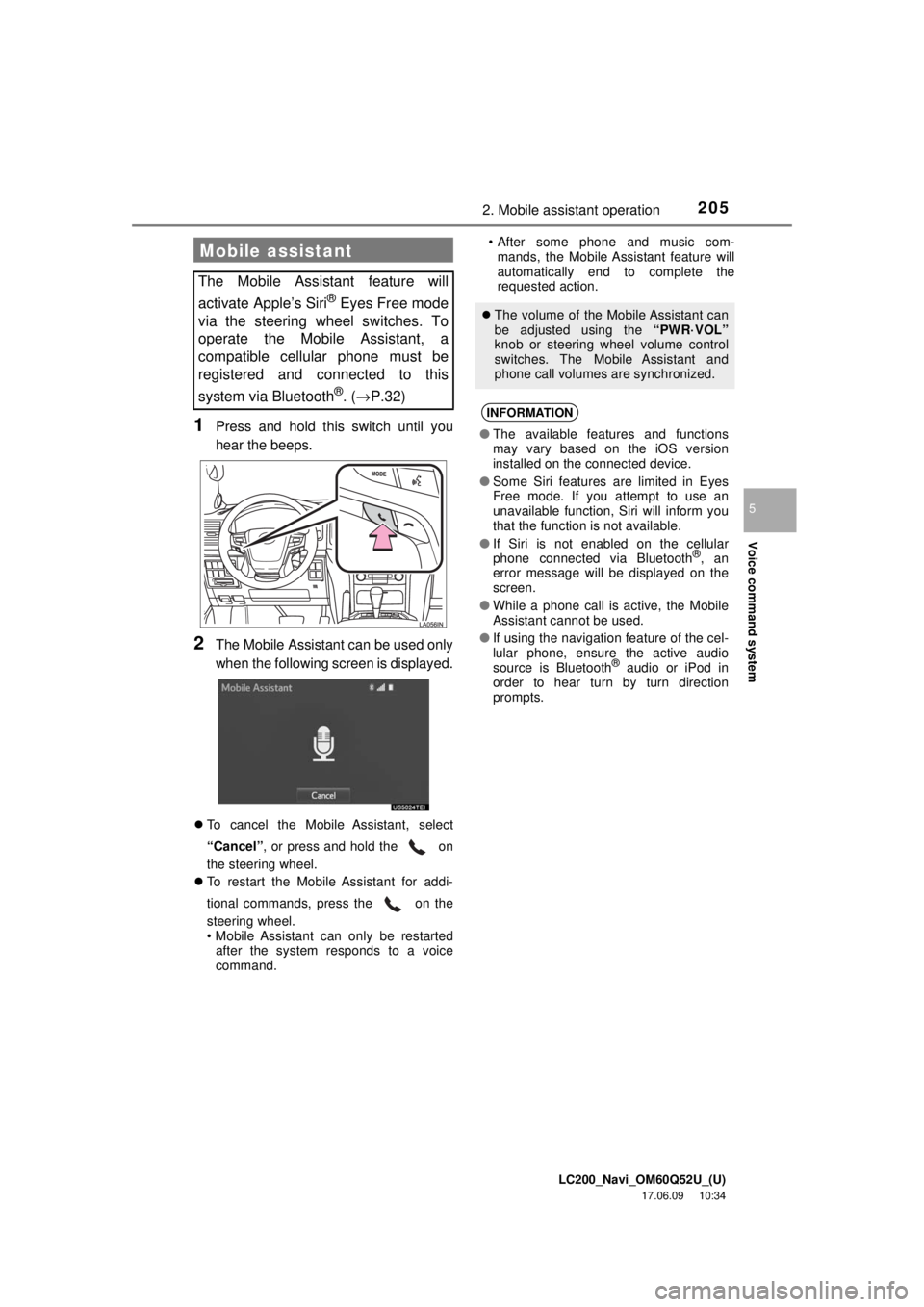
1Press and hold this switch until you
hear the beeps.
2The Mobile Assistant can be used only
when the following screen is displayed.
To cancel the Mobile Assistant, select
“Cancel”, or press and hold the on
the steering wheel.
To restart the Mobile Assistant for addi-
tional commands, press the on the
steering wheel.
• Mobile Assistant can only be restarted
after the system responds to a voice
command. • After some phone and music com-
mands, the Mobile Assistant feature will
automatically end to complete the
requested action.
Mobile assistant
The Mobile Assistant feature will
activate Apple’s Siri
® Eyes Free mode
via the steering wheel switches. To
operate the Mobile Assistant, a
compatible cellular phone must be
registered and connected to this
system via Bluetooth
®. ( → P.32)
The volume of the Mobile Assistant can
be adjusted using the “PWR·VOL”
knob or steering wheel volume control
switches. The Mobile Assistant and
phone call volumes are synchronized.
INFORMATION
● The available features and functions
may vary based on the iOS version
installed on the connected device.
● Some Siri features are limited in Eyes
Free mode. If you attempt to use an
unavailable function, Siri will inform you
that the function is not available.
● If Siri is not enabled on the cellular
phone connected via Bluetooth
®, an
error message will be displayed on the
screen.
● While a phone call is active, the Mobile
Assistant cannot be used.
● If using the navigation feature of the cel-
lular phone, ensure the active audio
source is Bluetooth
® audio or iPod in
order to hear turn by turn direction
prompts.