tow TOYOTA LAND CRUISER 2018 Accessories, Audio & Navigation (in English)
[x] Cancel search | Manufacturer: TOYOTA, Model Year: 2018, Model line: LAND CRUISER, Model: TOYOTA LAND CRUISER 2018Pages: 276, PDF Size: 7.11 MB
Page 71 of 276
LC200_Navi_OM60Q52U_(U)
17.06.09 10:34
Navigation system
3
712. Destination search
3Select the desired city name.
4Enter a street name and select “OK”.
5Select the desired street name.
6Enter a house number and select
“OK” .
If the same address exists in more than
one town, the address list screen will be
displayed. Select the desired address.
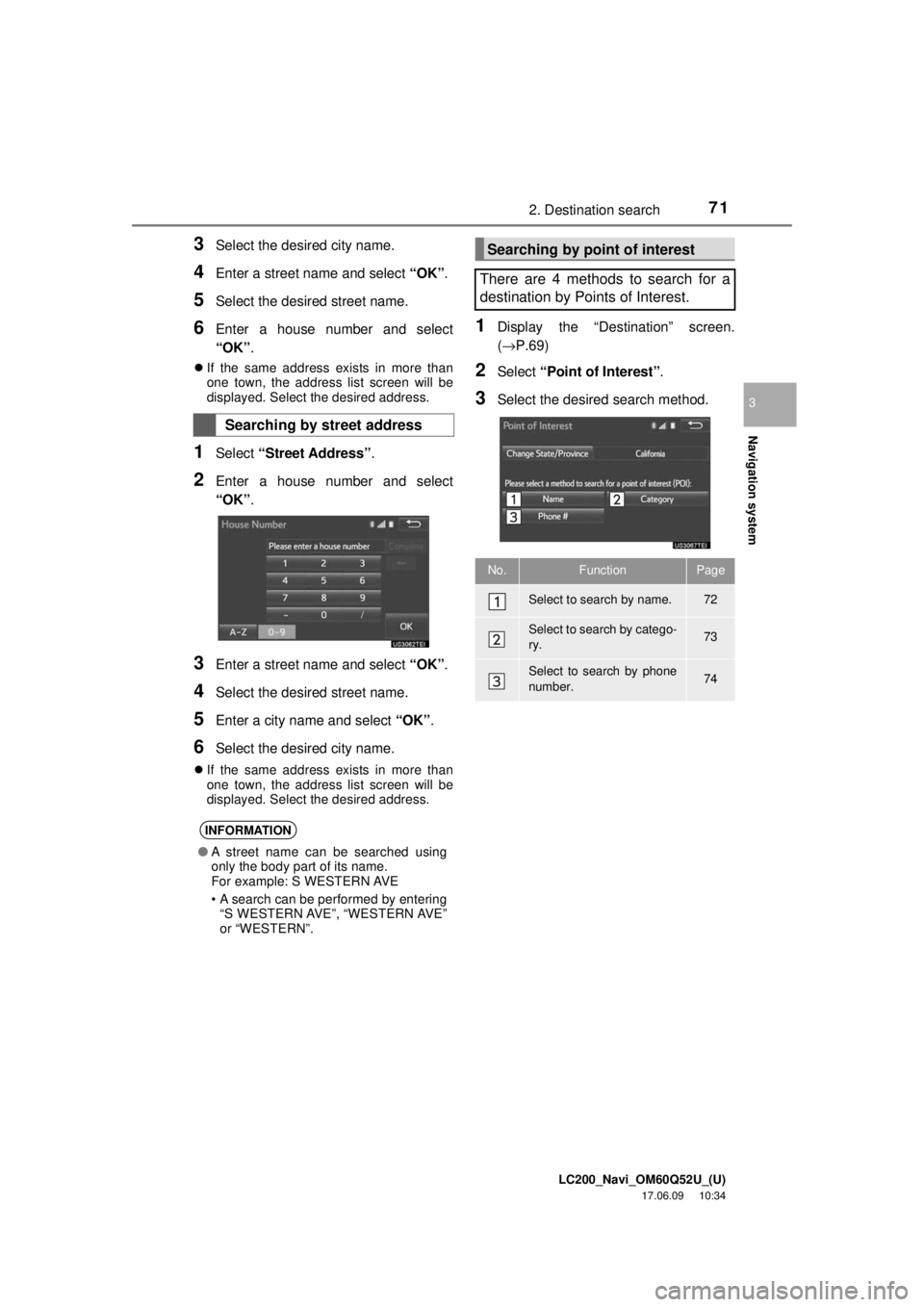
1Select “Street Address” .
2Enter a house number and select
“OK”.
3Enter a street name and select “OK”.
4Select the desired street name.
5Enter a city name and select “OK”.
6Select the desired city name.
If the same address exists in more than
one town, the address list screen will be
displayed. Select the desired address.
1Display the “Destination” screen.
(→P.69)
2Select “Point of Interest” .
3Select the desired search method.
Searching by street address
INFORMATION
●A street name can be searched using
only the body part of its name.
For example: S WESTERN AVE
• A search can be performed by entering
“S WESTERN AVE”, “WESTERN AVE”
or “WESTERN”.
Searching by point of interest
There are 4 methods to search for a
destination by Points of Interest.
No.FunctionPage
Select to search by name.72
Select to search by catego-
ry.73
Select to search by phone
number.74
Page 156 of 276
LC200_Navi_OM60Q52U_(U)
17.06.09 10:34
1564. Rear seat entertainment system operation
WA R N I N G
●While driving
• Do not use headphones. Doing so
may cause an accident, resulting in
death or serious injury.
● To prevent accidents and electric shock
• Do not disassemble or modify the
remote control.
● When the remote control is not used
• Stow the remote cont rol. Injuries may
result in the event of sudden braking,
sudden swerving or an accident.
● Conversational speech on some DVDs
is recorded at a low volume to empha-
size the impact of sound effects. If you
adjust the volume assuming that the
conversations represent the maximum
volume level that the DVD will play, you
may be startled by louder sound effects
or startled when you change to a differ-
ent audio source. The louder sounds
may have a significant impact on the
human body or pose a driving hazard.
Keep this in mind when you adjust the
volume.
● Removed battery and other parts:
• Keep away from children. These
parts are small and if swallowed by a
child they can cause choking. Failure
to do so could result in death or seri-
ous injury.
NOTICE
● Cleaning the display
• Wipe the display with a dry soft cloth.
• If the screen is wiped with a rough
cloth, the surface of the screen may
be scratched.
● To prevent damage to the remote control
• Keep the remote control away from
direct sunlight, temperature heat and
high humidity.
• Do not drop or knock the remote con- trol against hard objects.
• Do not sit on or place heavy objects on the remote control.
● For normal operation after replacing the
battery, observe the following precau-
tions to prevent accidents:
• Always work with dry hands. Moisture
may cause the battery to rust.
• Do not touch or move any other com- ponents inside the remote control.
• Do not bend either of the battery ter- minals.
Page 192 of 276
LC200_Navi_OM60Q52U_(U)
17.06.09 10:34
1921. Voice command system operation
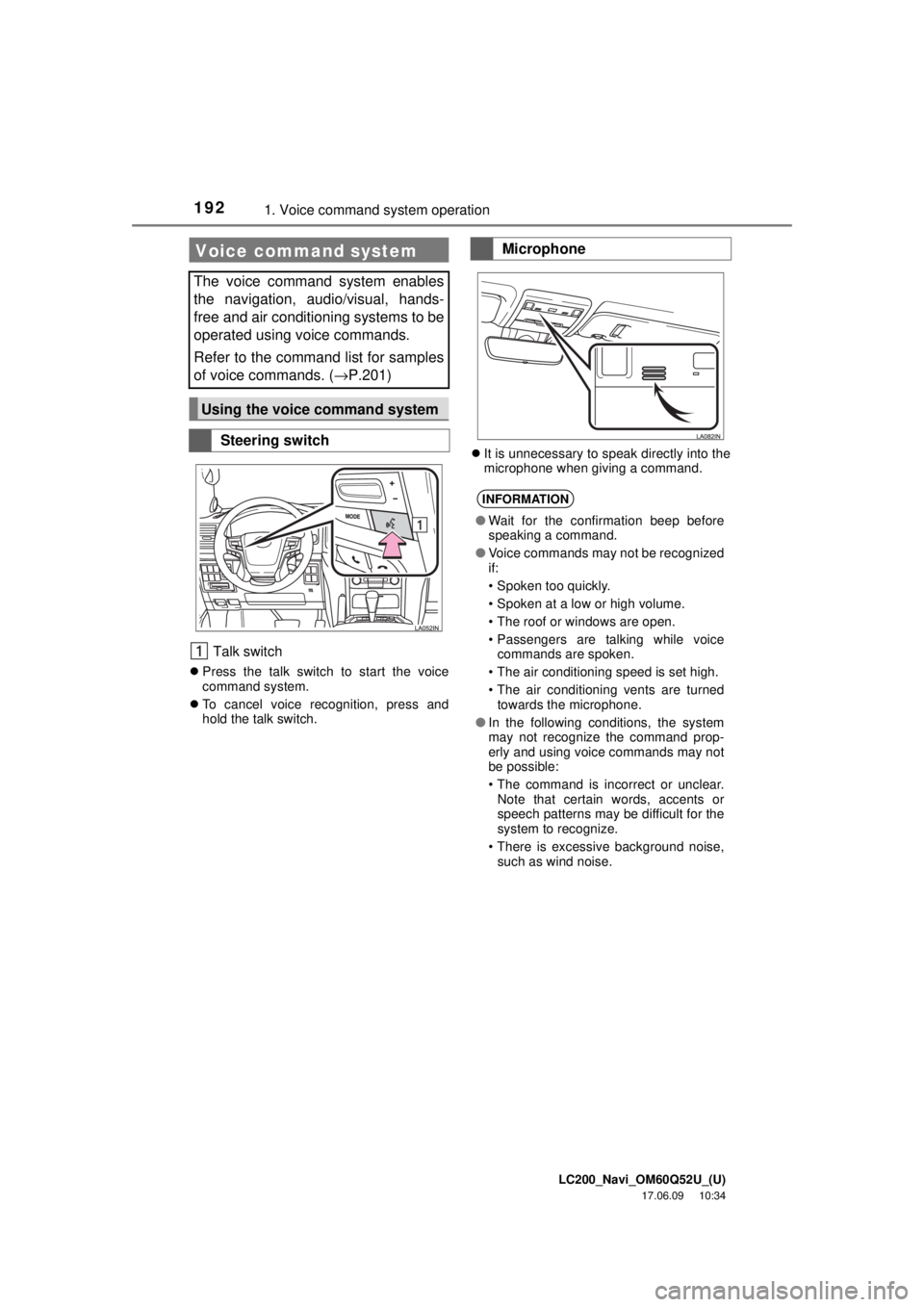
Talk switch
Press the talk switch to start the voice
command system.
To cancel voice recognition, press and
hold the talk switch.
It is unnecessary to speak directly into the
microphone when giving a command.
Voice command system
The voice command system enables
the navigation, audio/visual, hands-
free and air conditioning systems to be
operated using voice commands.
Refer to the command list for samples
of voice commands. ( →P.201)
Using the voice command system
Steering switch
Microphone
INFORMATION
●Wait for the confirmation beep before
speaking a command.
● Voice commands may not be recognized
if:
• Spoken too quickly.
• Spoken at a low or high volume.
• The roof or windows are open.
• Passengers are talking while voice
commands are spoken.
• The air conditioning speed is set high.
• The air conditioning vents are turned towards the microphone.
● In the following conditions, the system
may not recognize the command prop-
erly and using voice commands may not
be possible:
• The command is incorrect or unclear.
Note that certain words, accents or
speech patterns may be difficult for the
system to recognize.
• There is excessive background noise, such as wind noise.
Page 206 of 276

LC200_Navi_OM60Q52U_(U)
17.06.09 10:34
2062. Mobile assistant operation
Microphone
It is not necessary to speak directly into
the microphone when using the Mobile
Assistant. (Microphone location:
→ P.192)
INFORMATION
● Wait for the listening beeps before using
the Mobile Assistant.
● The Mobile Assistant may not recognize
commands in the following situations:
• Spoken too quickly.
• Spoken at a low or high volume.
• The roof or windows are open.
• Passengers are talking while the
Mobile Assistant is being used.
• The air conditioning speed is set high.
• The air conditioning vents are turned toward the microphone.
Page 214 of 276
LC200_Navi_OM60Q52U_(U)
17.06.09 10:34
2141. Phone operation (Hands-free system for cellular phones)
The following data is stored for every reg-
istered phone. When another phone is
connected, the following registered data
cannot be read:
• Contact data
• Call history data
• Favorites data
• Image data
• All phone settings
• Message settings
The following data in the system can be
initialized:
• Contact data
• Call history data
• Favorites data
• Image data
• All phone settings
• Message settings
Voice command system
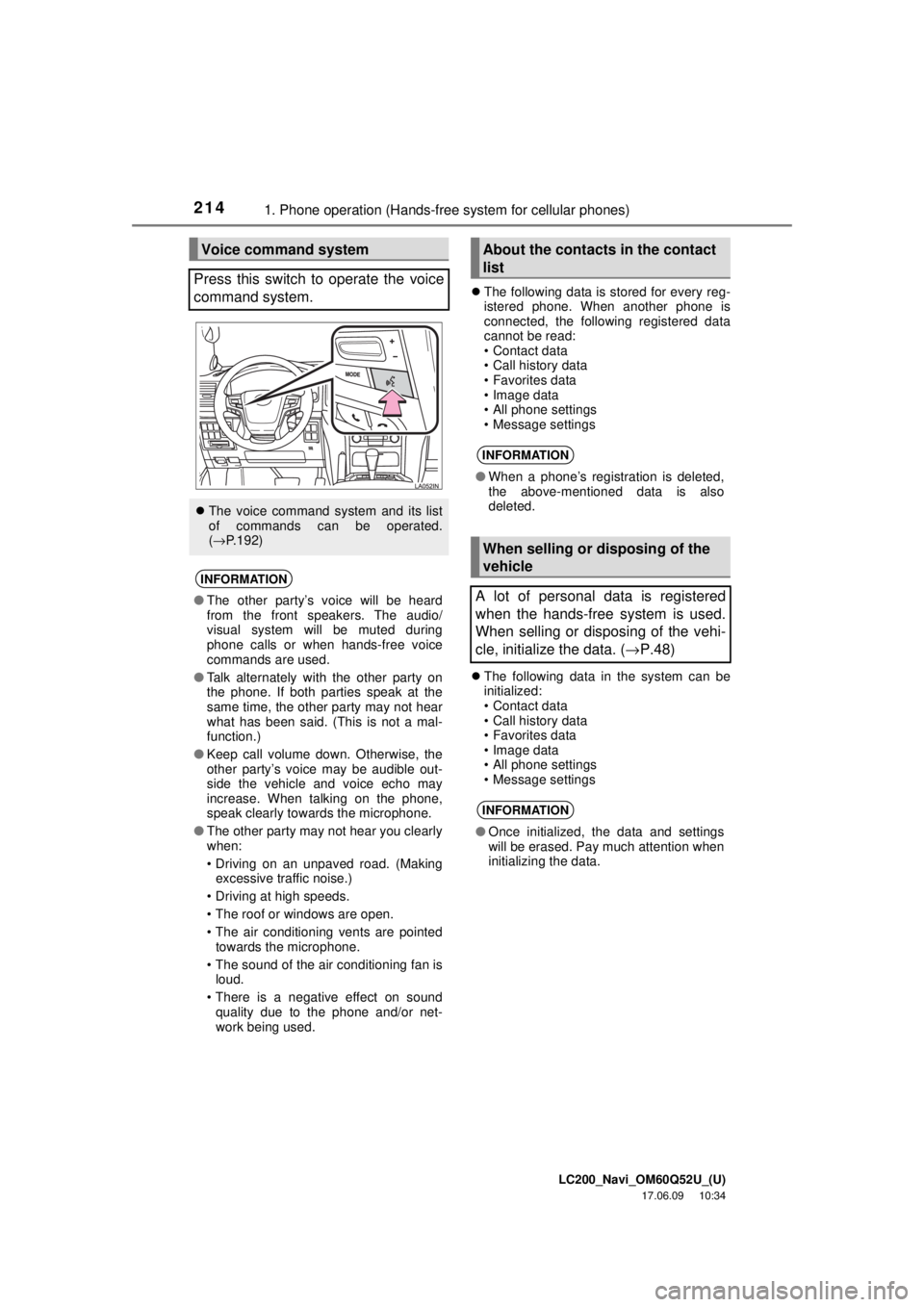
Press this switch to operate the voice
command system.
The voice command system and its list
of commands can be operated.
(→ P.192)
INFORMATION
●The other party’s voice will be heard
from the front speakers. The audio/
visual system will be muted during
phone calls or when hands-free voice
commands are used.
● Talk alternately with the other party on
the phone. If both parties speak at the
same time, the other party may not hear
what has been said. (This is not a mal-
function.)
● Keep call volume down. Otherwise, the
other party’s voice may be audible out-
side the vehicle and voice echo may
increase. When talking on the phone,
speak clearly towards the microphone.
● The other party may not hear you clearly
when:
• Driving on an unpaved road. (Making
excessive traffic noise.)
• Driving at high speeds.
• The roof or windows are open.
• The air conditioning vents are pointed towards the microphone.
• The sound of the air conditioning fan is loud.
• There is a negative effect on sound quality due to the phone and/or net-
work being used.
About the contacts in the contact
list
INFORMATION
● When a phone’s registration is deleted,
the above-mentioned data is also
deleted.
When selling or disposing of the
vehicle
A lot of personal data is registered
when the hands-free system is used.
When selling or disposing of the vehi-
cle, initialize the data. ( →P.48)
INFORMATION
● Once initialized, the data and settings
will be erased. Pay much attention when
initializing the data.