four wheel drive TOYOTA LAND CRUISER 2018 (in English) User Guide
[x] Cancel search | Manufacturer: TOYOTA, Model Year: 2018, Model line: LAND CRUISER, Model: TOYOTA LAND CRUISER 2018Pages: 620, PDF Size: 12.04 MB
Page 292 of 620

292
LC200_OM_OM60Q26U_(U)
4-5. Using the driving support systems
Crawl Control
Press the ON/OFF switch while Crawl Control is operating. If the
switch is turned off, the slip indica tor and the Turn Assist indicator will
go off (if the Turn Assist function is in use), the Crawl Control indicator
will flash until the system has turned off completely, and a message
stating that Crawl Control has been turned off will be displayed on the
multi-information display for several seconds.
When turning off Crawl Control while driving, stop the vehicle before
the Crawl Control indicator turns off, or drive extremely carefully.
Turn Assist function
Press the Turn Assist switch while the Turn Assist function is operat-
ing. When the switch is pressed, the Turn Assist indicator will go off,
and a message stating that the Tu rn Assist function has been turned
off will be displayed on the multi-in formation display for several sec-
onds.
■ The Crawl Control and Turn Assist function can be operated when
Crawl Control
● The engine is running.
● The shift lever is in any gear other than P or N.
● The four-wheel drive control switch is in L4.
● The driver’s door is closed.
Turn Assist function
● Crawl Control is operating.
● The center differential is not locked.
● The accelerator and brake are not being operated.
● The shift lever is in any gear other than P, R or N.
● The steering wheel is turned very far.
When the system is turned off
Page 293 of 620
LC200_OM_OM60Q26U_(U)
2934-5. Using the driving support systems
4
Driving
■Automatic system cancelation
Crawl Control
In the following situations, the buzzer will sound intermittently and Crawl Con-
trol will be canceled automatically. In this event, the Crawl Control indicator
will flash and then go off, the Turn Assist indicator will go off (if the Turn Assist
function is in use), and a message stating that Crawl Control has been turned
off will be displayed on the multi-information display for several seconds.
● When the shift lever is moved to P or N.
● When the four-wheel drive control switch is in H4.
● When the driver’s door is opened.
Turn Assist function
When the center differential is locked, the buzzer will sound intermittently and
the Turn Assist function will be canceled automatically. In this event, the Turn
Assist indicator will go off, and a message stating that the Turn Assist function
has been turned off will be displayed on the multi-information display for sev-
eral seconds.
■ Function limitations
Crawl Control
● In the following situations, brake control can be used to drive downhill at a
constant speed. However, engine control is not available when driving uphill
at a constant speed.
• When switched to second start mode.
● In the following situation, engine control and brake control will stop t\
empo-
rarily. In this event, the Crawl Control indicator will flash.
• When the vehicle speed exceeds approximately 15 mph (25 km/h).
Turn Assist function
In the following situations, the Turn Assist function will stop temporarily. In this
event, the Turn Assist indicator will flash.
● When the vehicle speed exceeds approximately 6 mph (10km/h).
● When the shift lever is moved to R.
■ When the Crawl Control system is operated continuously
● If Crawl Control is used continuously for a long time, the buzzer will sound, a
malfunction notification will be displayed on the multi-information display,
the Crawl Control indicator will go off, and Crawl Control will be temporarily
inoperable as a result of the brake system overheating. In this event, stop
the vehicle immediately in a safe place, and allow the brake system to cool
down sufficiently until the TRAC OFF indicator goes off. (In the meantime,
normal driving is possible.)
● If Crawl Control is used continuously for a long time, the buzzer will sound,
the system will be temporarily canceled, and a malfunction notification \
will
be displayed on the multi-information display as a result of the automatic
transmission system overheating. Stop the vehicle in a safe place until the
display goes off.
Page 296 of 620
296
LC200_OM_OM60Q26U_(U)
4-5. Using the driving support systems
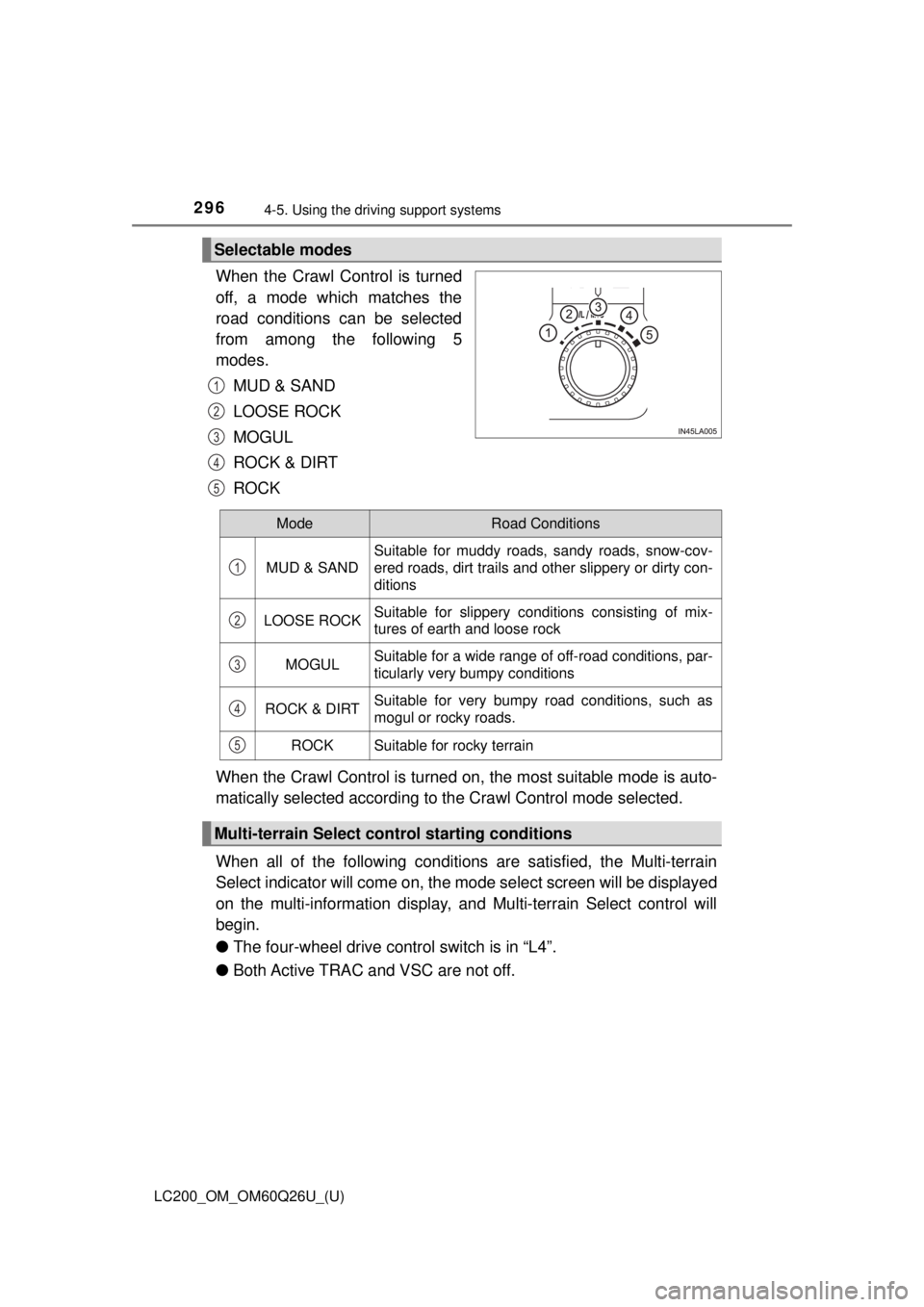
When the Crawl Control is turned
off, a mode which matches the
road conditions can be selected
from among the following 5
modes.
MUD & SAND
LOOSE ROCK
MOGUL
ROCK & DIRT
ROCK
When the Crawl Control is turned on, the most suitable mode is auto-
matically selected according to the Crawl Control mode selected.
When all of the following conditions are satisfied, the Multi-terrain
Select indicator will come on, the mode select screen will be displayed
on the multi-information display, and Multi-terrain Select control will
begin.
● The four-wheel drive cont rol switch is in “L4”.
● Both Active TRAC and VSC are not off.
Selectable modes
1
2
3
4
5
ModeRoad Conditions
MUD & SAND
Suitable for muddy roads, sandy roads, snow-cov-
ered roads, dirt trails and other slippery or dirty con-
ditions
LOOSE ROCKSuitable for slippery conditions consisting of mix-
tures of earth and loose rock
MOGULSuitable for a wide range of off-road conditions, par-
ticularly very bumpy conditions
ROCK & DIRTSuitable for very bumpy road conditions, such as
mogul or rocky roads.
ROCKSuitable for rocky terrain
Multi-terrain Select control starting conditions
1
2
3
4
5
Page 297 of 620
LC200_OM_OM60Q26U_(U)
2974-5. Using the driving support systems
4
Driving
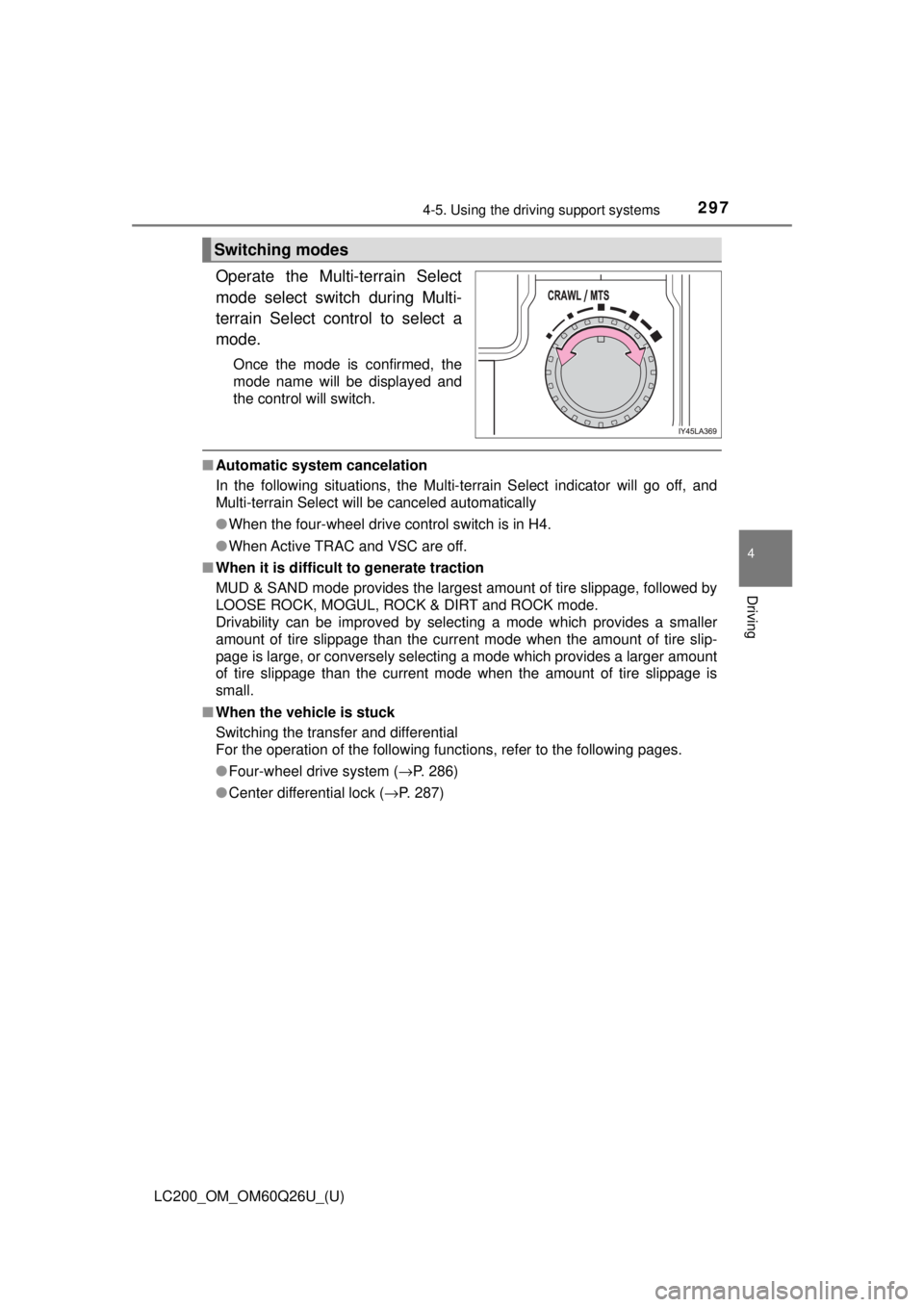
Operate the Multi-terrain Select
mode select switch during Multi-
terrain Select control to select a
mode.
Once the mode is confirmed, the
mode name will be displayed and
the control will switch.
■Automatic system cancelation
In the following situations, the Multi-terrain Select indicator will go off, and
Multi-terrain Select will be canceled automatically
●When the four-wheel drive control switch is in H4.
● When Active TRAC and VSC are off.
■ When it is difficult to generate traction
MUD & SAND mode provides the largest amount of tire slippage, followed by
LOOSE ROCK, MOGUL, ROCK & DIRT and ROCK mode.
Drivability can be improved by selecting a mode which provides a smaller
amount of tire slippage than the current mode when the amount of tire slip-
page is large, or conversely selecting a mode which provides a larger amount
of tire slippage than the current mode when the amount of tire slippage is
small.
■ When the vehicle is stuck
Switching the transfer and differential
For the operation of the following functions, refer to the following pages.
●Four-wheel drive system ( →P. 286)
● Center differential lock ( →P. 287)
Switching modes
Page 300 of 620
300
LC200_OM_OM60Q26U_(U)
4-5. Using the driving support systems
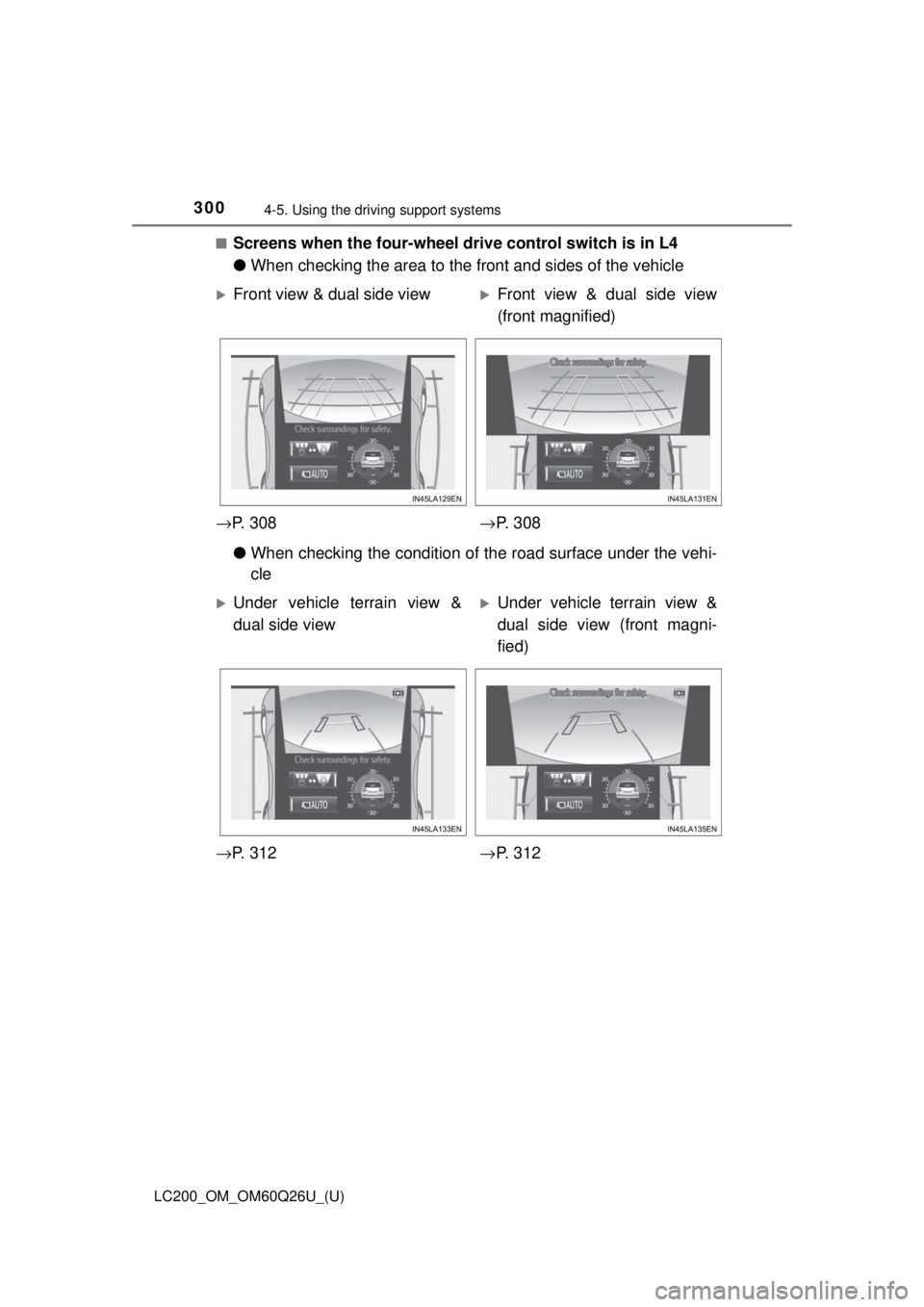
■Screens when the four-wheel drive control switch is in L4
●When checking the area to the front and sides of the vehicle
● When checking the condition of t he road surface under the vehi-
cle
Front view & dual side viewFront view & dual side view
(front magnified)
→ P. 3 0 8 →P. 3 0 8
Under vehicle terrain view &
dual side viewUnder vehicle terrain view &
dual side view (front magni-
fied)
→ P. 3 1 2 →P. 3 1 2
Page 301 of 620
LC200_OM_OM60Q26U_(U)
3014-5. Using the driving support systems
4
Driving
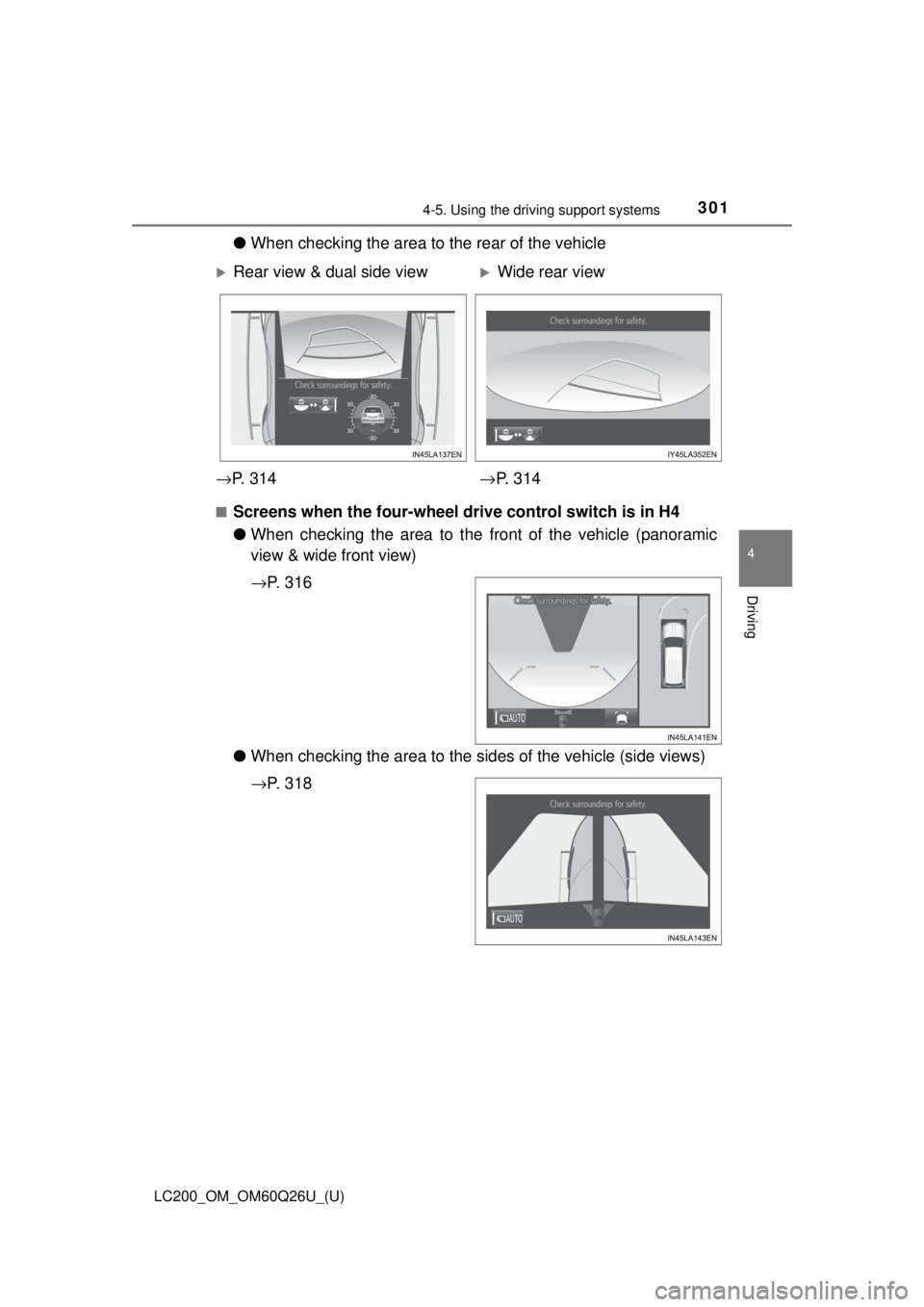
●When checking the area to the rear of the vehicle
■Screens when the four-wheel drive control switch is in H4
●When checking the area to the front of the vehicle (panoramic
view & wide front view)
→ P. 3 1 6
● When checking the area to the sides of the vehicle (side views)
→P. 3 1 8
Rear view & dual side viewWide rear view
→ P. 3 1 4 →P. 3 1 4
Page 305 of 620
LC200_OM_OM60Q26U_(U)
3054-5. Using the driving support systems
4
Driving
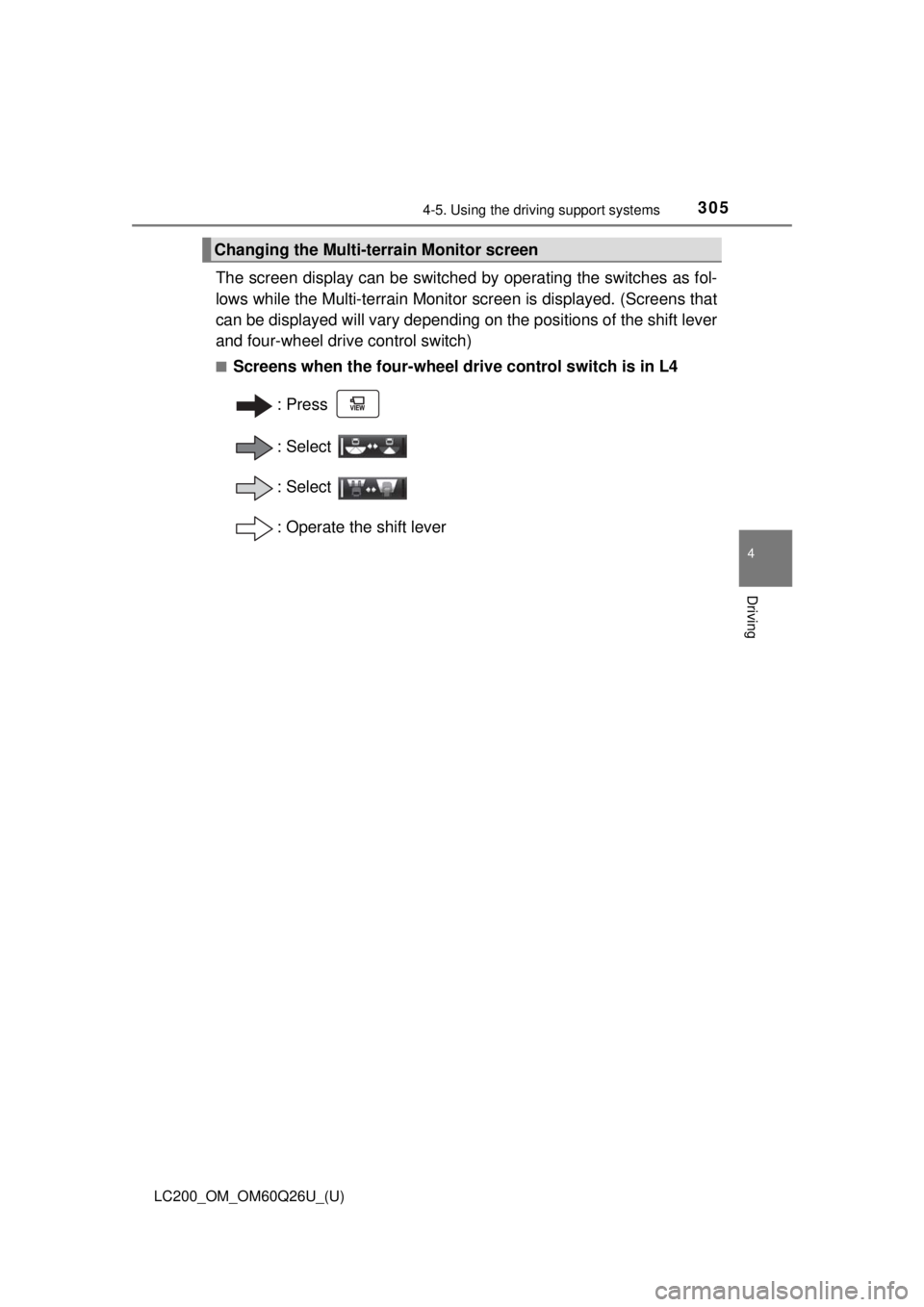
The screen display can be switched by operating the switches as fol-
lows while the Multi-terrain Monitor screen is displayed. (Screens that
can be displayed will vary depending on the positions of the shift lever
and four-wheel drive control switch)
■Screens when the four-wheel drive control switch is in L4
:Press
: Select
: Select
: Operate the shift lever
Changing the Multi-terrain Monitor screen
Page 307 of 620
LC200_OM_OM60Q26U_(U)
3074-5. Using the driving support systems
4
Driving
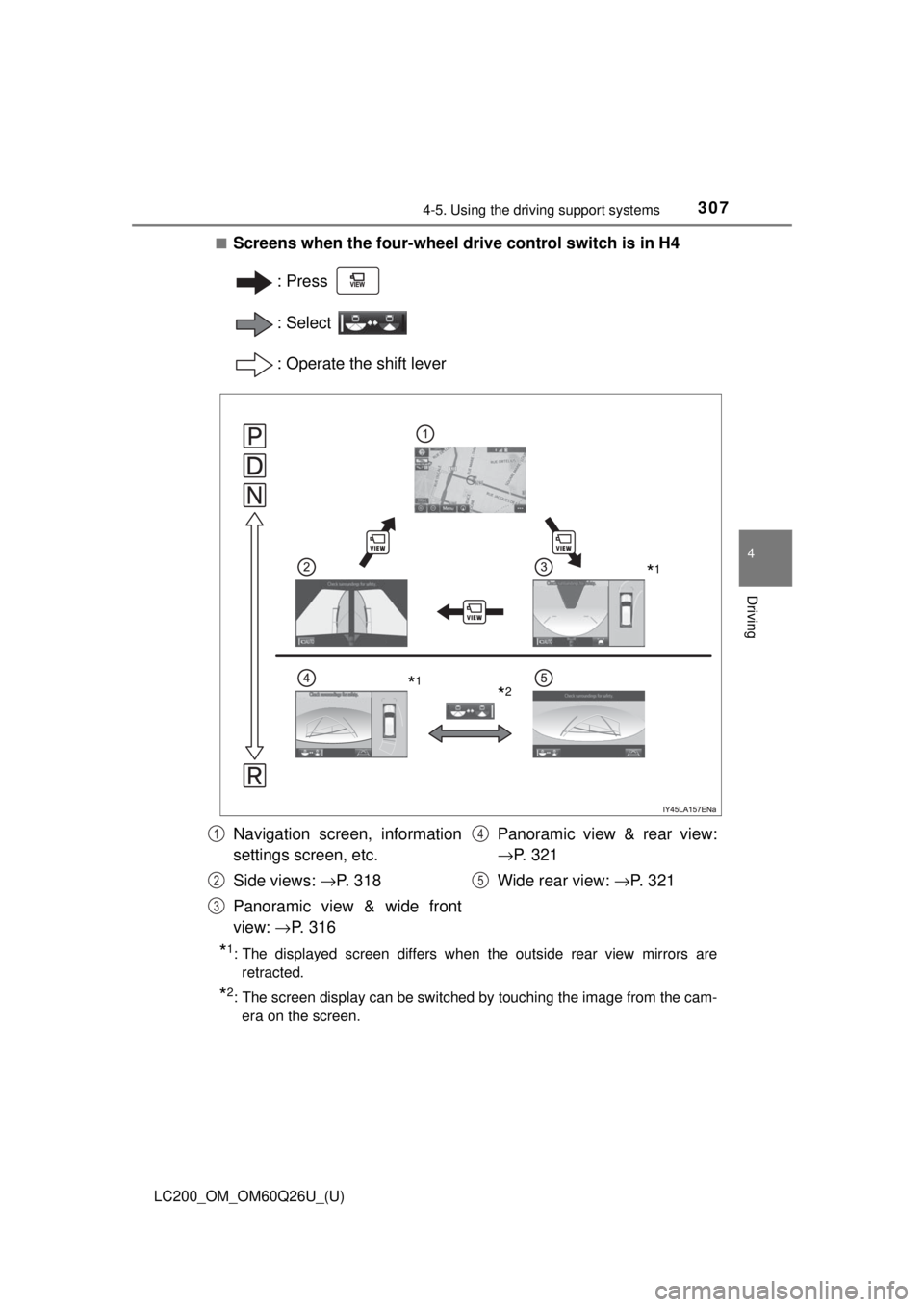
■Screens when the four-wheel drive control switch is in H4
:Press
: Select
: Operate the shift lever
*1: The displayed screen differs when the outside rear view mirrors areretracted.
*2: The screen display can be switched by touching the image from the cam-era on the screen.
*1
*2*1
Navigation screen, information
settings screen, etc.
Side views: →P. 318
Panoramic view & wide front
view: →P. 316 Panoramic view & rear view:
→
P. 3 2 1
Wide rear view: → P. 3 2 11
2
3
4
5
Page 310 of 620
310
LC200_OM_OM60Q26U_(U)
4-5. Using the driving support systems
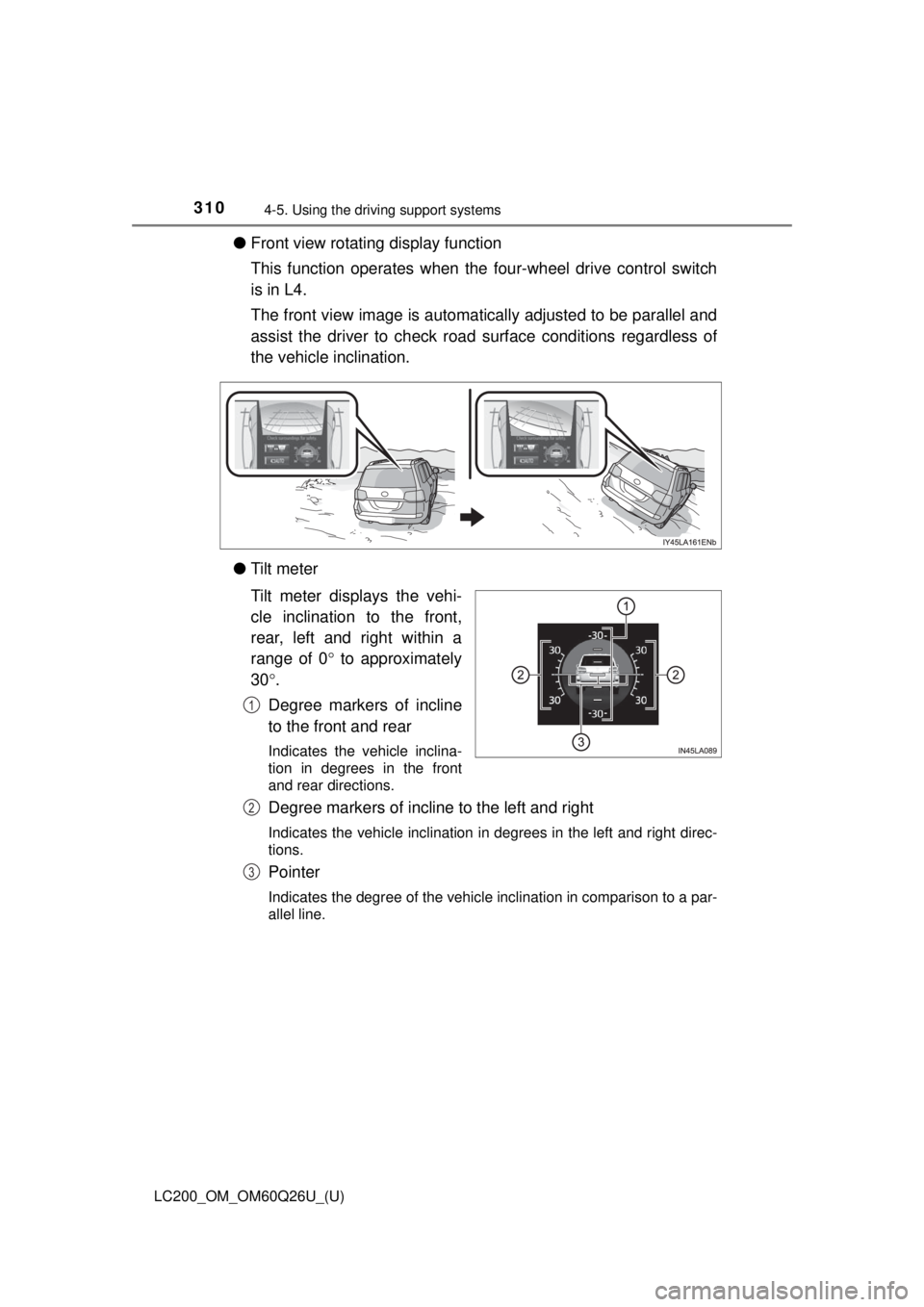
●Front view rotating display function
This function operates when the four-wheel drive control switch
is in L4.
The front view image is automatically adjusted to be parallel and
assist the driver to check road surface conditions regardless of
the vehicle inclination.
● Tilt meter
Tilt meter displays the vehi-
cle inclination to the front,
rear, left and right within a
range of 0 ° to approximately
30 °.
Degree markers of incline
to the front and rear
Indicates the vehicle inclina-
tion in degrees in the front
and rear directions.
Degree markers of incline to the left and right
Indicates the vehicle inclination in degrees in the left and right direc-
tions.
Pointer
Indicates the degree of the vehicle inclination in comparison to a par-
allel line.
1
2
3
Page 313 of 620

LC200_OM_OM60Q26U_(U)
3134-5. Using the driving support systems
4
Driving
■Under vehicle terrain view & dual side view
●The screen can be displayed when the shift lever is in D or N.
● While the under vehicle terrain view is displayed, if the vehicle speed
reaches or exceeds approximately 3 mph (5 km/h), the screen automatically
returns to the front view display.
● In the following situations, the under vehicle terrain view selection switch
cannot be operated.
• The vehicle is not completely stopped
• After the engine starts, a fixed distance or more has not been driven
• After the four-wheel drive control switch is shifted to L4, a fixed distance
or more has not been driven
● In the following situations, the system may not operate normally, or it may
not be possible to switch to the under vehicle terrain view.
• The road is covered with snow
• It is nighttime and the road has no illumination
• Dirt or foreign matter is adhering to the camera lens
• There is water in front of the vehicle (a river, puddle, sea water, etc.)
WARNING
■Guide lines
The tire position indicator lines and vehicle position indicator lines m\
ay differ
from actual vehicle positions depending on the number of passengers,
cargo weight, road grade, road surface conditions, brightness of the sur-
rounding environment, etc. Always drive the vehicle while confirming the
safety of your surroundings.
■ Under vehicle terrain view display
The image displayed is one that was previously taken at a point approxi-\
mately 10 ft. (3 m) behind the current vehicle position. In cases such as
when objects move after the image is taken, the image displayed on the
screen may differ from the actual state.