trailer TOYOTA LAND CRUISER 2018 (in English) Owner's Manual
[x] Cancel search | Manufacturer: TOYOTA, Model Year: 2018, Model line: LAND CRUISER, Model: TOYOTA LAND CRUISER 2018Pages: 620, PDF Size: 12.04 MB
Page 197 of 620
LC200_OM_OM60Q26U_(U)
1974-1. Before driving
4
Driving
WARNING
■Hitch
Trailer hitch assemblies have different weight capacities established by the
hitch manufacturer. Even though the vehicle may be physically capable of
towing a higher weight, the operator must determine the maximum weight
rating of the particular hitch assembly and never exceed the maximum
weight rating specified for the trailer-hitch. Exceeding the maximum weight
rating set by the trailer-hitch manufacturer can cause an accident resulting
in death or serious personal injuries.
■ When towing a trailer
Toyota recommends trailers with brakes that conform to any applicable fed-
eral and state/provincial regulations.
● If the gross trailer weight exceeds unbraked TWR, trailer brakes are
required. Toyota recommends trailers with brakes that conform to all appli-
cable federal and state/provincial regulations.
● Never tap into your vehicle’s hydraulic system, as this will lower the vehi-
cle’s braking effectiveness.
● Never tow a trailer without using a safety chain securely attached to both
the trailer and the vehicle. If damage occurs to the coupling unit or hitch
ball, there is danger of the trailer wandering into another lane.
NOTICE
■When installing a trailer hitch
Use only the position recommended by your Toyota dealer. Do not install
the trailer hitch on the bumper; this may cause body damage.
■ Do not directly splice trailer lights
Do not directly splice trailer lights. Directly splicing trailer lights may damage
your vehicle’s electrical system and cause a malfunction.
Page 220 of 620

220
LC200_OM_OM60Q26U_(U)
4-3. Operating the lights and wipers
●In the situations shown below, the system may not be able to accurately
detect surrounding brightness levels. This may cause the low beams to
remain on or the high beams to cause problems for pedestrians, vehicles
ahead or other parties. In these cases, manually switch between the high
and low beams.
• In bad weather (rain, snow, fog, sandstorms etc.)
• The windshield is obscured by fog, mist, ice, dirt etc.
• The windshield is cracked or damaged.
• The inside rear view mirror or ca mera sensor is deformed or dirty.
• The camera sensor temperature is extremely high.
• Surrounding brightness levels are equal to those of headlights, tail lights or fog lights.
• Vehicles ahead have headlights that are either switched off, dirty, are
changing color, or are not aimed properly.
• When driving through an area of in termittently changing brightness and
darkness
• When frequently and repeatedly driving ascending/descending roads, or roads with rough, bumpy or uneven surfaces (such as stone-paved
roads, gravel tracks etc.)
• When frequently and repeatedly taking curves or driving on a winding road
• There is a highly reflective object ahead of the vehicle, such as a sign or
a mirror.
• The back of a vehicle ahead is highly reflective, such as a container on a truck.
• The vehicle’s headlights are damaged or dirty, or are not aimed properly.
• The vehicle is listing or tilting, due to a flat tire, a trailer being towed etc.
• The high beam and low beam are repeatedly being switched between in an abnormal manner.
• The driver believes that the high beam may be causing problems or dis-
tress to other drivers or pedestrians nearby.
■ If a warning message of the Auto matic High Beam is displayed...
It may indicate a malfunction in the system. Contact your Toyota dealer.
Page 250 of 620
250
LC200_OM_OM60Q26U_(U)
4-5. Using the driving support systems
■Situations in which the system may not operate properly
●In some situations such as the following, a vehicle may not be detected by
the radar sensor and camera sensor, preventing the system from operating
properly:
• If an oncoming vehicle is approaching your vehicle
• If a vehicle ahead is a motorcycle or bicycle
• When approaching the side or front of a vehicle
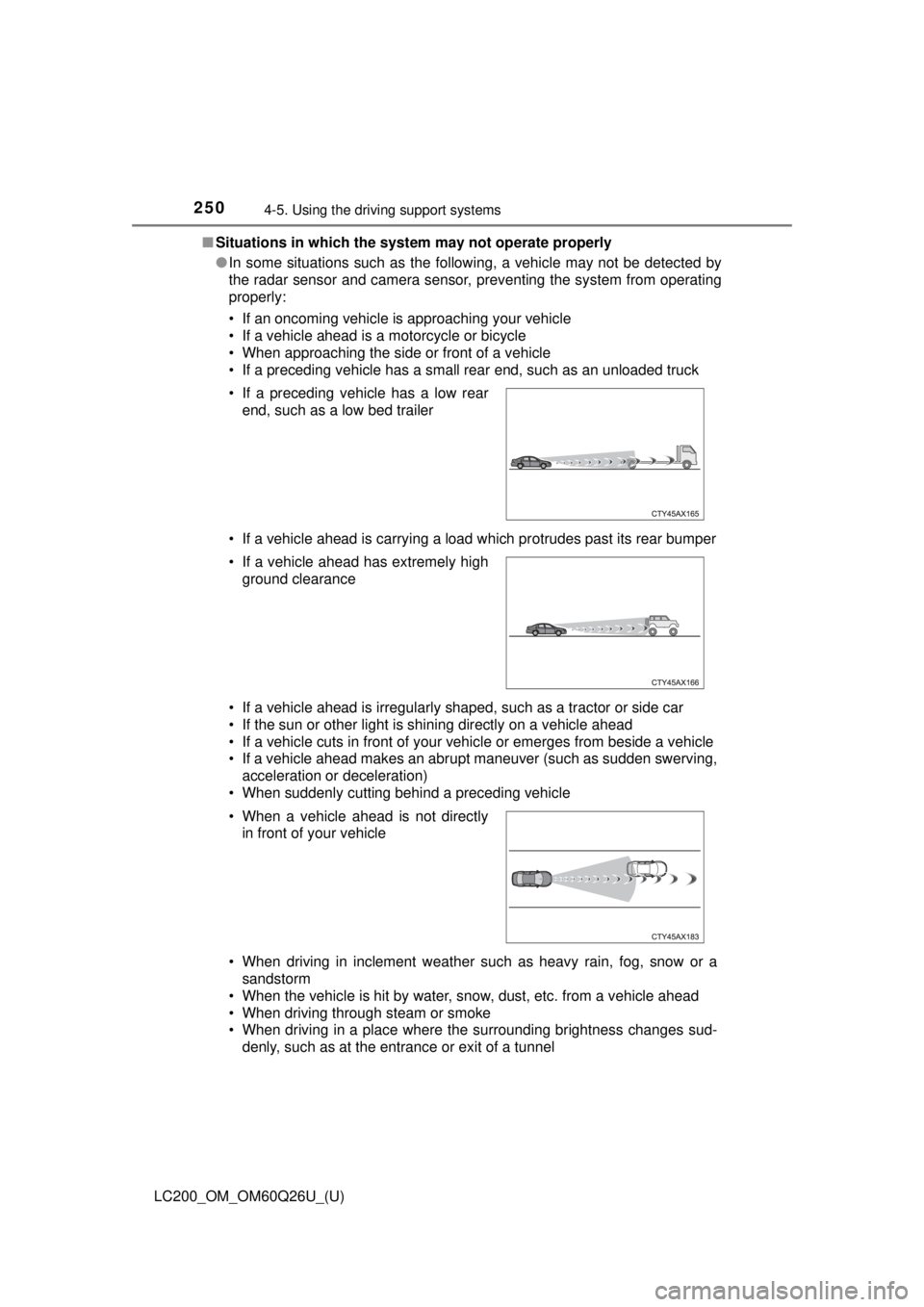
• If a preceding vehicle has a small rear end, such as an unloaded truck
• If a vehicle ahead is carrying a load which protrudes past its rear bumper
• If a vehicle ahead is irregularly shaped, such as a tractor or side car
• If the sun or other light is shining directly on a vehicle ahead
• If a vehicle cuts in front of your vehicle or emerges from beside a vehicle
• If a vehicle ahead makes an abrupt maneuver (such as sudden swerving,
acceleration or deceleration)
• When suddenly cutting behind a preceding vehicle
• When driving in inclement weather such as heavy rain, fog, snow or a sandstorm
• When the vehicle is hit by water, snow, dust, etc. from a vehicle ahead
• When driving through steam or smoke
• When driving in a place where the surrounding brightness changes sud- denly, such as at the entrance or exit of a tunnel
• If a preceding vehicle has a low rear
end, such as a low bed trailer
• If a vehicle ahead has extremely high ground clearance
• When a vehicle ahead is not directly in front of your vehicle
Page 265 of 620
LC200_OM_OM60Q26U_(U)
2654-5. Using the driving support systems
4
Driving
WARNING
■Situations unsuitable for dynamic radar cruise control
Do not use dynamic radar cruise control in any of the following situations.
Doing so may result in inappropriate speed control and could cause an acci-
dent resulting in death or serious injury.
● Roads where there are pedestrians, cyclists, etc.
● In heavy traffic
● On roads with sharp bends
● On winding roads
● On slippery roads, such as those covered with rain, ice or snow
● On steep downhills, or where there are sudden changes between sharp up
and down gradients
Vehicle speed may exceed the set speed when driving down a steep hill.
● At entrances to freeways and highways
● When weather conditions are bad enough that they may prevent the sen-
sors from detecting correctly (fog, snow, sandstorm, heavy rain, etc.)
● When there is rain, snow, etc. on the front surface of the radar sensor or
camera sensor
● In traffic conditions that require frequent repeated acceleration and decel-
eration
● When your vehicle is towing a trailer or during emergency towing
● When an approach warning buzzer is heard often
Page 273 of 620
LC200_OM_OM60Q26U_(U)
2734-5. Using the driving support systems
4
Driving
■Automatic cancelation of co nstant speed control mode
Constant speed control mode is automatically canceled in the following situa-
tions:
● Actual vehicle speed is more than approximately 10 mph (16 km/h) below
the set vehicle speed.
● Actual vehicle speed falls below approximately 25 mph (40 km/h).
● VSC is activated.
● Active TRAC is activated for a period of time.
● When the VSC or Active TRAC system is turned off.
● Pre-collision braking is activated.
● The center differential lock/unlock is not completed within 5 seconds while
the cruise control system is on.
If constant speed control mode is automatically canceled for any other rea-
son, there may be a malfunction in the system. Contact your Toyota dealer.
■ Warning messages and buzzers for dynamic radar cruise control
Warning messages and buzzers are used to indicate a system malfunction or
to inform the driver of the need for caution while driving. If a warning message
is shown on the multi-information display, read the message and follow the
instructions.
■ When the sensor may not be correctly detecting the vehicle ahead
In the case of the following and depending on the conditions, operate the
brake pedal when deceleration of the system is insufficient or operate the
accelerator pedal when acceleration is required.
As the sensor may not be able to correctly detect these types of vehicles, the
approach warning ( →P. 270) may not be activated.
● Vehicles that cut in suddenly
● Vehicles traveling at low speeds
● Vehicles that are not moving in the same lane
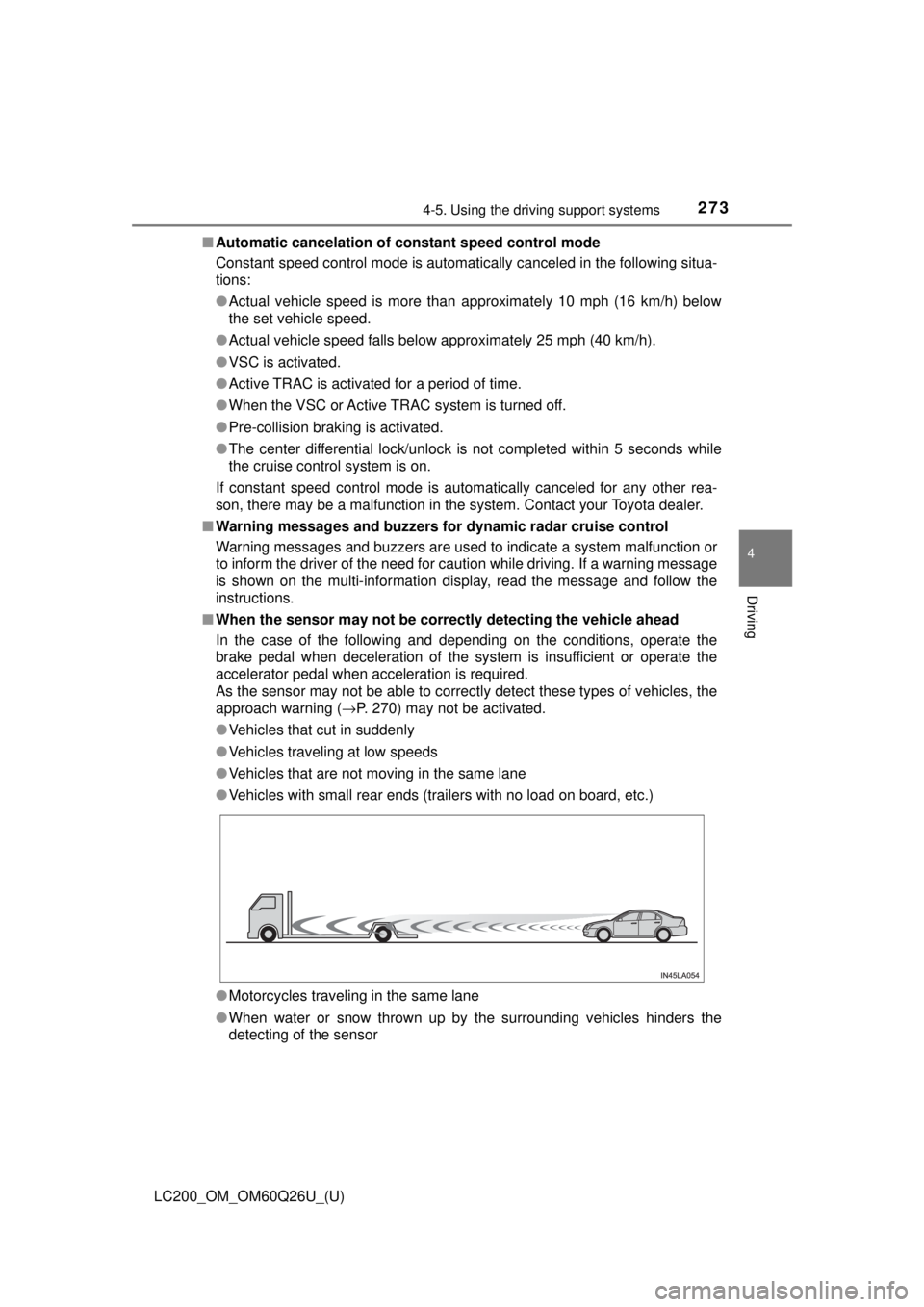
● Vehicles with small rear ends (trailers with no load on board, etc.)
● Motorcycles traveling in the same lane
● When water or snow thrown up by the surrounding vehicles hinders the
detecting of the sensor
Page 277 of 620
LC200_OM_OM60Q26U_(U)
2774-5. Using the driving support systems
4
Driving
■Automatic cruise co ntrol cancelation
Cruise control will stop maintaining the vehicle speed in any of the following
situations:
● Actual vehicle speed falls more than approximately 10 mph (16 km/h) below
the preset vehicle speed.
At this time, the memorized set speed is not retained.
● Actual vehicle speed is below approximately 25 mph (40 km/h).
● VSC is activated.
● The center differential lock/unlock is not completed within 5 seconds while
the cruise control system is on.
● Active TRAC is activated for a period of time.
● When the VSC or Active TRAC system is turned off.
■ If “Cruise Control Malfunction Visit Your Dealer” is shown on the multi-
information display
Press the “ON-OFF” button once to deactivate the system, and then press
the button again to reactivate the system.
If the cruise control speed cannot be set or if the cruise control cancels imme-
diately after being activated, there may be a malfunction in the cruise control
system. Have the vehicle inspected by your Toyota dealer.
WARNING
■ To avoid operating the cruise control by mistake
Switch the cruise control off using the “ON-OFF” button when not in use.
■ Situations unsuitable for cruise control
Do not use cruise control in any of the following situations.
Doing so may result in loss of control and could cause an accident resulting
in death or serious injury.
● In heavy traffic
● On roads with sharp bends
● On winding roads
● On slippery roads, such as those covered with rain, ice or snow
● On steep hills
Vehicle speed may exceed the set speed when driving down a steep hill.
● When your vehicle is towing a trailer (with towing hitch) or during emer-
gency towing
Page 364 of 620
364
LC200_OM_OM60Q26U_(U)
4-5. Using the driving support systems
◆VGRS (Variable Gear Ratio Steering)
Helps to adjust the wheel turning angle in accordance with the vehicle
speed and steering wheel movement.
◆Trailer Sway Control
Helps the driver to control trailer sway by selectively applying brake pres-
sure for individual wheels and reducing engine torque when trailer sway is
detected.
Trailer Sway Control is part of the VSC system and will not operate if VSC
turned off or experiences a malfunction.
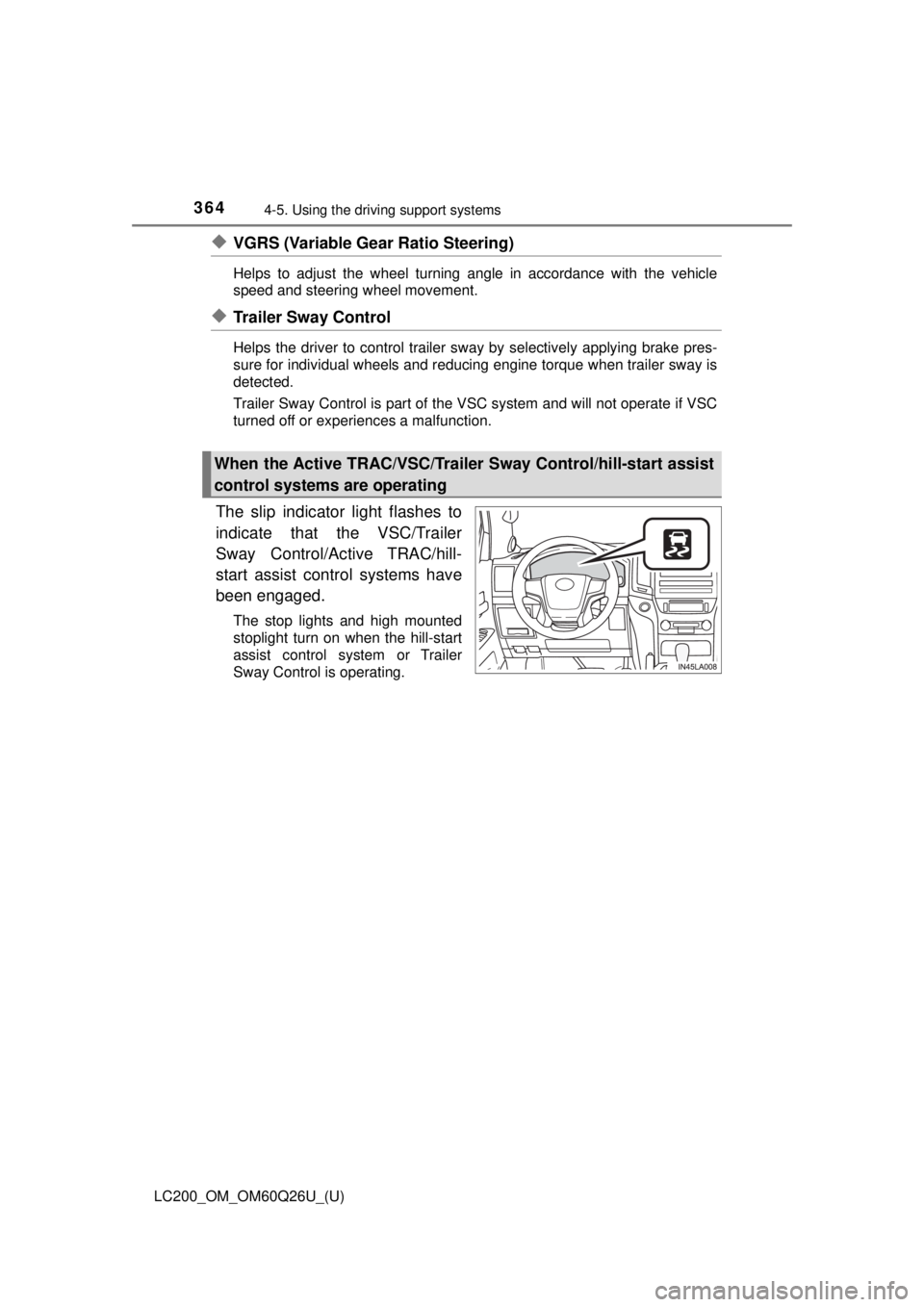
The slip indicator light flashes to
indicate that the VSC/Trailer
Sway Control/Active TRAC/hill-
start assist control systems have
been engaged.
The stop lights and high mounted
stoplight turn on when the hill-start
assist control system or Trailer
Sway Control is operating.
When the Active TRAC/VSC/Trailer Sway Control/hill-start assist
control systems are operating
Page 365 of 620
LC200_OM_OM60Q26U_(U)
3654-5. Using the driving support systems
4
Driving
If the vehicle gets stuck in fres h snow or mud, Active TRAC may
reduce power from the engine to the wheels. You may need to turn
the system off to enable you to rock the vehicle in order to free it.
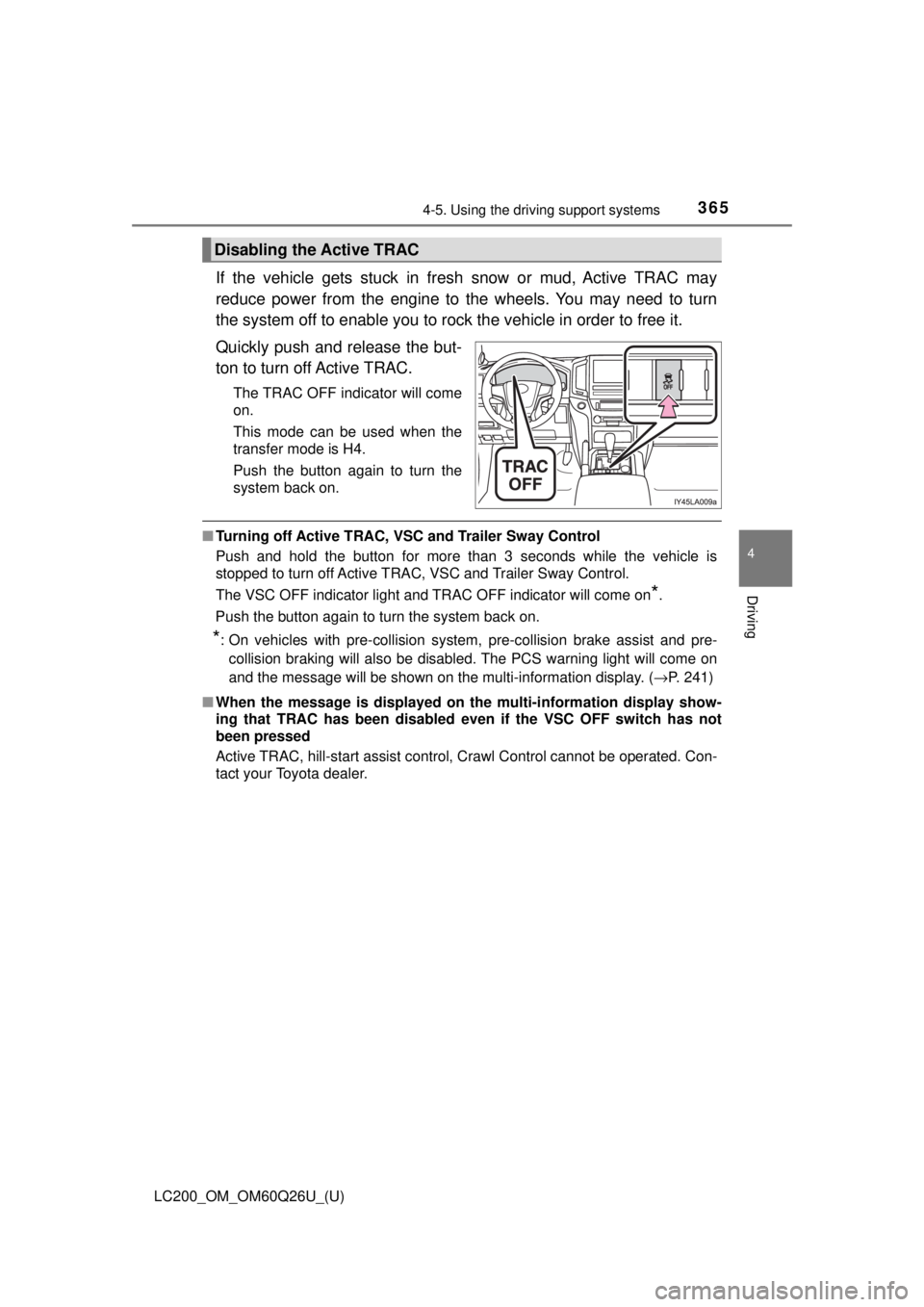
Quickly push and release the but-
ton to turn off Active TRAC.
The TRAC OFF indicator will come
on.
This mode can be used when the
transfer mode is H4.
Push the button again to turn the
system back on.
■ Turning off Active TRAC, VSC and Trailer Sway Control
Push and hold the button for more than 3 seconds while the vehicle is
stopped to turn off Active TRAC, VSC and Trailer Sway Control.
The VSC OFF indicator light and TRAC OFF indicator will come on
*.
Push the button again to turn the system back on.
*: On vehicles with pre-collision system, pre-collision brake assist and pre- collision braking will also be disabled. The PCS warning light will come on
and the message will be shown on the multi-information display. ( →P. 241)
■ When the message is displayed on th e multi-information display show-
ing that TRAC has been disabled even if the VSC OFF switch has not
been pressed
Active TRAC, hill-start assist control, Crawl Control cannot be operated. Con-
tact your Toyota dealer.
Disabling the Active TRAC
Page 366 of 620

366
LC200_OM_OM60Q26U_(U)
4-5. Using the driving support systems
■Automatic reactivation of Active TR AC, VSC and Trailer Sway Control
Turning the engine switch off after turning off the Active TRAC and VSC sys-
tems will automatically re-enable them.
■ Automatic Active TRAC reactivation
If only the Active TRAC system is turned off, the Active TRAC system will turn
on when vehicle speed increases.
■ Automatic Active TRAC, VSC and Tr ailer Sway Control reactivation
If the Active TRAC, VSC and Trailer Sway Control are turned off, the systems
will not turn on even when vehicle speed increases.
■ If the brake system overheats
The brake system may overheat. In this case, a buzzer will sound, and the
TRAC OFF indicator will flash, and Acti ve TRAC and hill-start assist control
will be temporarily inoperable. In this event, stop the vehicle immediately in a
safe place, and allow the brake system to cool down sufficiently until the
TRAC OFF indicator go off. (There is no problem with continuing normal driv-
ing.)
■ Sounds and vibrations caused by the Multi Terrain ABS, brake assist,
Active TRAC, VSC, Trailer Sway Co ntrol, hill-start assist control and
VGRS
● A sound may be heard from the engine compartment when the engine is
started or just after the vehicle begins to move. This sound does not indicate
that a malfunction has occurred in any of these systems.
● Any of the following conditions may occur when the above systems are
operating. None of these indicates that a malfunction has occurred.
• Vibrations may be felt through the vehicle body and steering.
• A motor sound may be heard after the vehicle comes to a stop.
• The brake pedal may pulsate slightly after the Multi Terrain ABS is acti-
vated.
• The brake pedal may move down slightly after the Multi Terrain ABS is activated.
■ Hill-start assist control is operational when
●The shift lever is in D or S.
● The brake pedal is not depressed.
■ VGRS is disabled in the following situations
●During stopping or the steering wheel has been moved for a long time while
driving at lower speeds.
● After the engine is restarted at less than -22 °F (-30 °C).
● If you disconnect the battery with the steering wheel turned, the center\
posi-
tion of the steering wheel could be slightly and temporary hanged. To initial-
ize the VGRS, drive for a short while.
Page 367 of 620
LC200_OM_OM60Q26U_(U)
3674-5. Using the driving support systems
4
Driving
WARNING
Any of the following conditions may result in an accident which could cause
death or serious injury:
■The Multi Terrain ABS does not operate effectively when
● The limits of tire gripping performance have been exceeded (such as
excessively worn tires on a snow covered road).
● The vehicle hydroplanes while driving at high speed on the wet or slick
road.
■ Stopping distance when the Multi Terrain ABS is operating may exceed
that of normal conditions
The Multi Terrain ABS is not designed to shorten the vehicle’s stopping dis-
tance. Always maintain a safe distance from the vehicle in front of you,
especially in the following situations.
● When driving on dirt, gravel or snow-covered roads
● When driving with tire chains
● When driving over bumps in the road
● When driving over roads with potholes or uneven roads
■ Active TRAC may not operate effectively when
Directional control and power may not be achievable while driving on slip-
pery road surfaces, even if the Active TRAC is operating.
Do not drive the vehicle in conditions where stability and power may be lost.
■ If the hill-start assist contro l does not operate effectively
Do not overly rely on the hill-start assist control. The hill-start assist control
may not operate effectively on steep inclines and roads covered in ice.
■ When Active TRAC, VSC and Trailer Sway Control are off
Be especially careful and drive at a speed appropriate to the road condi-
tions. As there are systems to help ensure vehicle stability and driving force,
do not turn off Active TRAC, VSC and Trailer Sway Control unless neces-
sary.