fog light TOYOTA LAND CRUISER 2018 Owners Manual (in English)
[x] Cancel search | Manufacturer: TOYOTA, Model Year: 2018, Model line: LAND CRUISER, Model: TOYOTA LAND CRUISER 2018Pages: 620, PDF Size: 12.04 MB
Page 3 of 620
3
1
8 7
6
5
4
3
2
LC200_OM_OM60Q26U_(U)
9
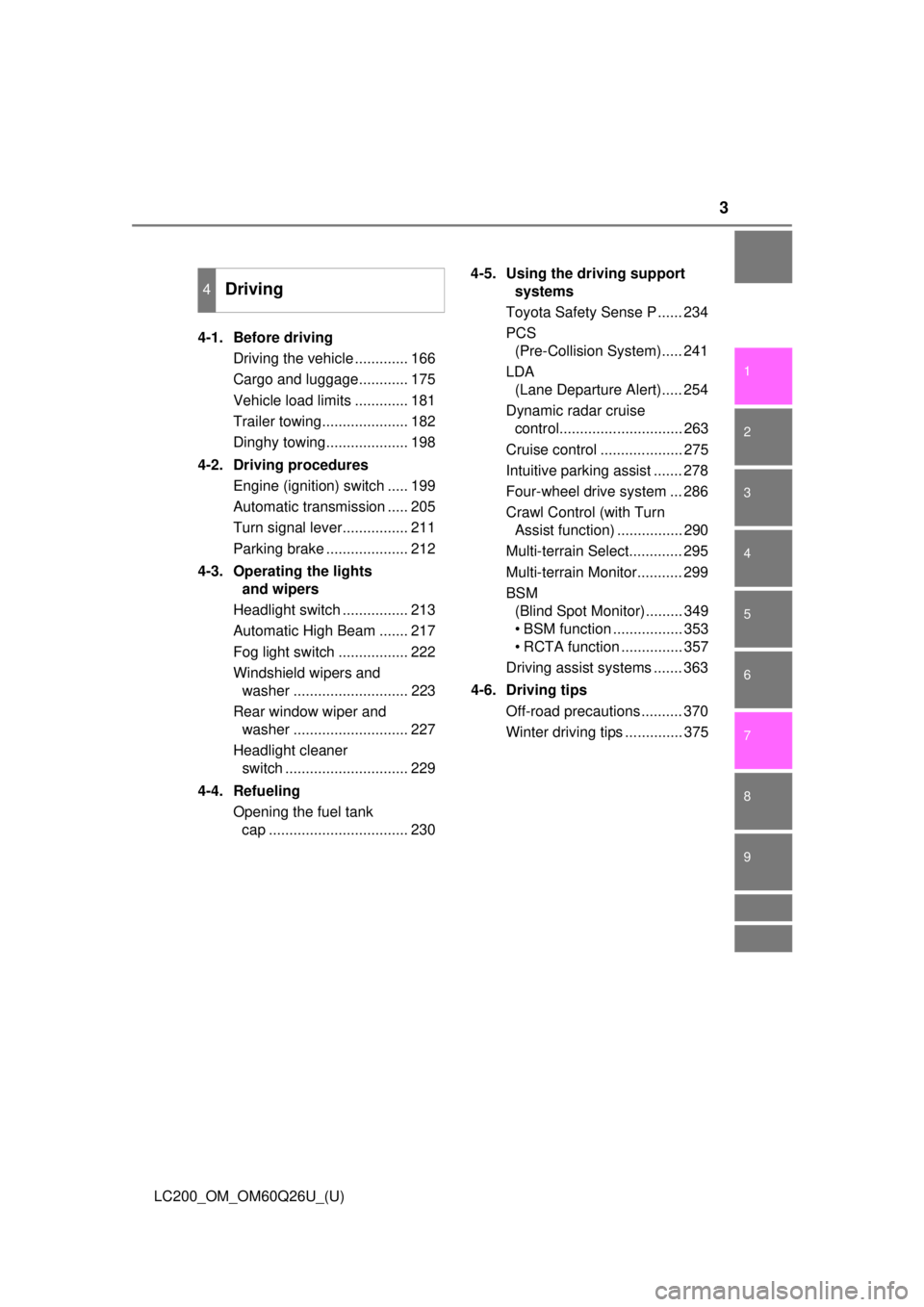
4-1. Before drivingDriving the vehicle ............. 166
Cargo and luggage............ 175
Vehicle load limits ............. 181
Trailer towing..................... 182
Dinghy towing.................... 198
4-2. Driving procedures Engine (ignition) switch ..... 199
Automatic transmission ..... 205
Turn signal lever................ 211
Parking brake .................... 212
4-3. Operating the lights and wipers
Headlight switch ................ 213
Automatic High Beam ....... 217
Fog light switch ................. 222
Windshield wipers and washer ............................ 223
Rear window wiper and washer ............................ 227
Headlight cleaner switch .............................. 229
4-4. Refueling Opening the fuel tank cap .................................. 230 4-5. Using the driving support
systems
Toyota Safety Sense P ...... 234
PCS (Pre-Collision System)..... 241
LDA (Lane Departure Alert)..... 254
Dynamic radar cruise control.............................. 263
Cruise control .................... 275
Intuitive parking assist ....... 278
Four-wheel drive system ... 286
Crawl Control (with Turn Assist function) ................ 290
Multi-terrain Select............. 295
Multi-terrain Monitor........... 299
BSM (Blind Spot Monitor)......... 349
• BSM function ................. 353
• RCTA function ............... 357
Driving assist systems ....... 363
4-6. Driving tips Off-road precautions .......... 370
Winter driving tips .............. 375
4Driving
Page 4 of 620

TABLE OF CONTENTS4
LC200_OM_OM60Q26U_(U)5-1. Using the air conditioning
system and defogger
Front automatic air conditioning system ........ 380
Rear air conditioning system............................. 391
Heated steering wheel/ seat heaters/
seat ventilators ................ 395
5-2. Using the interior lights Interior lights list ................ 399• Interior lights ................. 400
• Personal lights .............. 401
5-3. Using the storage features List of storage features...... 402• Glove box...................... 403
• Console box .................. 404
• Overhead console ......... 405
• Cup holders .................. 406
• Bottle holders ................ 408
• Card holders ................. 409
• Auxiliary boxes .............. 409
Luggage compartment features ........................... 410 5-4. Using the other interior
features
Other interior features........ 412 • Cool box ........................ 412
• Sun visors ..................... 414
• Vanity mirror .................. 414
• Clock ............................. 415
• Outside temperature
display ........................... 415
• Power outlets ................ 416
• Wireless charger ........... 418
• Armrest.......................... 426
• Coat hooks .................... 426
• Assist grips .................... 427
Garage door opener .......... 428
Safety Connect .................. 435
5Interior features
Page 14 of 620
14Pictorial index
LC200_OM_OM60Q26U_(U)
Pictorial index
■
Exterior
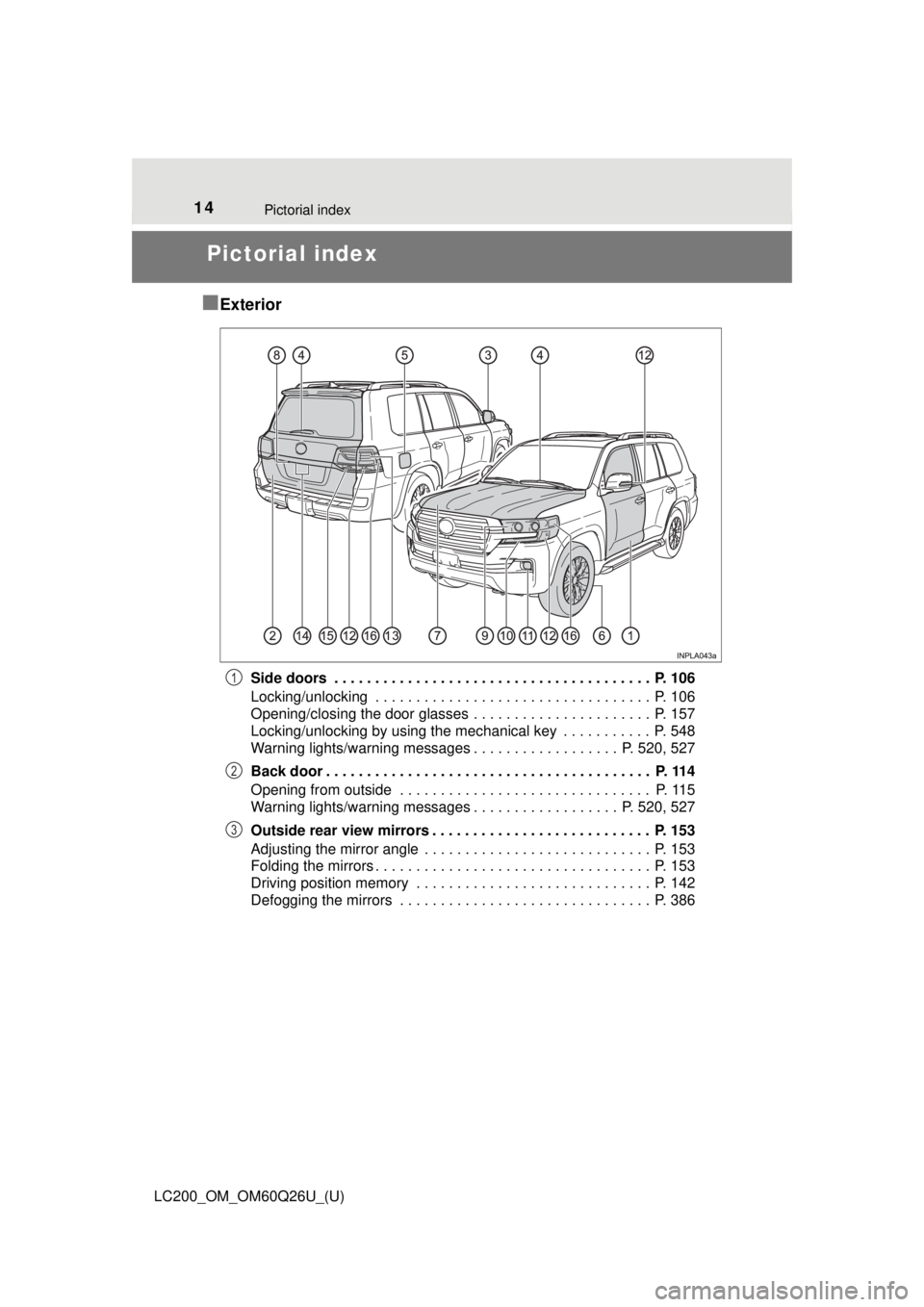
Side doors . . . . . . . . . . . . . . . . . . . . . . . . . . . . . . . . . . . . . . . P. 106
Locking/unlocking . . . . . . . . . . . . . . . . . . . . . . . . . . . . . . . . . . P. 106
Opening/closing the door glasses . . . . . . . . . . . . . . . . . . . . . . P. 157
Locking/unlocking by using the mechanical key . . . . . . . . . . . P. 548
Warning lights/warning messages . . . . . . . . . . . . . . . . . . P. 520, 527
Back door . . . . . . . . . . . . . . . . . . . . . . . . . . . . . . . . . . . . . . . . P. 114
Opening from outside . . . . . . . . . . . . . . . . . . . . . . . . . . . . . . . P. 115
Warning lights/warning messages . . . . . . . . . . . . . . . . . . P. 520, 527
Outside rear view mirrors . . . . . . . . . . . . . . . . . . . . . . . . . . . P. 153
Adjusting the mirror angle . . . . . . . . . . . . . . . . . . . . . . . . . . . . P. 153
Folding the mirrors . . . . . . . . . . . . . . . . . . . . . . . . . . . . . . . . . . P. 153
Driving position memory . . . . . . . . . . . . . . . . . . . . . . . . . . . . . P. 142
Defogging the mirrors . . . . . . . . . . . . . . . . . . . . . . . . . . . . . . . P. 3861
2
3
Page 15 of 620
15Pictorial index
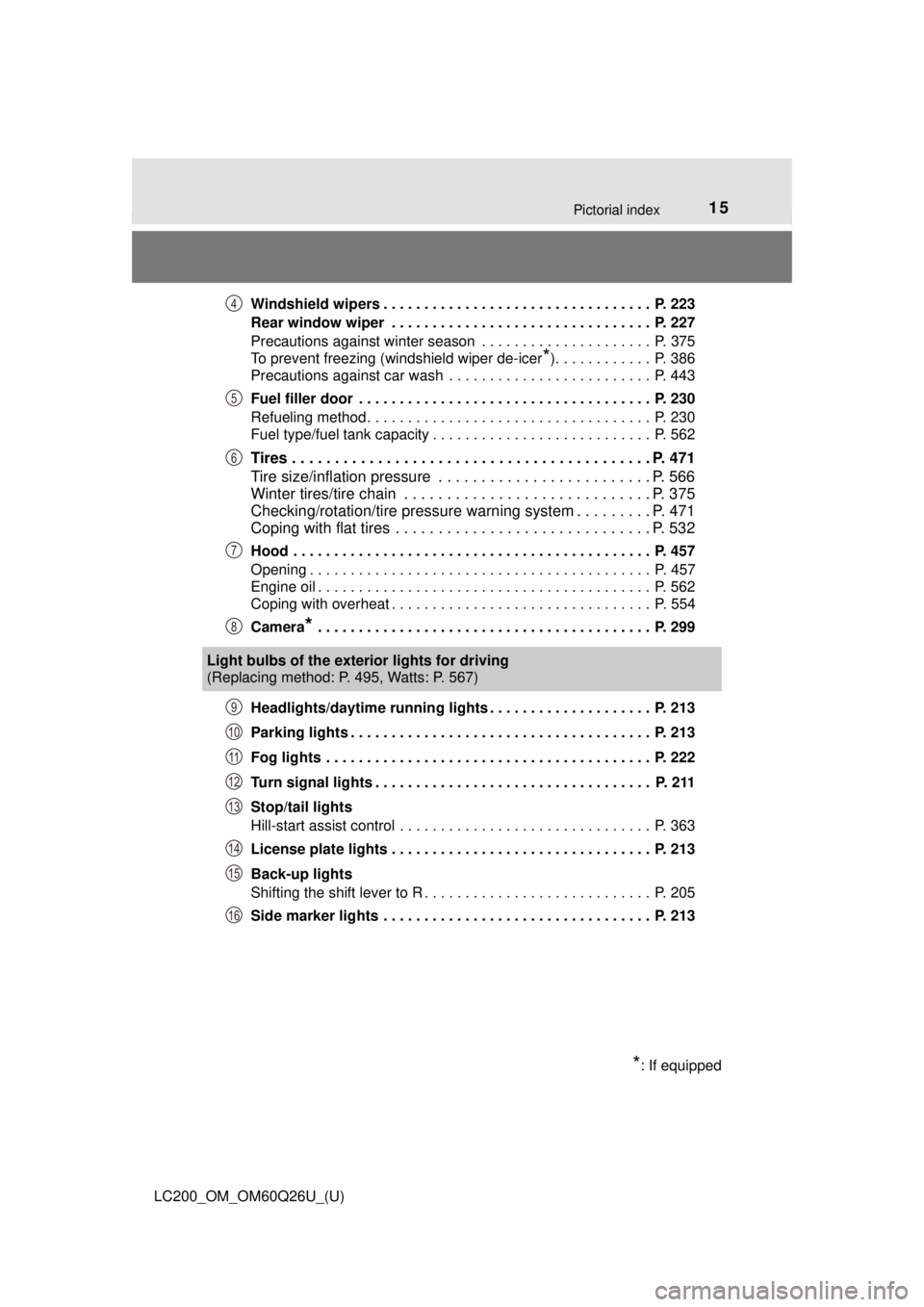
LC200_OM_OM60Q26U_(U)Windshield wipers . . . . . . . . . . . . . . . . . . . . . . . . . . . . . . . . . P. 223
Rear window wiper . . . . . . . . . . . . . . . . . . . . . . . . . . . . . . . . P. 227
Precautions against winter season . . . . . . . . . . . . . . . . . . . . . P. 375
To prevent freezing (windshield wiper de-icer
*). . . . . . . . . . . . P. 386
Precautions against car wash . . . . . . . . . . . . . . . . . . . . . . . . . P. 443
Fuel filler door . . . . . . . . . . . . . . . . . . . . . . . . . . . . . . . . . . . . P. 230
Refueling method . . . . . . . . . . . . . . . . . . . . . . . . . . . . . . . . . . . P. 230
Fuel type/fuel tank capacity . . . . . . . . . . . . . . . . . . . . . . . . . . . P. 562
Tires . . . . . . . . . . . . . . . . . . . . . . . . . . . . . . . . . . . . . . . . . . P. 471
Tire size/inflation pressure . . . . . . . . . . . . . . . . . . . . . . . . . P. 566
Winter tires/tire chain . . . . . . . . . . . . . . . . . . . . . . . . . . . . . P. 375
Checking/rotation/tire pressure warning system . . . . . . . . . P. 471
Coping with flat tires . . . . . . . . . . . . . . . . . . . . . . . . . . . . . . P. 532
Hood . . . . . . . . . . . . . . . . . . . . . . . . . . . . . . . . . . . . . . . . . . . . P. 457
Opening . . . . . . . . . . . . . . . . . . . . . . . . . . . . . . . . . . . . . . . . . . P. 457
Engine oil . . . . . . . . . . . . . . . . . . . . . . . . . . . . . . . . . . . . . . . . . P. 562
Coping with overheat . . . . . . . . . . . . . . . . . . . . . . . . . . . . . . . . P. 554
Camera
* . . . . . . . . . . . . . . . . . . . . . . . . . . . . . . . . . . . . . . . . . P. 299
Headlights/daytime running lights . . . . . . . . . . . . . . . . . . . . P. 213
Parking lights . . . . . . . . . . . . . . . . . . . . . . . . . . . . . . . . . . . . . P. 213
Fog lights . . . . . . . . . . . . . . . . . . . . . . . . . . . . . . . . . . . . . . . . P. 222
Turn signal lights . . . . . . . . . . . . . . . . . . . . . . . . . . . . . . . . . . P. 211
Stop/tail lights
Hill-start assist control . . . . . . . . . . . . . . . . . . . . . . . . . . . . . . . P. 363
License plate lights . . . . . . . . . . . . . . . . . . . . . . . . . . . . . . . . P. 213
Back-up lights
Shifting the shift lever to R . . . . . . . . . . . . . . . . . . . . . . . . . . . . P. 205
Side marker lights . . . . . . . . . . . . . . . . . . . . . . . . . . . . . . . . . P. 213
4
5
6
7
8
Light bulbs of the exter ior lights for driving
(Replacing method: P. 495, Watts: P. 567)
*: If equipped
9
10
11
12
13
14
15
16
Page 17 of 620
17Pictorial index
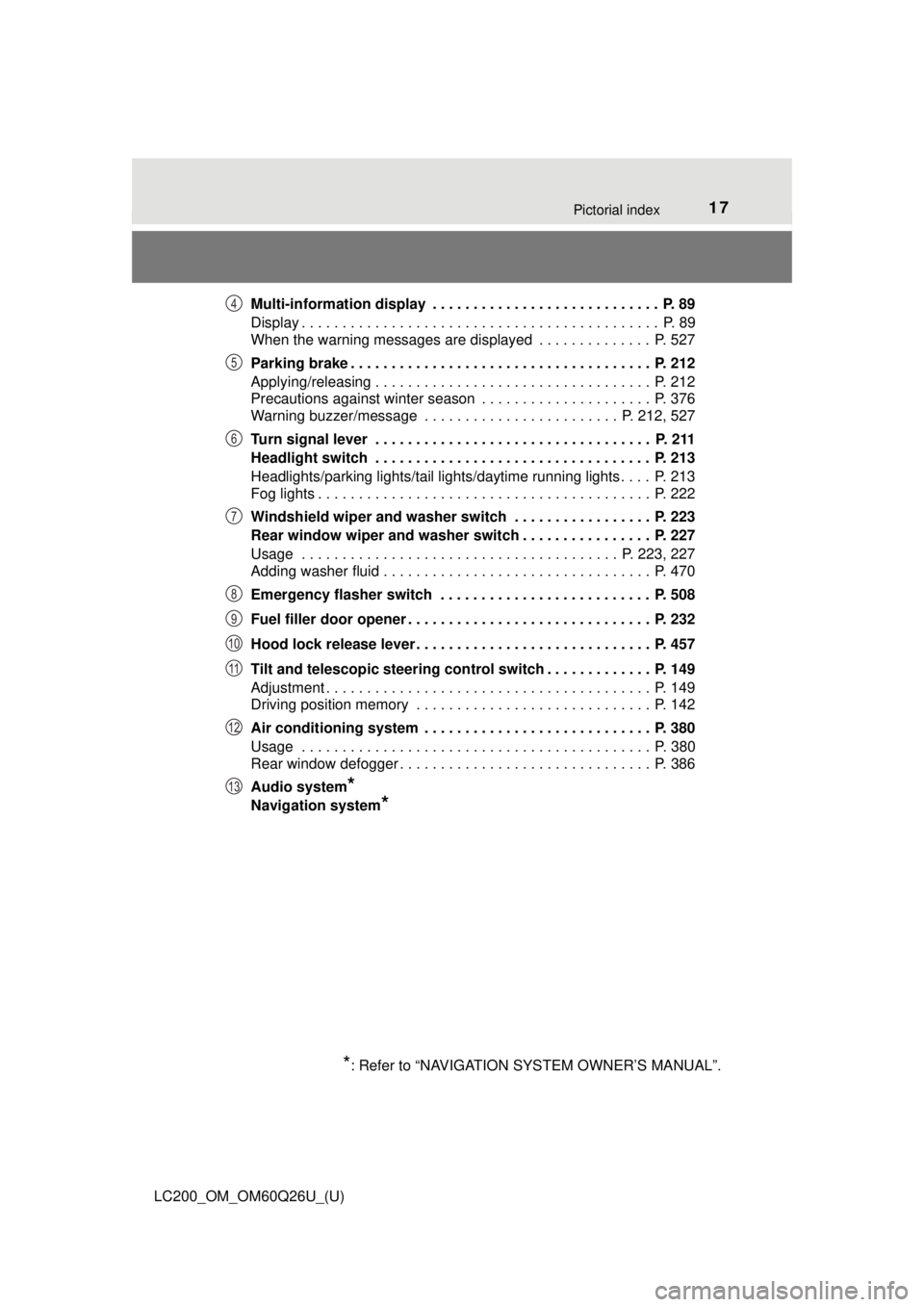
LC200_OM_OM60Q26U_(U)Multi-information display . . . . . . . . . . . . . . . . . . . . . . . . . . . . P. 89
Display . . . . . . . . . . . . . . . . . . . . . . . . . . . . . . . . . . . . . . . . . . . . P. 89
When the warning messages are displayed . . . . . . . . . . . . . . P. 527
Parking brake . . . . . . . . . . . . . . . . . . . . . . . . . . . . . . . . . . . . . P. 212
Applying/releasing . . . . . . . . . . . . . . . . . . . . . . . . . . . . . . . . . . P. 212
Precautions against winter season . . . . . . . . . . . . . . . . . . . . . P. 376
Warning buzzer/message . . . . . . . . . . . . . . . . . . . . . . . . P. 212, 527
Turn signal lever . . . . . . . . . . . . . . . . . . . . . . . . . . . . . . . . . . P. 211
Headlight switch . . . . . . . . . . . . . . . . . . . . . . . . . . . . . . . . . . P. 213
Headlights/parking lights/tail lights/daytime running lights . . . . P. 213
Fog lights . . . . . . . . . . . . . . . . . . . . . . . . . . . . . . . . . . . . . . . . . P. 222
Windshield wiper and washer switch . . . . . . . . . . . . . . . . . P. 223
Rear window wiper and washer switch . . . . . . . . . . . . . . . . P. 227
Usage . . . . . . . . . . . . . . . . . . . . . . . . . . . . . . . . . . . . . . . P. 223, 227
Adding washer fluid . . . . . . . . . . . . . . . . . . . . . . . . . . . . . . . . . P. 470
Emergency flasher switch . . . . . . . . . . . . . . . . . . . . . . . . . . P. 508
Fuel filler door opener . . . . . . . . . . . . . . . . . . . . . . . . . . . . . . P. 232
Hood lock release lever. . . . . . . . . . . . . . . . . . . . . . . . . . . . . P. 457
Tilt and telescopic steering control switch . . . . . . . . . . . . . P. 149
Adjustment . . . . . . . . . . . . . . . . . . . . . . . . . . . . . . . . . . . . . . . . P. 149
Driving position memory . . . . . . . . . . . . . . . . . . . . . . . . . . . . . P. 142
Air conditioning system . . . . . . . . . . . . . . . . . . . . . . . . . . . . P. 380
Usage . . . . . . . . . . . . . . . . . . . . . . . . . . . . . . . . . . . . . . . . . . . P. 380
Rear window defogger . . . . . . . . . . . . . . . . . . . . . . . . . . . . . . . P. 386
Audio system
*
Navigation system*
*
: Refer to “NAVIGATION SYSTEM OWNER’S MANUAL”.
4
5
6
7
8
9
10
11
12
13
Page 82 of 620
82
LC200_OM_OM60Q26U_(U)
2. Instrument cluster
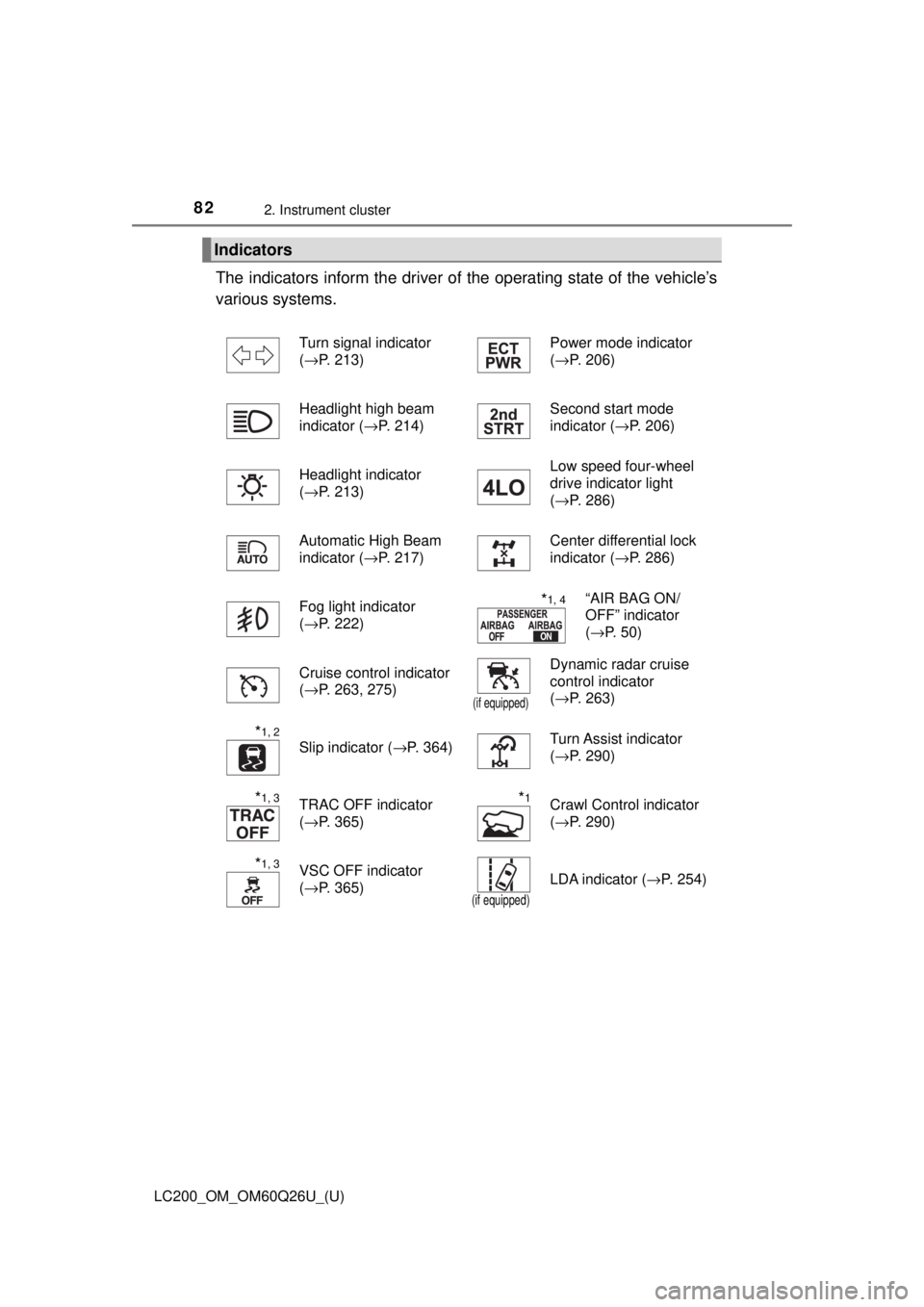
The indicators inform the driver of the operating state of the vehicle’s
various systems.
Indicators
Turn signal indicator
( →P. 213) Power mode indicator
(
→P. 206)
Headlight high beam
indicator ( →P. 214) Second start mode
indicator (
→P. 206)
Headlight indicator
( →P. 213) Low speed four-wheel
drive indicator light
(
→P. 286)
Automatic High Beam
indicator ( →P. 217) Center differential lock
indicator (
→P. 286)
Fog light indicator
( →P. 222)
*1, 4“AIR BAG ON/
OFF” indicator
(→P. 50)
Cruise control indicator
( →P. 263, 275)
(if equipped)
Dynamic radar cruise
control indicator
(→P. 263)
*1, 2
Slip indicator ( →P. 364)Turn Assist indicator
(→P. 290)
*1, 3TRAC OFF indicator
(→P. 365)*1Crawl Control indicator
(→P. 290)
*1, 3VSC OFF indicator
(→P. 365)
(if equipped)
LDA indicator ( →P. 254)
Page 155 of 620

1553-4. Adjusting the steering wheel and mirrors
3
Operation of each component
LC200_OM_OM60Q26U_(U)
■Mirror angle can be adjusted when
The engine switch is in ACCESSORY or IGNITION ON mode.
■ When the mirrors are fogged up
The outside rear view mirrors can be cleared using the mirror defoggers. Turn
on the rear window defogger to turn on the outside rear view mirror defog-
gers. ( →P. 386)
■ Auto anti-glare function
When the anti-glare inside rear view mirror is set to auto mode, the outside
rear view mirrors will activate in c onjunction with the anti-glare inside rear
view mirror to reduce reflected light. ( →P. 151)
■ Automatic adjustment of the mirror angle
A desired mirror face angle can be entered to memory and adjusted with th\
e
touch of a button. ( →P. 144)
■ Using automatic mode in cold weather
When automatic mode is used in cold weather, the door mirror could freeze
up and automatic stowing and return may not be possible. In this event,
remove any ice and snow from the door mirror, then either operate the mirror
using manual mode or move the mirror by hand.
Page 165 of 620
165
LC200_OM_OM60Q26U_(U)
4Driving
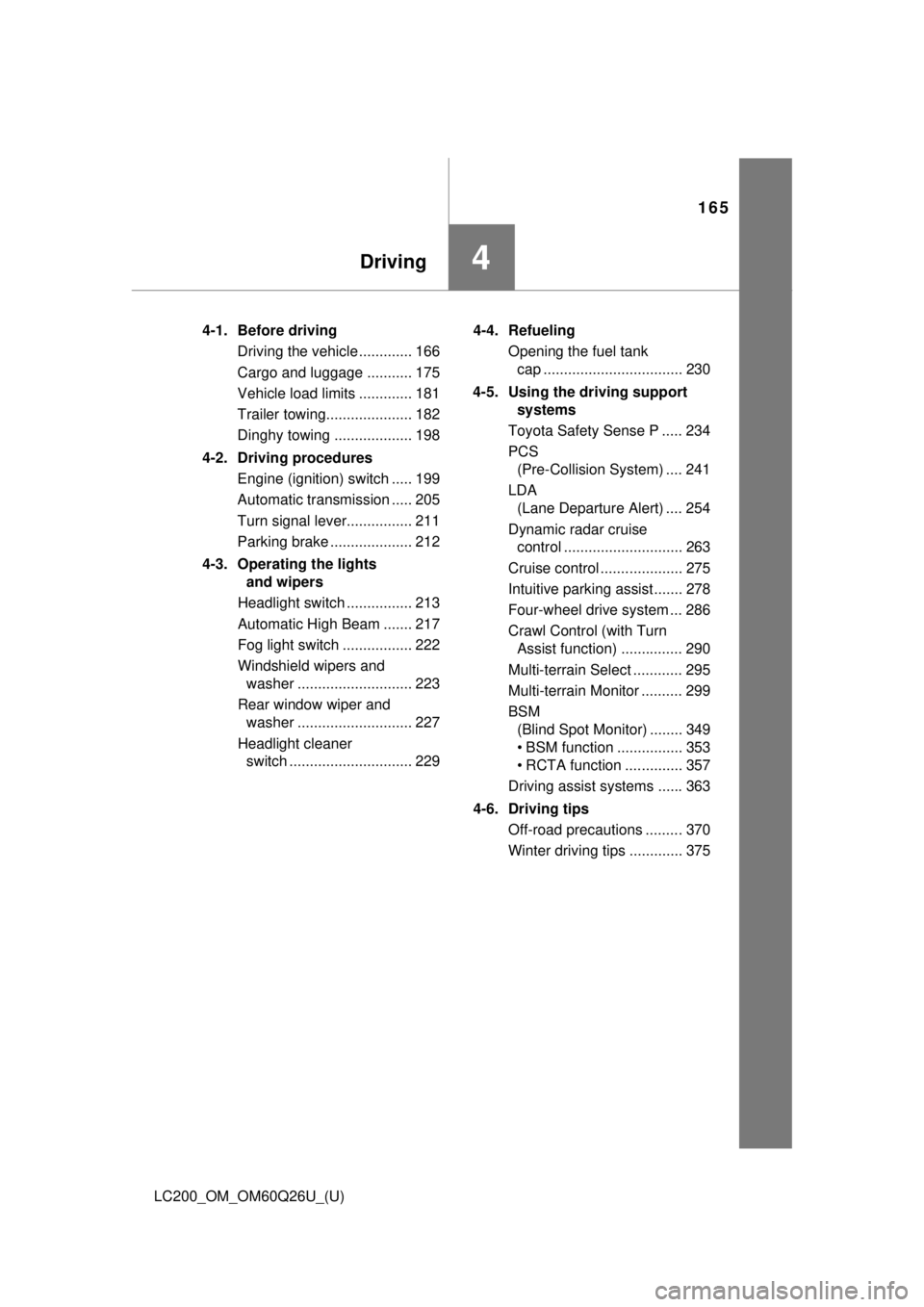
4-1. Before drivingDriving the vehicle ............. 166
Cargo and luggage ........... 175
Vehicle load limits ............. 181
Trailer towing..................... 182
Dinghy towing ................... 198
4-2. Driving procedures Engine (ignition) switch ..... 199
Automatic transmission ..... 205
Turn signal lever................ 211
Parking brake .................... 212
4-3. Operating the lights and wipers
Headlight switch ................ 213
Automatic High Beam ....... 217
Fog light switch ................. 222
Windshield wipers and washer ............................ 223
Rear window wiper and washer ............................ 227
Headlight cleaner switch .............................. 229 4-4. Refueling
Opening the fuel tank cap .................................. 230
4-5. Using the driving support systems
Toyota Safety Sense P ..... 234
PCS (Pre-Collision System) .... 241
LDA (Lane Departure Alert) .... 254
Dynamic radar cruise control ............................. 263
Cruise control .................... 275
Intuitive parking assist....... 278
Four-wheel drive system ... 286
Crawl Control (with Turn Assist function) ............... 290
Multi-terrain Select ............ 295
Multi-terrain Monitor .......... 299
BSM (Blind Spot Monitor) ........ 349
• BSM function ................ 353
• RCTA function .............. 357
Driving assist systems ...... 363
4-6. Driving tips Off-road precautions ......... 370
Winter driving tips ............. 375
Page 219 of 620
LC200_OM_OM60Q26U_(U)
2194-3. Operating the lights and wipers
4
Driving
■High beam automatic turning on or off conditions
●When all of the following conditions are fulfilled, the high beam will be auto-
matically turned on (after approximately 1 second):
• Vehicle speed is above approximately 21 mph (34 km/h).
• The area ahead of the vehicle is dark.
• There are no vehicles ahead with headlights or tail lights turned on.
• There are few streetlights on the road ahead.
● If any of the following conditions are fulfilled, the high beam will be automat-
ically turned off:
• Vehicle speed drops below approximately 17 mph (27 km/h).
• The area ahead of the vehicle is not dark.
• Vehicles ahead have headlights or tail lights turned on.
• There are many streetlights on the road ahead.
■ Camera sensor detection information
●The high beam may not be automatically turned off in the following situa-
tions:
• When oncoming vehicles suddenly appear from a curve
• When the vehicle is cut in front of by another vehicle
• When vehicles ahead are hidden from sight due to repeated curves, road
dividers or roadside trees
• When vehicles ahead appear from the faraway lane on wide road
• When vehicles ahead have no lights
● The high beam may be turned off if a vehicle ahead that is using fog lights
without using the headlights is detected.
● Houselights, streetlights, traffic signals, and illuminated billboards or signs
may cause the high beam to switch to the low beams, or the low beams to
remain on.
● The following factors may affect the amount of time taken to turn the high
beam on or off:
• The brightness of headlights, fog lights, and tail lights of vehicles ahe\
ad
• The movement and direction of vehicles ahead
• When a vehicle ahead only has operational lights on one side
• When a vehicle ahead is a two-wheeled vehicle
• The condition of the road (gradient, curve, condition of the road surface
etc.)
• The number of passengers and amount of baggage
● The high beam may be turned on or off when the driver does not expect it.
● Bicycles or similar objects may not be detected.
Page 220 of 620

220
LC200_OM_OM60Q26U_(U)
4-3. Operating the lights and wipers
●In the situations shown below, the system may not be able to accurately
detect surrounding brightness levels. This may cause the low beams to
remain on or the high beams to cause problems for pedestrians, vehicles
ahead or other parties. In these cases, manually switch between the high
and low beams.
• In bad weather (rain, snow, fog, sandstorms etc.)
• The windshield is obscured by fog, mist, ice, dirt etc.
• The windshield is cracked or damaged.
• The inside rear view mirror or ca mera sensor is deformed or dirty.
• The camera sensor temperature is extremely high.
• Surrounding brightness levels are equal to those of headlights, tail lights or fog lights.
• Vehicles ahead have headlights that are either switched off, dirty, are
changing color, or are not aimed properly.
• When driving through an area of in termittently changing brightness and
darkness
• When frequently and repeatedly driving ascending/descending roads, or roads with rough, bumpy or uneven surfaces (such as stone-paved
roads, gravel tracks etc.)
• When frequently and repeatedly taking curves or driving on a winding road
• There is a highly reflective object ahead of the vehicle, such as a sign or
a mirror.
• The back of a vehicle ahead is highly reflective, such as a container on a truck.
• The vehicle’s headlights are damaged or dirty, or are not aimed properly.
• The vehicle is listing or tilting, due to a flat tire, a trailer being towed etc.
• The high beam and low beam are repeatedly being switched between in an abnormal manner.
• The driver believes that the high beam may be causing problems or dis-
tress to other drivers or pedestrians nearby.
■ If a warning message of the Auto matic High Beam is displayed...
It may indicate a malfunction in the system. Contact your Toyota dealer.