interior lights TOYOTA LAND CRUISER 2021 Owners Manual (in English)
[x] Cancel search | Manufacturer: TOYOTA, Model Year: 2021, Model line: LAND CRUISER, Model: TOYOTA LAND CRUISER 2021Pages: 632, PDF Size: 13.87 MB
Page 1 of 632
LC200_OM_OM60T03U_(U)
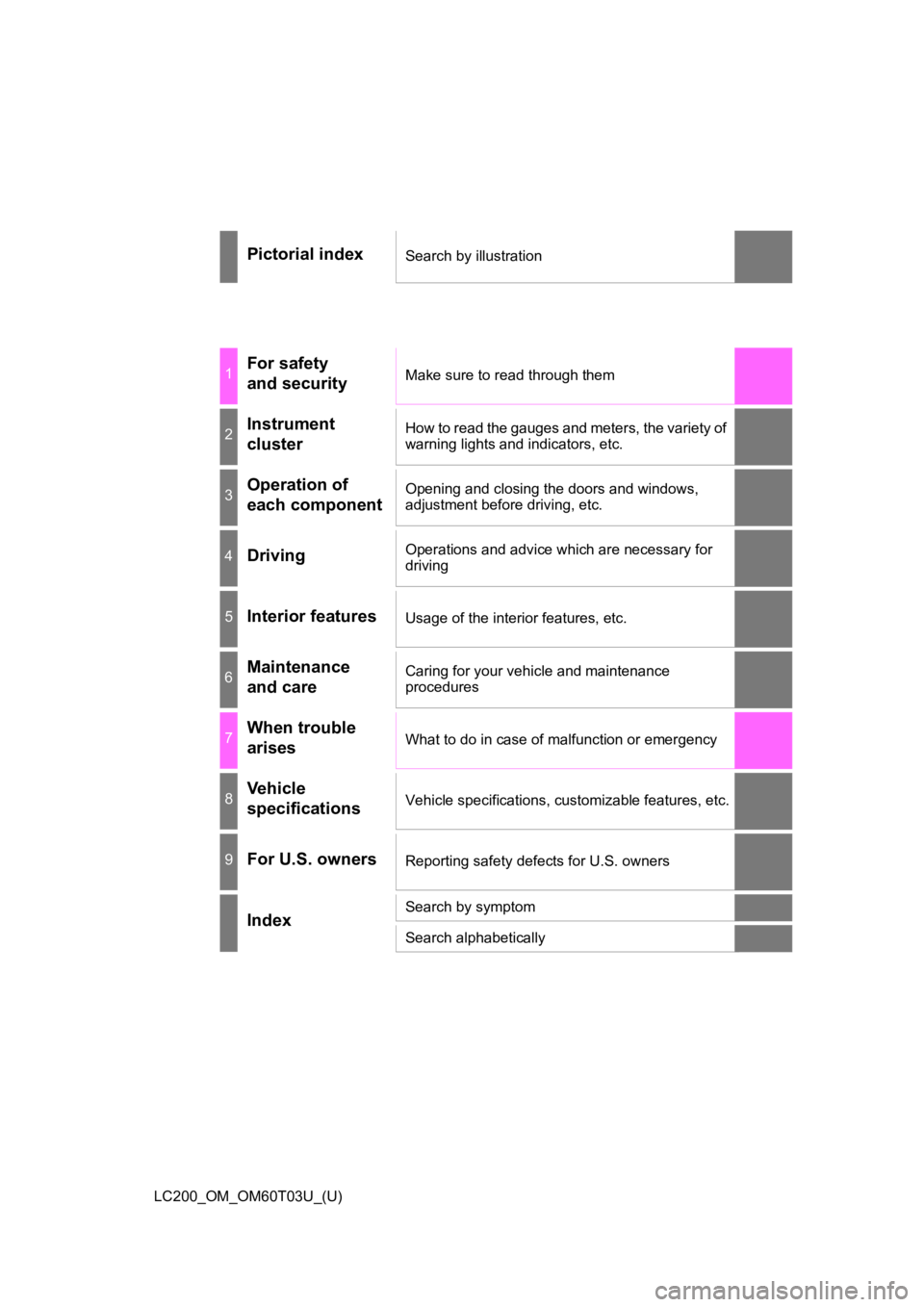
Pictorial indexSearch by illustration
1For safety
and securityMake sure to read through them
2Instrument
clusterHow to read the gauges and meters, the variety of
warning lights and indicators, etc.
3Operation of
each componentOpening and closing the doors and windows,
adjustment before driving, etc.
4DrivingOperations and advice which are necessary for
driving
5Interior featuresUsage of the interior features, etc.
6Maintenance
and careCaring for your vehicle and maintenance
procedures
7When trouble
arisesWhat to do in case of malfunction or emergency
8Vehicle
specificationsVehicle specifications, customizable features, etc.
9For U.S. ownersReporting safety defects for U.S. owners
IndexSearch by symptom
Search alphabetically
Page 4 of 632

TABLE OF CONTENTS4
LC200_OM_OM60T03U_(U)5-1. Using the air conditioning
system and defogger
Front automatic air conditioning system ........ 394
Rear air conditioning system............................. 406
Heated steering wheel/ seat heaters/
seat ventilators ................ 410
5-2. Using the interior lights Interior lights list ................ 414• Interior lights ................. 415
• Personal lights .............. 416
5-3. Using the storage features List of storage features...... 417• Glove box...................... 418
• Console box .................. 419
• Overhead console ......... 420
• Cup holders .................. 421
• Bottle holders ................ 423
• Card holders ................. 424
• Auxiliary boxes .............. 424
Luggage compartment features ........................... 425 5-4. Using the other interior
features
Other interior features........ 428 • Cool box ........................ 428
• Sun visors ..................... 430
• Vanity mirror .................. 430
• Clock ............................. 431
• Outside temperature
display ........................... 431
• Power outlets ................ 432
• Wireless charger ........... 434
• Armrest.......................... 442
• Coat hooks .................... 442
• Assist grips .................... 443
Garage door opener .......... 444
5Interior features
Page 25 of 632
25Pictorial index
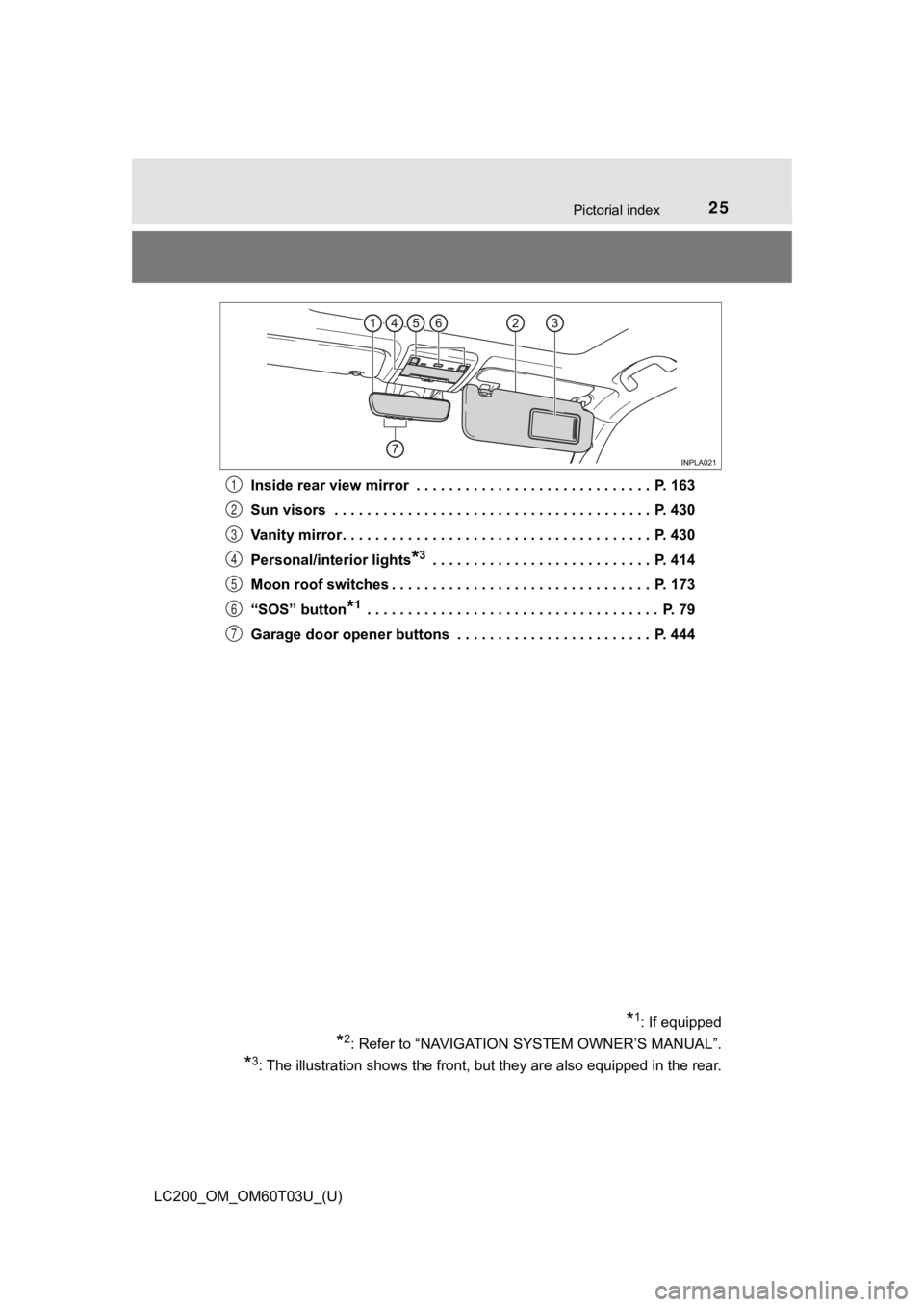
LC200_OM_OM60T03U_(U)Inside rear view mirror . . . . . . . . . . . . . . . . . . . . . . . . . . . . . P. 163
Sun visors . . . . . . . . . . . . . . . . . . . . . . . . . . . . . . . . . . . . . . . P. 430
Vanity mirror . . . . . . . . . . . . . . . . . . . . . . . . . . . . . . . . . . . . . . P. 430
Personal/interior lights
*3 . . . . . . . . . . . . . . . . . . . . . . . . . . . P. 414
Moon roof switches . . . . . . . . . . . . . . . . . . . . . . . . . . . . . . . . P. 173
“SOS” button
*1 . . . . . . . . . . . . . . . . . . . . . . . . . . . . . . . . . . . . P. 79
Garage door opener buttons . . . . . . . . . . . . . . . . . . . . . . . . P. 444
*1: If equipped
*2: Refer to “NAVIGATION S YSTEM OWNER’S MANUAL”.
*3: The illustration shows the front, but they are also equipped in the rear.
1
2
3
4
5
6
7
Page 99 of 632

LC200_OM_OM60T03U_(U)
992. Instrument cluster
2
Instrument cluster
■The meters and display illuminate when
The engine switch is in IGNITION ON mode.
■ The brightness of the instrument panel lights
When the tail lights are turned on, the meter’s brightness will be reduced
slightly unless the meter brightness level adjustment is set to the brightest
setting.
If the tail lights are turned on when the surroundings are dark , the meter’s
brightness will reduce slightly. However, when the surroundings are bright,
such as during the daytime, the meter’s brightness will not be reduced even if
the tail lights are turned on.
■ Customization
The meter display can be customized on the multi-information di splay.
(Customizable features: P. 594)
WARNING
■The information display at low temperatures
Allow the interior of the vehicle to warm up before using the liquid crystal
information display. At extremely low temperatures, the information display
monitor may respond slowly, and display changes may be delayed.
For example, there is a lag between the driver’s shifting and t he new gear
number appearing on the display. This lag could cause the drive r to down-
shift again, causing rapid and excessive engine braking and pos sibly an
accident resulting in death or injury.
Page 393 of 632

393
LC200_OM_OM60T03U_(U)
5Interior features
5-1. Using the air conditioning system and defogger
Front automatic air conditioning system ........ 394
Rear air conditioning system............................. 406
Heated steering wheel/ seat heaters/
seat ventilators ................ 410 5-2. Using the interior lights
Interior lights list ................ 414• Interior lights ................. 415
• Personal lights .............. 416
5-3. Using the storage features List of storage features ..... 417• Glove box...................... 418
• Console box .................. 419
• Overhead console......... 420
• Cup holders .................. 421
• Bottle holders ................ 423
• Card holders ................. 424
• Auxiliary boxes.............. 424
Luggage compartment features ........................... 425
5-4. Using the other interior features
Other interior features ....... 428 • Cool box........................ 428
• Sun visors ..................... 430
• Vanity mirror ................. 430
• Clock ............................. 431
• Outside temperature display........................... 431
• Power outlets ................ 432
• Wireless charger ........... 434
• Armrest ......................... 442
• Coat hooks.................... 442
• Assist grips ................... 443
Garage door opener.......... 444
Page 411 of 632
LC200_OM_OM60T03U_(U)
4115-1. Using the air conditioning system and defogger
5
Interior features
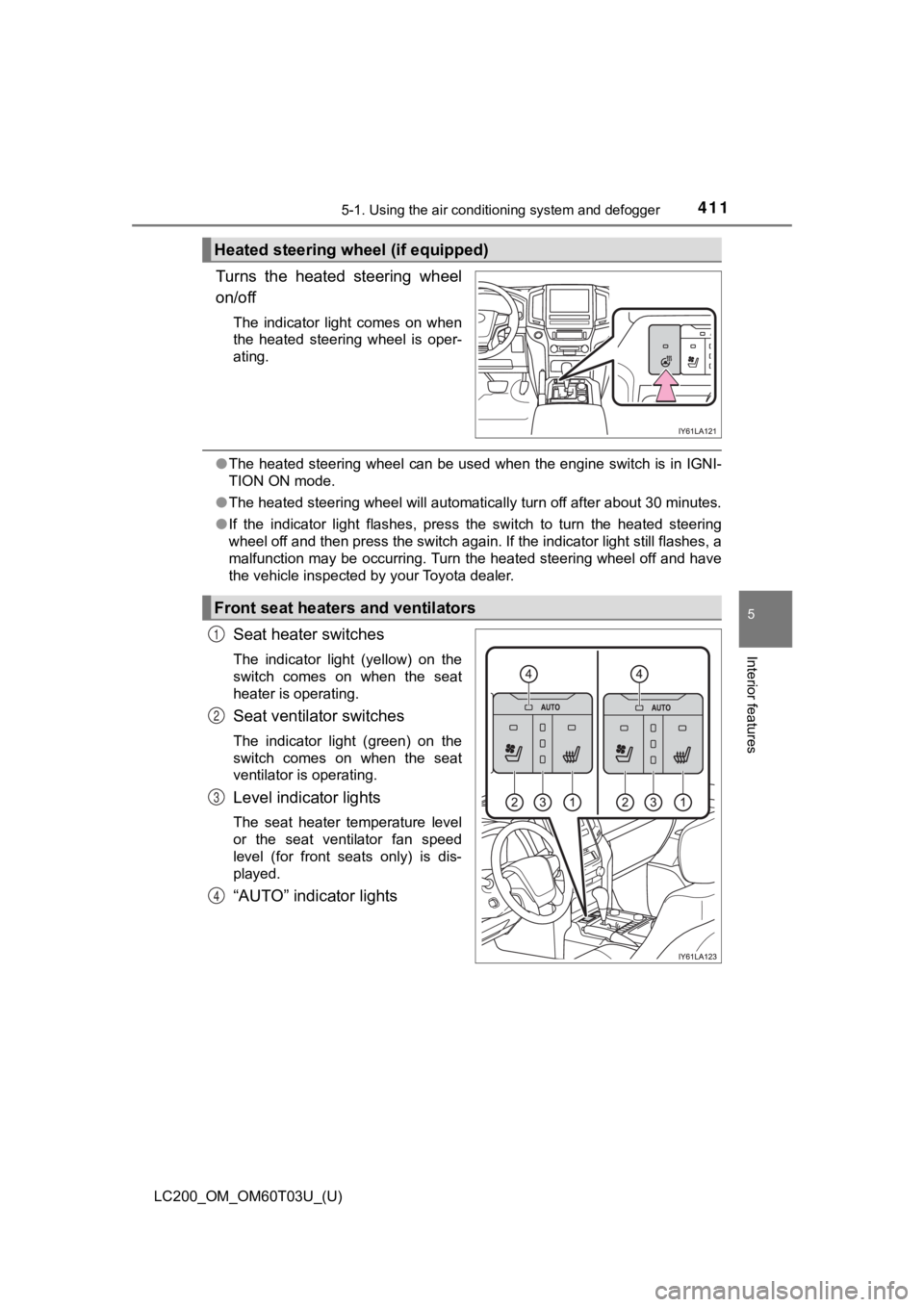
Turns the heated steering wheel
on/off
The indicator light comes on when
the heated steering wheel is oper-
ating.
●The heated steering wheel can be used when the engine switch is in IGNI-
TION ON mode.
● The heated steering wheel will automatically turn off after about 30 minutes.
● If the indicator light flashes, press the switch to turn the heated steering
wheel off and then press the switch again. If the indicator light still flashes, a
malfunction may be occurring. Turn the heated steering wheel of f and have
the vehicle inspected by your Toyota dealer.
Seat heater switches
The indicator light (yellow) on the
switch comes on when the seat
heater is operating.
Seat ventilator switches
The indicator light (green) on the
switch comes on when the seat
ventilator is operating.
Level indicator lights
The seat heater temperature level
or the seat ventilator fan speed
level (for front seats only) is dis-
played.
“AUTO” indicator lights
Heated steering wheel (if equipped)
Front seat heaters and ventilators
1
2
3
4
Page 414 of 632
414
LC200_OM_OM60T03U_(U)
5-2. Using the interior lights
Interior lights list
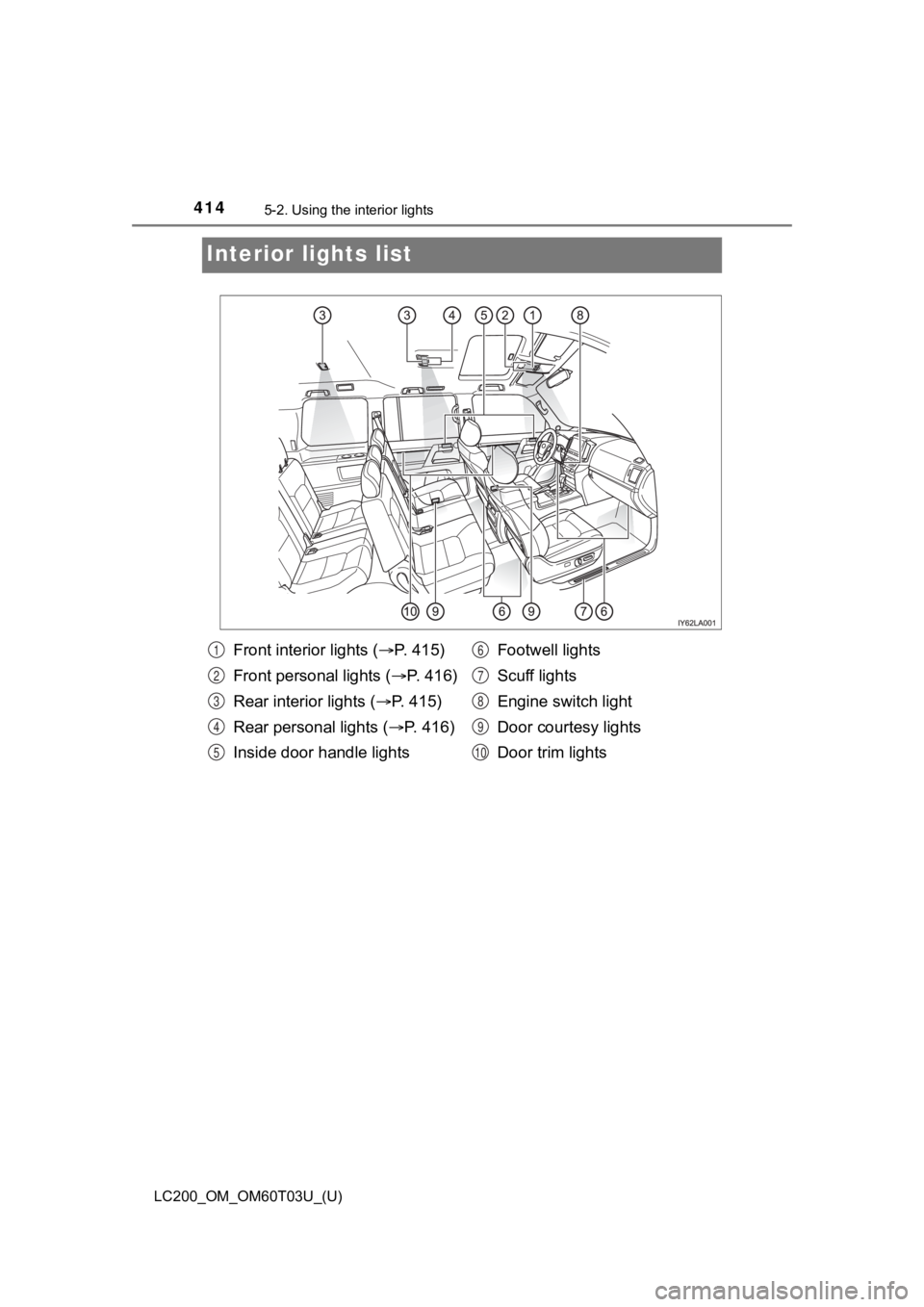
Front interior lights ( P. 4 1 5 )
Front personal lights ( P. 416)
Rear interior lights ( P. 415)
Rear personal lights ( P. 4 1 6 )
Inside door handle lights Footwell lights
Scuff lights
Engine switch light
Door courtesy lights
Door trim lights1
2
3
4
5
6
7
8
9
10
Page 415 of 632
LC200_OM_OM60T03U_(U)
4155-2. Using the interior lights
5
Interior features
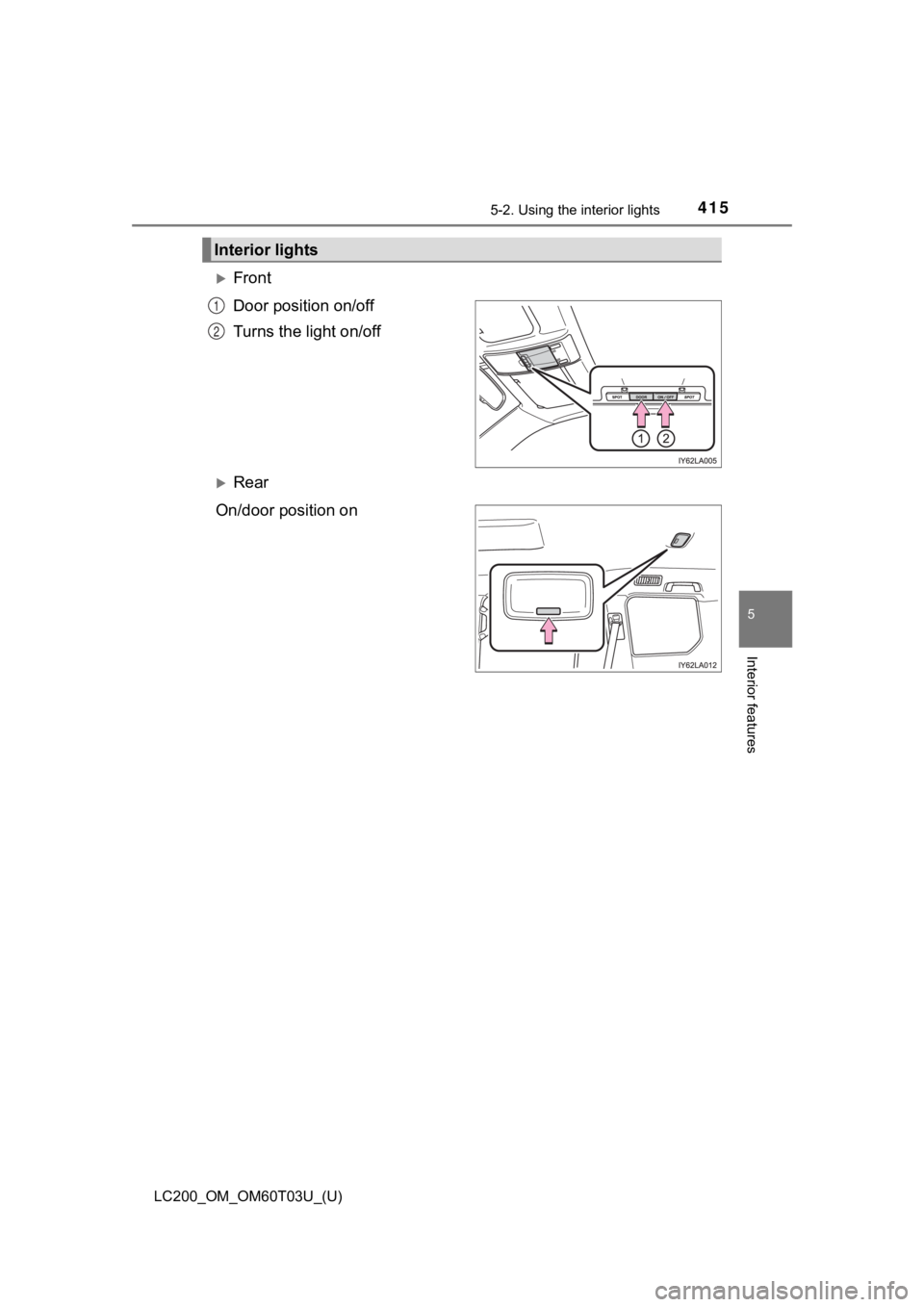
Front
Door position on/off
Turns the light on/off
Rear
On/door position on
Interior lights
1
2
Page 416 of 632
416
LC200_OM_OM60T03U_(U)
5-2. Using the interior lights
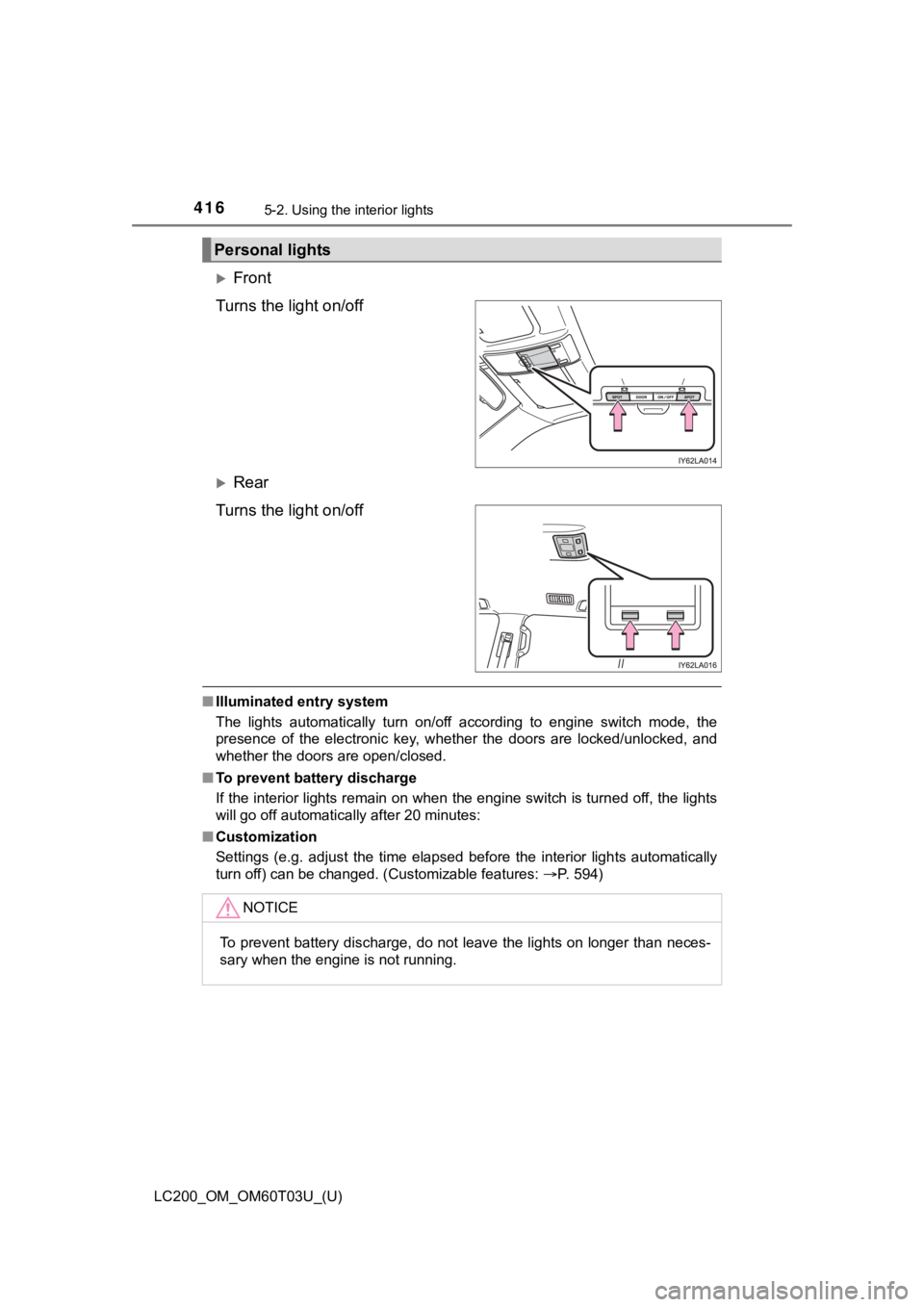
Front
Turns the light on/off
Rear
Turns the light on/off
■ Illuminated entry system
The lights automatically turn on/off according to engine switch mode, the
presence of the electronic key, whether the doors are locked/un locked, and
whether the doors are open/closed.
■ To prevent battery discharge
If the interior lights remain on when the engine switch is turned off, the lights
will go off automatically after 20 minutes:
■ Customization
Settings (e.g. adjust the time elapsed before the interior ligh ts automatically
turn off) can be changed. (Customizable features: P. 594)
Personal lights
NOTICE
To prevent battery discharge, do not leave the lights on longer than neces-
sary when the engine is not running.
Page 430 of 632
430
LC200_OM_OM60T03U_(U)
5-4. Using the other interior features
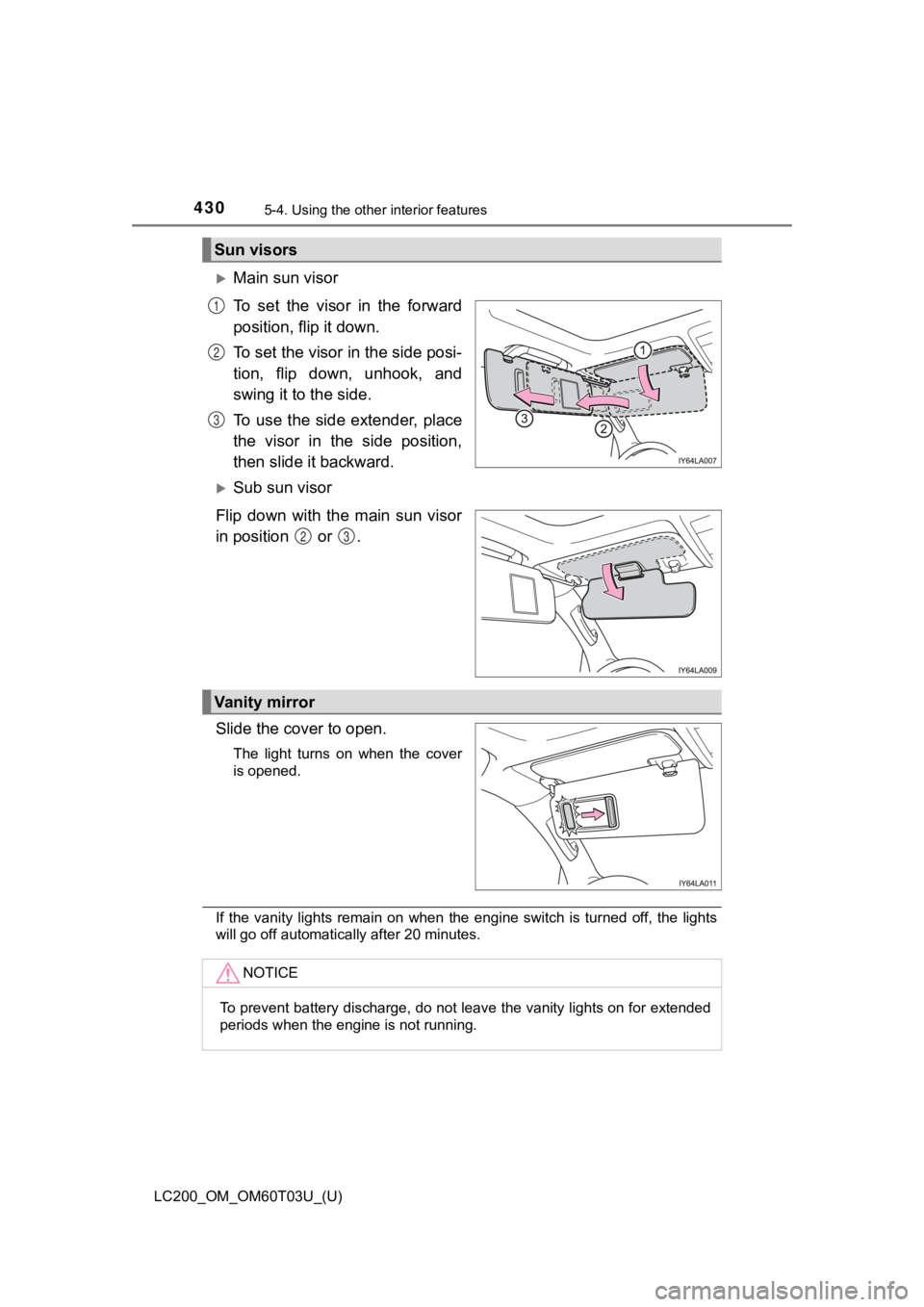
Main sun visor
To set the visor in the forward
position, flip it down.
To set the visor in the side posi-
tion, flip down, unhook, and
swing it to the side.
To use the side extender, place
the visor in the side position,
then slide it backward.
Sub sun visor
Flip down with the main sun visor
in position or .
Slide the cover to open.
The light turns on when the cover
is opened.
If the vanity lights remain on when the engine switch is turned off, the lights
will go off automatically after 20 minutes.
Sun visors
1
2
3
23
Vanity mirror
NOTICE
To prevent battery discharge, do not leave the vanity lights on for extended
periods when the engine is not running.