phone TOYOTA MATRIX 2009 E140 / 2.G User Guide
[x] Cancel search | Manufacturer: TOYOTA, Model Year: 2009, Model line: MATRIX, Model: TOYOTA MATRIX 2009 E140 / 2.GPages: 440, PDF Size: 9.39 MB
Page 204 of 440
204 3-3. Using the hands-free phone system (for cellular phone)
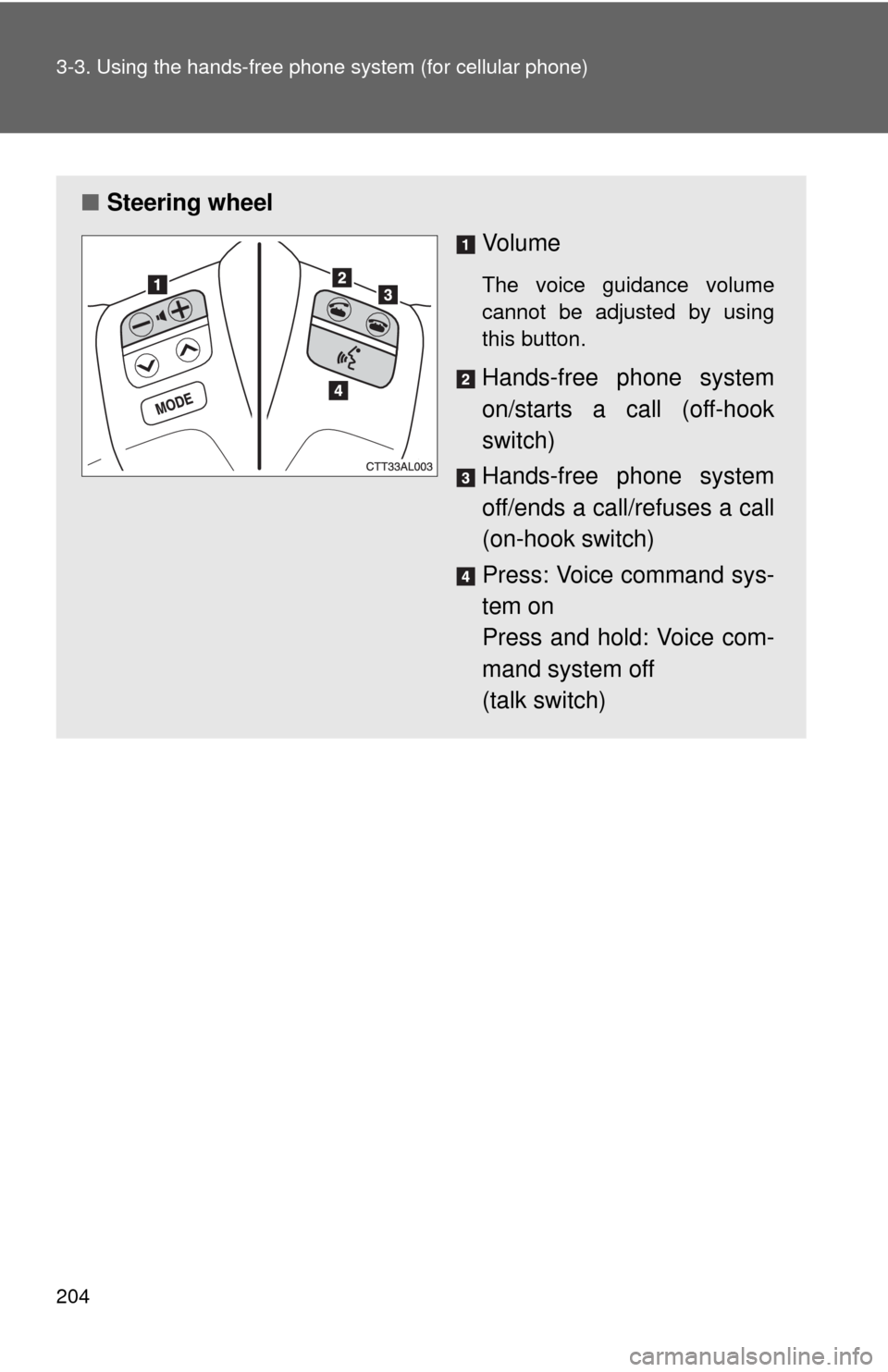
■Steering wheel
Vo l u m e
The voice guidance volume
cannot be adjusted by using
this button.
Hands-free phone system
on/starts a call (off-hook
switch)
Hands-free phone system
off/ends a call/refuses a call
(on-hook switch)
Press: Voice command sys-
tem on
Press and hold: Voice com-
mand system off
(talk switch)
Page 205 of 440
205 3-3. Using the hands-free phone system (for cellular phone)
3
Interior features
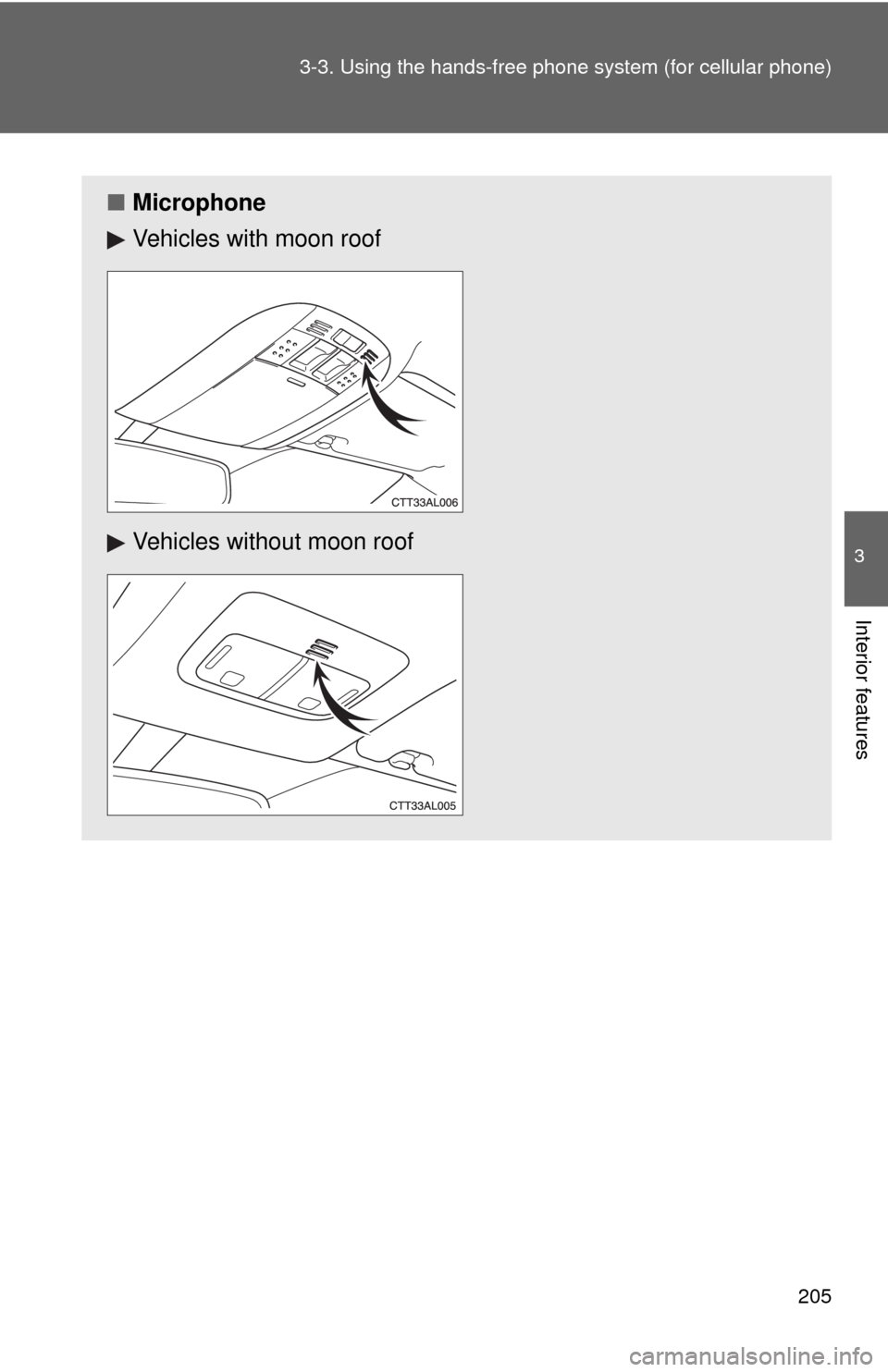
■Microphone
Vehicles with moon roof
Vehicles without moon roof
Page 206 of 440

206 3-3. Using the hands-free phone system (for cellular phone)
Operating the system by using a voice command
By following voice guidance instructions output from the speaker,
voice commands can be given to allow for operation of the hands-
free phone system without checking the display or operating .
■Operation procedure when using a voice command
Press the talk switch and say the command for a desired function.
(→P. 208)
■Auxiliary commands when using a voice command
The following auxiliary commands can be used when operating the
system using a voice command:
Cancel: Exits the hands-free phone system
Repeat: Repeats the previous voice guidance instruction
Go back: Returns to the previous procedure
Help: Reads aloud the function summary if a help comment is
registered for the selected function
Page 207 of 440
207 3-3. Using the hands-free phone system (for cellular phone)
3
Interior features
Using the hands-free phone system for the first time
Before using the hands-free phone system, it is necessary to register
a cellular phone in the system. The phone registration mode will be
entered automatically when starting the system with no cellular
phone registered. Follow the procedure below to register a cellular
phone:
Press the off-hook switch or the talk switch.
The introductory guidance and phone name registration instructions
are heard.
Register a phone name by either of the following methods.
a. Select “Record Name” by using , and say a name to
be registered.
b. Press the talk switch and say a name to be registered.
A voice guidance instruction to confirm the input is heard.
Select “Confirm” by using a voice command or .
A passkey is displayed and heard, and a voice guidance instruction
for inputting the passkey into the cellular phone is heard.
Input the passkey into the cellular phone.
Refer to the manual that comes with the cellular phone for the oper-
ation of the phone.
Guidance for registration completion is heard.
STEP1
STEP2
STEP3
STEP4
Page 208 of 440
208 3-3. Using the hands-free phone system (for cellular phone)
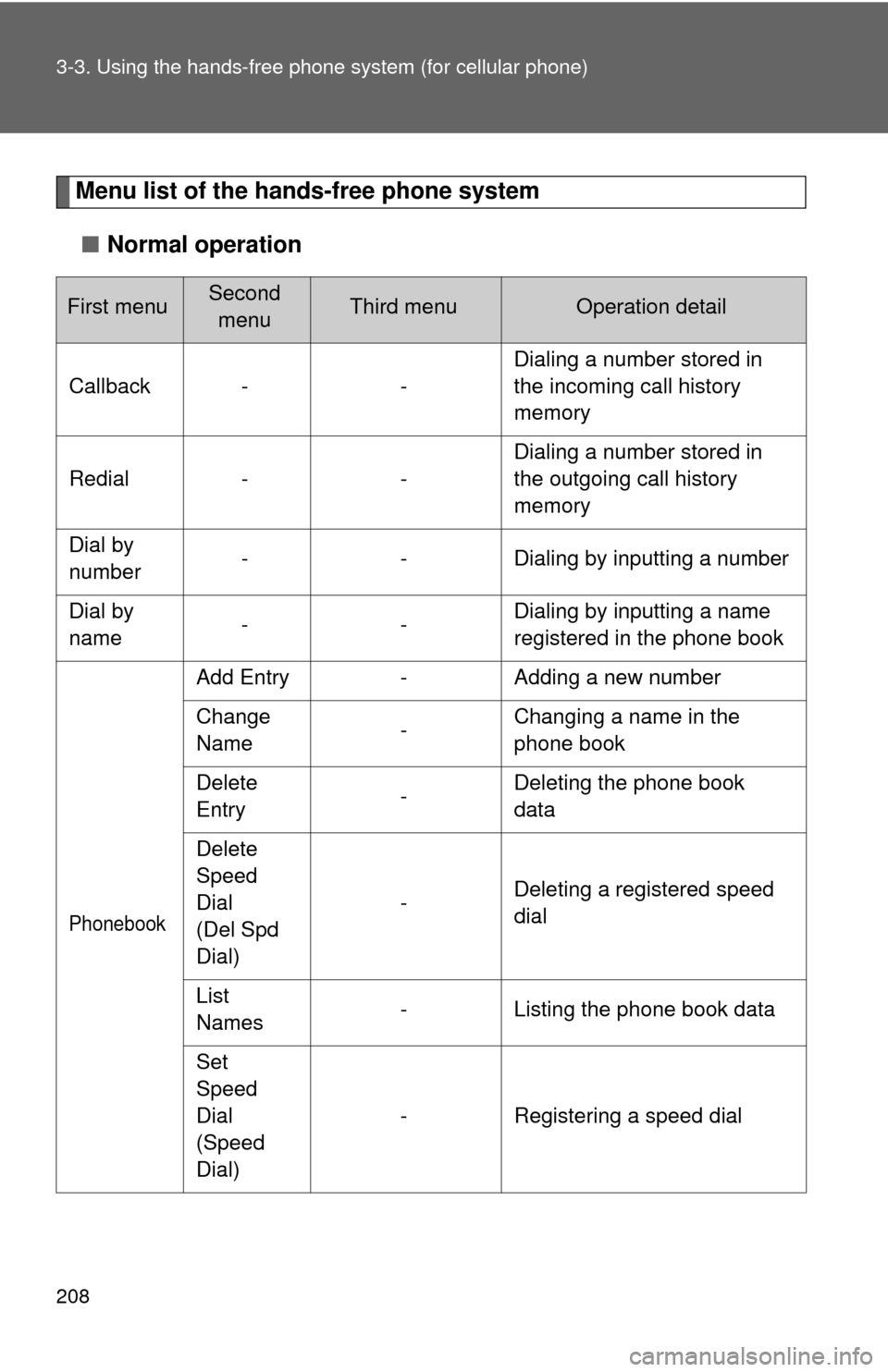
Menu list of the hands-free phone system
■Normal operation
First menuSecond
menuThird menuOperation detail
Callback - -Dialing a number stored in
the incoming call history
memory
Redial - -Dialing a number stored in
the outgoing call history
memory
Dial by
number- - Dialing by inputting a number
Dial by
name--Dialing by inputting a name
registered in the phone book
Phonebook
Add Entry - Adding a new number
Change
Name-Changing a name in the
phone book
Delete
Entry-Deleting the phone book
data
Delete
Speed
Dial
(Del Spd
Dial)-Deleting a registered speed
dial
List
Names- Listing the phone book data
Set
Speed
Dial
(Speed
Dial)- Registering a speed dial
Page 209 of 440
209 3-3. Using the hands-free phone system (for cellular phone)
3
Interior features
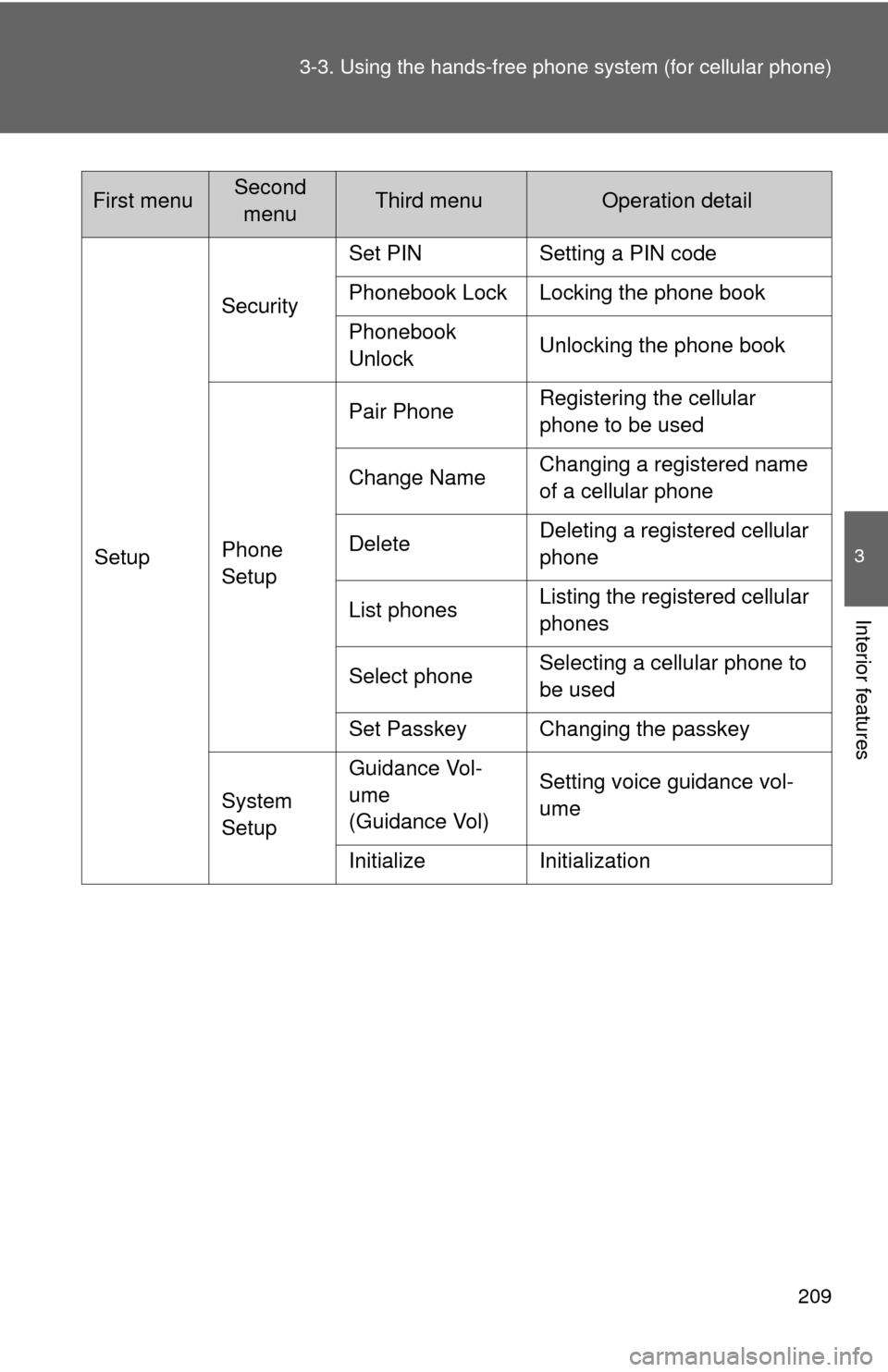
SetupSecuritySet PIN Setting a PIN code
Phonebook Lock Locking the phone book
Phonebook
UnlockUnlocking the phone book
Phone
SetupPair PhoneRegistering the cellular
phone to be used
Change NameChanging a registered name
of a cellular phone
DeleteDeleting a registered cellular
phone
List phonesListing the registered cellular
phones
Select phoneSelecting a cellular phone to
be used
Set Passkey Changing the passkey
System
SetupGuidance Vol-
ume
(Guidance Vol)Setting voice guidance vol-
ume
Initialize Initialization
First menuSecond
menuThird menuOperation detail
Page 210 of 440
210 3-3. Using the hands-free phone system (for cellular phone)
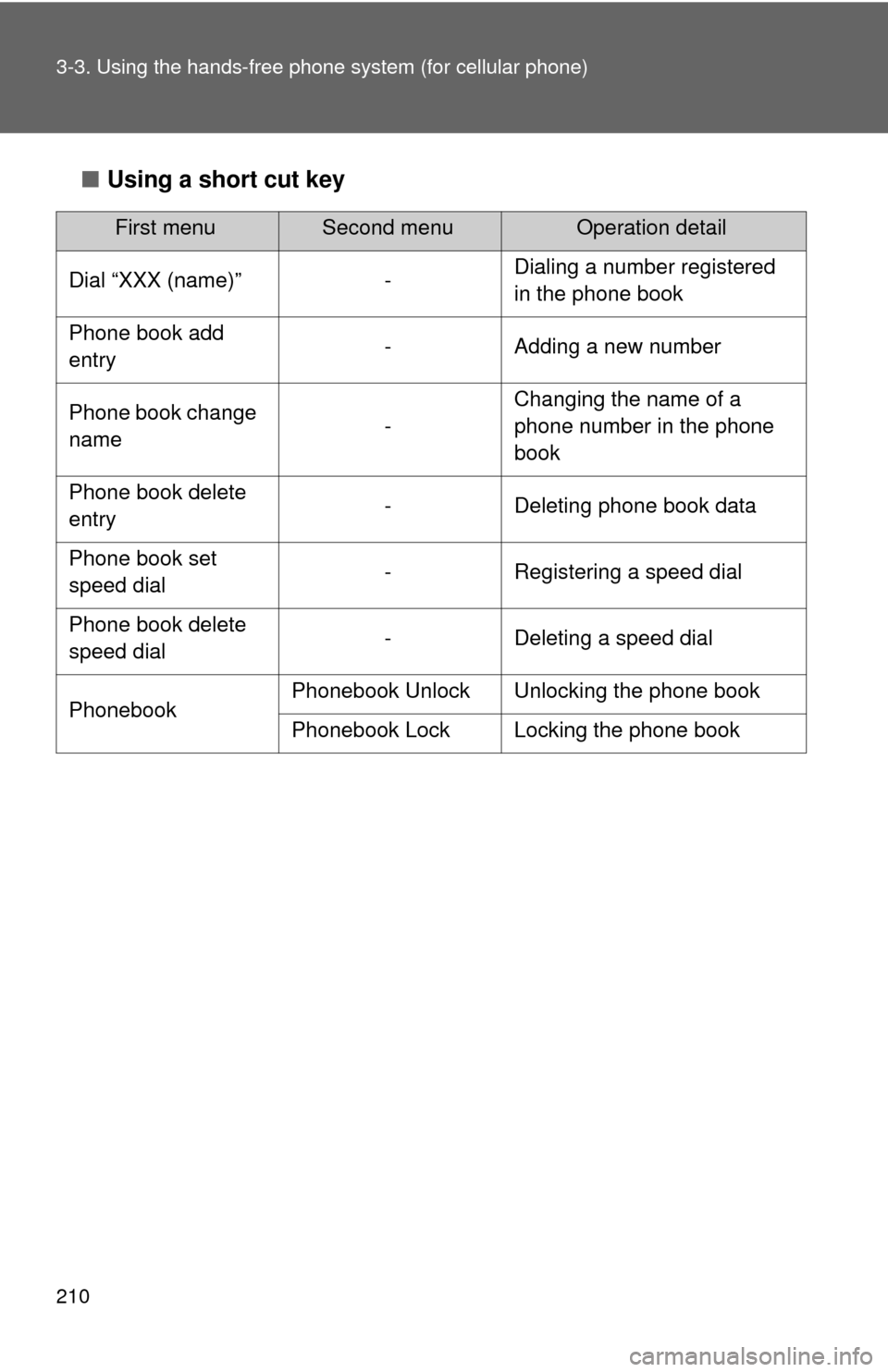
■Using a short cut key
First menuSecond menuOperation detail
Dial “XXX (name)” -Dialing a number registered
in the phone book
Phone book add
entry- Adding a new number
Phone book change
name-Changing the name of a
phone number in the phone
book
Phone book delete
entry- Deleting phone book data
Phone book set
speed dial- Registering a speed dial
Phone book delete
speed dial- Deleting a speed dial
PhonebookPhonebook Unlock Unlocking the phone book
Phonebook Lock Locking the phone book
Page 211 of 440
211 3-3. Using the hands-free phone system (for cellular phone)
3
Interior features
■Automatic adjustment of volume
When vehicle speed is 50 mph (80 km/h) or more, the volume automatically
increases. The volume returns to the previous volume setting when vehicle
speed drops to 43 mph (70 km/h) or less.
■When using a voice command
For numbers, say a combination of single digits from zero to nine, # (pound),
∗ (star), and + (plus).
Say a command correctly and clearly.
■The system may not recognize your voice in the following situations:
●When driving on a rough road
●When driving at high speeds
●When air is blowing out of the vents onto the microphone
●When the air conditioning fan emits a loud noise
■The following cannot be performed while driving:
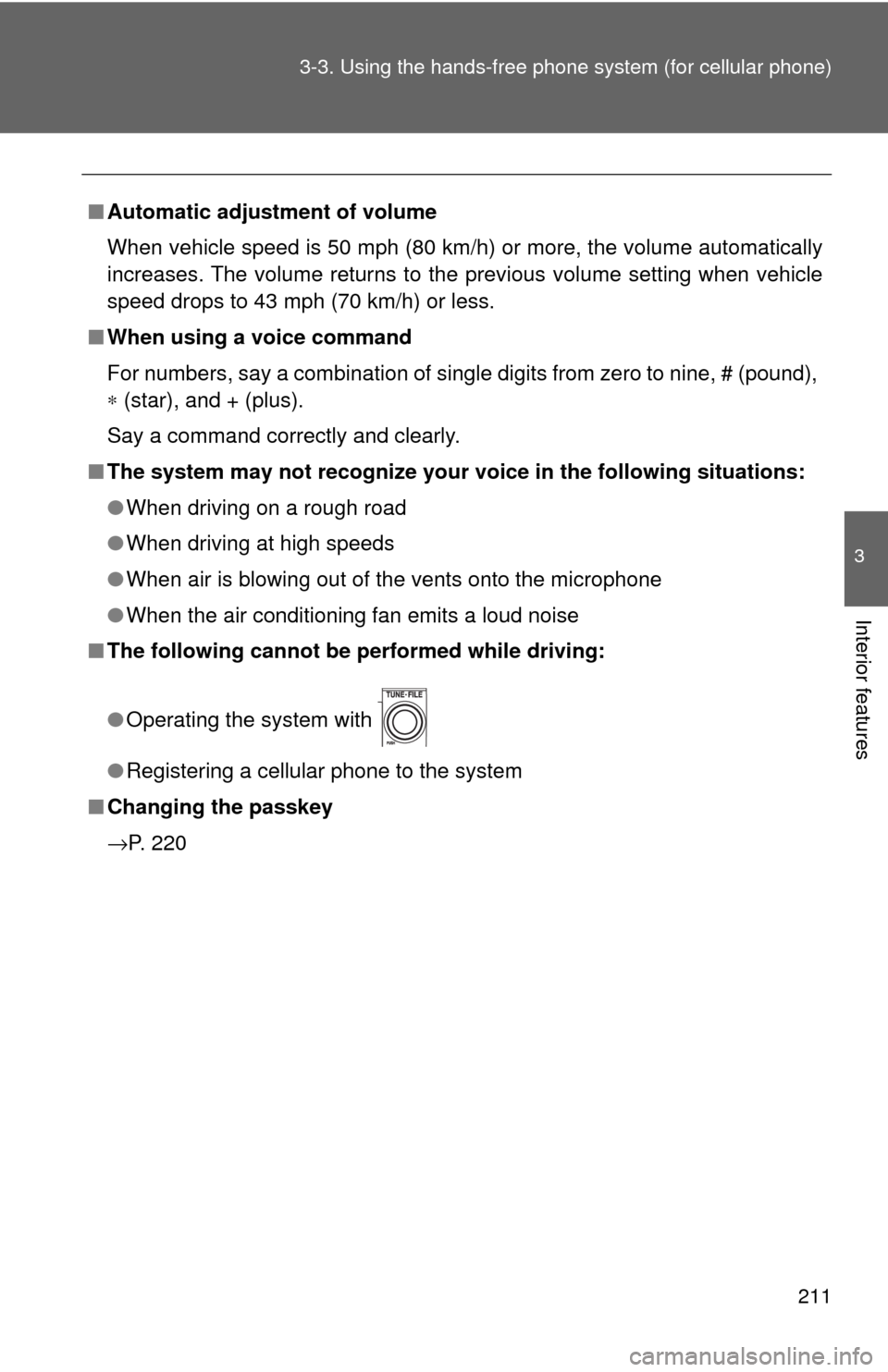
●Operating the system with
●Registering a cellular phone to the system
■Changing the passkey
→P. 220
Page 212 of 440
212
3-3. Using the hands-free phone system (for cellular phone)
Making a phone call
Dialing by inputting a number
Press the talk switch and say “Dial by number”.
Press the talk switch and say the phone number.
Dial by one of the following methods:
a. Press the off-hook switch.
b. Press the talk switch and say “Dial”.
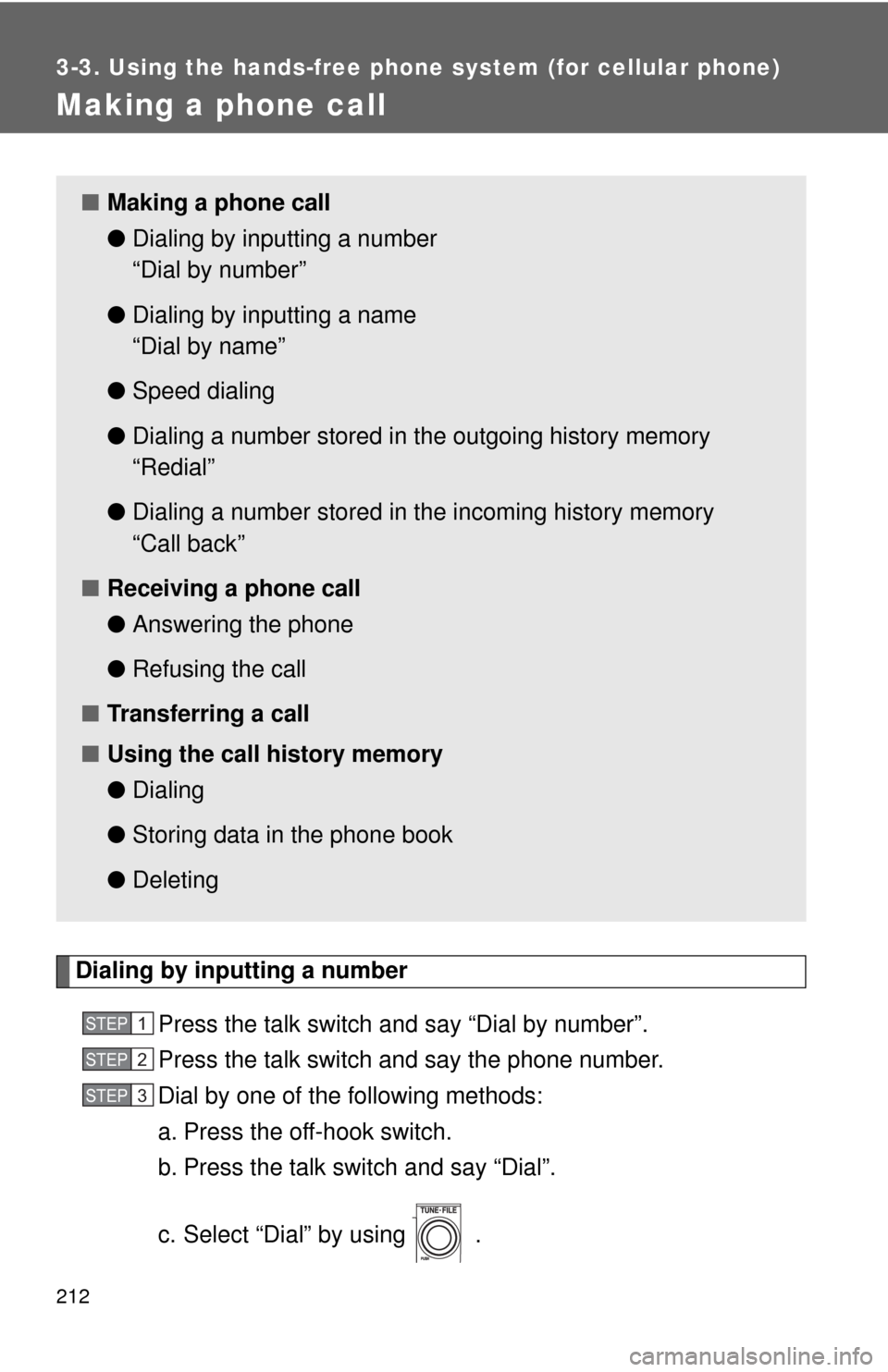
c. Select “Dial” by using .
■Making a phone call
●Dialing by inputting a number
“Dial by number”
●Dialing by inputting a name
“Dial by name”
●Speed dialing
●Dialing a number stored in the outgoing history memory
“Redial”
●Dialing a number stored in the incoming history memory
“Call back”
■Receiving a phone call
●Answering the phone
●Refusing the call
■Transferring a call
■Using the call history memory
●Dialing
●Storing data in the phone book
●Deleting
STEP1
STEP2
STEP3
Page 213 of 440
213 3-3. Using the hands-free phone system (for cellular phone)
3
Interior features
Dialing by inputting a name
Press the talk switch and say “Dial by name”.
Select a registered name to be input by either of the following
methods:
a. Press the talk switch and say a registered name.
b. Press the talk switch and say “List names”. Press the talk
switch while the desired name is being read aloud.
Dial by one of the following methods:
a. Press the off-hook switch.
b. Press the talk switch and say “Dial”.
c. Select “Dial” by using .
Speed dialing
Press the off-hook switch.
Press the preset button in which the desired number is regis-
tered.
Press the off-hook switch.
When receiving a phone call
■Answering the phone
Press the off-hook switch.
■Refusing the call
Press the on-hook switch.
STEP1
STEP2
STEP3
STEP1
STEP2
STEP3