radio TOYOTA MATRIX 2009 E140 / 2.G Owners Manual
[x] Cancel search | Manufacturer: TOYOTA, Model Year: 2009, Model line: MATRIX, Model: TOYOTA MATRIX 2009 E140 / 2.GPages: 440, PDF Size: 9.39 MB
Page 3 of 440
1
2
3
4
5
6
7
3
2-5. Driving information ........... 140
Cargo and luggage ............. 140
Vehicle load limits ............... 143
Winter driving tips ............... 144
Trailer towing ...................... 148
Dinghy towing
(automatic
transmission) .................... 156
Dinghy towing
(manual transmission) ...... 157
3-1. Using the air conditioning
system and defogger...... 162
Air conditioning system ....... 162
Rear window and outside
rear view mirror
defoggers .......................... 168
3-2. Using the audio system.... 169
Audio system types ............. 169
Using the radio .................... 172
Using the CD player ............ 178
Playing MP3 and
WMA discs ........................ 185
Optimal use of the audio
system .............................. 193
Using the AUX adapter ....... 196
Using the steering wheel
audio switches .................. 197
3-3. Using the hands-free
phone system
(for cellular phone) ......... 200Hands-free phone system
(for cellular phone)
features ............................ 200
Using the hands-free
phone system
(for cellular phone) ........... 203
Making a phone call ........... 212
Setting a cellular phone ...... 216
Security and system
setup ................................ 221
Using the phone book ........ 225
3-4. Using the interior lights ... 232
Interior lights list ................. 232
• Interior light ...................... 233
• Personal/interior lights...... 234
• Personal lights.................. 235
3-5. Using the storage
features ........................... 236
List of storage features ....... 236
• Glove box ......................... 237
• Console box ..................... 237
• Cup holders ...................... 239
• Bottle holders ................... 241
• Auxiliary boxes ................. 242
3-6. Other interior features ..... 244
Sun visors........................... 244
Vanity mirrors ..................... 245
Clock .................................. 246
Ashtrays ............................. 247
Cigarette lighter .................. 248
Power outlet ....................... 249
Grocery bag hook ............... 251
Seatback table.................... 253
Floor mat ............................ 254
Luggage compartment
feature .............................. 255
3Interior features
Page 18 of 440

18
For your information
Main Owner’s Manual
Please note that this manual covers all models and all equipment, including
options. Therefore, you may find some explanations for equipment not
installed on your vehicle.
All specifications provided in this manual are current at the time of printing.
However, because of the Toyota policy of continual product improvement, we
reserve the right to make changes at any time without notice.
Depending on specifications, the vehicle shown in the illustrations may differ
from your vehicle in terms of equipment.
Accessories, spare parts and modification of your Toyota
A wide variety of non-genuine spare parts and accessories for Toyota
vehicles are currently available on the market. You should know that these
parts are not covered by Toyota warranty and that Toyota is not responsible
for their performance, repair, or replacement, or for any damage they may
cause to, or adverse effect they may have on, your Toyota vehicle.
This vehicle should not be modified with non-genuine Toyota products.
Modification with non-genuine Toyota products could affect its performance,
safety or durability, and may even violate governmental regulations. In
addition, damage or performance problems resulting from the modification
may not be covered under warranty.
Installation of a mobile two-way radio system
As the installation of a mobile two-way radio system in your vehicle may
affect electronic systems such as the multi-port fuel injection system/sequen-
tial multi-port fuel injection system, cruise control system, anti-lock brake
system, SRS airbag system or seat belt pretensioner system, be sure to
check with your Toyota dealer for precautionary measures or special instruc-
tions regarding installation.
Page 27 of 440
27 1-2. Opening, closing and locking the doors
1
Before driving
■Key battery depletion
If the wireless remote control function does not operate, the battery may be
depleted. Replace the battery when necessary. (→P. 320)
■Security feature
If a door is not opened within approximately 60 seconds after the vehicle is
unlocked, the security feature automatically locks the vehicle again.
■Conditions affecting operation
The wireless remote control function may not operate normally in the follow-
ing situations.
●Near a TV tower, radio station, electric power plant, airport or other facil-
ity that generates strong radio waves
●When carrying a portable radio, cellular phone or other wireless commu-
nication devices
●When multiple wireless keys are in the vicinity
●When the wireless key has come into contact with, or is covered by, a
metallic object
●When a wireless key (that emits radio waves) is being used nearby
●When the wireless key has been left near an electrical appliance such as
a personal computer
●When the wireless key battery is depleted
●If window tint with a metallic content or metallic objects are attached to
the rear window
■Customization that can be configured at Toyota dealer
Settings (e.g. operation signal) can be changed. (Customizable features →P.
420)
Page 76 of 440
76 1-7. Safety information
CAUTION
■SRS airbag precautions
●If breathing becomes difficult after the SRS airbag has deployed, open a
door or window to allow fresh air in, or leave the vehicle if it is safe to do
so. Wash off any residue as soon as possible to prevent skin irritation.
●Vehicles with side and curtain shield airbags: If the areas where the SRS
airbags are stored, such as the steering wheel pad and front and rear pillar
garnishes, are damaged or cracked, have them replaced by your Toyota
dealer.
●Vehicles without side and curtain shield airbags: If the areas where the
SRS airbags are stored, such as the steering wheel pad are damaged or
cracked, have them replaced by your Toyota dealer.
■Modification and disposal of SRS airbag system components
Do not dispose of your vehicle or perform any of the following modifications
without consulting your Toyota dealer.
The SRS airbags may malfunction or deploy (inflate) accidentally, causing
death or serious injury.
●Installation, removal, disassembly and repair of the SRS airbags.
●Vehicles with side airbags and curtain shield airbags: Repairs, modifica-
tions, removal or replacement of the steering wheel, instrument panel,
dashboard, seats or seat upholstery, front, side and rear pillars or roof side
rail.
●Vehicles without side airbags and curtain shield airbags: Repairs, modifi-
cations, removal or replacement of the steering wheel, instrument panel,
dashboard, seats or seat upholstery.
●Repairs or modifications of the front fender, front bumper, or side of the
occupant compartment.
●Installation of snow plows, winches, etc. to the front grille (bull bars, kan-
garoo bar etc.).
●Modifications to the vehicle's suspension system.
●Installation of electronic devices such as mobile two-way radios or CD
players.
●Modifications to your vehicle for a person with a physical disability.
Page 160 of 440
160
3-1. Using the air conditioning
system and defogger ... 162
Air conditioning system .... 162
Rear window and outside
rear view mirror
defoggers ....................... 168
3-2. Using the audio
system .......................... 169
Audio system types .......... 169
Using the radio ................. 172
Using the CD player ......... 178
Playing MP3 and
WMA discs ..................... 185
Optimal use of the audio
system ........................... 193
Using the AUX adapter .... 196
Using the steering wheel
audio switches ............... 197
Page 169 of 440
169
3
Interior features
3-2. Using the audio system
Audio system types
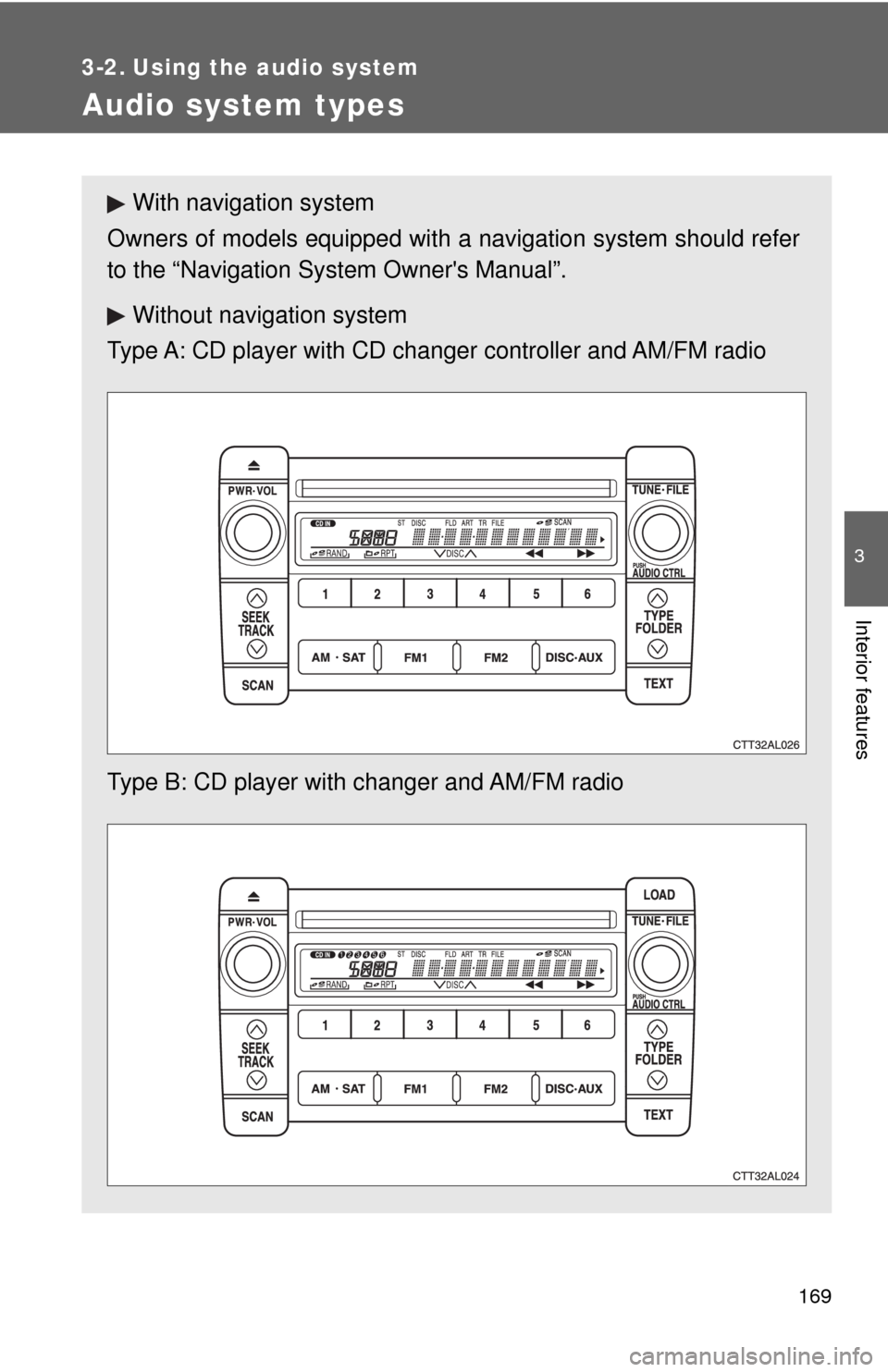
With navigation system
Owners of models equipped with a navigation system should refer
to the “Navigation System Owner's Manual”.
Without navigation system
Type A: CD player with CD changer controller and AM/FM radio
Type B: CD player with changer and AM/FM radio
Page 170 of 440
170 3-2. Using the audio system
■Using cellular phones
Interference may be heard through the audio system's speakers if a cellular
phone is being used inside or close to the vehicle while the audio system is
operating.
CAUTION
■For vehicles sold in U.S.A. and Canada
●Part 15 of the FCC Rules
FCC Warning:
Any unauthorized changes or modifications to this equipment will void the
user’s authority to operate this device.
●Laser products
• Do not take this unit apart or attempt to make any changes yourself.
This is an intricate unit that uses a laser pickup to retrieve information
from the surface of compact discs. The laser is carefully shielded so
that its rays remain inside the cabinet. Therefore, never try to disas-
semble the player or alter any of its parts since you may be exposed to
laser rays and dangerous voltages.
• This product utilizes a laser.
Use of controls or adjustments or performance of procedures other
than those specified herein may result in hazardous radiation expo-
sure.
TitlePage
Using the radioP. 172
Using the CD playerP. 178
Playing MP3 and WMA discsP. 185
Optimal use of the audio systemP. 193
Using the AUX adapterP. 196
Using the steering wheel audio switchesP. 197
Page 172 of 440
172
3-2. Using the audio system
Using the radio
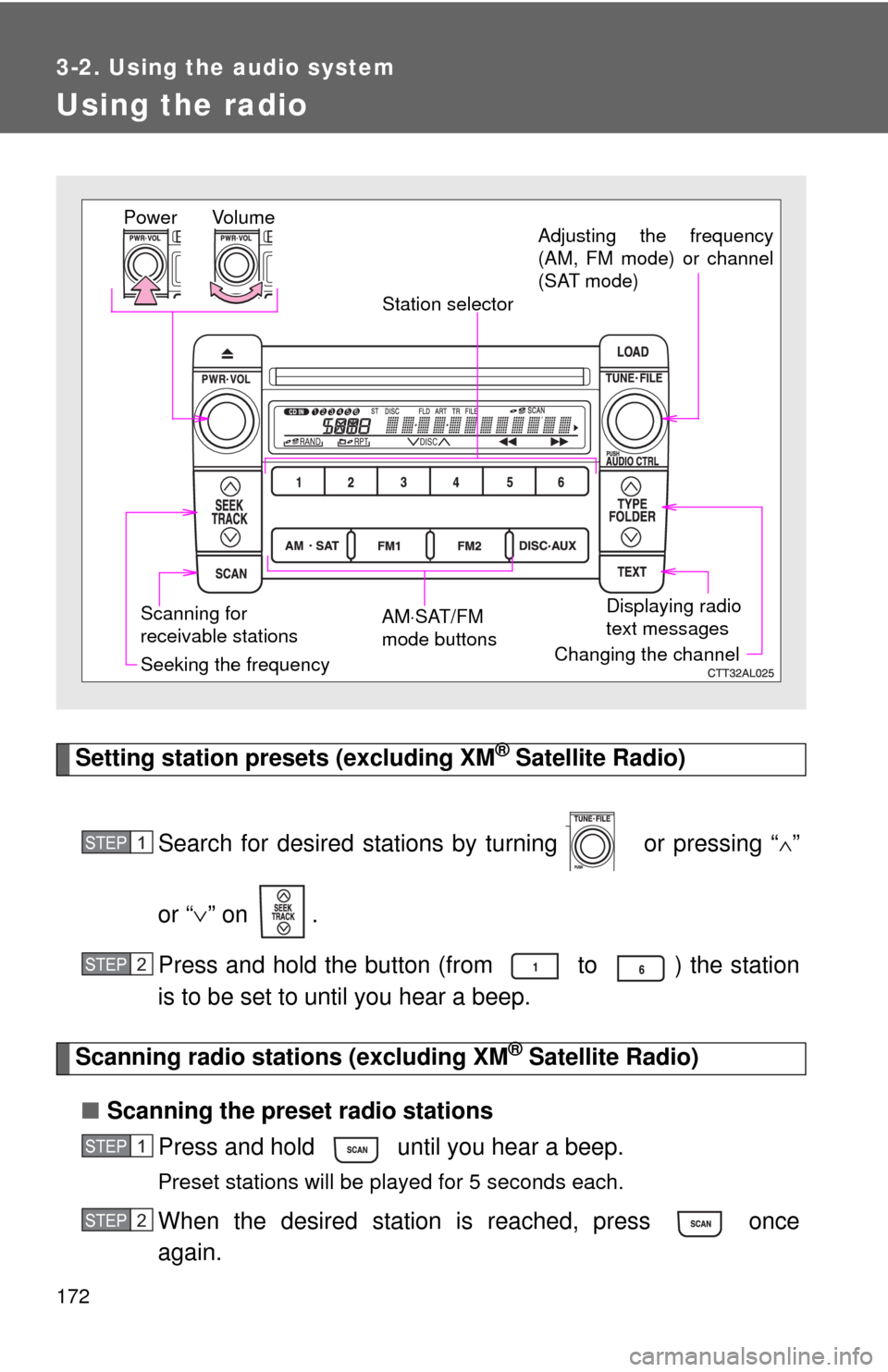
Setting station presets (excluding XM® Satellite Radio)
Search for desired stations by turning or pressing “
∧”
or “∨” on .
Press and hold the button (from to ) the station
is to be set to until you hear a beep.
Scanning radio stations (excluding XM® Satellite Radio)
■Scanning the preset radio stations
Press and hold until you hear a beep.
Preset stations will be played for 5 seconds each.
When the desired station is reached, press once
again.
Vo l u m e
Scanning for
receivable stationsStation selector
Seeking the frequencyAdjusting the frequency
(AM, FM mode) or channel
(SAT mode)
AM⋅SAT/FM
mode buttonsPower
Displaying radio
text messages
Changing the channel
STEP1
STEP2
STEP1
STEP2
Page 173 of 440
173 3-2. Using the audio system
3
Interior features
■Scanning all radio stations within range
Press .
All stations with reception will be played for 5 seconds each.
When the desired station is reached, press once
again.
XM® Satellite Radio* (if equipped)
■Receiving XM
® Satellite Radio
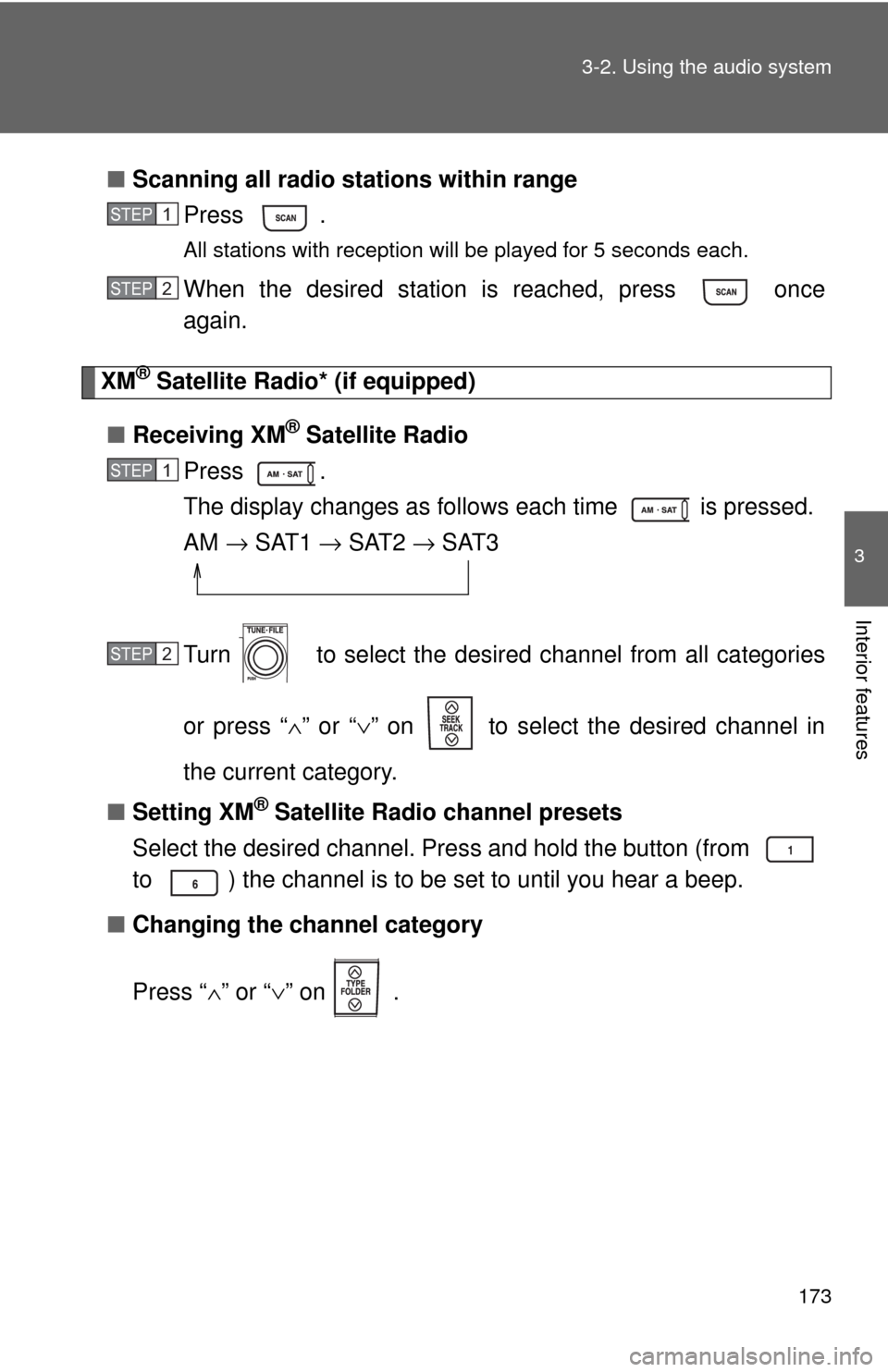
Press .
The display changes as follows each time is pressed.
AM → SAT1 → SAT2 → SAT3
Turn to select the desired channel from all categories
or press “∧” or “∨” on to select the desired channel in
the current category.
■Setting XM
® Satellite Radio channel presets
Select the desired channel. Press and hold the button (from
to ) the channel is to be set to until you hear a beep.
■Changing the channel category
Press “∧” or “∨” on .
STEP1
STEP2
STEP1
STEP2
Page 174 of 440
174 3-2. Using the audio system
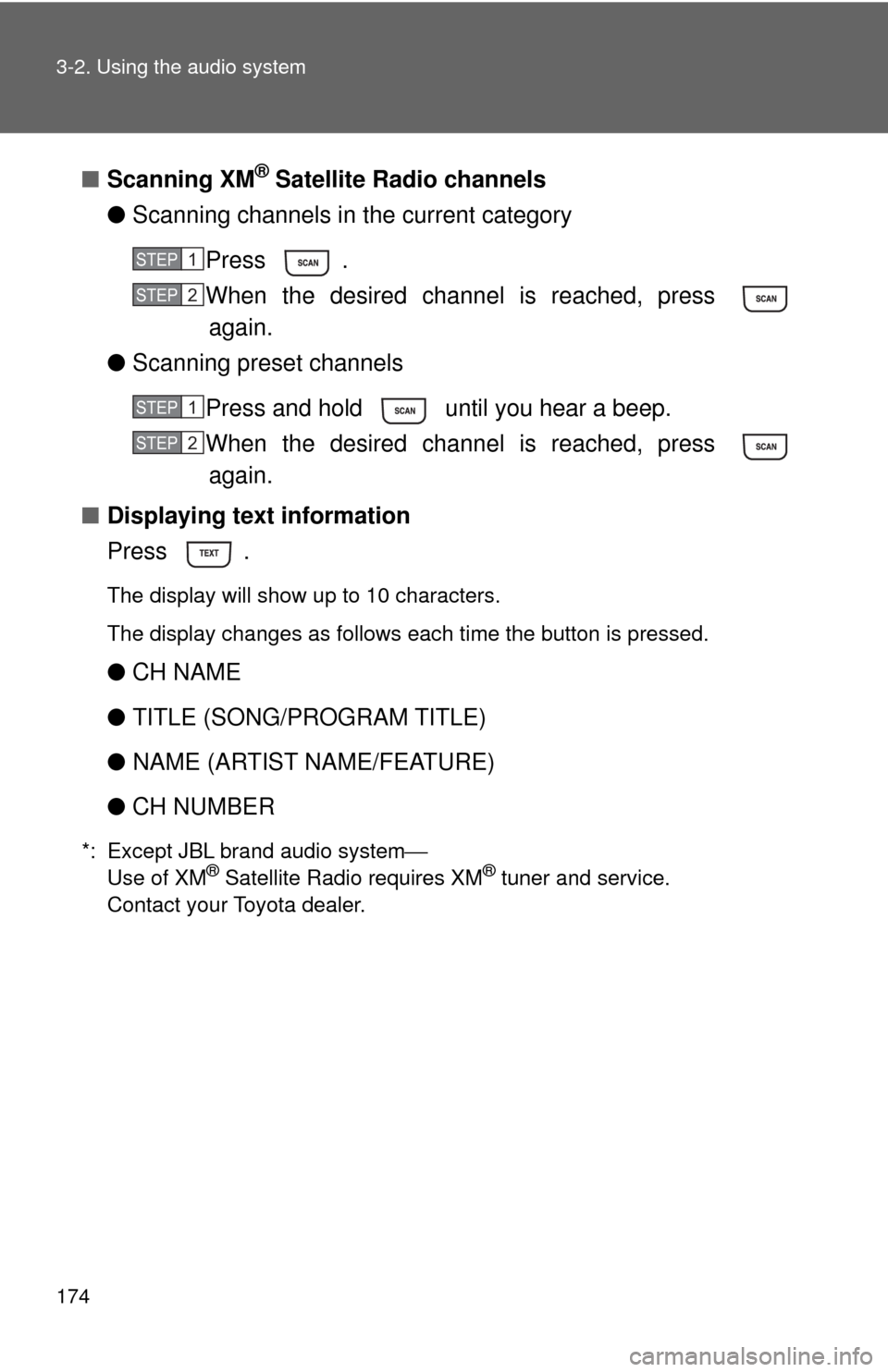
■Scanning XM® Satellite Radio channels
●Scanning channels in the current category
Press .
When the desired channel is reached, press
again.
●Scanning preset channels
Press and hold until you hear a beep.
When the desired channel is reached, press
again.
■Displaying text information
Press .
The display will show up to 10 characters.
The display changes as follows each time the button is pressed.
●CH NAME
●TITLE (SONG/PROGRAM TITLE)
●NAME (ARTIST NAME/FEATURE)
●CH NUMBER
*: Except JBL brand audio system⎯
Use of XM® Satellite Radio requires XM® tuner and service.
Contact your Toyota dealer.
STEP1
STEP2
STEP1
STEP2