phone TOYOTA MATRIX 2010 E140 / 2.G Owners Manual
[x] Cancel search | Manufacturer: TOYOTA, Model Year: 2010, Model line: MATRIX, Model: TOYOTA MATRIX 2010 E140 / 2.GPages: 448, PDF Size: 9.74 MB
Page 3 of 448
1
2
3
4
5
6
7
3
2-5. Driving information
Cargo and luggage ............. 147
Vehicle load limits ............... 150
Winter driving tips ............... 151
Trailer towing ...................... 155
Dinghy towing
(automatic
transmission) .................... 163
Dinghy towing
(manual transmission) ...... 164
3-1. Using the air conditioning
system and defogger
Air conditioning system ....... 168
Rear window and
outside rear view
mirror defoggers ............... 174
3-2. Using the audio system
Audio system types ............. 175
Using the radio .................... 178
Using the CD player ............ 184
Playing MP3 and WMA
discs.................................. 191
Optimal use of the audio
system .............................. 199
Using the AUX adapter ....... 202
Using the steering wheel
audio switches .................. 203
3-3. Using the hands-free phone
system (for cellular phone)
Hands-free phone system
(for cellular phone)
features ............................. 206Using the hands-free
phone system
(for cellular phone) ........... 209
Making a phone call ........... 218
Setting a cellular phone ...... 222
Security and system
setup ................................ 227
Using the phone book ........ 231
3-4. Using the interior lights
Interior lights list ................. 238
• Interior light ...................... 239
• Personal/interior lights...... 240
• Personal lights.................. 241
3-5. Using the storage features
List of storage features ....... 242
• Glove box ......................... 243
• Console box ..................... 243
• Cup holders ...................... 245
• Bottle holders ................... 247
• Auxiliary boxes ................. 248
3-6. Other interior features
Sun visors........................... 250
Vanity mirrors ..................... 251
Clock .................................. 252
Ashtrays ............................. 253
Cigarette lighter .................. 254
Power outlet ....................... 255
Grocery bag hook ............... 257
Seatback table.................... 259
Floor mat ............................ 260
Luggage compartment
feature .............................. 261
Compass ............................ 268
3Interior features
Page 15 of 448
15
B
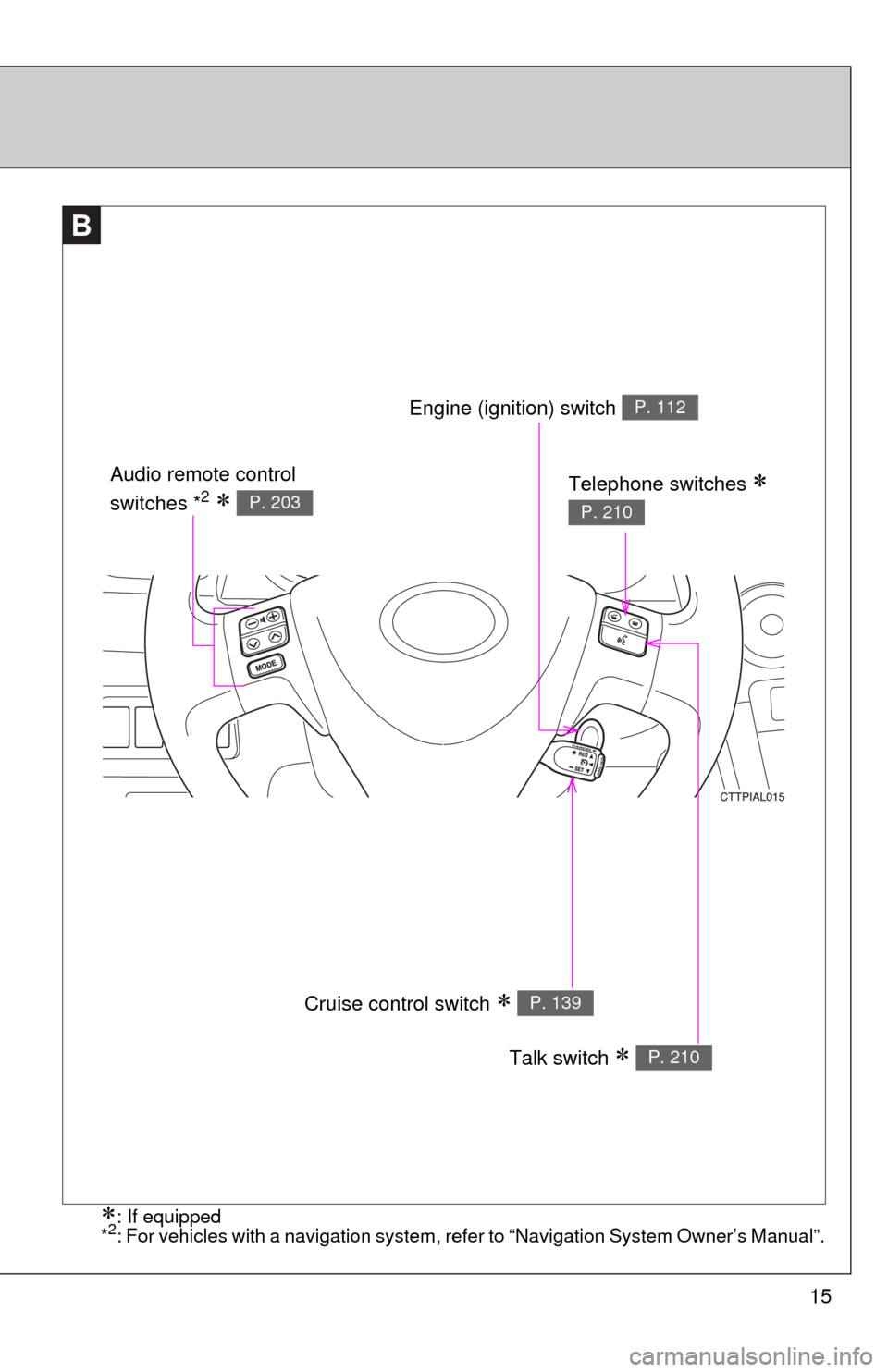
Cruise control switch P. 139
Talk switch P. 210
Engine (ignition) switch P. 112
Telephone switches
P. 210
Audio remote control
switches *2 P. 203
: If equipped
*2: For vehicles with a navigation system, refer to “Navigation System Owner’s Manual”.
Page 20 of 448

20
CAUTION
■General precautions while driving
Driving under the influence: Never drive your vehicle when under the influ-
ence of alcohol or drugs that have impaired your ability to operate your vehi-
cle. Alcohol and certain drugs delay reaction time, impair judgment and
reduce coordination, which could lead to an accident that could result in
death or serious injury.
Defensive driving: Always drive defensively. Anticipate mistakes that other
drivers or pedestrians might make and be ready to avoid accidents.
Driver distraction: Always give your full attention to driving. Anything that dis-
tracts the driver, such as adjusting controls, talking on a cellular phone or
reading can result in a collision with resulting death or serious injury to you,
your occupants or others.
■General precaution regarding children’s safety
Never leave children unattended in the vehicle, and never allow children to
have or use the key.
Children may be able to start the vehicle or shift the vehicle into neutral.
There is also a danger that children may injure themselves by playing with
the cigarette lighter, the windows, or other features of the vehicle. In addi-
tion, heat build-up or extremely cold temperatures inside the vehicle can be
fatal to children.
Page 27 of 448
27 1-2. Opening, closing and locking the doors
1
Before driving
■Key battery depletion
If the wireless remote control function does not operate, the battery may be
depleted. Replace the battery when necessary. (P. 325)
■Security feature
If a door is not opened within approximately 60 seconds after the vehicle is
unlocked, the security feature automatically locks the vehicle again.
■Conditions affecting operation
The wireless remote control function may not operate normally in the follow-
ing situations.
●Near a TV tower, radio station, electric power plant, airport or other facil-
ity that generates strong radio waves
●When carrying a portable radio, cellular phone or other wireless commu-
nication devices
●When multiple wireless keys are in the vicinity
●When the wireless key has come into contact with, or is covered by, a
metallic object
●When a wireless key (that emits radio waves) is being used nearby
●When the wireless key has been left near an electrical appliance such as
a personal computer
●When the wireless key battery is depleted
●If window tint with a metallic content or metallic objects are attached to
the rear window
■Customization that can be configured at Toyota dealer
Settings (e.g. operation signal) can be changed.
(Customizable features P. 427)
Page 167 of 448
Interior features3
167
3-3. Using the hands-free phone
system (for cellular phone)
Hands-free phone system
(for cellular phone)
features .......................... 206
Using the hands-free
phone system
(for cellular phone) ......... 209
Making a phone call ......... 218
Setting a cellular phone ... 222
Security and system
setup .............................. 227
Using the phone book ...... 231
3-4. Using the interior lights
Interior lights list ............... 238
• Interior light ..................... 239
• Personal/interior lights .... 240
• Personal lights ................ 2413-5. Using the storage features
List of storage features .... 242
• Glove box........................ 243
• Console box .................... 243
• Cup holders .................... 245
• Bottle holders .................. 247
• Auxiliary boxes................ 248
3-6. Other interior features
Sun visors ........................ 250
Vanity mirrors ................... 251
Clock ................................ 252
Ashtrays ........................... 253
Cigarette lighter................ 254
Power outlet ..................... 255
Grocery bag hook ............ 257
Seatback table ................. 259
Floor mat .......................... 260
Luggage compartment
feature............................ 261
Compass .......................... 268
Page 176 of 448
176 3-2. Using the audio system
■Using cellular phones
Interference may be heard through the audio system's speakers if a cellular
phone is being used inside or close to the vehicle while the audio system is
operating.
CAUTION
■For vehicles sold in U.S.A. and Canada
●Part 15 of the FCC Rules
FCC Warning:
Any unauthorized changes or modifications to this equipment will void the
user’s authority to operate this device.
●Laser products
• Do not take this unit apart or attempt to make any changes yourself.
This is an intricate unit that uses a laser pickup to retrieve information
from the surface of compact discs. The laser is carefully shielded so
that its rays remain inside the cabinet. Therefore, never try to disas-
semble the player or alter any of its parts since you may be exposed to
laser rays and dangerous voltages.
• This product utilizes a laser.
Use of controls or adjustments or performance of procedures other
than those specified herein may result in hazardous radiation expo-
sure.
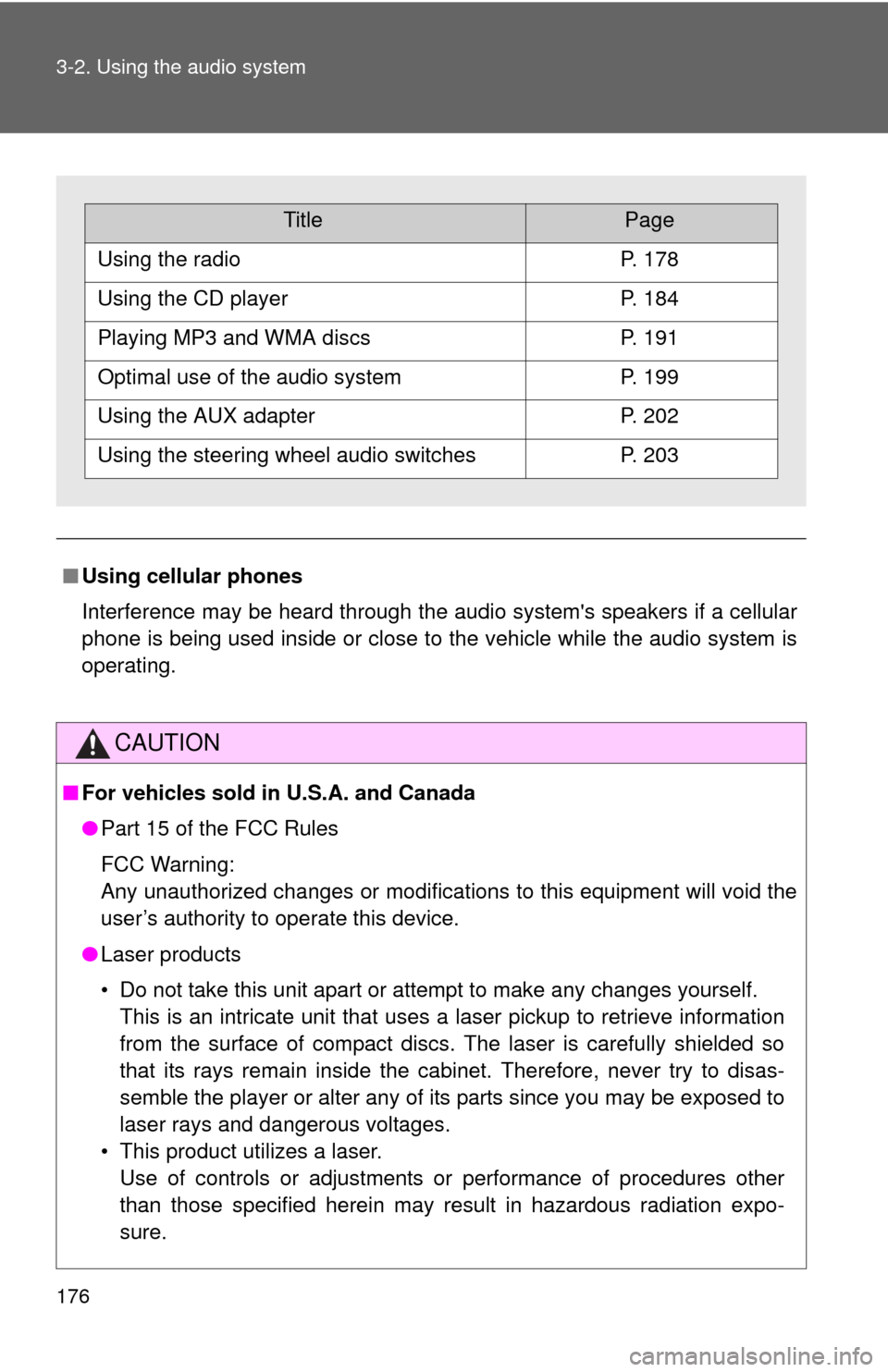
TitlePage
Using the radioP. 178
Using the CD playerP. 184
Playing MP3 and WMA discsP. 191
Optimal use of the audio systemP. 199
Using the AUX adapterP. 202
Using the steering wheel audio switchesP. 203
Page 206 of 448
206
3-3. Using the hands-free phone system (for cellular phone)
Hands-free phone system (for cellular phone) features
■Conditions affecting operation
The hands-free phone system may not operate normally in the following situ-
ations:
●The cellular phone is turned off, or located outside the service area.
●The cellular phone has a low battery.
●The cellular phone is not connected to the system.
●The cellular phone is behind the seat or in the glove box, or metal mate-
rial covers or touches the phone.
■When transferring ownership of the vehicle
Be sure to initialize the system to prevent personal data from being improp-
erly accessed.
■Required profiles for the cellular phone
●HFP (Hands Free Profile) Ver. 1.0
●OPP (Object Push Profile) Ver. 1.1
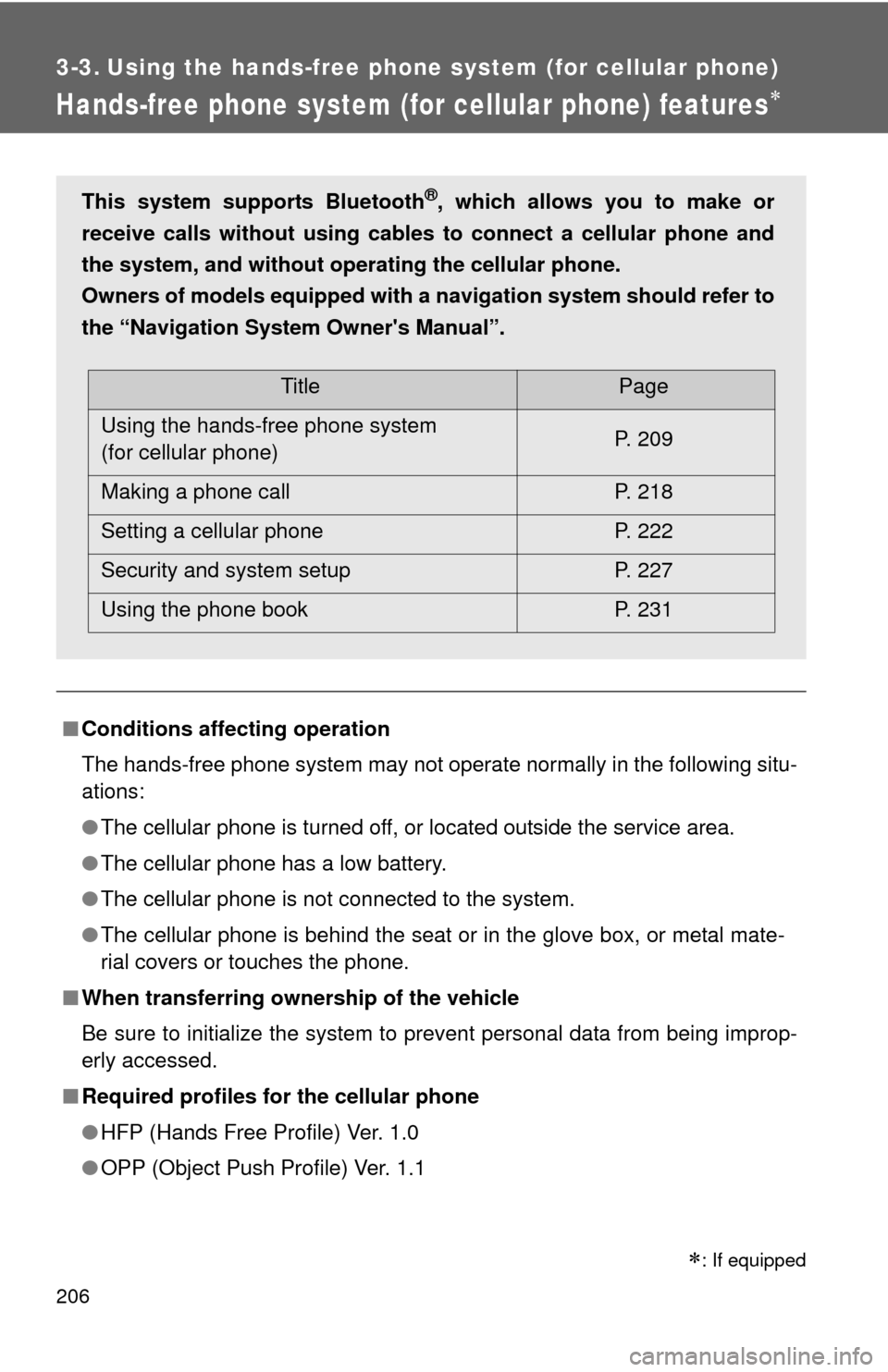
This system supports Bluetooth®, which allows you to make or
receive calls without using cables to connect a cellular phone and
the system, and without operating the cellular phone.
Owners of models equipped with a navigation system should refer to
the “Navigation System Owner's Manual”.
TitlePage
Using the hands-free phone system
(for cellular phone)P. 209
Making a phone call P. 218
Setting a cellular phone P. 222
Security and system setup P. 227
Using the phone book P. 231
: If equipped
Page 207 of 448
207 3-3. Using the hands-free phone system (for cellular phone)
3
Interior features
■Trademark owned by Bluetooth SIG. Inc.
■Certification for the hands-free phone system
FCC ID: ACJ932C5ZZZ035
IC ID: 216J-C5ZZZ035
MADE IN JAPAN
NOTE:
This device complies with Part 15 of the FCC Rules and RSS-210 of industry
Canada. Operation is subject to the following two conditions: (1) This device
may not cause harmful interference, and (2) This device must accept any
interference received, including interference that may cause undesired oper-
ation.
NOTICE:
This equipment has been tested and found to comply with the limits for a
Class B digital device, pursuant to Part 15 of the FCC Rules. These limits
are designed to provide reasonable protection against harmful interference
in a residential installation. This equipment generates, uses and can radiate
radio frequency energy and, if not installed and used in accordance with the
instructions, may cause harmful interference to radio communications. How-
ever, there is no guarantee that interference will not occur in a particular
installation. If this equipment does cause harmful interference to radio or
television reception, which can be determined by turning the equipment off
and on, the user is encouraged to try to correct the interference by one or
more of the following measures:
●Reorient or relocate the receiving antenna.
●Increase the separation between the equipment and receiver.
●Connect the equipment into an outlet on a circuit different from that to
which the receiver is connected.
●Consult the dealer or an experienced radio/TV technician for help.
Page 208 of 448
208 3-3. Using the hands-free phone system (for cellular phone)
FCC WARNING:
Changes or modifications in construction not expressly approved by the
party responsible for compliance could void the user's authority to operate
the equipment.
CAUTION:
Radio Frequency Radiation Exposure
This equipment complies with FCC radiation exposure limits set forth for
uncontrolled equipment and meets the FCC radio frequency (RF) Exposure
Guidelines in Supplement C to OET65. This equipment has very low levels
of RF energy that it deemed to comply without maximum permissive expo-
sure evaluation (MPE). But it is desirable that it should be installed and oper-
ated with at least 20 cm and more between the radiator and person’s body
(excluding extremities: hands, wrists, feet and legs).
Co-location:
This transmitter must not be co-located or operated in conjunction with any
other antenna or transmitter.
CAUTION
■Caution while driving
Do not use a cellular phone, or connect the Bluetooth
® phone.
NOTICE
■To prevent damage to a cellular phone
Do not leave a cellular phone in the vehicle. The temperature inside may
become high resulting in damage to the phone.
Page 209 of 448
209
3-3. Using the hands-free phone system (for cellular phone)
3
Interior features
Using the hands-free phone system (for cellular phone)
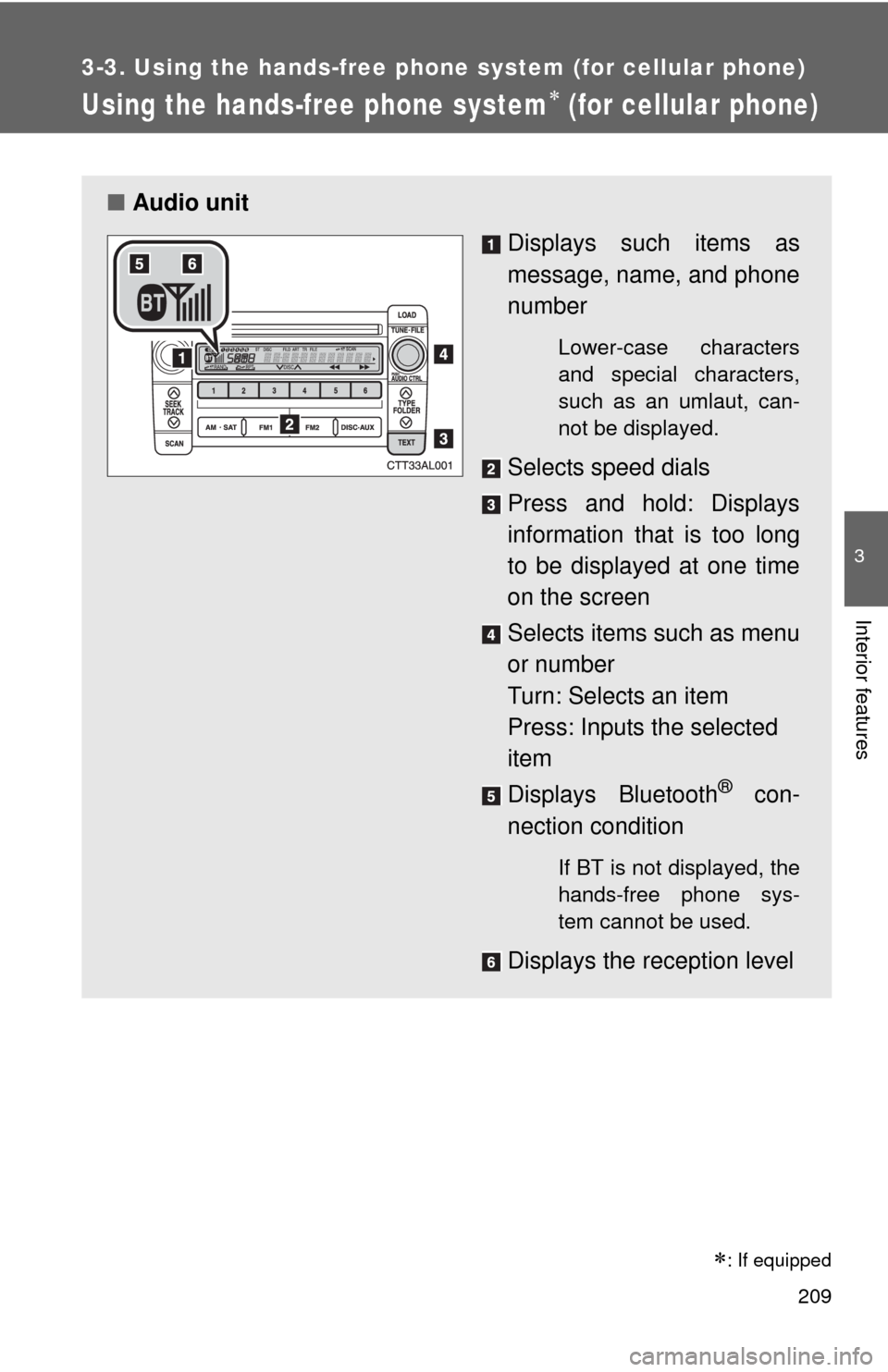
■Audio unit
Displays such items as
message, name, and phone
number
Lower-case characters
and special characters,
such as an umlaut, can-
not be displayed.
Selects speed dials
Press and hold: Displays
information that is too long
to be displayed at one time
on the screen
Selects items such as menu
or number
Turn: Selects an item
Press: Inputs the selected
item
Displays Bluetooth
® con-
nection condition
If BT is not displayed, the
hands-free phone sys-
tem cannot be used.
Displays the reception level
: If equipped