lock TOYOTA MATRIX 2013 E140 / 2.G Owners Manual
[x] Cancel search | Manufacturer: TOYOTA, Model Year: 2013, Model line: MATRIX, Model: TOYOTA MATRIX 2013 E140 / 2.GPages: 500, PDF Size: 14.83 MB
Page 1 of 500
TABLE OF CONTENTS
1
1Before drivingAdjusting and operating features such as door locks,
mirrors, and steering column.
2When drivingDriving, stopping and safe-driving information.
3Interior fea-
turesAir conditioning and audio systems, as well as other in-
terior features for a comfortable driving experience.
4Maintenance
and careCleaning and protecting your vehicle, performing do-it-
yourself maintenance, and maintenance information.
5When trouble
arisesWhat to do if the vehicle needs to be towed, gets a flat
tire, or is involved in an accident.
6Vehicle
specificationsDetailed vehicle information.
7For ownersReporting safety defects for U.S. owners, and seat belt
and SRS airbag instructions for Canadian owners
IndexAlphabetical listing of information contained in this
manual.
Page 2 of 500

TABLE OF CONTENTSIndex
2
1-1. Key information
Keys ..................................... 26
1-2. Opening, closing and
locking the doors
Wireless remote control ....... 28
Doors.................................... 31
Back door ............................. 36
1-3. Adjustable components
(seats, mirrors,
steering wheel)
Front seats ........................... 40
Rear seats ............................ 44
Head restraints ..................... 46
Seat belts ............................. 48
Steering wheel ..................... 54
Anti-glare inside rear view
mirror .................................. 55
Outside rear view mirrors ..... 57
1-4. Opening and closing the
windows and moon roof
Power windows .................... 59
Moon roof ............................. 61
1-5. Refueling
Opening the fuel tank cap .... 641-6. Theft deterrent system
Engine immobilizer
system ................................ 68
Theft prevention labels ......... 70
1-7. Safety information
Correct driving posture ......... 71
SRS airbags ......................... 73
Front passenger occupant
classification system ........... 85
Child restraint systems ......... 90
Installing child restraints ....... 94
2-1. Driving procedures
Driving the vehicle .............. 106
Engine (ignition) switch....... 118
Automatic transmission ...... 122
Manual transmission........... 127
Turn signal lever ................. 129
Parking brake ..................... 130
Horn .................................... 131
2-2. Instrument cluster
Gauges and meters ............ 132
Indicators and warning
lights ................................. 135
1Before driving
2When driving
Page 4 of 500

TABLE OF CONTENTSIndex
4
3-4. Using the hands-free
phone system
(for cellular phone)
Making a phone call ........... 262
Using the “SET UP” menu
(“Bluetooth” menu) ........... 267
Using the “SET UP” menu
(“Phone” menu) ................ 273
3-5. Using the interior lights
Interior lights list ................. 279
• Interior light ...................... 280
• Personal/interior lights...... 281
• Personal lights ................. 282
3-6. Using the storage features
List of storage features....... 283
• Glove box ......................... 284
• Console box ..................... 284
• Cup holders ...................... 285
• Bottle holders ................... 287
• Auxiliary boxes ................. 288
3-7. Other interior features
Sun visors .......................... 290
Vanity mirrors ..................... 291
Clock .................................. 292
Ashtrays ............................. 293
Cigarette lighter .................. 294
Power outlet ....................... 295
Grocery bag hook............... 297
Seatback table ................... 299
Assist grips ......................... 300
Floor mat ............................ 301
Luggage compartment
feature .............................. 302
Compass ............................ 3094-1. Maintenance and care
Cleaning and protecting
the vehicle exterior ........... 314
Cleaning and protecting
the vehicle interior ............ 317
4-2. Maintenance
Maintenance
requirements .................... 320
General maintenance ......... 322
Emission inspection and
maintenance (I/M)
programs .......................... 325
4-3. Do-it-yourself maintenance
Do-it-yourself service
precautions ....................... 326
Hood ................................... 330
Positioning a floor jack........ 332
Engine compartment .......... 335
Tires.................................... 349
Tire inflation pressure ......... 358
Wheels................................ 362
Air conditioning filter ........... 365
Key battery ......................... 367
Checking and replacing
fuses ................................. 369
Light bulbs .......................... 378
4Maintenance and care
Page 11 of 500
11
: If equipped
*1: For vehicles with a Display Audio system, refer to “Display Audio System Owner’s Manual”.
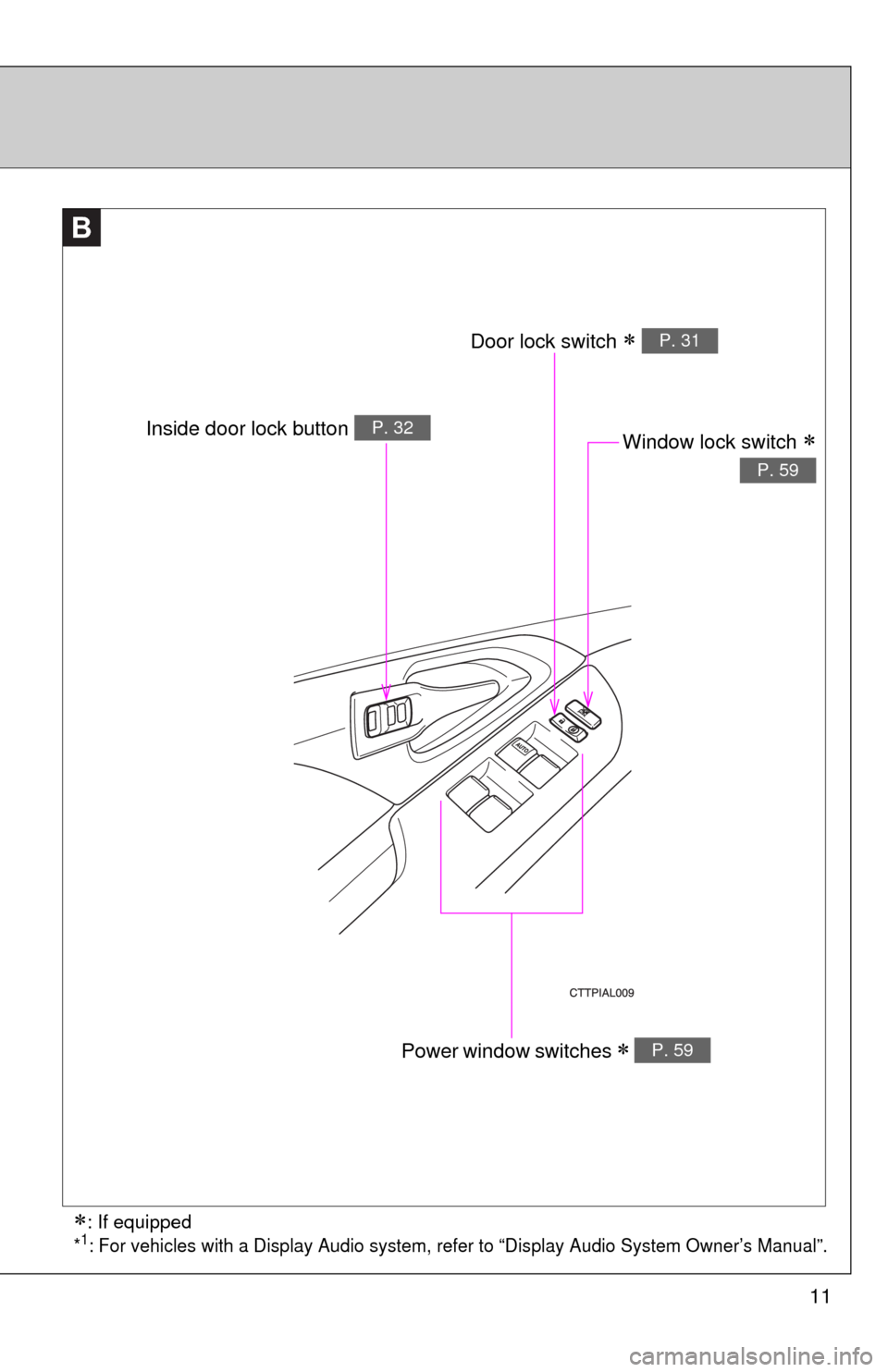
B
Window lock switch
P. 59
Power window switches P. 59
Door lock switch P. 31
Inside door lock button P. 32
Page 16 of 500
16
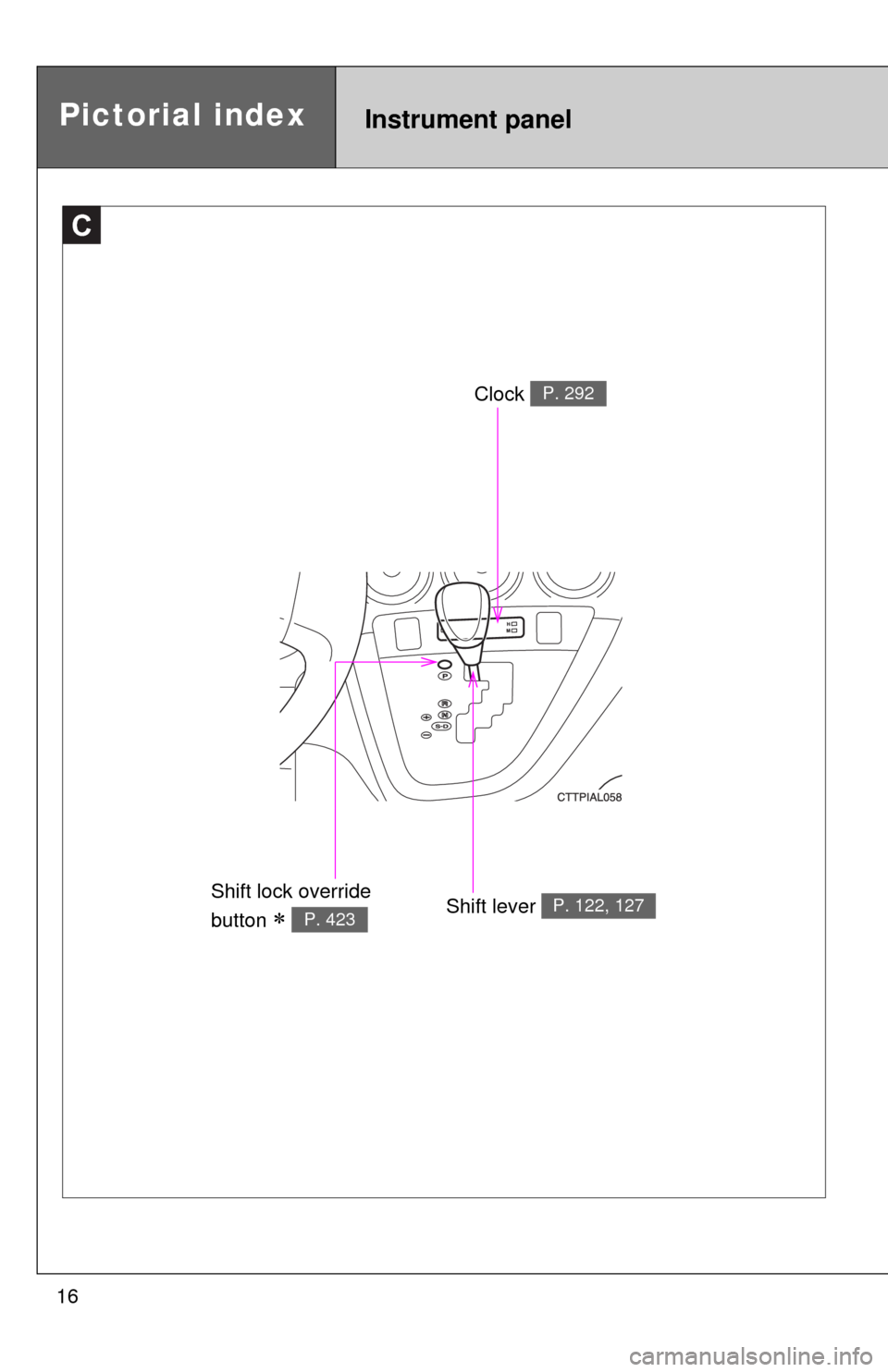
C
Clock P. 292
Shift lever P. 122, 127Shift lock override
button
P. 423
Instrument panelPictorial index
Page 17 of 500
17
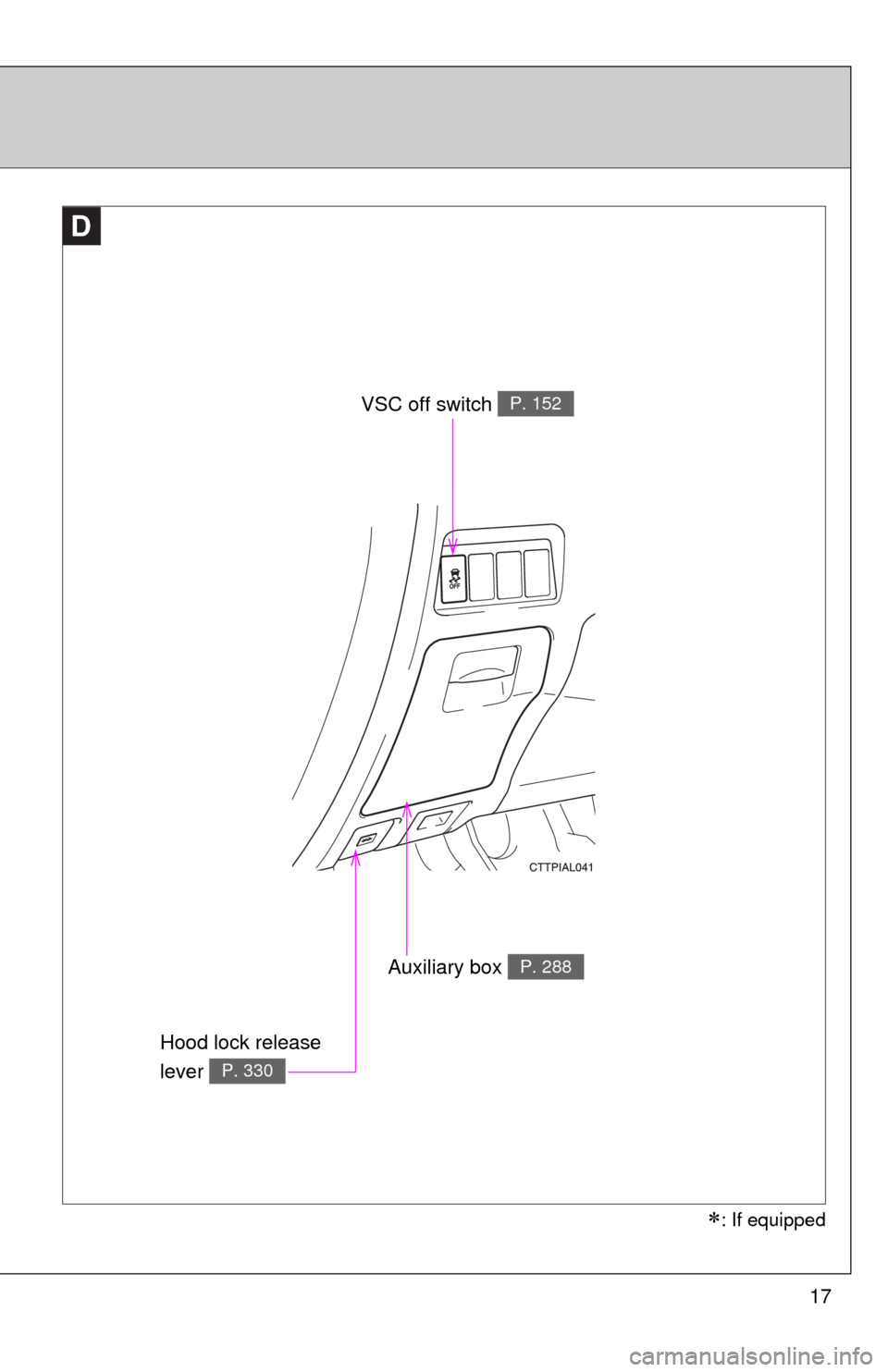
D
VSC off switch P. 152
Auxiliary box P. 288
Hood lock release
lever
P. 330
: If equipped
Page 19 of 500

19
Installation of a mobile two-way radio system
As the installation of a mobile two-way radio system in your vehicle may
affect electronic systems such as the multi-port fuel injection system/sequen-
tial multi-port fuel injection system, cruise control system, anti-lock brake
system, SRS airbag system or seat belt pretensioner system, be sure to
check with your Toyota dealer for precautionary measures or special instruc-
tions regarding installation.
Vehicle data recordings
Your Toyota is equipped with several sophisticated computers that will record
certain data, such as:
• Engine speed
• Accelerator status
• Brake status
• Vehicle speed
• Shift position (vehicles with an automatic transmission)
The recorded data varies according to the vehicle grade level and options
with which it is equipped. Furthermore, these computers do not record con-
versations, sounds or pictures.
●Data usage
Toyota may use the data recorded in these computers to diagnose malfunc-
tions, conduct research and development, and improve quality.
Toyota will not disclose the recorded data to a third party except:
• With the consent of the vehicle owner or with the consent of the lessee if
the vehicle is leased
• In response to an official request by the police, a court of law or a govern-
ment agency
• For use by Toyota in a lawsuit
• For research purposes where the data is not tied to a specific vehicle or
vehicle owner
Page 25 of 500
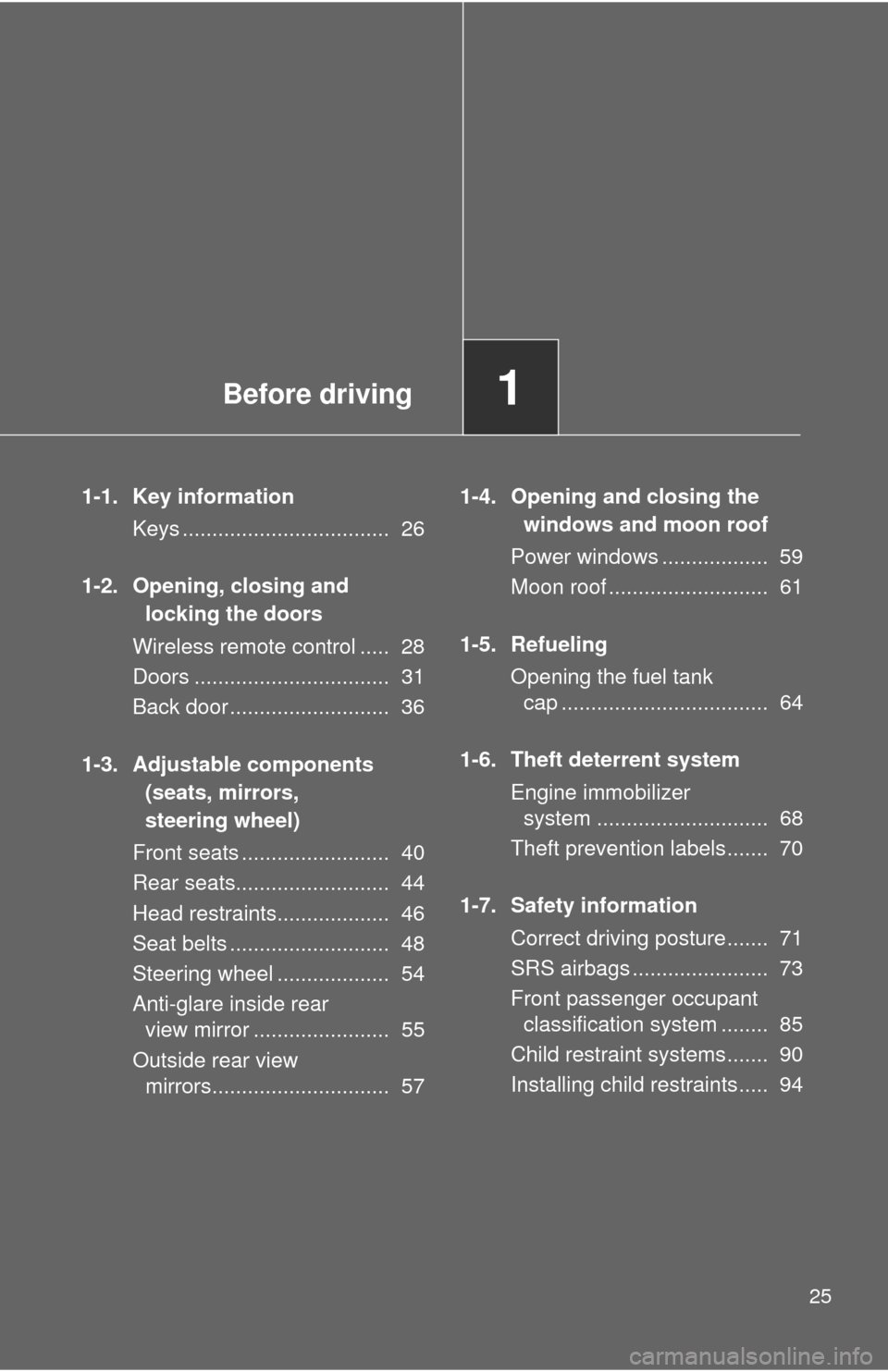
Before driving1
25
1-1. Key information
Keys ................................... 26
1-2. Opening, closing and
locking the doors
Wireless remote control ..... 28
Doors ................................. 31
Back door ........................... 36
1-3. Adjustable components
(seats, mirrors,
steering wheel)
Front seats ......................... 40
Rear seats.......................... 44
Head restraints................... 46
Seat belts ........................... 48
Steering wheel ................... 54
Anti-glare inside rear
view mirror ....................... 55
Outside rear view
mirrors.............................. 571-4. Opening and closing the
windows and moon roof
Power windows .................. 59
Moon roof ........................... 61
1-5. Refueling
Opening the fuel tank
cap ................................... 64
1-6. Theft deterrent system
Engine immobilizer
system ............................. 68
Theft prevention labels....... 70
1-7. Safety information
Correct driving posture....... 71
SRS airbags ....................... 73
Front passenger occupant
classification system ........ 85
Child restraint systems....... 90
Installing child restraints..... 94
Page 27 of 500

27 1-1. Key information
1
Before driving
NOTICE
■To prevent key damage
●Do not subject the keys to strong shocks, expose them to high tempera-
tures by placing them in direct sunlight, or get them wet.
●Do not expose the keys to electromagnetic materials or attach any mate-
rial that blocks electromagnetic waves to the key surface.
●Do not disassemble the key.
Page 28 of 500
28
1-2. Opening, closing and locking the doors
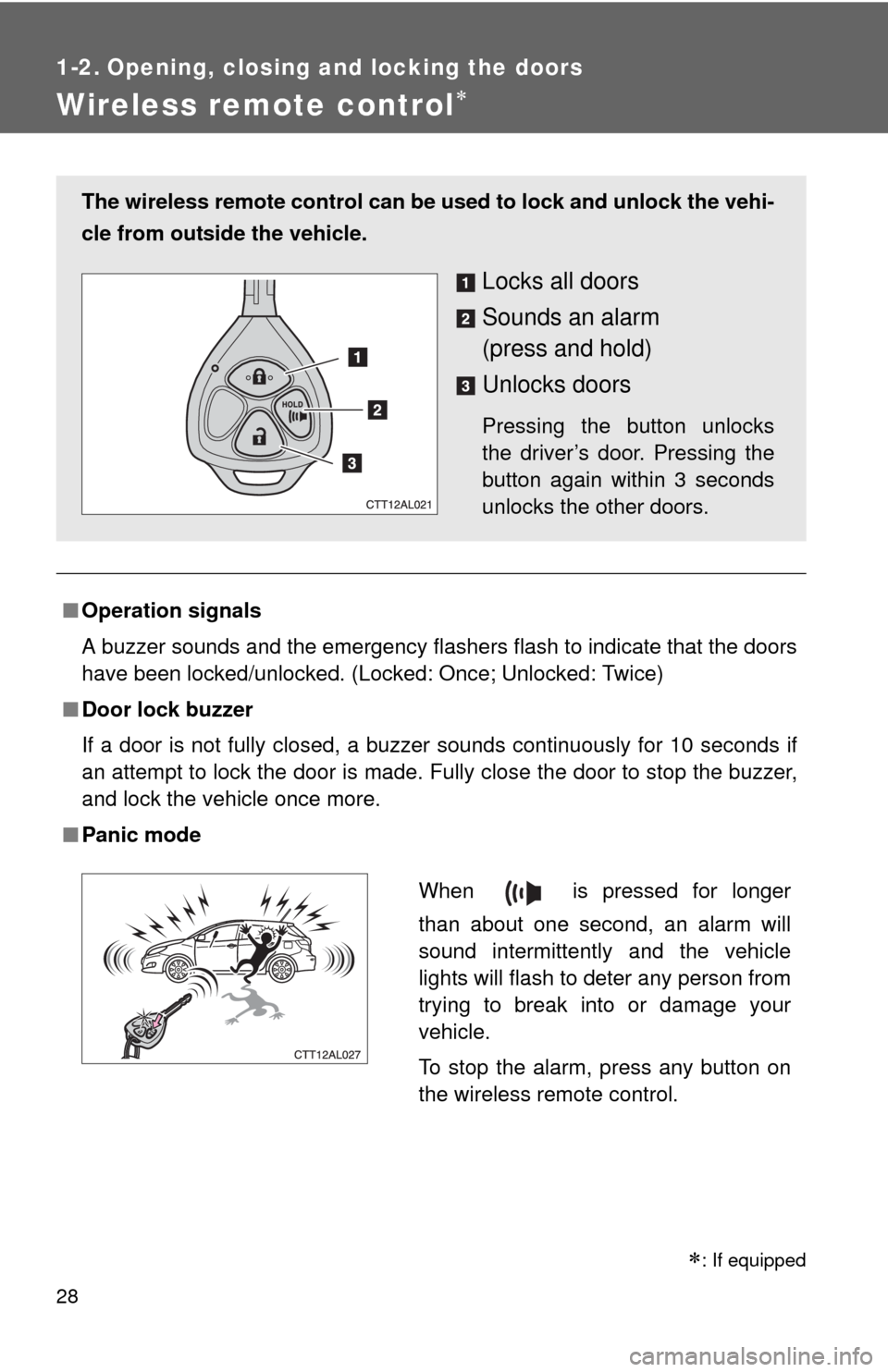
Wireless remote control
■Operation signals
A buzzer sounds and the emergency flashers flash to indicate that the doors
have been locked/unlocked. (Locked: Once; Unlocked: Twice)
■Door lock buzzer
If a door is not fully closed, a buzzer sounds continuously for 10 seconds if
an attempt to lock the door is made. Fully close the door to stop the buzzer,
and lock the vehicle once more.
■Panic mode
The wireless remote control can be used to lock and unlock the vehi-
cle from outside the vehicle.
Locks all doors
Sounds an alarm
(press and hold)
Unlocks doors
Pressing the button unlocks
the driver’s door. Pressing the
button again within 3 seconds
unlocks the other doors.
When is pressed for longer
than about one second, an alarm will
sound intermittently and the vehicle
lights will flash to deter any person from
trying to break into or damage your
vehicle.
To stop the alarm, press any button on
the wireless remote control.
: If equipped