wheel TOYOTA MATRIX 2014 E140 / 2.G Workshop Manual
[x] Cancel search | Manufacturer: TOYOTA, Model Year: 2014, Model line: MATRIX, Model: TOYOTA MATRIX 2014 E140 / 2.GPages: 500, PDF Size: 7.02 MB
Page 181 of 500
181
2-5. Driving information
2
When driving
Dinghy towing (automatic transmission)
NOTICE
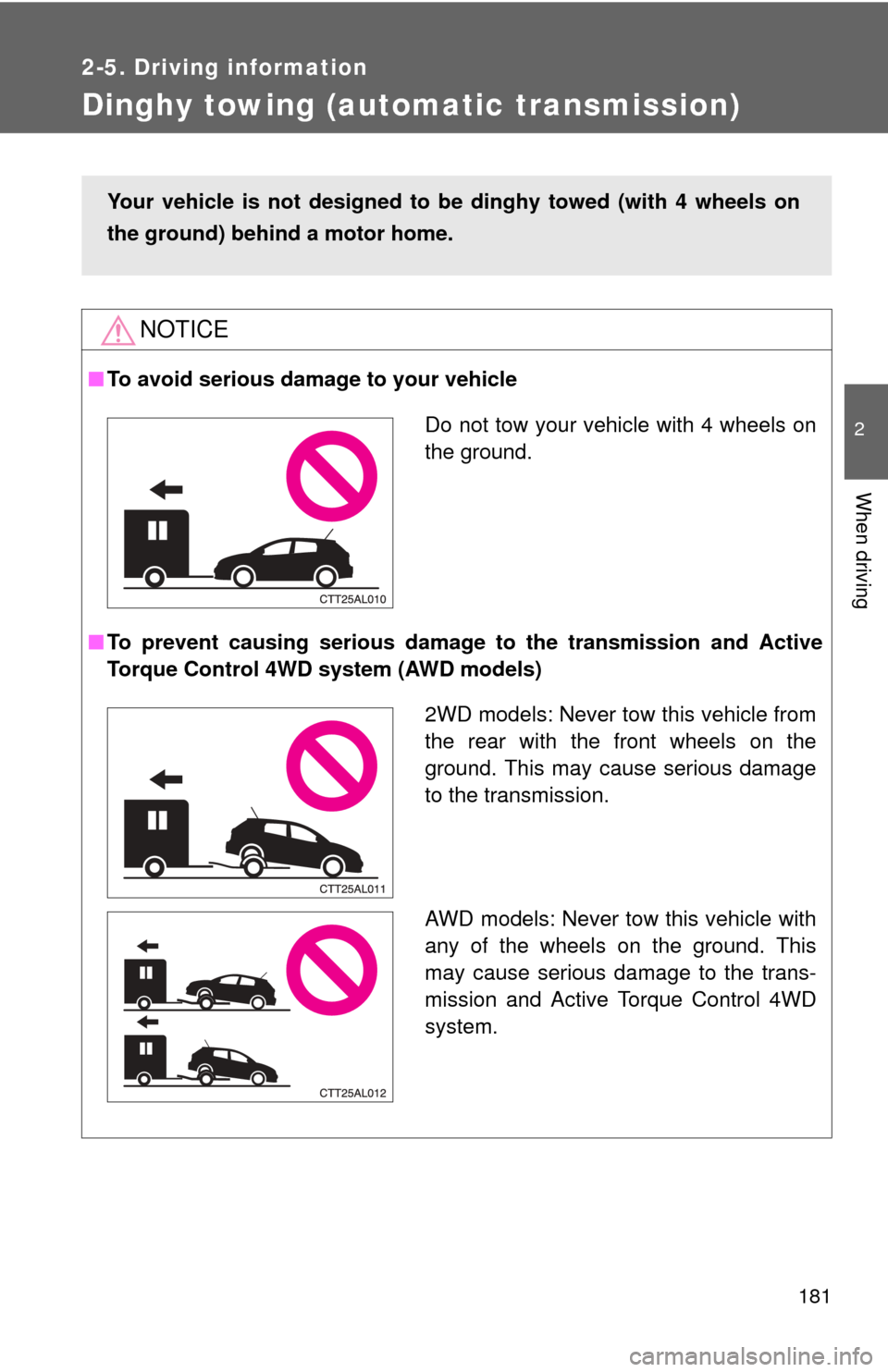
■To avoid serious damage to your vehicle
■ To prevent causing serious damage to the transmission and Active
Torque Control 4WD system (AWD models)
Your vehicle is not designed to be dinghy towed (with 4 wheels on
the ground) behind a motor home.
Do not tow your vehicle with 4 wheels on
the ground.
2WD models: Never tow this vehicle from
the rear with the front wheels on the
ground. This may cause serious damage
to the transmission.
AWD models: Never tow this vehicle with
any of the wheels on the ground. This
may cause serious damage to the trans-
mission and Active Torque Control 4WD
system.
Page 182 of 500
182
2-5. Driving information
Dinghy towing (manual transmission)
Towing your vehicle with 4 wheels on the groundTo prevent damage to your vehicle, perform the following procedures
before towing. Shift the shift lever to N.
Switch to the “ACC” position. ( P. 118)
Ensure that the audio system and other powered devices have been
turned off.
Release the parking brake.
After towing, leave the engine in idle for at least 3 minutes before
driving the vehicle.
■Necessary equipment and accessories
Specialized equipment and accessories are required for dinghy towing. Con-
tact the service branch of the motor home manufacturer regarding recom-
mended equipment.
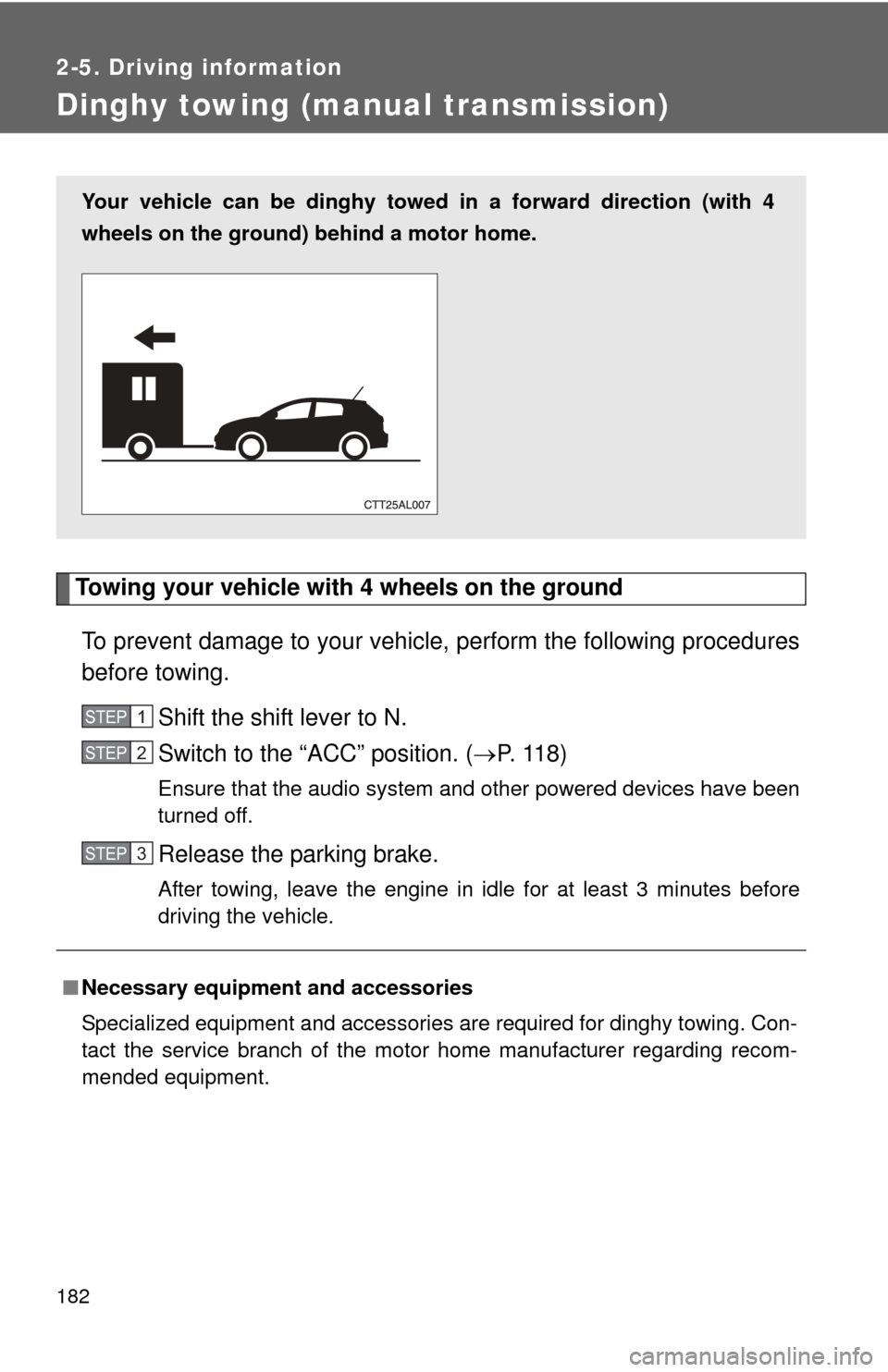
Your vehicle can be dinghy towed in a forward direction (with 4
wheels on the ground) behind a motor home.
STEP1
STEP2
STEP3
Page 184 of 500
184
3-1. Using the air conditioning system and defogger
Air conditioning system .... 186
Rear window and outside rear view
mirror defoggers ............ 193
3-2. Using the audio system Audio system types .......... 194
Using the radio ................. 203
Using the CD player ......... 207
Playing MP3 and WMA discs............................... 215
Operating an iPod ............ 225
Operating a USB memory .......................... 234
Optimal use of the audio system ........................... 242
Using the AUX port .......... 246
Using the steering wheel audio switches ............... 248
Interior features3
Page 195 of 500
195
3-2. Using the audio system
3
Interior features
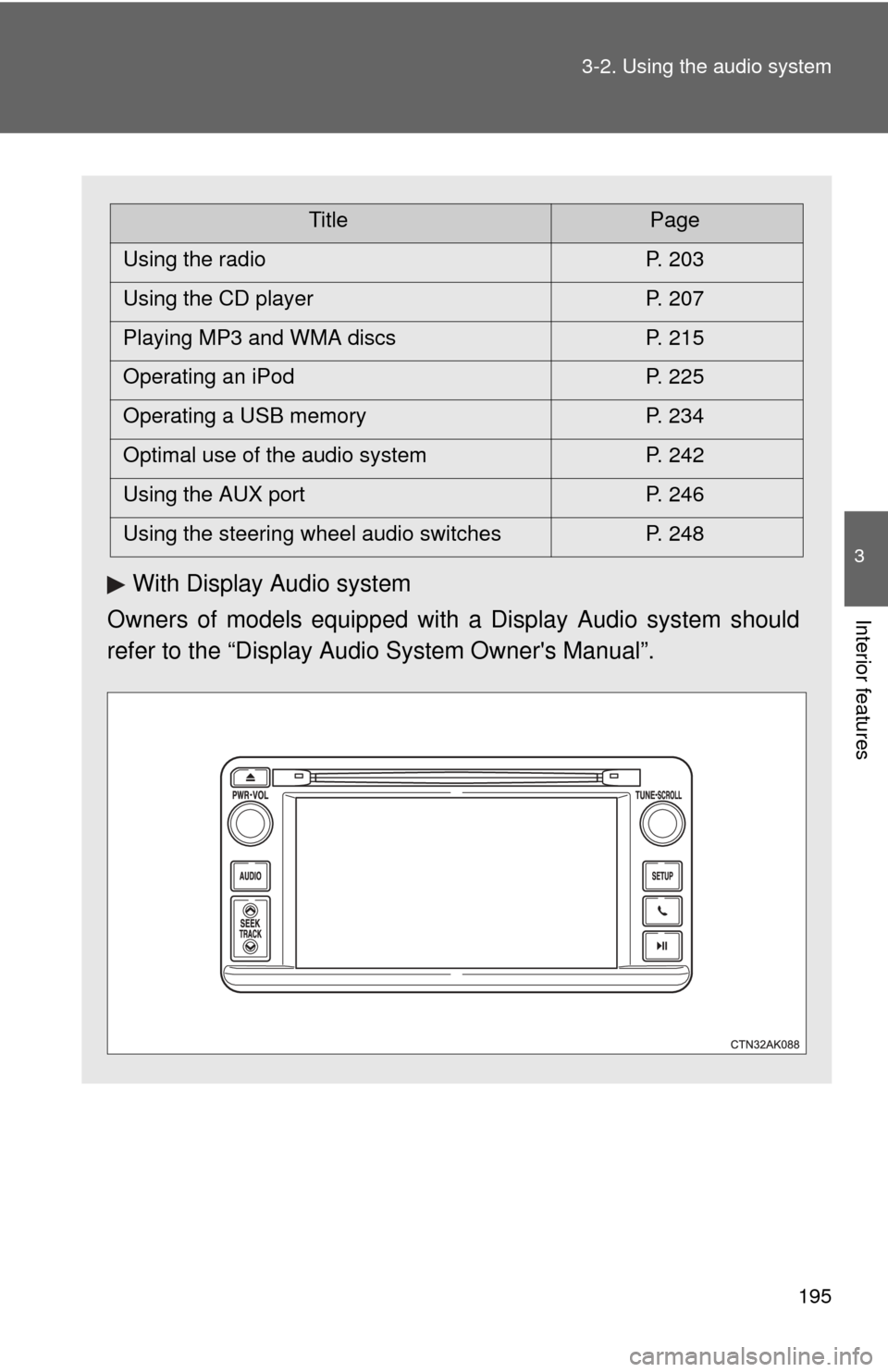
With Display Audio system
Owners of models equipped with a Display Audio system should
refer to the “Display Audio System Owner's Manual”.
TitlePage
Using the radio P. 203
Using the CD player P. 207
Playing MP3 and WMA discs P. 215
Operating an iPod P. 225
Operating a USB memory P. 234
Optimal use of the audio system P. 242
Using the AUX port P. 246
Using the steering wheel audio switches P. 248
Page 248 of 500
248
3-2. Using the audio system
Using the steering wheel audio switches
Turning on the powerPress when the audio system is turned off.
The audio system can be turned off by holding down until you hear a
beep.
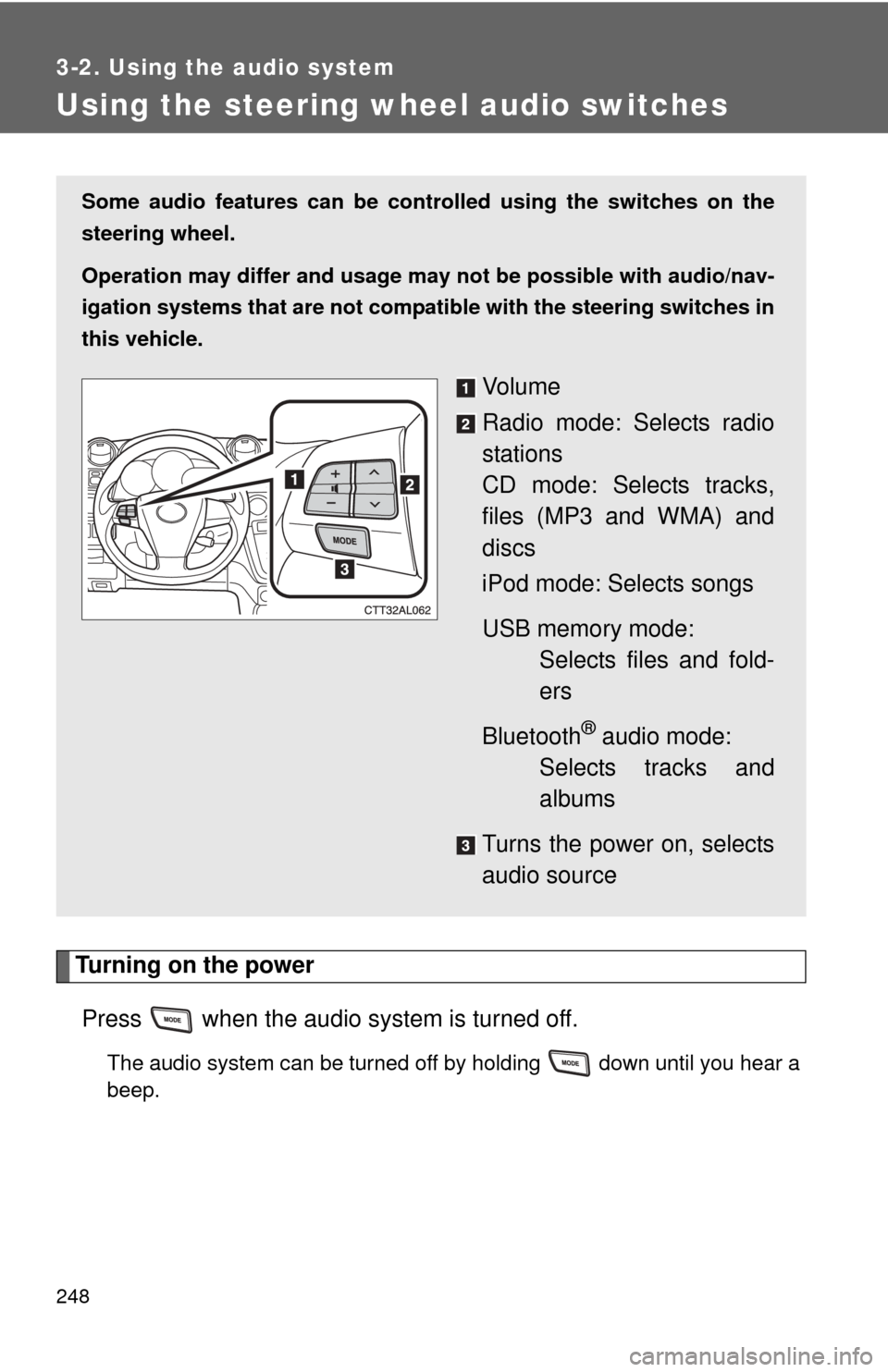
Some audio features can be cont rolled using the switches on the
steering wheel.
Operation may differ and usage may not be possible with audio/nav-
igation systems that are not compat ible with the steering switches in
this vehicle.
Vo l u m e
Radio mode: Selects radio
stations
CD mode: Selects tracks,
files (MP3 and WMA) and
discs
iPod mode: Selects songs
USB memory mode: Selects files and fold-
ers
Bluetooth
® audio mode:
Selects tracks and
albums
Turns the power on, selects
audio source
Page 250 of 500
250 3-2. Using the audio system
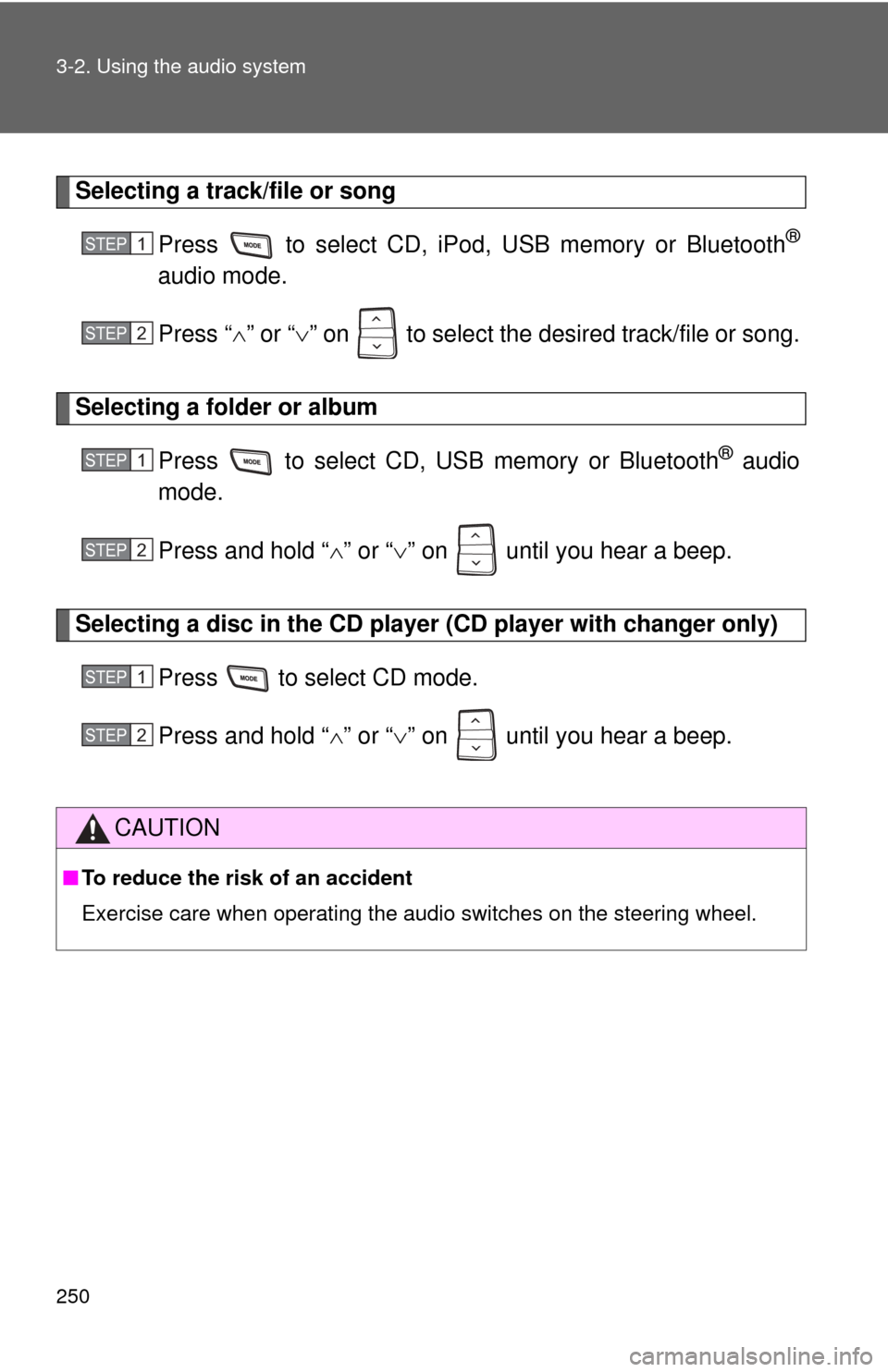
Selecting a track/file or songPress to select CD, iPod, USB memory or Bluetooth
®
audio mode.
Press “” or “ ” on to select the desired track/file or song.
Selecting a folder or album
Press to select CD, U SB memory or Bluetooth
® audio
mode.
Press and hold “ ” or “ ” on until you hear a beep.
Selecting a disc in the CD player (CD player with changer only)
Press to select CD mode.
Press and hold “ ” or “ ” on until you hear a beep.
CAUTION
■ To reduce the risk of an accident
Exercise care when operating the audio switches on the steering wheel.
STEP1
STEP2
STEP1
STEP2
STEP1
STEP2
Page 255 of 500
255
3-3. Using the Bluetooth
® audio system
3
Interior features
■
Steering wheel switches
P. 248
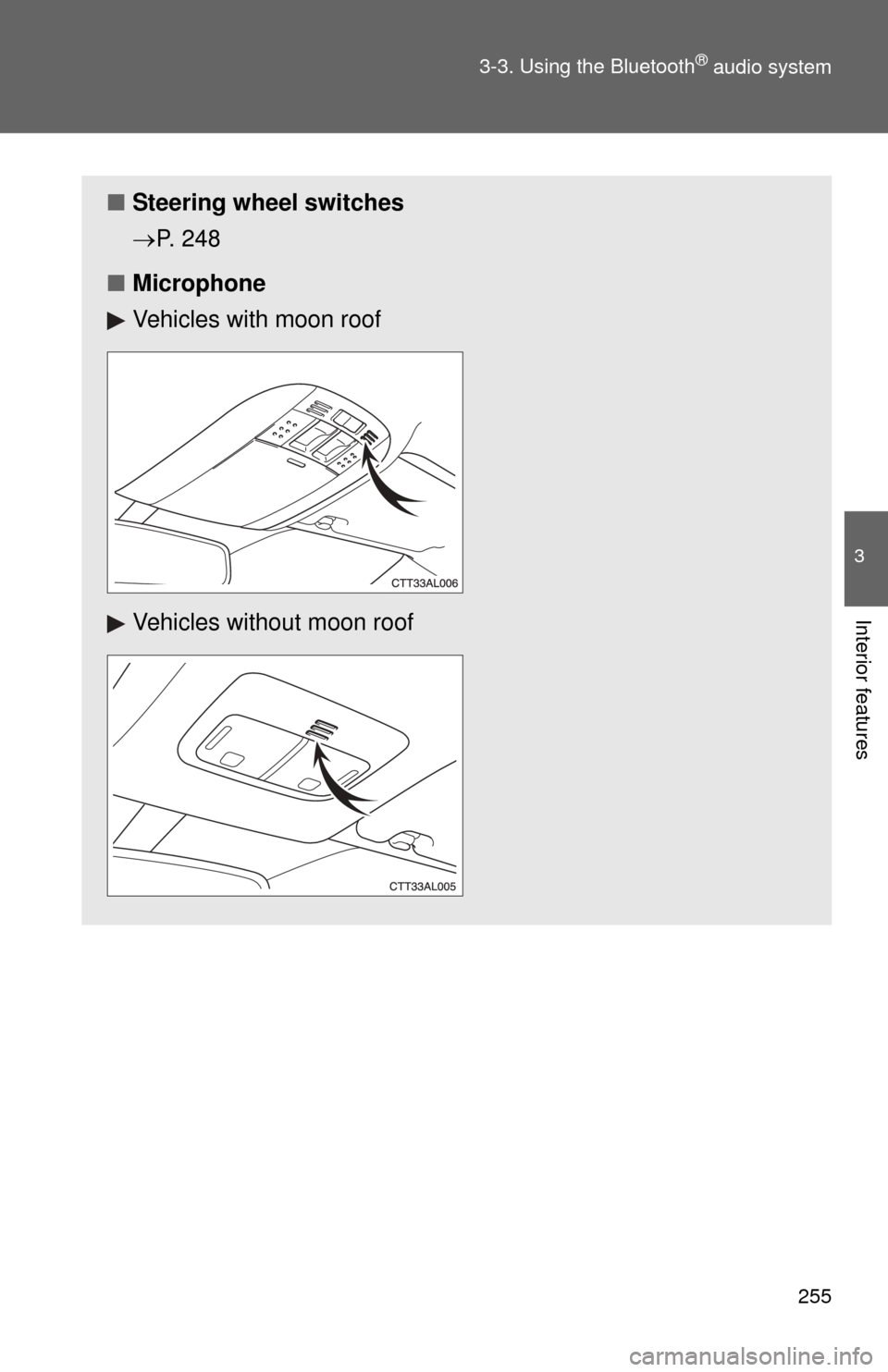
■ Microphone
Vehicles with moon roof
Vehicles without moon roof
Page 313 of 500
Maintenance and care4
313
4-1. Maintenance and careCleaning and protecting the vehicle exterior......... 314
Cleaning and protecting the vehicle interior.......... 317
4-2. Maintenance Maintenance requirements .................. 320
General maintenance....... 322
Emission inspection and maintenance (I/M)
programs........................ 325 4-3. Do-it-yourself
maintenance
Do-it-yourself service precautions .................... 326
Hood ................................ 330
Positioning a floor jack ..... 332
Engine compartment ........ 335
Tires ................................. 349
Tire inflation pressure ...... 358
Wheels ............................. 362
Air conditioning filter......... 365
Key battery ....................... 367
Checking and replacing fuses .............................. 369
Light bulbs........................ 378
Page 314 of 500
314
4-1. Maintenance and care
Cleaning and protecting the vehicle exterior
■Automatic car washes
●Before washing the vehicle, do the following.
• Fold the mirrors back.
• Remove the antenna.
● Brushes used in automatic car washes may scratch the vehicle surface
and harm your vehicle's paint.
■ High pressure car washes
●Do not allow the nozzles of the car wash to come within close proximity
of the windows.
● Before car wash, check that the fuel filler door on your vehicle is closed
properly.
Perform the following to protect the vehicle and maintain it in prime
condition.
● Working from top to bottom, liber ally apply water to the vehicle
body, wheel wells and underside of the vehicle to remove any
dirt and dust.
Wash the vehicle body using a sponge or soft cloth, such as a
chamois.
● For hard-to-remove marks, use car wash soap and rinse thor-
oughly with water.
● Wipe away any water.
● Wax the vehicle when the waterproof coating deteriorates.
If water does not bead on a clean surface, apply wax when the vehicle
body is cool.
Page 315 of 500

315
4-1. Maintenance and care
4
Maintenance and care
■
Aluminum wheels
●Remove any dirt immediately by using a neutral detergent. Do not use
hard brushes or abrasive cleaners. Do not use strong or harsh chemical
cleaners.
Use the same mild detergent and wax as used on the paint.
● Do not use detergent on the wheels when they are hot, for example after
driving for long distance in the hot weather.
● Wash detergent from the wheels immediately after use.
■ Bumpers
Do not scrub with abrasive cleaners.
CAUTION
■Caution about the exhaust pipe
Exhaust gasses cause the exhaust pipe to become quite hot.
When washing the vehicle, be careful not to touch the pipe until it has cooled
sufficiently, as touching a hot exhaust pipe can cause burns.