belt TOYOTA MIRAI 2022 Service Manual
[x] Cancel search | Manufacturer: TOYOTA, Model Year: 2022, Model line: MIRAI, Model: TOYOTA MIRAI 2022Pages: 556, PDF Size: 17.34 MB
Page 180 of 556
1805-2. Driving procedures
Owners Manual_USA_M62084_en
■Automatic P position selection
function
In the following situations, the shift
position is automatically changed to
P.
●When pressing the power switch
with the vehicle stopped while the
power switch is in ON and the shift
position is in a position other than
P (after the shift position has
changed to P, the power switch
will turn off)
*
●If the driver’s door is opened and
all of the followin g conditions are
met, while the shift position is in a
position other than P
• The power switch is in ON.
• The driver is not wearing the seat belt.
• The brake pedal is not depressed.
To start off the vehicle after the shift
position is changed to P, operate the
shift lever again.
●When the vehicle is stopped after
the fuel cell system has been
stopped in an emergency while
driving
●When voltage of the 12-volt bat-
tery drops while the shift position
is in a position other than P
*: When the power switch is pressed
while driving at extremely slow
speeds, such as immediately
before stopping the vehicle, the
shift position may automatically
change to P. Make sure that the
vehicle is completely stopped
before pressing the power switch.
■If the shift position cannot be
shifted from P
There is a possibility that the 12-volt
battery is discharged. Check the 12-
volt battery in this situation.
( P.471)
■Customization
Some functions can be customized.
( P.498)
WARNING
■For the shift lever
●Do not remove th e shift lever
knob or use anything but a gen-
uine TOYOTA shift lever knob.
Also, do not hang anything on
the shift lever. Doing so could
prevent the shi ft lever from
returning to position, causing
unexpected accidents to occur
when the vehicle is in motion.
●In order to prevent the shift
position from accidentally being
changed, do not touch the shift
lever when not using them.
■P position switch
●Do not press the P position
switch while the vehicle is mov-
ing.
If the P position switch is
pressed when d riving at very
low speeds (for example,
directly before stopping the
vehicle), the vehicle may stop
suddenly when the shift position
switches to P, wh ich could lead
to an accident.
●In order to prevent the shift
position from accidentally being
changed, do not touch the P
position switch when not using
them.
NOTICE
■Notes regardin g shift lever
and P position switch opera-
tion
Avoid repeatedly operating the
shift lever and P position switch in
quick succession. The system
protection functi on may activate
and it will not be temporarily pos-
sible to shift the shift position
other than P. If this happens,
please wait for a while before
attempting to change the shift
position again.
Page 185 of 556
1855-2. Driving procedures
Owners Manual_USA_M62084_en
5
Driving
■Parking brake automatic
release function
●When the shift position is shifted
from P, the parking brake will be
released in automatic mode.
●When all of the following condi-
tions are met in manual mode, the
parking brake can be released by
depressing the accelerator pedal.
• The driver’s door is closed
• The driver is wearing the seat belt
• The shift position is in D or R
■If “Parking Brake Temporarily
Unavailable” i s displayed on
the multi-information display
If the parking brake is operated
repeatedly over a short period of
time, the system may restrict opera-
tion to prevent overheating. If this
happens, refrain from operating the
parking brake. Nor mal operation will
return after about 1 minute.
■If “Parking Brake Unavailable”
is displayed on the multi-infor-
mation display
Operate the parking brake switch. If
the message does not disappear
after operating the switch several
times, the system may be malfunc-
tioning. Have the vehicle inspected
by your Toyota dealer.
■Parking brake operation sound
When the parking brake operates, a
motor sound (whirring sound) may
be heard. This does not indicate a
malfunction.
■Parking brake operation
●Depending on the power switch
mode, the parking brake indicator
light will turn on and stay on as
described below:
ON: Comes on until the parking
brake is released.
Not in ON: Stays on for approxi-
mately 15 seconds.
●When the power switch is turned
off with the parking brake set, the
parking brake indicator light will
stay on for about 15 seconds. This does not indicate a malfunction.
■When the parking brake switch
malfunctions
Automatic mode (automatic brake
setting and releas ing) will be turned
on automatically.
■Parking the vehicle
P.161
■Parking brake engaged warning
buzzer
A buzzer will sound if the vehicle is
driven with the parking brake
engaged. “Parking Brake ON” is dis-
played on the multi-information dis-
play. (with the vehicle reached a
speed of 3 mph [5 km/h])
■If the parking brake indicator
flashes
P.447
■Usage in winter time
P.320
WARNING
■When parking the vehicle
Do not leave a child in the vehicle
alone. The parking brake may be
released unintentionally and there
is the danger of the vehicle mov-
ing that may lead to an accident
resulting in death o r serious injury.
NOTICE
■When parking the vehicle
Before you leave the vehicle, set
the parking brake, shift the shift
position to P and make sure that
the vehicle does not move.
■When the system malfunc-
tions
Stop the vehicle in a safe place
and check the warning messages.
Page 187 of 556
1875-2. Driving procedures
Owners Manual_USA_M62084_en
5
Driving
belt.
●The parking brake is engaged.
If any of the conditions above are
detected when the brake hold sys-
tem is enabled, the system will turn
off and the brake hold standby indi-
cator light will go of f. In addition, if
any of the conditions are detected
while the system is holding the
brake, a warning buzzer will sound
and a message will be shown on the
multi-information display. The park-
ing brake will then be set automati-
cally.
■Brake hold function
●If the brake pedal is left released
for a period of about 3 minutes
after the system has started hold-
ing the brake, the parking brake
will be set automatically. In this
case, a warning buzzer sounds
and a message is shown on the
multi-informat ion display.
●To turn the system off while the
system is holding the brake, firmly
depress the brake pedal and
press the button again.
●The brake hold function may not
hold the vehicle when the vehicle
is on a steep inclin e. In this situa-
tion, it may be necessary for the
driver to apply the brakes. A warn-
ing buzzer will sound and the
multi-informatio n display will
inform the driver of this situation. If
a warning message is shown on
the multi-information display, read
the message and follow the
instructions.
■When the parking brake is set
automatically while the system
is holding the brakes
Perform any of the following opera-
tions to release the parking brake.
●Depress the accelerator pedal.
(The parking brake will not be
released automatic ally if the seat
belt is not fastened.)
●Operate the parking brake switch
with the brake pedal depressed. Make sure that the parking brake
indicator light goes off. (
P.183)
■When an inspection at your
Toyota dealer is necessary
When the brake hold standby indi-
cator (green) does not illuminate
even when the brake hold switch is
pressed with the brake hold system
operating conditions met, the sys-
tem may be malf unctioning. Have
the vehicle inspected at your Toyota
dealer.
■If “Brake Hold Malfunction
Press Brake to Deactivate Visit
Your Dealer” or “Brake Hold
Malfunction Visit Your Dealer”
is displayed on the multi-infor-
mation display
The system may be malfunctioning.
Have the vehicle inspected by your
Toyota dealer.
■Warning messages and buzzers
Warning messages and buzzers are
used to indicate a system malfunc-
tion or to inform the driver of the
need for caution. If a warning mes-
sage is shown on the multi-informa-
tion display, read the message and
follow the instructions.
■If the brake hold operated indi-
cator flashes
P.446
WARNING
■When the vehicle is on a
steep incline
When using the br ake hold sys-
tem on a steep inc line exercise
caution. The brake hold function
may not hold the vehicle in such a
situation.
Page 246 of 556
![TOYOTA MIRAI 2022 Service Manual 2465-5. Using the driving support systems
Owners Manual_USA_M62084_en
mately 20 mph [30 km/h])
and press the “-SET” switch
to set the speed.
Cruise control “SET” indicator will
come on.
The](/img/14/67083/w960_67083-245.png "TOYOTA MIRAI 2022 Service Manual 2465-5. Using the driving support systems
Owners Manual_USA_M62084_en
mately 20 mph [30 km/h])
and press the “-SET” switch
to set the speed.
Cruise control “SET” indicator will
come on.
The")
2465-5. Using the driving support systems
Owners Manual_USA_M62084_en
mately 20 mph [30 km/h])
and press the “-SET” switch
to set the speed.
Cruise control “SET” indicator will
come on.
The vehicle speed at the moment
the switch is released becomes the
set speed.
Adjusting the speed setting:
P. 2 4 2
Canceling and resuming the speed
setting: P. 2 4 4
■Dynamic radar cruise control
with full-speed range can be set
when
●The shift position is in D.
●The desired set speed can be set
when the vehicle speed is approx-
imately 20 mph (30 km/h) or more.
(However, when the vehicle speed
is set while driving at below
approximately 20 mph [30 km/h],
the set speed will be set to
approximately 20 mph [30 km/h].)
■Accelerating after setting the
vehicle speed
The vehicle can accelerate by oper-
ating the accelerator pedal. After
accelerating, the set speed
resumes. However, during vehicle-
to-vehicle distance control mode,
the vehicle spee d may decrease
below the set speed in order to
maintain the distance to the preced-
ing vehicle.
■When the vehicle stops while
follow-up cruising
●Pressing the “+RES” switch while
the vehicle ahead stops will
resume follow-up cruising if the
vehicle ahead starts off within
approximately 3 seconds after the
switch is pressed.
●If the vehicle ahead starts off
within 3 seconds after your vehicle
stops, follow-up c ruising will be
resumed.
■Automatic cancelation of vehi-
cle-to-vehicle d istance control
mode
Vehicle-to-vehicle distance control
mode is automatically canceled in
the following situations.
●VSC is activated.
●TRAC is activated for a period of
time.
●When the VSC or TRAC system is
turned off.
●The sensor cannot detect cor-
rectly because i t is covered in
some way.
●When the brake control or output
restriction control of a driving sup-
port system operates. (For exam-
ple: Pre-Collision System, Drive-
Start Control)
●The parking brake is operated.
●The vehicle is stopped by system
control on a steep incline.
●The following are detected when
the vehicle has been stopped by
system control:
• The driver is not wearing a seat
belt.
• The driver’s door is opened.
• The vehicle has been stopped for about 3 minutes.
●When the Br mode is selected.
If vehicle-to-vehicle distance control
mode is automatically canceled for
any reasons other than the above,
there may be a malfunction in the
system. Contact you r Toyota dealer.
Page 286 of 556
2865-5. Using the driving support systems
Owners Manual_USA_M62084_en
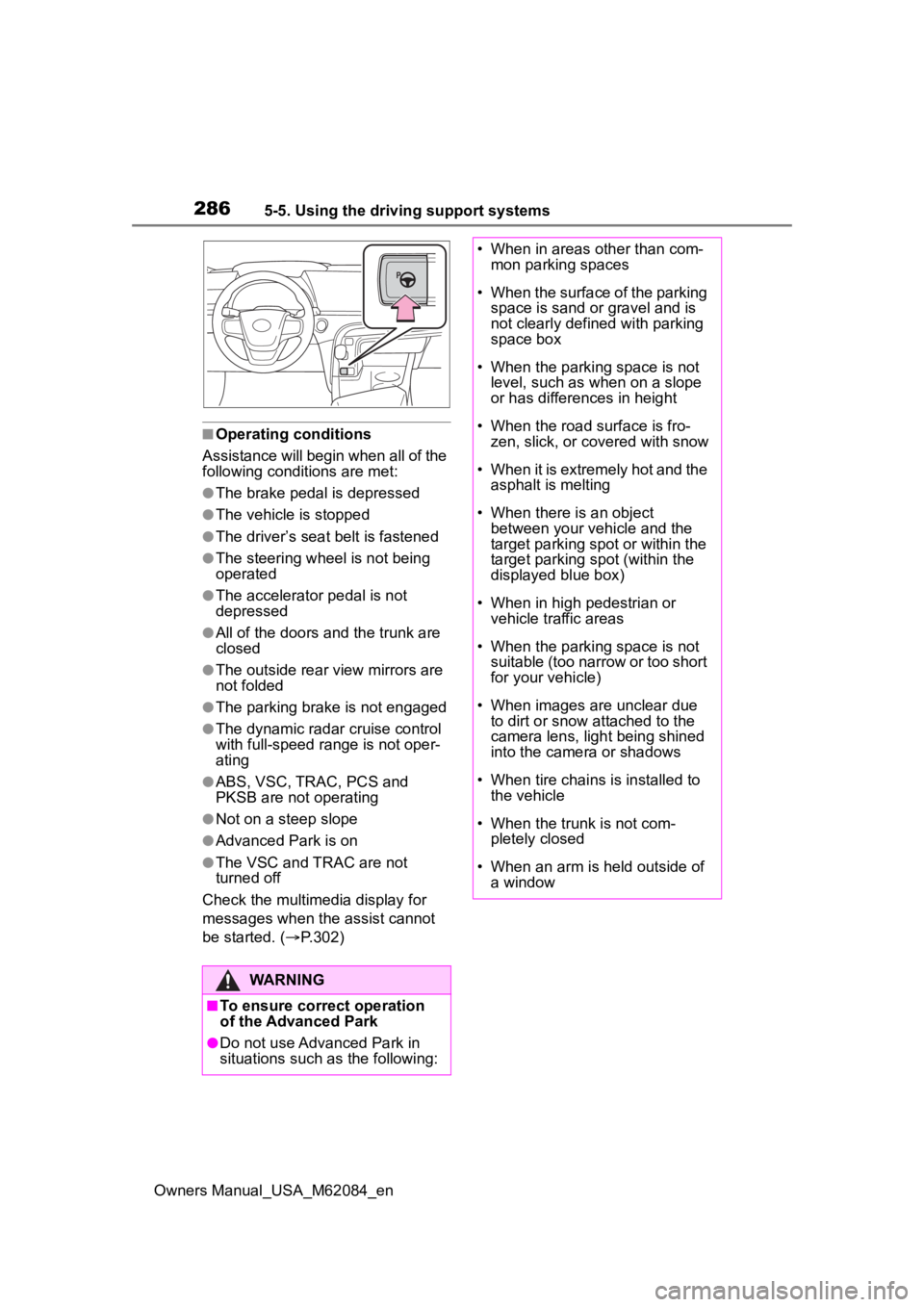
■Operating conditions
Assistance will begin when all of the
following condit ions are met:
●The brake pedal is depressed
●The vehicle is stopped
●The driver’s seat belt is fastened
●The steering wheel is not being
operated
●The accelerator pedal is not
depressed
●All of the doors and the trunk are
closed
●The outside rear view mirrors are
not folded
●The parking brake is not engaged
●The dynamic radar cruise control
with full-speed range is not oper-
ating
●ABS, VSC, TRAC, PCS and
PKSB are not operating
●Not on a steep slope
●Advanced Park is on
●The VSC and TRAC are not
turned off
Check the multimedia display for
messages when the assist cannot
be started. ( P.302)
WARNING
■To ensure correct operation
of the Advanced Park
●Do not use Advanced Park in
situations such as the following:
• When in areas other than com-
mon parking spaces
• When the surface of the parking space is sand or gravel and is
not clearly defined with parking
space box
• When the parking space is not level, such as when on a slope
or has differences in height
• When the road surface is fro- zen, slick, or covered with snow
• When it is extremely hot and the asphalt is melting
• When there is an object between your vehicle and the
target parking spot or within the
target parking spot (within the
displayed blue box)
• When in high pedestrian or vehicle traffic areas
• When the parking space is not suitable (too narrow or too short
for your vehicle)
• When images are unclear due to dirt or snow attached to the
camera lens, light being shined
into the camera or shadows
• When tire chains is installed to the vehicle
• When the trunk is not com- pletely closed
• When an arm is h eld outside of
a window
Page 289 of 556
2895-5. Using the driving support systems
Owners Manual_USA_M62084_en
5
Driving
ft. (2.5 m), the line will be dis-
played 8.2 ft. (2.5 m) in front of
the vehicle.
■Intuitive parking assist pop-up
display
Regardless of whether the intuitive
parking assist is off or on ( P.255),
if an object is dete cted by the intui-
tive parking assist when the
Advanced Park is operating, the
intuitive parking assist pop up dis-
play will automatically be displayed
over the guidance display.
■Brake control operation when
Advanced Park is operating
While the Advanced Park is operat-
ing, if it is determines that the possi-
bility of collision with detected
moving or stationary object is high,
the fuel cell system output restric-
tion control and b rake control will
operate.
●If brake control operates,
Advanced Park operation will be
suspended and a message will be
displayed on the multi-information
display.
●If Advanced Park operation is sus-
pended 3 times by brake control
operation, the Advanced Park will
be disabled.
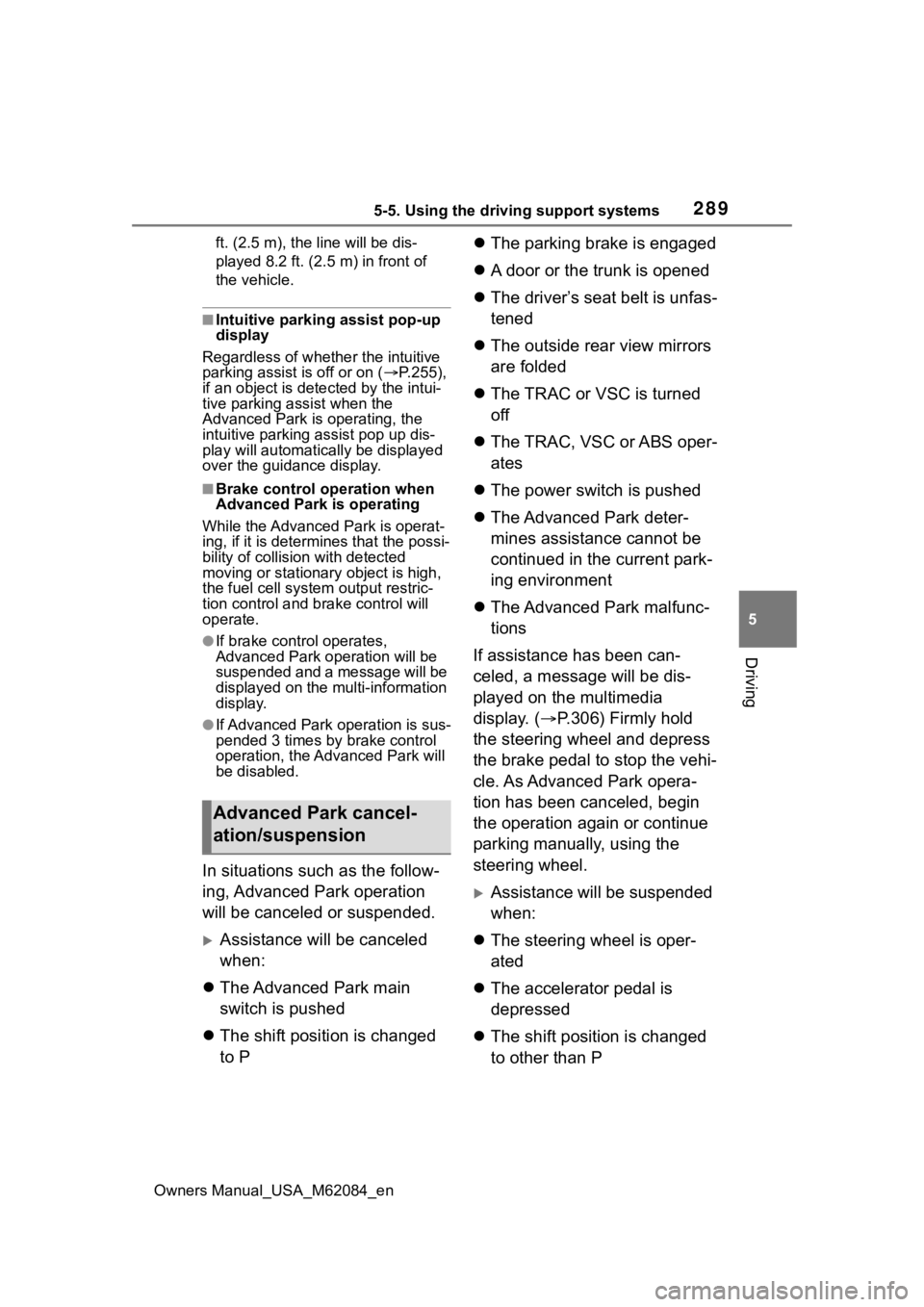
In situations such as the follow-
ing, Advanced Park operation
will be canceled or suspended.
Assistance will be canceled
when:
The Advanced Park main
switch is pushed
The shift position is changed
to P
The parking brake is engaged
A door or the trunk is opened
The driver’s seat belt is unfas-
tened
The outside rear view mirrors
are folded
The TRAC or VSC is turned
off
The TRAC, VSC or ABS oper-
ates
The power switch is pushed
The Advanced Park deter-
mines assistance cannot be
continued in the current park-
ing environment
The Advanced Park malfunc-
tions
If assistance has been can-
celed, a message will be dis-
played on the multimedia
display. ( P.306) Firmly hold
the steering wheel and depress
the brake pedal to stop the vehi-
cle. As Advanced Park opera-
tion has been canceled, begin
the operation again or continue
parking manually, using the
steering wheel.
Assistance will be suspended
when:
The steering wheel is oper-
ated
The accelerator pedal is
depressed
The shift position is changed
to other than P
Advanced Park cancel-
ation/suspension
Page 303 of 556
3035-5. Using the driving support systems
Owners Manual_USA_M62084_en
5
Driving
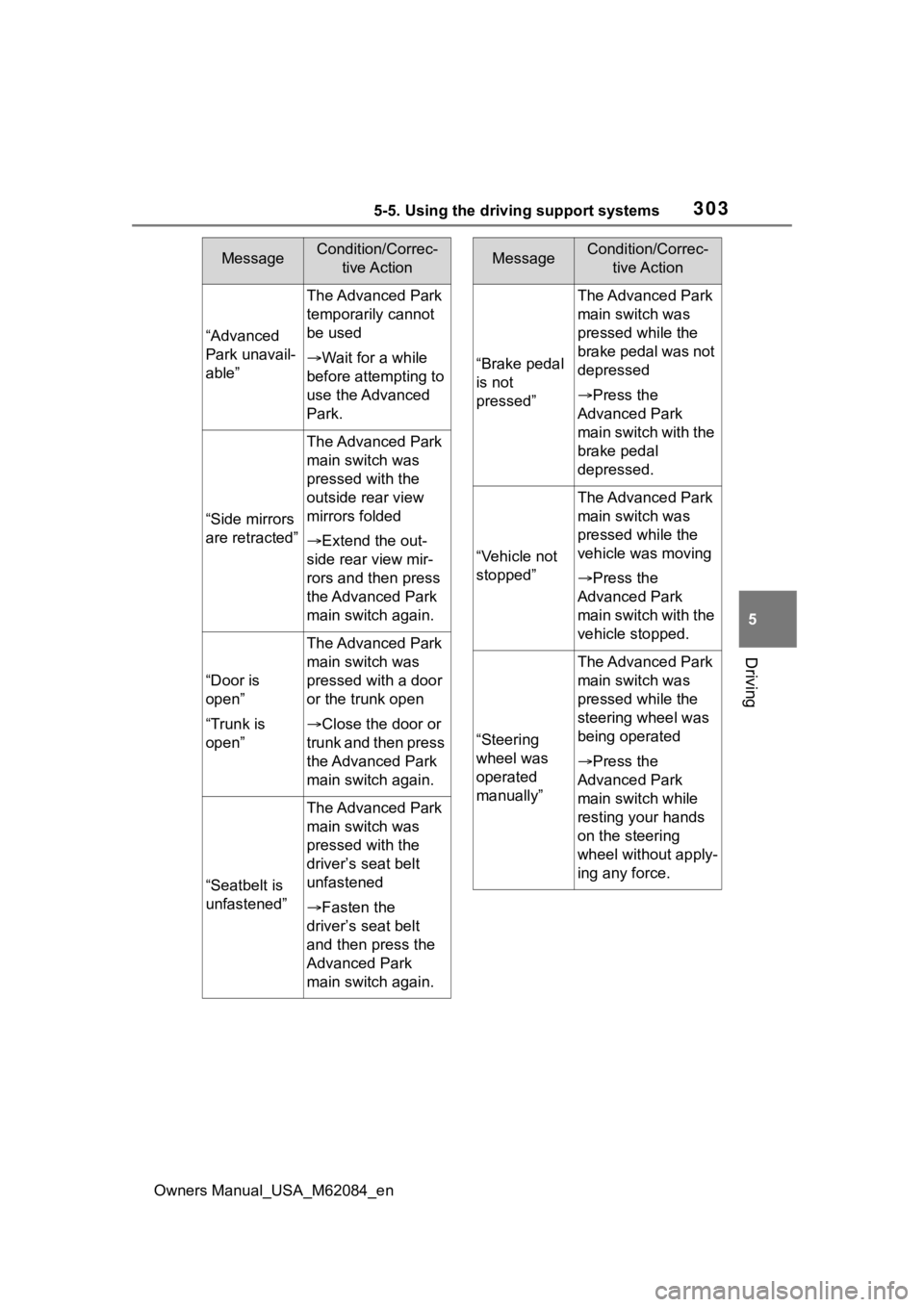
“Advanced
Park unavail-
able”
The Advanced Park
temporarily cannot
be used
Wait for a while
before attempting to
use the Advanced
Park.
“Side mirrors
are retracted”
The Advanced Park
main switch was
pressed with the
outside rear view
mirrors folded
Extend the out-
side rear view mir-
rors and then press
the Advanced Park
main switch again.
“Door is
open”
“Trunk is
open”
The Advanced Park
main switch was
pressed with a door
or the trunk open
Close the door or
trunk and then press
the Advanced Park
main switch again.
“Seatbelt is
unfastened”
The Advanced Park
main switch was
pressed with the
driver’s seat belt
unfastened
Fasten the
driver’s seat belt
and then press the
Advanced Park
main switch again.
MessageCondition/Correc- tive Action
“Brake pedal
is not
pressed”
The Advanced Park
main switch was
pressed while the
brake pedal was not
depressed
Press the
Advanced Park
main switch with the
brake pedal
depressed.
“Vehicle not
stopped”
The Advanced Park
main switch was
pressed while the
vehicle was moving
Press the
Advanced Park
main switch with the
vehicle stopped.
“Steering
wheel was
operated
manually”
The Advanced Park
main switch was
pressed while the
steering wheel was
being operated
Press the
Advanced Park
main switch while
resting your hands
on the steering
wheel without apply-
ing any force.
MessageCondition/Correc- tive Action
Page 306 of 556
3065-5. Using the driving support systems
Owners Manual_USA_M62084_en
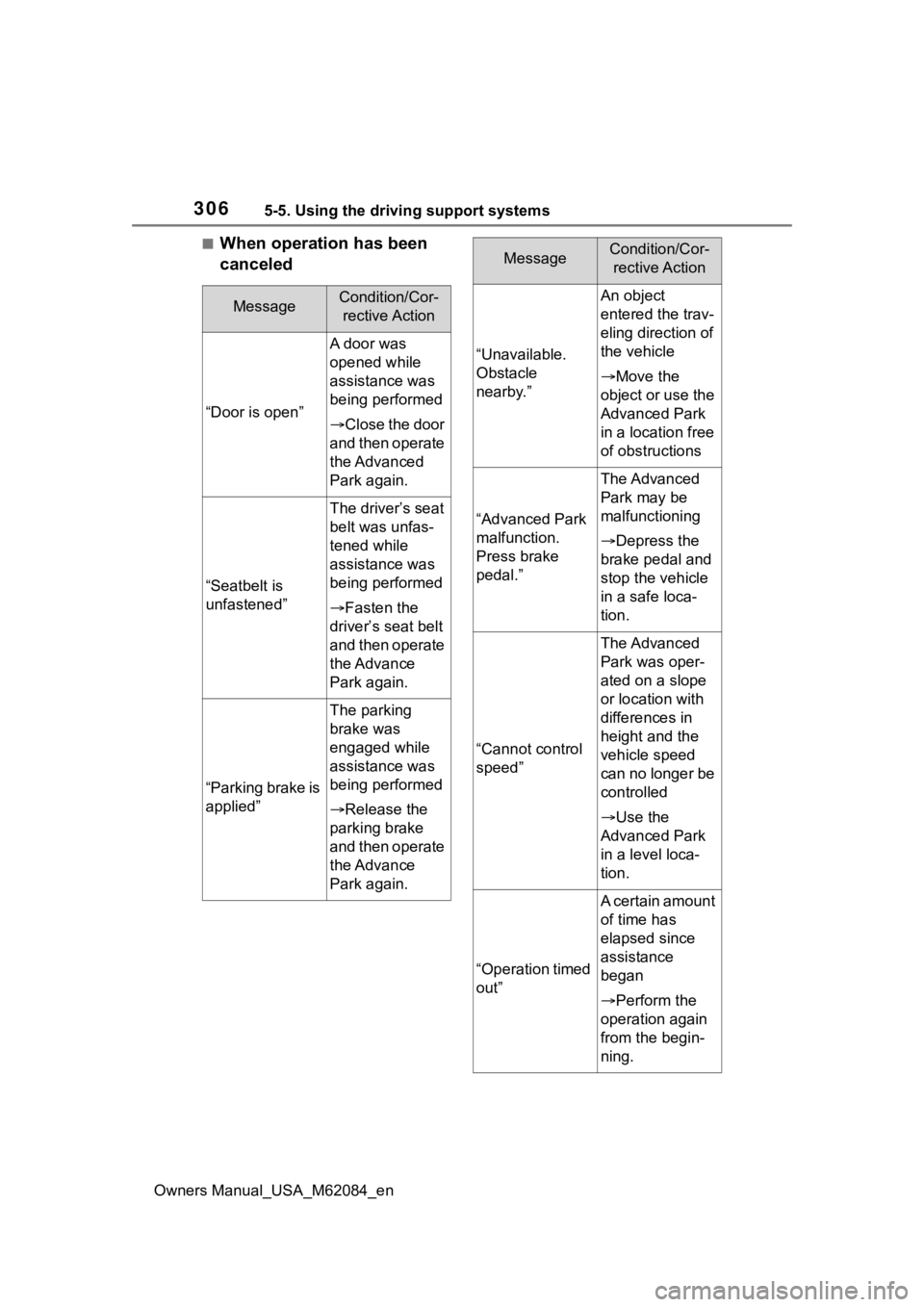
■When operation has been
canceled
MessageCondition/Cor-rective Action
“Door is open”
A door was
opened while
assistance was
being performed
Close the door
and then operate
the Advanced
Park again.
“Seatbelt is
unfastened”
The driver’s seat
belt was unfas-
tened while
assistance was
being performed
Fasten the
driver’s seat belt
and then operate
the Advance
Park again.
“Parking brake is
applied”
The parking
brake was
engaged while
assistance was
being performed
Release the
parking brake
and then operate
the Advance
Park again.
“Unavailable.
Obstacle
nearby.”
An object
entered the trav-
eling direction of
the vehicle
Move the
object or use the
Advanced Park
in a location free
of obstructions
“Advanced Park
malfunction.
Press brake
pedal.”
The Advanced
Park may be
malfunctioning
Depress the
brake pedal and
stop the vehicle
in a safe loca-
tion.
“Cannot control
speed”
The Advanced
Park was oper-
ated on a slope
or location with
differences in
height and the
vehicle speed
can no longer be
controlled
Use the
Advanced Park
in a level loca-
tion.
“Operation timed
out”
A certain amount
of time has
elapsed since
assistance
began
Perform the
operation again
from the begin-
ning.
MessageCondition/Cor- rective Action
Page 384 of 556
3847-1. Maintenance and care
Owners Manual_USA_M62084_en
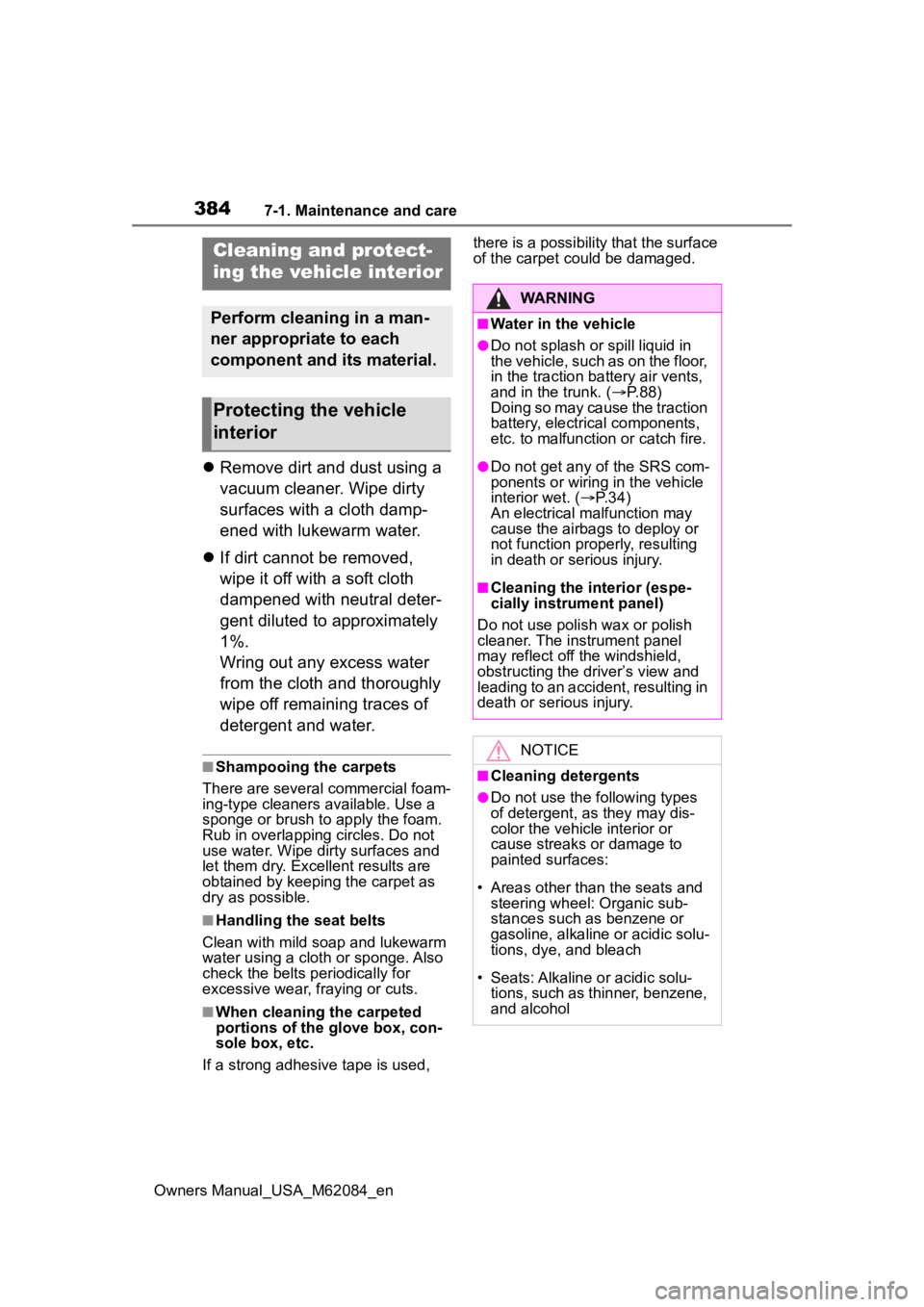
Remove dirt and dust using a
vacuum cleaner. Wipe dirty
surfaces with a cloth damp-
ened with lukewarm water.
If dirt cannot be removed,
wipe it off with a soft cloth
dampened with neutral deter-
gent diluted to approximately
1%.
Wring out any excess water
from the cloth and thoroughly
wipe off remaining traces of
detergent and water.
■Shampooing the carpets
There are several commercial foam-
ing-type cleaners available. Use a
sponge or brush to apply the foam.
Rub in overlapping circles. Do not
use water. Wipe dirty surfaces and
let them dry. Excellent results are
obtained by keeping the carpet as
dry as possible.
■Handling the seat belts
Clean with mild soap and lukewarm
water using a cloth or sponge. Also
check the belts periodically for
excessive wear, fraying or cuts.
■When cleaning the carpeted
portions of the glove box, con-
sole box, etc.
If a strong adhesive tape is used, there is a possibility that the surface
of the carpet could be damaged.
Cleaning and protect-
ing the vehicle interior
Perform cleaning in a man-
ner appropriate to each
component and its material.
Protecting the vehicle
interior
WARNING
■Water in the vehicle
●Do not splash or spill liquid in
the vehicle, such as on the floor,
in the traction ba
ttery air vents,
and in the trunk. ( P. 8 8 )
Doing so may cause the traction
battery, electrical components,
etc. to malfunction or catch fire.
●Do not get any of the SRS com-
ponents or wiring in the vehicle
interior wet. ( P. 3 4 )
An electrical ma lfunction may
cause the airbags to deploy or
not function properly, resulting
in death or serious injury.
■Cleaning the interior (espe-
cially instrument panel)
Do not use polish wax or polish
cleaner. The instrument panel
may reflect off the windshield,
obstructing the driver’s view and
leading to an accident, resulting in
death or serious injury.
NOTICE
■Cleaning detergents
●Do not use the following types
of detergent, as they may dis-
color the vehicle interior or
cause streaks or damage to
painted surfaces:
• Areas other than the seats and steering wheel: Organic sub-
stances such as benzene or
gasoline, alkaline or acidic solu-
tions, dye, and bleach
• Seats: Alkaline or acidic solu- tions, such as th inner, benzene,
and alcohol
Page 390 of 556
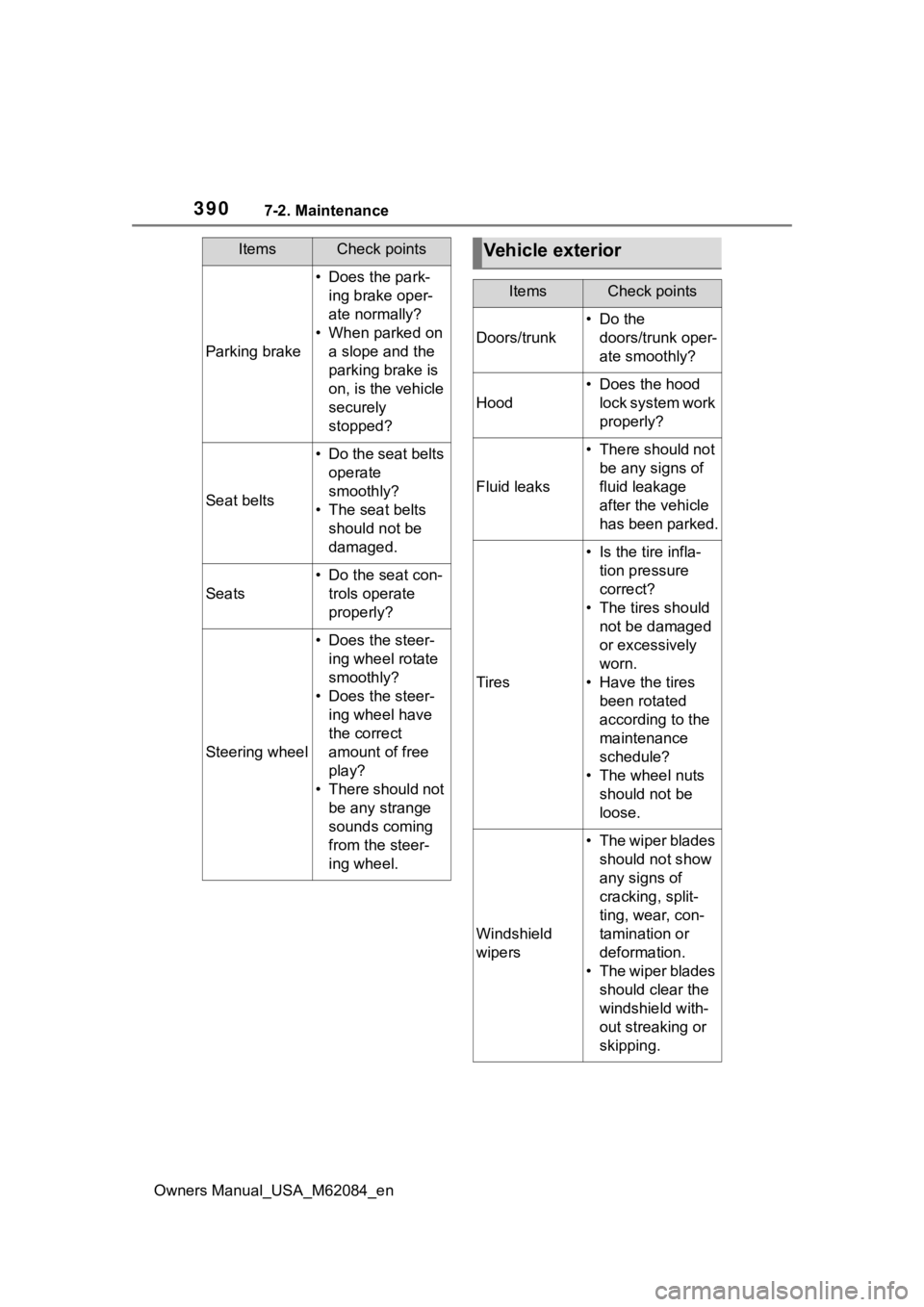
3907-2. Maintenance
Owners Manual_USA_M62084_en
Parking brake
• Does the park-ing brake oper-
ate normally?
• When parked on a slope and the
parking brake is
on, is the vehicle
securely
stopped?
Seat belts
• Do the seat belts operate
smoothly?
• The seat belts should not be
damaged.
Seats
• Do the seat con-trols operate
properly?
Steering wheel
• Does the steer-ing wheel rotate
smoothly?
• Does the steer- ing wheel have
the correct
amount of free
play?
• There should not be any strange
sounds coming
from the steer-
ing wheel.
ItemsCheck pointsVehicle exterior
ItemsCheck points
Doors/trunk
• Do the doors/trunk oper-
ate smoothly?
Hood
• Does the hood lock system work
properly?
Fluid leaks
• There should not be any signs of
fluid leakage
after the vehicle
has been parked.
Tires
• Is the tire infla-tion pressure
correct?
• The tires should not be damaged
or excessively
worn.
• Have the tires been rotated
according to the
maintenance
schedule?
• The wheel nuts should not be
loose.
Windshield
wipers
• The wiper blades should not show
any signs of
cracking, split-
ting, wear, con-
tamination or
deformation.
• The wiper blades should clear the
windshield with-
out streaking or
skipping.