TOYOTA PRIUS 2006 2.G Service Manual
PRIUS 2006 2.G
TOYOTA
TOYOTA
https://www.carmanualsonline.info/img/14/6574/w960_6574-0.png
TOYOTA PRIUS 2006 2.G Service Manual
Page 188 of 455
188
(d) Ta l k i n g o n t h e B l u e t o o t h
phone
27p209
While you are talking on the phone,
this screen is displayed. You can do
the operations below on the screen.
To adjust the volume of the other party’s
voice:Touch “–” or “+” or use the volume
switch of the steering wheel.
To hang up the phone: Touch the “
” switch or push the
button of the steering wheel
To mute your voice: Touch the “Mute” switch. To input a Key:
Touch the “0 −9” switch.
To transfer the call Touch the “Transfer Call” switch.
You cannot change from hands −free call
to cellular phone call while you are driv-
ing.
When you change from cellular phone call
to hands −free call, the hands −free screen
will be displayed and you can operate it
on the screen.
Transferring method and behavior are dif-
ferent depending on the cellular phone
which you have.
For the operation of the phone, see the
manual that comes with your cellular
phone.
27p206
Touch the desired number to input the
key.
To hang up the phone:
Touch “
” or push the button of
the steering wheel.
This cannot be operated while you are
driving.
Page 189 of 455
189
27p210
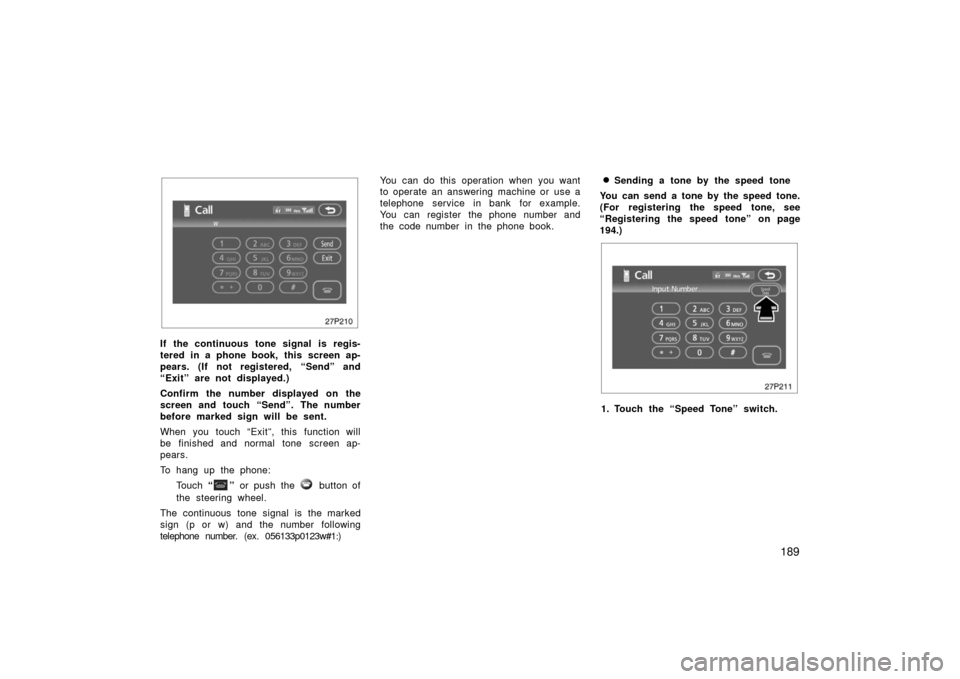
If the continuous tone signal is regis-
tered in a phone book, this screen ap-
pears. (If not registered, “Send” and
“Exit” are not displayed.)
Confirm the number displayed on the
screen and touch “Send”. The number
before marked sign will be sent.
When you touch “Exit”, this function will
be finished and normal tone screen ap-
pears.
To hang up the phone:Touch “
” or push the button of
the steering wheel.
The continuous tone signal is the marked
sign (p or w) and the number following
telephone number. (ex. 056133p0123w#1
:) You can do this operation when you want
to operate an answering machine or use a
telephone service in bank for example.
You can register the phone number and
the code number in the phone book.
�Sending a tone by the speed tone
You can send a tone by the speed tone.
(For registering the speed tone, see
“Registering the speed tone” on page
194.)
27p211
1. Touch the “Speed Tone” switch.
Page 190 of 455
190
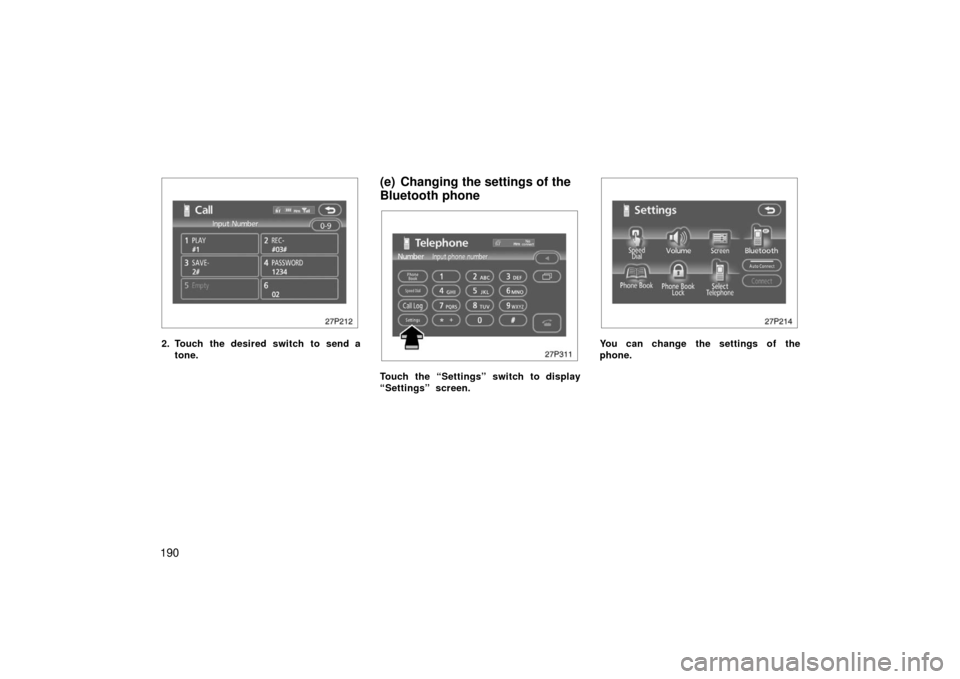
27p212
2. Touch the desired switch to send atone.
(e) Changing the settings of the
Bluetooth phone
27p311
Touch the “Settings” switch to display
“Settings” screen.
27p214
You can change the settings of the
phone.
Page 191 of 455
191
(i) (a) Registering the speed dial
You can register the desired telephone
number from phone book, dialed num-
bers and received calls. Up to 17
speed dial numbers can be registered.
The 6th entry is the speed dial for redial-
ing.
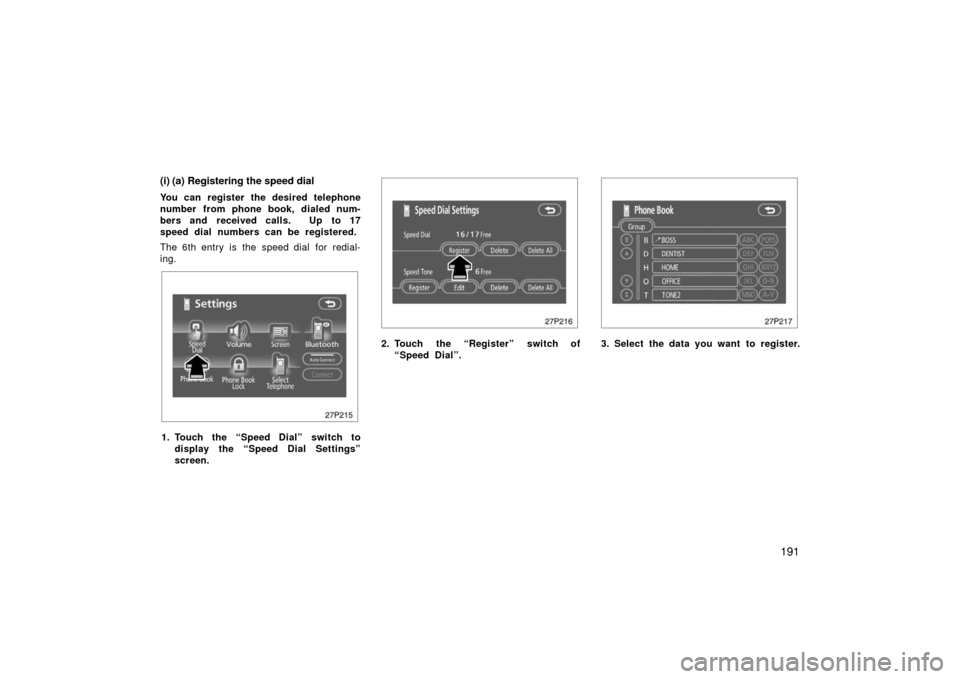
27p215
1. Touch the “Speed Dial” switch todisplay the “Speed Dial Settings”
screen.
27p216
2. Touch the “Register” switch of“Speed Dial”.
27p217
3. Select the data you want to register.
Page 192 of 455
192
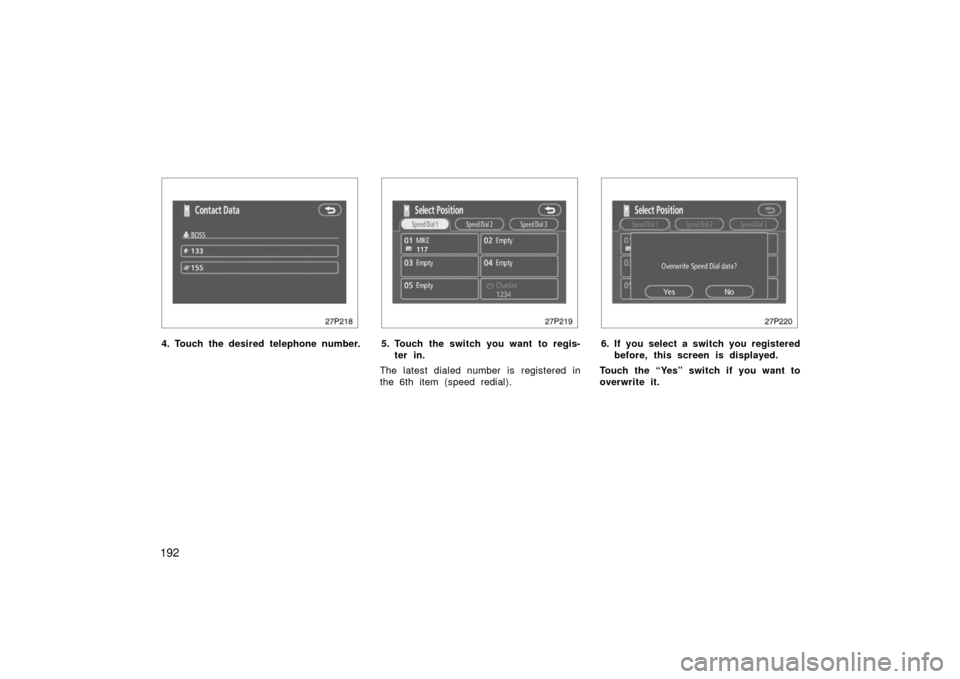
27p218
4. Touch the desired telephone number.
27p219
5. Touch the switch you want to regis-ter in.
The latest dialed number is registered in
the 6th item (speed redial).
27p220
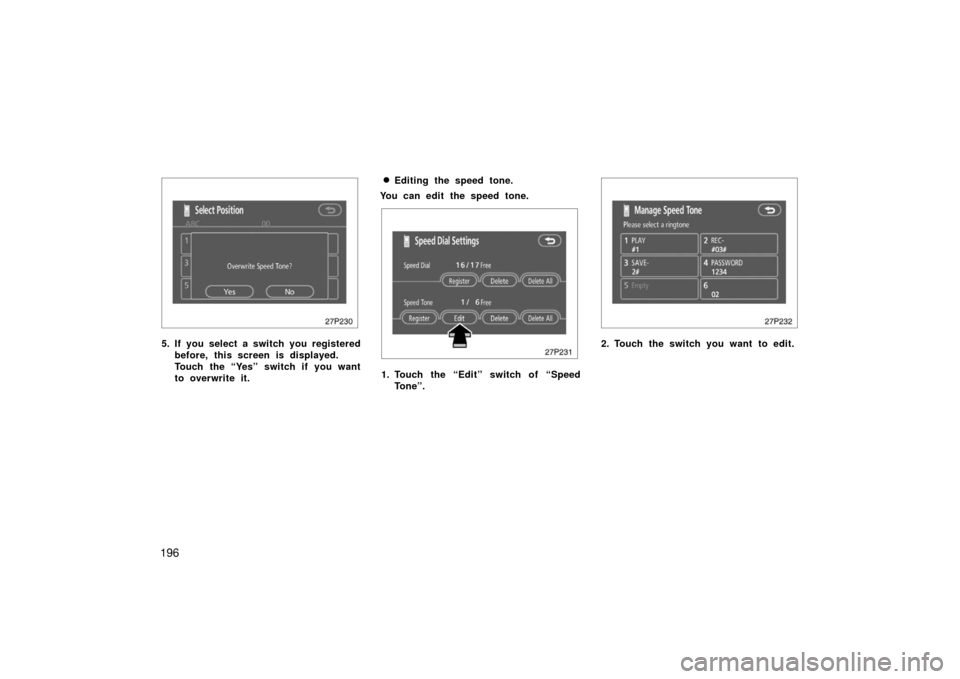
6. If you select a switch you registered before, this screen is displayed.
Touch the “Yes” switch if you want to
overwrite it.
Page 196 of 455
196
27p230
5. If you select a switch you registeredbefore, this screen is displayed.
Touch the “Yes” switch if you want
to overwrite it.
�Editing the speed tone.
You can edit the speed tone.
27p231
1. Touch the “Edit” switch of “Speed Tone”.
27p232
2. Touch the switch you want to edit.
Page 201 of 455
201
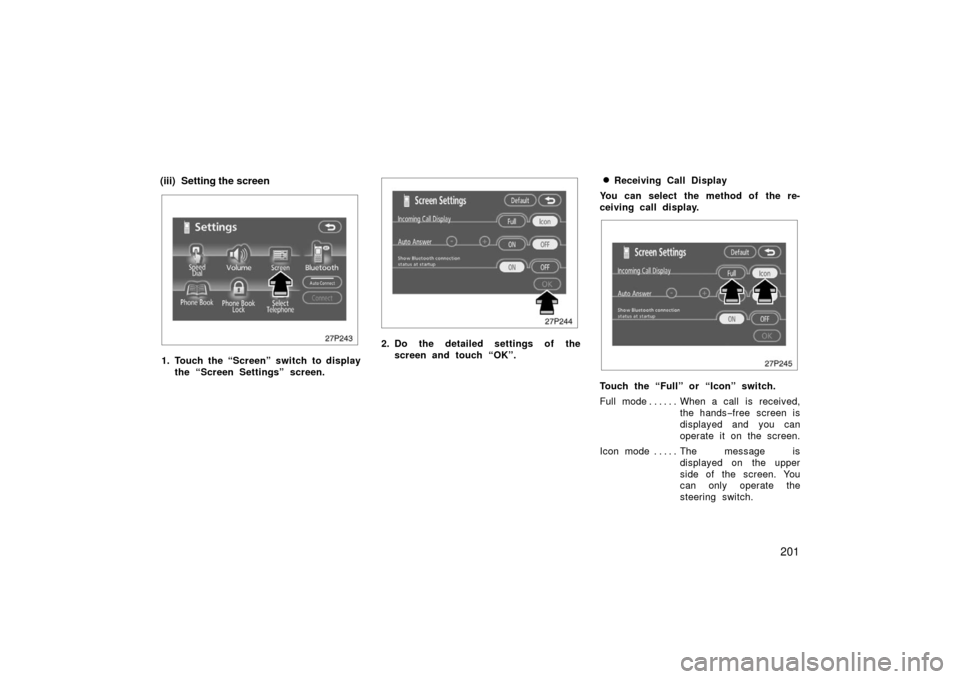
(iii) Setting the screen
27p243
1. Touch the “Screen” switch to displaythe “Screen Settings” screen.
27p244
2. Do the detailed settings of thescreen and touch “OK”.
�Receiving Call Display
You can select the method of the re-
ceiving call display.
27p245
Touch the “Full” or “Icon” switch.
Full mode When a call is received, . . . . . .
the hands −free screen is
displayed and you can
operate it on the screen.
Icon mode The message is . . . . .
displayed on the upper
side of the screen. You
can only operate the
steering switch.
Page 202 of 455
202�
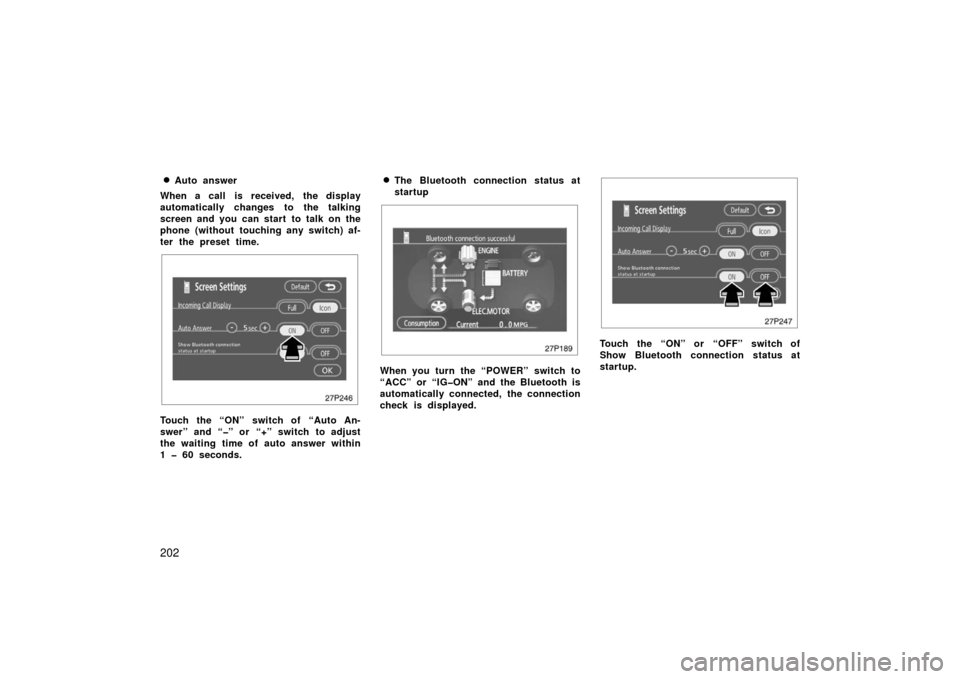
Auto answer
When a call is received, the display
automatically changes to the talking
screen and you can start to talk on the
phone (without touching any switch) af-
ter the preset time.
27p246
Touch the “ON” switch of “Auto An-
swer” and “” or “+” switch to adjust
the waiting time of auto answer within
1 60 seconds.
�The Bluetooth connection status at
startup
27p189
When you turn the “POWER” switch to
“ACC” or “IGON” and the Bluetooth is
automatically connected, the connection
check is displayed.
27p247
Touch the “ON” or “OFF” switch of
Show Bluetooth connection status at
startup.
Page 203 of 455
203
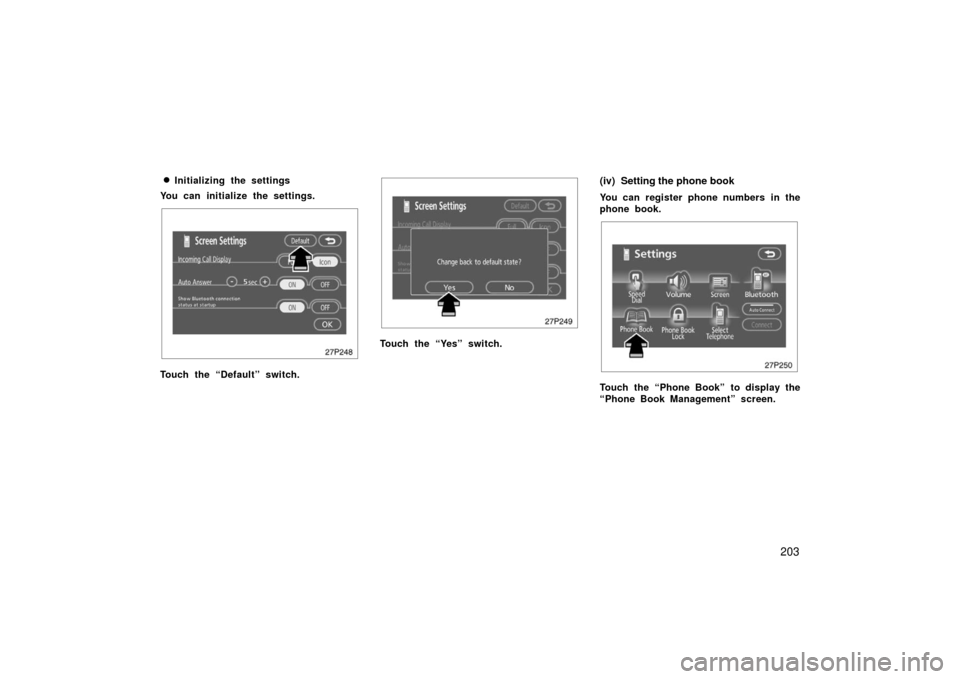
�
Initializing the settings
You can initialize the settings.
27p248
Touch the “Default” switch.
27p249
Touch the “Yes” switch.
(iv) Setting the phone book
You can register phone numbers in the
phone book.
27p250
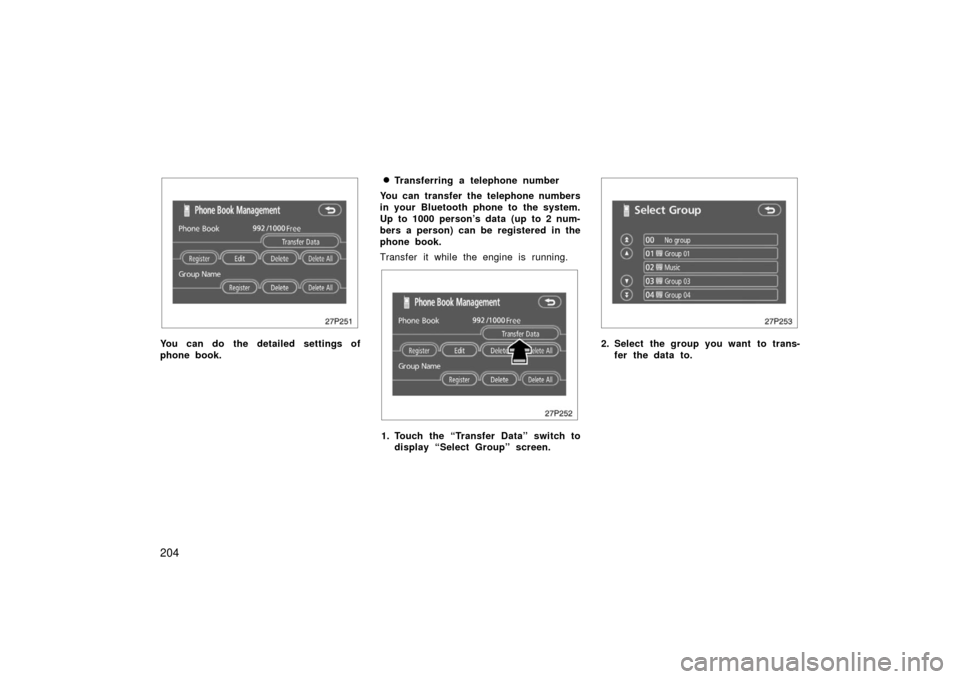
Touch the “Phone Book” to display the
“Phone Book Management” screen.
Page 204 of 455
204
27p251
You can do the detailed settings of
phone book.
�Transferring a telephone number
You can transfer the telephone numbers
in your Bluetooth phone to the system.
Up to 1000 person’s data (up to 2 num-
bers a person) can be registered in the
phone book.
Transfer it while the engine is running.
27p252
1. Touch the “Transfer Data” switch to display “Select Group” screen.
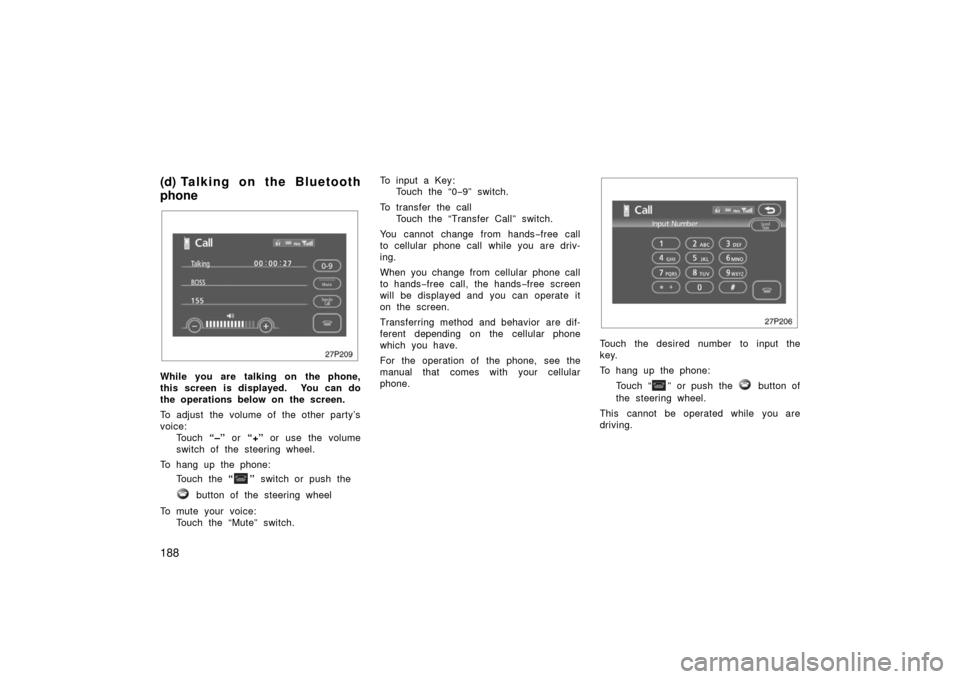
27p253
2. Select the group you want to trans-
fer the data to.