TOYOTA PRIUS 2007 2.G Workshop Manual
PRIUS 2007 2.G
TOYOTA
TOYOTA
https://www.carmanualsonline.info/img/14/6578/w960_6578-0.png
TOYOTA PRIUS 2007 2.G Workshop Manual
Page 206 of 458
206
27p255
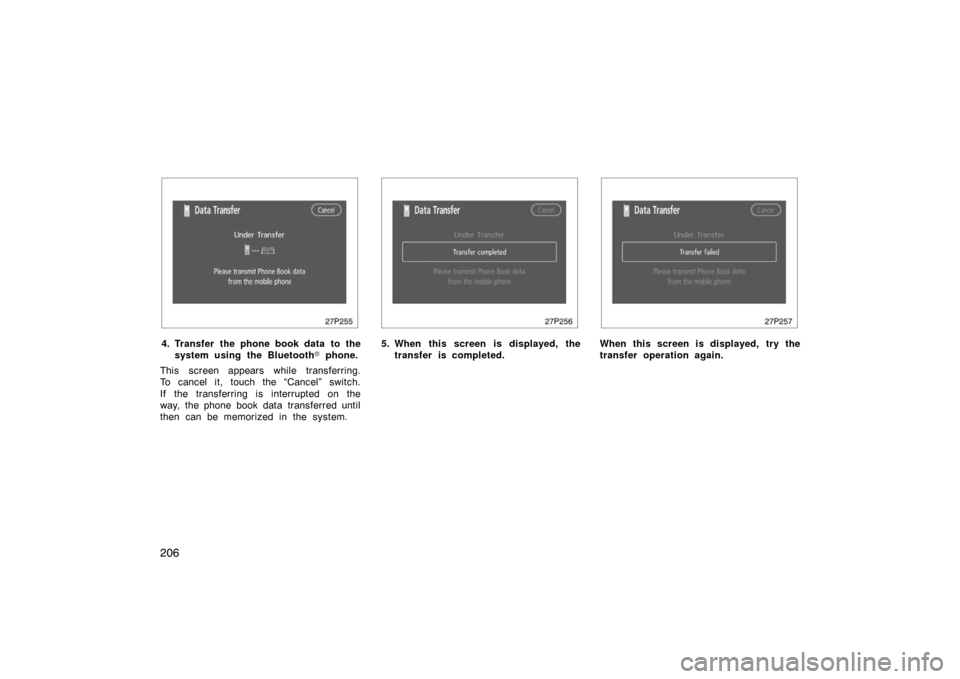
4. Transfer the phone book data to thesystem using the Bluetooth � phone.
This screen appears while transferring.
To cancel it, touch the “Cancel” switch.
If the transferring is interrupted on the
way, the phone book data transferred until
then can be memorized in the system.
27p256
5. When this screen is displayed, the transfer is completed.
27p257
When this screen is displayed, try the
transfer operation again.
Page 208 of 458
208
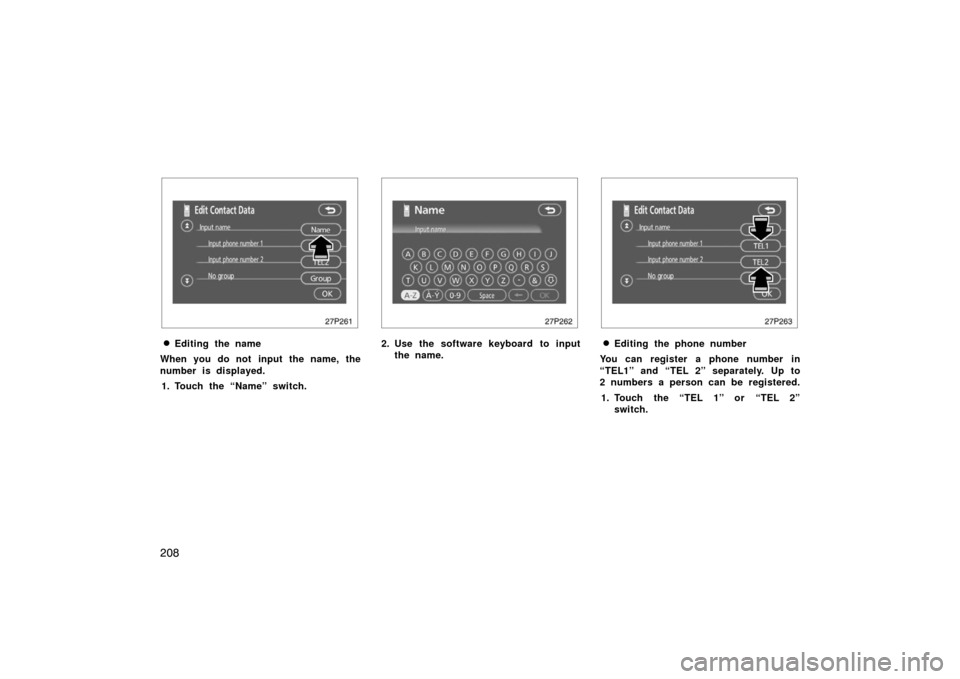
27p261
�Editing the name
When you do not input the name, the
number is displayed. 1. Touch the “Name” switch.
27p262
2. Use the software keyboard to input the name.
27p263
�Editing the phone number
You can register a phone number in
“TEL1” and “TEL 2” separately. Up to
2 numbers a person can be registered.
1. Touch the “TEL 1” or “TEL 2” switch.
Page 209 of 458
209
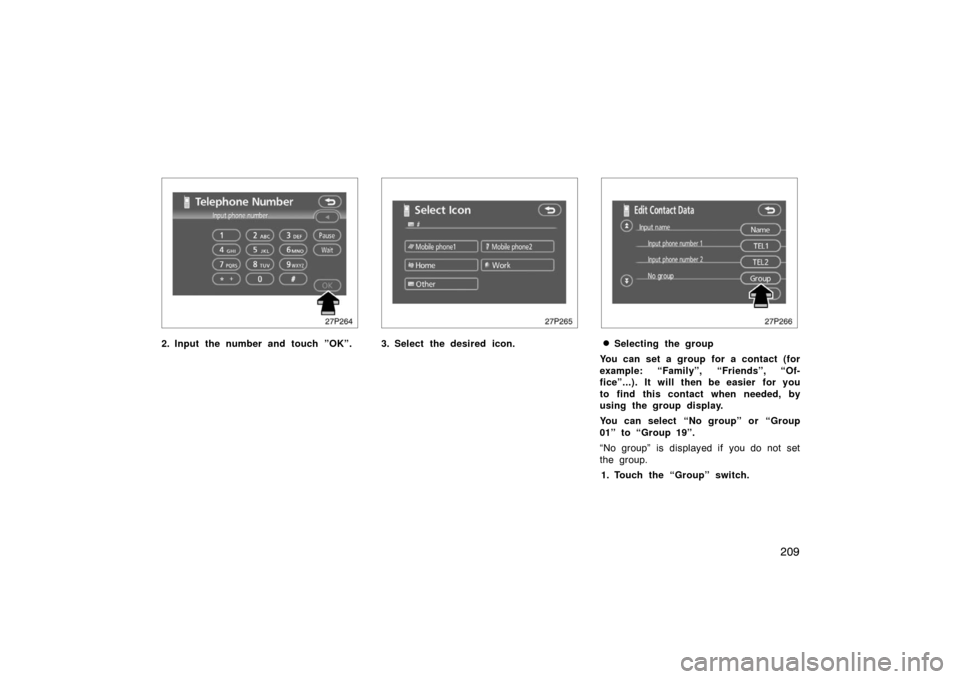
27p264
2. Input the number and touch ”OK”.
27p265
3. Select the desired icon.
27p266
�Selecting the group
You can set a group for a contact (for
example: “Family”, “Friends”, “Of-
fice”...). It will then be easier for you
to find this contact when needed, by
using the group display.
You can select “No group” or “Group
01” to “Group 19”.
“No group” is displayed if you do not set
the group. 1. Touch the “Group” switch.
Page 216 of 458
216
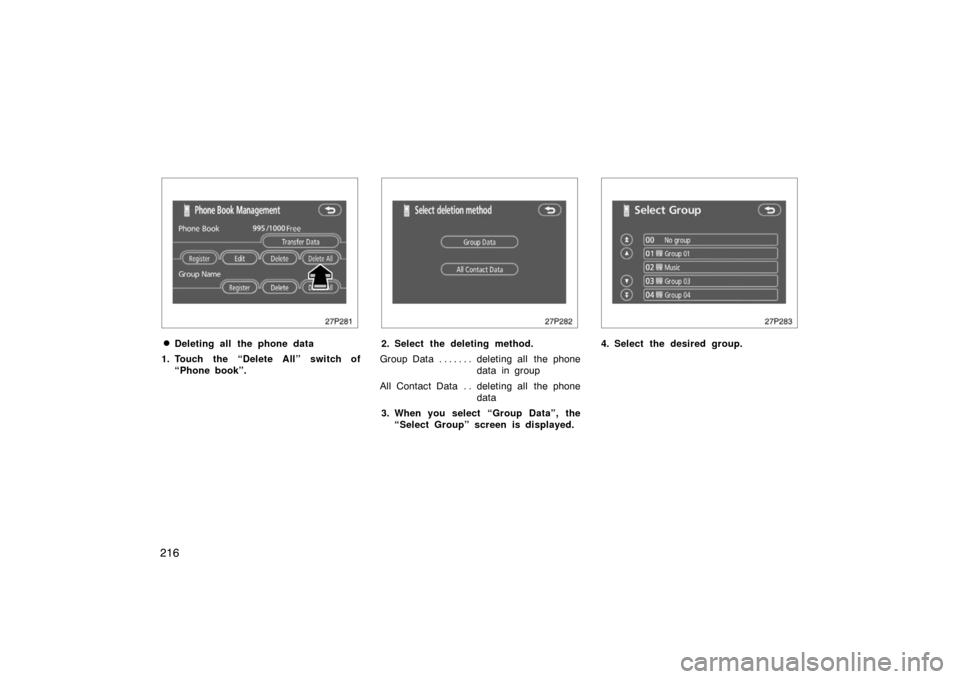
27p281
�Deleting all the phone data
1. Touch the “Delete All” switch of “Phone book”.
27p282
2. Select the deleting method.
Group Data deleting all the phone . . . . . . .
data in group
All Contact Data deleting all the phone . .
data
3. When you select “Group Data”, the “Select Group” screen is displayed.
27p283
4. Select the desired group.
Page 225 of 458
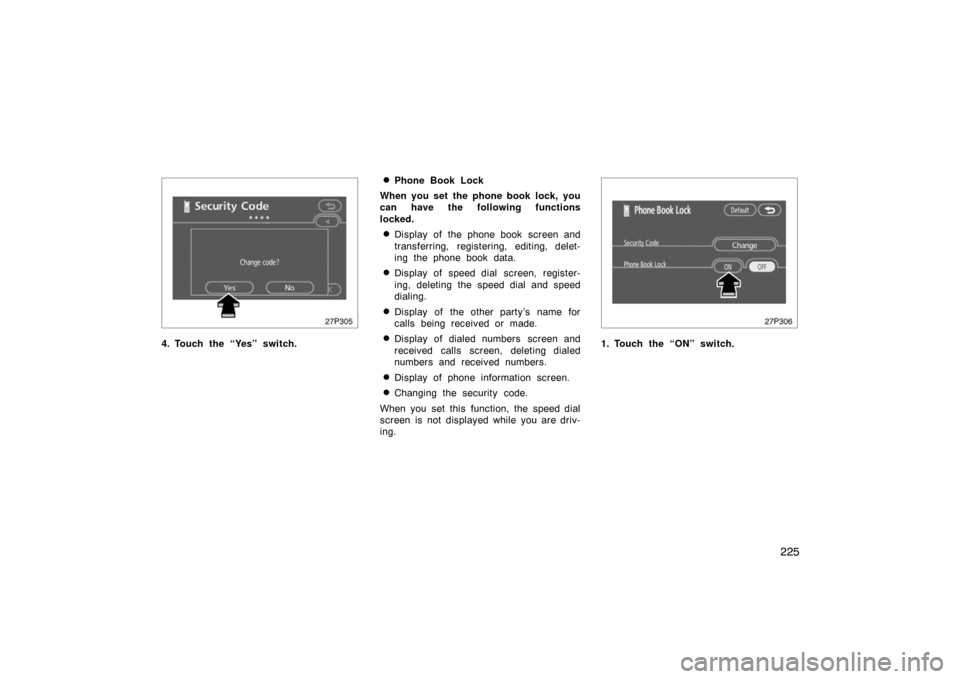
225
27p305
4. Touch the “Yes” switch.
�Phone Book Lock
When you set the phone book lock, you
can have the following functions
locked.
�Display of the phone book screen and
transferring, registering, editing, delet-
ing the phone book data.
�Display of speed dial screen, register-
ing, deleting the speed dial and speed
dialing.
�Display of the other party’s name for
calls being received or made.
�Display of dialed numbers screen and
received calls screen, deleting dialed
numbers and received numbers.
�Display of phone information screen.
�Changing the security code.
When you set this function, the speed dial
screen is not displayed while you are driv-
ing.
27p306
1. Touch the “ON” switch.
Page 227 of 458
227
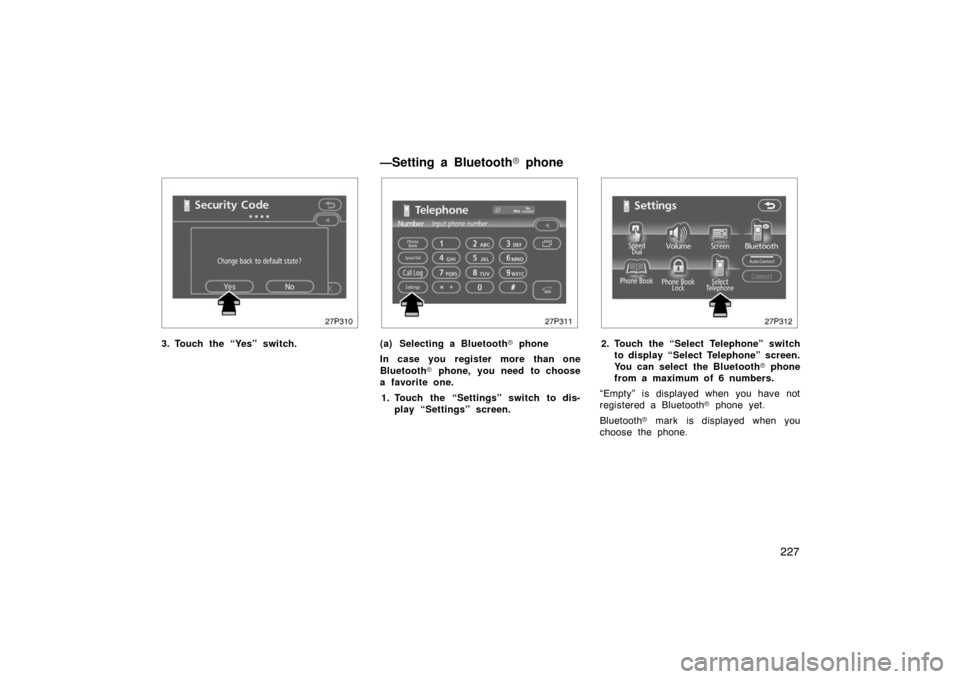
27p310
3. Touch the “Yes” switch.
27p311
(a) Selecting a Bluetooth� phone
In case you register more than one
Bluetooth � phone, you need to choose
a favorite one.
1. Touch the “Settings” switch to dis- play “Settings” screen.
27p312
2. Touch the “Select Telephone” switchto display “Select Telephone” screen.
You can select the Bluetooth � phone
from a maximum of 6 numbers.
“Empty” is displayed when you have not
registered a Bluetooth � phone yet.
Bluetooth � mark is displayed when you
choose the phone.
—Setting a Bluetooth� phone
Page 228 of 458
228
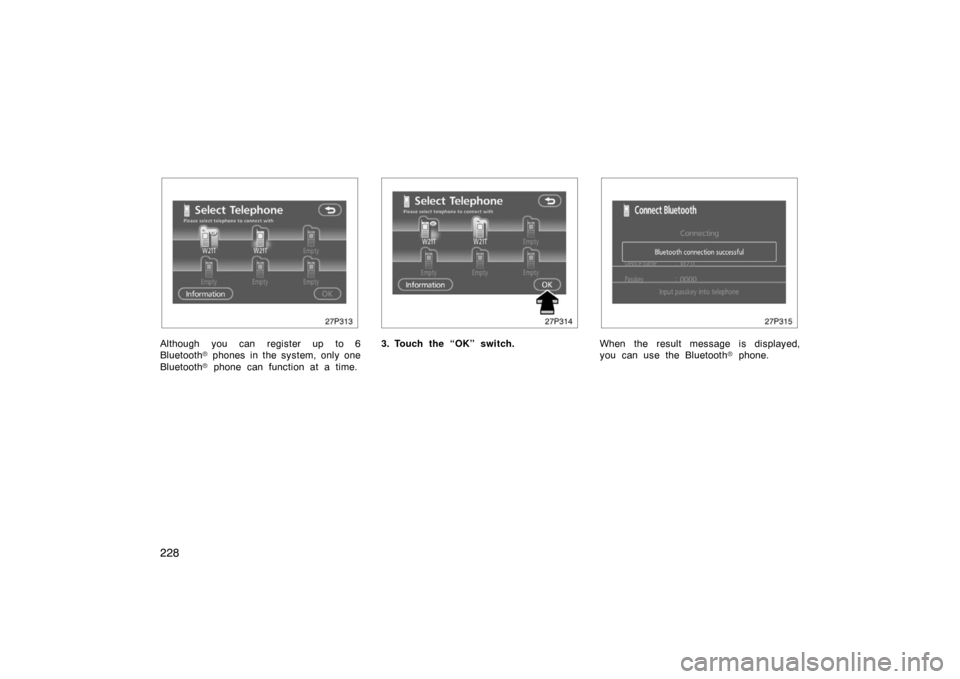
27p313
Although you can register up to 6
Bluetooth� phones in the system, only one
Bluetooth � phone can function at a time.
27p314
3. Touch the “OK” switch.
27p315
When the result message is displayed,
you can use the Bluetooth � phone.
Page 229 of 458
229
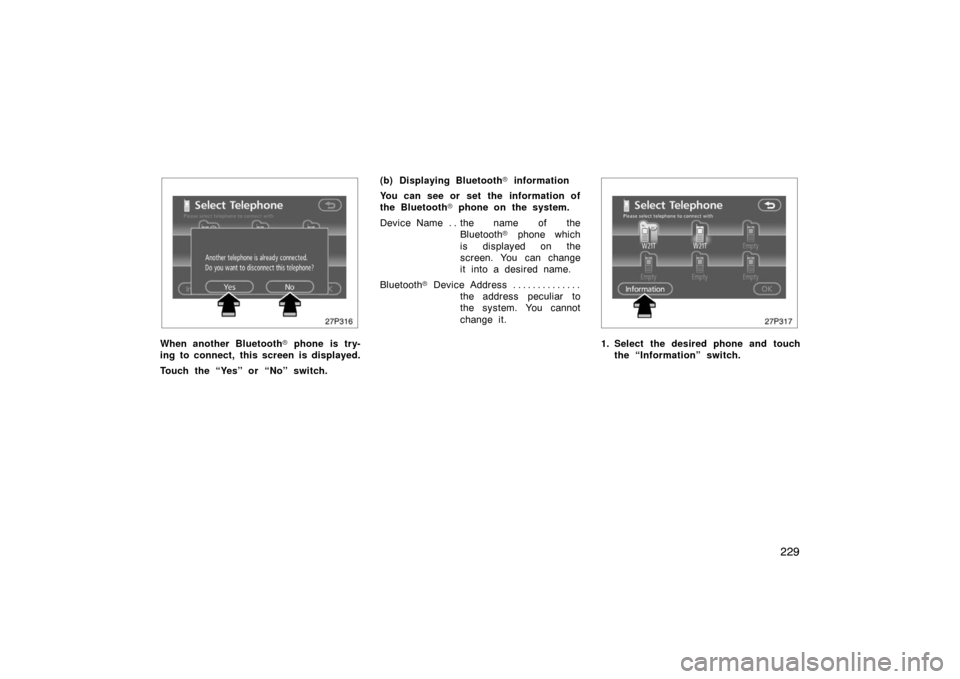
27p316
When another Bluetooth� phone is try-
ing to connect, this screen is displayed.
Touch the “Yes” or “No” switch. (b) Displaying Bluetooth
� information
You can see or set the information of
the Bluetooth � phone on the system.
Device Name the name of the . .
Bluetooth � phone which
is displayed on the
screen. You can change
it into a desired name.
Bluetooth � D ev i c e A ddr es s . . . . . . . . . . . . . .
the address peculiar to
the system. You cannot
change it.
27p317
1. Select the desired phone and touchthe “Information” switch.
Page 231 of 458
231
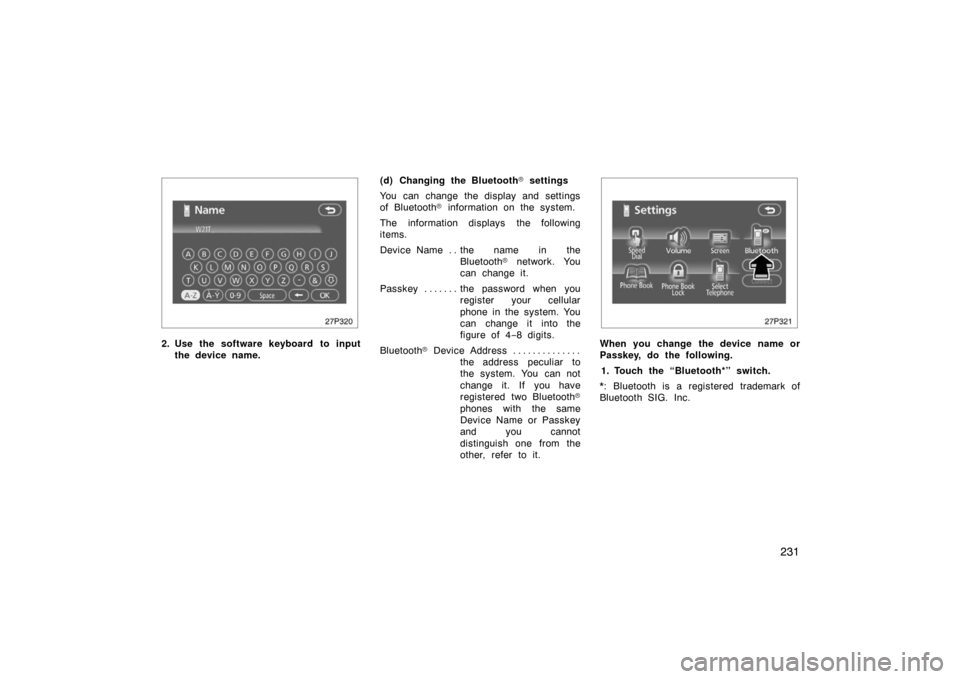
27p320
2. Use the software keyboard to inputthe device name. (d) Changing the Bluetooth
� settings
You can change the display and settings
of Bluetooth � information on the system.
The information displays the following
items.
Device Name the name in the . .
Bluetooth � network. You
can change it.
Passkey the password when you . . . . . . .
register your cellular
phone in the system. You
can change it into the
figure of 4 −8 digits.
Bluetooth � D ev i c e A ddr es s . . . . . . . . . . . . . .
the address peculiar to
the system. You can not
change it. If you have
registered two Bluetooth �
phones with the same
Device Name or Passkey
and you cannot
distinguish one from the
other, refer to it.
27p321
When you change the device name or
Passkey, do the following.
1. Touch the “Bluetooth*” switch.
*: Bluetooth is a registered trademark of
Bluetooth SIG. Inc.
Page 235 of 458
235
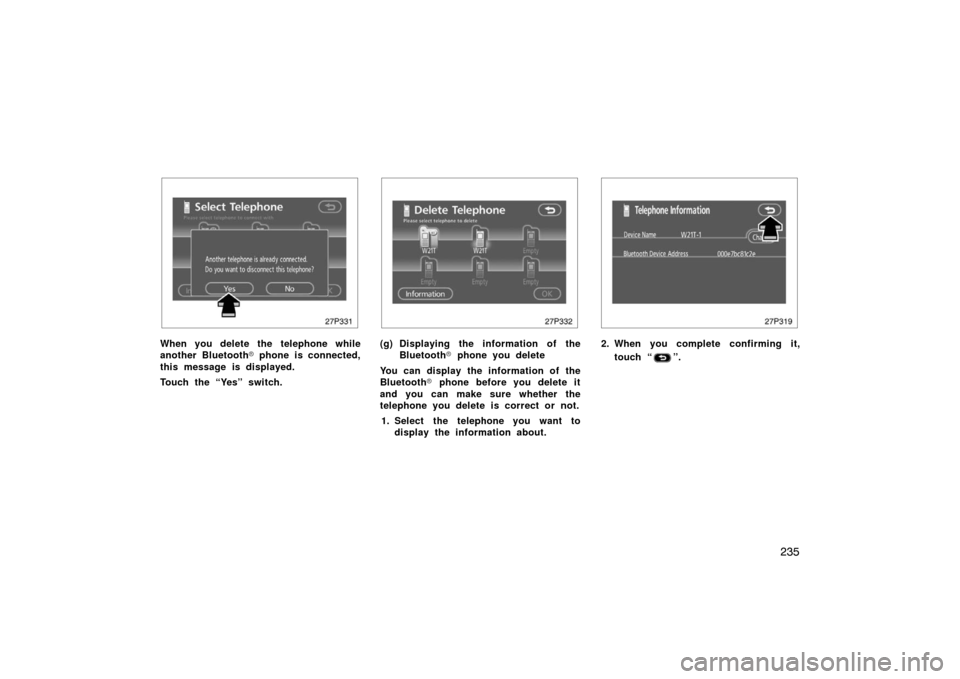
27p331
When you delete the telephone while
another Bluetooth� phone is connected,
this message is displayed.
Touch the “Yes” switch.
27p332
(g) Displaying the information of the Bluetooth � phone you delete
You can display the information of the
Bluetooth � phone before you delete it
and you can make sure whether the
telephone you delete is correct or not.
1. Select the telephone you want to display the information about.
27p319
2. When you complete confirming it,
touch “
”.