Smart key TOYOTA PRIUS 2008 2.G User Guide
[x] Cancel search | Manufacturer: TOYOTA, Model Year: 2008, Model line: PRIUS, Model: TOYOTA PRIUS 2008 2.GPages: 512, PDF Size: 7.23 MB
Page 48 of 512

48 1-3. Opening, closing and locking the doors and back door
PRIUS_U_(L/O_0802)
For vehicles sold in Canada
NOTE:
This device complies with RSS-210 of Industry Canada.
Operation is subject to the following two conditions: (1) this device may not
cause interference, and (2) this device must accept any interference, includ-
ing interference that may cause undesired operation of the device.
CAUTION
■ Caution regarding interfer ence with electronic devices
● People with implanted pacemakers or cardiac defibrillators should keep
away from the smart key system antennas. ( P. 39)
The radio waves may affect the operation of such devices. If necessary,
the entry function can be disabled. Ask your Toyota dealer for details, such
as the frequency of radio waves and timing of emitting the radio waves.
Then, consult your doctor to see if you should disable the entry function.
● Users of any electrical medical device other than implanted pacemakers
and implanted cardiac defibrillators should consult the manufacturer of the
device for information about its operation under the influence of radio
waves. Radio waves could have unexpected effects on the operation of
such medical devices.
Ask your Toyota dealer for details for disabling the entry function.
Page 51 of 512
51
1
1-3. Opening, closing and locking the doors and back door
Before driving
PRIUS_U_(L/O_0802)
Doors
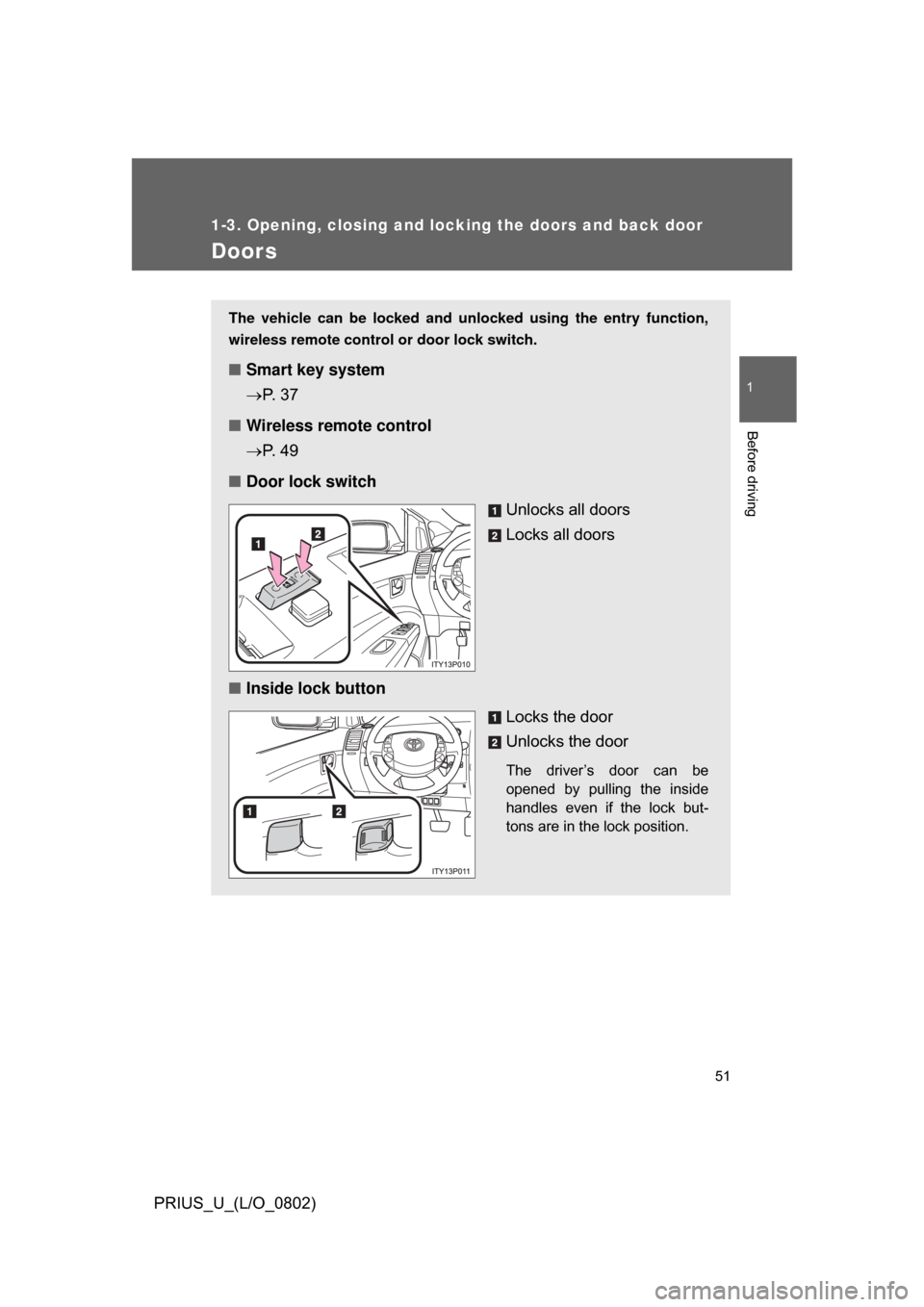
The vehicle can be locked and unlocked using the entry function,
wireless remote control or door lock switch.
■Smart key system
P. 3 7
■ Wireless remote control
P. 4 9
■ Door lock switch
Unlocks all doors
Locks all doors
■ Inside lock button
Locks the door
Unlocks the door
The driver’s door can be
opened by pulling the inside
handles even if the lock but-
tons are in the lock position.
Page 52 of 512
52 1-3. Opening, closing and locking the doors and back door
PRIUS_U_(L/O_0802)
Locking the front doors from the outside without a keyMove the inside lock button to the lock position.
Close the door while pulling the door handle.
Vehicles with smart key system
The door cannot be locked if t he “POWER” switch is in ACCES-
SORY or ON mode, or the electronic key is left inside the vehicle.
Depending on the position of the electronic key, the key may not be
detected correctly and the door may be locked.
Vehicles without smart key system
The door cannot be locked if the electronic key is in the key slot.
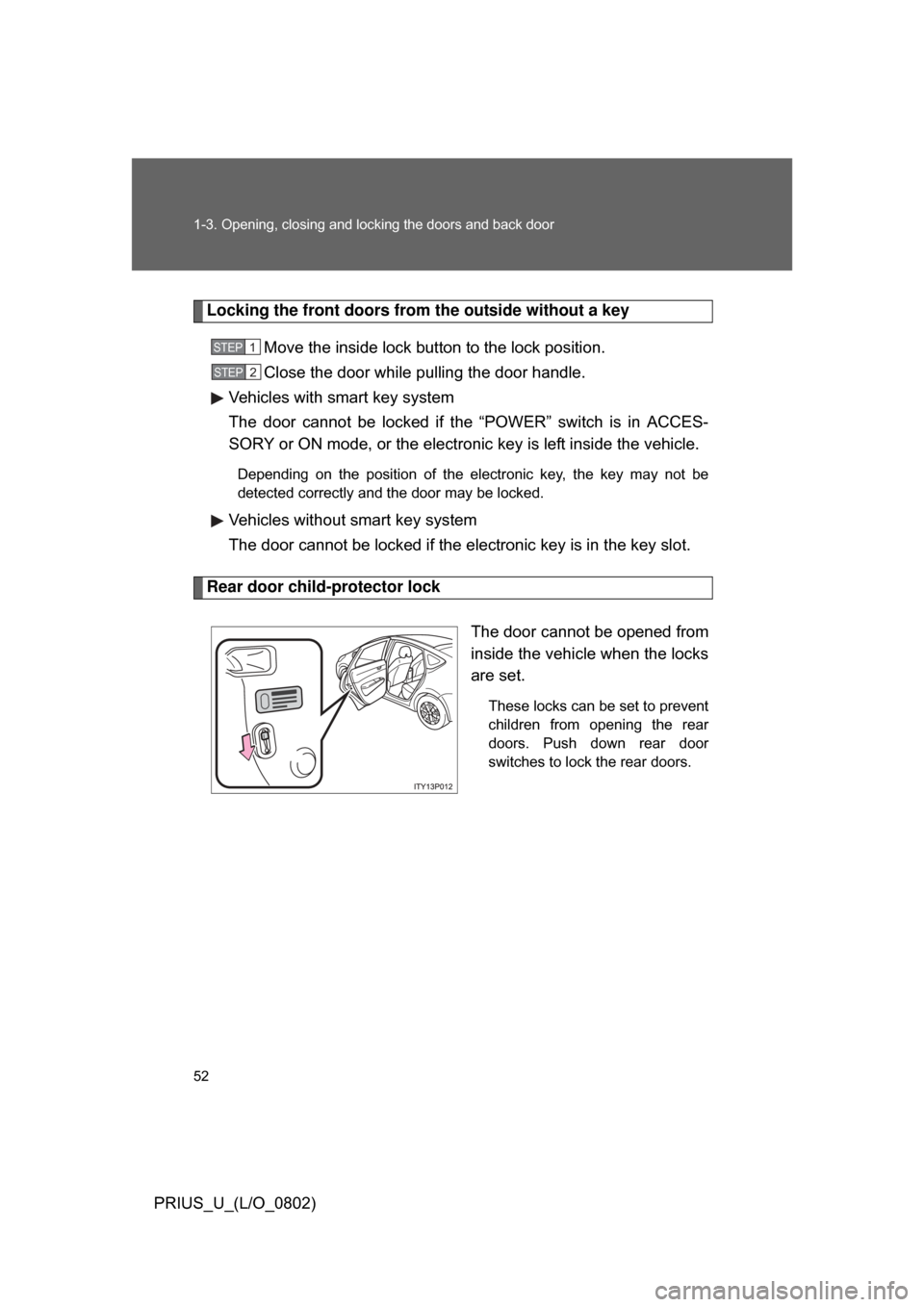
Rear door child-protector lock
The door cannot be opened from
inside the vehicle when the locks
are set.
These locks can be set to prevent
children from opening the rear
doors. Push down rear door
switches to lock the rear doors.
STEP1
STEP2
Page 54 of 512
54
1-3. Opening, closing and locking the doors and back door
PRIUS_U_(L/O_0802)
Back door
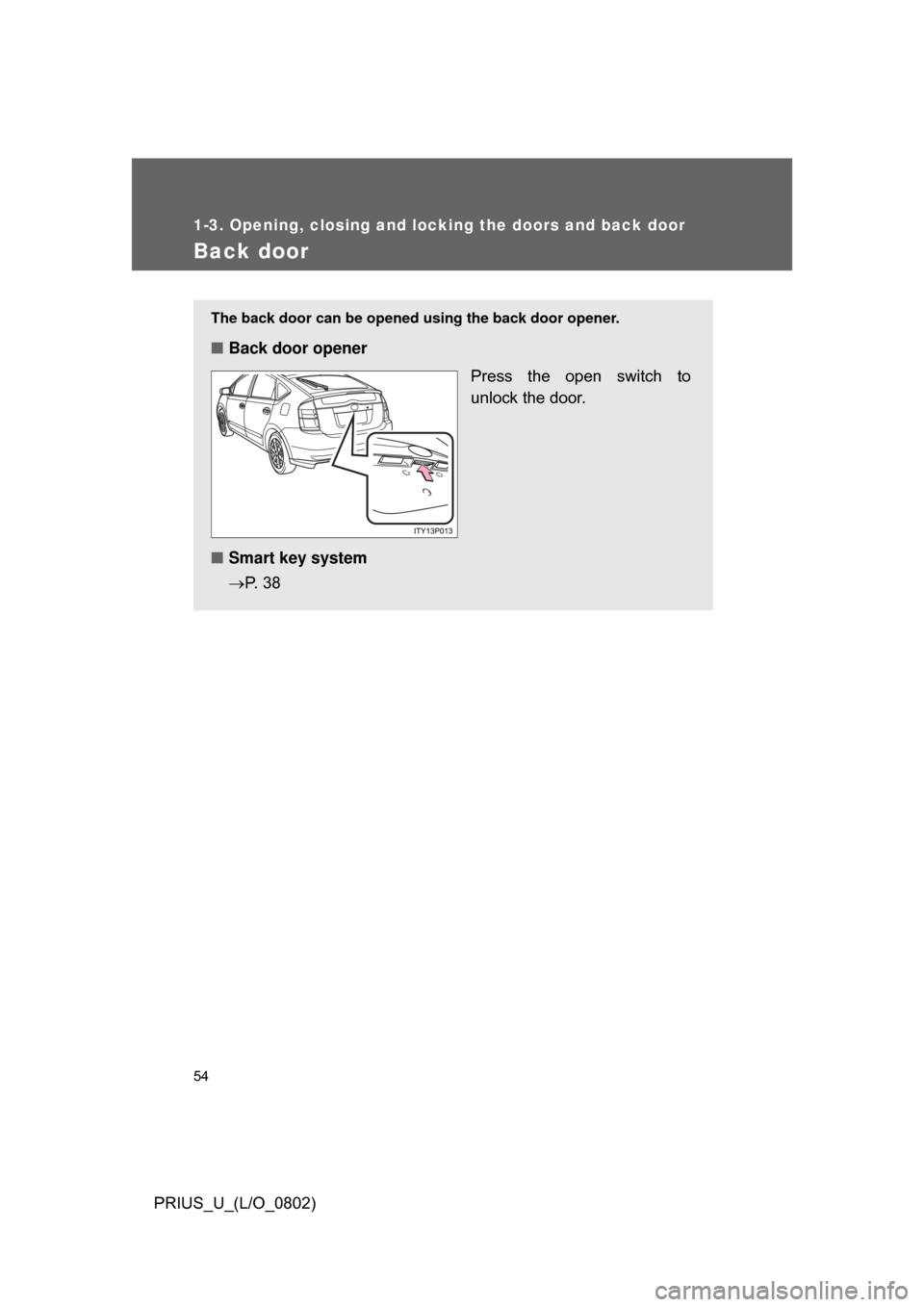
The back door can be opened using the back door opener.
■Back door opener
Press the open switch to
unlock the door.
■ Smart key system
P. 3 8
Page 81 of 512
81
1
Before driving
PRIUS_U_(L/O_0802)
1-7. Theft deterrent system
Immobilizer system
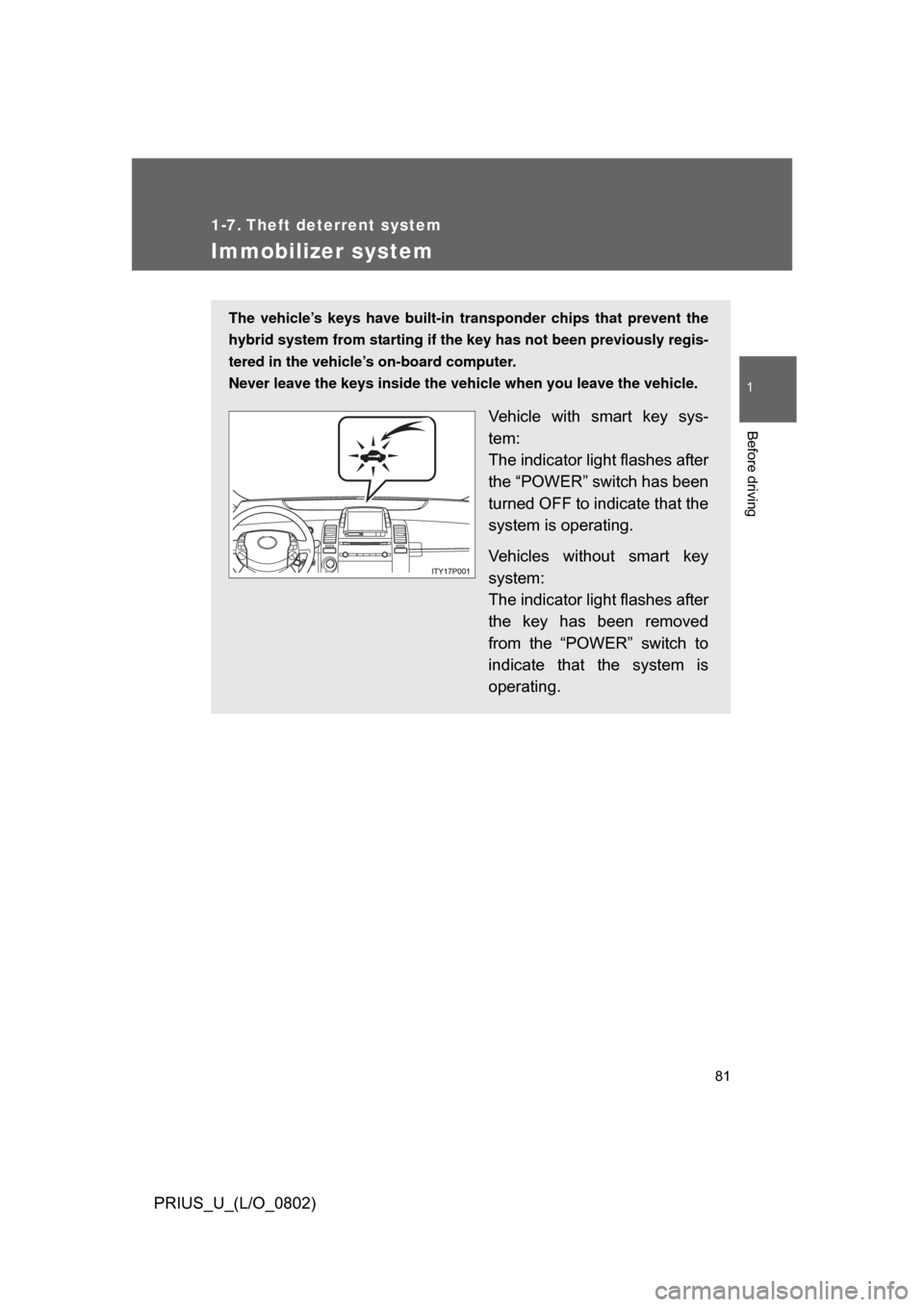
The vehicle’s keys have built-in transponder chips that prevent the
hybrid system from starting if the key has not been previously regis-
tered in the vehicle’s on-board computer.
Never leave the keys inside the vehicle when you leave the vehicle.
Vehicle with smart key sys-
tem:
The indicator light flashes after
the “POWER” switch has been
turned OFF to indicate that the
system is operating.
Vehicles without smart key
system:
The indicator light flashes after
the key has been removed
from the “POWER” switch to
indicate that the system is
operating.
Page 131 of 512
131
2-1. Driving procedures
2
When driving
PRIUS_U_(L/O_0802)
■
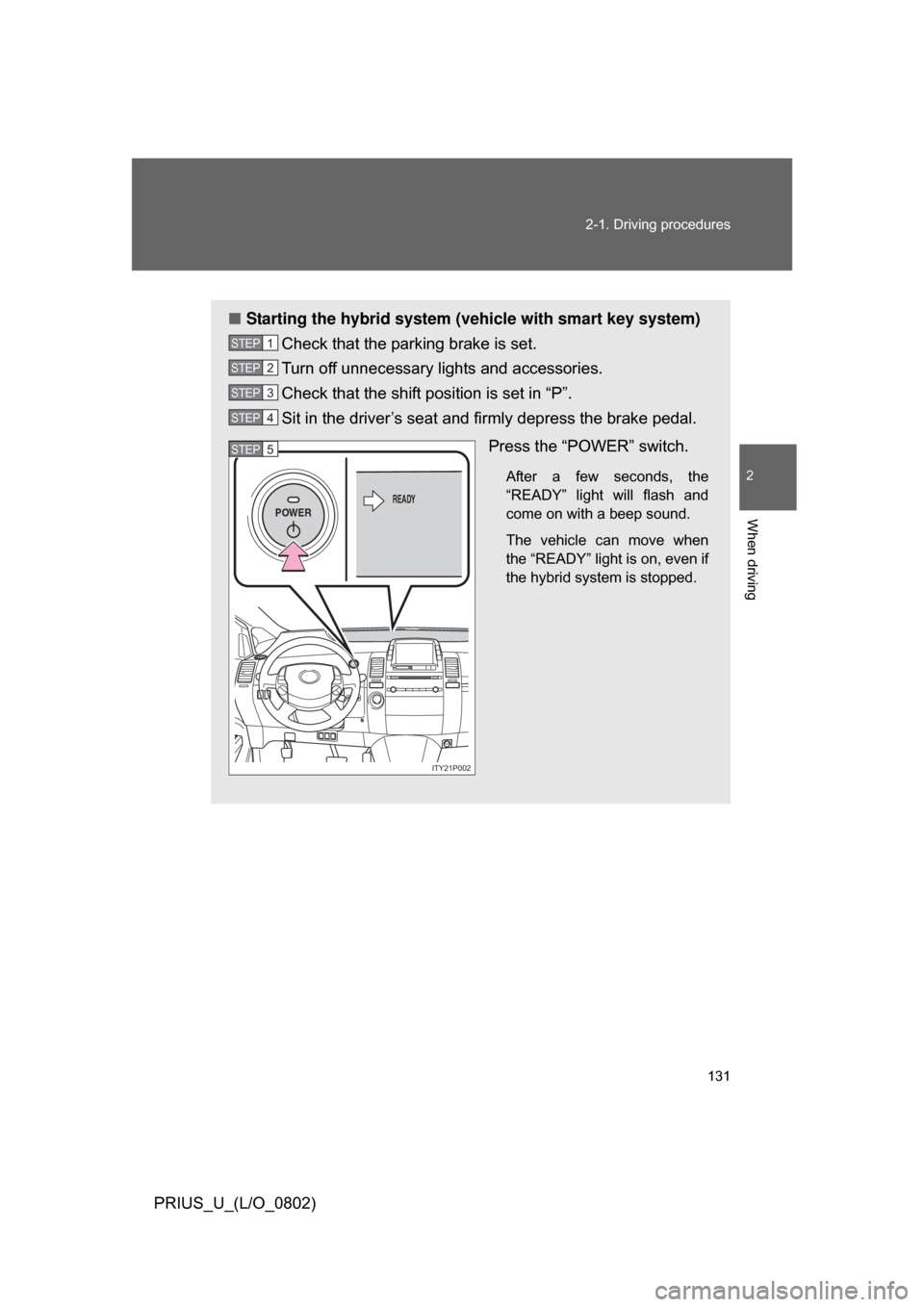
Starting the hybrid system (vehicle with smart key system)
Check that the parking brake is set.
Turn off unnecessary lights and accessories.
Check that the shift position is set in “P”.
Sit in the driver’s seat and firmly depress the brake pedal.
Press the “POWER” switch.
After a few seconds, the
“READY” light will flash and
come on with a beep sound.
The vehicle can move when
the “READY” light is on, even if
the hybrid system is stopped.
STEP1
STEP2
STEP3
STEP4
POWERREADY
ITY21P002
STEP5
Page 132 of 512
132 2-1. Driving procedures
PRIUS_U_(L/O_0802)
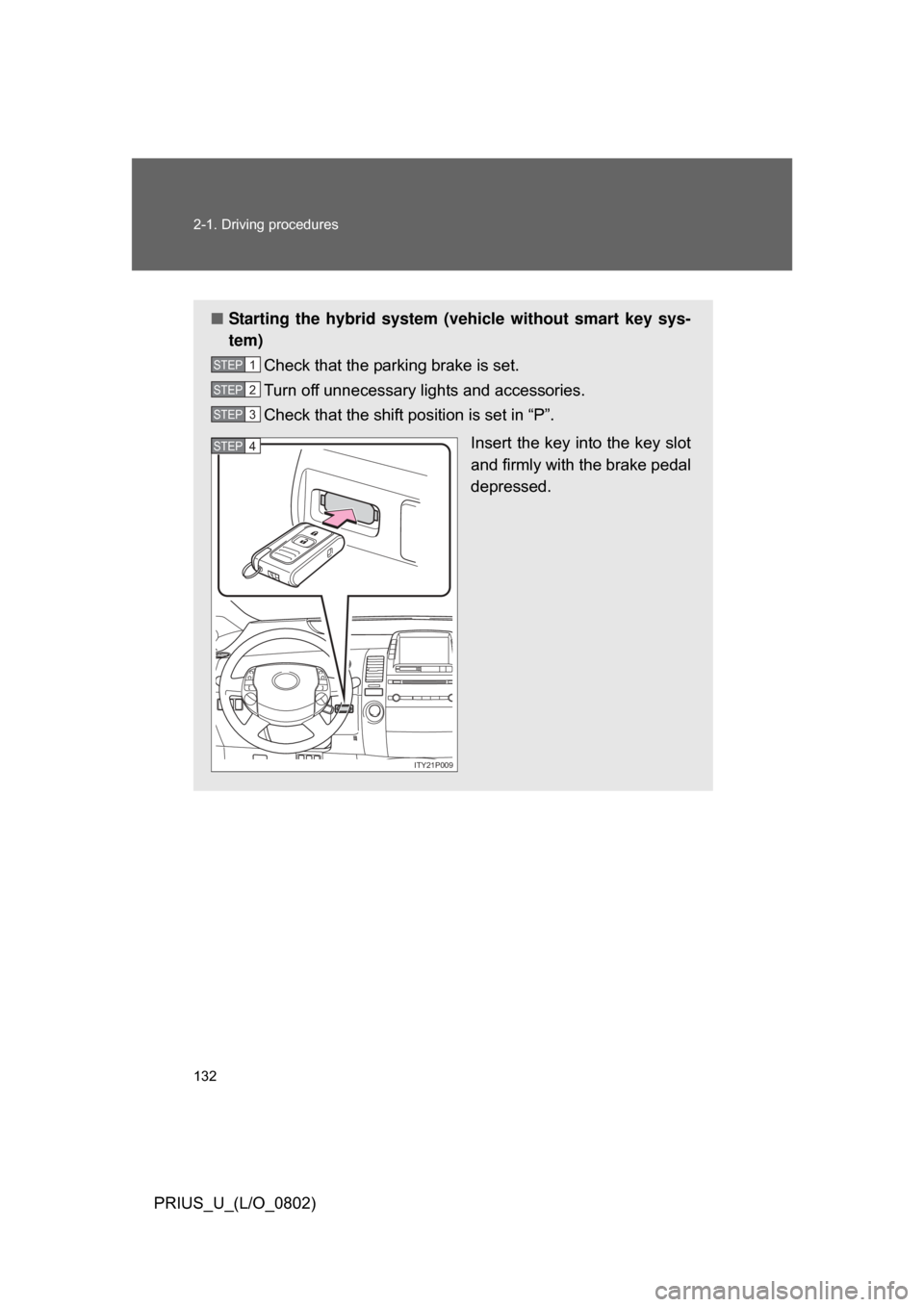
■Starting the hybrid system (v ehicle without smart key sys-
tem)
Check that the parking brake is set.
Turn off unnecessary lights and accessories.
Check that the shift position is set in “P”.
Insert the key into the key slot
and firmly with the brake pedal
depressed.
STEP1
STEP2
STEP3
ITY21P009
STEP4
Page 397 of 512
397
4-3. Do-it-yourself maintenance
4
Maintenance and care
PRIUS_U_(L/O_0802)
■
If the electronic key battery is discharged
The following symptoms may occur.
● The smart key system and wireless remote control will not function prop-
erly.
● The operational range is reduced.
■ Use a CR2032 lithium battery
● Batteries can be purchased at your Toyota dealer, jewelers, or camera
stores.
● Replace only with the same or equivalent type recommended by a Toy-
ota dealer.
● Dispose of used batteries according to the local laws.
CAUTION
■Removed battery and other parts
Keep away from children.
These parts are small and if swallowed by a child they can cause choking.
NOTICE
■For normal operation after replacing the battery
Observe the following precautions to prevent accidents.
● Always work with dry hands.
Moisture may cause the battery to rust.
● Do not touch or move any other components inside the electronic key.
● Do not bend the battery terminals.
Page 401 of 512
401
4-3. Do-it-yourself maintenance
4
Maintenance and care
PRIUS_U_(L/O_0802)
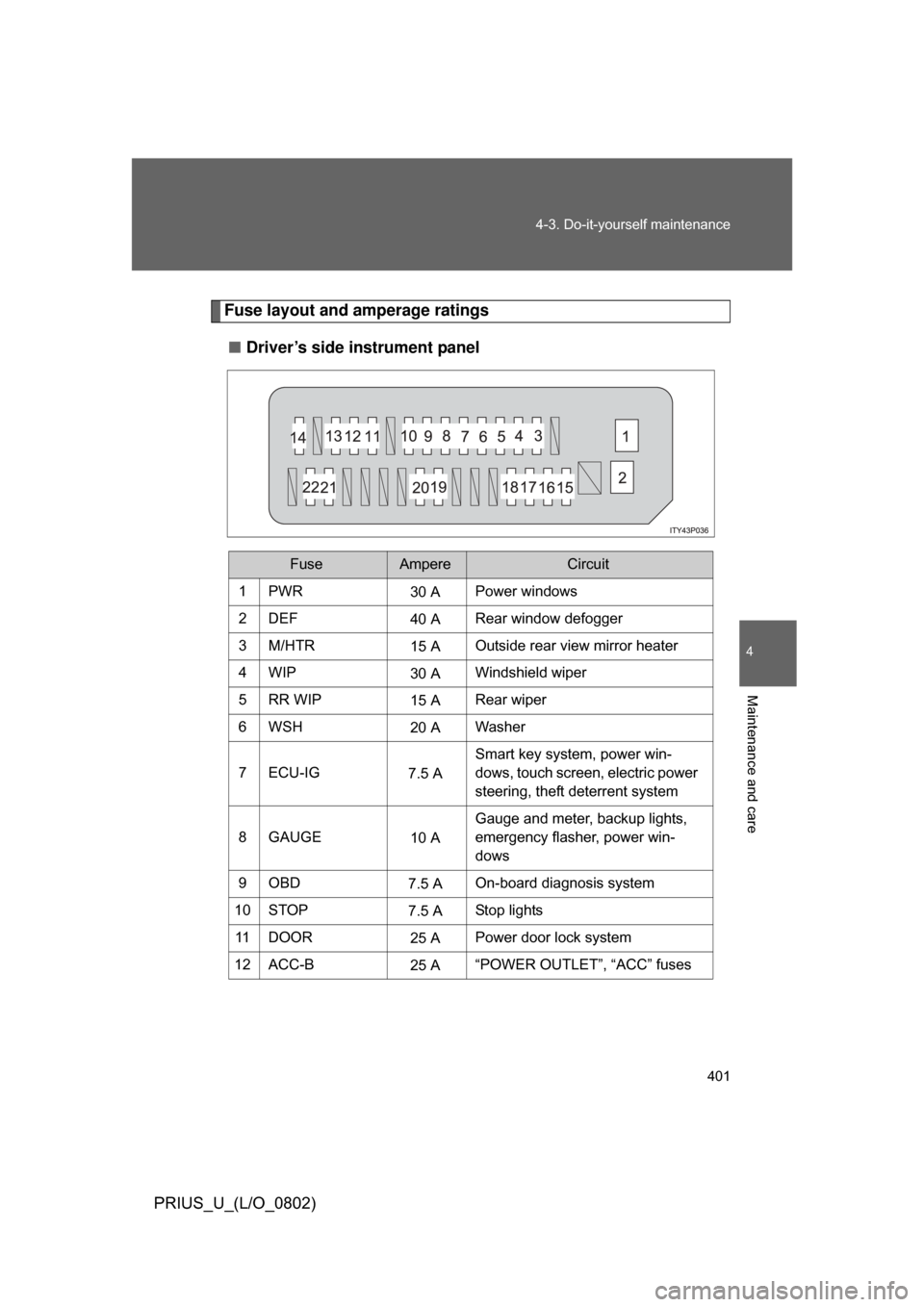
Fuse layout and amperage ratings
■ Driver’s side instrument panel
FuseAmpereCircuit
1PWR30 APower windows
2DEF 40 ARear window defogger
3M/HTR 15 AOutside rear view mirror heater
4WIP 30 AWindshield wiper
5RR WIP 15 ARear wiper
6WSH 20 AWasher
7 ECU-IG 7.5 ASmart key system, power win-
dows, touch screen, electric power
steering, theft deterrent system
8GAUGE 10 AGauge and meter, backup lights,
emergency flasher, power win-
dows
9OBD 7.5 AOn-board diagnosis system
10 STOP 7.5 AStop lights
11 D O O R 25 APower door lock system
12 ACC-B 25 A“POWER OUTLET”, “ACC” fuses
Page 404 of 512

404 4-3. Do-it-yourself maintenance
PRIUS_U_(L/O_0802)
*1: Vehicles with halogen headlights (low beam)
*2: Vehicles with discharge headlights (low beam)35 ABS-1 25 A Anti-lock brake system
36 ETCS 10 A Electronic throttle control system
37 BATT FAN 10 A Battery cooling fan
38 HAZ 10 A
Turn signal lights, emergency
flasher
39 DOME 15 A Audio system, interior lights,
Smart key system, gauge and
meter, turn signal lights, luggage
room light, clock
40 ABS MAIN3 15 A Anti-lock brake system
41 ABS MAIN2 10 A Anti-lock brake system
42 ABS MAIN1 10 A Anti-lock brake system
43 FR FOG 15 A Fog lights
44 CHS W/P 10 A CHS W/P
45 AMP 30 A Audio system
46 PTC HTR2 30 A PTC heater
47 PTC HTR1 30 A PTC heater
48 CDS FAN 30 A Electric cooling fan
FuseAmpereCircuit