change time TOYOTA PRIUS 2008 2.G User Guide
[x] Cancel search | Manufacturer: TOYOTA, Model Year: 2008, Model line: PRIUS, Model: TOYOTA PRIUS 2008 2.GPages: 512, PDF Size: 7.23 MB
Page 237 of 512
237
3-3. Using the audio system
3
Interior features
PRIUS_U_(L/O_0802)
The type of program changes each time the button is pressed.
●
ROCK
● EASYLIS (Easy listening)
● CLS/JAZZ (Classical music and Jazz)
● R & B (Rhythm and Blues)
● INFORM (Information)
● RELIGION
● MISC (Miscellaneous)
● ALARM (Emergency messages)
If the system receives no RDS stations, “NO PTY” appears on the display.
When a program is set, “TYPE SEEK” appears.
Touch on the screen or press or on .
The radio seeks or scans the station by the relevant program type.
If no radio station of that type is found, “NOTHING” appears on the
screen.
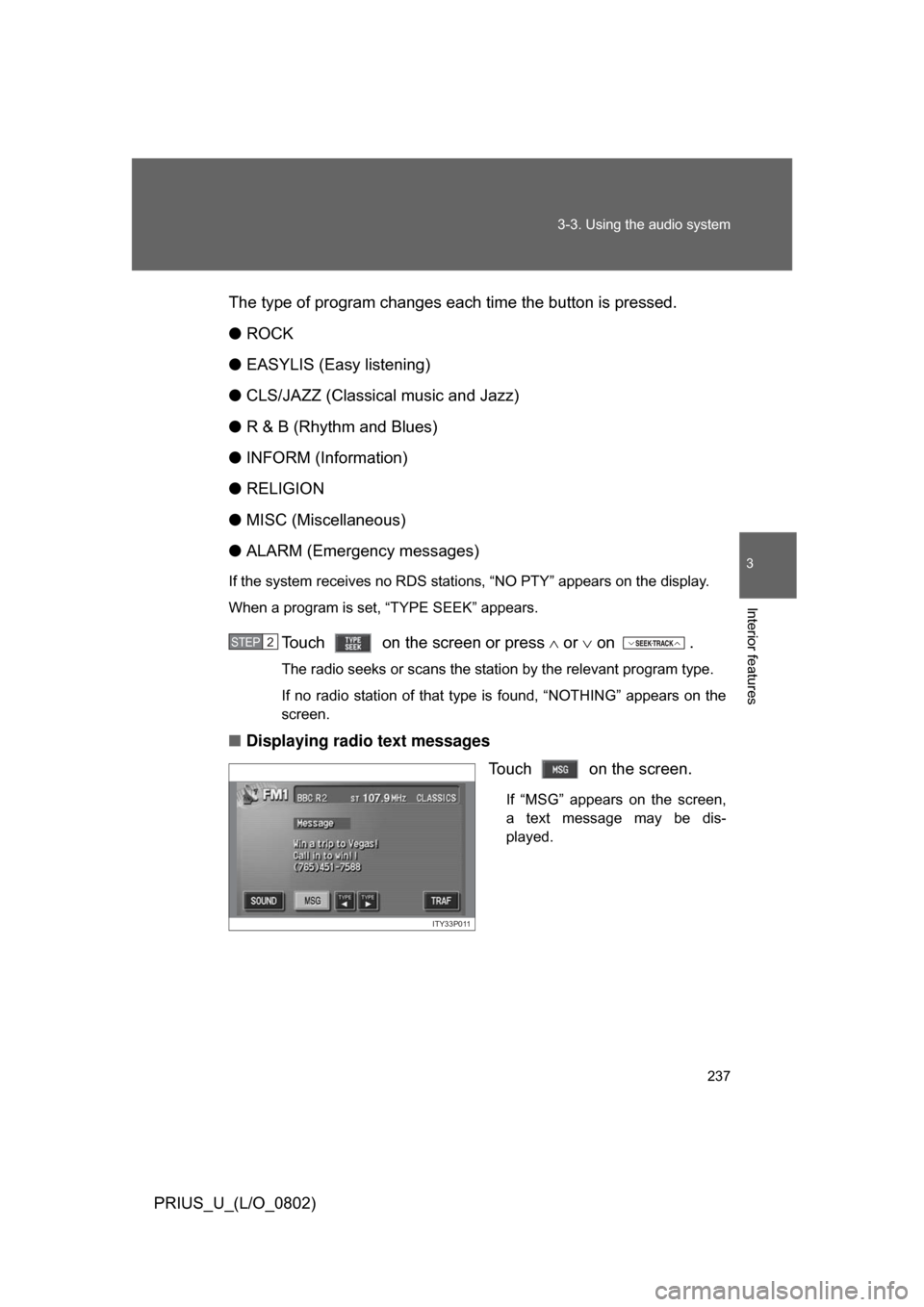
■ Displaying radio text messages
Touch on the screen.
If “MSG” appears on the screen,
a text message may be dis-
played.
STEP2
ITY33P011
Page 256 of 512
256 3-3. Using the audio system
PRIUS_U_(L/O_0802)
Selecting and scanning files■ Selecting one file at a time
Turn the dial or press or on to select the
desired file.
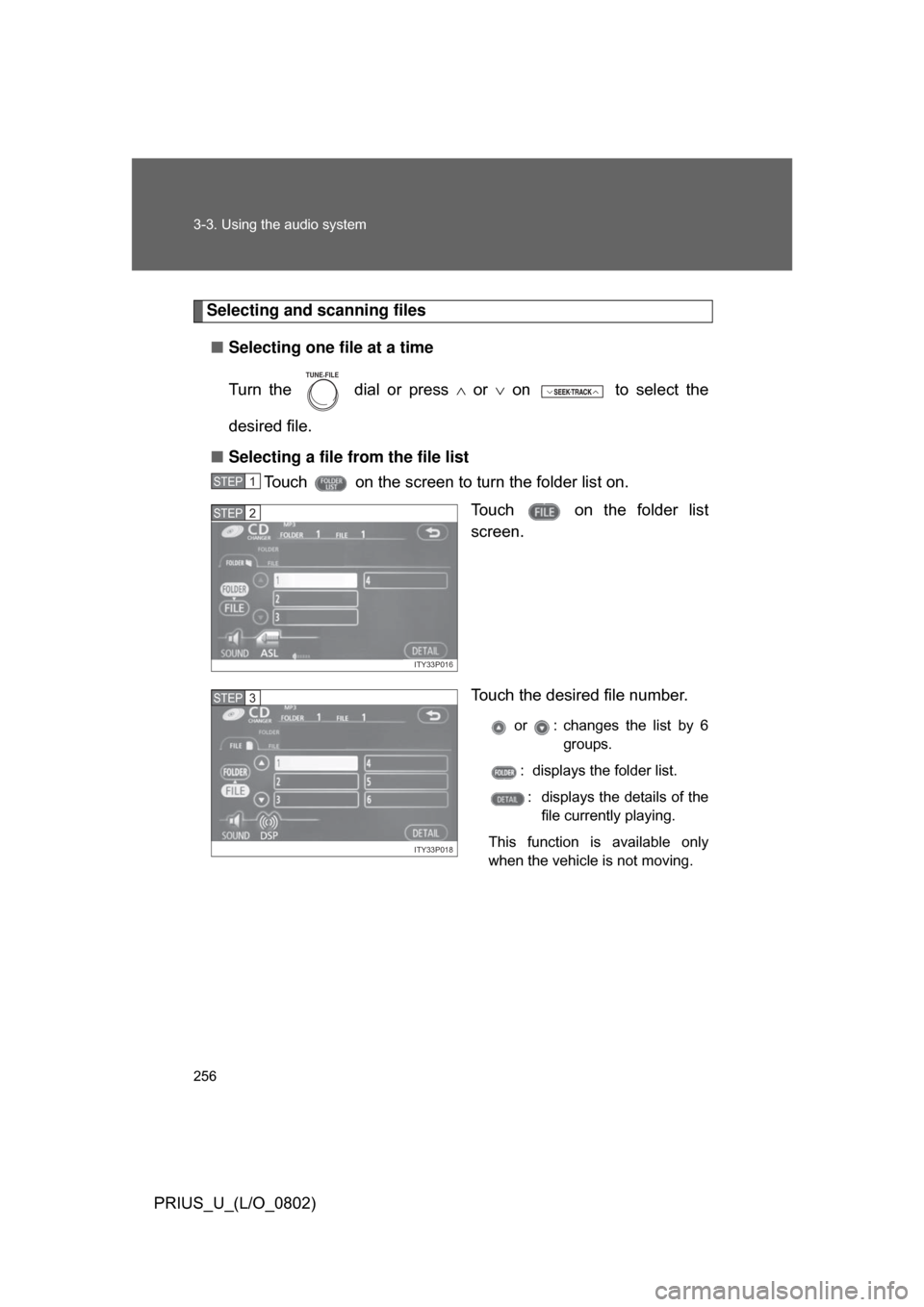
■ Selecting a file from the file list
Touch on the screen to turn the folder list on.
Touch on the folder list
screen.
Touch the desired file number.
or : changes the list by 6groups.
: displays the folder list.
: displays the details of the file currently playing.
This function is available only
when the vehicle is not moving.
TUNE FILE
STEP1
ITY33P016
STEP2
ITY33P018
STEP3
Page 269 of 512
269
3-3. Using the audio system
3
Interior features
PRIUS_U_(L/O_0802)
Using the steering switches
Turning on the powerPress when the audio system is turned OFF.
The audio system can be turned OFF by holding the switch down for 1
second or more.
Changing the audio sourcePress when the audio system is turned ON. The audio source
changes as follows each time the bu tton is pressed. If a CD is not
inserted, that mode will be skipped.
FM (1, 2) CD player AM SAT (1, 2, 3)
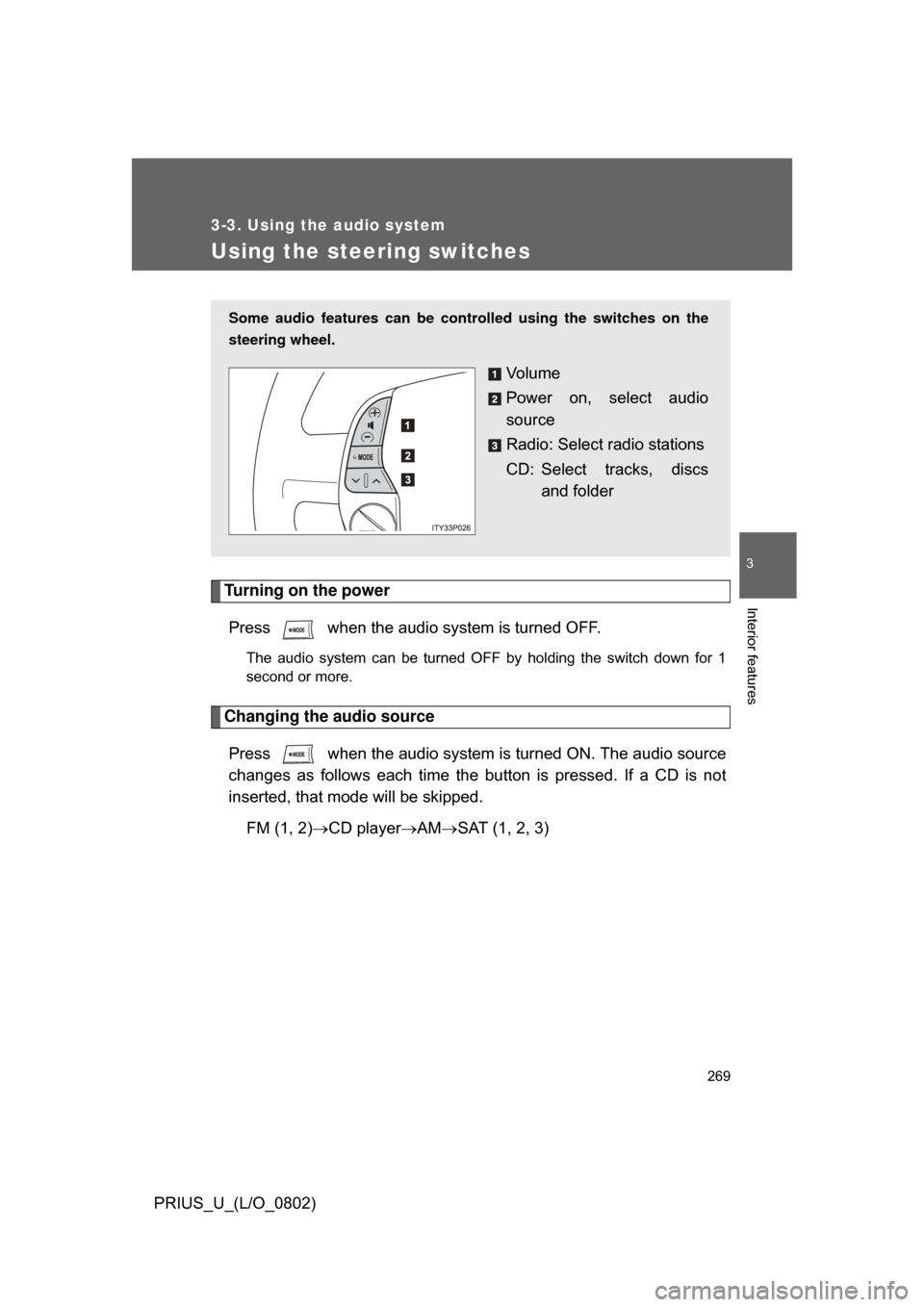
Some audio features can be cont rolled using the switches on the
steering wheel.
Vo l u m e
Power on, select audio
source
Radio: Select radio stations
CD: Select tracks, discs and folder
Page 298 of 512
298 3-4. Using the hands-free system
PRIUS_U_(L/O_0802)
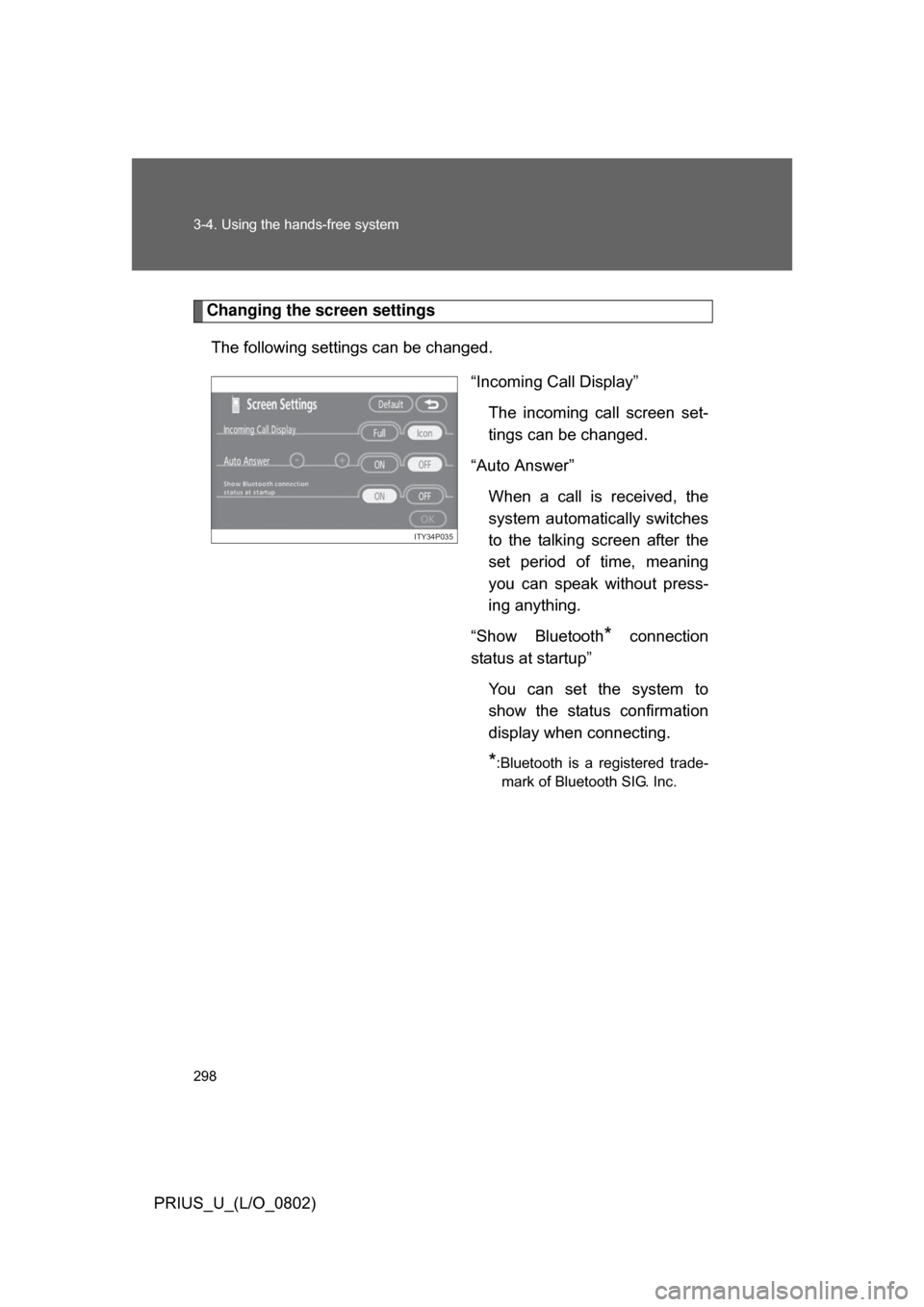
Changing the screen settingsThe following settings can be changed. “Incoming Call Display”The incoming call screen set-
tings can be changed.
“Auto Answer” When a call is received, the
system automatically switches
to the talking screen after the
set period of time, meaning
you can speak without press-
ing anything.
“Show Bluetooth
* connection
status at startup”
You can set the system to
show the status confirmation
display when connecting.
*:Bluetooth is a registered trade-mark of Bluetooth SIG. Inc.
ITY34P035
Page 319 of 512
319
3-5. Using the interior lights
3
Interior features
PRIUS_U_(L/O_0802)
■
To prevent 12 volt battery discharge
If the interior lights and personal lights ON when the door is not fully closed
or the interior light switch in “DOOR” position, the lights will go off automati-
cally after 20 minutes.
■ Customization that can be co nfigured at Toyota dealer
Setting (e.g. The time elapsed before lights turn off) can be changed.
(
Customizable features P. 488)
Page 444 of 512
444 5-2. Steps to take in an emergency
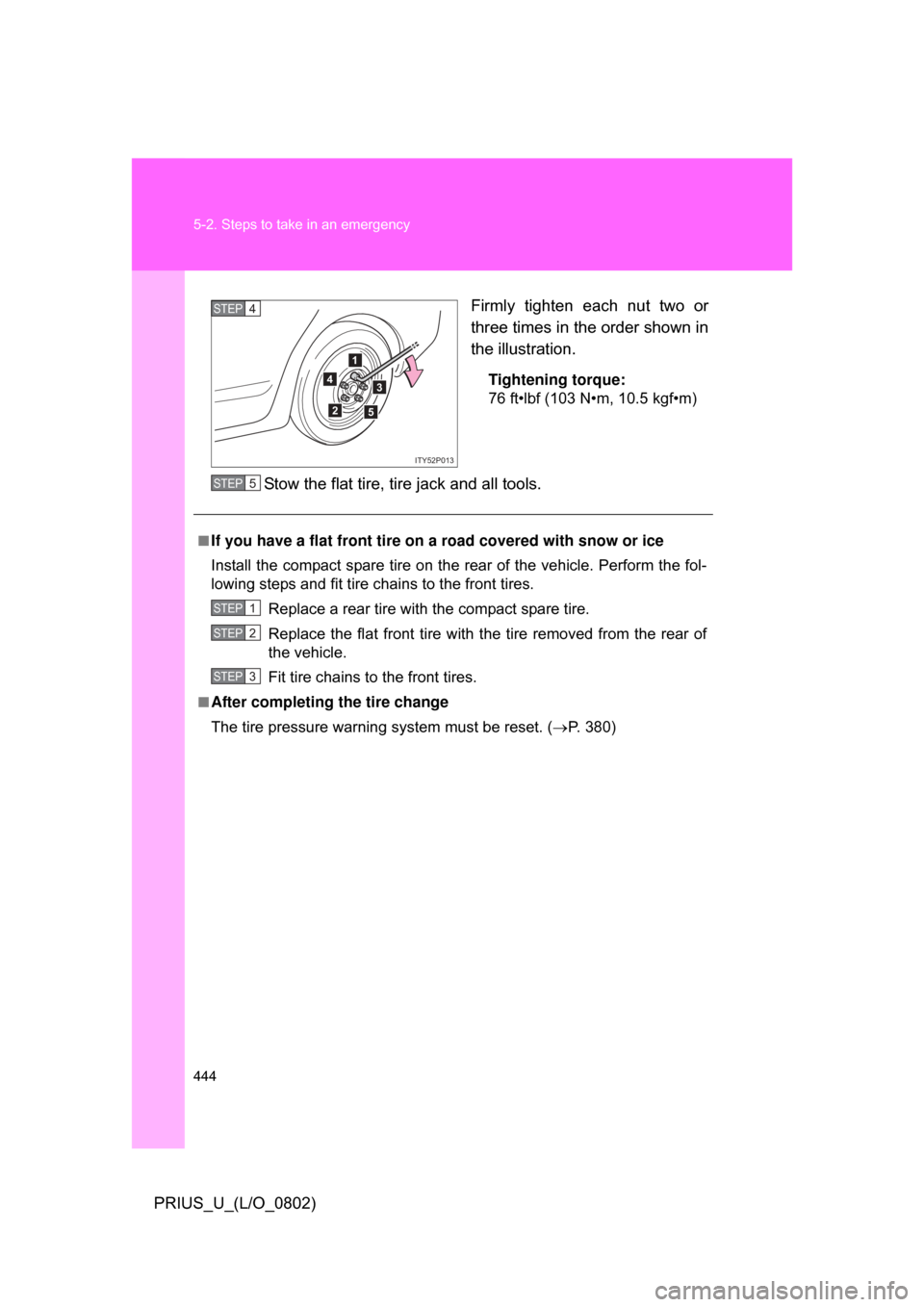
PRIUS_U_(L/O_0802)Firmly tighten each nut two or
three times in the order shown in
the illustration.
Tightening torque:
76 ft•lbf (103 N•m, 10.5 kgf•m)
Stow the flat tire, tire jack and all tools.
4
1
2
3
5
ITY52P013
STEP4
■If you have a flat front tire on a road covered with snow or ice
Install the compact spare tire on the rear of the vehicle. Perform the fol-
lowing steps and fit tire chains to the front tires.
Replace a rear tire with the compact spare tire.
Replace the flat front tire with the tire removed from the rear of
the vehicle.
Fit tire chains to the front tires.
■After completing the tire change
The tire pressure warnin g system must be reset. ( P. 380)
STEP5
STEP1
STEP2
STEP3
Page 488 of 512
488
PRIUS_U_(L/O_0802)
6-2. Customization
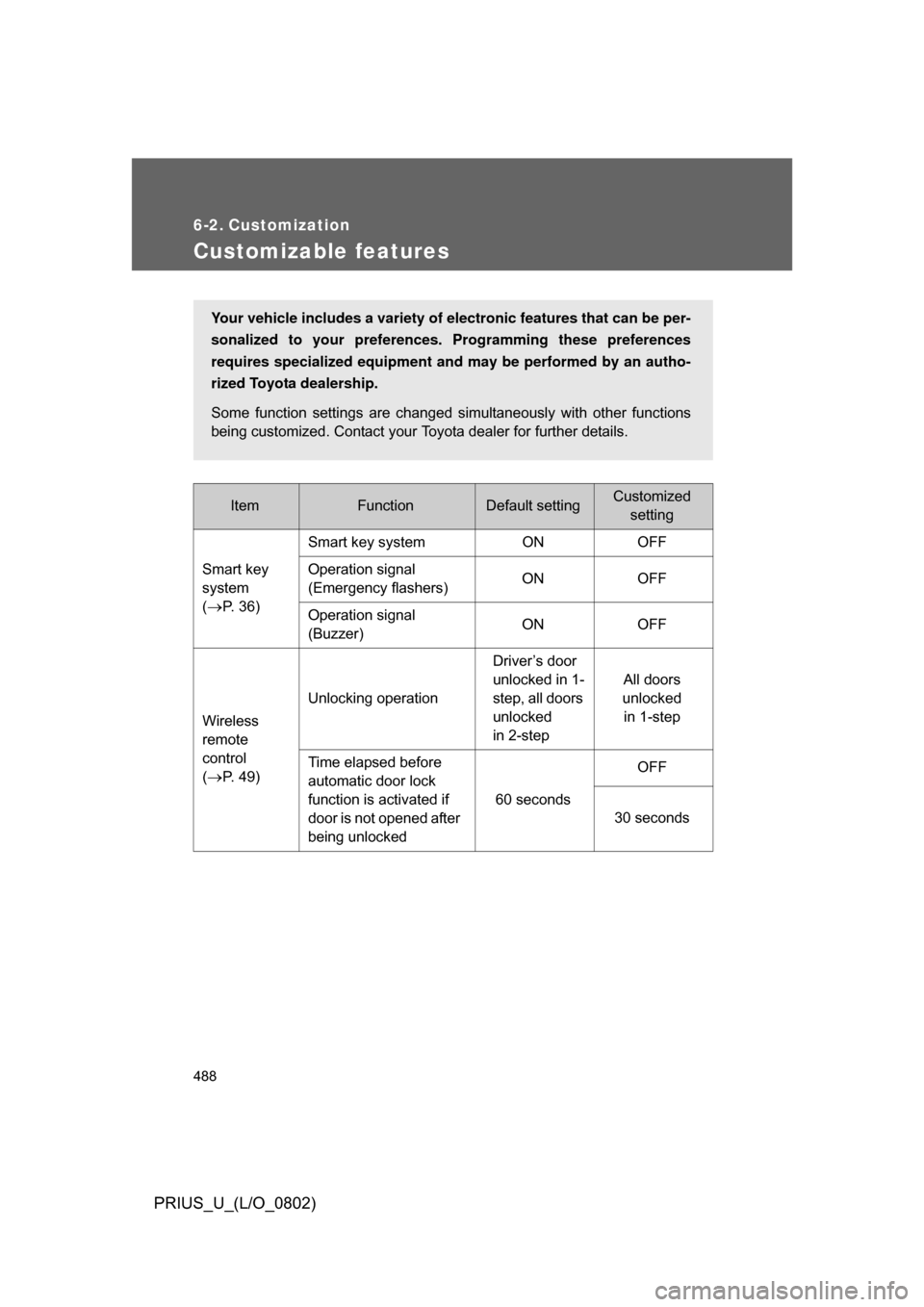
Customizable features
ItemFunctionDefault settingCustomizedsetting
Smart key
system
(
P. 36) Smart key system ON OFF
Operation signal
(Emergency flashers)
ON OFF
Operation signal
(Buzzer) ON OFF
Wireless
remote
control
(
P. 49) Unlocking operation
Driver’s door
unlocked in 1-
step, all doors
unlocked
in 2-stepAll doors
unlocked in 1-step
Time elapsed before
automatic door lock
function is activated if
door is not opened after
being unlocked 60 seconds
OFF
30 seconds
Your vehicle includes a variety of electronic features that can be per-
sonalized to your preferences. Programming these preferences
requires specialized equipment and may be performed by an autho-
rized Toyota dealership.
Some function settings are changed simultaneously with other functions
being customized. Contact your Toyota dealer for further details.