light TOYOTA PRIUS 2008 2.G Manual PDF
[x] Cancel search | Manufacturer: TOYOTA, Model Year: 2008, Model line: PRIUS, Model: TOYOTA PRIUS 2008 2.GPages: 512, PDF Size: 7.23 MB
Page 168 of 512
168 2-4. Using other driving systems
PRIUS_U_(L/O_0802)
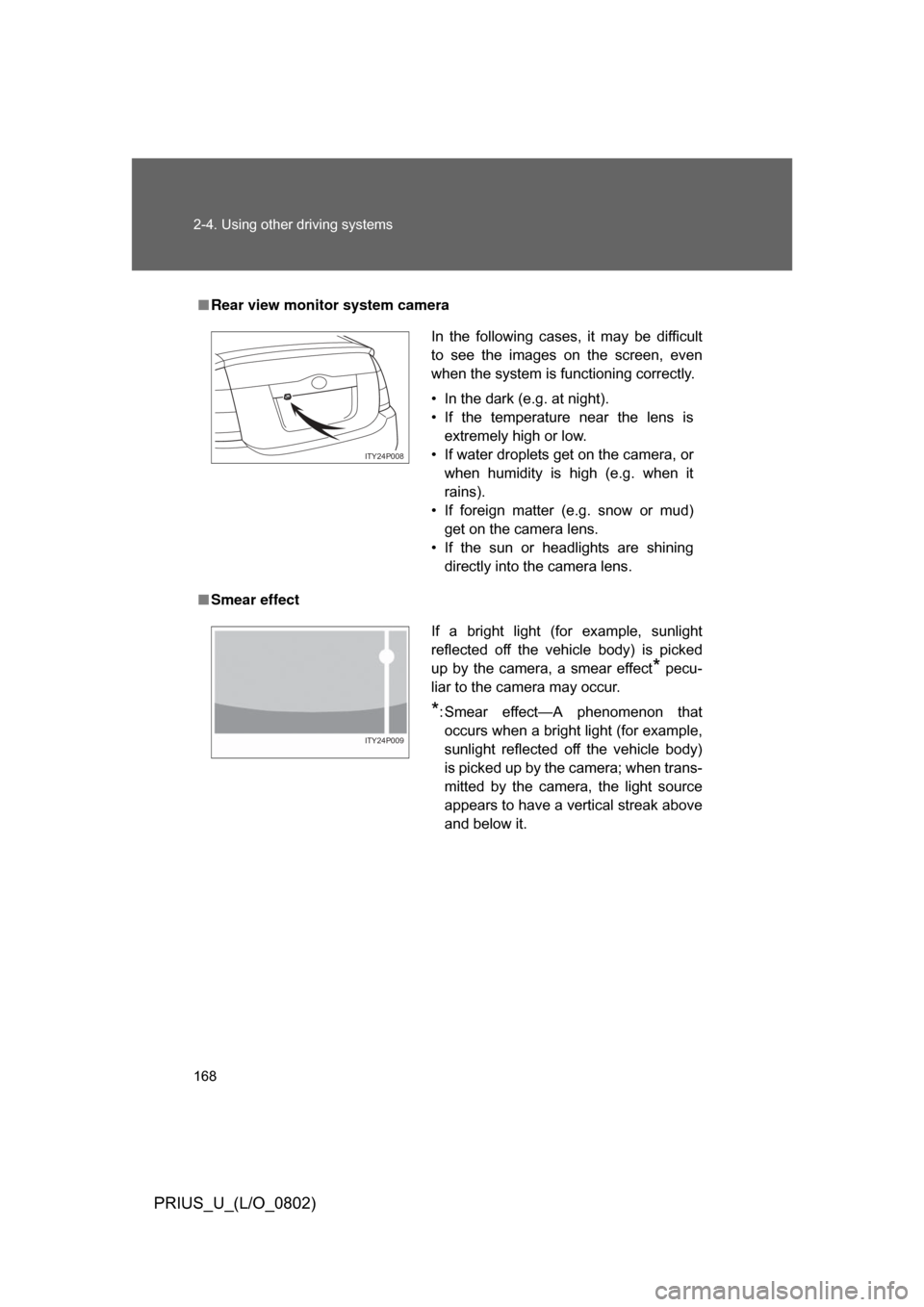
■Rear view monitor system camera
■ Smear effect
In the following cases, it may be difficult
to see the images on the screen, even
when the system is functioning correctly.
• In the dark (e.g. at night).
• If the temperature near the lens is
extremely high or low.
• If water droplets get on the camera, or when humidity is high (e.g. when it
rains).
• If foreign matter (e.g. snow or mud) get on the camera lens.
• If the sun or headlights are shining directly into the camera lens.
ITY24P008
If a bright light (for example, sunlight
reflected off the vehicle body) is picked
up by the camera, a smear effect
* pecu-
liar to the camera may occur.
*: Smear effect—A phenomenon that occurs when a bright light (for example,
sunlight reflected off the vehicle body)
is picked up by the camera; when trans-
mitted by the camera, the light source
appears to have a vertical streak above
and below it.
ITY24P009
Page 169 of 512
169
2-4. Using other
driving systems
2
When driving
PRIUS_U_(L/O_0802)
CAUTION
■When using the rear view moni tor system, observe these precautions
to avoid an accident that could r esult in death or serious injuries.
● Never depend solely on the monitor system when reversing.
● Always check visually and with the mirrors to confirm your intended path is
clear.
● Depicted distances between objects and flat surfaces differ from actual
distances.
● Do not use the system if the back door is open.
■ Conditions which may affect the rear view monitor system
● If the back of the vehicle is hit, the camera’s position and mounting angle
may change. Contact your Toyota dealer.
● Rapid temperature changes, such as when hot water is poured on the
vehicle in cold weather, may cause the system to function abnormally.
● If the camera lens is dirty, it cannot transmit a clear image. Rinse with
water and wipe with a soft cloth. If extremely dirty, wash with a mild
cleanser and rinse.
● The displayed image may be darker and moving images may be slightly
distorted when the system is cold.
Page 170 of 512
170
2-4. Using other driving systems
PRIUS_U_(L/O_0802)
Driving assist systems
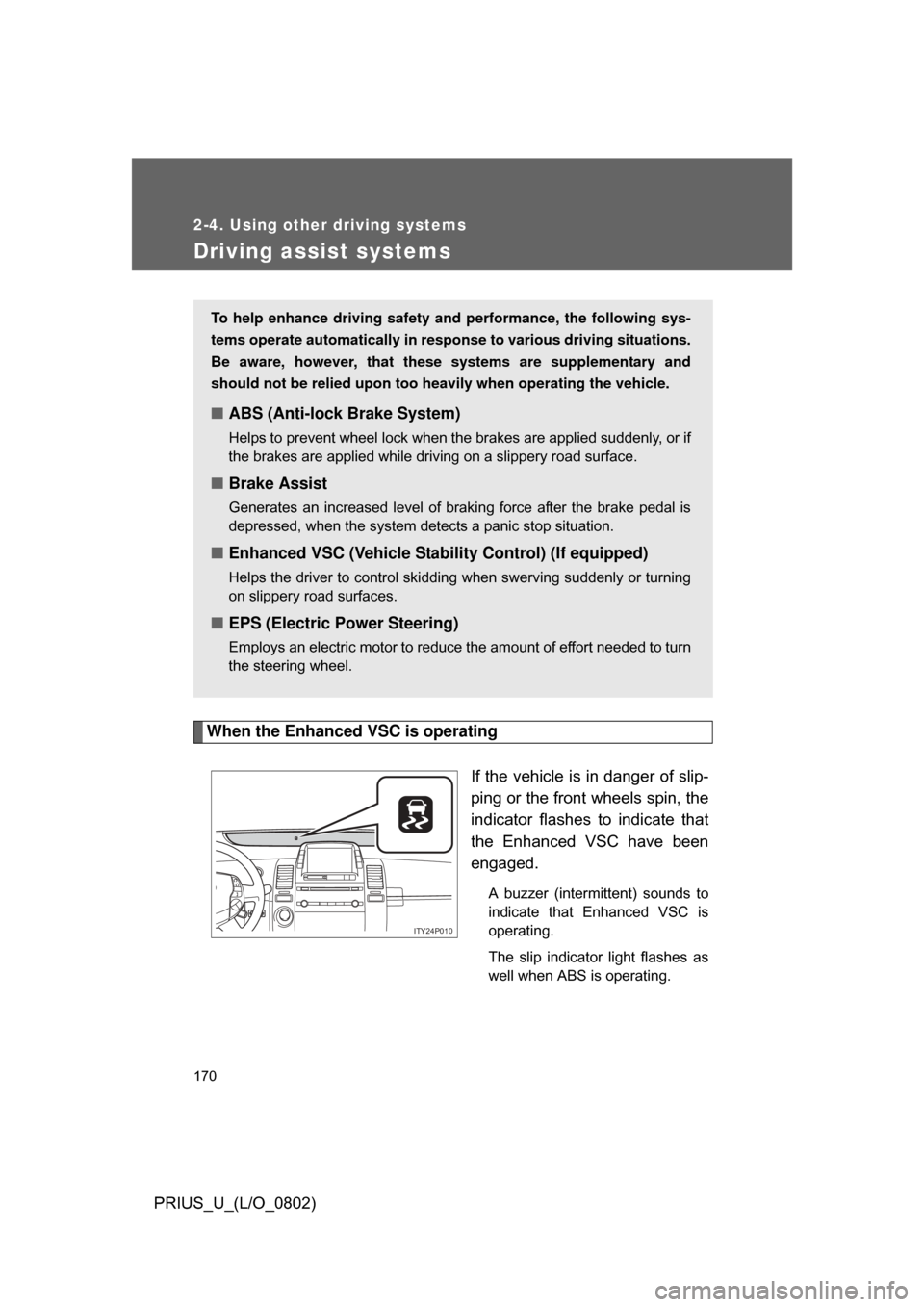
When the Enhanced VSC is operatingIf the vehicle is in danger of slip-
ping or the front wheels spin, the
indicator flashes to indicate that
the Enhanced VSC have been
engaged.
A buzzer (intermittent) sounds to
indicate that Enhanced VSC is
operating.
The slip indicator light flashes as
well when ABS is operating.
To help enhance driving safety and performance, the following sys-
tems operate automatically in res ponse to various driving situations.
Be aware, however, that these systems are supplementary and
should not be relied upon too h eavily when operating the vehicle.
■ABS (Anti-lock Brake System)
Helps to prevent wheel lock when the brakes are applied suddenly, or if
the brakes are applied while driving on a slippery road surface.
■Brake Assist
Generates an increased level of braking force after the brake pedal is
depressed, when the system detects a panic stop situation.
■Enhanced VSC (Vehicle Stab ility Control) (If equipped)
Helps the driver to control skidding when swerving suddenly or turning
on slippery road surfaces.
■EPS (Electric Power Steering)
Employs an electric motor to reduce the amount of effort needed to turn
the steering wheel.
ITY24P010
Page 171 of 512

171
2-4. Using other
driving systems
2
When driving
PRIUS_U_(L/O_0802)
■Sounds and vibrations caused by the ABS, BA and Enhanced VSC
● A sound may be heard from the hybrid system compartment when the
hybrid system is started or just after the vehicle begins to move. This
sound does not indicate that a malfunction has occurred in any of these
systems.
● Any of the following conditions may occur when the above systems are
operating. None of these indicates that a malfunction has occurred.
• Vibrations may be felt through the vehicle body and steering.
• A motor sound may be heard after the vehicle comes to a stop.
• The brake pedal may pulsate slightly after the ABS is activated.
• The brake pedal may move down slightly after the ABS is activated.
■ Reduced effectiveness of EPS
The effectiveness of EPS is reduced to prevent the system from overheating
when there is frequent steering input over an extended period of time. The
steering wheel may feel heavy as a result. Should this occur, refrain from
excessive steering input or stop the vehicle and turn the hybrid system OFF.
The system should return to normal within 10 minutes.
Page 172 of 512

172 2-4. Using other driving systems
PRIUS_U_(L/O_0802)
CAUTION
■The ABS does not operate effectively when
● The limits of tire gripping performance have been exceeded.
● The vehicle hydroplanes while driving at high speed on the wet or slick
road.
■ Stopping distance when the ABS is ope rating on the wet or slick roads
The ABS is not designed to shorten the vehicle’s stopping distance. Always
maintain a sufficient distance from the vehicle in front of you in the following
situations.
● When driving on dirt, gravel or snow-covered roads
● When driving with tire chains
● When driving over bumps in the road
● When driving over roads with potholes or roads with uneven pavement
■ When the Enhanced VSC is activated
The slip indicator light flashes and a warning buzzer sounds. Always drive
carefully.
Reckless driving may cause an accident. Exercise particular care when the
indicator light flashes and a buzzer sounds.
■ Replacing tires
Make sure that all tires are of the same size, brand, tread pattern and total
load capacity. In addition, make sure that the tires are inflated to the speci-
fied tire pressure level.
The ABS and Enhanced VSC will not function correctly if different tires are
fitted on the vehicle.
Contact your Toyota dealer for further information when replacing tires or
wheels.
Page 185 of 512
Interior features3
185
PRIUS_U_(L/O_0802)
3-3. Using the audio system. 219Audio system type (Vehicle with AUX adapter).......... 219
Audio system type (Vehicle without AUX adapter)..... 222
Using the radio (vehicle with AUX adapter).......... 225
Using the radio (Vehicle without AUX adapter)..... 234
Using the CD player (Vehicle with AUX
adapter) ......................... 239
Using the CD player (Vehicle without AUX
adapter) ......................... 247
Playing MP3 and WMA discs............................... 254
Optimal use of the audio (Vehicle with AUX
adapter) ......................... 262
Optimal use of the audio system (Vehicle without
AUX adapter) ................. 266
Using the AUX adapter .... 268
Using the steering switches ......................... 269 3-4. Using the hands-free
system .......................... 272
Hands-free system (for cellular phone) ............... 272
Using the Bluetooth
®
phone ............................. 277
Setting the hands-free system ........................... 291
3-5. Using the interior lights ............................. 318
Interior lights list ............... 318
3-6. Using the storage features ......................... 322
List of storage features .......................... 322
3-7. Other interior features ......................... 329
Sun visors ........................ 329
Vanity mirror..................... 330
Clock ................................ 331
Power outlet ..................... 332
Armrest ............................ 334
Floor mats ........................ 335
Luggage compartment features .......................... 336
Garage door opener......... 339
Page 190 of 512

190 3-1. Using the touch screen
PRIUS_U_(L/O_0802)
■To avoid damaging the touch screen
● Touch the screen lightly with your finger. If there is no response, remove
your finger from the screen and try again.
● Remove any dirt on the screen by wiping with a soft cloth. Do not use
detergent.
■ When using the touch screen
● If the screen is cold, the display may be dark, or the system may seem to
be operating slightly slower than normal.
● The screen may seem dark and hard to see when viewed through sun-
glasses. Change your angle of viewing, adjust the display on he “Display”
screen or remove your sunglasses.
■ When the outside temperature drops below 37 °F (3 °C).
Also except the screen where outside temperature is displayed, outside tem-
perature and
* are displayed in the upper portion of the screen for a
few seconds.
*: may not be displayed depending on the display type.
Page 193 of 512
193
3-1. Using the touch screen
3
Interior features
PRIUS_U_(L/O_0802)
■
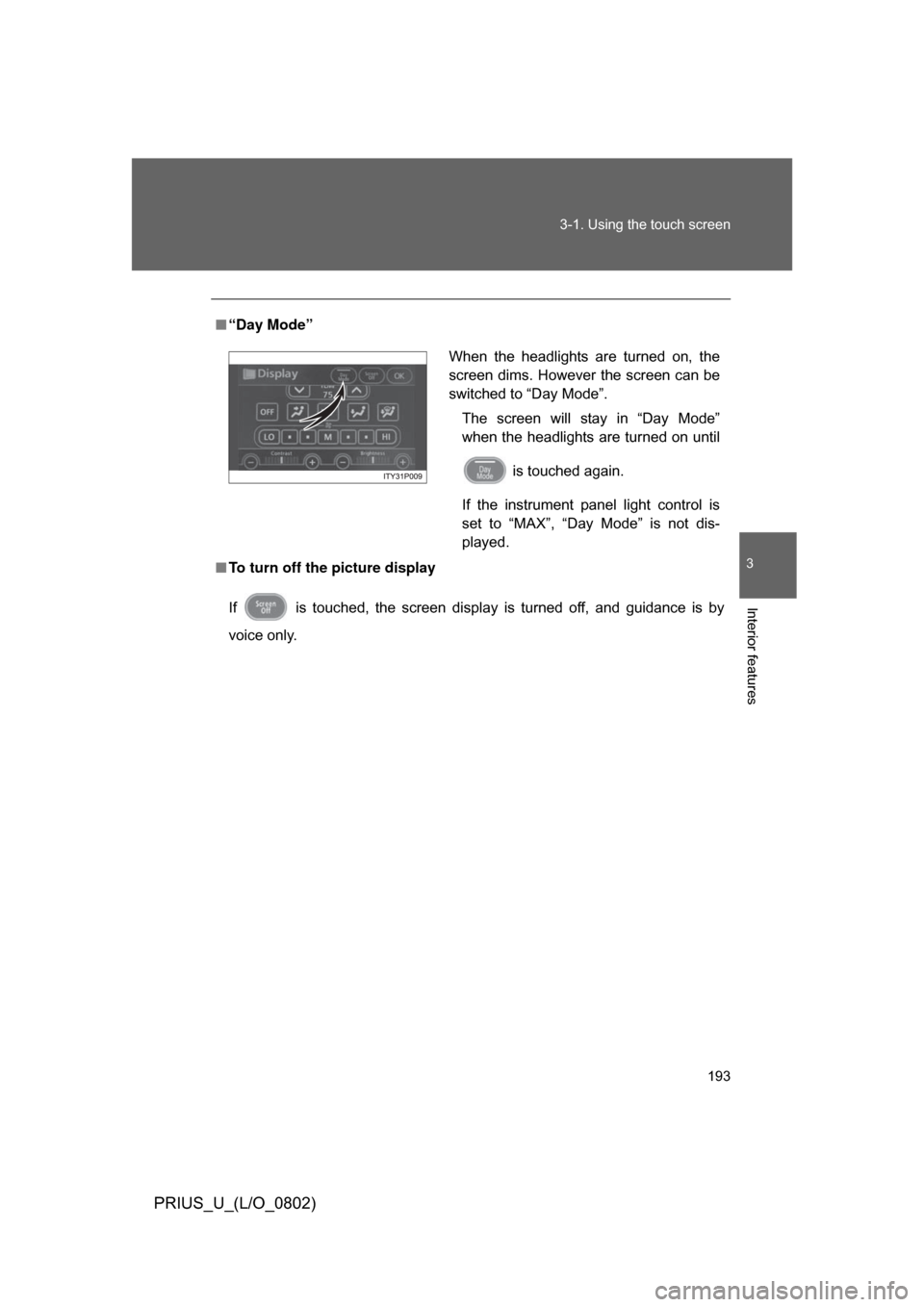
“Day Mode”
■ To turn off the picture display
If is touched, the screen display is turned off, and guidance is by
voice only.
When the headlights are turned on, the
screen dims. However the screen can be
switched to “Day Mode”.
The screen will stay in “Day Mode”
when the headlights are turned on until
is touched again.
If the instrument panel light control is
set to “MAX”, “Day Mode” is not dis-
played.
Page 198 of 512
198 3-1. Using the touch screen
PRIUS_U_(L/O_0802)
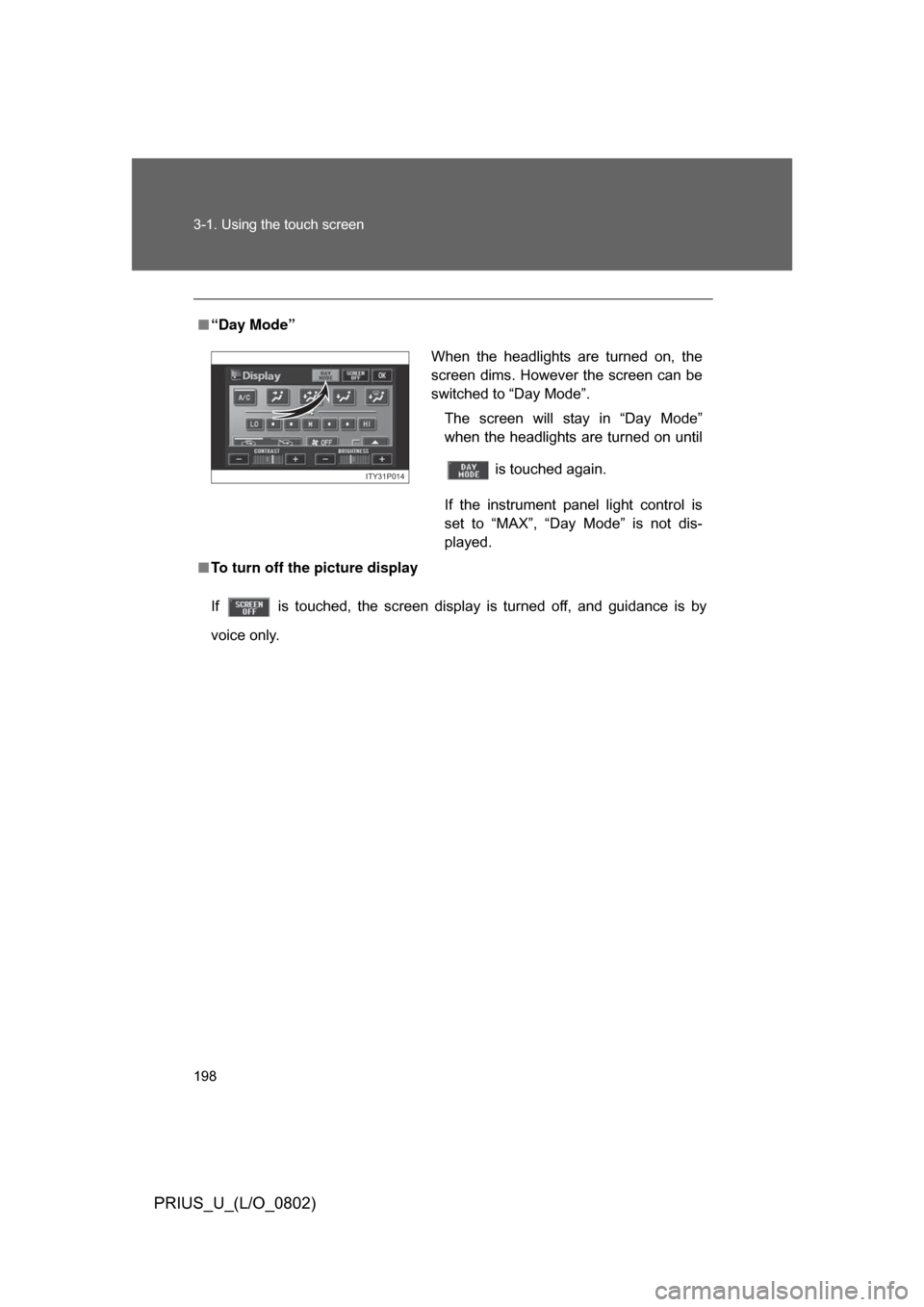
■“Day Mode”
■ To turn off the picture display
If is touched, the screen display is turned off, and guidance is by
voice only.
When the headlights are turned on, the
screen dims. However the screen can be
switched to “Day Mode”.
The screen will stay in “Day Mode”
when the headlights are turned on until
is touched again.
If the instrument panel light control is
set to “MAX”, “Day Mode” is not dis-
played.
ITY31P014
Page 201 of 512
201
3
Interior features
PRIUS_U_(L/O_0802)
3-2. Using the air conditioning system and defogger
Automatic air conditioning system (Vehicles with AUX adapter)
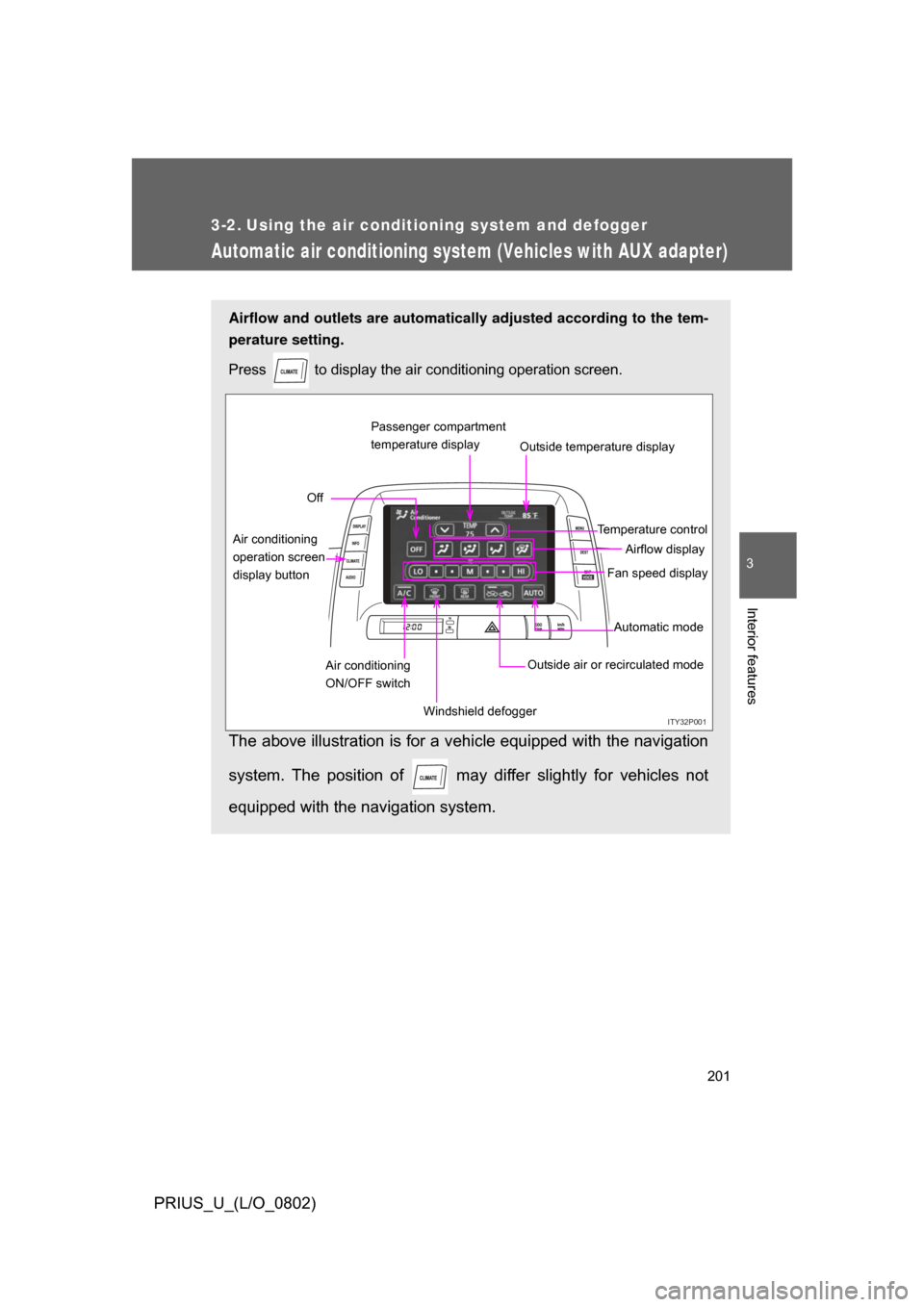
Airflow and outlets are automatically adjusted according to the tem-
perature setting.
Press
to display the air conditioning operation screen.
The above illustration is for a vehicle equipped with the navigation
system. The position of may diff er slightly for vehicles not
equipped with the navigation system.
ITY32P001
Automatic mode
Fan speed display
Off
Airflow display
Air conditioning
operation screen
display button Temperature control
Air conditioning
ON/OFF switch Outside air or recirculated mode
Windshield defogger Outside temperature display
Passenger compartment
temperature display