CD player TOYOTA PRIUS 2010 3.G User Guide
[x] Cancel search | Manufacturer: TOYOTA, Model Year: 2010, Model line: PRIUS, Model: TOYOTA PRIUS 2010 3.GPages: 616, PDF Size: 10.45 MB
Page 310 of 616
310 3-2. Using the audio system
PRIUS_U (OM47668U) U.S.A.
NOTICE
■Player precautions
Failure to follow the precautions below may result in damage to the CDs or
the player itself.
● Do not insert anything other than CDs into the CD slot.
● Do not apply oil to the player.
● Store CDs away from direct sunlight.
● Never try to disassemble any part of the player.
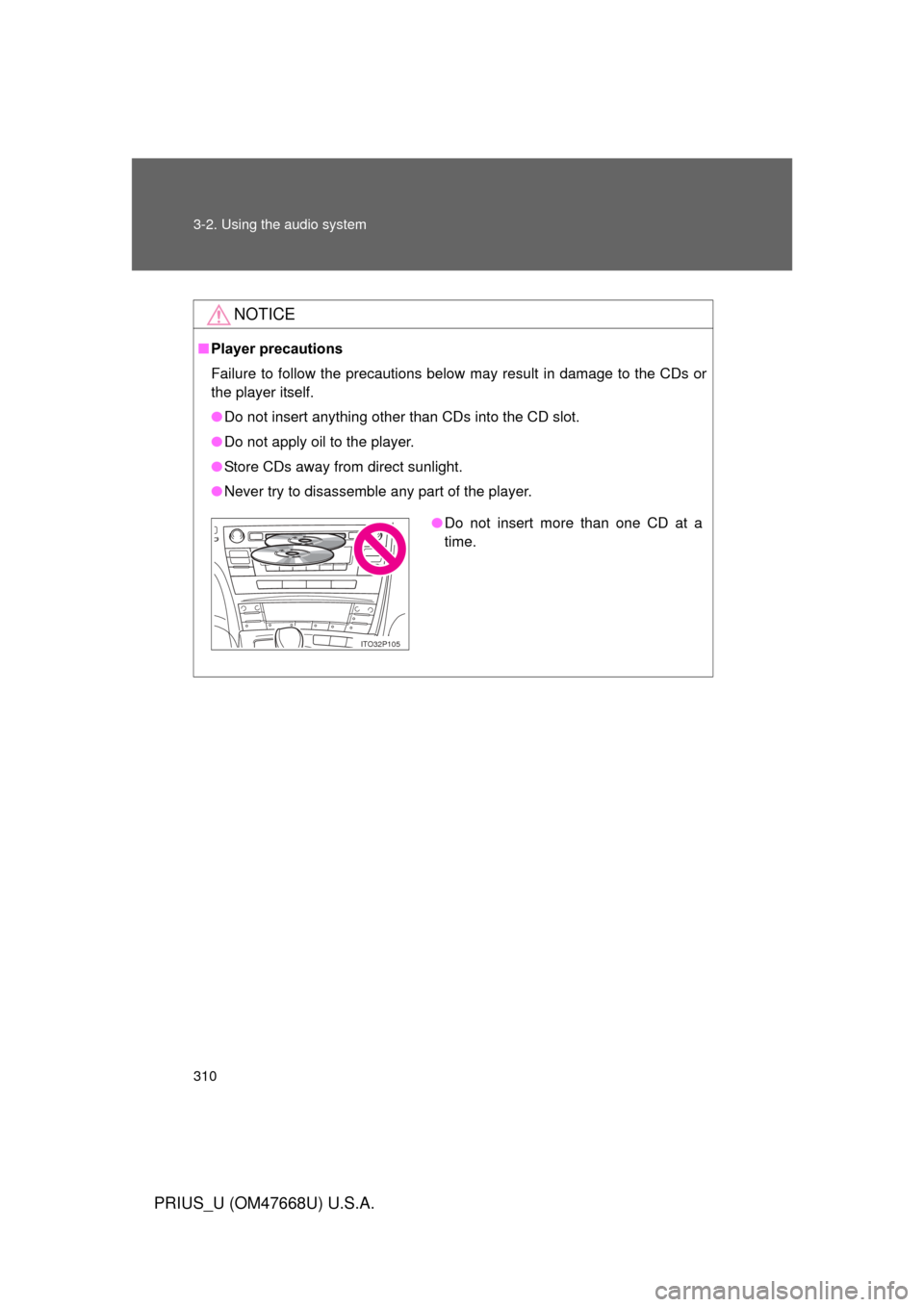
●Do not insert more than one CD at a
time.
ITO32P105
Page 311 of 616
311
3-2. Using the audio system
3
Interior features
PRIUS_U (OM47668U) U.S.A.
Playing back MP3 and WMA discs
Loading and ejecting MP3 and WMA discsRefer to the section entitled “Using the CD player” for details.
( P. 303)
Selecting a CD (with a CD changer)
Refer to the section entitled “Using the CD player” for details.
( P. 303)
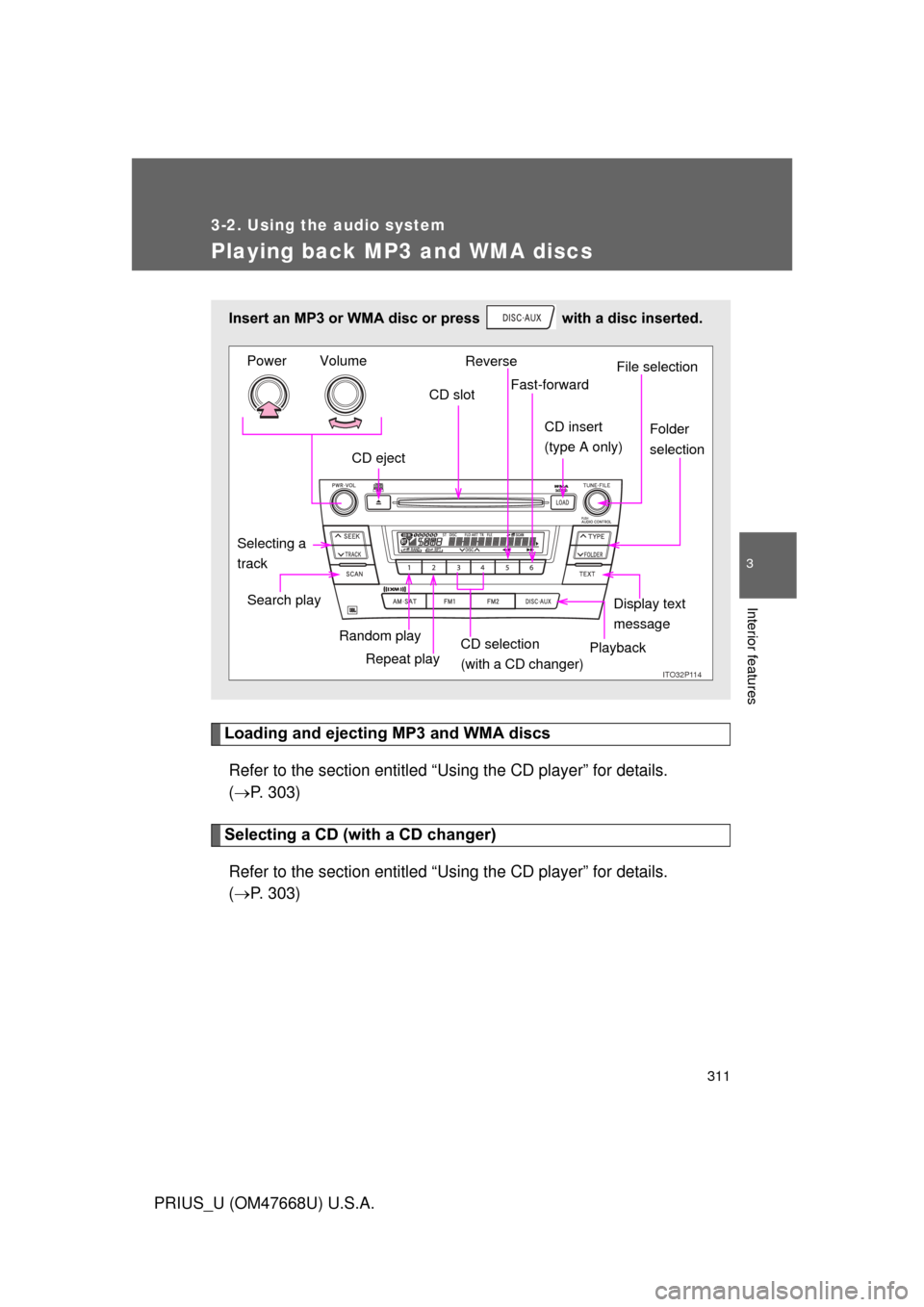
Insert an MP3 or WMA disc or press with a disc inserted.
ITO32P11Q
CD eject CD slot
CD insert
(type A onlyF
Display text
message
Search play
Repeat play
Selecting a
track
Reverse
Fast-forward
Playback
CD selection
(with a CD changer)
Random playFile selection
Folder
selection
Volume
Power
Page 314 of 616
314 3-2. Using the audio system
PRIUS_U (OM47668U) U.S.A.
■Display
P. 307
■ Canceling random, repeat and scan playback
P. 308
■ Error messages
“ERROR”: This indicates a trouble either in the CD or inside the player.
The CD may be dirty, damaged or inserted up-side down.
“WAIT”: Operation has stopped due to a high temperature inside the player. Wait for a while and then press . Contact your
Toyota dealer if the CD still cannot be played.
“NO MUSIC”: This indicates that the MP3/WMA file is not included in the CD.
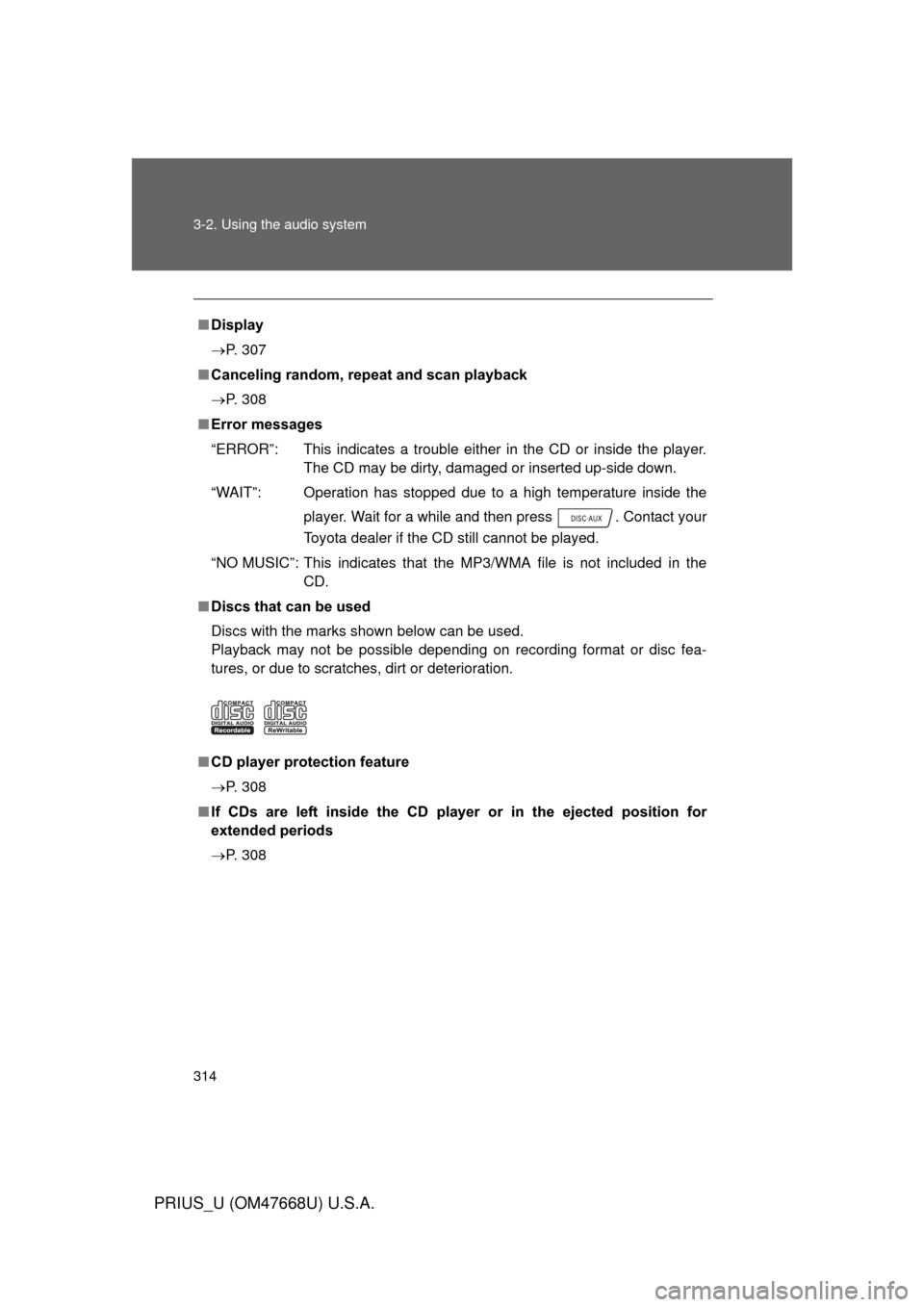
■ Discs that can be used
Discs with the marks shown below can be used.
Playback may not be possible depending on recording format or disc fea-
tures, or due to scratches, dirt or deterioration.
■ CD player protection feature
P. 308
■ If CDs are left inside the CD pla yer or in the ejected position for
extended periods
P. 308
Page 318 of 616
318 3-2. Using the audio system
PRIUS_U (OM47668U) U.S.A.
●Extensions
If the file extensions .mp3 and .wma are used for files other than MP3 and
WMA files, they will be mistakenly recognized and played as MP3 and
WMA files. This may result in large amounts of interference and damage
to the speakers.
● Playback
• To play MP3 file with steady sound quality, we recommend a fixed bit
rate of 128 kbps and a sampling frequency of 44.1 kHz.
• CD-R or CD-RW playback may not be possible in some instances, depending on the characteristics of the disc.
• There is a wide variety of freeware and other encoding software for MP3 and WMA files on the market, and depending on the status of the
encoding and the file format, poor sound quality or noise at the start of
playback may result. In some cases, playback may not be possible at
all.
• When files other than MP3 or WMA files are recorded on a disc, it may take more time to recognize the disc and in some cases, playback may
not be possible at all.
• Microsoft, Windows, and Windows Media are the registered trade- marks of Microsoft Corporation in the U.S. and other countries.
NOTICE
■CDs and adapters that cannot be used
P. 309
■ Player precautions
P. 310
Page 323 of 616
323
3-2. Using the audio system
3
Interior features
PRIUS_U (OM47668U) U.S.A.
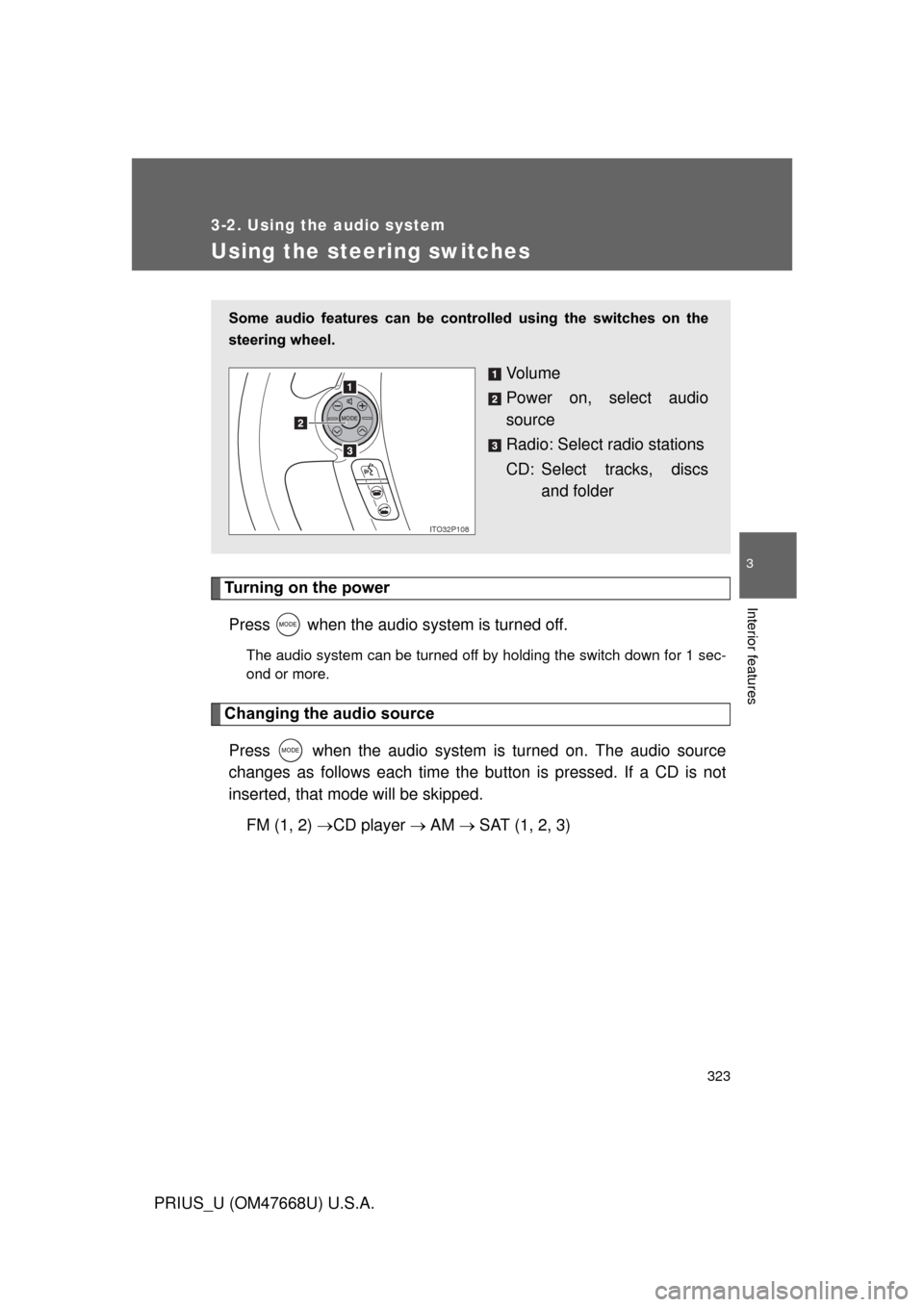
Using the steering switches
Turning on the powerPress when the audio system is turned off.
The audio system can be turned off by holding the switch down for 1 sec-
ond or more.
Changing the audio sourcePress when the audio system is turned on. The audio source
changes as follows each time the bu tton is pressed. If a CD is not
inserted, that mode will be skipped.
FM (1, 2) CD player AM SAT (1, 2, 3)
Some audio features can be cont rolled using the switches on the
steering wheel.
Vo l u m e
Power on, select audio
source
Radio: Select radio stations
CD: Select tracks, discs and folder
ITO32P108
Page 324 of 616
324 3-2. Using the audio system
PRIUS_U (OM47668U) U.S.A.
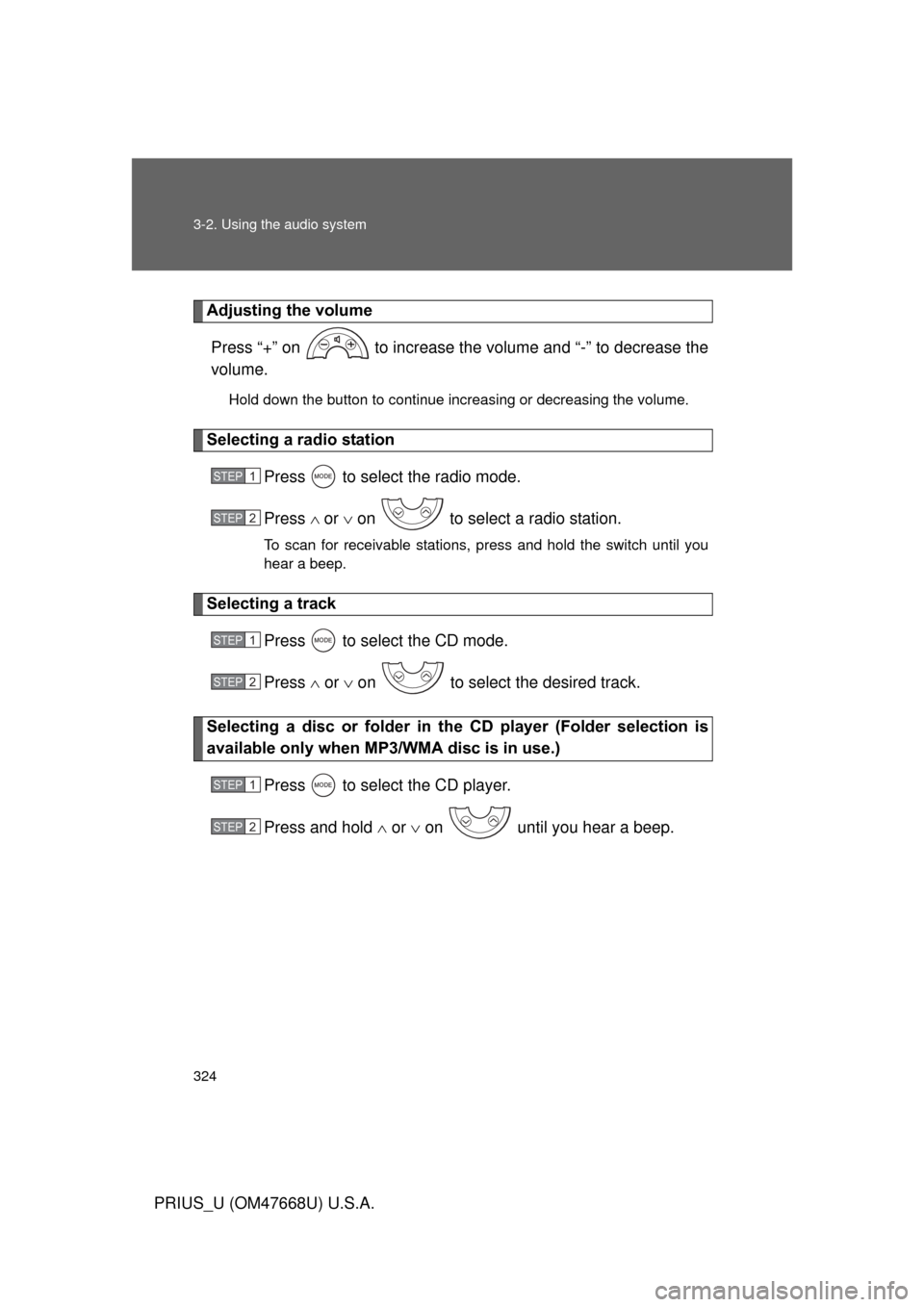
Adjusting the volumePress “+” on to increase the volume and “-” to decrease the
volume.
Hold down the button to continue increasing or decreasing the volume.
Selecting a radio station Press to select the radio mode.
Press or on to select a radio station.
To scan for receivable stations, press and hold the switch until you
hear a beep.
Selecting a track
Press to select the CD mode.
Press or on to select the desired track.
Selecting a disc or folder in th e CD player (Folder selection is
available only when MP3/WMA disc is in use.)
Press to select the CD player.
Press and hold or on until you hear a beep.
STEP1
STEP2
STEP1
STEP2
STEP1
STEP2
Page 601 of 616
601
PRIUS_U (OM47668U) U.S.A.
Alphabetical index
Alphabetical index
A/C ............................................ 270
ABS........................................... 245
Active head restraint................. 78
Air conditioning filter .............. 457
Air conditioning systemAir conditioning filter ............. 457
Automatic air conditioning
system................................ 270
Remote Air Conditioning
System ............................... 285
Steering wheel climate
remote control switches ..... 280
Airbags Airbag operating conditions .. 117
Airbag precautions for your
child.................................... 121
Airbag warning light .............. 497
Curtain shield airbag
precautions ........................ 121
Front passenger occupant
classification system .......... 126
General airbag precautions .. 121
Locations of airbags ............. 113
Modification and disposal of
airbags ............................... 125
Side airbag precautions........ 121
Side and curtain shield airbags
operating conditions ........... 117
SRS airbags ......................... 113
Antenna .................................... 298
Anti-lock brake system ........... 245
Armrest .................................... 383
Audio input .............................. 322
Audio system
Antenna ................................ 298
Audio input ........................... 322
AUX adapter ......................... 322
CD player/changer ............... 303
MP3/WMA disc ..................... 311
Optimal use .......................... 319
Portable music player ........... 322
Radio .................................... 294
Steering switches ................. 323 Automatic headlight leveling
system ....................................206
Automatic light control
system ....................................206
AUX adapter .............................322
Auxiliary boxes ........................375
Back door
Back door ................................72
Smart key system... .................43
Wireless remote control ..........63
Back-up lights Replacing light bulbs .............472
Wattage .................................567
Battery Checking ...............................436
Hybrid battery
(traction battery)....................32
If the vehicle 12 volt battery is
discharged ..........................543
Preparing and checking
before winter .......................261
Bluetooth
®................................326
Bottle holder .............................374
Brake Fluid ......................................432
Parking brake ........................179
Brake assist ..............................245
Break-in tips .............................151
Brightness control Instrument light control ..........184
A
B
Page 602 of 616

602 Alphabetical index
PRIUS_U (OM47668U) U.S.A.
CareExterior .................................. 404
Interior ...................................407
Seat belts ..............................408
Cargo capacity .........................260
Cargo hooks ............................. 385
CD player/changer ...................303
Chains ....................................... 263
Child-protectors ......................... 68
Child restraint system Booster seats, definition ........ 132
Booster seats, installation ..... 137
Convertible seats,
definition ............................. 132
Convertible seats,
installation ...........................137
Front passenger occupant
classification system ...........126
Infant seats, definition ...........132
Infant seats, installation.........137
Installing child restraint
system with
LATCH system....... ............. 138
Installing child restraint
system with seatbelts.......... 140
Installing child restraint
system with top straps ........ 144
Child safety
Airbag precautions ................121
Child restraint system............132
Child-protectors ....................... 68
How your child should wear
the seatbelt ...........................88
Installing child restraints ........ 137
Moon roof precautions .......... 100
Power window lock switch....... 98
Power window precautions .....99
Removed electronic key
battery precautions ............. 461
Seat belt precautions ..............89
Back door ................................72 Cleaning
Exterior.................................. 404
Interior ................................... 407
Seat belts .............................. 408
Clock ......................................... 201
Condenser ................................ 432
Console box ............................. 369
Cooling system Hybrid system overheating ... 548
Cruise control Cruise control ........................ 214
Dynamic radar
cruise control ...................... 218
Cup holders .............................. 372
Curtain shield airbags ............. 113
Customizable features ............ 587
Daytime running light
system .................................... 207
Defogger Rear window ......................... 289
Side mirror ............................ 289
Dimension ................................ 556
Dinghy towing .......................... 267
Display Trip information ..................... 188
Warning messages ............... 508
Do-it-yourself maintenance .... 416
Door courtesy lights ................ 363
Door lock Back door ................................ 72
Side doors ............................... 67
Smart key system .. ................. 43
Wireless remote control .......... 63
Doors Back door ................................ 72
Side doors ............................... 67
Rear door child protector ........ 68C
D