door lock TOYOTA PRIUS 2010 3.G Owner's Manual
[x] Cancel search | Manufacturer: TOYOTA, Model Year: 2010, Model line: PRIUS, Model: TOYOTA PRIUS 2010 3.GPages: 616, PDF Size: 10.45 MB
Page 66 of 616
66 1-3. Opening, closing and locking the doors and back door
PRIUS_U (OM47668U) U.S.A.
■Security feature
If a door is not opened within approximately 60 seconds after the vehicle is
unlocked, the security feature automatically locks the vehicle again.
■ If the wireless remote cont rol does not operate properly
● Locking and unlocking the doors: Use the mechanical key. ( P. 541)
● Starting the hybrid system ( P. 162)
■ When the electronic key battery is fully depleted
P. 460
■ Customization that can be co nfigured at Toyota dealer
Settings (e.g. 2-step unlocking function) can be changed.
(Customizable features P. 587)
Page 67 of 616
67
1
1-3. Opening, closing and locking the doors and back door
Before driving
PRIUS_U (OM47668U) U.S.A.
Side doors
The vehicle can be locked and unlocked using the entry function,
wireless remote control or door lock switch.
■ Entry function (if equipped)
P. 4 3
■ Wireless remote control
P. 6 3
■ Keys
The doors can also be locked a nd unlocked with the mechanical
key. ( P. 541)
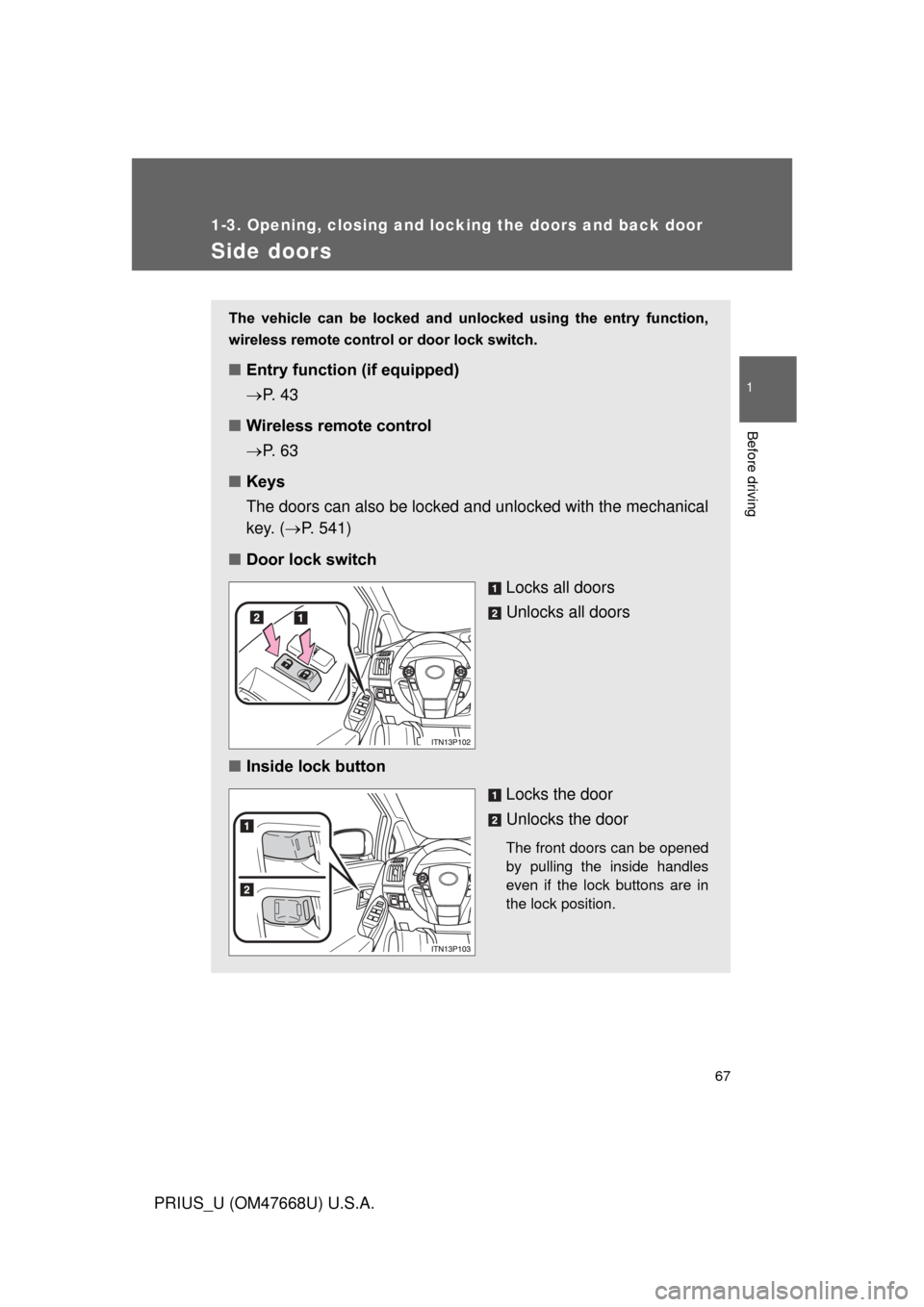
■ Door lock switch
Locks all doors
Unlocks all doors
■ Inside lock button
Locks the door
Unlocks the door
The front doors can be opened
by pulling the inside handles
even if the lock buttons are in
the lock position.
Page 68 of 616
68 1-3. Opening, closing and locking the doors and back door
PRIUS_U (OM47668U) U.S.A.
Locking the front doors from the outside without a keyMove the inside lock button to the lock position.
Close the door.
The door cannot be locked if the “P OWER” switch is in ACCESSORY
or ON mode, or the electronic key is left inside the vehicle.
Depending on the position of the electronic key, the key may not be
detected correctly and the door may be locked.
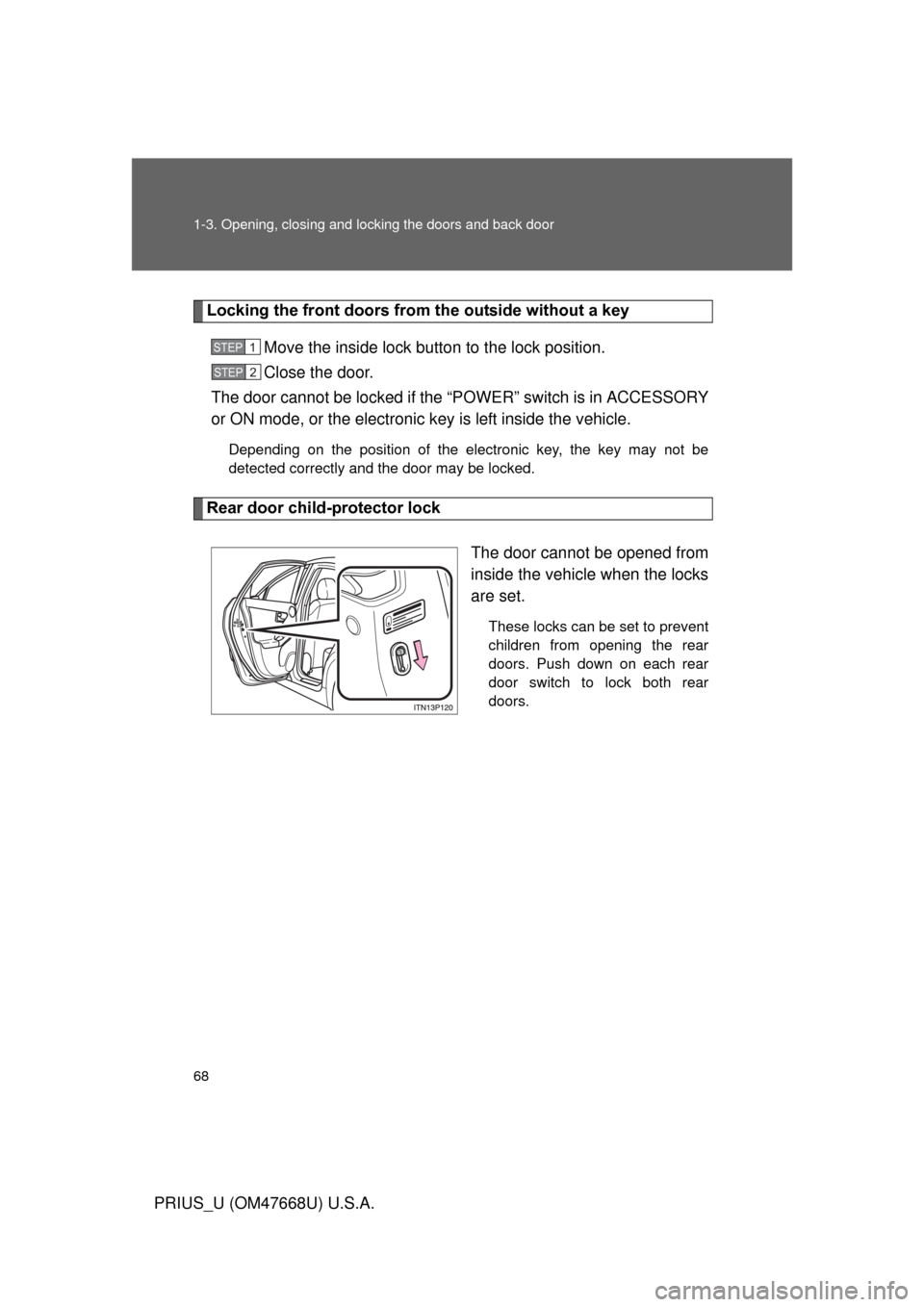
Rear door child-protector lock
The door cannot be opened from
inside the vehicle when the locks
are set.
These locks can be set to prevent
children from opening the rear
doors. Push down on each rear
door switch to lock both rear
doors.
STEP1
STEP2
Page 69 of 616
69
1-3. Opening, closing and locking the doors and back door
1
Before driving
PRIUS_U (OM47668U) U.S.A.
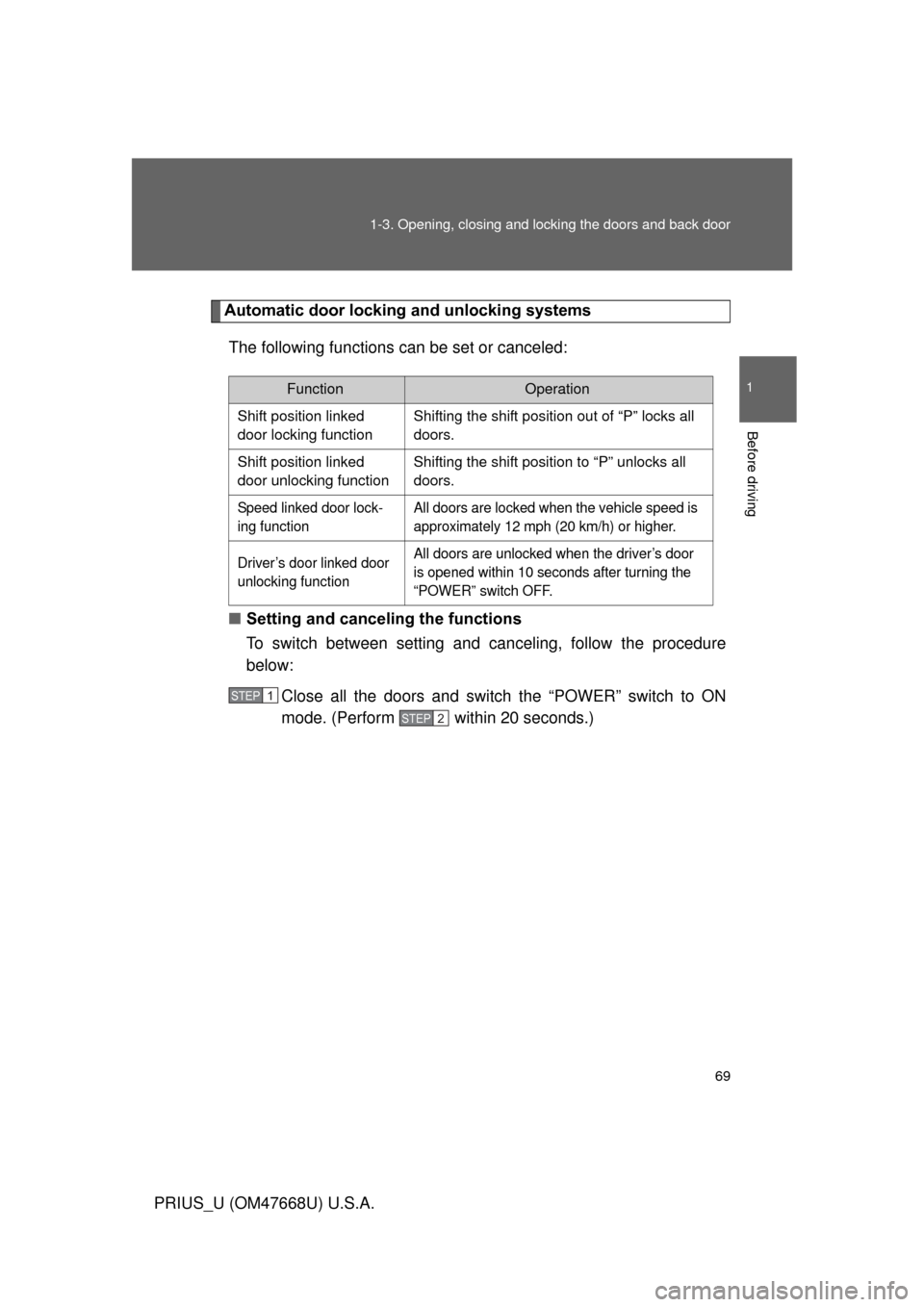
Automatic door locking and unlocking systems
The following functions can be set or canceled:
■ Setting and canceling the functions
To switch between setting and canceling, follow the procedure
below:
Close all the doors and switch the “POWER” switch to ON
mode. (Perform within 20 seconds.)
FunctionOperation
Shift position linked
door locking function Shifting the shift position out of “P” locks all
doors.
Shift position linked
door unlocking function Shifting the shift position to “P” unlocks all
doors.
Speed linked door lock-
ing function All doors are locked when the vehicle speed is
approximately 12 mph (20 km/h) or higher.
Driver’s door linked door
unlocking function All doors are unlocked when the driver’s door
is opened within 10 seconds after turning the
“POWER” switch OFF.
STEP1
STEP2
Page 70 of 616
70 1-3. Opening, closing and locking the doors and back door
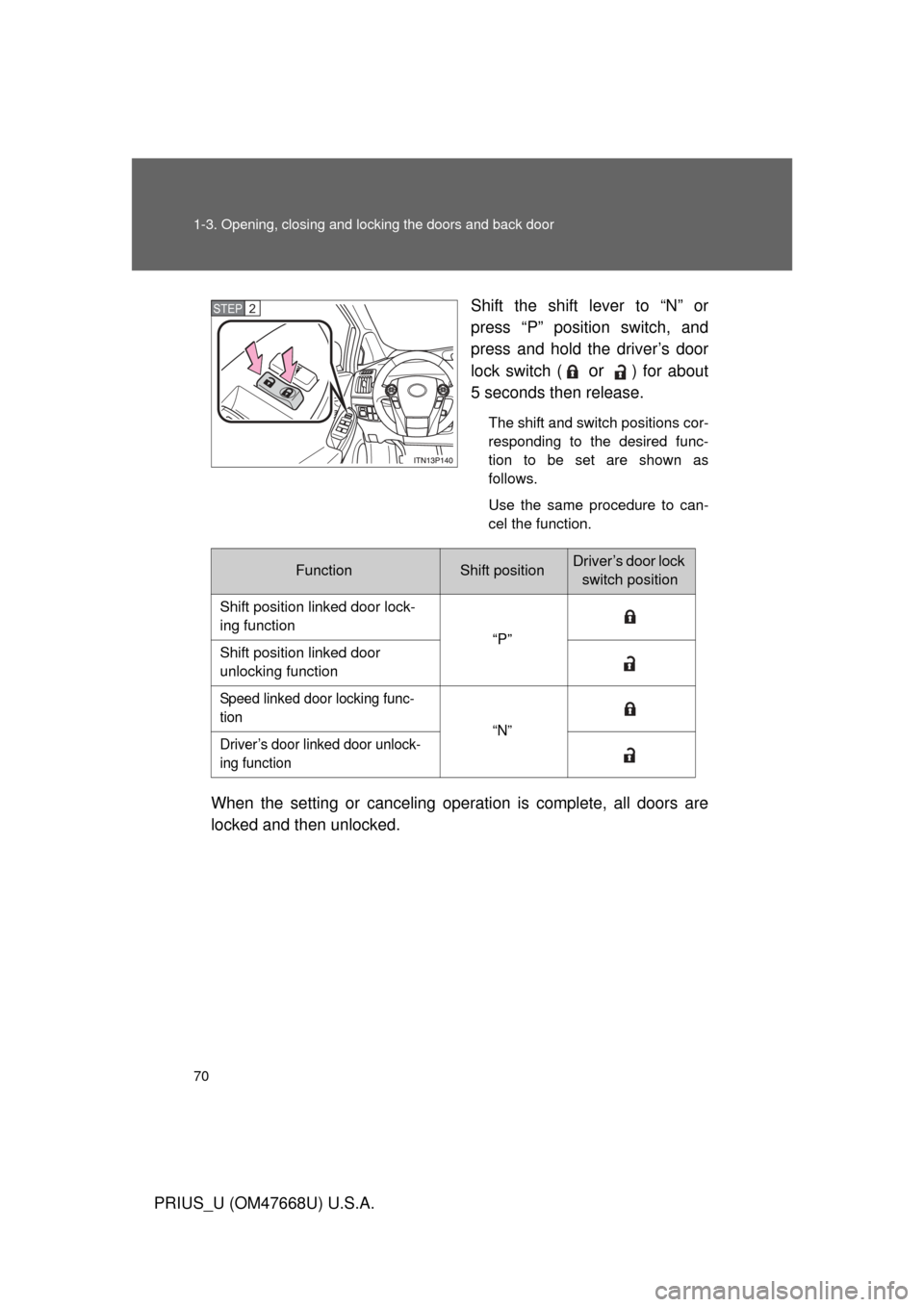
PRIUS_U (OM47668U) U.S.A.Shift the shift lever to “N” or
press “P” position switch, and
press and hold the driver’s door
lock switch (
or ) for about
5 seconds then release.
The shift and switch positions cor-
responding to the desired func-
tion to be set are shown as
follows.
Use the same procedure to can-
cel the function.
When the setting or canceling operation is complete, all doors are
locked and then unlocked.
STEP2
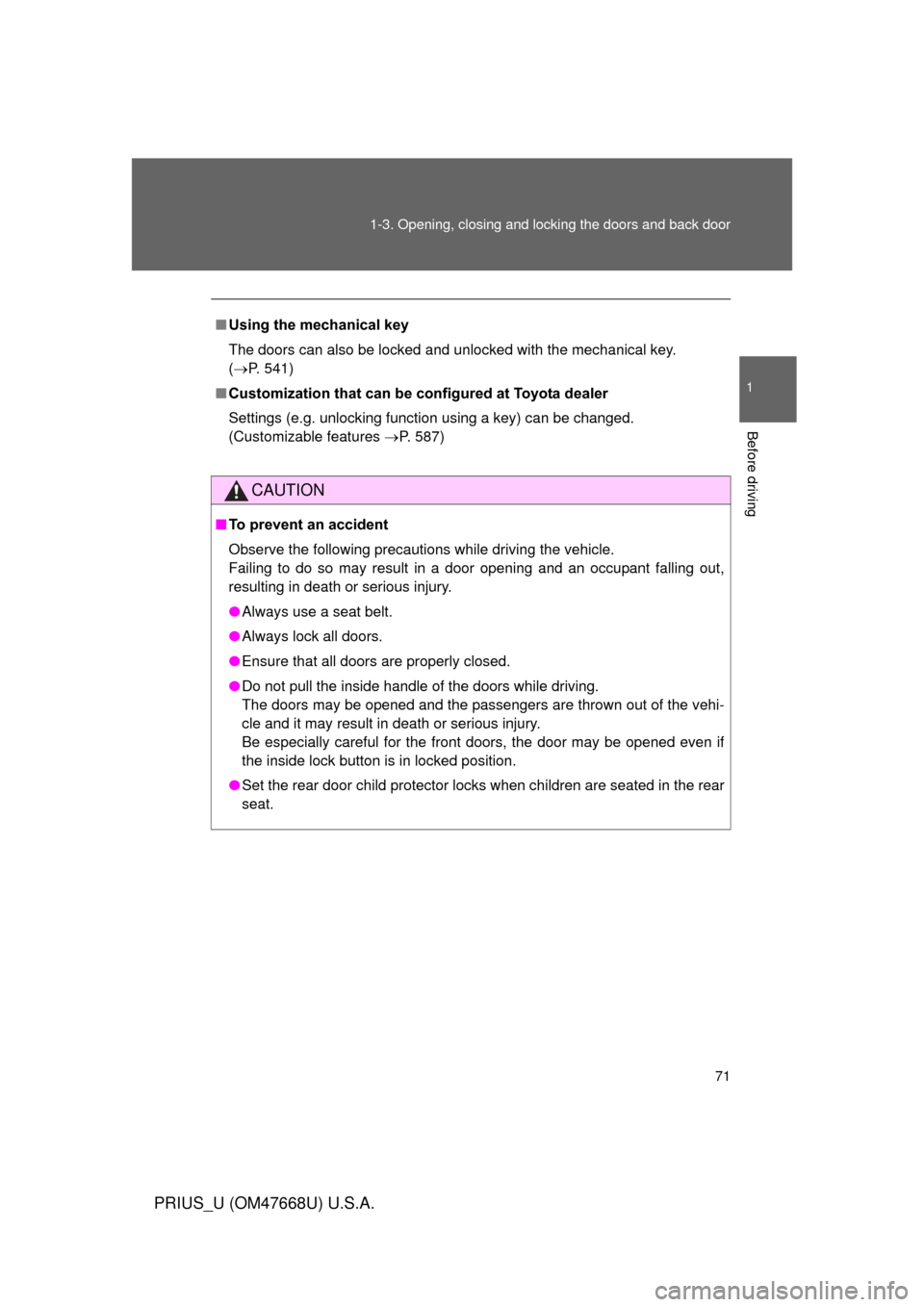
FunctionShift positionDriver’s door lock switch position
Shift position linked door lock-
ing function “P”
Shift position linked door
unlocking function
Speed linked door locking func-
tion “N”
Driver’s door linked door unlock-
ing function
Page 71 of 616
71
1-3. Opening, closing and locking the doors and back door
1
Before driving
PRIUS_U (OM47668U) U.S.A.
■
Using the mechanical key
The doors can also be locked and unlocked with the mechanical key.
( P. 541)
■ Customization that can be co nfigured at Toyota dealer
Settings (e.g. unlocking function using a key) can be changed.
(Customizable features P. 587)
CAUTION
■To prevent an accident
Observe the following precautions while driving the vehicle.
Failing to do so may result in a door opening and an occupant falling out,
resulting in death or serious injury.
● Always use a seat belt.
● Always lock all doors.
● Ensure that all doors are properly closed.
● Do not pull the inside handle of the doors while driving.
The doors may be opened and the passengers are thrown out of the vehi-
cle and it may result in death or serious injury.
Be especially careful for the front doors, the door may be opened even if
the inside lock button is in locked position.
● Set the rear door child protector locks when children are seated in the rear
seat.
Page 72 of 616
72
1-3. Opening, closing and locking the doors and back door
PRIUS_U (OM47668U) U.S.A.
Back door
The back door can be locked/unlocked and opened by the following
procedures.
■ Unlocking and locking the back door
Door lock switch
P. 6 7
Entry function (if equipped)
P. 4 3
Wireless remote control
P. 6 3
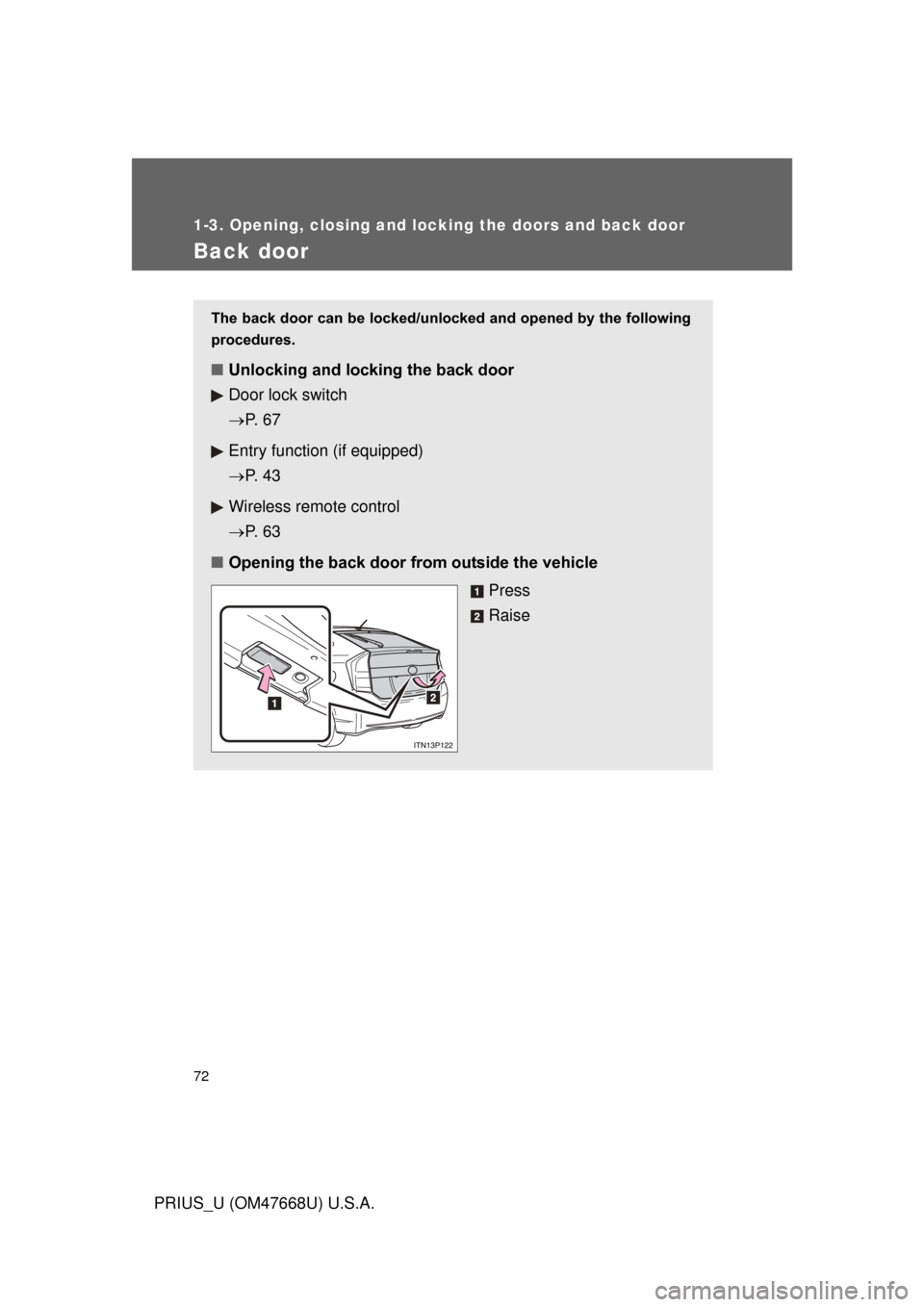
■ Opening the back door from outside the vehicle
Press
Raise
Page 73 of 616
73
1-3. Opening, closing and locking the doors and back door
1
Before driving
PRIUS_U (OM47668U) U.S.A.
■
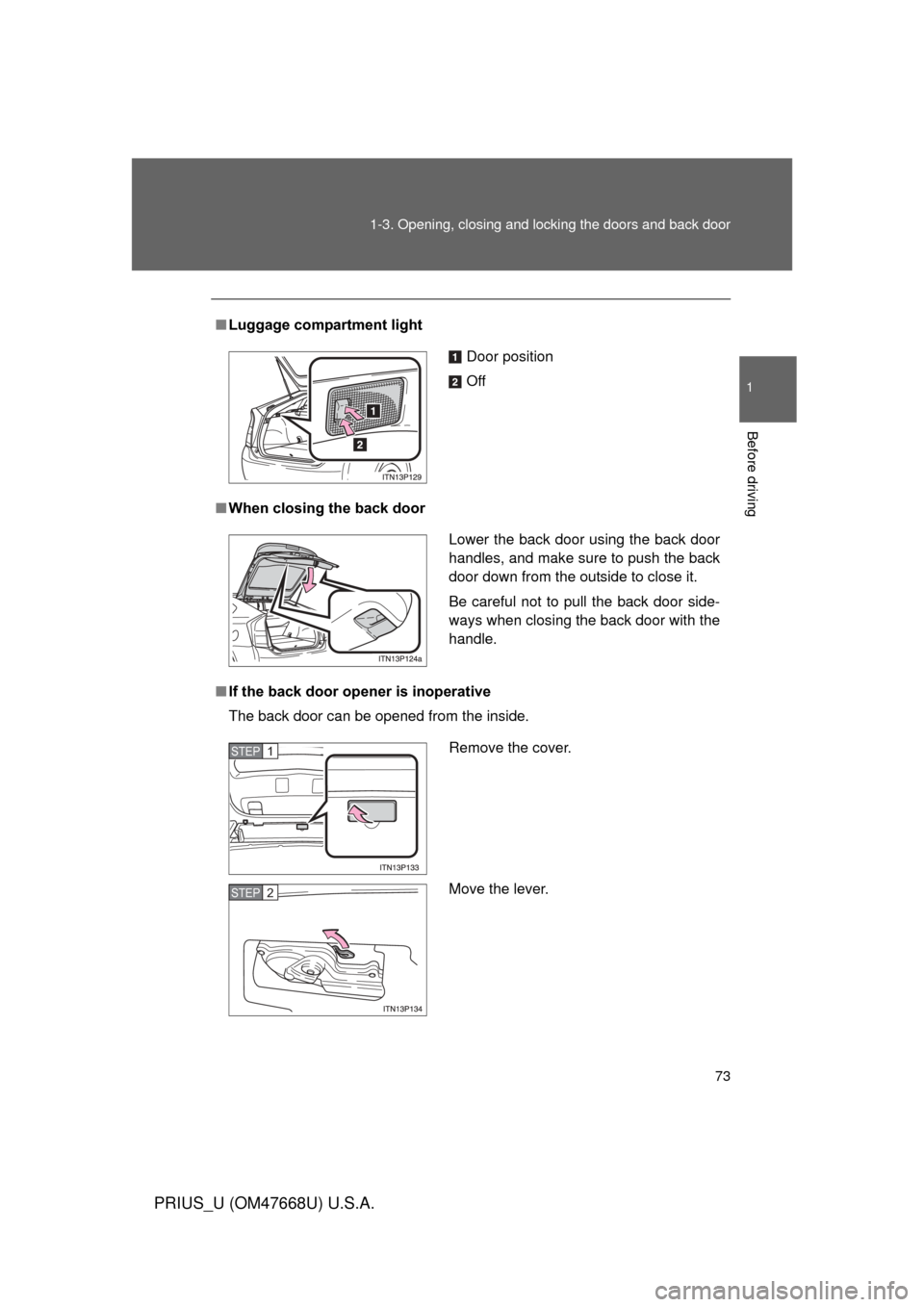
Luggage compartment light
■ When closing the back door
■ If the back door opener is inoperative
The back door can be opened from the inside.
Door position
Off
Lower the back door using the back door
handles, and make sure to push the back
door down from the outside to close it.
Be careful not to pull the back door side-
ways when closing the back door with the
handle.
Remove the cover.
Move the lever.STEP1
STEP2
Page 74 of 616
74 1-3. Opening, closing and locking the doors and back door
PRIUS_U (OM47668U) U.S.A.
CAUTION
■While driving
● Keep the back door closed while driving.
If the back door is left open, it may hit near-by objects while driving or lug-
gage may be unexpectedly thrown out, causing an accident.
In addition, exhaust gases may enter the vehicle, causing death or a seri-
ous health hazard. Make sure to close the back door before driving.
● Before driving the vehicle, make sure that the back door is fully closed. If
the back door is not fully closed, it may open unexpectedly while driving,
causing an accident.
● Never let anyone sit in the luggage compartment. In the event of sudden
braking or a collision, they are susceptible to death or serious injury.
■ When children are in the vehicle
Observe the following precautions.
Failure to do so may result in death or serious injury.
● Do not leave children alone in the luggage compartment.
If a child is accidentally locked in the luggage compartment, they could
overheat.
● Do not allow a child to open or close the back door.
Doing so may cause the back door to operate unexpectedly, or cause the
child’s hands, head, or neck to be caught by the closing back door.
Page 75 of 616
75
1-3. Opening, closing and locking the doors and back door
1
Before driving
PRIUS_U (OM47668U) U.S.A.
CAUTION
■
Operating the back door
Observe the following precautions.
Failure to do so may cause parts of the body to be caught, resulting in seri-
ous injury.
● Remove any heavy loads, such as snow and ice, from the back door
before opening it. Failure to do so may cause the back door fall closed
again after it is opened.
● When opening or closing the back door, thoroughly check to make sure
the surrounding area is safe.
● If anyone is in the vicinity, make sure they are safe and let them know that
the back door is about to open or close.
● Use caution when opening or closing the back door in windy weather as it
may move abruptly in strong wind.
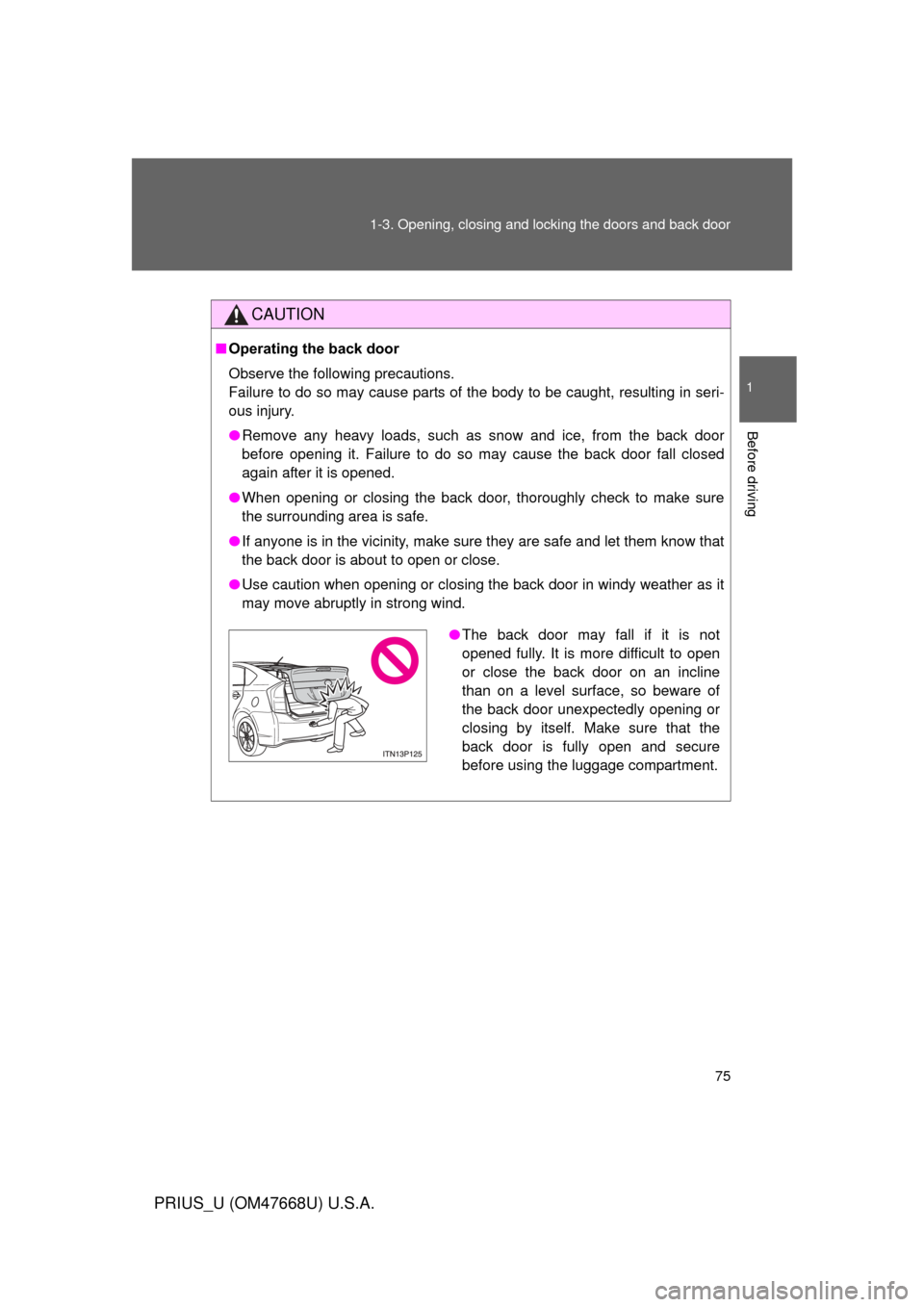
●The back door may fall if it is not
opened fully. It is more difficult to open
or close the back door on an incline
than on a level surface, so beware of
the back door unexpectedly opening or
closing by itself. Make sure that the
back door is fully open and secure
before using the luggage compartment.