TOYOTA PRIUS 2011 3.G Navigation Manual
PRIUS 2011 3.G
TOYOTA
TOYOTA
https://www.carmanualsonline.info/img/14/6593/w960_6593-0.png
TOYOTA PRIUS 2011 3.G Navigation Manual
Page 291 of 345
SETUP
291
�
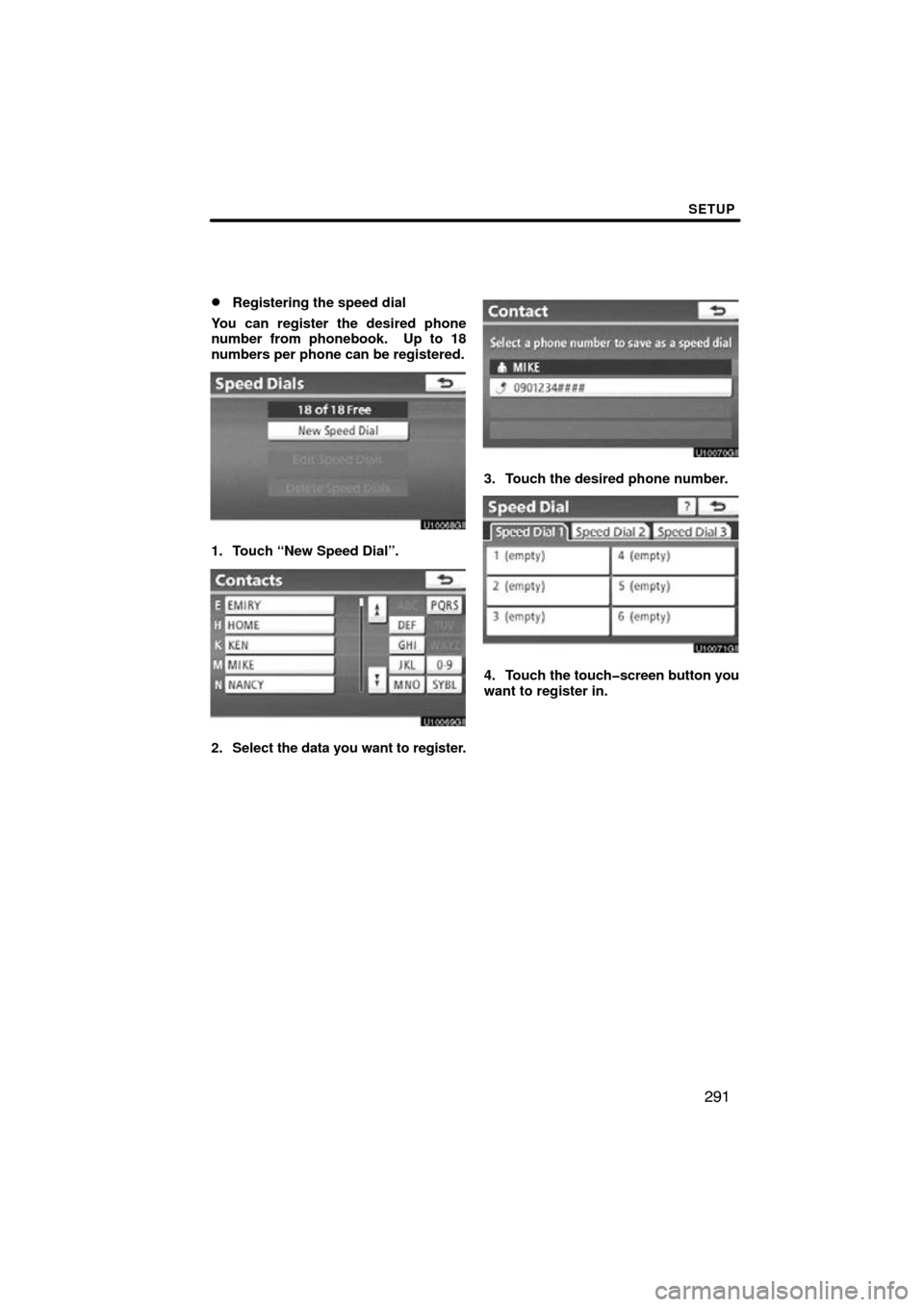
Registering the speed dial
You can register the desired phone
number from phonebook. Up to 18
numbers per phone can be registered.
1. Touch “New Speed Dial”.
2. Select the data you want to register.
3. Touch the desired phone number.
4. Touch the touchscreen button you
want to register in.
Page 292 of 345
SETUP
292
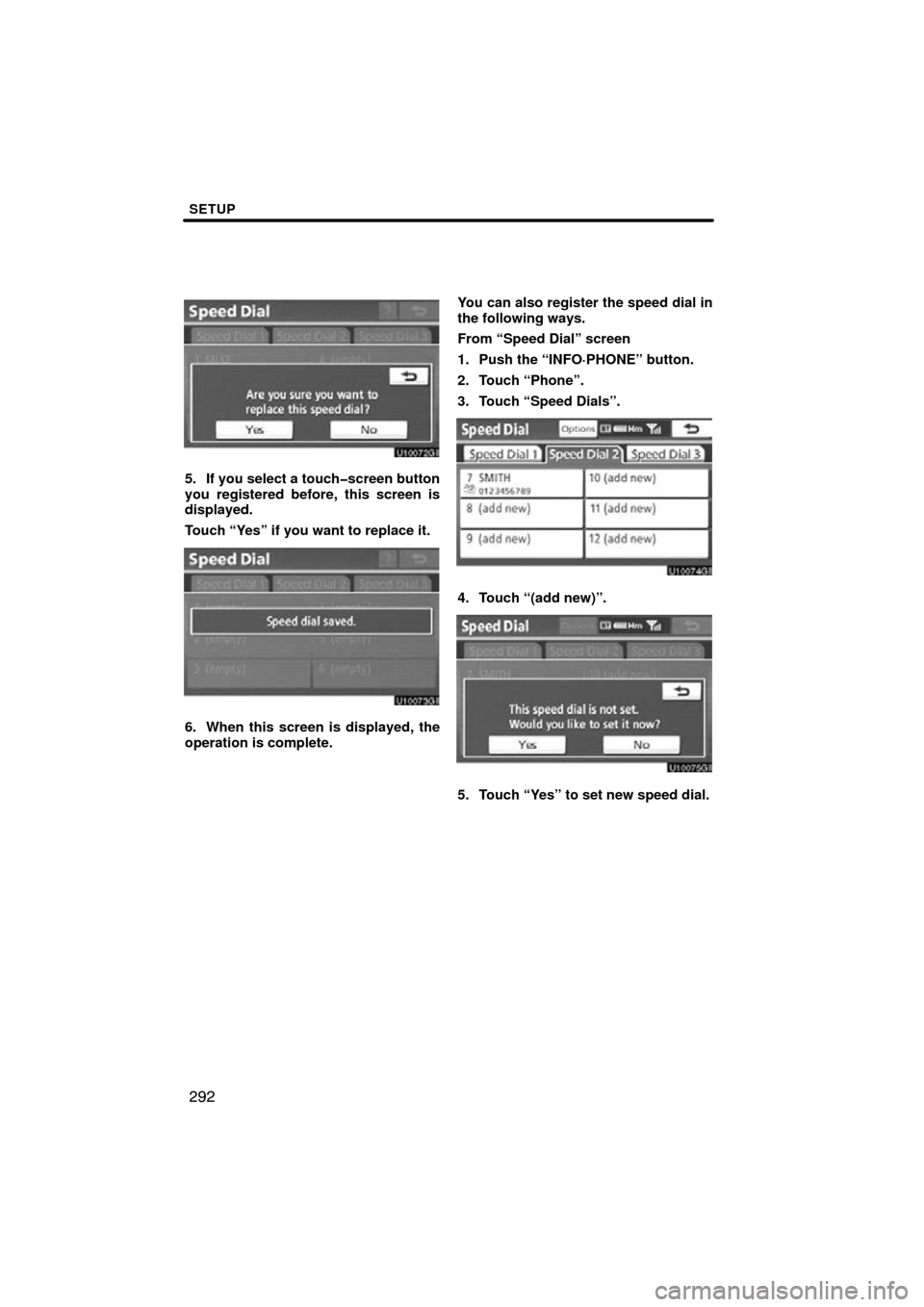
5. If you select a touchscreen button
you registered before, this screen is
displayed.
Touch “Yes” if you want to replace it.
6. When this screen is displayed, the
operation is complete.You can also register the speed dial in
the following ways.
From “Speed Dial” screen
1. Push the “INFO·PHONE” button.
2. Touch “Phone”.
3. Touch “Speed Dials”.
4. Touch “(add new)”.
5. Touch “Yes” to set new speed dial.
Page 293 of 345
SETUP
293
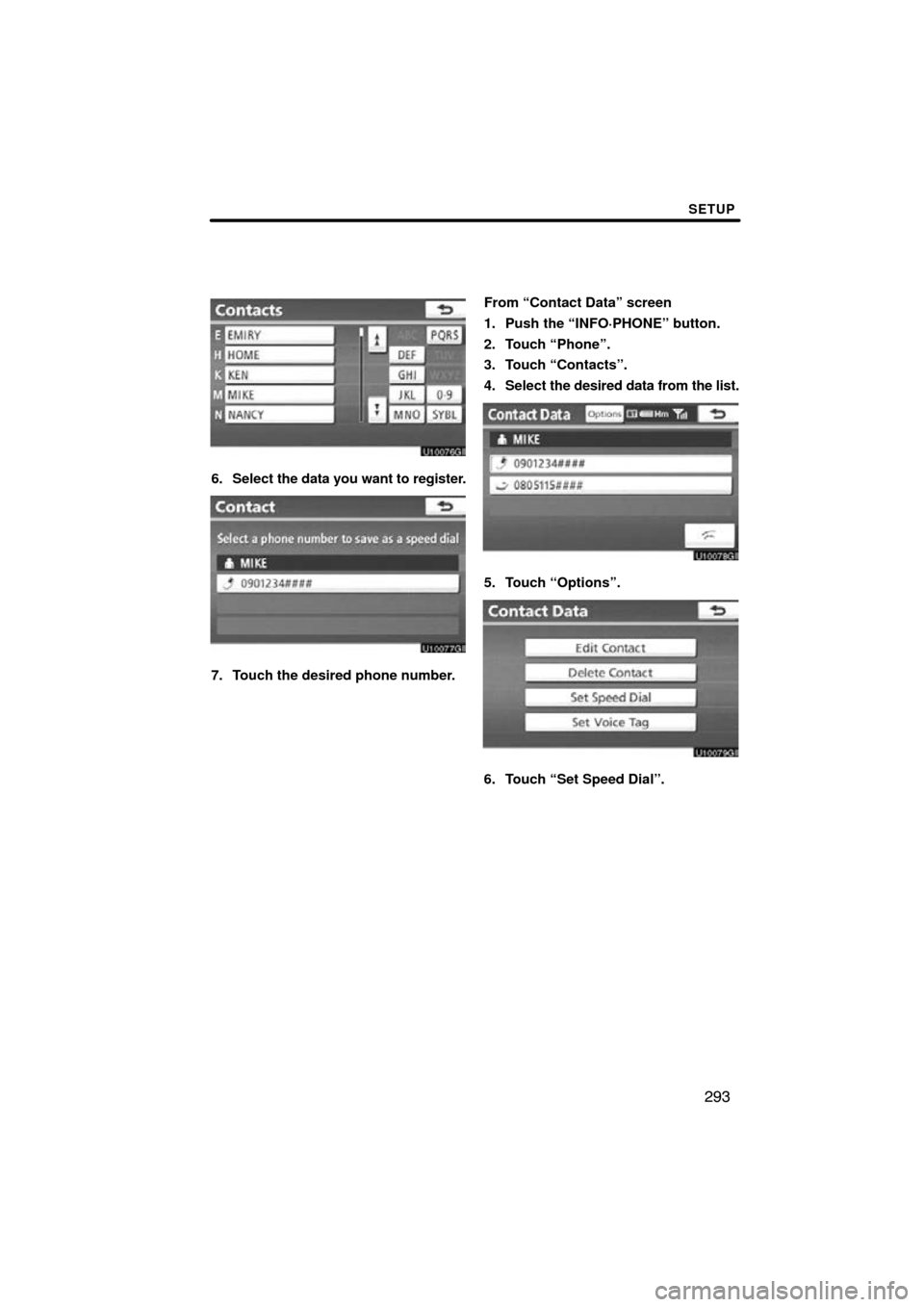
6. Select the data you want to register.
7. Touch the desired phone number. From “Contact Data” screen
1. Push the “INFO·PHONE” button.
2. Touch “Phone”.
3. Touch “Contacts”.
4. Select
the desired data from the list.
5. Touch “Options”.
6. Touch “Set Speed Dial”.
Page 297 of 345
SETUP
297
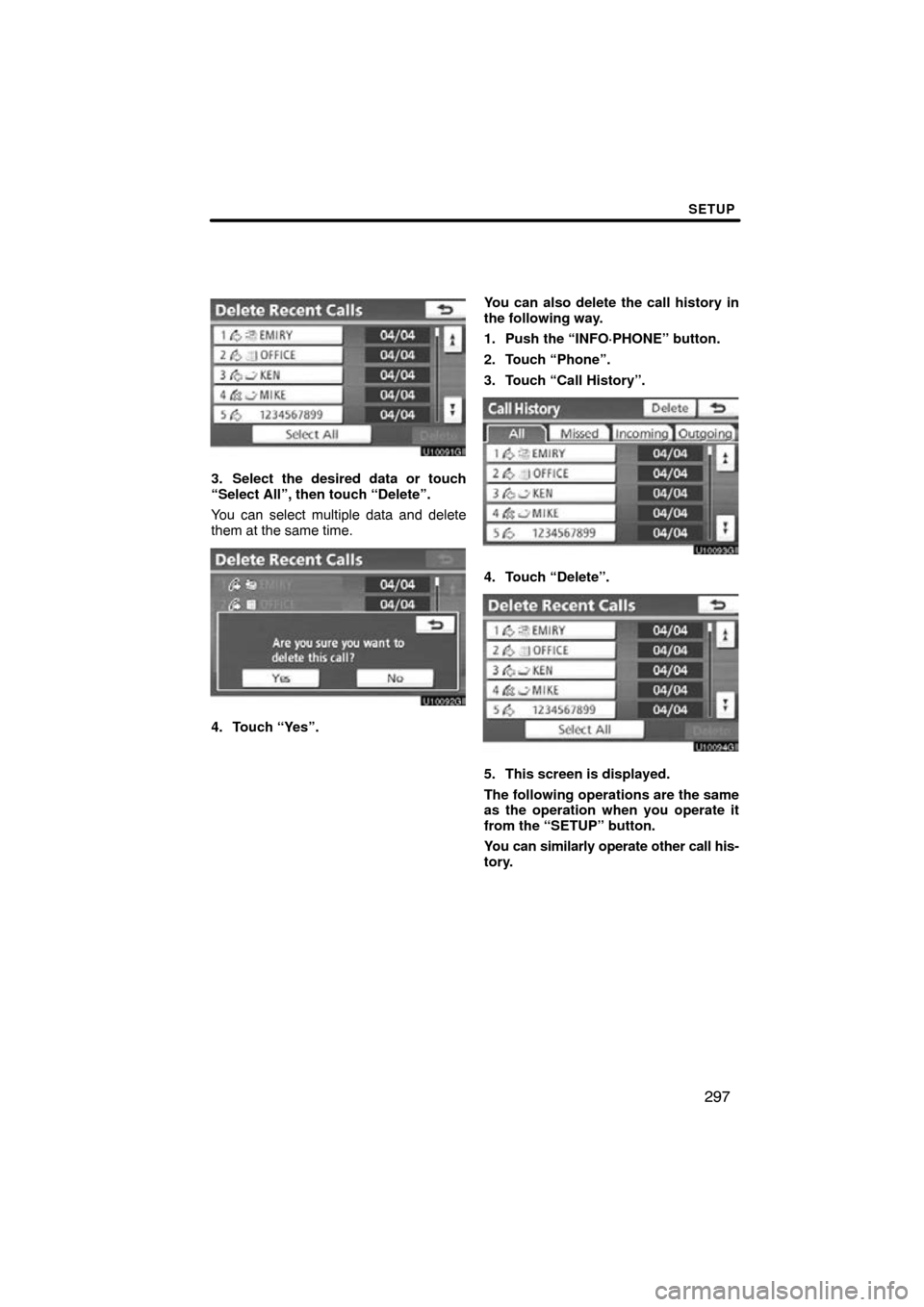
3. Select the desired data or touch
“Select All”, then touch “Delete”.
You can select multiple data and delete
them at the same time.
4. Touch “Yes”.You can also delete the call history in
the following way.
1. Push the “INFO·PHONE” button.
2. Touch “Phone”.
3. Touch “Call History”.
4. Touch “Delete”.
5. This screen is displayed.
The following operations are the same
as the operation when you operate it
from the “SETUP” button.
You can similarly operate other call his-
tory.
Page 298 of 345
SETUP
298
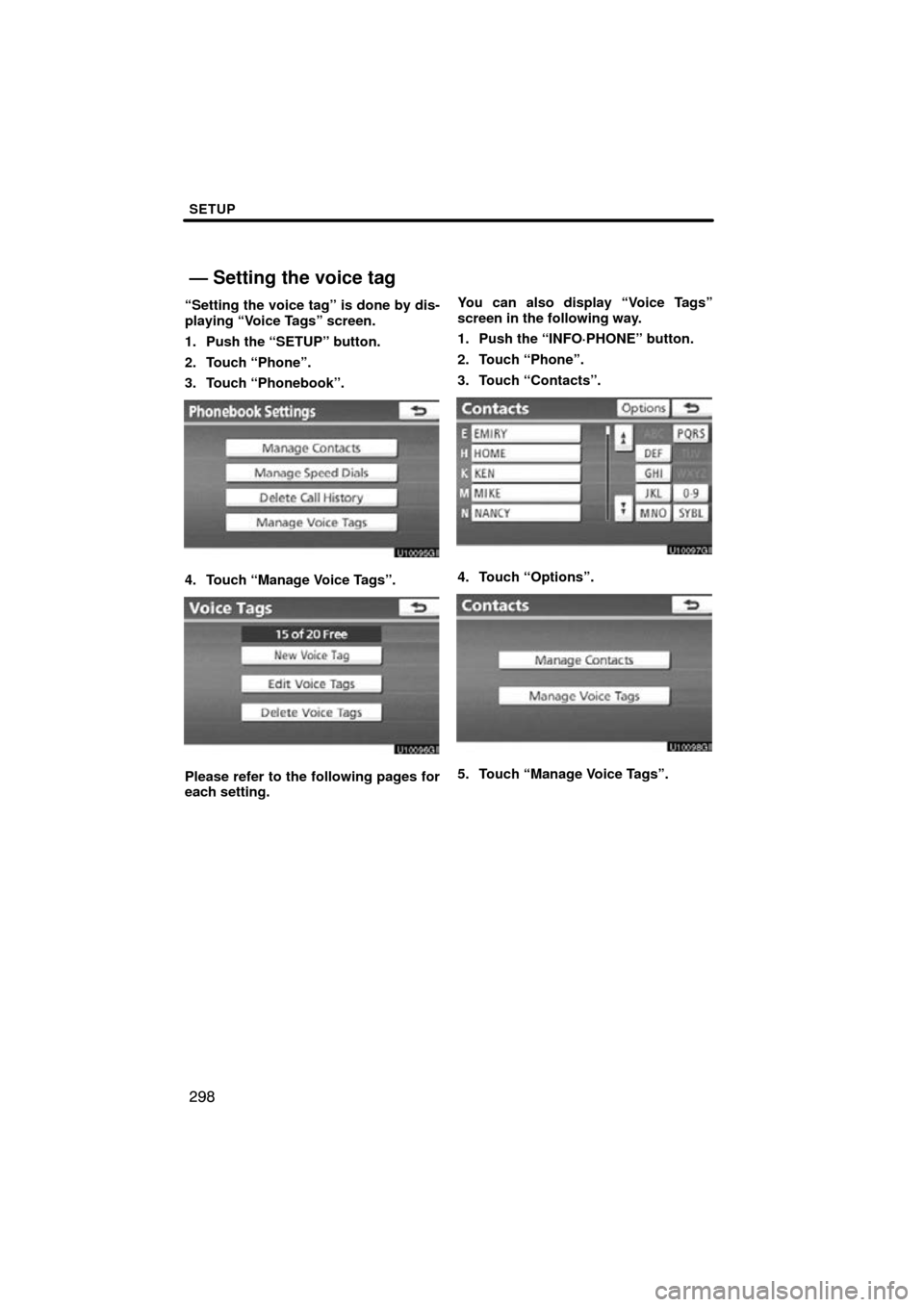
“Setting the voice tag” is done by dis-
playing “Voice Tags” screen.
1. Push the “SETUP” button.
2. Touch “Phone”.
3. Touch “Phonebook”.
4. Touch “Manage Voice Tags”.
Please refer to the following pages for
each setting.You can also display “Voice Tags”
screen in the following way.
1. Push the “INFO·PHONE” button.
2. Touch “Phone”.
3. Touch “Contacts”.
4. Touch “Options”.
5. Touch “Manage Voice Tags”.
— Setting the voice tag
Page 300 of 345
SETUP
300
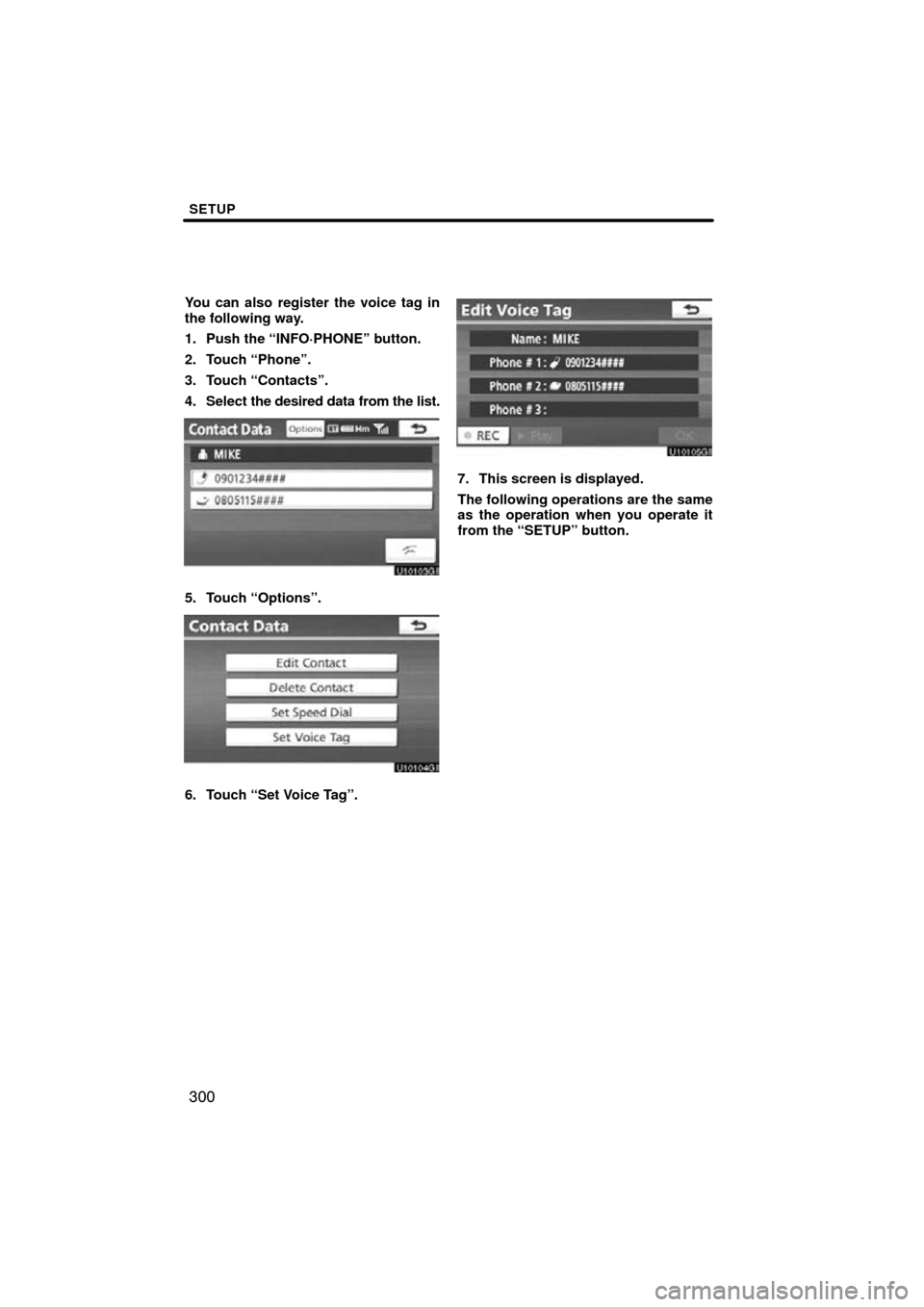
You can also register the voice tag in
the following way.
1. Push the “INFO·PHONE” button.
2. Touch “Phone”.
3. Touch “Contacts”.
4. Select the desired data from the list.
5. Touch “Options”.
6. Touch “Set Voice Tag”.
7. This screen is displayed.
The following operations are the same
as the operation when you operate it
from the “SETUP” button.
Page 302 of 345
SETUP
302
— Bluetooth�
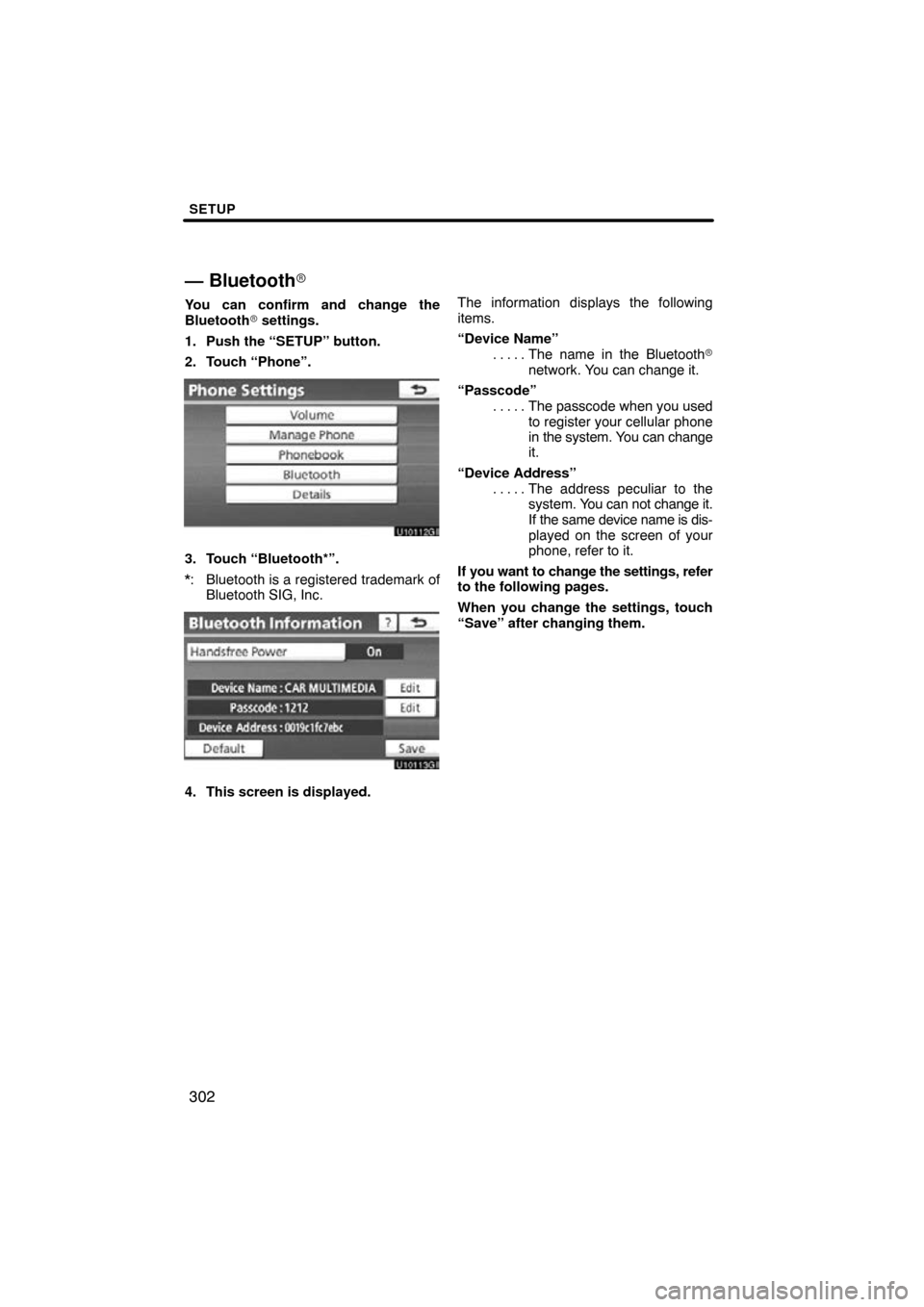
You can confirm and change the
Bluetooth� settings.
1. Push the “SETUP” button.
2. Touch “Phone”.
3. Touch “Bluetooth*”.
*: Bluetooth is a registered trademark of Bluetooth SIG, Inc.
4. This screen is displayed. The information displays the following
items.
“Device Name”
The name in the Bluetooth�
. . . . .
network. You can change it.
“Passcode” The passcode when you used
. . . . .
to register your cellular phone
in the system. You can change
it.
“Device Address” The address peculiar to the
. . . . .
system. You can not change it.
If the same device name is dis-
played on the screen of your
phone, refer to it.
If you want to change the settings, refer
to the following pages.
When you change the settings, touch
“Save” after changing them.
Page 303 of 345
SETUP
303
�
Changing the Bluetooth
� settings
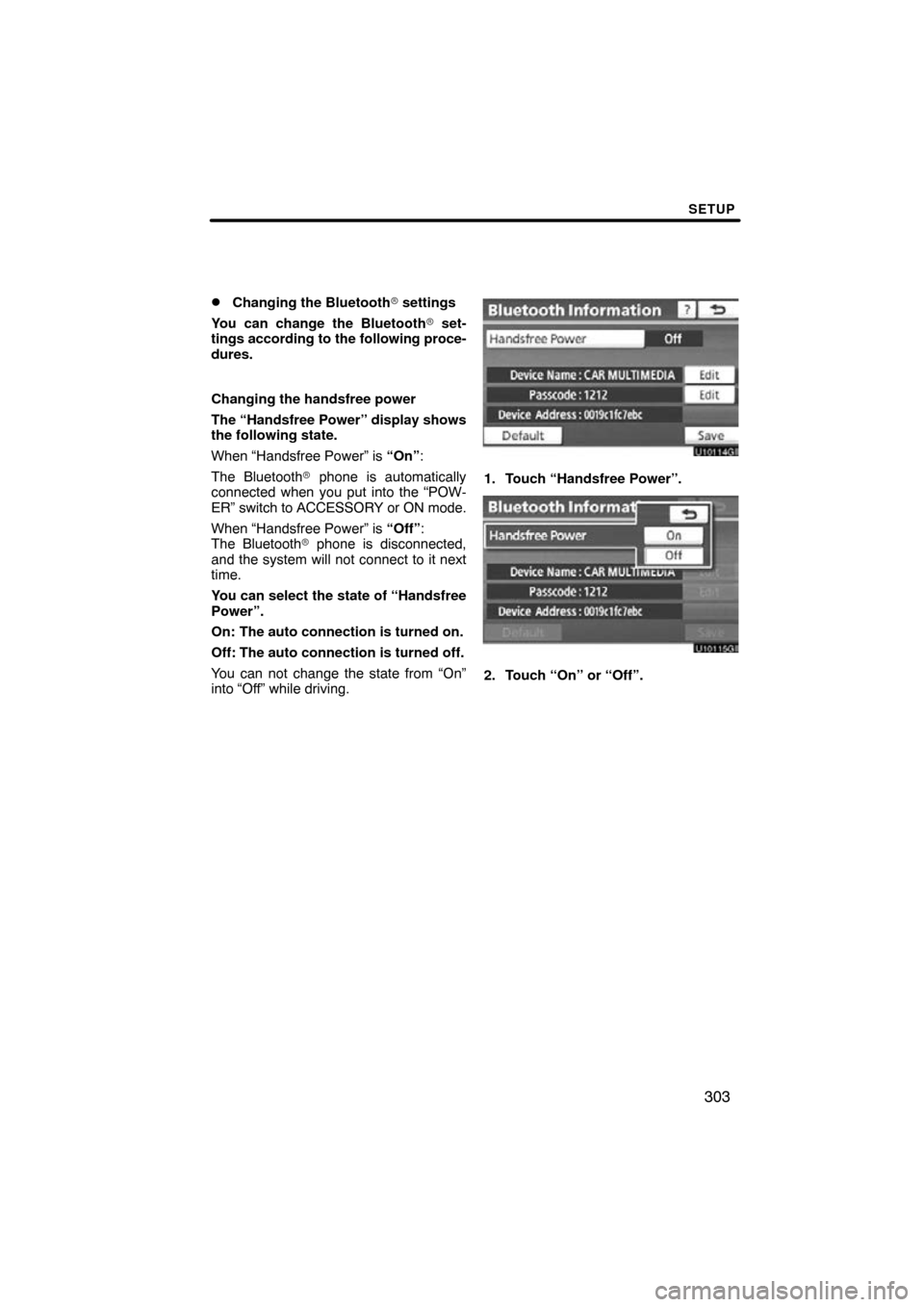
You can change the Bluetooth� set-
tings according to the following proce-
dures.
Changing the handsfree power
The “Handsfree Power” display shows
the following state.
When “Handsfree Power” is “On” :
The Bluetooth � phone is automatically
connected when you put into the “POW-
ER” switch to ACCESSORY or ON mode.
When “Handsfree Power” is “Off”:
The Bluetooth � phone is disconnected,
and the system will not connect to it next
time.
You can select the state of “Handsfree
Power”.
On: The auto connection is turned on.
Off: The auto connection is turned off.
You can not change the state from “On”
into “Off” while driving.
1. Touch “Handsfree Power”.
2. Touch “On” or “Off”.
Page 304 of 345
SETUP
304
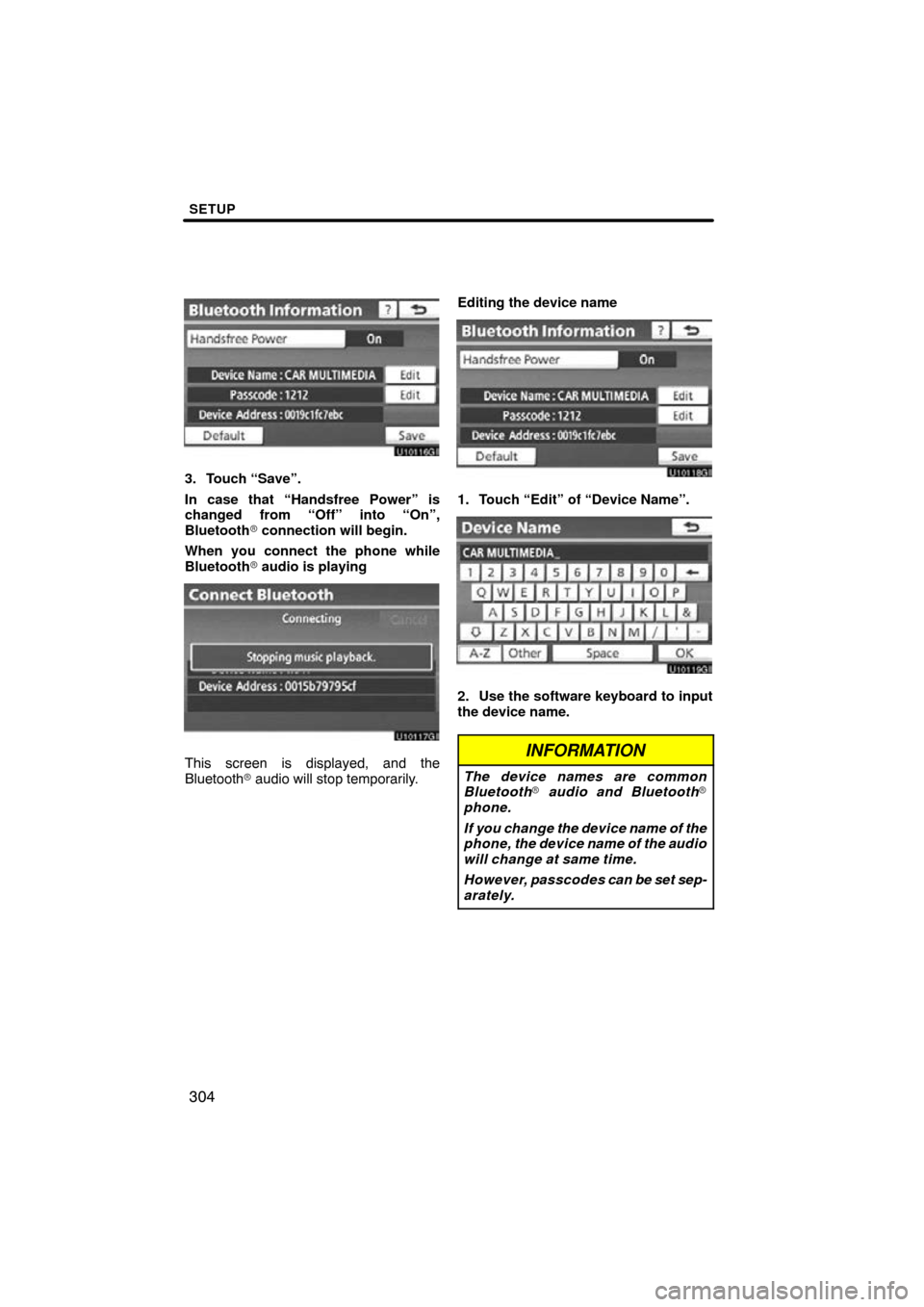
3. Touch “Save”.
In case that “Handsfree Power” is
changed from “Off” into “On”,
Bluetooth� connection will begin.
When you connect the phone while
Bluetooth � audio is playing
This screen is displayed, and the
Bluetooth � audio will stop temporarily. Editing the device name
1. Touch “Edit” of “Device Name”.
2. Use the software keyboard to input
the device name.
INFORMATION
The device names are common
Bluetooth
� audio and Bluetooth �
phone.
If you change the device name of the
phone, the device name of the audio
will change at same time.
However, passcodes can be set sep-
arately.
Page 306 of 345
SETUP
306
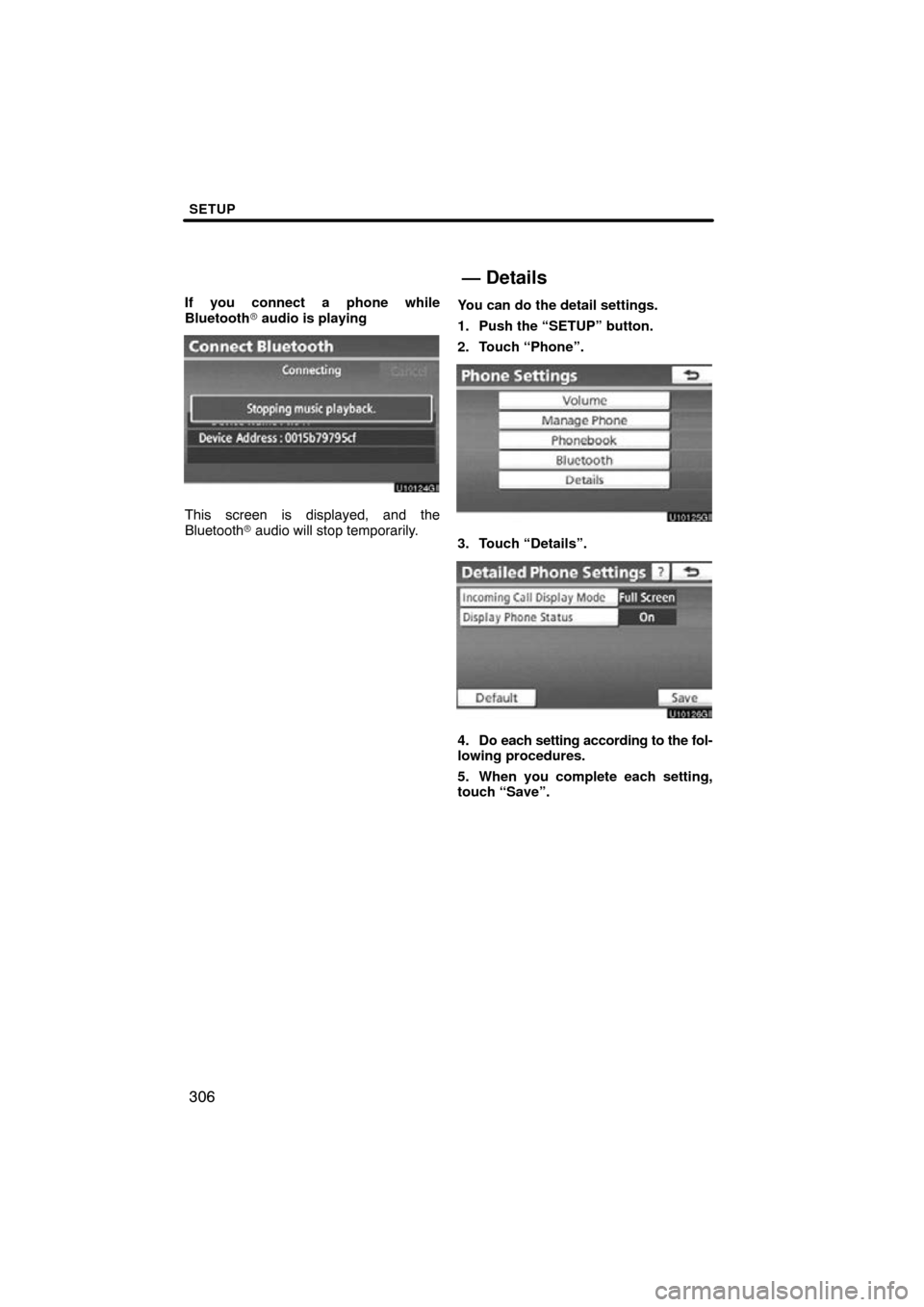
If you connect a phone while
Bluetooth� audio is playing
This screen is displayed, and the
Bluetooth � audio will stop temporarily. You can do the detail settings.
1. Push the “SETUP” button.
2. Touch “Phone”.
3. Touch “Details”.
4. Do each setting according to the fol-
lowing procedures.
5. When you complete each setting,
touch “Save”.
— Details