key TOYOTA PRIUS 2013 3.G Navigation Manual
[x] Cancel search | Manufacturer: TOYOTA, Model Year: 2013, Model line: PRIUS, Model: TOYOTA PRIUS 2013 3.GPages: 359, PDF Size: 7.65 MB
Page 143 of 359
143
1. PHONE OPERATION
4
PHONE
PRIUS_Navi_OM47805U_(U)
12.08.07 17:59
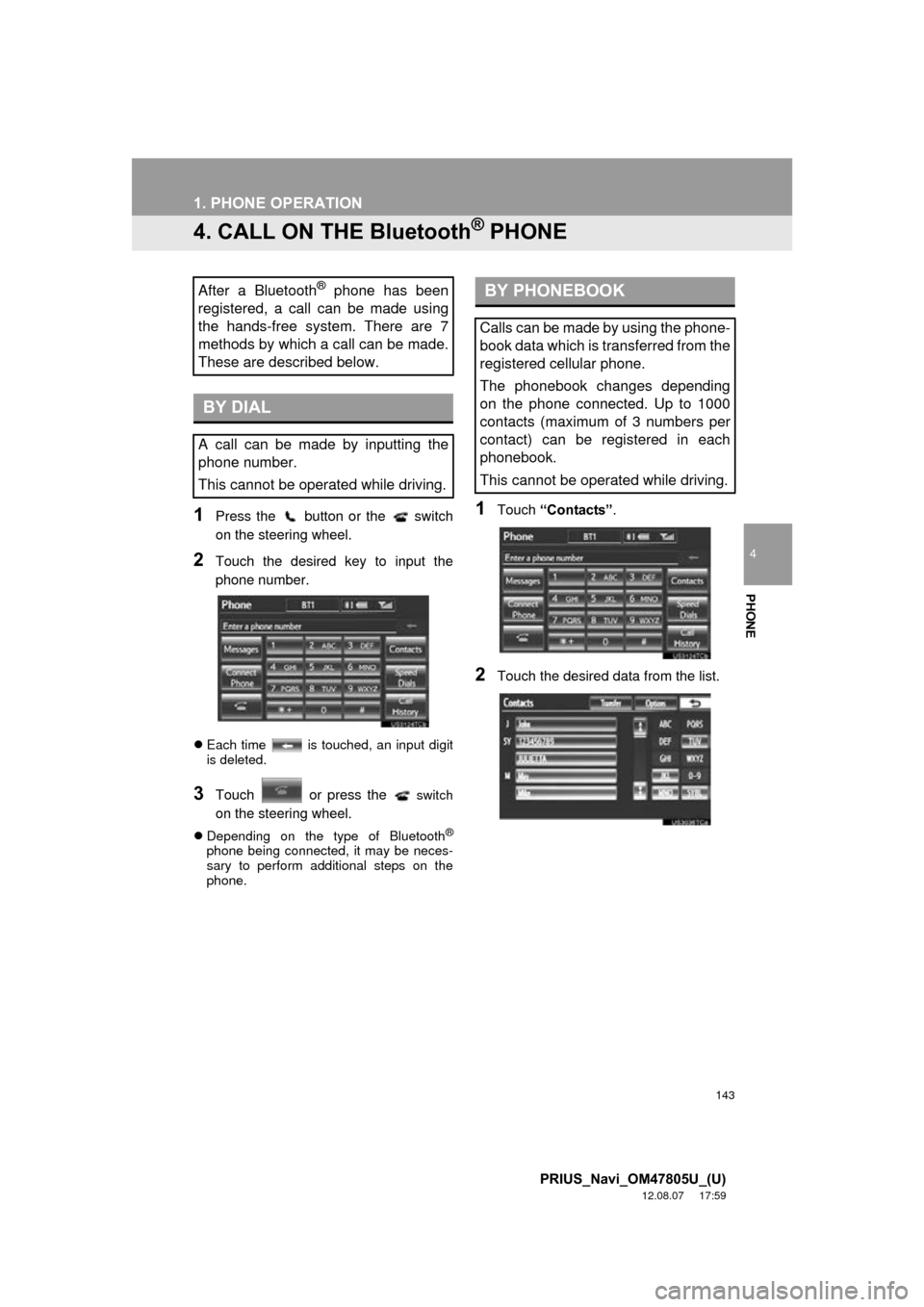
4. CALL ON THE Bluetooth® PHONE
1Press the button or the switch
on the steering wheel.
2Touch the desired key to input the
phone number.
Each time is touched, an input digit
is deleted.
3Touch or press the switch
on the steering wheel.
Depending on the type of Bluetooth®
phone being connected, it may be neces-
sary to perform additional steps on the
phone.
1Touch “Contacts” .
2Touch the desired data from the list.
After a Bluetooth® phone has been
registered, a call can be made using
the hands-free system. There are 7
methods by which a call can be made.
These are described below.
BY DIAL
A call can be made by inputting the
phone number.
This cannot be operated while driving.
BY PHONEBOOK
Calls can be made by using the phone-
book data which is transferred from the
registered cellular phone.
The phonebook changes depending
on the phone connected. Up to 1000
contacts (maximum of 3 numbers per
contact) can be registered in each
phonebook.
This cannot be operated while driving.
Page 151 of 359
151
1. PHONE OPERATION
4
PHONE
PRIUS_Navi_OM47805U_(U)
12.08.07 17:59
6. TALK ON THE Bluetooth® PHONE
1Touch the desired number to input the
key.
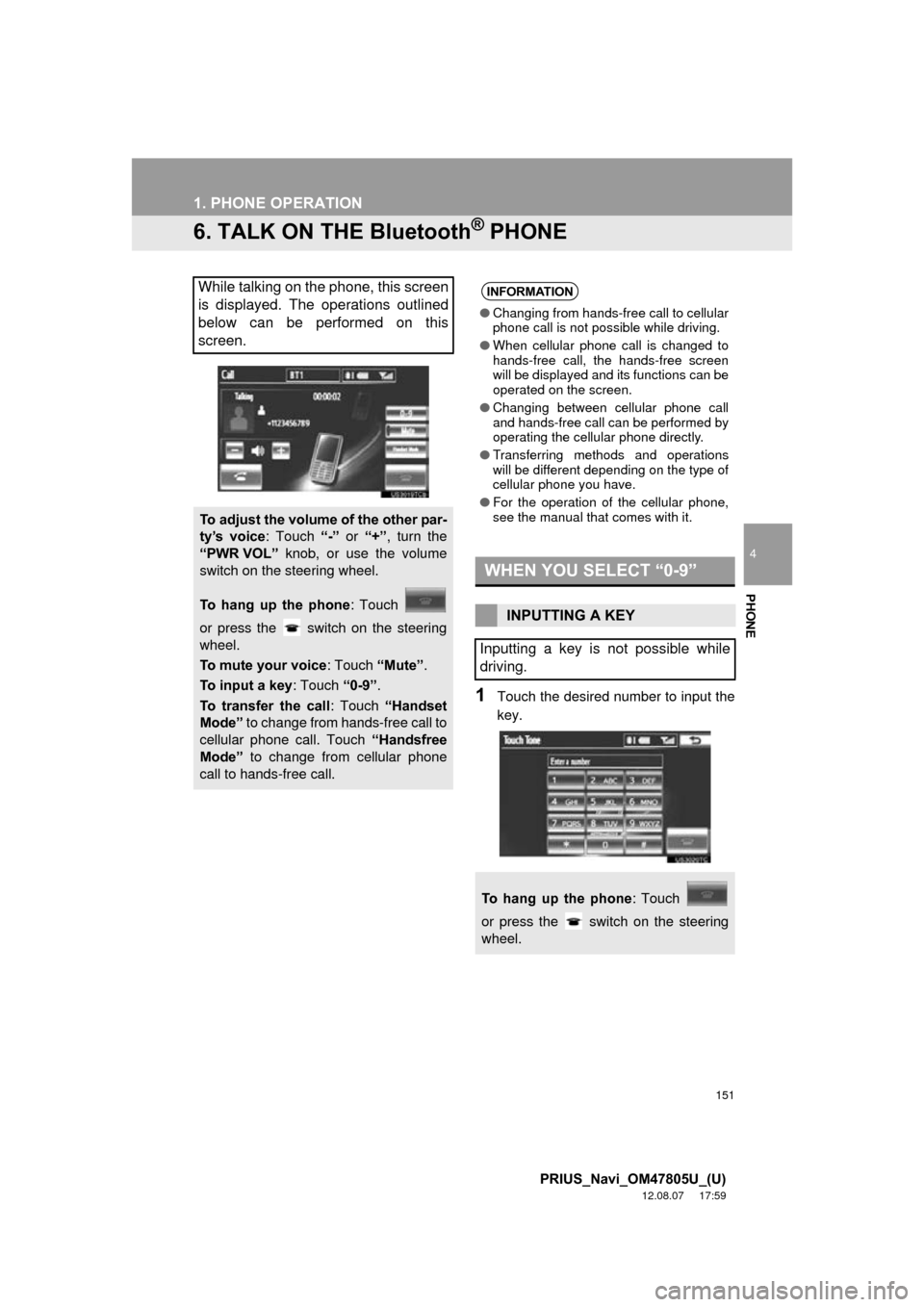
While talking on the phone, this screen
is displayed. The operations outlined
below can be performed on this
screen.
To adjust the volume of the other par-
ty’s voice: Touch “-” or “+” , turn the
“PWR VOL” knob, or use the volume
switch on the steering wheel.
To hang up the phone : Touch
or press the switch on the steering
wheel.
To mute your voice : Touch “Mute”.
To input a key : Touch “0-9”.
To transfer the call : Touch “Handset
Mode” to change from hands-free call to
cellular phone call. Touch “Handsfree
Mode” to change from cellular phone
call to hands-free call.
INFORMATION
● Changing from hands-free call to cellular
phone call is not possible while driving.
● When cellular phone call is changed to
hands-free call, the hands-free screen
will be displayed and its functions can be
operated on the screen.
● Changing between cellular phone call
and hands-free call can be performed by
operating the cellular phone directly.
● Transferring methods and operations
will be different depending on the type of
cellular phone you have.
● For the operation of the cellular phone,
see the manual that comes with it.
WHEN YOU SELECT “0-9”
INPUTTING A KEY
Inputting a key is not possible while
driving.
To hang up the phone : Touch
or press the switch on the steering
wheel.
Page 163 of 359
163
2. SETUP
4
PHONE
PRIUS_Navi_OM47805U_(U)
12.08.07 17:59
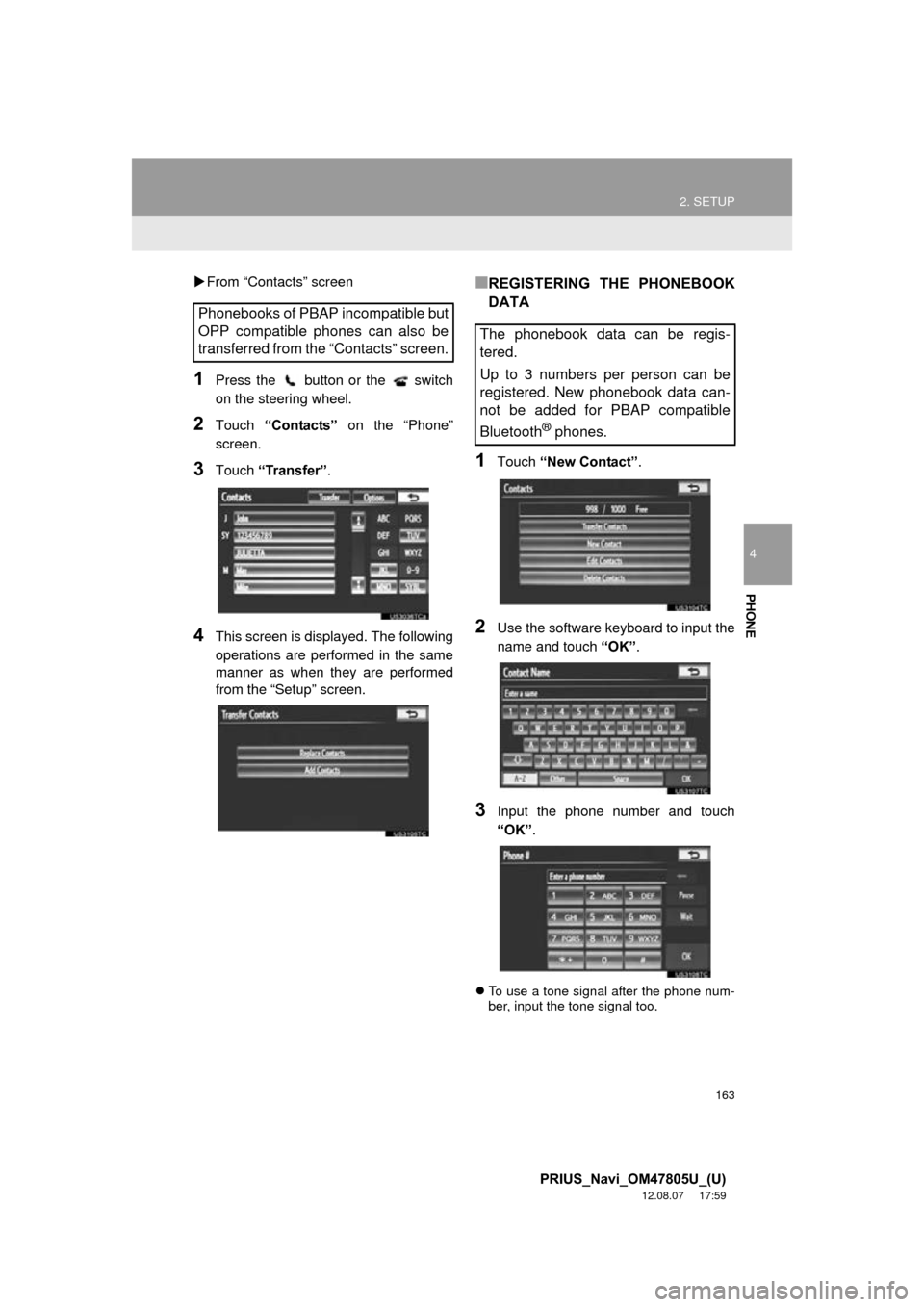
From “Contacts” screen
1Press the button or the switch
on the steering wheel.
2Touch “Contacts” on the “Phone”
screen.
3Touch “Transfer” .
4This screen is displayed. The following
operations are performed in the same
manner as when they are performed
from the “Setup” screen.
■REGISTERING THE PHONEBOOK
DATA
1Touch “New Contact” .
2Use the software keyboard to input the
name and touch “OK”.
3Input the phone number and touch
“OK”.
To use a tone signal after the phone num-
ber, input the tone signal too.
Phonebooks of PBAP incompatible but
OPP compatible phones can also be
transferred from the “Contacts” screen.
The phonebook data can be regis-
tered.
Up to 3 numbers per person can be
registered. New phonebook data can-
not be added for PBAP compatible
Bluetooth
® phones.
Page 175 of 359
175
2. SETUP
4
PHONE
PRIUS_Navi_OM47805U_(U)
12.08.07 17:59
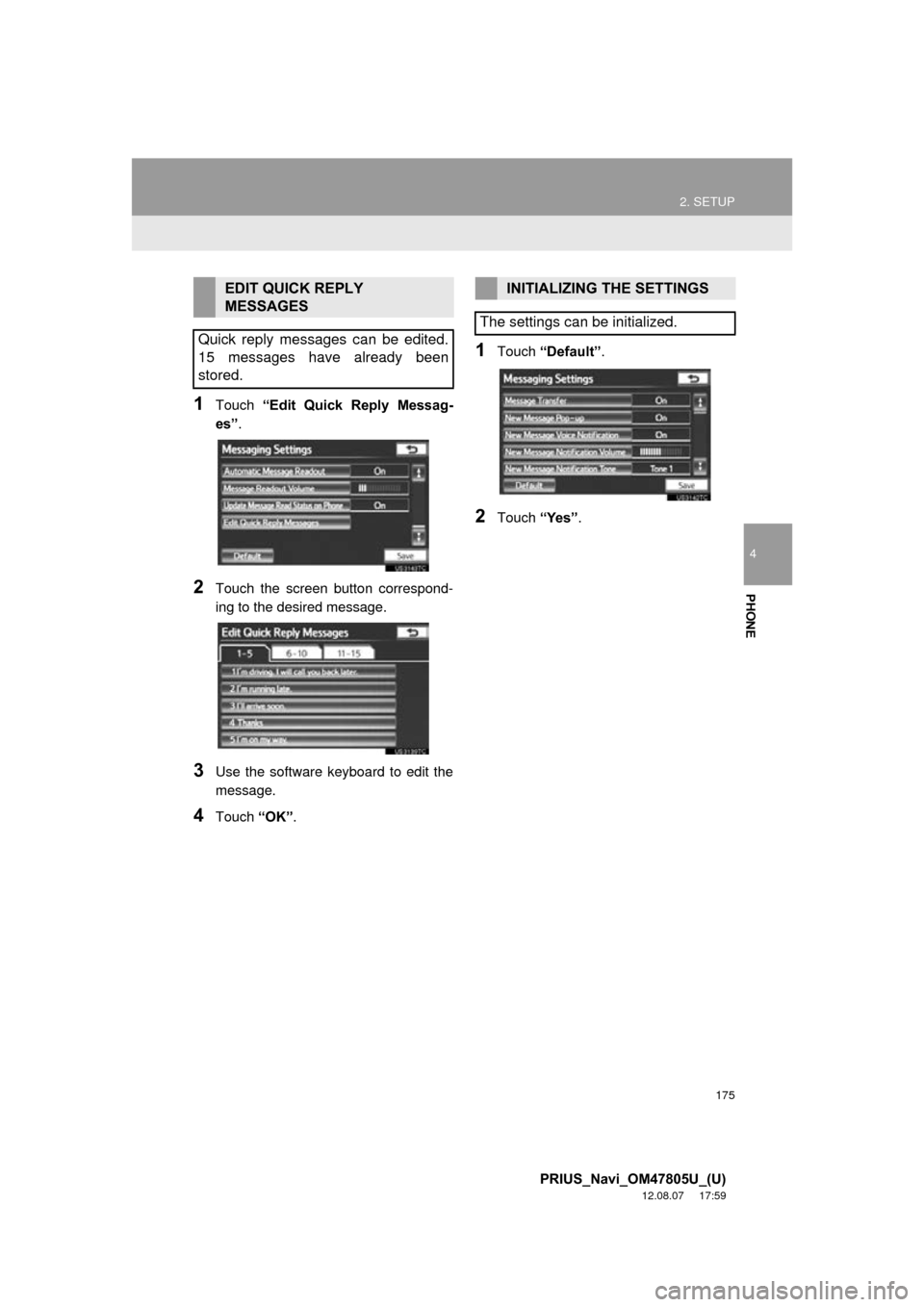
1Touch “Edit Quick Reply Messag-
es” .
2Touch the screen button correspond-
ing to the desired message.
3Use the software keyboard to edit the
message.
4Touch “OK”.
1Touch “Default” .
2Touch “Yes”.
EDIT QUICK REPLY
MESSAGES
Quick reply messages can be edited.
15 messages have already been
stored.INITIALIZING THE SETTINGS
The settings can be initialized.
Page 182 of 359
182
2. SETUP
PRIUS_Navi_OM47805U_(U)
12.08.07 17:59
“Device Name”: The name of the
Bluetooth® device which is displayed on
the screen. It can be changed to a desired
name.
• Even if the device name is changed, the
name registered in your Bluetooth®
device does not change.
“Device Address” : The device address is
unique to each device. It cannot be
changed.
• If 2 Bluetooth® devices have been regis-
tered with the same device name, the
devices can be distinguished referring to
the device’s address.
“My Phone Number”: The phone number
of the Bluetooth® phone is displayed on
the screen. Depending on the type of
phone, the phone number may not be dis-
played.
“Profiles”: The compatibility profile of the
Bluetooth
® device is displayed on the
screen.
“Connect Portable Player from” : There
are 2 portable player connection settings
available; “Vehicle” and “Portable Play-
er” .
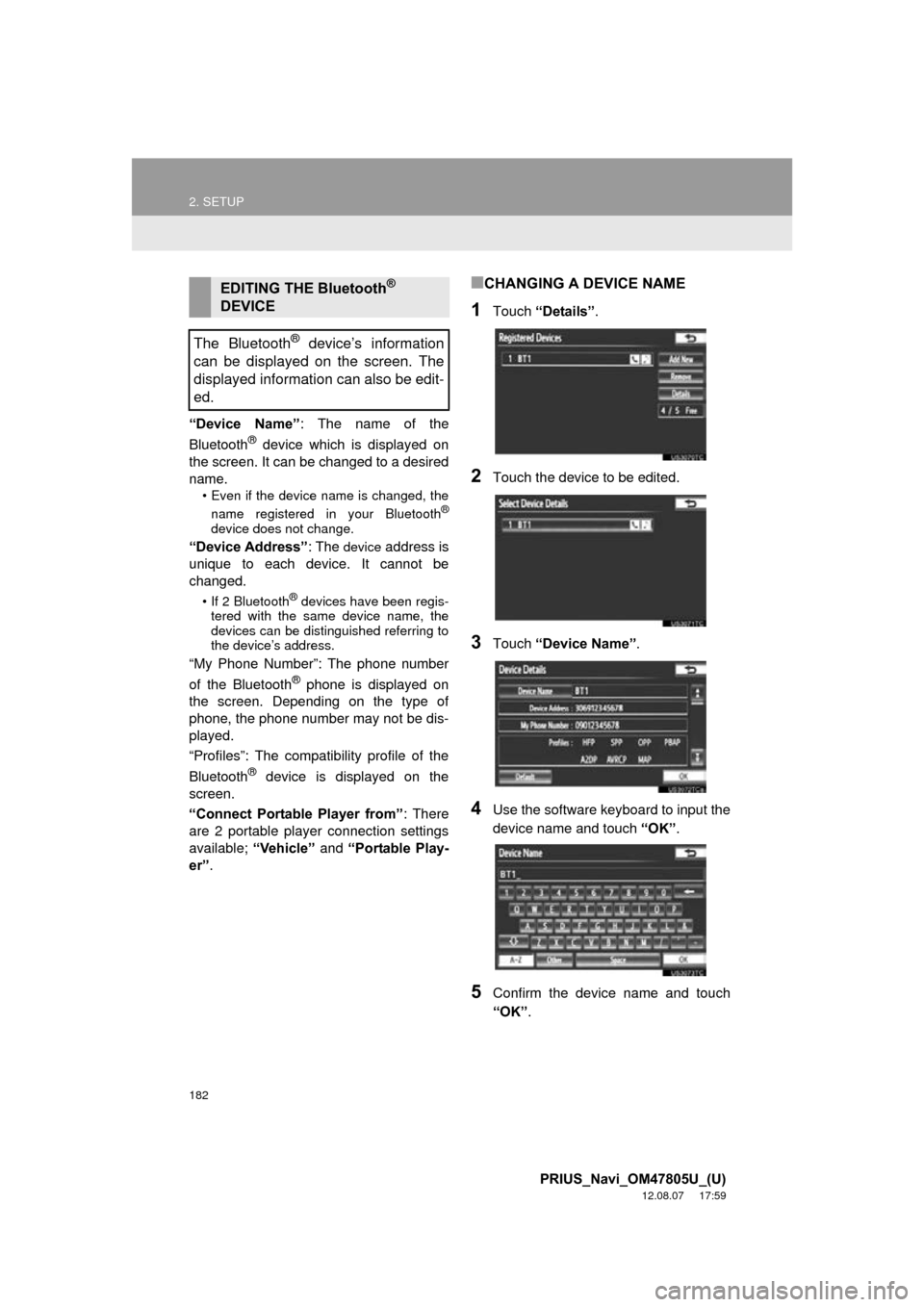
■CHANGING A DEVICE NAME
1Touch “Details” .
2Touch the device to be edited.
3Touch “Device Name” .
4Use the software keyboard to input the
device name and touch “OK”.
5Confirm the device name and touch
“OK” .
EDITING THE Bluetooth®
DEVICE
The Bluetooth
® device’s information
can be displayed on the screen. The
displayed information can also be edit-
ed.
Page 188 of 359
188
2. SETUP
PRIUS_Navi_OM47805U_(U)
12.08.07 17:59
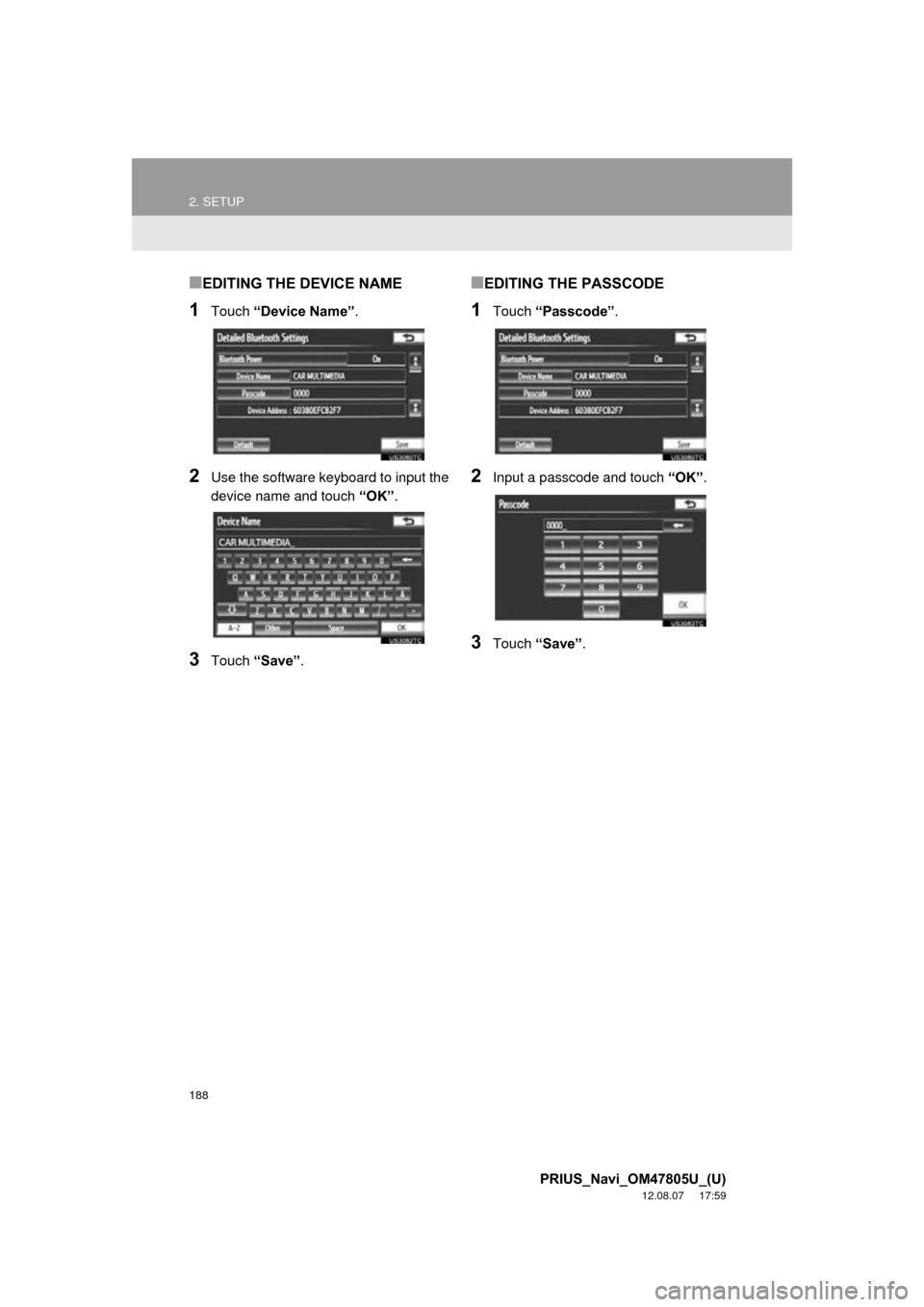
■EDITING THE DEVICE NAME
1Touch “Device Name” .
2Use the software keyboard to input the
device name and touch “OK”.
3Touch “Save” .
■EDITING THE PASSCODE
1Touch “Passcode” .
2Input a passcode and touch “OK”.
3Touch “Save” .
Page 224 of 359
224
1. AUDIO/VIDEO SYSTEM OPERATION
PRIUS_Navi_OM47805U_(U)
12.08.08 13:01
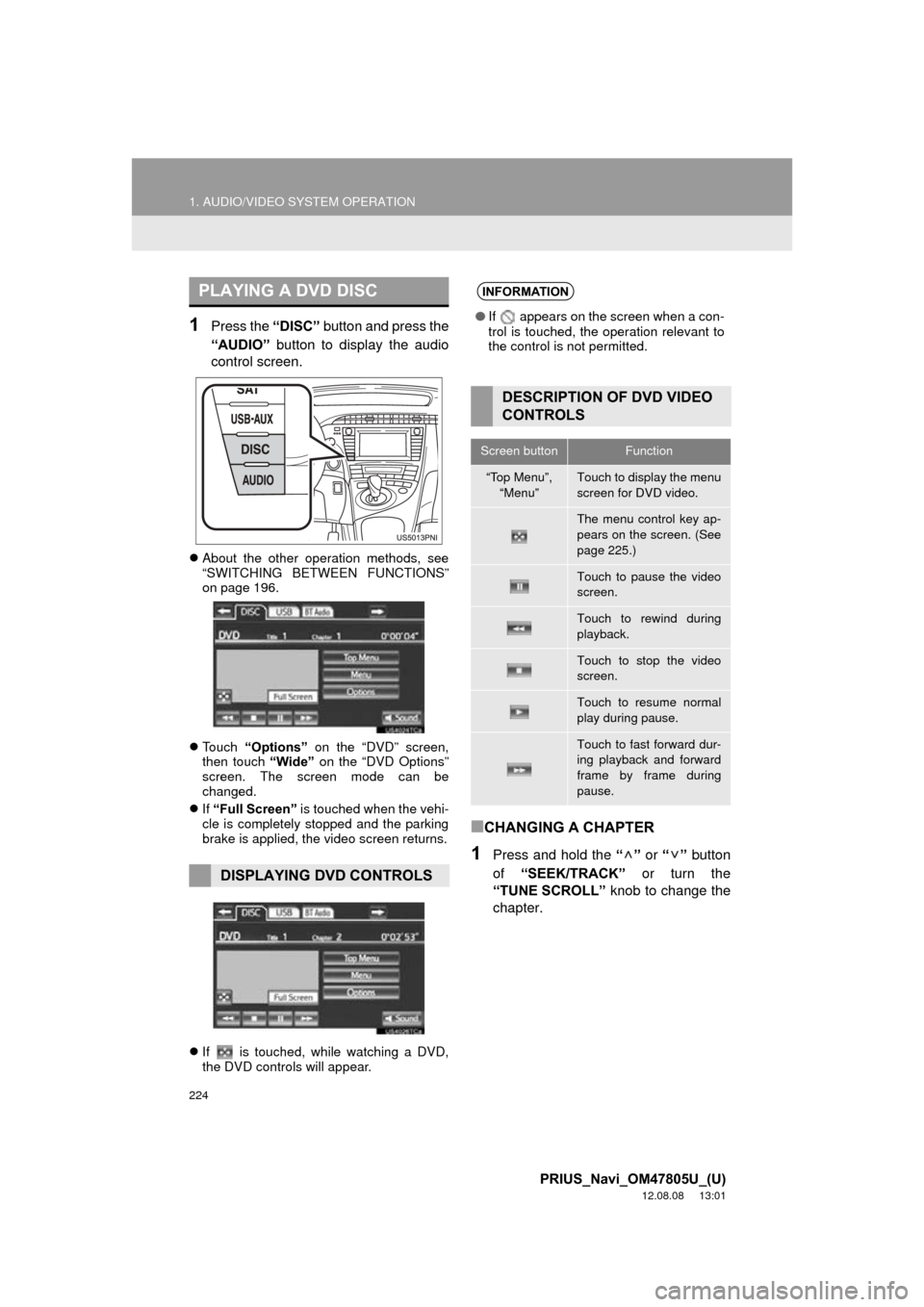
1Press the “DISC” button and press the
“AUDIO” button to display the audio
control screen.
About the other operation methods, see
“SWITCHING BETWEEN FUNCTIONS”
on page 196.
Touch “Options” on the “DVD” screen,
then touch “Wide” on the “DVD Options”
screen. The screen mode can be
changed.
If “Full Screen” is touched when the vehi-
cle is completely stopped and the parking
brake is applied, the video screen returns.
If is touched, while watching a DVD,
the DVD controls will appear.
■CHANGING A CHAPTER
1Press and hold the “” or “” button
of “SEEK/TRACK” or turn the
“TUNE SCROLL” knob to change the
chapter.
PLAYING A DVD DISC
DISPLAYING DVD CONTROLS
INFORMATION
● If appears on the screen when a con-
trol is touched, the operation relevant to
the control is not permitted.
DESCRIPTION OF DVD VIDEO
CONTROLS
Screen buttonFunction
“Top Menu”,
“Menu”Touch to display the menu
screen for DVD video.
The menu control key ap-
pears on the screen. (See
page 225.)
Touch to pause the video
screen.
Touch to rewind during
playback.
Touch to stop the video
screen.
Touch to resume normal
play during pause.
Touch to fast forward dur-
ing playback and forward
frame by frame during
pause.
Page 230 of 359
230
1. AUDIO/VIDEO SYSTEM OPERATION
PRIUS_Navi_OM47805U_(U)
12.08.08 13:01
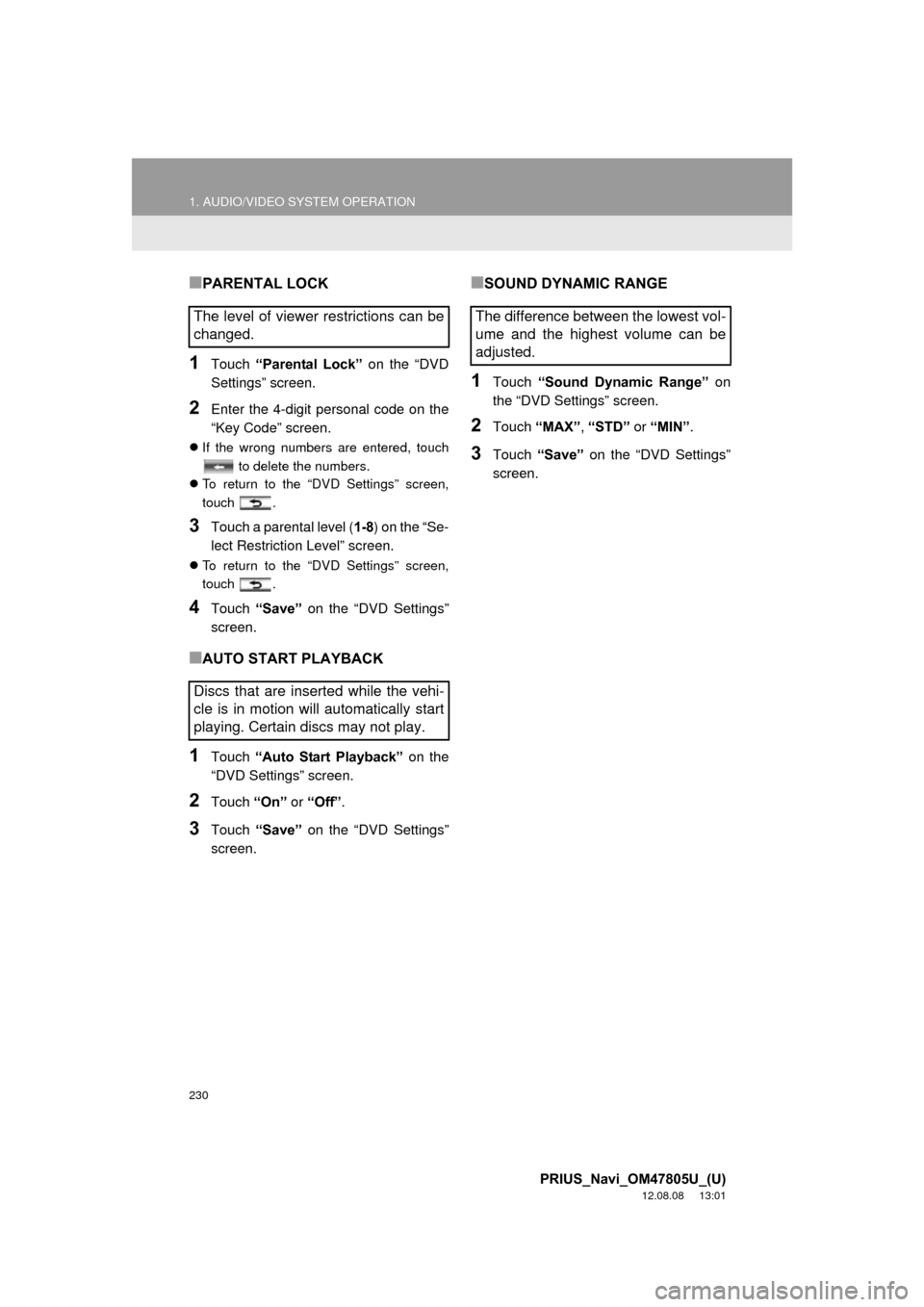
■PARENTAL LOCK
1Touch “Parental Lock” on the “DVD
Settings” screen.
2Enter the 4-digit personal code on the
“Key Code” screen.
If the wrong numbers are entered, touch
to delete the numbers.
To return to the “DVD Settings” screen,
touch .
3Touch a parental level ( 1-8) on the “Se-
lect Restriction Level” screen.
To return to the “DVD Settings” screen,
touch .
4Touch “Save” on the “DVD Settings”
screen.
■AUTO START PLAYBACK
1Touch “Auto Start Playback” on the
“DVD Settings” screen.
2Touch “On” or “Off” .
3Touch “Save” on the “DVD Settings”
screen.
■SOUND DYNAMIC RANGE
1Touch “Sound Dynamic Range” on
the “DVD Settings” screen.
2Touch “MAX” , “STD” or “MIN” .
3Touch “Save” on the “DVD Settings”
screen.
The level of viewer restrictions can be
changed.
Discs that are inserted while the vehi-
cle is in motion will automatically start
playing. Certain discs may not play.The difference between the lowest vol-
ume and the highest volume can be
adjusted.
Page 307 of 359
8
307
1
2
3
4
5
6
7
8
9
PRIUS_Navi_OM47805U_(U)
12.08.07 17:59
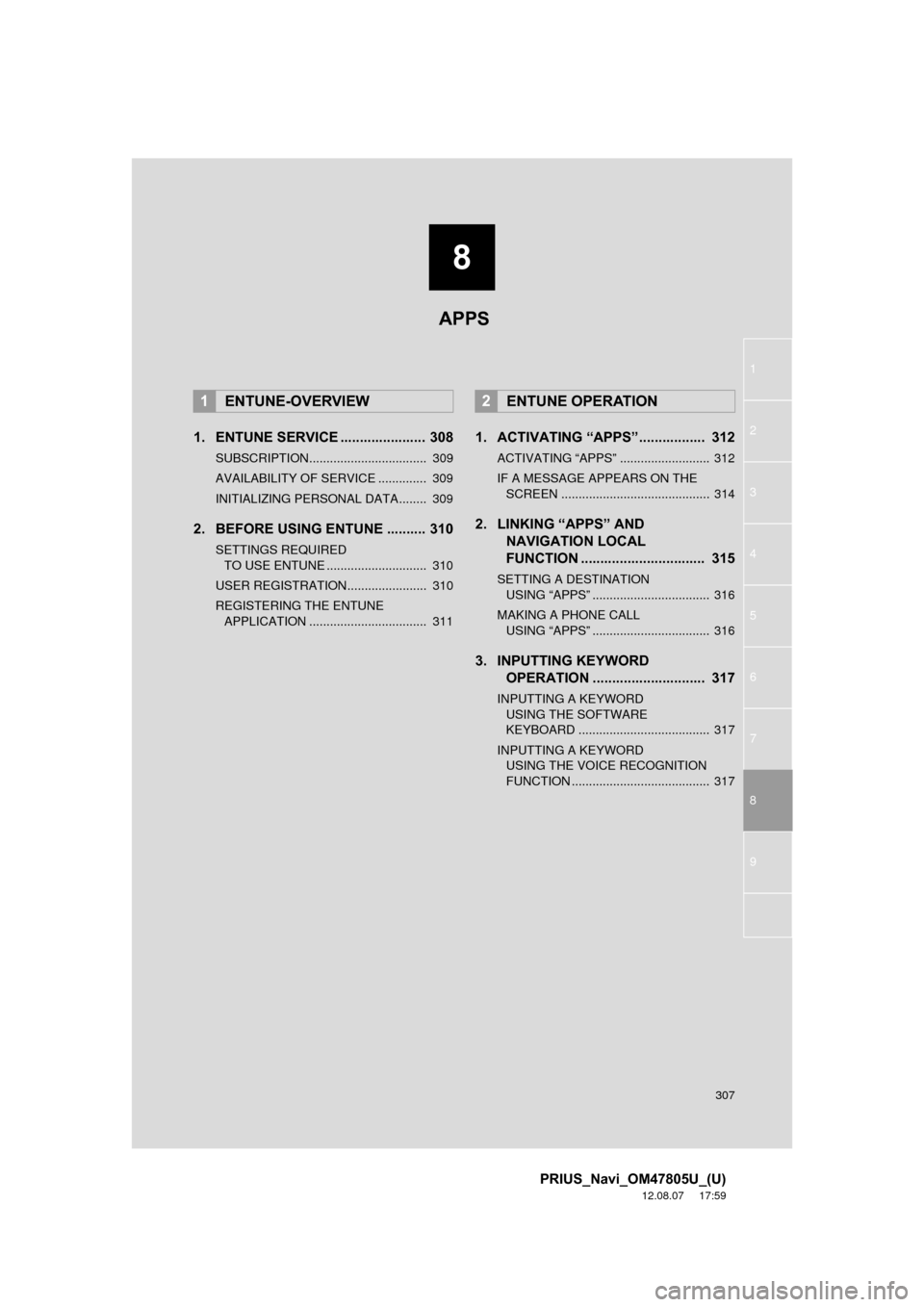
1. ENTUNE SERVICE ...................... 308
SUBSCRIPTION.................................. 309
AVAILABILITY OF SERVICE .............. 309
INITIALIZING PERSONAL DATA........ 309
2. BEFORE USING ENTUNE .......... 310
SETTINGS REQUIRED TO USE ENTUNE ............................. 310
USER REGISTRATION....................... 310
REGISTERING THE ENTUNE APPLICATION .................................. 311
1. ACTIVATING “APPS”.. ............... 312
ACTIVATING “APPS” .......................... 312
IF A MESSAGE APPEARS ON THE
SCREEN ........................................... 314
2. LINKING “APPS” AND NAVIGATION LOCAL
FUNCTION ...... ....................... ... 315
SETTING A DESTINATION
USING “APPS” .................................. 316
MAKING A PHONE CALL USING “APPS” .................................. 316
3. INPUTTING KEYWORD OPERATION ............................. 317
INPUTTING A KEYWORD
USING THE SOFTWARE
KEYBOARD ...................................... 317
INPUTTING A KEYWORD USING THE VOICE RECOGNITION
FUNCTION ........................................ 317
1ENTUNE-OVERVIEW2ENTUNE OPERATION
APPS
Page 317 of 359
317
2. ENTUNE OPERATION
8
APPS
PRIUS_Navi_OM47805U_(U)
12.08.07 17:59
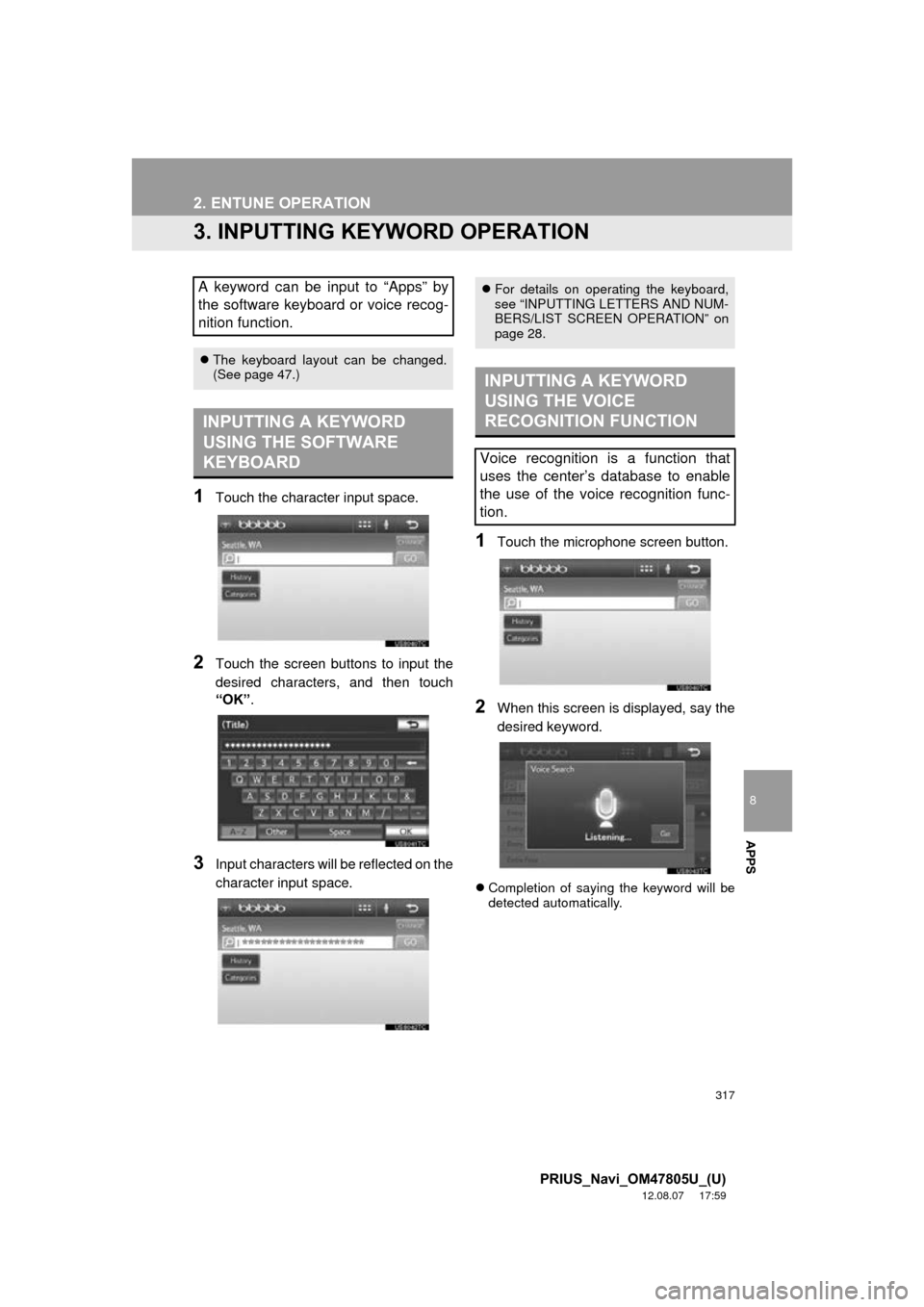
3. INPUTTING KEYWORD OPERATION
1Touch the character input space.
2Touch the screen buttons to input the
desired characters, and then touch
“OK”.
3Input characters will be reflected on the
character input space.
1Touch the microphone screen button.
2When this screen is displayed, say the
desired keyword.
Completion of saying the keyword will be
detected automatically.
A keyword can be input to “Apps” by
the software keyboard or voice recog-
nition function.
The keyboard layout can be changed.
(See page 47.)
INPUTTING A KEYWORD
USING THE SOFTWARE
KEYBOARD
For details on operating the keyboard,
see “INPUTTING LETTERS AND NUM-
BERS/LIST SCREEN OPERATION” on
page 28.
INPUTTING A KEYWORD
USING THE VOICE
RECOGNITION FUNCTION
Voice recognition is a function that
uses the center’s database to enable
the use of the voice recognition func-
tion.