Head light TOYOTA PRIUS 2013 3.G User Guide
[x] Cancel search | Manufacturer: TOYOTA, Model Year: 2013, Model line: PRIUS, Model: TOYOTA PRIUS 2013 3.GPages: 640, PDF Size: 11.67 MB
Page 181 of 640
When driving2
181
PRIUS_OM_OM47791U_(U)
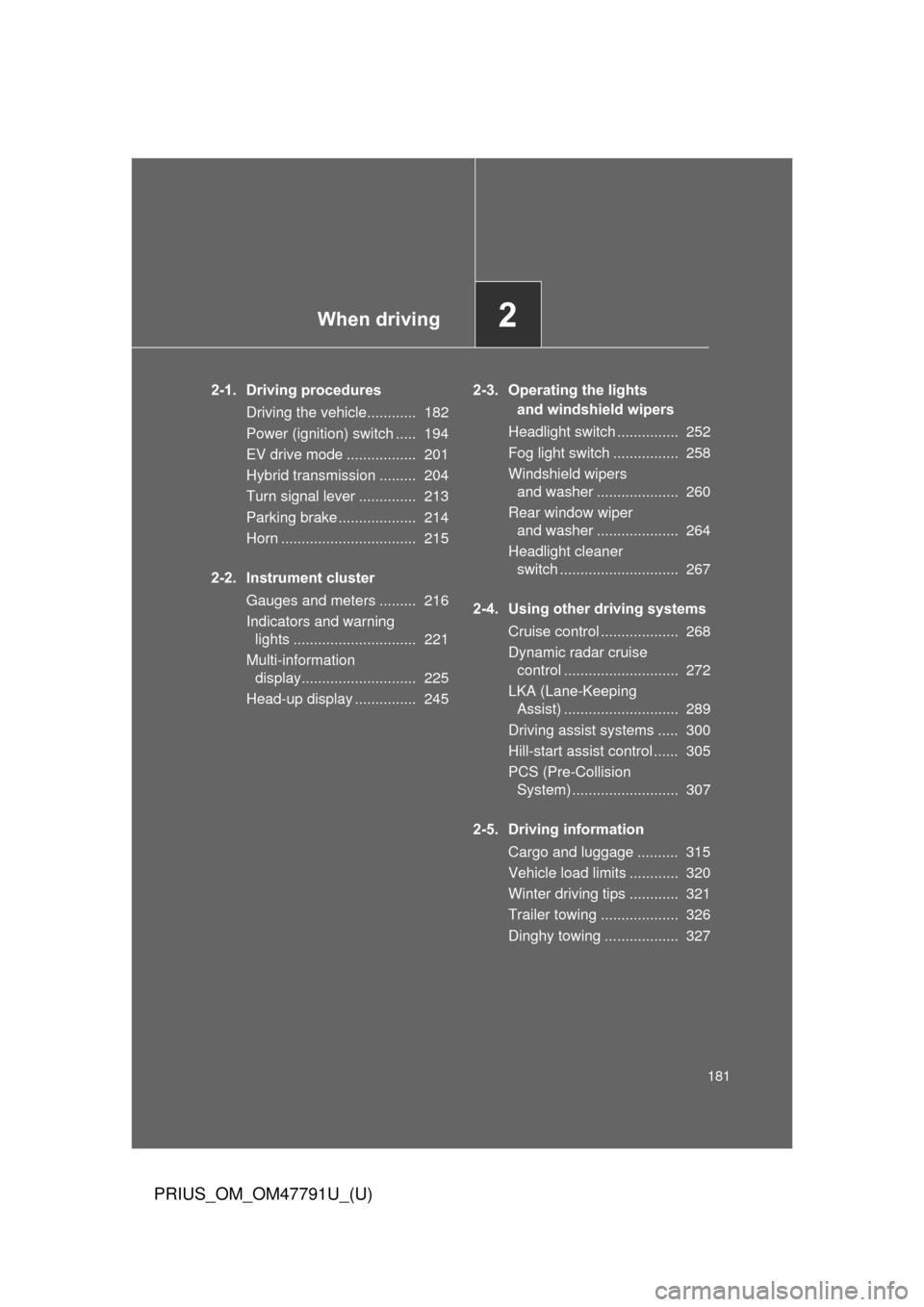
2-1. Driving proceduresDriving the vehicle............ 182
Power (ignition) switch ..... 194
EV drive mode ................. 201
Hybrid transmission ......... 204
Turn signal lever .............. 213
Parking brake ................... 214
Horn ................................. 215
2-2. Instrument cluster Gauges and meters ......... 216
Indicators and warning lights .............................. 221
Multi-information display............................ 225
Head-up display ............... 245 2-3. Operating the lights
and windshield wipers
Headlight switch ............... 252
Fog light switch ................ 258
Windshield wipers and washer .................... 260
Rear window wiper and washer .................... 264
Headlight cleaner switch ............................. 267
2-4. Using other driving systems Cruise control ................... 268
Dynamic radar cruise control ............................ 272
LKA (Lane-Keeping Assist) ............................ 289
Driving assist systems ..... 300
Hill-start assist control ...... 305
PCS (Pre-Collision System) .......................... 307
2-5. Driving information Cargo and luggage .......... 315
Vehicle load limits ............ 320
Winter driving tips ............ 321
Trailer towing ................... 326
Dinghy towing .................. 327
Page 219 of 640
219
2-2. Instrument cluster
PRIUS_OM_OM47791U_(U)
2
When driving
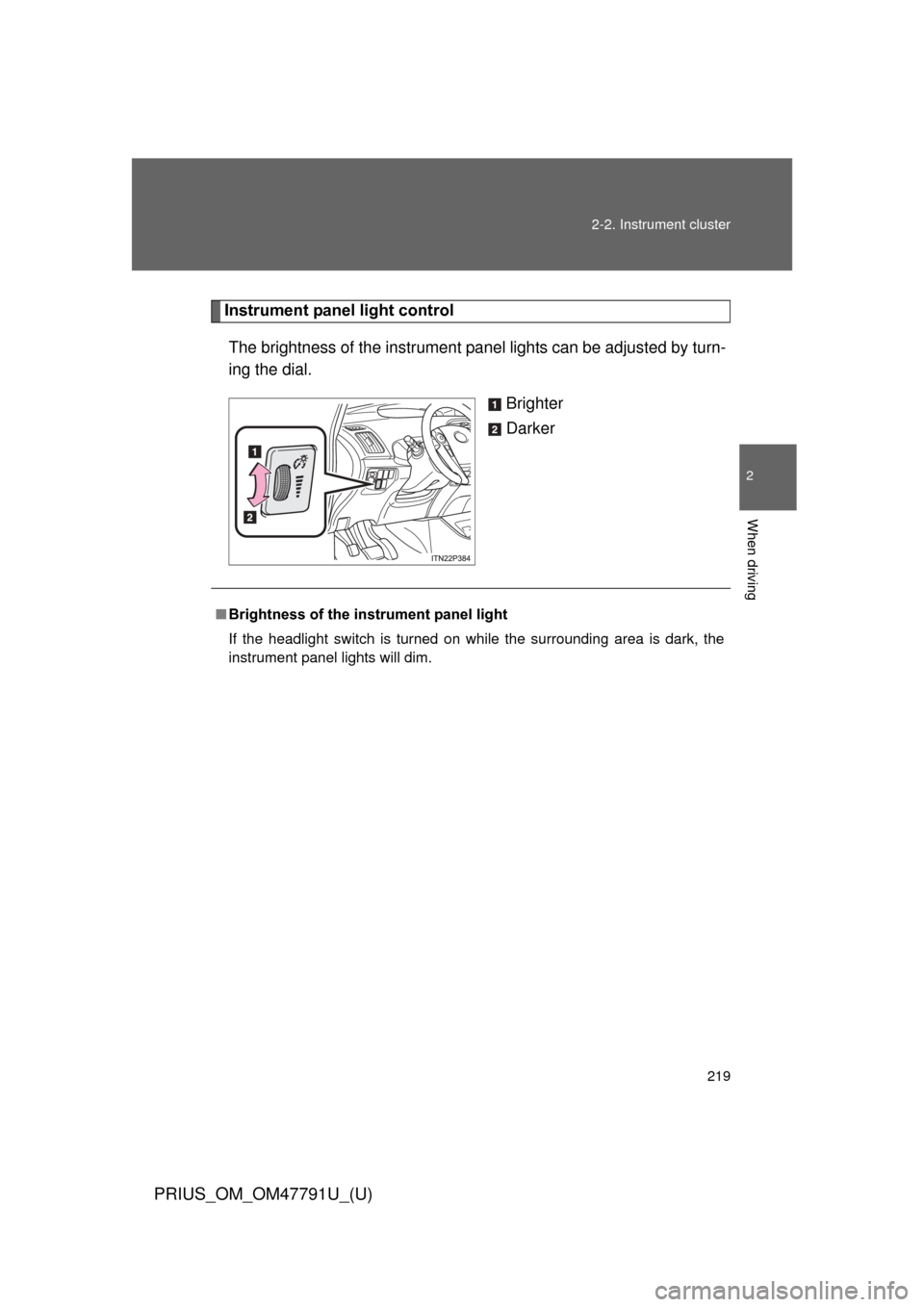
Instrument panel light control
The brightness of the instrument pa nel lights can be adjusted by turn-
ing the dial.
Brighter
Darker
■Brightness of the instrument panel light
If the headlight switch is turned on while the surrounding area is dark, the
instrument panel lights will dim.
Page 222 of 640
222 2-2. Instrument cluster
PRIUS_OM_OM47791U_(U)
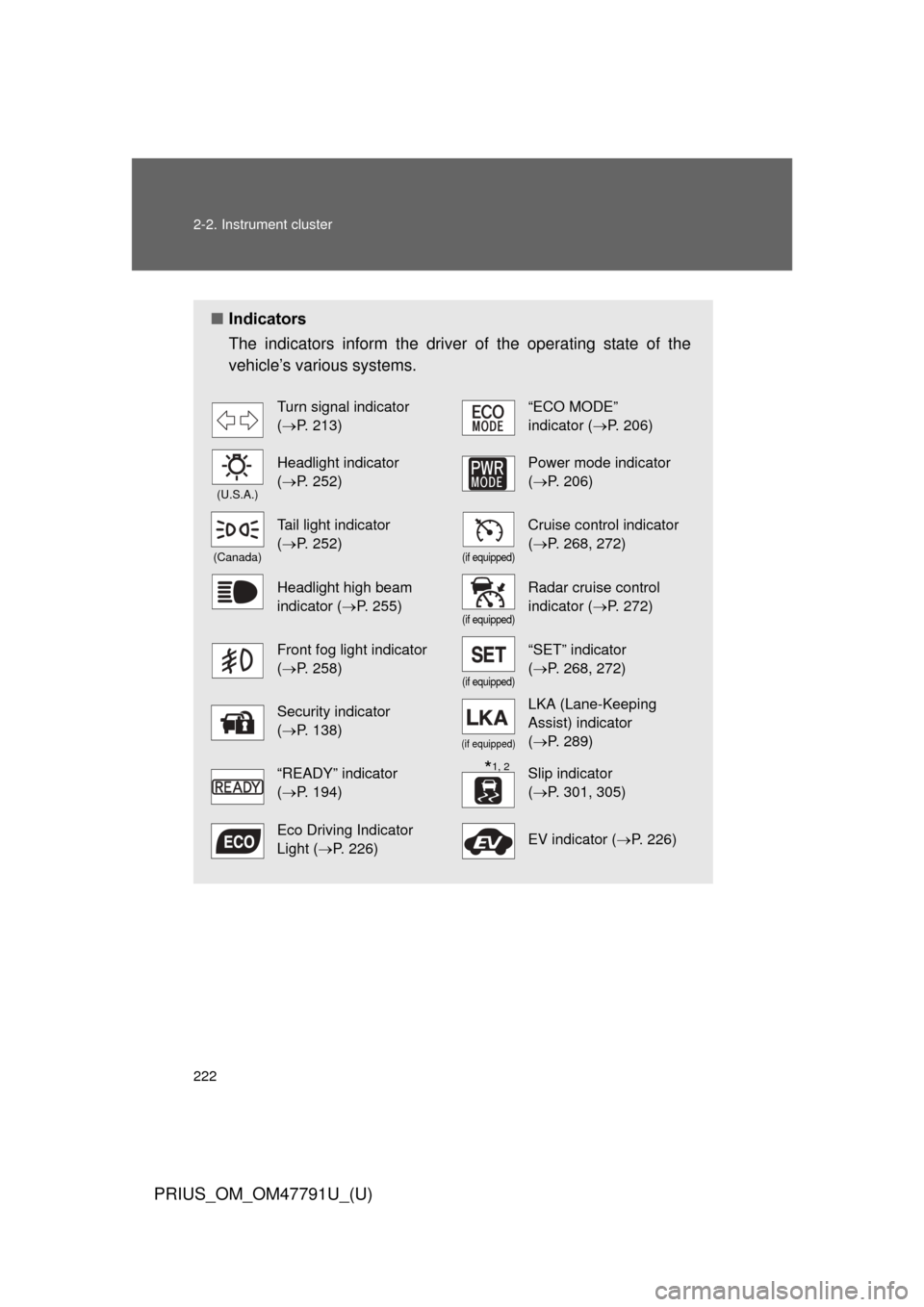
■Indicators
The indicators inform the driver of the operating state of the
vehicle’s various systems.
Turn signal indicator
(P. 213)“ECO MODE”
indicator ( P. 206)
(U.S.A.)
Headlight indicator
(P. 252)Power mode indicator
(P. 206)
(Canada)
Tail light indicator
(P. 252)
(if equipped)
Cruise control indicator
(P. 268, 272)
Headlight high beam
indicator ( P. 255)
(if equipped)
Radar cruise control
indicator (P. 272)
Front fog light indicator
(P. 258)
(if equipped)
“SET” indicator
(P. 268, 272)
Security indicator
(P. 138)
(if equipped)
LKA (Lane-Keeping
Assist) indicator
(P. 289)
“READY” indicator
(P. 194)Slip indicator
(P. 301, 305)
Eco Driving Indicator
Light ( P. 226)EV indicator ( P. 226)
*1, 2
Page 247 of 640
247
2-2. Instrument cluster
PRIUS_OM_OM47791U_(U)
2
When driving
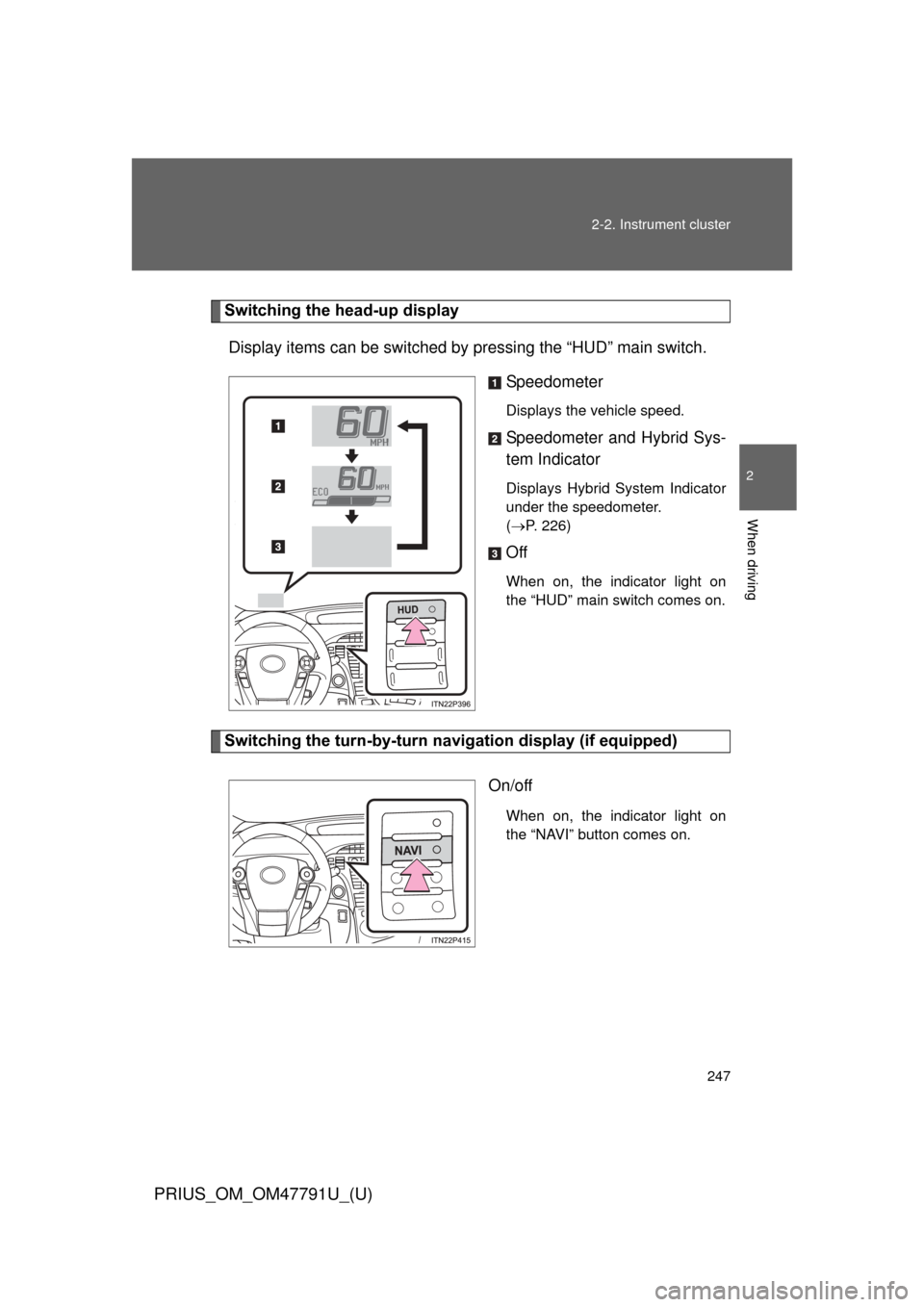
Switching the head-up display
Display items can be switched by pressing the “HUD” main switch.
Speedometer
Displays the vehicle speed.
Speedometer and Hybrid Sys-
tem Indicator
Displays Hybrid System Indicator
under the speedometer.
(P. 226)
Off
When on, the indicator light on
the “HUD” main switch comes on.
Switching the turn-by-turn na vigation display (if equipped)
On/off
When on, the indicator light on
the “NAVI” button comes on.
Page 252 of 640
252
PRIUS_OM_OM47791U_(U)
2-3. Operating the lights and windshield wipers
Headlight switch
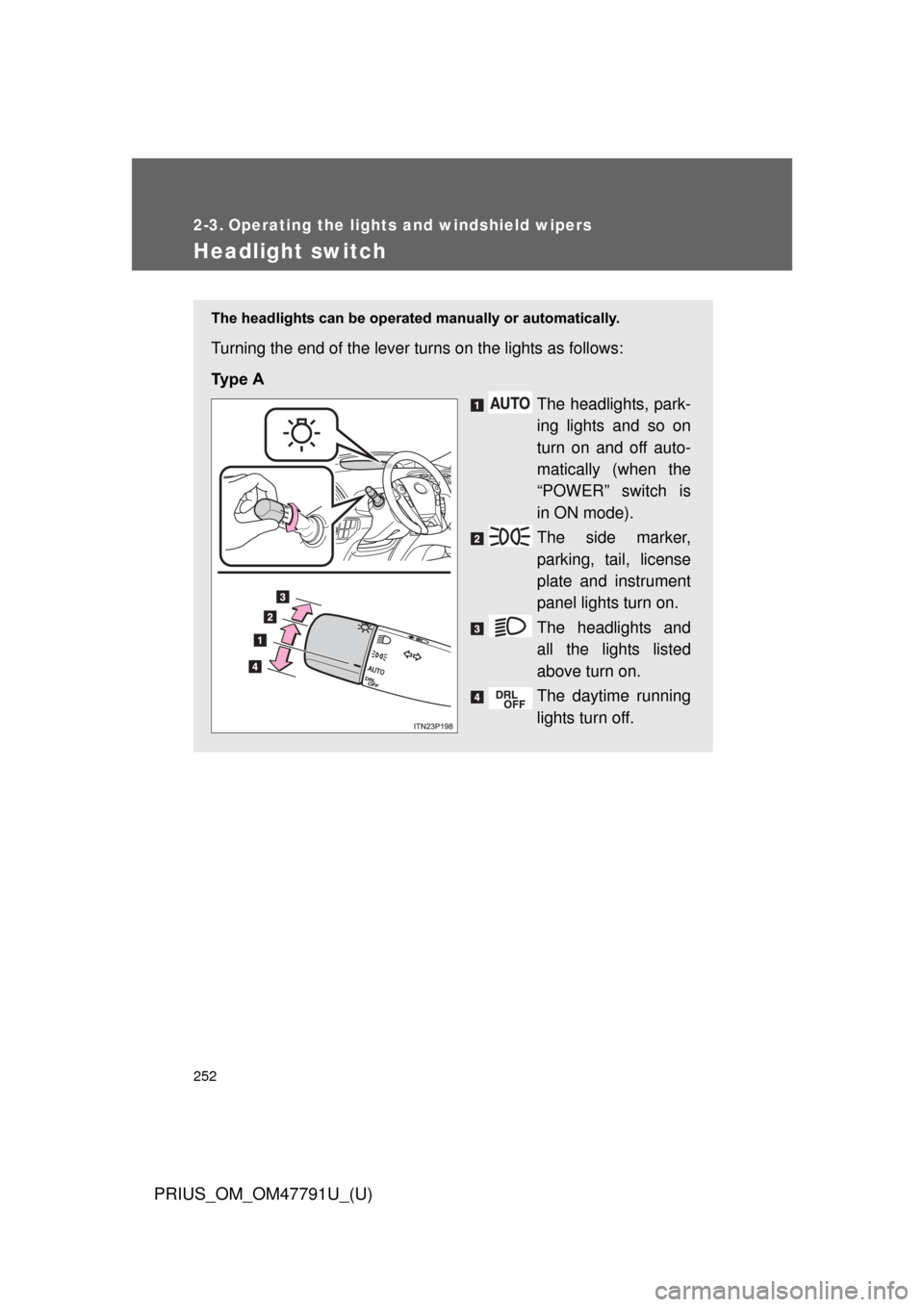
The headlights can be operated manually or automatically.
Turning the end of the lever turns on the lights as follows:
Ty p e A
The headlights, park-
ing lights and so on
turn on and off auto-
matically (when the
“POWER” switch is
in ON mode).
The side marker,
parking, tail, license
plate and instrument
panel lights turn on.
The headlights and
all the lights listed
above turn on.
The daytime running
lights turn off.
Page 253 of 640
253
2-3. Operating the lights and windshield wipers
PRIUS_OM_OM47791U_(U)
2
When driving
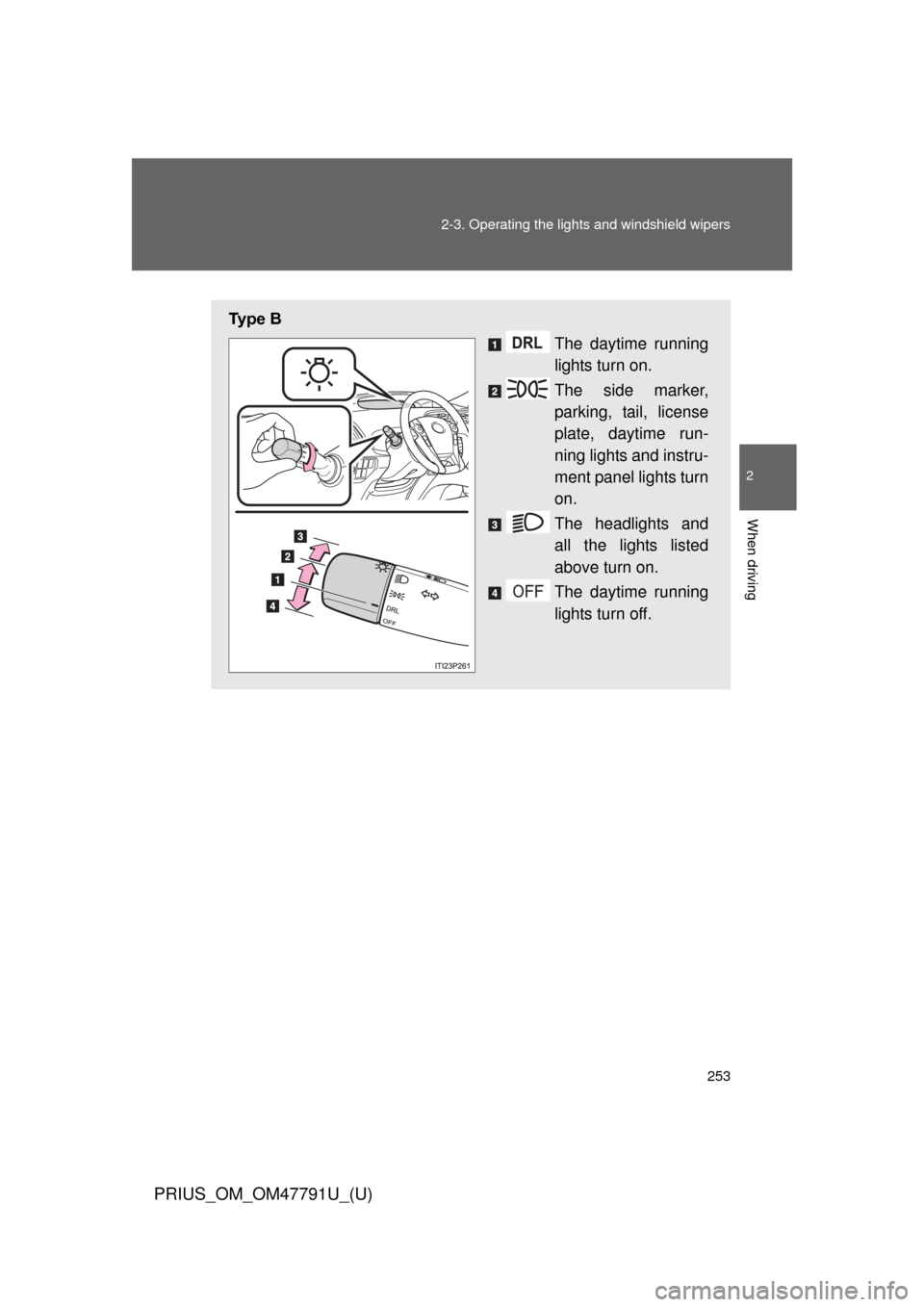
Ty p e B
The daytime running
lights turn on.
The side marker,
parking, tail, license
plate, daytime run-
ning lights and instru-
ment panel lights turn
on.
The headlights and
all the lights listed
above turn on.
The daytime running
lights turn off.
Page 254 of 640
254 2-3. Operating the lights and windshield wipers
PRIUS_OM_OM47791U_(U)
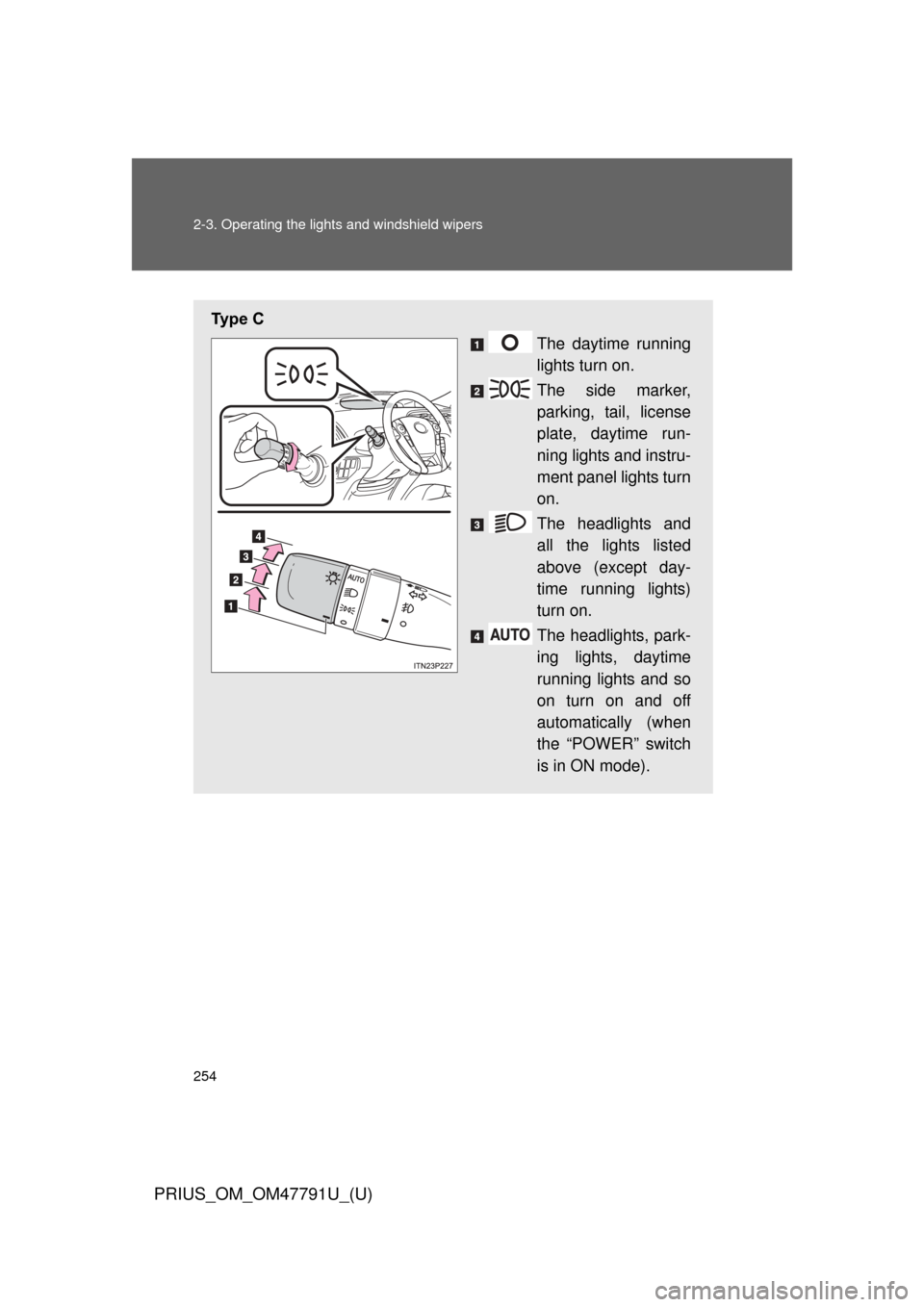
Ty p e C
The daytime running
lights turn on.
The side marker,
parking, tail, license
plate, daytime run-
ning lights and instru-
ment panel lights turn
on.
The headlights and
all the lights listed
above (except day-
time running lights)
turn on.
The headlights, park-
ing lights, daytime
running lights and so
on turn on and off
automatically (when
the “POWER” switch
is in ON mode).
Page 255 of 640
255
2-3. Operating the lights and windshield wipers
PRIUS_OM_OM47791U_(U)
2
When driving
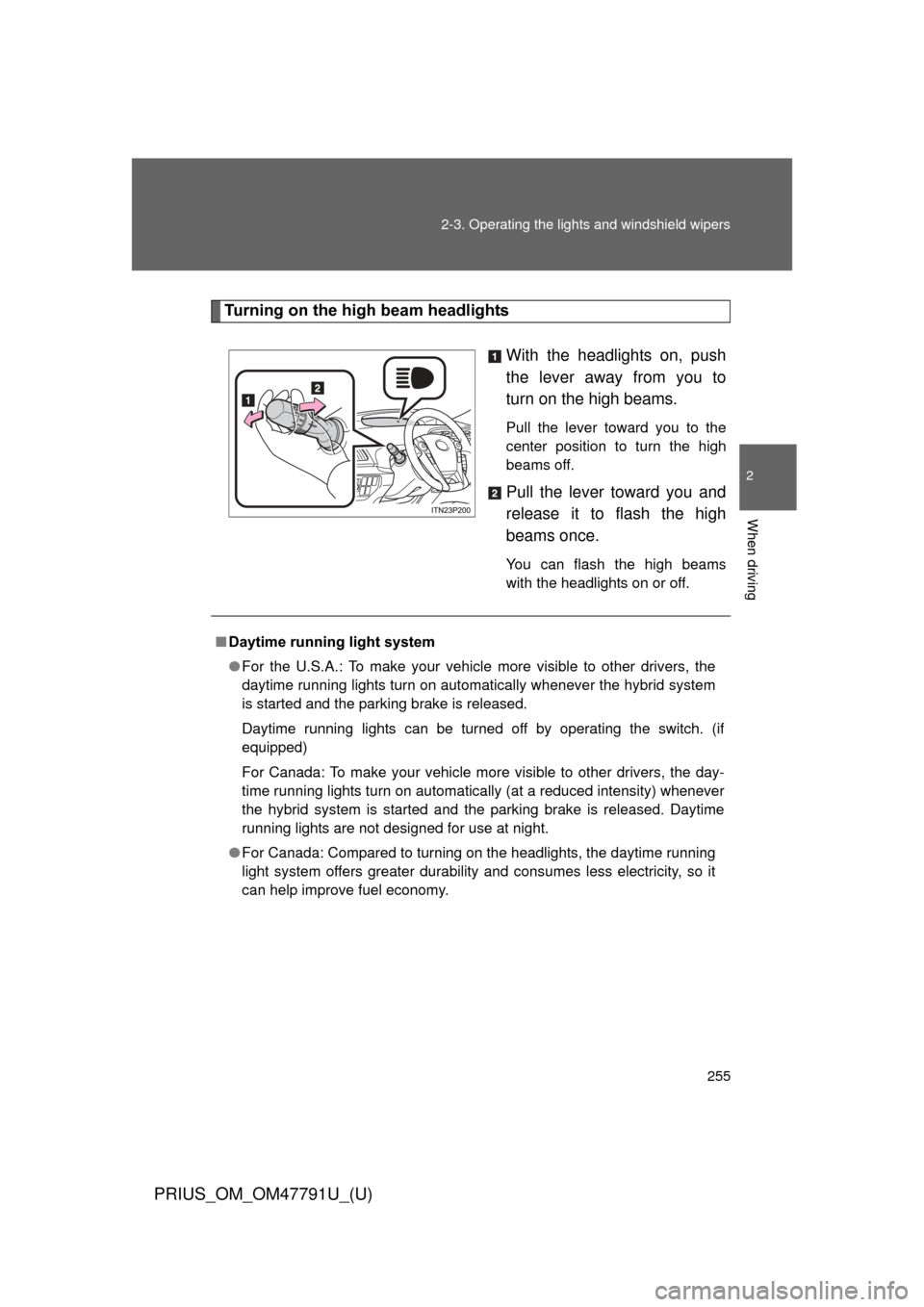
Turning on the high beam headlights
With the headlights on, push
the lever away from you to
turn on the high beams.
Pull the lever toward you to the
center position to turn the high
beams off.
Pull the lever toward you and
release it to flash the high
beams once.
You can flash the high beams
with the headlights on or off.
■Daytime running light system
● For the U.S.A.: To make your vehicle more visible to other drivers, the
daytime running lights turn on automatically whenever the hybrid system
is started and the parking brake is released.
Daytime running lights can be turned off by operating the switch. (if
equipped)
For Canada: To make your vehicle more visible to other drivers, the day-
time running lights turn on automatically (at a reduced intensity) whenever
the hybrid system is started and the parking brake is released. Daytime
running lights are not designed for use at night.
● For Canada: Compared to turning on the headlights, the daytime running
light system offers greater durability and consumes less electricity, so it
can help improve fuel economy.
Page 256 of 640
256 2-3. Operating the lights and windshield wipers
PRIUS_OM_OM47791U_(U)
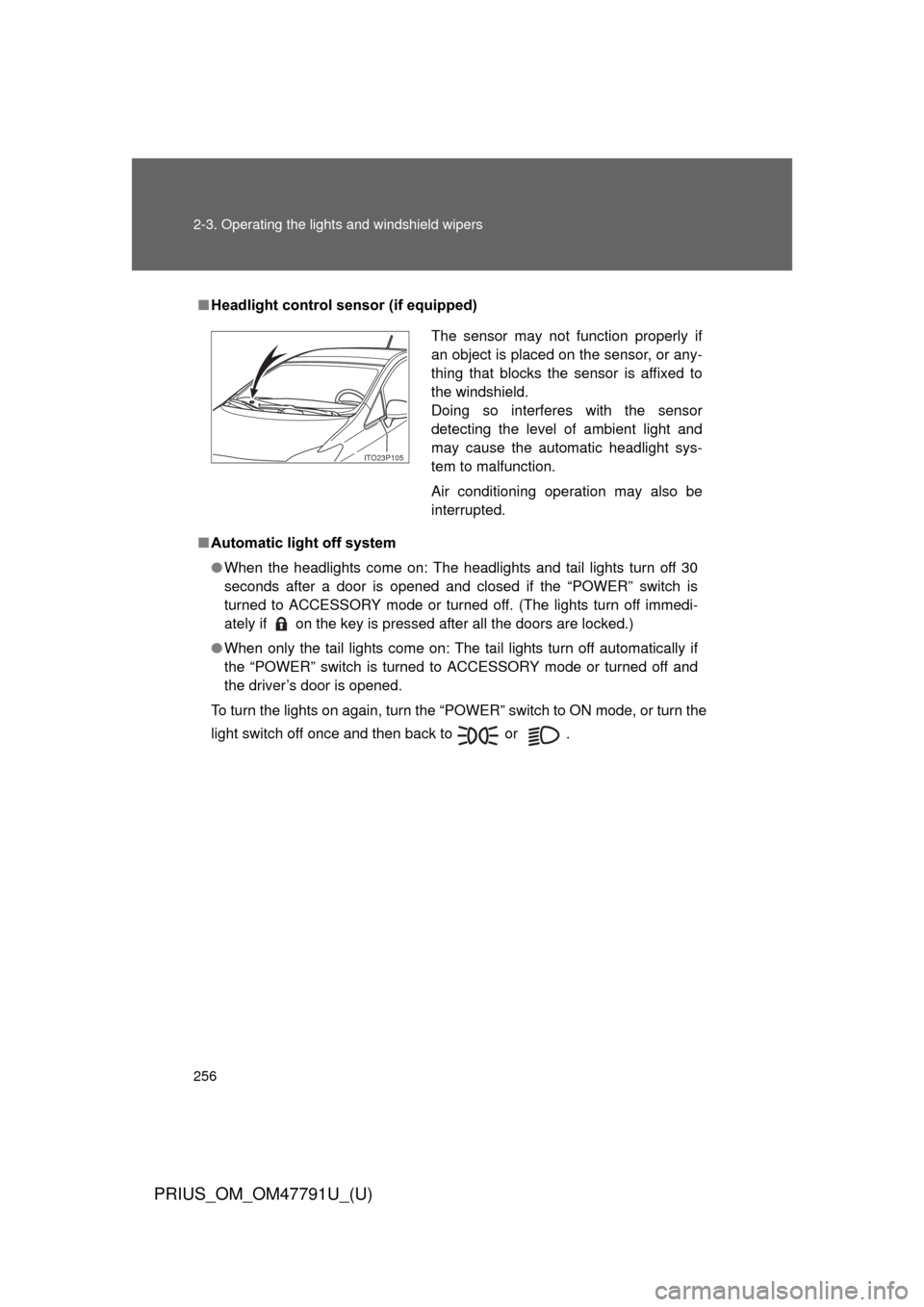
■Headlight control sensor (if equipped)
■ Automatic light off system
● When the headlights come on: The headlights and tail lights turn off 30
seconds after a door is opened and closed if the “POWER” switch is
turned to ACCESSORY mode or turned off. (The lights turn off immedi-
ately if on the key is pressed after all the doors are locked.)
● When only the tail lights come on: The tail lights turn off automatically if
the “POWER” switch is turned to ACCESSORY mode or turned off and
the driver’s door is opened.
To turn the lights on again, turn the “POWER” switch to ON mode, or turn the
light switch off once and then back to or .
The sensor may not function properly if
an object is placed on the sensor, or any-
thing that blocks the sensor is affixed to
the windshield.
Doing so interferes with the sensor
detecting the level of ambient light and
may cause the automatic headlight sys-
tem to malfunction.
Air conditioning operation may also be
interrupted.
ITO23P105
Page 257 of 640
257
2-3. Operating the lights and windshield wipers
PRIUS_OM_OM47791U_(U)
2
When driving
■
Automatic headlight leveling system (if equipped)
The level of the headlights is automatically adjusted according to the number
of passengers and the loading condition of the vehicle to ensure that the
headlights do not interfere with other road users.
■ Customization
Settings (e.g. light sensor sensitivity) can be changed.
(Customizable features P. 596)
NOTICE
■To prevent 12-volt battery discharge
Do not leave the lights on longer than necessary when the hybrid system is
off.