Settings TOYOTA PRIUS 2013 3.G User Guide
[x] Cancel search | Manufacturer: TOYOTA, Model Year: 2013, Model line: PRIUS, Model: TOYOTA PRIUS 2013 3.GPages: 640, PDF Size: 11.67 MB
Page 257 of 640

257
2-3. Operating the lights and windshield wipers
PRIUS_OM_OM47791U_(U)
2
When driving
■
Automatic headlight leveling system (if equipped)
The level of the headlights is automatically adjusted according to the number
of passengers and the loading condition of the vehicle to ensure that the
headlights do not interfere with other road users.
■ Customization
Settings (e.g. light sensor sensitivity) can be changed.
(Customizable features P. 596)
NOTICE
■To prevent 12-volt battery discharge
Do not leave the lights on longer than necessary when the hybrid system is
off.
Page 275 of 640
275
2-4. Using other
driving systems
PRIUS_OM_OM47791U_(U)
2
When driving
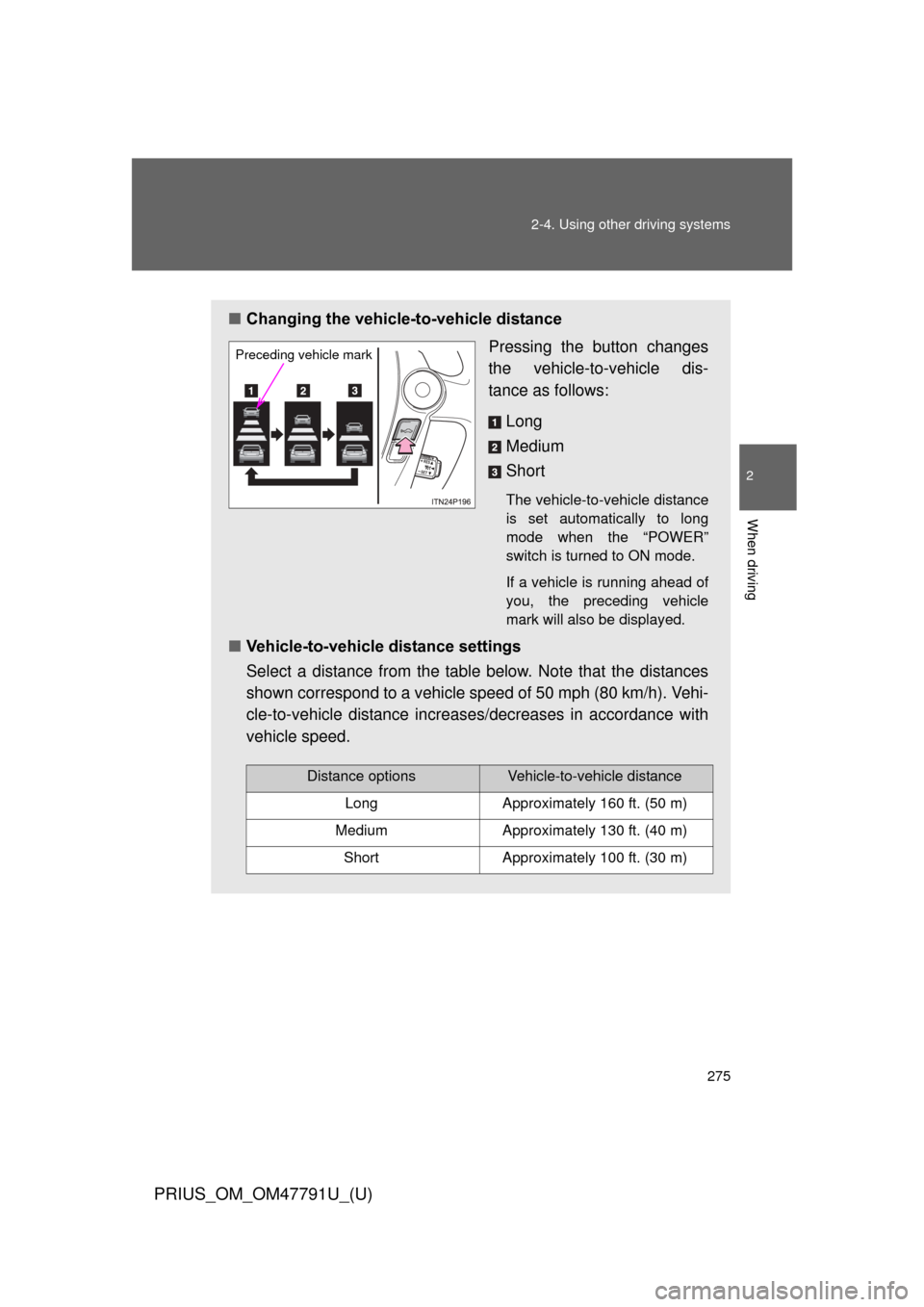
■Changing the vehicle -to-vehicle distance
Pressing the button changes
the vehicle-to-vehicle dis-
tance as follows:
Long
Medium
Short
The vehicle-to-vehicle distance
is set automatically to long
mode when the “POWER”
switch is turned to ON mode.
If a vehicle is running ahead of
you, the preceding vehicle
mark will also be displayed.
■Vehicle-to-vehicle distance settings
Select a distance from the table below. Note that the distances
shown correspond to a vehicle speed of 50 mph (80 km/h). Vehi-
cle-to-vehicle distance increases/decreases in accordance with
vehicle speed.
Preceding vehicle mark
Distance optionsVehicle-to-vehicle distance
LongApproximately 160 ft. (50 m)
MediumApproximately 130 ft. (40 m)
ShortApproximately 100 ft. (30 m)
Page 331 of 640
331
3-1. Using the air conditioning system
and defogger
PRIUS_OM_OM47791U_(U)
3
Interior features
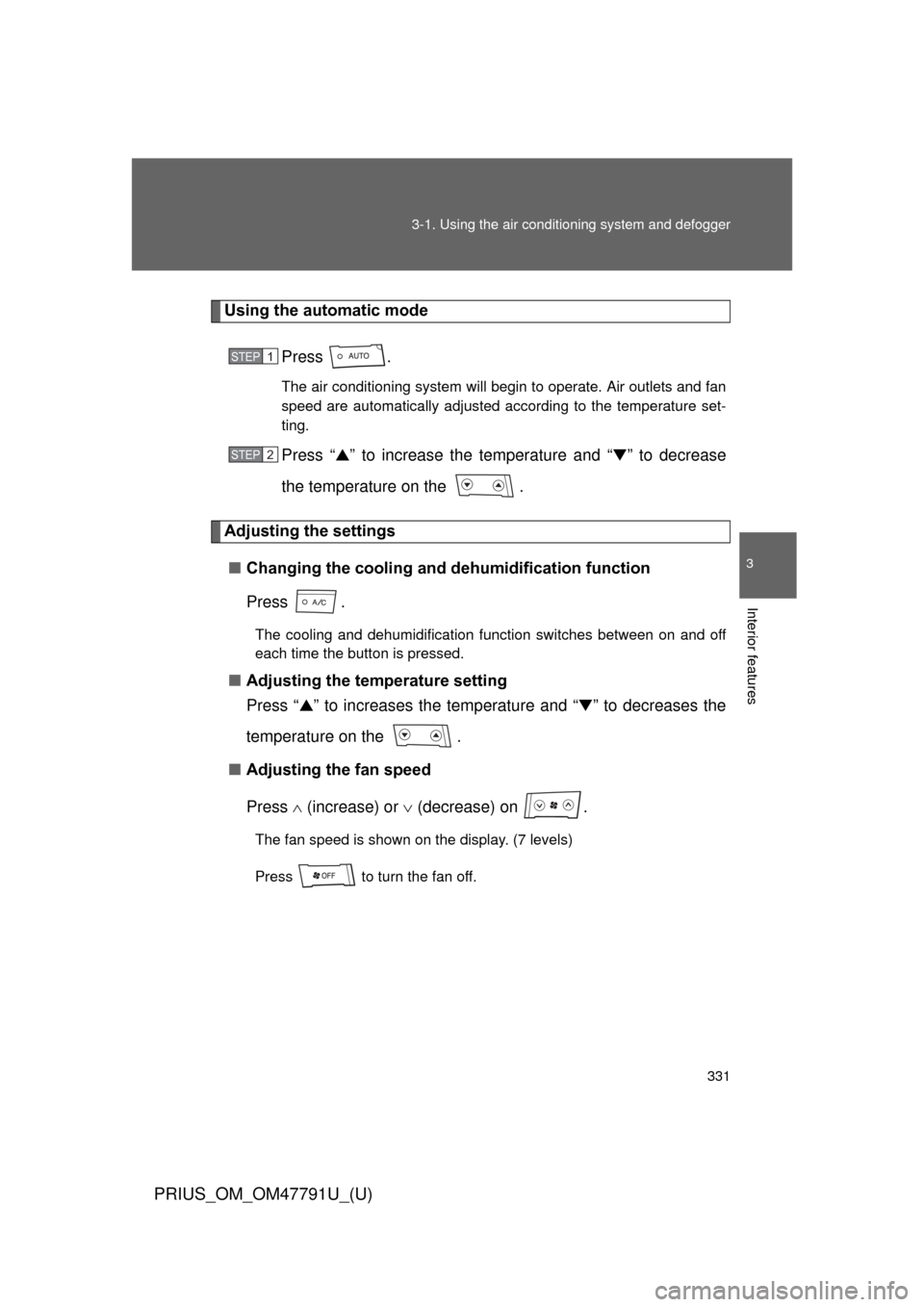
Using the automatic mode
Press .
The air conditioning system will begin to operate. Air outlets and fan
speed are automatically adjusted according to the temperature set-
ting.
Press “▲” to increase the temperature and “ ▼” to decrease
the temperature on the .
Adjusting the settings
■ Changing the cooling and dehumidification function
Press .
The cooling and dehumidification function switches between on and off
each time the button is pressed.
■Adjusting the temperature setting
Press “ ▲” to increases the temperature and “ ▼” to decreases the
temperature on the .
■ Adjusting the fan speed
Press (increase) or (decrease) on .
The fan speed is shown on the display. (7 levels)
Press to turn the fan off.
STEP 1
STEP 2
Page 339 of 640
339
3-1. Using the air conditioning system
and defogger
PRIUS_OM_OM47791U_(U)
3
Interior features
■If air flow from the vents decreases dramatically
The filter may be clogged. Contact your Toyota dealer.
■ Operation of the air conditio ning system in Eco drive mode
In the Eco drive mode, the air conditioning system is controlled as follows to
prioritize fuel efficiency:
● Engine speed and compressor operation controlled to restrict heating/
cooling capacity
● Fan speed restricted when automatic mode is selected
To improve air conditioning performance, perform the following operations:
● Adjust the fan speed
● Turn off Eco drive mode ( P. 206)
● Customize the air conditioning control of Eco drive mode. ( P. 596)
■ When outside air temperature is below 32 °F (0 °C)
The cooling and dehumidification function may not operate even when
is pressed.
■ Air conditioning odors
● During use, various odors from inside and outside the vehicle may enter
into and accumulate in the air conditioning system. This may then cause
odor to be emitted from the vents.
● To reduce potential odors from occurring:
• It is recommended that the air conditioning system be set to outside air
mode prior to turning the vehicle off.
• The start timing of the blower may be delayed for a short period of time immediately after the air conditioning system is started in automatic
mode.
■ Customization
Settings (e.g. enable/disable automatic operation of the air conditioning
compressor when the “AUTO” switch ON) can be changed.
(Customizable features P. 596)
Page 342 of 640
342 3-1. Using the air conditioning system and defogger
PRIUS_OM_OM47791U_(U)
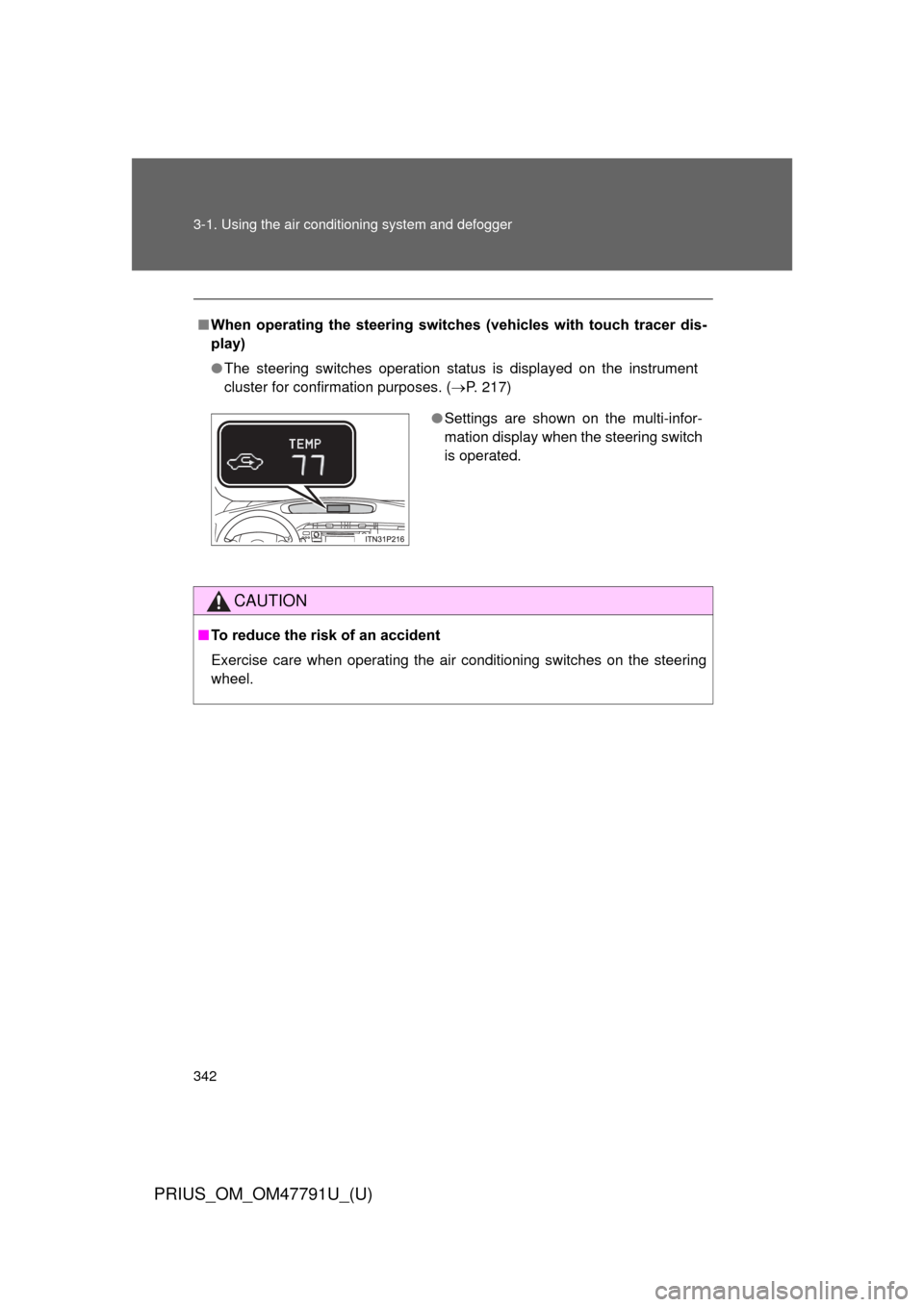
■When operating the steering switches (vehicles with touch tracer dis-
play)
● The steering switches operation status is displayed on the instrument
cluster for confirmation purposes. ( P. 217)
CAUTION
■To reduce the risk of an accident
Exercise care when operating the air conditioning switches on the steering
wheel.
● Settings are shown on the multi-infor-
mation display when the steering switch
is operated.
Page 346 of 640
346
3-1. Using the air conditioning system and defogger
PRIUS_OM_OM47791U_(U)
Remote Air Conditioning System
■Operating conditions
The system will only operate if all of the following conditions are met:
● The shift position is in P.
● The “POWER” switch is OFF.
● All doors are closed.
● The hood is closed.
● The brake pedal is not being depressed.
● The air conditioning is not set to “HI”.
: If equipped
The Remote Air Conditioning Syst em uses electrical energy stored
in the hybrid battery (traction batt ery) and allows the air conditioning
to be operated by remote control.
■ Before leaving the vehicle
Check the temperature setting of the air conditioning system.
The Remote Air Conditioning System will operate in accordance with
the temperature settings of the air conditioning system.
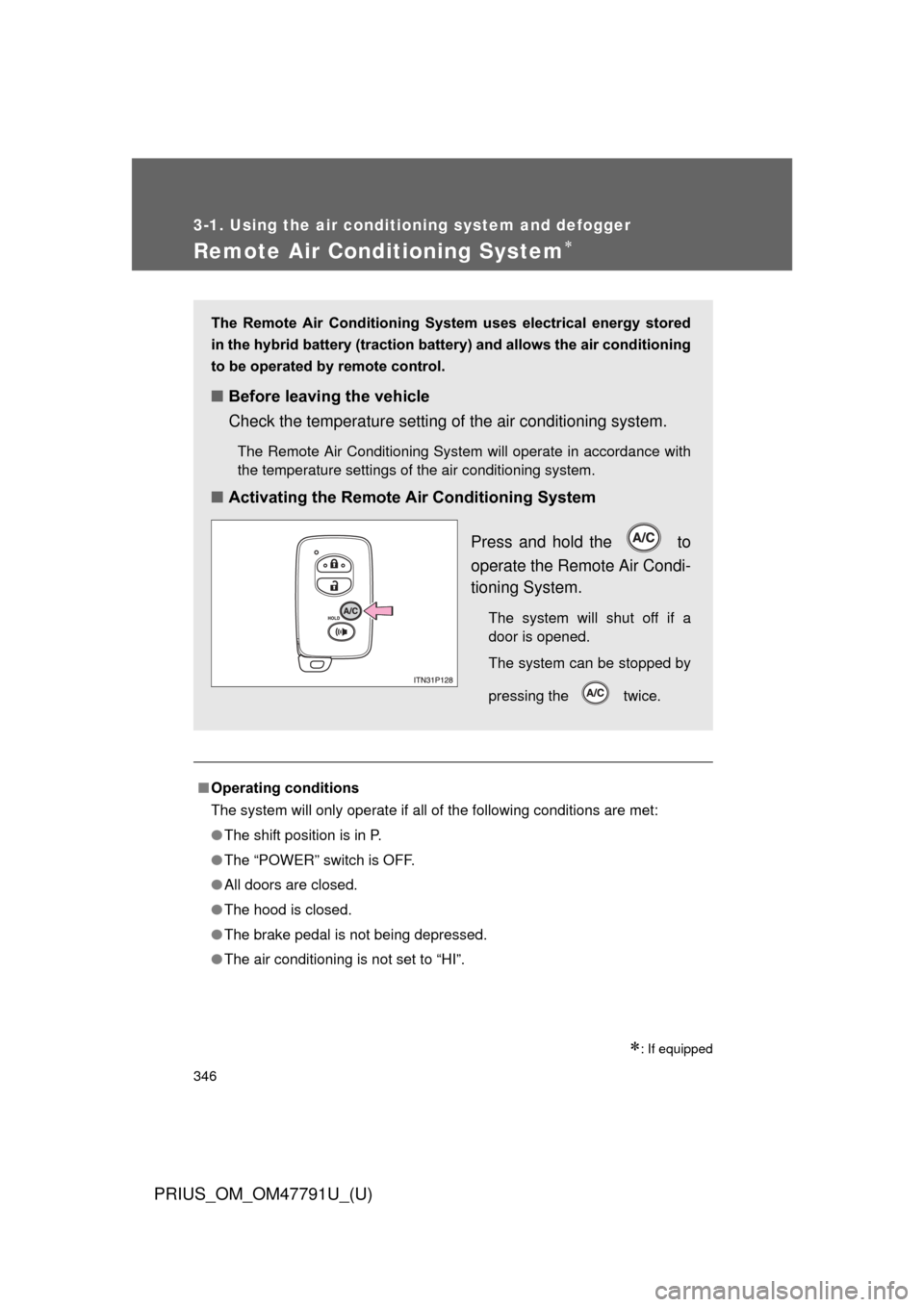
■Activating the Remote Air Conditioning System
Press and hold the to
operate the Remote Air Condi-
tioning System.
The system will shut off if a
door is opened.
The system can be stopped by
pressing the twice.
Page 449 of 640
449
4-3. Do-it-yourself maintenance
PRIUS_OM_OM47791U_(U)
4
Maintenance and care
■Initializing the tire pressure warning system
Initialize the system with the tire infl
ation pressure adjusted to the speci-
fied level.
■If the tread on snow tires wears down below 0.16 in. (4 mm)
The effectiveness of the tires as snow tires is lost.
■If you press the tire pressure warning reset switch accidentally
If initialization is performed, adjust t he tire inflation pressure to the speci-
fied level and initialize the tire pressure warning system again.
■When initialization of the tire pressure warning system has failed
Initialization can be completed in a few minutes. However, in the follow-
ing cases, the settings have not been recorded and the system will not
operate properly. If repeated attempts to record tire inflation pressure
settings are unsuccessful, have the vehicle inspected by your Toyota
dealer.
●When operating the tire pressure warning reset switch, the tire pres-
sure warning light doe s not blink 3 times.
●After carrying out the initialization procedure, the tire pressure warn-
ing light blinks for 1 minute then stays on after driving for 20 minutes.
Page 596 of 640
596
PRIUS_OM_OM47791U_(U)
6-2. Customization
Customizable features
Customizable featuresVehicles with a Display Audio system: Settings that can be
changed using the Display Audio system
(For further information on custom izing settings using the Display
Audio system, refer to the “Dis play Audio System Owner’s Man-
ual”.)
Vehicles with a navigation syst em: Settings that can be changed
using the navi gation system
(For further information on cust omizing settings using the naviga-
tion system, refer to the “Navig ation System Owner’s Manual”.)
Settings that can be chan ged by your Toyota dealer
Definition of symbols: O = Available, — = Not available
Your vehicle includes a variety of electronic features that can be per-
sonalized to suit your prefer ences. Programming these preferences
requires specialized equipment and may be performed by your
Toyota dealer.
Some function settings are changed simultaneously with other functions
being customized. Contact your Toyota dealer for further details.