instrument cluster TOYOTA PRIUS 2013 3.G Owners Manual
[x] Cancel search | Manufacturer: TOYOTA, Model Year: 2013, Model line: PRIUS, Model: TOYOTA PRIUS 2013 3.GPages: 640, PDF Size: 11.67 MB
Page 3 of 640
1
2
3
4
5
6
7
3
PRIUS_OM_OM47791U_(U)
2-1. Driving proceduresDriving the vehicle............... 182
Power (ignition) switch ........ 194
EV drive mode .................... 201
Hybrid transmission ............ 204
Turn signal lever ................. 213
Parking brake ...................... 214
Horn .................................... 215
2-2. Instrument cluster Gauges and meters ............ 216
Indicators and warning lights ................................. 221
Multi-information display ..... 225
Head-up display .................. 245
2-3. Operating the lights and windshield wipers
Headlight switch .................. 252
Fog light switch ................... 258
Windshield wipers and washer ....................... 260
Rear window wiper and washer ....................... 264
Headlight cleaner switch ..... 267 2-4. Using other driving systems
Cruise control ..................... 268
Dynamic radar cruise control .............................. 272
LKA (Lane-Keeping Assist) .............................. 289
Driving assist systems ........ 300
Hill-start assist control ........ 305
PCS (Pre-Collision System) ............................ 307
2-5. Driving information Cargo and luggage ............. 315
Vehicle load limits............... 320
Winter driving tips ............... 321
Trailer towing ...................... 326
Dinghy towing ..................... 327
2When driving
Page 181 of 640
When driving2
181
PRIUS_OM_OM47791U_(U)
2-1. Driving proceduresDriving the vehicle............ 182
Power (ignition) switch ..... 194
EV drive mode ................. 201
Hybrid transmission ......... 204
Turn signal lever .............. 213
Parking brake ................... 214
Horn ................................. 215
2-2. Instrument cluster Gauges and meters ......... 216
Indicators and warning lights .............................. 221
Multi-information display............................ 225
Head-up display ............... 245 2-3. Operating the lights
and windshield wipers
Headlight switch ............... 252
Fog light switch ................ 258
Windshield wipers and washer .................... 260
Rear window wiper and washer .................... 264
Headlight cleaner switch ............................. 267
2-4. Using other driving systems Cruise control ................... 268
Dynamic radar cruise control ............................ 272
LKA (Lane-Keeping Assist) ............................ 289
Driving assist systems ..... 300
Hill-start assist control ...... 305
PCS (Pre-Collision System) .......................... 307
2-5. Driving information Cargo and luggage .......... 315
Vehicle load limits ............ 320
Winter driving tips ............ 321
Trailer towing ................... 326
Dinghy towing .................. 327
Page 205 of 640
205
2-1. Driving procedures
PRIUS_OM_OM47791U_(U)
2
When driving
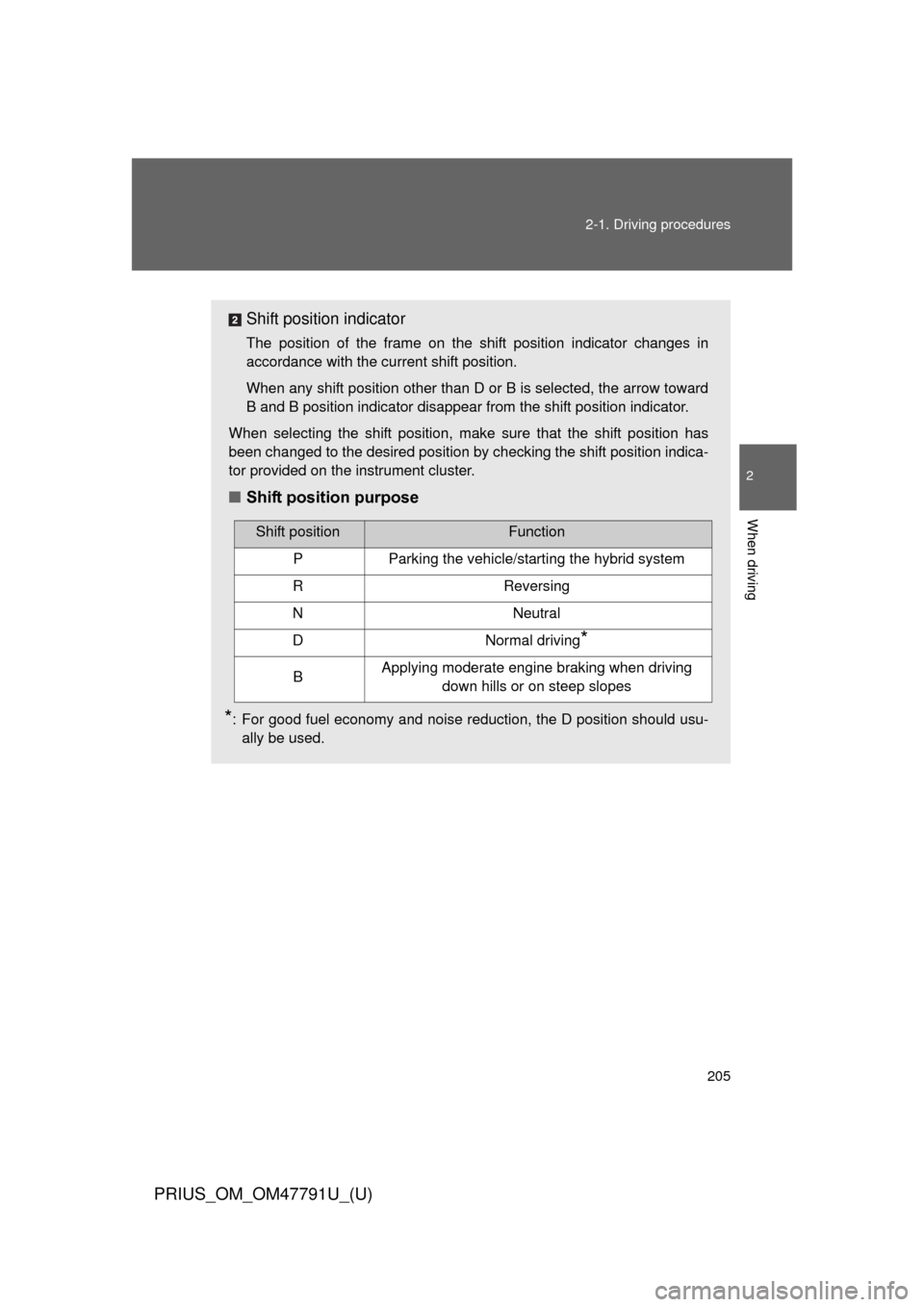
Shift position indicator
The position of the frame on the shift position indicator changes in
accordance with the current shift position.
When any shift position other than D or B is selected, the arrow toward
B and B position indicator disappear from the shift position indicator.
When selecting the shift position, make sure that the shift position has
been changed to the desired position by checking the shift position indica-
tor provided on the instrument cluster.
■ Shift position purpose
*: For good fuel economy and noise reduction, the D position should usu-
ally be used.
Shift positionFunction
PParking the vehicle/starting the hybrid system
RReversing
NNeutral
DNormal driving*
BApplying moderate engine braking when driving down hills or on steep slopes
Page 207 of 640
207
2-1. Driving procedures
PRIUS_OM_OM47791U_(U)
2
When driving
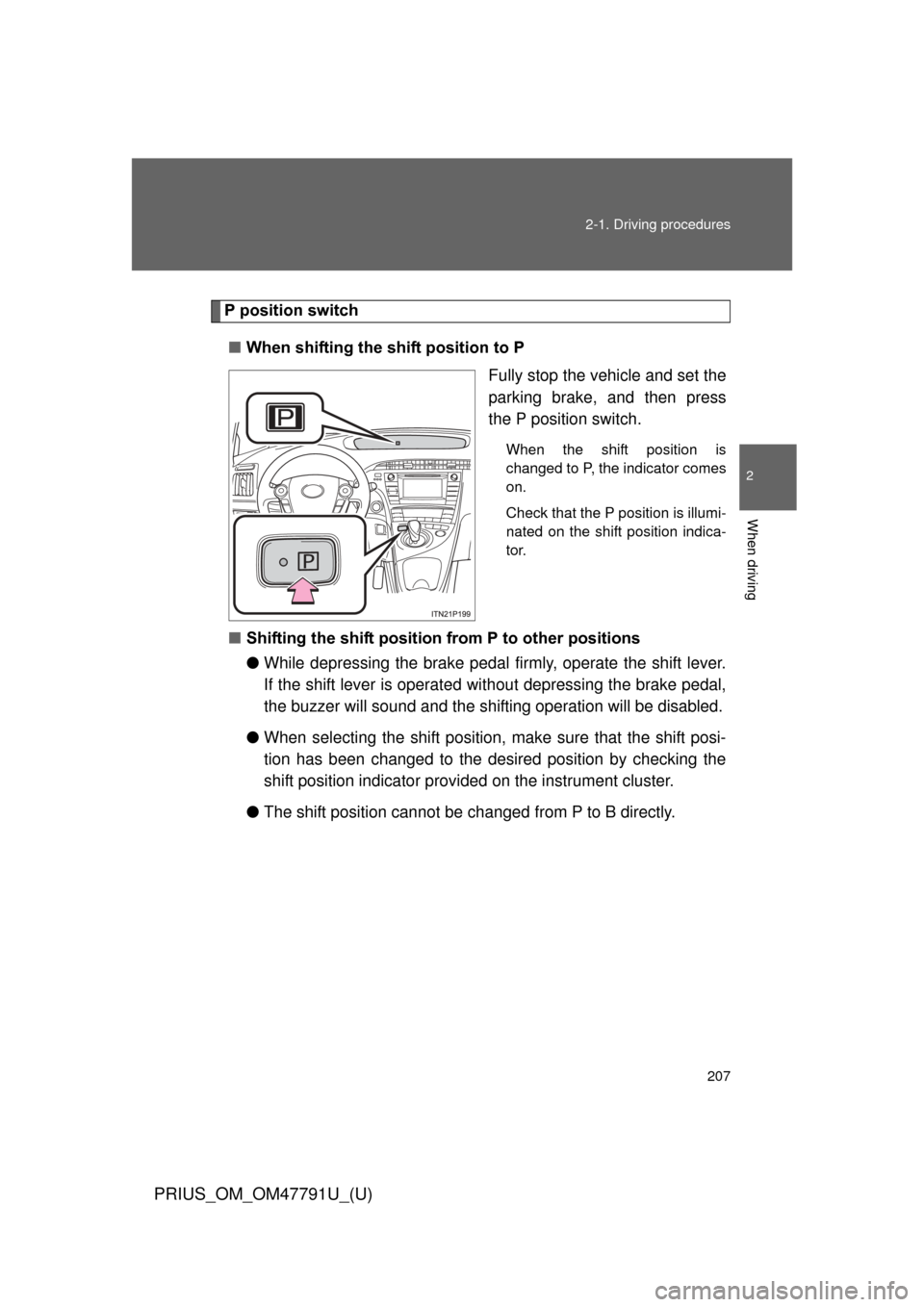
P position switch
■ When shifting the shift position to P
Fully stop the vehicle and set the
parking brake, and then press
the P position switch.
When the shift position is
changed to P, the indicator comes
on.
Check that the P position is illumi-
nated on the shift position indica-
tor.
■Shifting the shift position from P to other positions
●While depressing the brake pedal firmly, operate the shift lever.
If the shift lever is operated wi thout depressing the brake pedal,
the buzzer will sound and the shifting operation will be disabled.
● When selecting the shift position, make sure that the shift posi-
tion has been changed to the desired position by checking the
shift position indicator provi ded on the instrument cluster.
● The shift position cannot be changed from P to B directly.
Page 216 of 640
216
PRIUS_OM_OM47791U_(U)
2-2.Instrument cluster
Gauges and meters
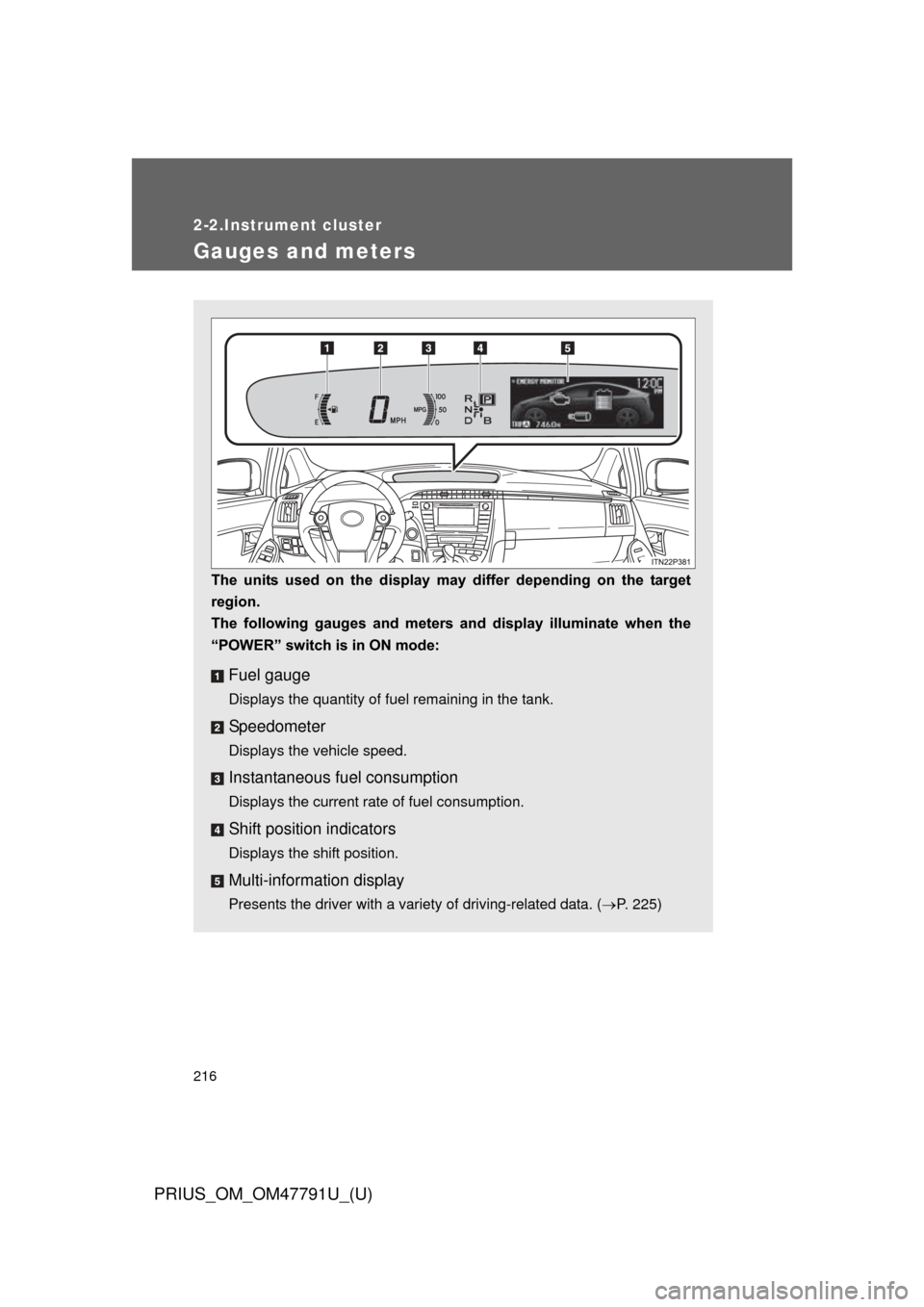
The units used on the display may differ depending on the target
region.
The following gauges and meters and display illuminate when the
“POWER” switch is in ON mode:
Fuel gauge
Displays the quantity of fuel remaining in the tank.
Speedometer
Displays the vehicle speed.
Instantaneous fuel consumption
Displays the current rate of fuel consumption.
Shift position indicators
Displays the shift position.
Multi-information display
Presents the driver with a variety of driving-related data. ( P. 225)
Page 217 of 640
217
2-2. Instrument cluster
PRIUS_OM_OM47791U_(U)
2
When driving
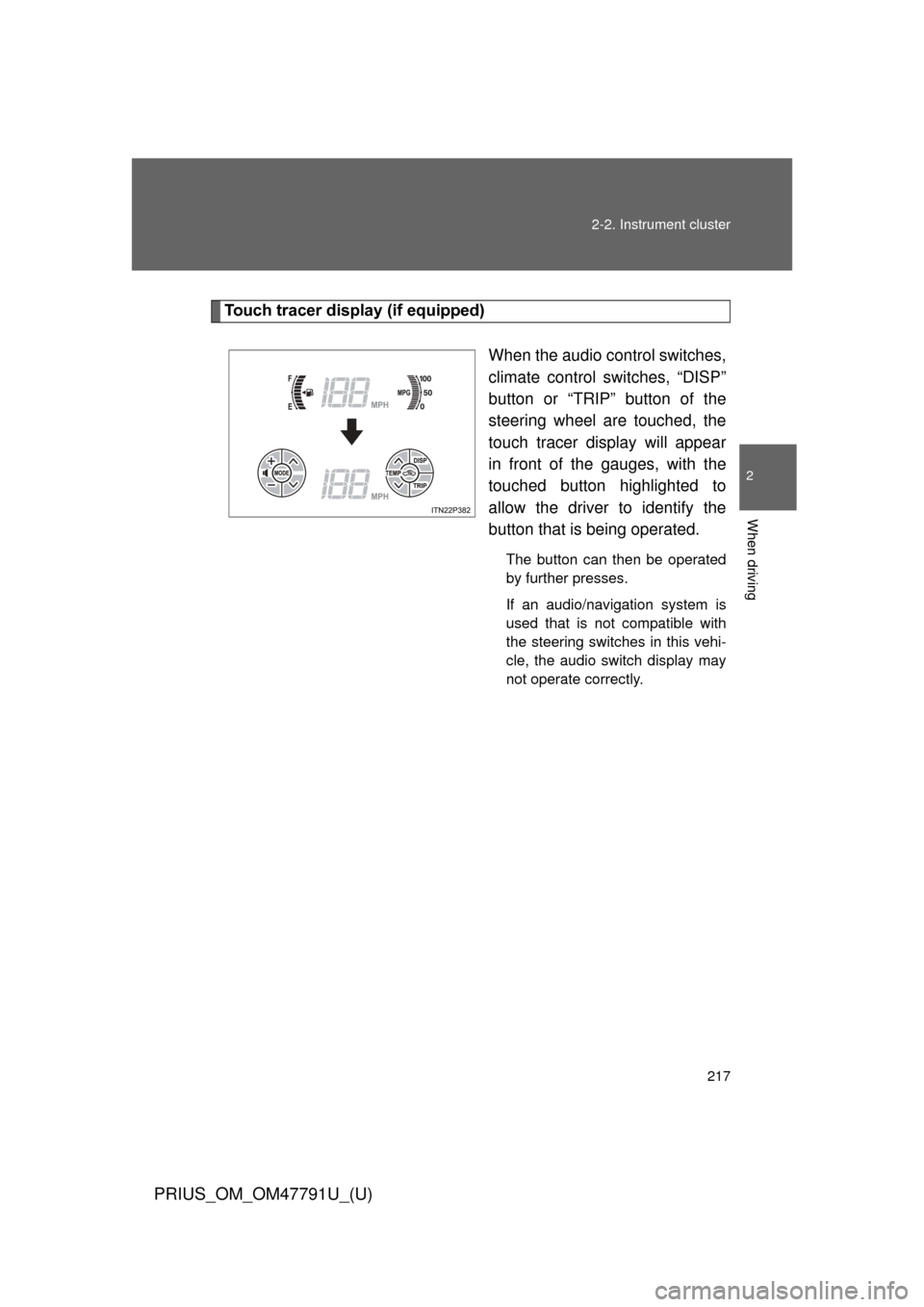
Touch tracer display (if equipped)
When the audio control switches,
climate control switches, “DISP”
button or “TRIP” button of the
steering wheel are touched, the
touch tracer display will appear
in front of the gauges, with the
touched button highlighted to
allow the driver to identify the
button that is being operated.
The button can then be operated
by further presses.
If an audio/navigation system is
used that is not compatible with
the steering switches in this vehi-
cle, the audio switch display may
not operate correctly.
Page 218 of 640
218 2-2. Instrument cluster
PRIUS_OM_OM47791U_(U)
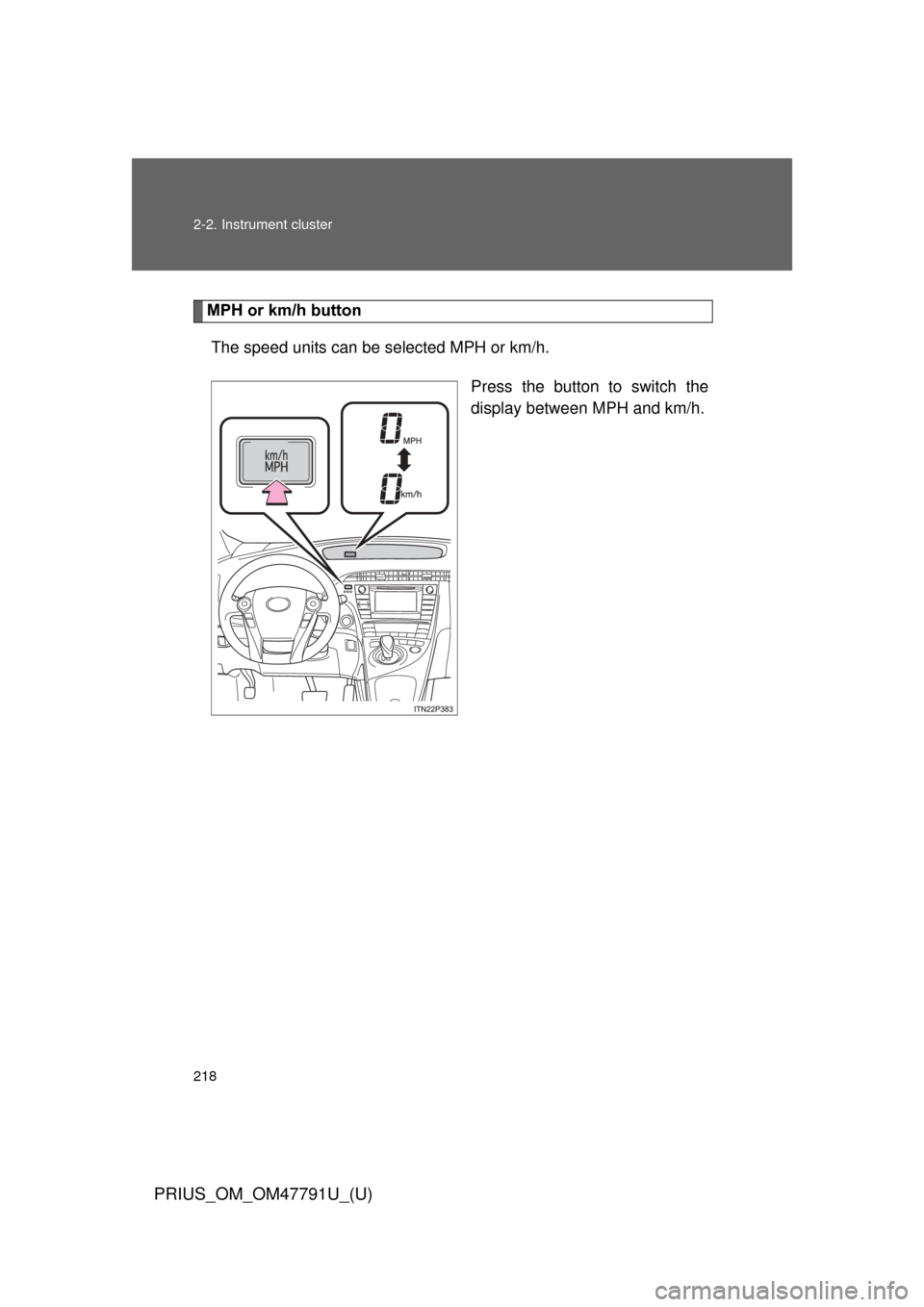
MPH or km/h buttonThe speed units can be selected MPH or km/h.
Press the button to switch the
display between MPH and km/h.
Page 219 of 640
219
2-2. Instrument cluster
PRIUS_OM_OM47791U_(U)
2
When driving
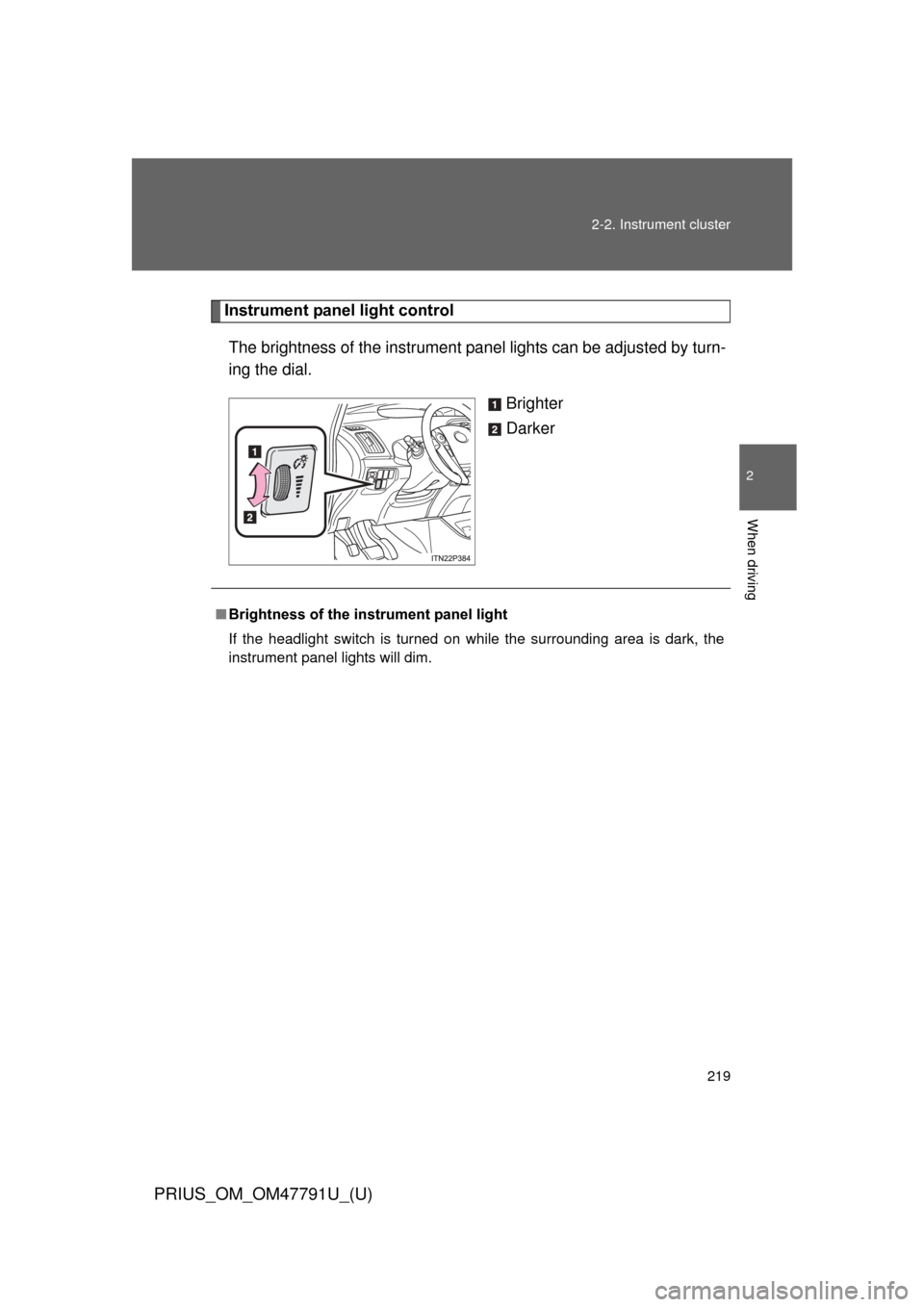
Instrument panel light control
The brightness of the instrument pa nel lights can be adjusted by turn-
ing the dial.
Brighter
Darker
■Brightness of the instrument panel light
If the headlight switch is turned on while the surrounding area is dark, the
instrument panel lights will dim.
Page 220 of 640
220 2-2. Instrument cluster
PRIUS_OM_OM47791U_(U)
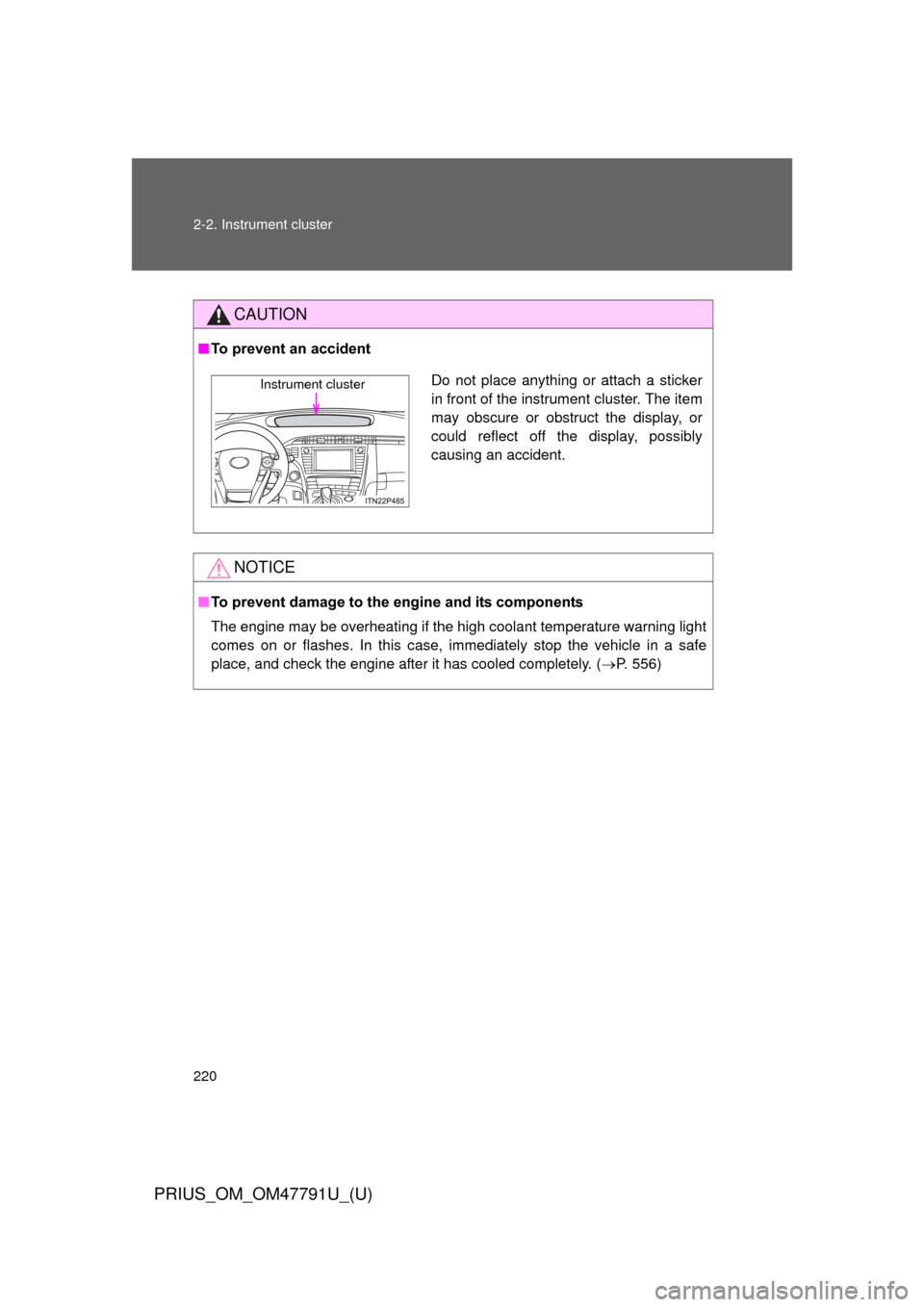
CAUTION
■To prevent an accident
NOTICE
■To prevent damage to the engine and its components
The engine may be overheating if the high coolant temperature warning light
comes on or flashes. In this case, immediately stop the vehicle in a safe
place, and check the engine after it has cooled completely. ( P. 556)
Do not place anything or attach a sticker
in front of the instrument cluster. The item
may obscure or obstruct the display, or
could reflect off the display, possibly
causing an accident.Instrument cluster
Page 221 of 640
221
2-2. Instrument cluster
PRIUS_OM_OM47791U_(U)
2
When driving
Indicators and warning lights
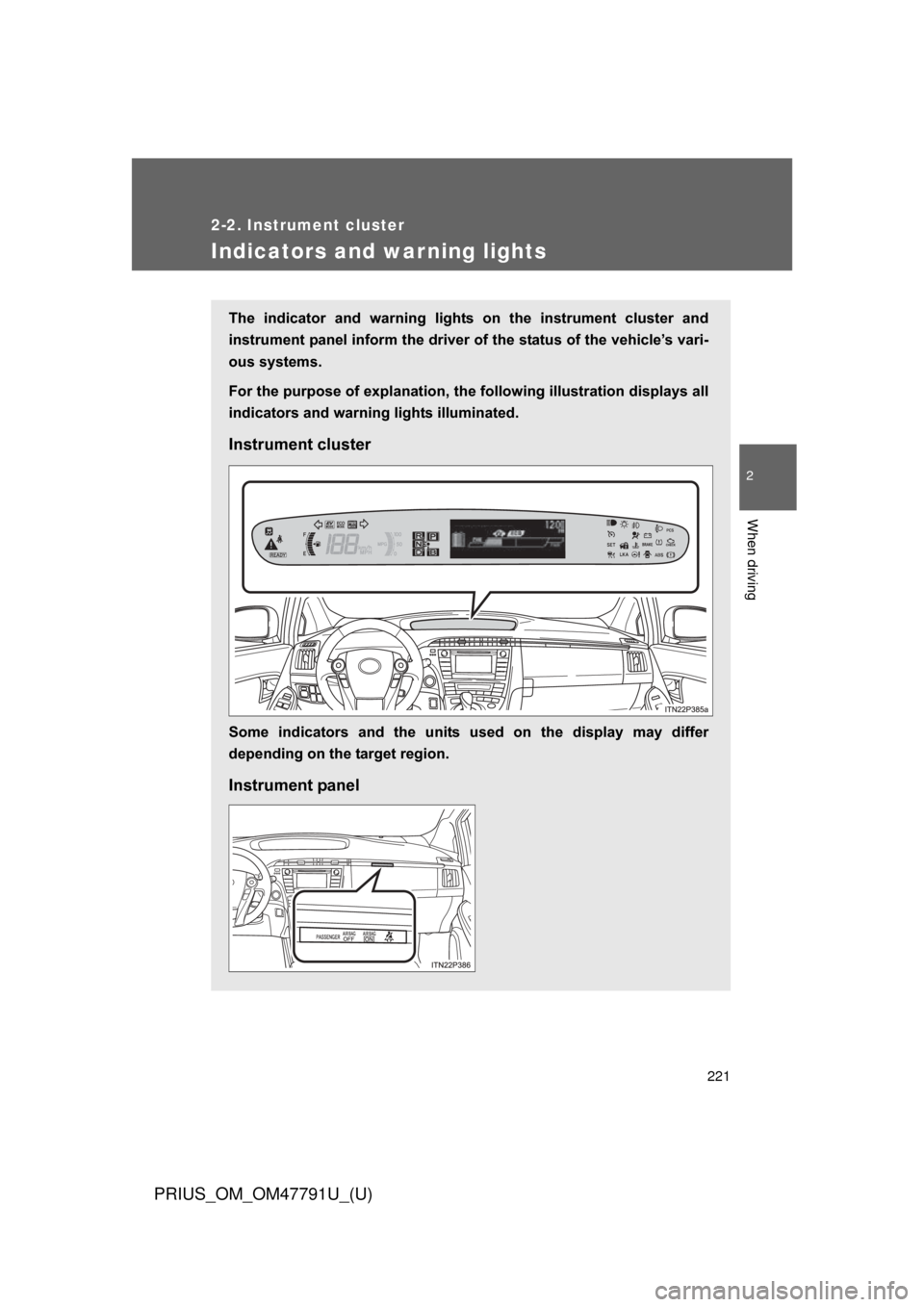
The indicator and warning lights on the instrument cluster and
instrument panel inform the driver of the status of the vehicle’s vari-
ous systems.
For the purpose of explanation, the fo llowing illustration displays all
indicators and warning lights illuminated.
Instrument cluster
Some indicators and the units used on the display may differ
depending on the target region.
Instrument panel