key battery TOYOTA PRIUS 2015 4.G User Guide
[x] Cancel search | Manufacturer: TOYOTA, Model Year: 2015, Model line: PRIUS, Model: TOYOTA PRIUS 2015 4.GPages: 644, PDF Size: 11.25 MB
Page 199 of 644
199
2-1. Driving procedures
PRIUS_OM_OM47A17U_DVD_(U)
2
When driving
■
When the “POWER” switch indicator flashes in amber
The system may be malfunctioning. Have the vehicle inspected by your
Toyota dealer immediately.
■ If the “READY” indicator does not come on
If the “READY” indicator does not come on when you press the “POWER”
switch with the shift position in P and the brake pedal depressed, contact
your Toyota dealer immediately.
■ If the hybrid system is malfunctioning
P. 505
■ If the electronic key battery is depleted
P. 464
■ Operation of the “POWER” switch
●When operating the “POWER” switch, one short, firm press is enough. If
the switch is pressed improperly, the hybrid system may not start or the
“POWER” switch mode may not change. It is not necessary to press and
hold the switch.
● If attempting to restart the hybrid system immediately after turning the
“POWER” switch off, the hybrid system may not start in some cases.
After turning the “POWER” switch off, please wait a few seconds before
restarting the hybrid system.
■ Automatically P position selection function
P. 210
Page 350 of 644
350 3-1. Using the air conditioning system and defogger
PRIUS_OM_OM47A17U_DVD_(U)
■Security feature
Any unlocked doors will be automatically locked when the system is operat-
ing. The buzzer will beep and the emergency flashers flash when the doors
have been locked or the system has been turned off.
(The doors locked: Once; The system turned off: Twice)
■ Conditions affecting operation
P. 7 3
■ Electronic key battery depletion
P. 7 7
■ When the electronic key battery is fully depleted
P. 464
■ Customization
Setting (e.g. Operation using the on the wireless remote control) can
be changed.
(Customizable features P. 608)
Page 362 of 644

362 3-3. Using the interior lights
PRIUS_OM_OM47A17U_DVD_(U)
■Illuminated entry system
The lights automatically turn on/off according to “POWER” switch mode, the
presence of the electronic key, whether the doors are locked/unlocked, and
whether the doors are opened/closed.
■ To prevent 12-volt battery discharge
If the interior lights remain on when the door is not fully closed and the inte-
rior light switch (door position on/off) is on, the lights will go off automatically
after 20 minutes.
■ Customization
Setting (e.g. The time elapsed before lights turn off) can be changed.
(Customizable features P. 606)
NOTICE
■To prevent 12-volt battery discharge
Do not leave the lights on longer than necessary when the hybrid system is
off.
Rear interior light
Page 403 of 644
Maintenance and care4
403
PRIUS_OM_OM47A17U_DVD_(U)
4-1. Maintenance and careCleaning and protecting the vehicle exterior ......... 404
Cleaning and protecting the vehicle interior .......... 407
4-2. Maintenance Maintenance requirements .................. 411
General maintenance....... 414
Emission inspection and maintenance (I/M)
programs........................ 418
4-3. Do-it-yourself maintenance Do-it-yourself service precautions .................... 419
Hood ................................ 422
Positioning a floor jack ................................ 425
Engine compartment ........ 428
12-volt battery .................. 440
Tires ................................. 446
Tire inflation pressure ...... 457
Wheels ............................. 461
Electronic key battery....... 464
Checking and replacing fuses .............................. 466
Light bulbs........................ 478
Page 442 of 644

442 4-3. Do-it-yourself maintenance
PRIUS_OM_OM47A17U_DVD_(U)
■After recharging/reconnecting the 12-volt battery
●Unlocking the doors using the smart key system may not be possible
immediately after reconnecting the 12-volt battery. If this happens, use
the wireless remote control or the mechanical key to lock/unlock the
doors.
● Start the hybrid system with the “POWER” switch in ACCESSORY mode.
The hybrid system may not start with the “POWER” switch turned off.
However, the hybrid system will operate normally from the second
attempt.
● The “POWER” switch mode is recorded by the vehicle. If the 12-volt bat-
tery is reconnected, the vehicle will return the “POWER” switch mode to
the status it was in before the 12-volt battery was disconnected. Make
sure to turn off the power before disconnect the 12-volt battery. Take
extra care when connecting the 12-volt battery if the “POWER” switch
mode prior to discharge is unknown.
● Restart the hybrid system, depress the brake pedal, and confirm that it is
possible to shift into each shift position.
If the system will not start even after multiple attempts at all methods above,
contact your Toyota dealer.
Page 464 of 644
464
4-3. Do-it-yourself maintenance
PRIUS_OM_OM47A17U_DVD_(U)
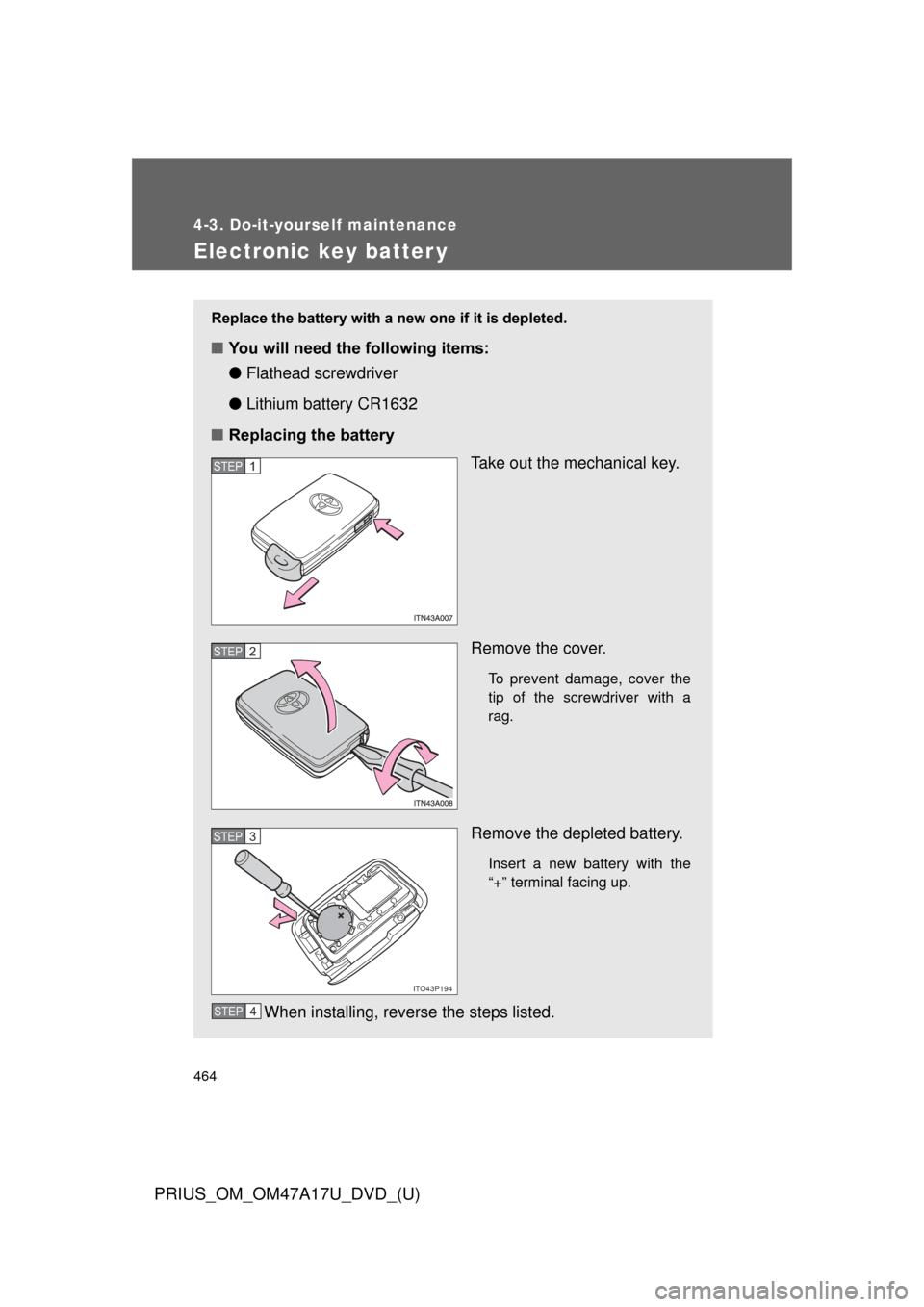
Electronic key batter y
Replace the battery with a new one if it is depleted.
■You will need the following items:
●Flathead screwdriver
● Lithium battery CR1632
■ Replacing the battery
Take out the mechanical key.
Remove the cover.
To prevent damage, cover the
tip of the screwdriver with a
rag.
Remove the depleted battery.
Insert a new battery with the
“+” terminal facing up.
When installing, reverse the steps listed.
STEP 1
STEP 2
ITO43P194
STEP 3
STEP 4
Page 465 of 644
465
4-3. Do-it-yourself maintenance
PRIUS_OM_OM47A17U_DVD_(U)
4
Maintenance and care
■
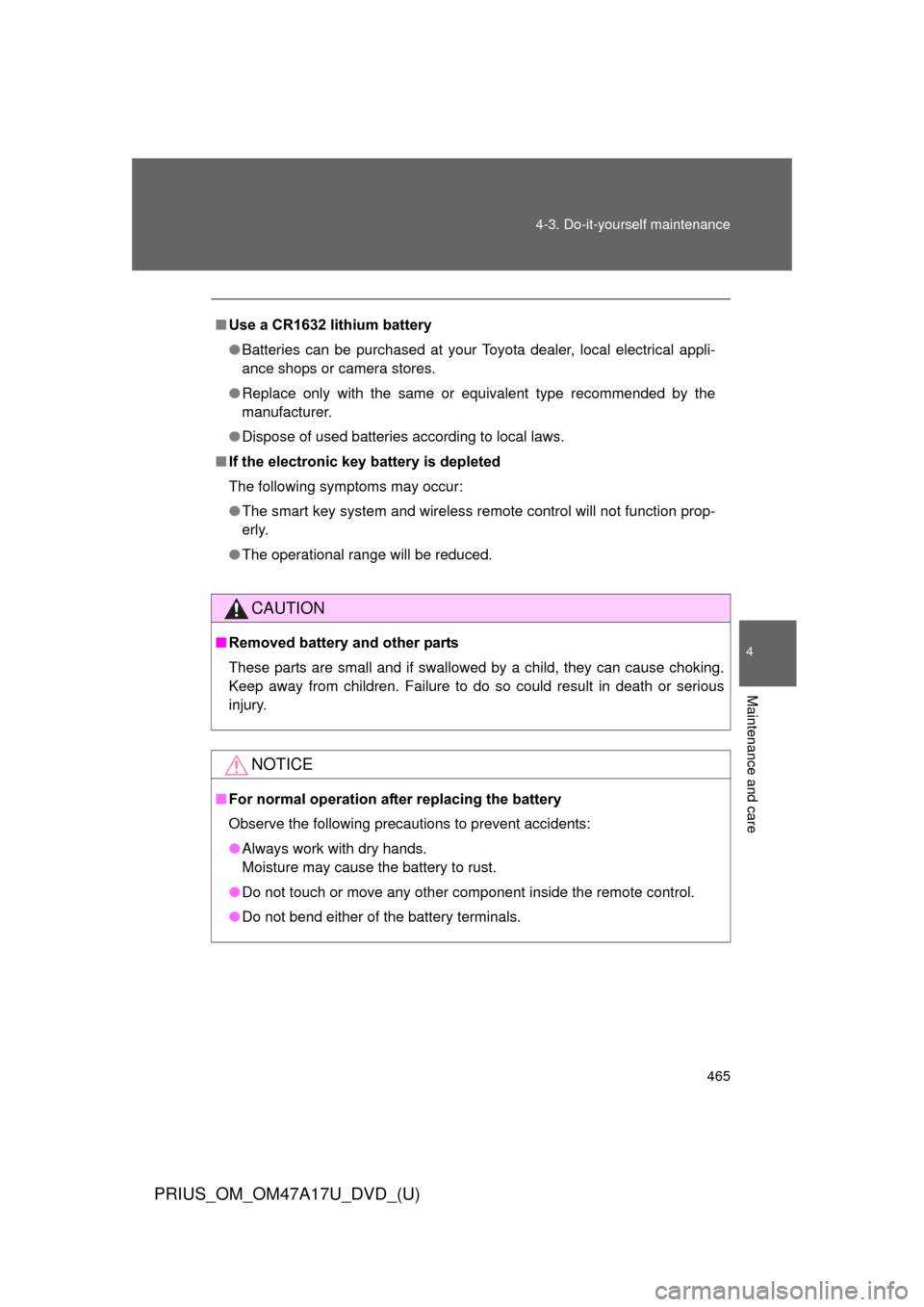
Use a CR1632 lithium battery
●Batteries can be purchased at your Toyota dealer, local electrical appli-
ance shops or camera stores.
● Replace only with the same or equivalent type recommended by the
manufacturer.
● Dispose of used batteries according to local laws.
■ If the electronic key battery is depleted
The following symptoms may occur:
●The smart key system and wireless remote control will not function prop-
erly.
● The operational range will be reduced.
CAUTION
■Removed battery and other parts
These parts are small and if swallowed by a child, they can cause choking.
Keep away from children. Failure to do so could result in death or serious
injury.
NOTICE
■ For normal operation after replacing the battery
Observe the following precautions to prevent accidents:
●Always work with dry hands.
Moisture may cause the battery to rust.
● Do not touch or move any other component inside the remote control.
● Do not bend either of the battery terminals.
Page 493 of 644
When trouble arises5
493
PRIUS_OM_OM47A17U_DVD_(U)
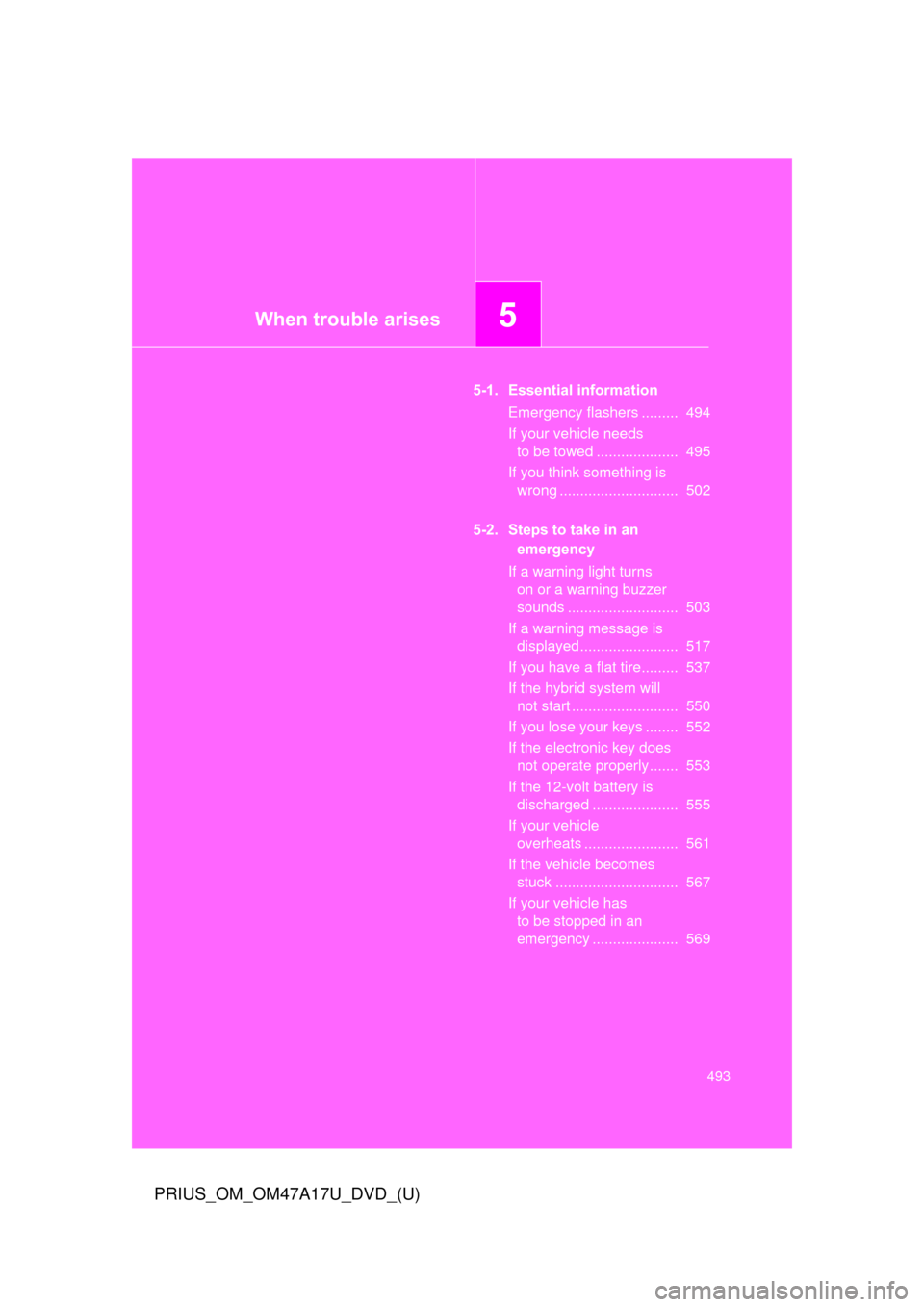
5-1. Essential informationEmergency flashers ......... 494
If your vehicle needs to be towed .................... 495
If you think something is wrong ............................. 502
5-2. Steps to take in an emergency
If a warning light turns on or a warning buzzer
sounds ........................... 503
If a warning message is displayed........................ 517
If you have a flat tire......... 537
If the hybrid system will not start .......................... 550
If you lose your keys ........ 552
If the electronic key does not operate properly....... 553
If the 12-volt battery is discharged ..................... 555
If your vehicle overheats ....................... 561
If the vehicle becomes stuck .............................. 567
If your vehicle has to be stopped in an
emergency ..................... 569
Page 495 of 644
5
When trouble arises
495
5-1. Essential information
PRIUS_OM_OM47A17U_DVD_(U)
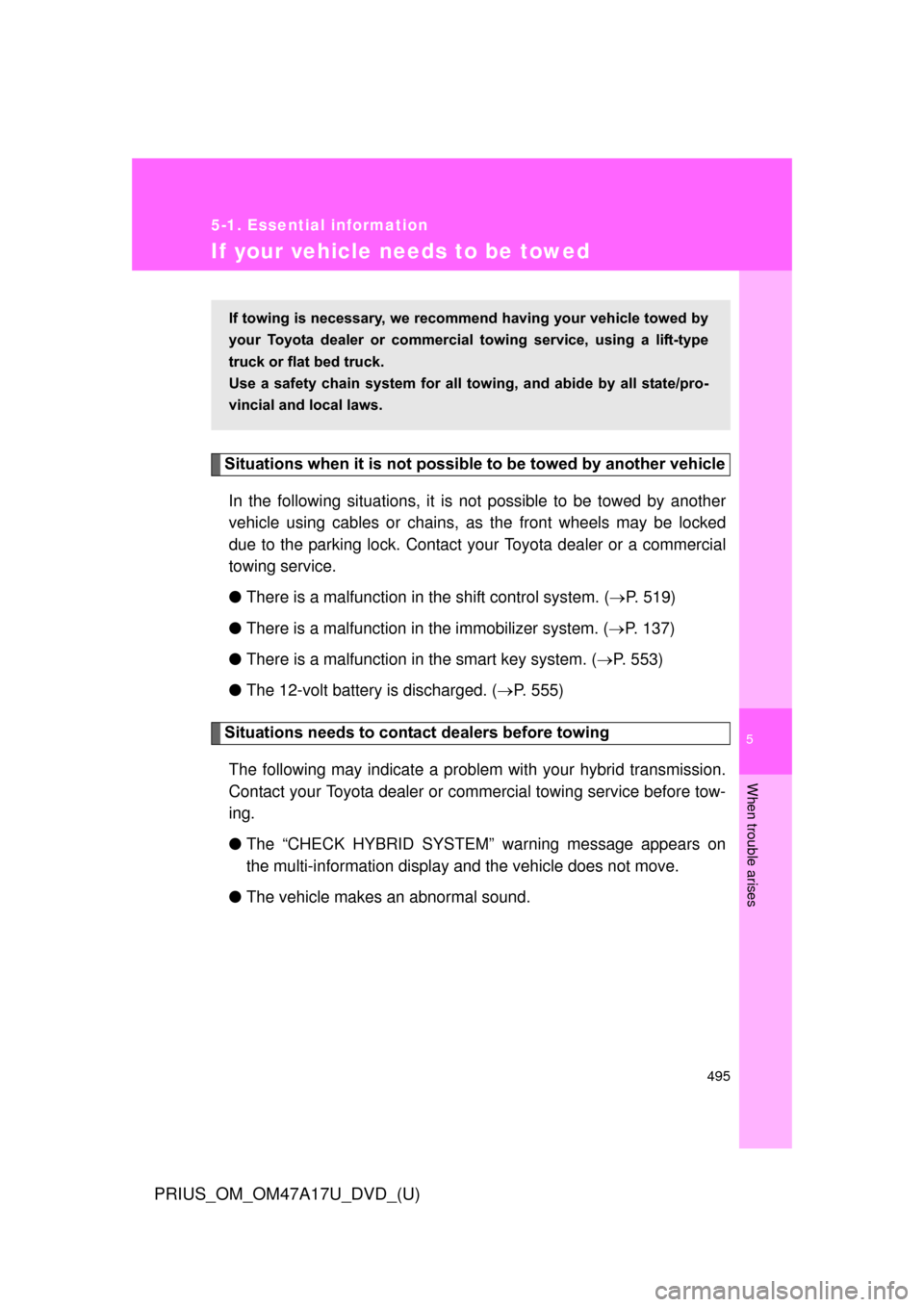
If your vehicle needs to be towed
Situations when it is not possible to be towed by another vehicle
In the following situations, it is not possible to be towed by another
vehicle using cables or chains, as the front wheels may be locked
due to the parking lock. Contact your Toyota dealer or a commercial
towing service.
● There is a malfunction in the shift control system. ( P. 519)
● There is a malfunction in the immobilizer system. ( P. 137)
● There is a malfunction in the smart key system. ( P. 553)
● The 12-volt battery is discharged. ( P. 555)
Situations needs to contact dealers before towing
The following may indicate a problem with your hybrid transmission.
Contact your Toyota dealer or commercial towing service before tow-
ing.
● The “CHECK HYBRID SYSTEM” warning message appears on
the multi-information display and the vehicle does not move.
● The vehicle makes an abnormal sound.
If towing is necessary, we recommend having your vehicle towed by
your Toyota dealer or commerci al towing service, using a lift-type
truck or flat bed truck.
Use a safety chain system for all to wing, and abide by all state/pro-
vincial and local laws.
Page 535 of 644
5
When trouble arises
535
5-2. Steps to take in an emergency
PRIUS_OM_OM47A17U_DVD_(U)
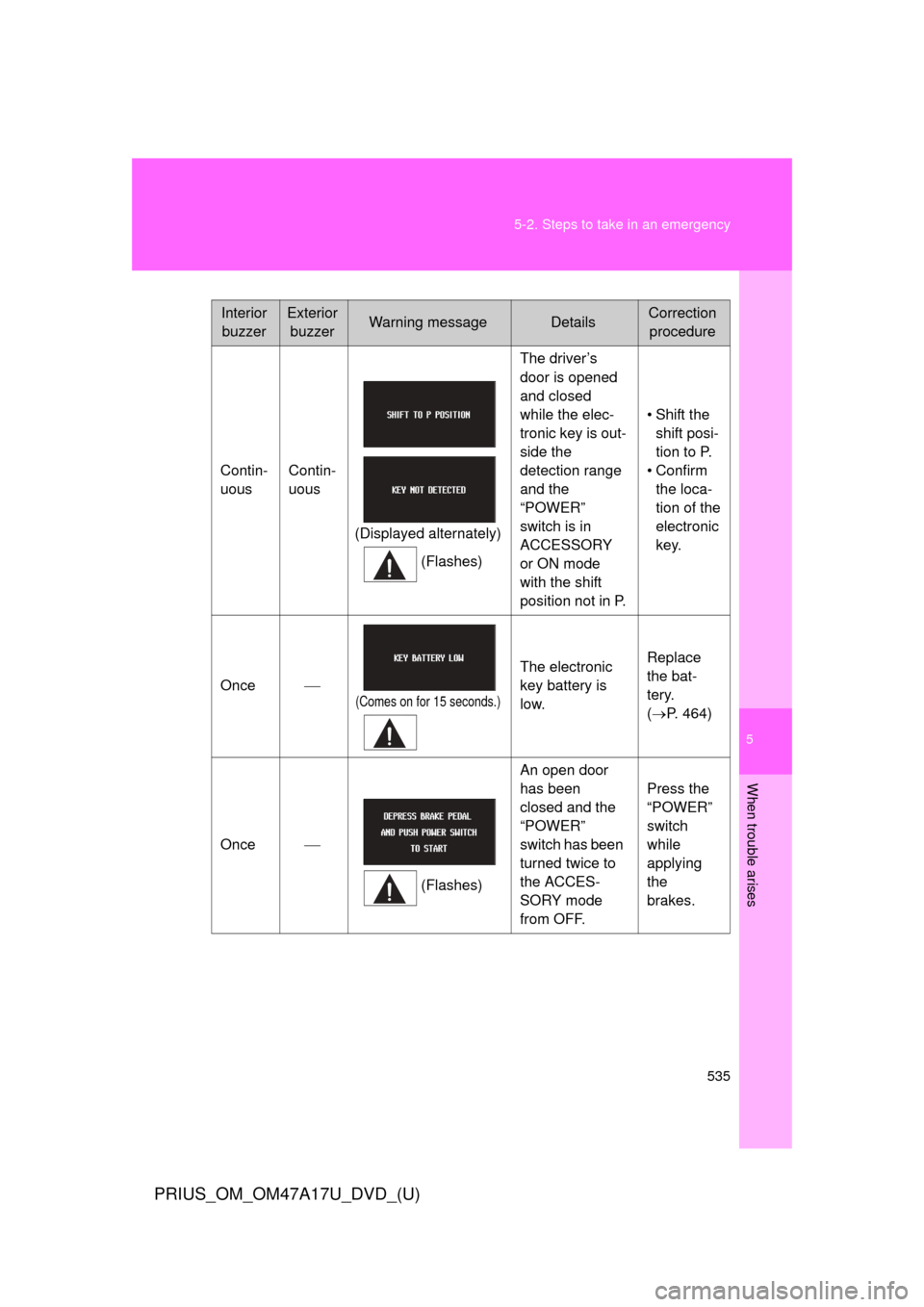
Interior
buzzerExterior buzzerWarning messageDetailsCorrection procedure
Contin-
uous Contin-
uous
(Displayed alternately)(Flashes) The driver’s
door is opened
and closed
while the elec-
tronic key is out-
side the
detection range
and the
“POWER”
switch is in
ACCESSORY
or ON mode
with the shift
position not in P.
• Shift the
shift posi-
tion to P.
• Confirm the loca-
tion of the
electronic
key.
Once
(Comes on for 15 seconds.)
The electronic
key battery is
low. Replace
the bat-
tery.
(
P. 464)
Once
(Flashes)An open door
has been
closed and the
“POWER”
switch has been
turned twice to
the ACCES-
SORY mode
from OFF. Press the
“POWER”
switch
while
applying
the
brakes.