trans TOYOTA PRIUS 2015 4.G User Guide
[x] Cancel search | Manufacturer: TOYOTA, Model Year: 2015, Model line: PRIUS, Model: TOYOTA PRIUS 2015 4.GPages: 644, PDF Size: 11.25 MB
Page 351 of 644
351
3-1. Using the air conditioning system
and defogger
PRIUS_OM_OM47A17U_DVD_(U)
3
Interior features
CAUTION
■Precautions for the Remote Air Conditioning System
●Do not use the system if people are in the vehicle.
• Even when the system is in use, the internal temperature may still
reach a high level due to features such as the automatic shut-off. Chil-
dren and pets left inside the vehicle may suffer heatstroke or dehydra-
tion, or could result in death or serious injury.
• The wipers can be operated during system operation. Children or pets left inside the vehicle may mistakenly operate these and cause an acci-
dent.
● Depending on the surrounding environment, signals from the wireless
switch may transmit further than expected. Pay appropriate attention to
the vehicle’s surroundings and use the switch only when necessary.
● Turn the wipers off. If the Remote Air Conditioning System operates while
the wiper switch is in the on position, the wipers may operate and objects
may get caught in the wiper blades.
● Do not operate the if the hood is open. The air conditioning may
operate unintentionally and objects may be drawn into the electrical cool-
ing fan.
NOTICE
■ To prevent the hybrid battery (tractio n battery) from being discharged
through incorrect operation
Use the only when necessary.
Page 356 of 644

356 3-2. Using the audio system
PRIUS_OM_OM47A17U_DVD_(U)
CAUTION
Properly shielded a grounded cables and connectors must be used for con-
nection to host computer and / or peripherals in order to meet FCC emission
limits.
This transmitter must not be co-located or operated in conjunction with any
other antenna or transmitter.
This device complies with Part 15 of FCC Rules and Industry Canada
licence-exempt RSS standard(s). Operation is subject to the following two
conditions: (1) this device may not cause interference, and (2) this device
must accept any interference, including interference that may cause undes-
ired operation of this device.
Le présent appareil est conforme aux la partie 15 des règles de la FCC et
CNR d’Industrie Canada applicables aux appareils radio exempts de
licence. L’exploitation est autorisée aux deux conditions suivantes : (1)
l’appareil ne doit pas produire de brouillage, et (2) l’utilisateur de l’appareil
doit accepter tout brouillage radioélectrique subi, même si le brouillage est
susceptible d’en compromettre le fonctionnement.
This equipment complies with FCC/IC radiation exposure limits set forth for
an uncontrolled environment and meets the FCC radio frequency (RF) Expo-
sure Guidelines in Supplement C to OET65 and RSS-102 of the IC radio fre-
quency (RF) Exposure rules. This equipment has very low levels of RF
energy that it deemed to comply without maximum permissive exposure
evaluation (MPE).
But it is desirable that it should be installed and operated keeping the radia-
tor at least 20 cm or more away from person’s body (excluding extremities:
hands, wrists, feet and ankles).
Cet équipement est conforme aux limites d’exposition aux rayonnements
énoncées pour un environnement non contrôlé et respecte les règles les
radioélectriques (RF) de la FCC lignes directices d’exposition dans le Sup-
plément C à OET65 et d’exposition aux fréquences radioélectriques (RF)
CNR-102 de l’IC. Cet équipement émet une énergie RF très faible qui est
considérée conforme sans évaluation de l’exposition maximale autorisée.
Cependant, cet équipement doit être installé et utilisé en gardant une dis-
tance de 20 cm ou plus entre le dispositif rayonnant et le corps (à l’exception
des extrémités : mains, poignets, pieds et chivilles).
Page 357 of 644
357
3-2. Using the audio system
PRIUS_OM_OM47A17U_DVD_(U)
3
Interior features
CAUTION
Under Industry Canada regulations, this radio transmitter may only operate
using an antenna of a type and maximum (or lesser) gain approved for the
transmitter by Industry Canada. To reduce potential radio interference to
other users, the antenna type and its gain should be so chosen that the
equivalent isotropically radiated power (e.i.r.p.) is not more than that neces-
sary for successful communication.
Conformément à la réglementation d’Industrie Canada, le présent émetteur
radio peut fonctionner avec une antenne d’un type et d’un gain maximal (ou
inférieur) approuvé pour l’émetteur par Industrie Canada. Dans le but de
réduire les risques de brouillage radioélectrique à l’intention des autres utili-
sateurs, il faut choisir le type d’antenne et son gain de sorte que la puis-
sance isotrope rayonnée équivalente (p.i.r.e.) ne dépasse pas l’intensité
nécessaire à l’établissement d’une communication satisfaisante.
Page 387 of 644
387
3-5. Other interior features
PRIUS_OM_OM47A17U_DVD_(U)
3
Interior features
Garage door opener
The garage door opener (HomeLink® Universal Transceiver) is manufac-
tured under license from HomeLink®.
Programming the HomeLink® (for U.S.A. owners)
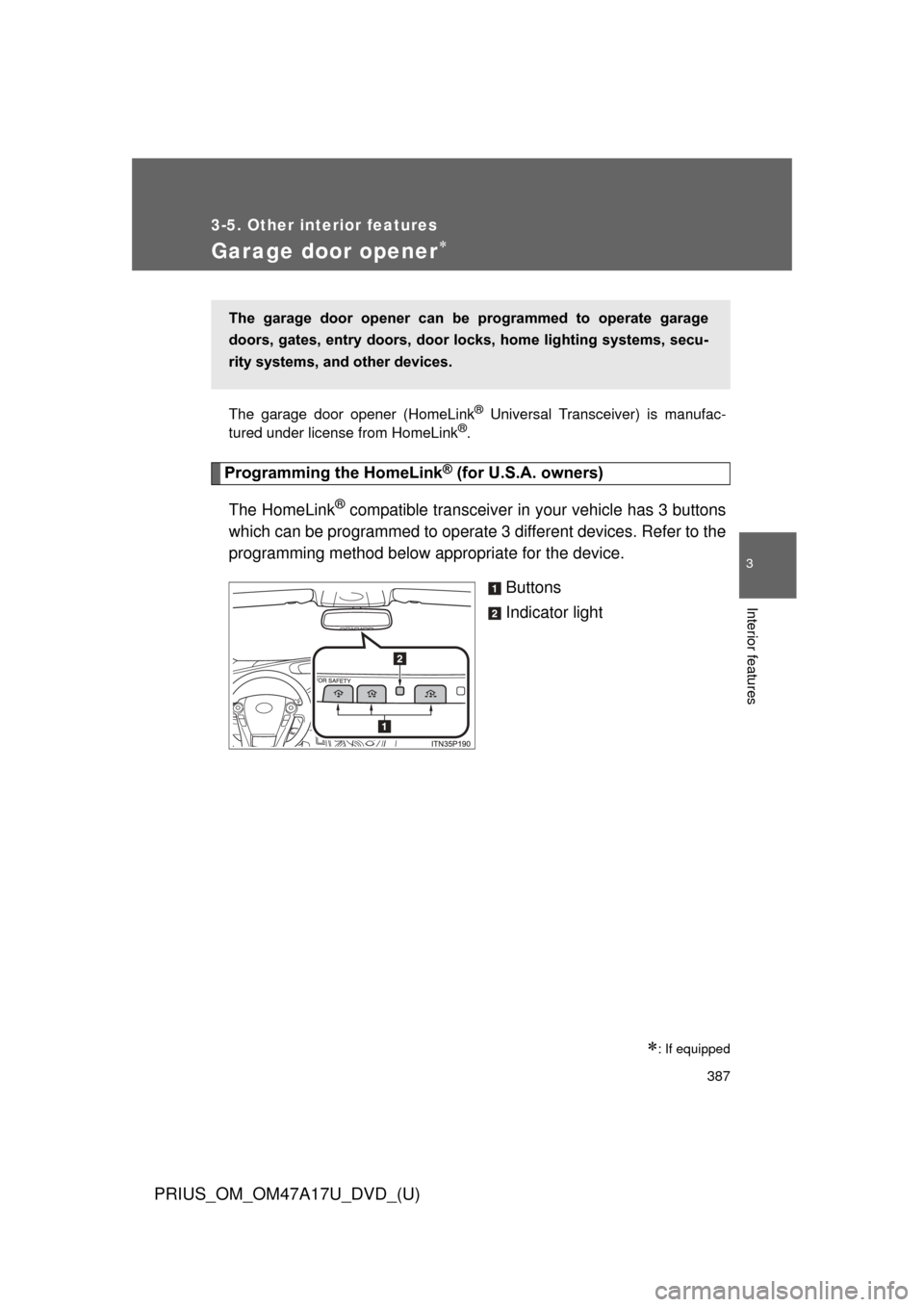
The HomeLink
® compatible transceiver in your vehicle has 3 buttons
which can be programmed to operate 3 different devices. Refer to the
programming method below appropriate for the device.
Buttons
Indicator light
: If equipped
The garage door opener can be programmed to operate garage
doors, gates, entry doors, door locks, home lighting systems, secu-
rity systems, and other devices.
Page 388 of 644
388 3-5. Other interior features
PRIUS_OM_OM47A17U_DVD_(U)
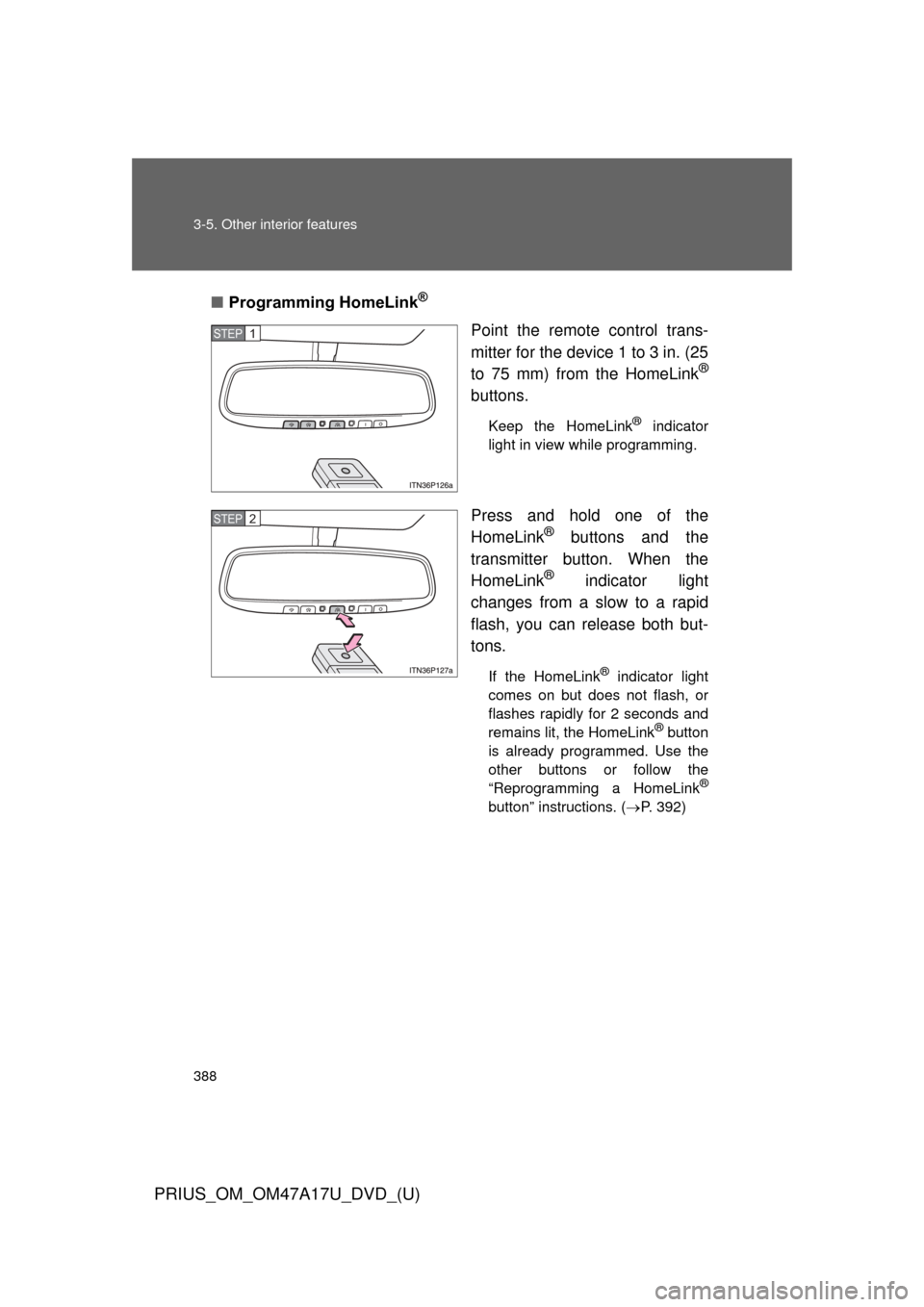
■Programming HomeLink®
Point the remote control trans-
mitter for the device 1 to 3 in. (25
to 75 mm) from the HomeLink
®
buttons.
Keep the HomeLink® indicator
light in view while programming.
Press and hold one of the
HomeLink® buttons and the
transmitter button. When the
HomeLink
® indicator light
changes from a slow to a rapid
flash, you can release both but-
tons.
If the HomeLink® indicator light
comes on but does not flash, or
flashes rapidly for 2 seconds and
remains lit, the HomeLink
® button
is already programmed. Use the
other buttons or follow the
“Reprogramming a HomeLink
®
button” instructions. ( P. 392)
STEP 1
STEP 2
Page 389 of 644
389
3-5. Other interior features
PRIUS_OM_OM47A17U_DVD_(U)
3
Interior features
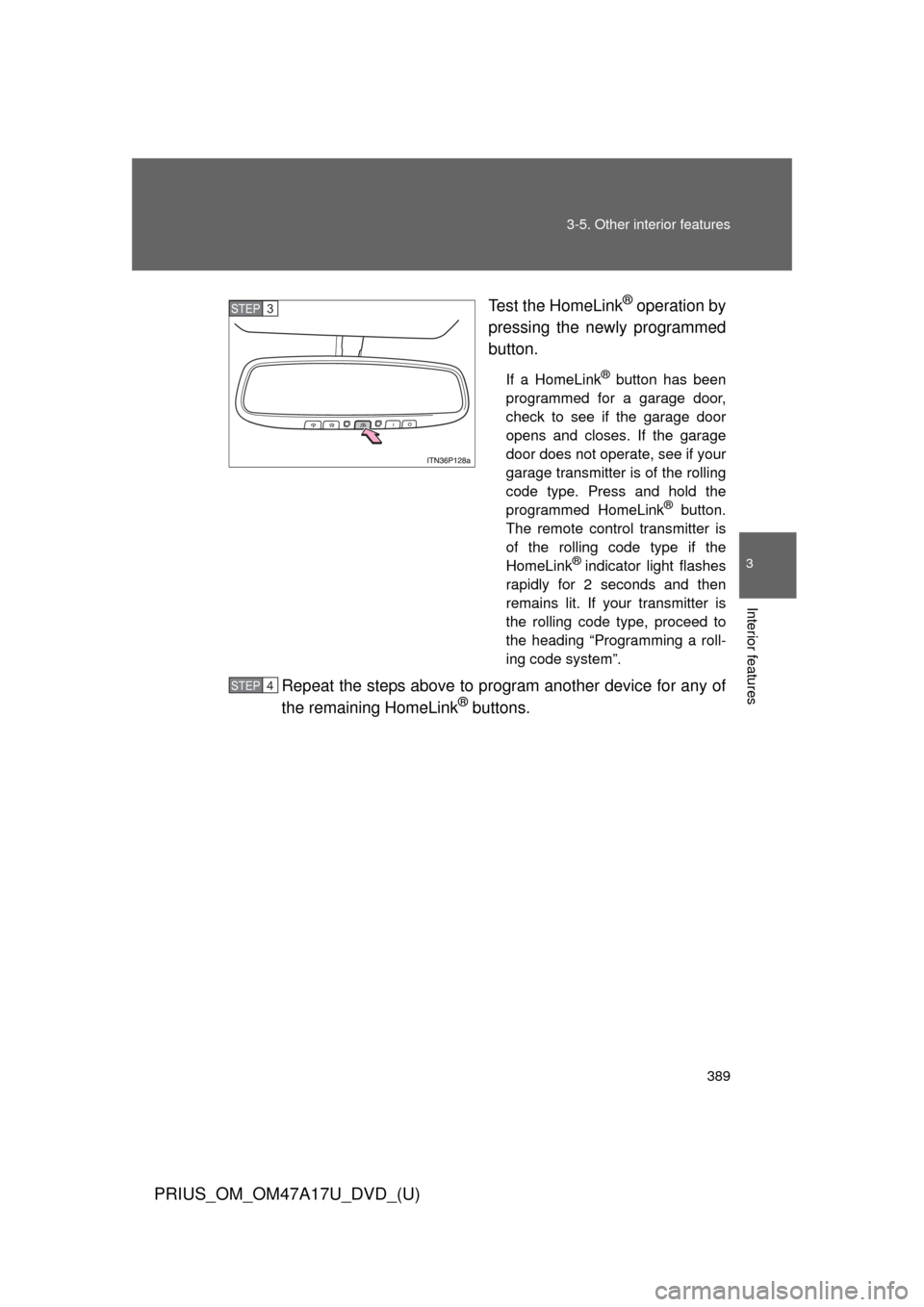
Test the HomeLink® operation by
pressing the newly programmed
button.
If a HomeLink® button has been
programmed for a garage door,
check to see if the garage door
opens and closes. If the garage
door does not operate, see if your
garage transmitter is of the rolling
code type. Press and hold the
programmed HomeLink
® button.
The remote control transmitter is
of the rolling code type if the
HomeLink
® indicator light flashes
rapidly for 2 seconds and then
remains lit. If your transmitter is
the rolling code type, proceed to
the heading “Programming a roll-
ing code system”.
Repeat the steps above to program another device for any of
the remaining HomeLink® buttons.
STEP 3
STEP 4
Page 391 of 644
391
3-5. Other interior features
PRIUS_OM_OM47A17U_DVD_(U)
3
Interior features
■
Programming an entry gate (f or U.S.A. owners)/Programming
a devices in the Canadian market
Place the remote control transmitter 1 to 3 in. (25 to 75 mm)
away from the HomeLink
® buttons.
Keep the HomeLink® indicator light in view while programming.
Press and hold the selected HomeLink® button.
Repeatedly press and release (cycle) the remote control
transmitter for 2 seconds each until step 4 is completed.
When the HomeLink
® indicator light starts to flash rapidly,
release the buttons.
Test the HomeLink
® operation by pressing the newly pro-
grammed button. Check to see if the gate/device operates
correctly.
Repeat the steps above to program another device for any of
the remaining HomeLink
® buttons.
■ Programming other devices
To program other devices such as home security systems, home
door locks and lighting, contact your Toyota dealer for assistance.
■ Reprogramming a button
The individual HomeLink
® buttons cannot be erased but can be
reprogrammed. To reprogram a button, follow the “Reprogramming
a HomeLink
® button” instructions.
STEP 1
STEP 2
STEP 3
STEP 4
STEP 5
STEP 6
Page 392 of 644
392 3-5. Other interior features
PRIUS_OM_OM47A17U_DVD_(U)
Operating HomeLink®
Press the appropriate HomeLink® button. The HomeLink® indicator
light should come on.
The HomeLink® compatible transceiver in your vehicle continues to send
a signal for up to 20 seconds as long as the button is pressed.
Reprogramming a HomeLink® button
Press and hold the desired HomeLink
® button. After 20 seconds, the
HomeLink® indicator light will start flashing slowly. Keep pressing the
HomeLink® button and press and hold the transmitter button until the
HomeLink® indicator light changes from a slow to a rapid flash.
Release the buttons.
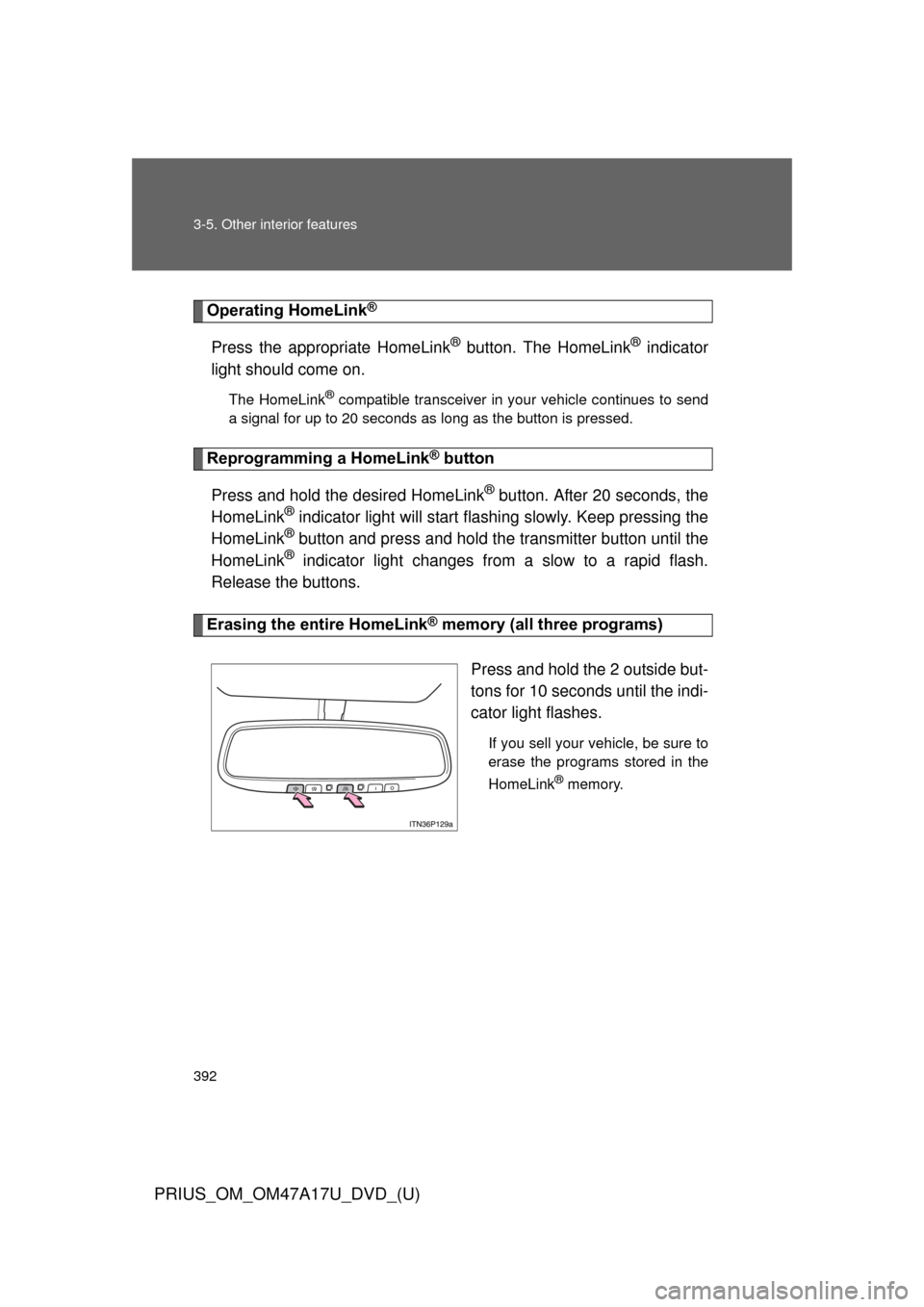
Erasing the entire HomeLink® memory (all three programs)
Press and hold the 2 outside but-
tons for 10 seconds until the indi-
cator light flashes.
If you sell your vehicle, be sure to
erase the programs stored in the
HomeLink
® memory.
Page 393 of 644
393
3-5. Other interior features
PRIUS_OM_OM47A17U_DVD_(U)
3
Interior features
■
Before programming
●Install a new battery in the remote control transmitter.
● The battery side of the remote control transmitter must be pointed away
from the HomeLink
® button.
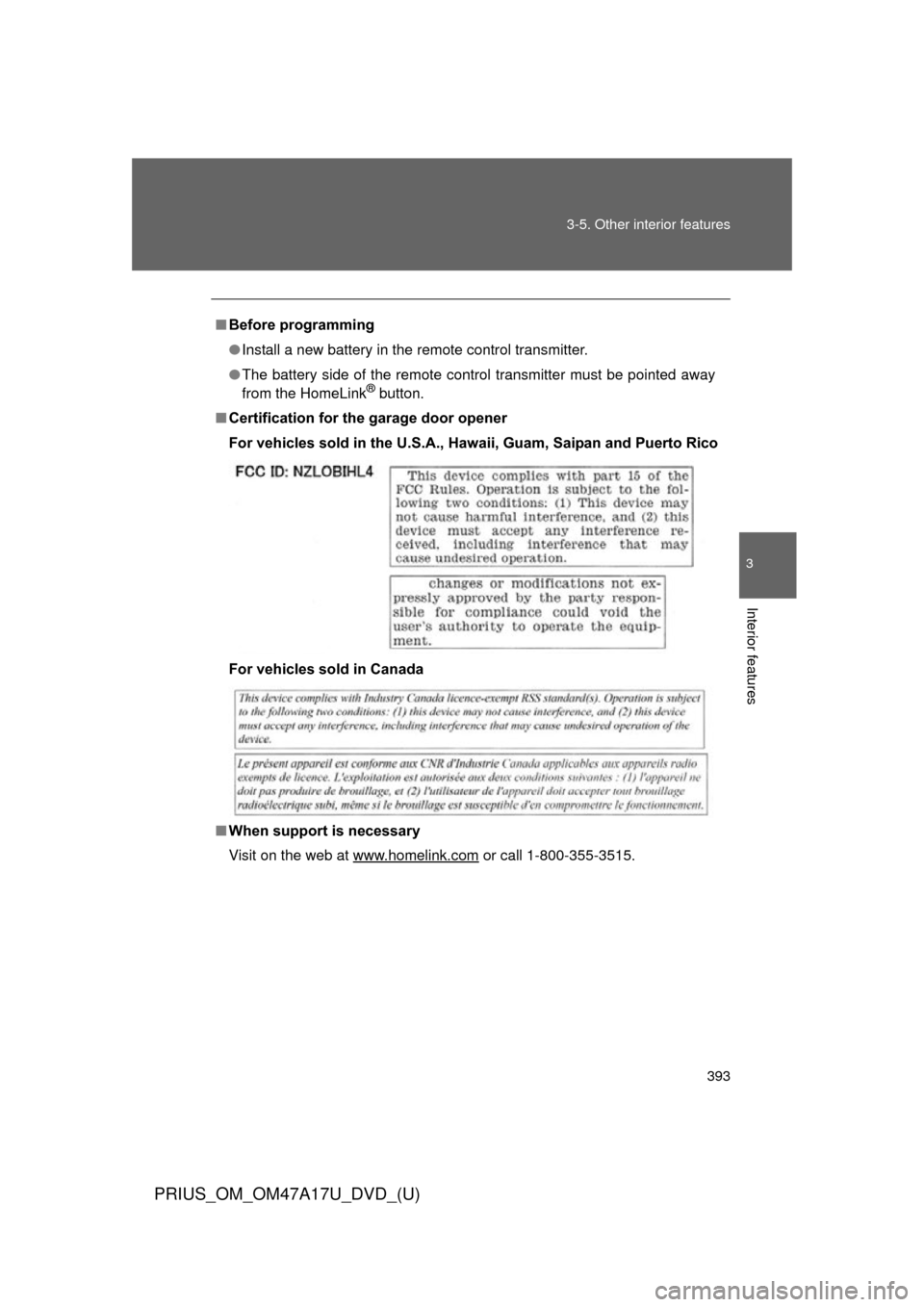
■ Certification for the garage door opener
For vehicles sold in the U.S.A., Ha waii, Guam, Saipan and Puerto Rico
For vehicles sold in Canada
■ When support is necessary
Visit on the web at www.homelink.com
or call 1-800-355-3515.
Page 394 of 644

394 3-5. Other interior features
PRIUS_OM_OM47A17U_DVD_(U)
CAUTION
■When programming a garage door or other remote control device
The garage door or other device may operate, so ensure people and objects
are out of danger to prevent potential harm.
■ Conforming to federal safety standards
Do not use the HomeLink
® compatible transceiver with any garage door
opener or device that lacks safety stop and reverse features as required by
federal safety standards.
This includes any garage door that cannot detect an interfering object. A
door or device without these features increases the risk of death or serious
injury.