audio TOYOTA PRIUS 2016 4.G Navigation Manual
[x] Cancel search | Manufacturer: TOYOTA, Model Year: 2016, Model line: PRIUS, Model: TOYOTA PRIUS 2016 4.GPages: 294, PDF Size: 30.14 MB
Page 68 of 294
68
PRIUS_Navi_OM47A41U_(U)
15.09.16 19:45
1. QUICK REFERENCE ..................... 70
2. SOME BASICS............................... 71
TURNING THE SYSTEM ON AND
OFF ..................................................... 71
SELECTING AN AUDIO SOURCE ........ 72
DISC SLOT ............................................ 73
USB/AUX PORT .................................... 74
SOUND SETTINGS ............................... 74
VOICE COMMAND SYSTEM ................ 76
1. AM/FM RADIO ............................... 77
OVERVIEW ............................................ 77
PRESETTING A STATION .................... 81
SELECTING A STATION FROM
THE LIST ............................................. 81
CACHING A RADIO PROGRAM ........... 82
RADIO BROADCAST DATA
SYSTEM .............................................. 83
TRAFFIC ANNOUNCEMENT
(FM RADIO) ......................................... 84
USING HD Radio™ TECHNOLOGY...... 85
AVAILABLE HD Radio™
TECHNOLOGY.................................... 85
TROUBLESHOOTING GUIDE ............... 87
2. XM Satellite Radio ........................ 88
OVERVIEW ............................................ 88
HOW TO SUBSCRIBE TO AN XM
Satellite Radio...................................... 91
DISPLAYING THE RADIO ID................. 93
PRESETTING A CHANNEL ................... 93
SELECTING A CHANNEL FROM THE
LIST ..................................................... 94
IF THE SATELLITE RADIO TUNER
MALFUNCTIONS ................................ 95
3. INTERNET RADIO......................... 96
LISTENING TO INTERNET RADIO ....... 96
1BASIC OPERATION2RADIO OPERATION
Page 69 of 294
3
69
PRIUS_Navi_OM47A41U_(U)
15.09.16 19:45
1
2
3
4
5
6
7
8
1. CD .................................................. 97
OVERVIEW ........................................... 97
PLAYING AN AUDIO CD .................... 100
PLAYING AN MP3/WMA/AAC
DISC.................................................. 100
2. USB MEMORY ............................. 101
OVERVIEW ......................................... 101
PLAYING A USB AUDIO ..................... 105
3. iPod .............................................. 106
OVERVIEW ......................................... 106
iPod AUDIO ......................................... 110
iPod VIDEO ......................................... 110
4. Bluetooth® AUDIO ...................... 111
OVERVIEW ......................................... 111
CONNECTING A Bluetooth®
DEVICE ............................................. 115
LISTENING TO Bluetooth
® AUDIO ..... 115
5. AUX .............................................. 116
OVERVIEW ......................................... 116
1. STEERING SWITCHES............... 119
1. AUDIO SETTINGS ...................... 121
AUDIO SETTINGS SCREEN............... 121
1. OPERATING INFORMATION ..... 123
RADIO.................................................. 123
CD PLAYER AND DISC ...................... 124
iPod ...................................................... 126
FILE INFORMATION ........................... 127
TERMS ................................................ 130
ERROR MESSAGES ........................... 131
3MEDIA OPERATION4AUDIO REMOTE CONTROLS
5SETUP
6TIPS FOR OPERATING THE
AUDIO SYSTEM
AUDIO SYSTEM
Page 70 of 294
70
PRIUS_Navi_OM47A41U_(U)
15.09.25 15:41
1. BASIC OPERATION
1. QUICK REFERENCE
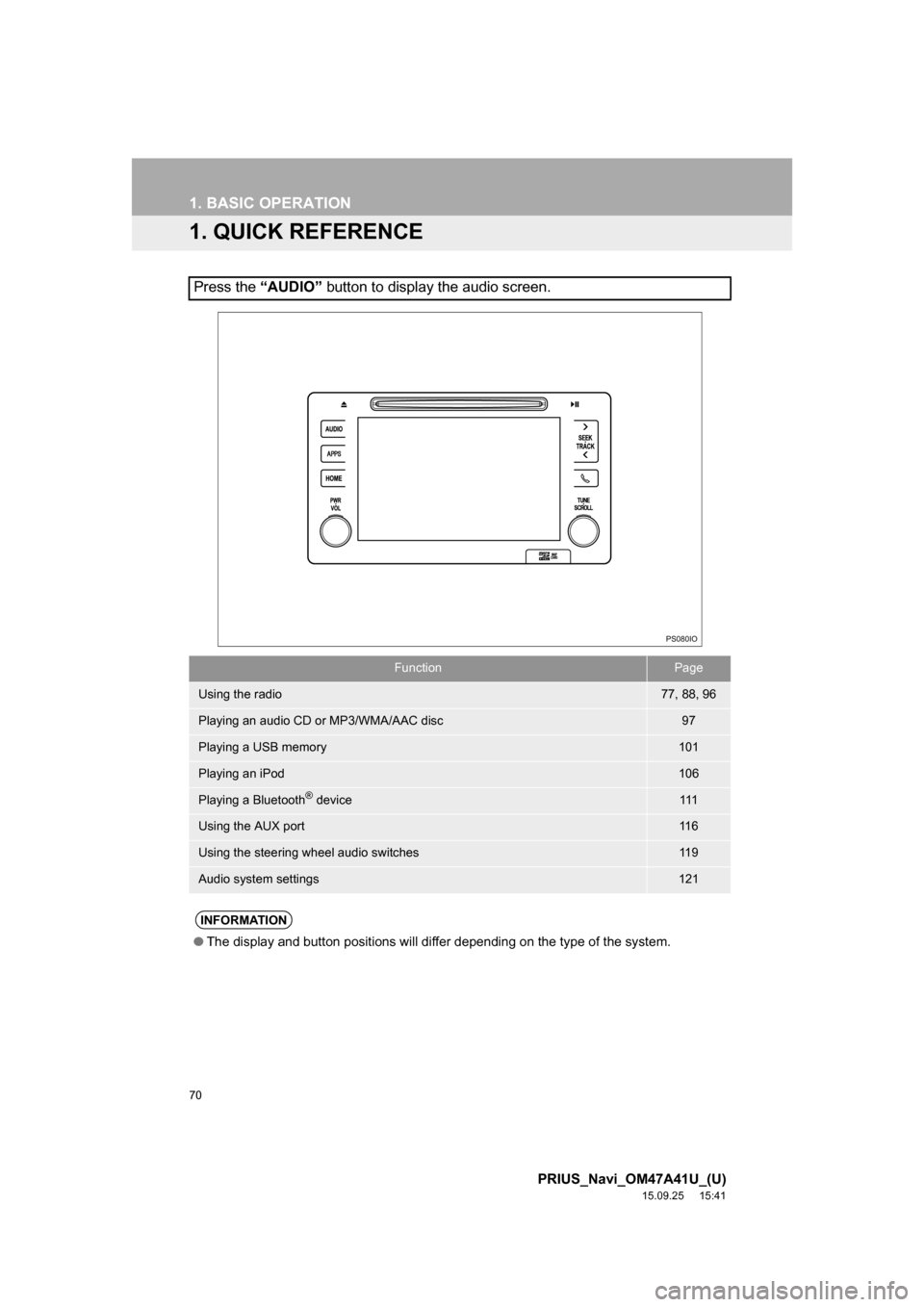
Press the “AUDIO” button to display the audio screen.
FunctionPage
Using the radio77, 88, 96
Playing an audio CD or MP3/WMA/AAC disc97
Playing a USB memory101
Playing an iPod106
Playing a Bluetooth® device111
Using the AUX port11 6
Using the steering wheel audio switches11 9
Audio system settings121
INFORMATION
●The display and button positions will differ depending on the type of the system.
PS080IO
Page 71 of 294
71
1. BASIC OPERATION
PRIUS_Navi_OM47A41U_(U)
15.09.25 15:41
AUDIO SYSTEM
3
2. SOME BASICS
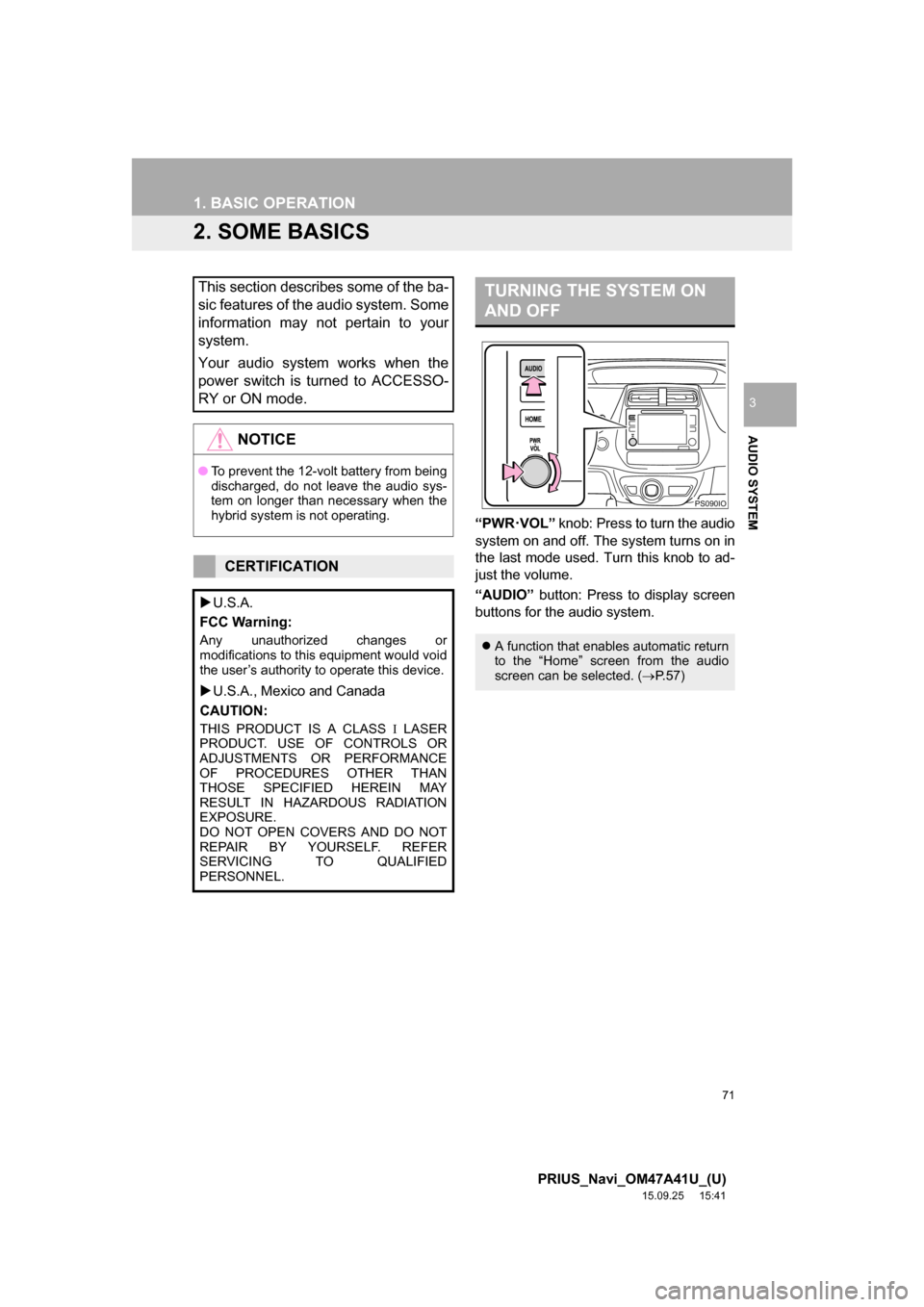
“PWR·VOL” knob: Press to turn the audio
system on and off. The system turns on in
the last mode used. Turn this knob to ad-
just the volume.
“AUDIO” button: Press to display screen
buttons for the audio system.
This section describes some of the ba-
sic features of the audio system. Some
information may not pertain to your
system.
Your audio system works when the
power switch is turned to ACCESSO-
RY or ON mode.
NOTICE
●To prevent the 12-volt battery from being
discharged, do not leave the audio sys-
tem on longer than necessary when the
hybrid system is not operating.
CERTIFICATION
U.S.A.
FCC Warning:
Any unauthorized changes or
modifications to this equipment would void
the user’s authority to operate this device.
U.S.A., Mexico and Canada
CAUTION:
THIS PRODUCT IS A CLASS LASER
PRODUCT. USE OF CONTROLS OR
ADJUSTMENTS OR PERFORMANCE
OF PROCEDURES OTHER THAN
THOSE SPECIFIED HEREIN MAY
RESULT IN HAZARDOUS RADIATION
EXPOSURE.
DO NOT OPEN COVERS AND DO NOT
REPAIR BY YOURSELF. REFER
SERVICING TO QUALIFIED
PERSONNEL.
TURNING THE SYSTEM ON
AND OFF
A function that enables automatic return
to the “Home” screen from the audio
screen can be selected. (P.57)
PS090IO
Page 72 of 294
72
1. BASIC OPERATION
PRIUS_Navi_OM47A41U_(U)
15.09.25 15:41
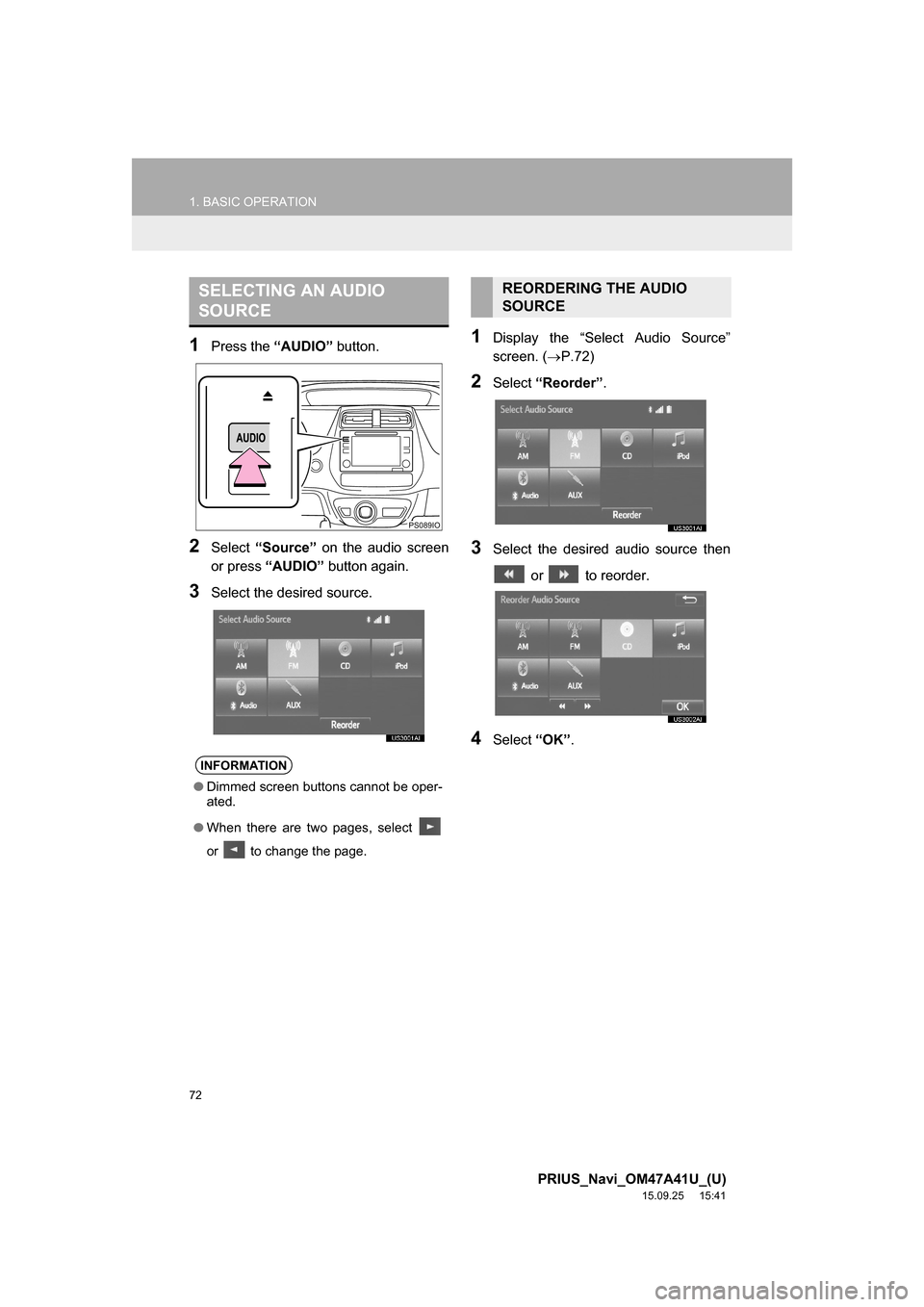
1Press the “AUDIO” button.
2Select “Source” on the audio screen
or press “AUDIO” button again.
3Select the desired source.
1Display the “Select Audio Source”
screen. (P.72)
2Select “Reorder”.
3Select the desired audio source then
or to reorder.
4Select “OK”.
SELECTING AN AUDIO
SOURCE
INFORMATION
●Dimmed screen buttons cannot be oper-
ated.
●When there are two pages, select
or to change the page.
PS089IO
REORDERING THE AUDIO
SOURCE
Page 73 of 294
73
1. BASIC OPERATION
PRIUS_Navi_OM47A41U_(U)
15.09.25 15:41
AUDIO SYSTEM
3
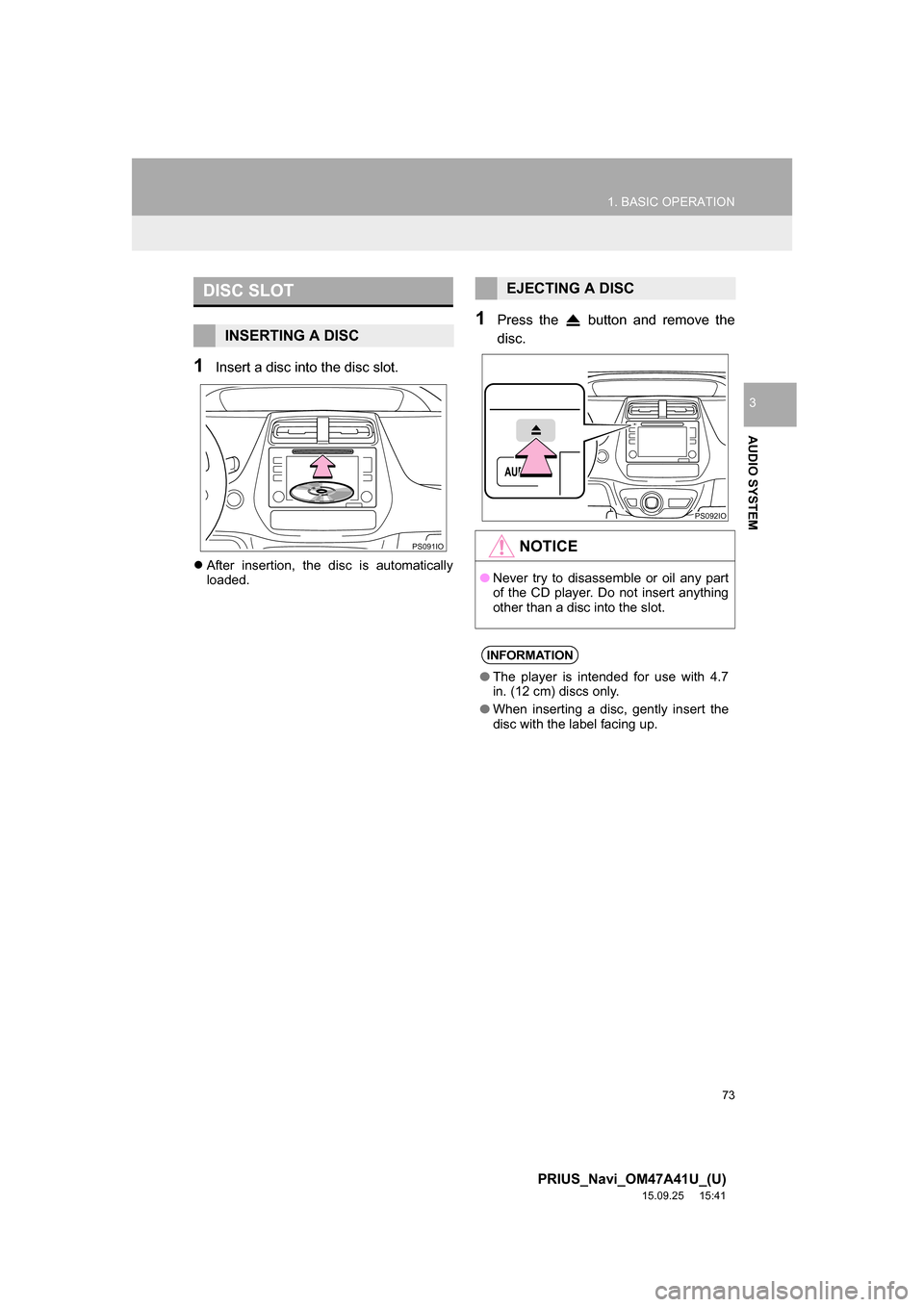
1Insert a disc into the disc slot.
After insertion, the disc is automatically
loaded.
1Press the button and remove the
disc.
DISC SLOT
INSERTING A DISC
PS091IO
EJECTING A DISC
NOTICE
●Never try to disassemble or oil any part
of the CD player. Do not insert anything
other than a disc into the slot.
INFORMATION
●The player is intended for use with 4.7
in. (12 cm) discs only.
●When inserting a disc, gently insert the
disc with the label facing up.
PS092IO
Page 74 of 294
74
1. BASIC OPERATION
PRIUS_Navi_OM47A41U_(U)
15.09.25 15:41
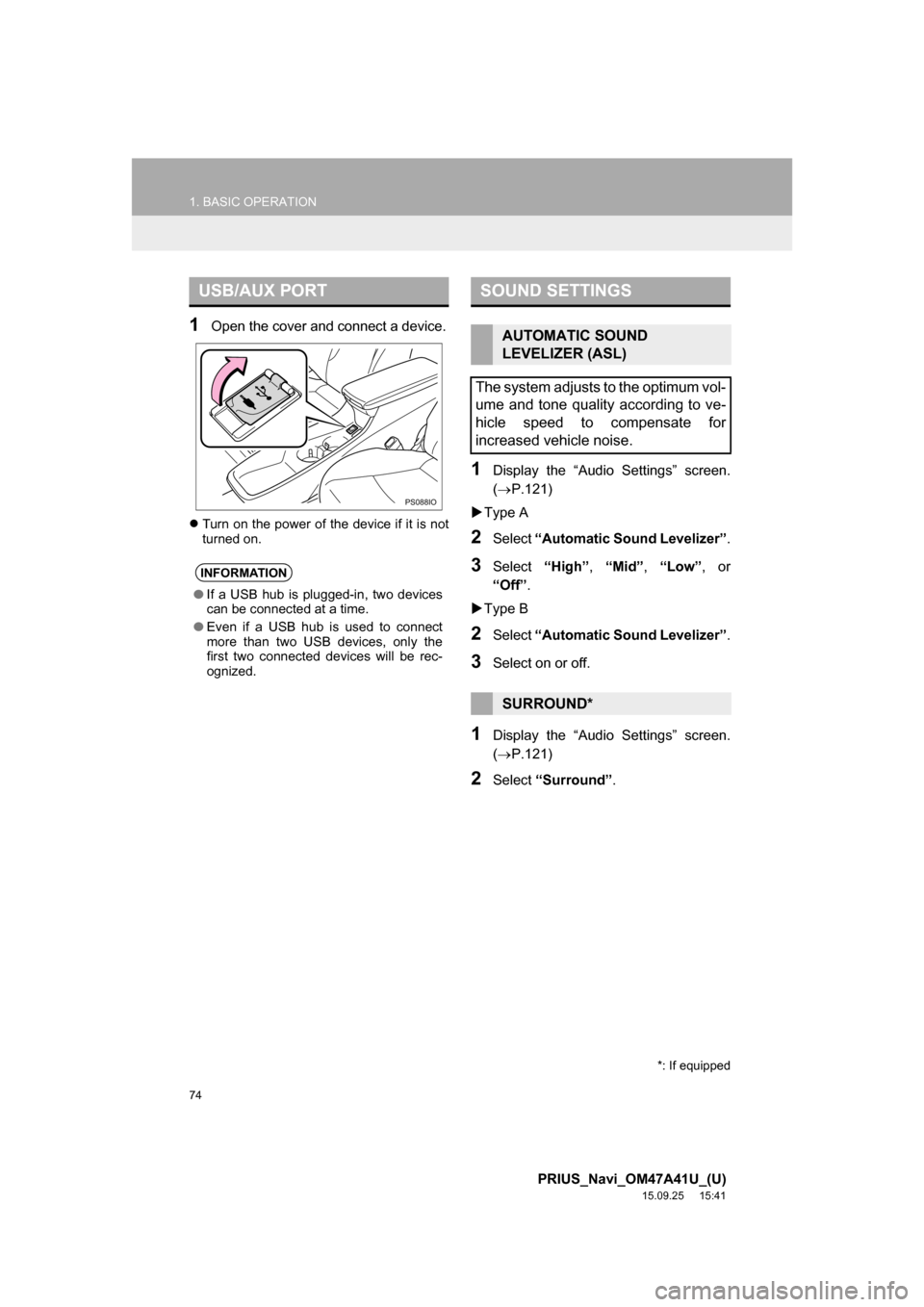
1Open the cover and connect a device.
Turn on the power of the device if it is not
turned on.
1Display the “Audio Settings” screen.
(P.121)
Type A
2Select “Automatic Sound Levelizer”.
3Select “High”, “Mid”, “Low”, or
“Off”.
Type B
2Select “Automatic Sound Levelizer”.
3Select on or off.
1Display the “Audio Settings” screen.
(P.121)
2Select “Surround”.
USB/AUX PORT
INFORMATION
●If a USB hub is plugged-in, two devices
can be connected at a time.
●Even if a USB hub is used to connect
more than two USB devices, only the
first two connected devices will be rec-
ognized.
PS088IO
SOUND SETTINGS
AUTOMATIC SOUND
LEVELIZER (ASL)
The system adjusts to the optimum vol-
ume and tone quality according to ve-
hicle speed to compensate for
increased vehicle noise.
SURROUND*
*: If equipped
Page 75 of 294
75
1. BASIC OPERATION
PRIUS_Navi_OM47A41U_(U)
15.09.25 15:41
AUDIO SYSTEM
3
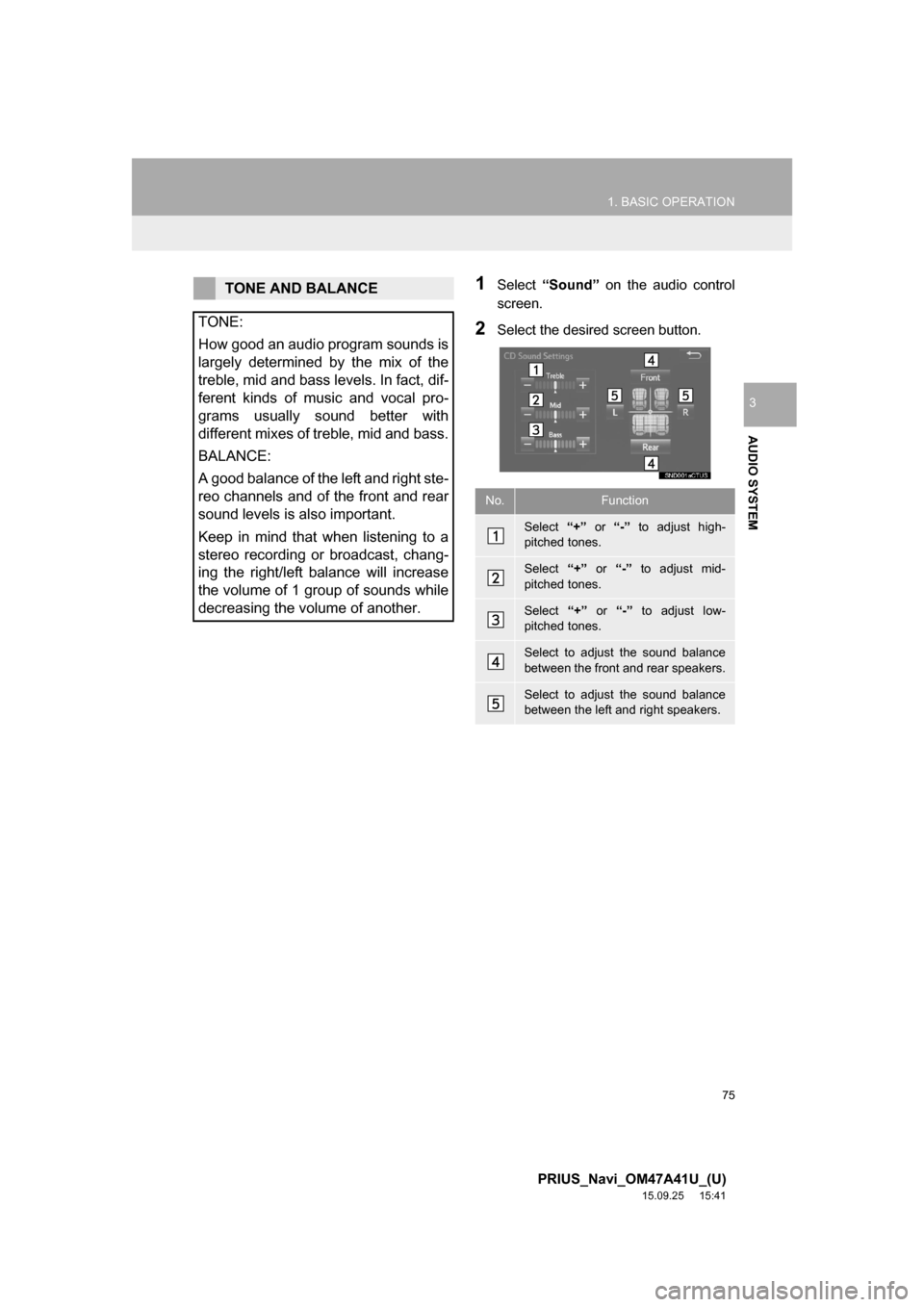
1Select “Sound” on the audio control
screen.
2Select the desired screen button.
TONE AND BALANCE
TONE:
How good an audio program sounds is
largely determined by the mix of the
treble, mid and bass levels. In fact, dif-
ferent kinds of music and vocal pro-
grams usually sound better with
different mixes of treble, mid and bass.
BALANCE:
A good balance of the left and right ste-
reo channels and of the front and rear
sound levels is also important.
Keep in mind that when listening to a
stereo recording or broadcast, chang-
ing the right/left balance will increase
the volume of 1 group of sounds while
decreasing the volume of another.
No.Function
Select “+” or “-” to adjust high-
pitched tones.
Select “+” or “-” to adjust mid-
pitched tones.
Select “+” or “-” to adjust low-
pitched tones.
Select to adjust the sound balance
between the front and rear speakers.
Select to adjust the sound balance
between the left and right speakers.
Page 77 of 294
77
PRIUS_Navi_OM47A41U_(U)
15.09.16 19:45
AUDIO SYSTEM
3
2. RADIO OPERATION
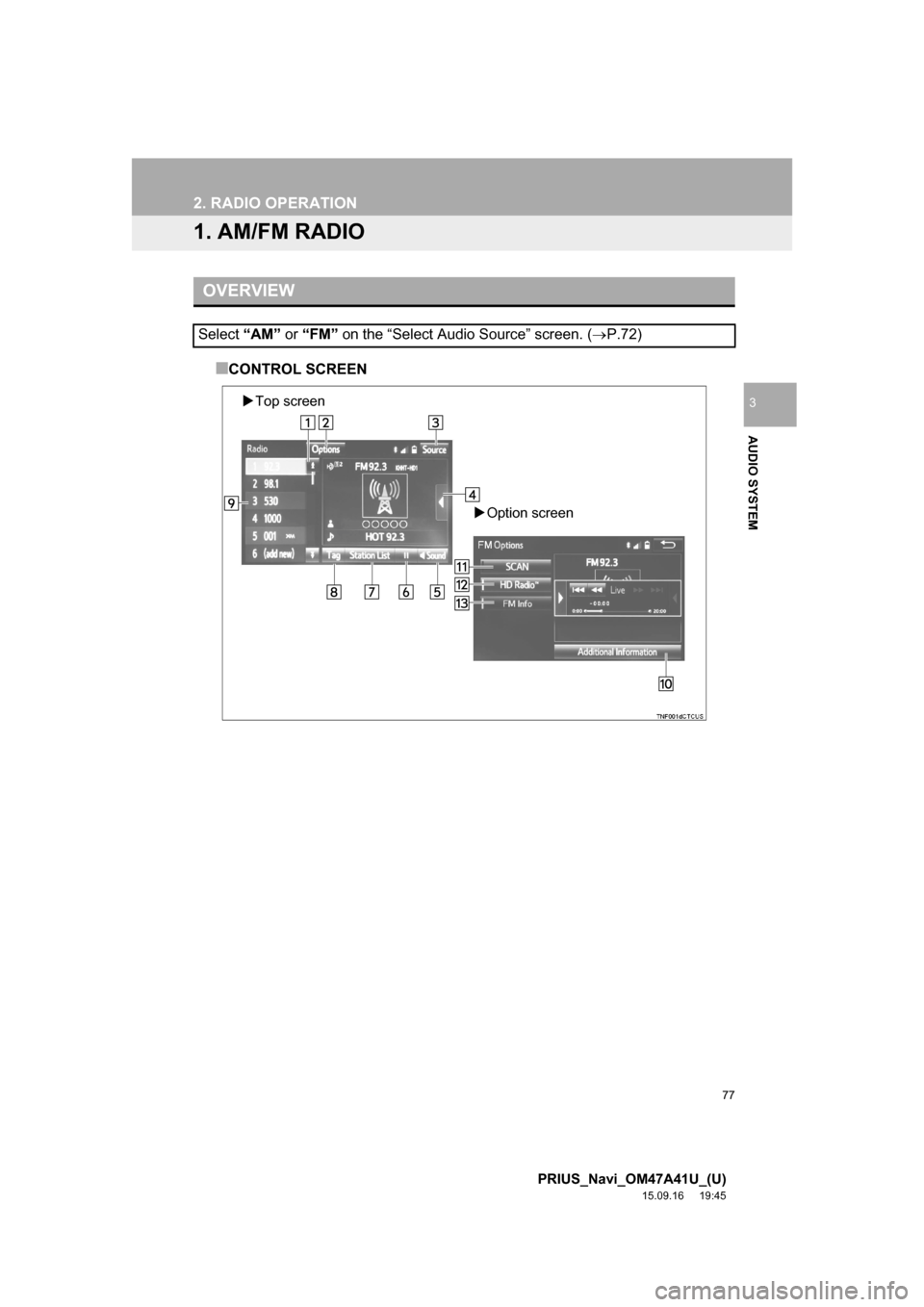
1. AM/FM RADIO
■CONTROL SCREEN
OVERVIEW
Select “AM” or “FM” on the “Select Audio Source” screen. (P.72)
Top screen
Option screen
Page 79 of 294
79
2. RADIO OPERATION
PRIUS_Navi_OM47A41U_(U)
15.09.16 19:45
AUDIO SYSTEM
3
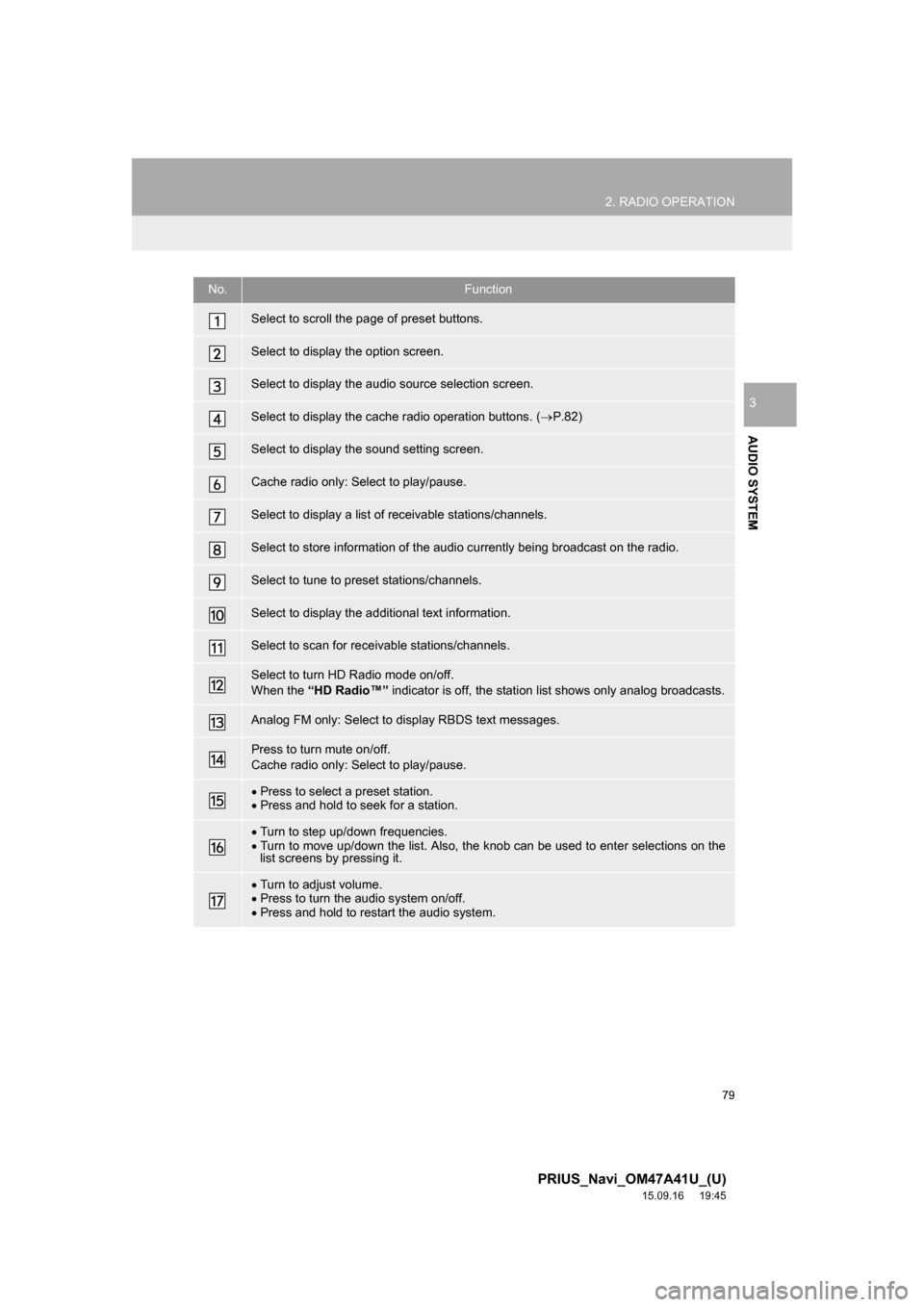
No.Function
Select to scroll the page of preset buttons.
Select to display the option screen.
Select to display the audio source selection screen.
Select to display the cache radio operation buttons. (P.82)
Select to display the sound setting screen.
Cache radio only: Select to play/pause.
Select to display a list of receivable stations/channels.
Select to store information of the audio currently being broadcast on the radio.
Select to tune to preset stations/channels.
Select to display the additional text information.
Select to scan for receivable stations/channels.
Select to turn HD Radio mode on/off.
When the “HD Radio™” indicator is off, the station list shows only analog broadcasts.
Analog FM only: Select to display RBDS text messages.
Press to turn mute on/off.
Cache radio only: Select to play/pause.
Press to select a preset station.
Press and hold to seek for a station.
Turn to step up/down frequencies.
Turn to move up/down the list. Also, the knob can be used to enter selections on the
list screens by pressing it.
Turn to adjust volume.
Press to turn the audio system on/off.
Press and hold to restart the audio system.