ABS TOYOTA PRIUS 2016 4.G User Guide
[x] Cancel search | Manufacturer: TOYOTA, Model Year: 2016, Model line: PRIUS, Model: TOYOTA PRIUS 2016 4.GPages: 800, PDF Size: 16.69 MB
Page 410 of 800
410
PRIUS_OM_OM47A29U_(U)
4-5. Using the driving support systems
WARNING
■When the TRAC/VSC syst ems are turned off
Be especially careful and drive at a speed appropriate to the road condi-
tions. As these are systems to help ensure vehicle stability and driving
force, do not turn the TRAC/VSC systems off unless necessary.
■ Replacing tires
Make sure that all tires are of the specified size and of the same brand,
tread pattern and total load capacity. In addition, make sure that the tires are
inflated to the recommended tire inflation pressure level.
The ABS, VSC and TRAC and other driving assist systems will not function
correctly if different tires are installed on the vehicle.
Contact your Toyota dealer for further information when replacing tires or
wheels.
■ Handling of tires and the suspension
Using tires with any kind of problem or modifying the suspension will affect
the driving assist systems, and may cause a system to malfunction.
Page 470 of 800
470
PRIUS_OM_OM47A29U_(U)
5-9. Bluetooth® phone
Using a Bluetooth® Phone
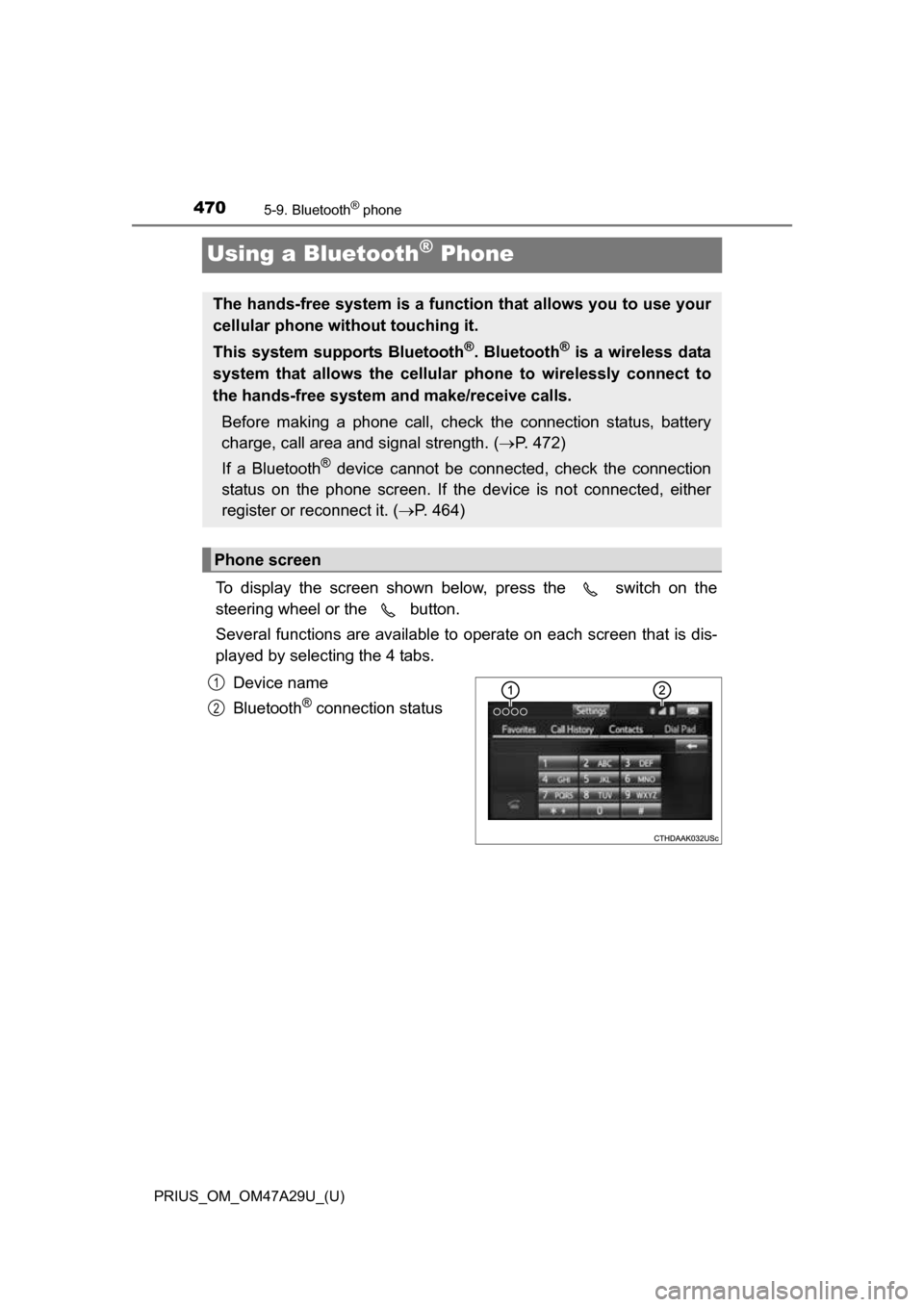
To display the screen shown below, press the switch on the
steering wheel or the button.
Several functions are available to operate on each screen that is dis-
played by selecting the 4 tabs.
Device name
Bluetooth
® connection status
The hands-free system is a function that allows you to use your
cellular phone without touching it.
This system supports Bluetooth
®. Bluetooth® is a wireless data
system that allows the cellular phone to wirelessly connect to
the hands-free system and make/receive calls.
Before making a phone call, check the connection status, battery
charge, call area and signal strength. ( P. 472)
If a Bluetooth
® device cannot be connected, check the connection
status on the phone screen. If th e device is not connected, either
register or reconnect it. ( P. 464)
Phone screen
1
2
Page 602 of 800
602
PRIUS_OM_OM47A29U_(U)
7-3. Do-it-yourself maintenance
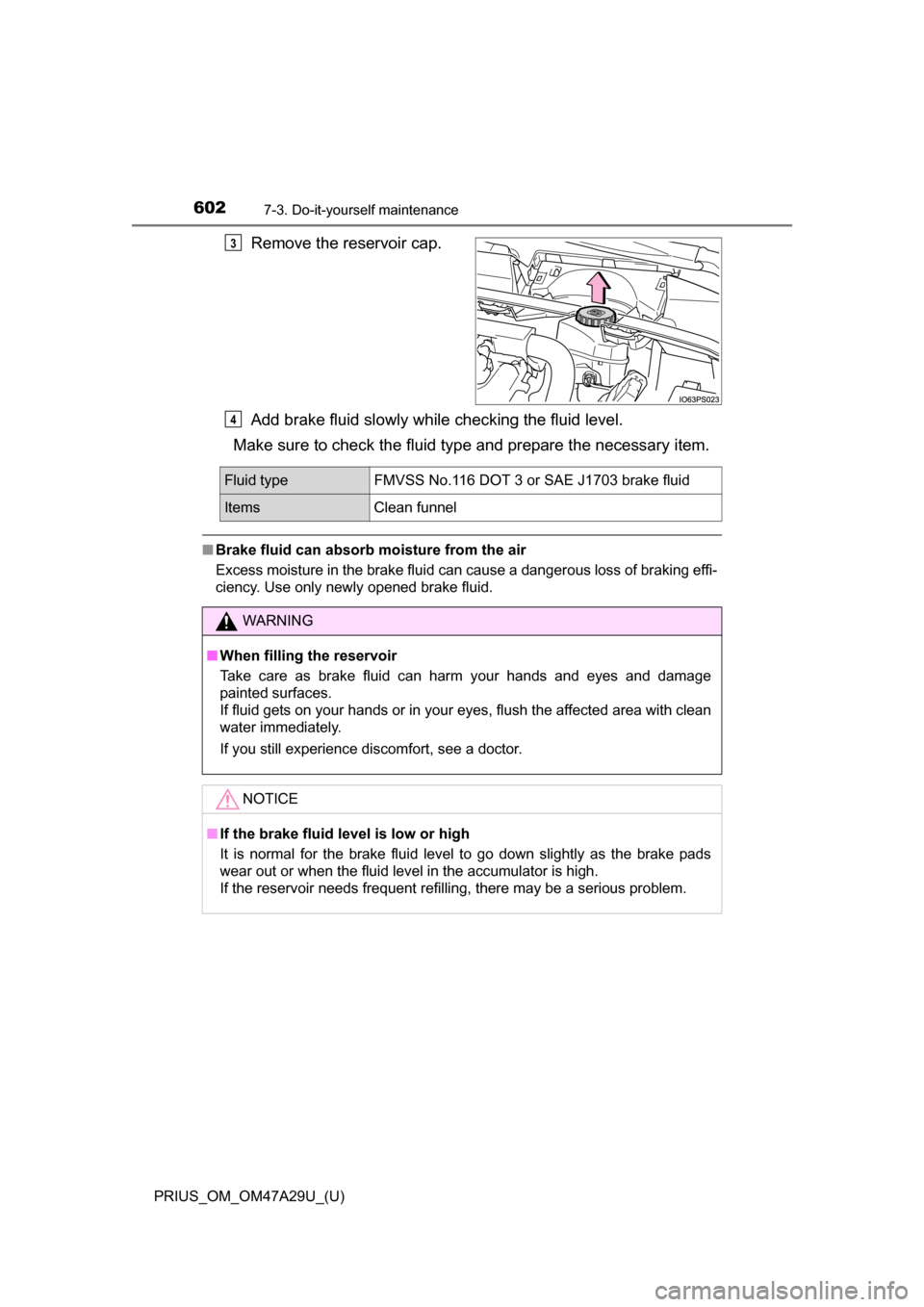
Remove the reservoir cap.
Add brake fluid slowly while checking the fluid level.
Make sure to check the fluid ty pe and prepare the necessary item.
■Brake fluid can absorb moisture from the air
Excess moisture in the brake fluid can cause a dangerous loss of braking effi-
ciency. Use only newly opened brake fluid.
3
4
Fluid type FMVSS No.116 DOT 3 or SAE J1703 brake fluid
ItemsClean funnel
WARNING
■When filling the reservoir
Take care as brake fluid can harm your hands and eyes and damage
painted surfaces.
If fluid gets on your hands or in your eyes, flush the affected area with clean
water immediately.
If you still experience discomfort, see a doctor.
NOTICE
■If the brake fluid level is low or high
It is normal for the brake fluid level to go down slightly as the brake pads
wear out or when the fluid level in the accumulator is high.
If the reservoir needs frequent refilling, there may be a serious problem.
Page 656 of 800
6568-2. Steps to take in an emergency
PRIUS_OM_OM47A29U_(U)
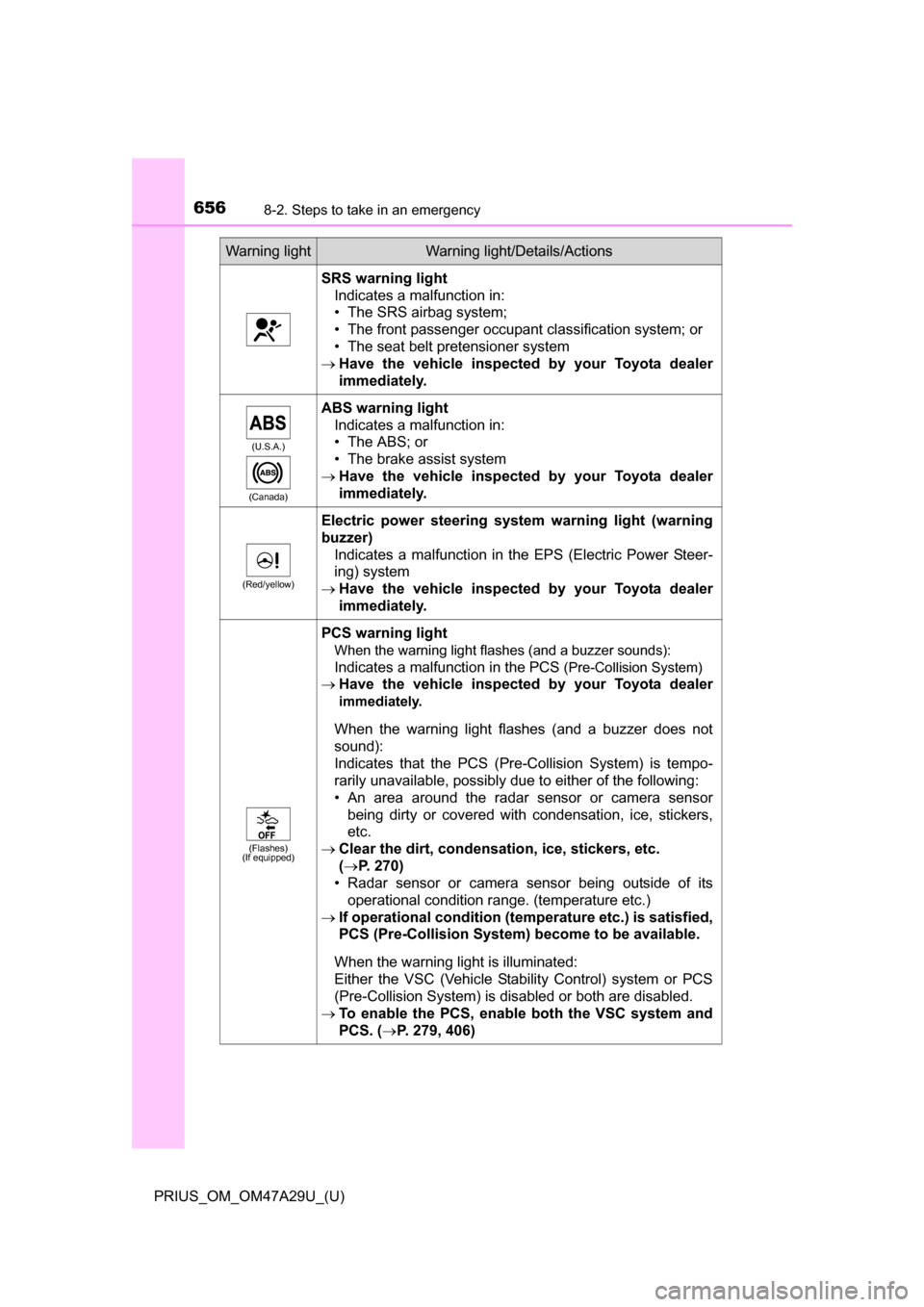
SRS warning lightIndicates a malfunction in:
• The SRS airbag system;
• The front passenger occupant classification system; or
• The seat belt pretensioner system
Have the vehicle inspected by your Toyota dealer
immediately.
(U.S.A.)
(Canada)
ABS warning light Indicates a malfunction in:
• The ABS; or
• The brake assist system
Have the vehicle inspected by your Toyota dealer
immediately.
(Red/yellow)
Electric power steering system warning light (warning
buzzer)
Indicates a malfunction in the EPS (Electric Power Steer-
ing) system
Have the vehicle inspected by your Toyota dealer
immediately.
(Flashes)
(If equipped)
PCS warning light
When the warning light flashes (and a buzzer sounds):
Indicates a malfunction in the PCS
(Pre-Collision System)
Have the vehicle inspected by your Toyota dealer
immediately.
When the warning light flashes (and a buzzer does not
sound):
Indicates that the PCS (Pre-Collision System) is tempo-
rarily unavailable, possibly due to either of the following:
• An area around the radar sensor or camera sensor
being dirty or covered with condensation, ice, stickers,
etc.
Clear the dirt, condensation, ice, stickers, etc.
(P. 270)
• Radar sensor or camera sensor being outside of its operational condition range. (temperature etc.)
If operational condition (tem perature etc.) is satisfied,
PCS (Pre-Collision System) become to be available.
When the warning light is illuminated:
Either the VSC (Vehicle Stability Control) system or PCS
(Pre-Collision System) is disabled or both are disabled.
To enable the PCS, enable both the VSC system and
PCS. ( P. 279, 406)
Warning lightWarning light/Details/Actions
Page 657 of 800
6578-2. Steps to take in an emergency
PRIUS_OM_OM47A29U_(U)
8
When trouble arises
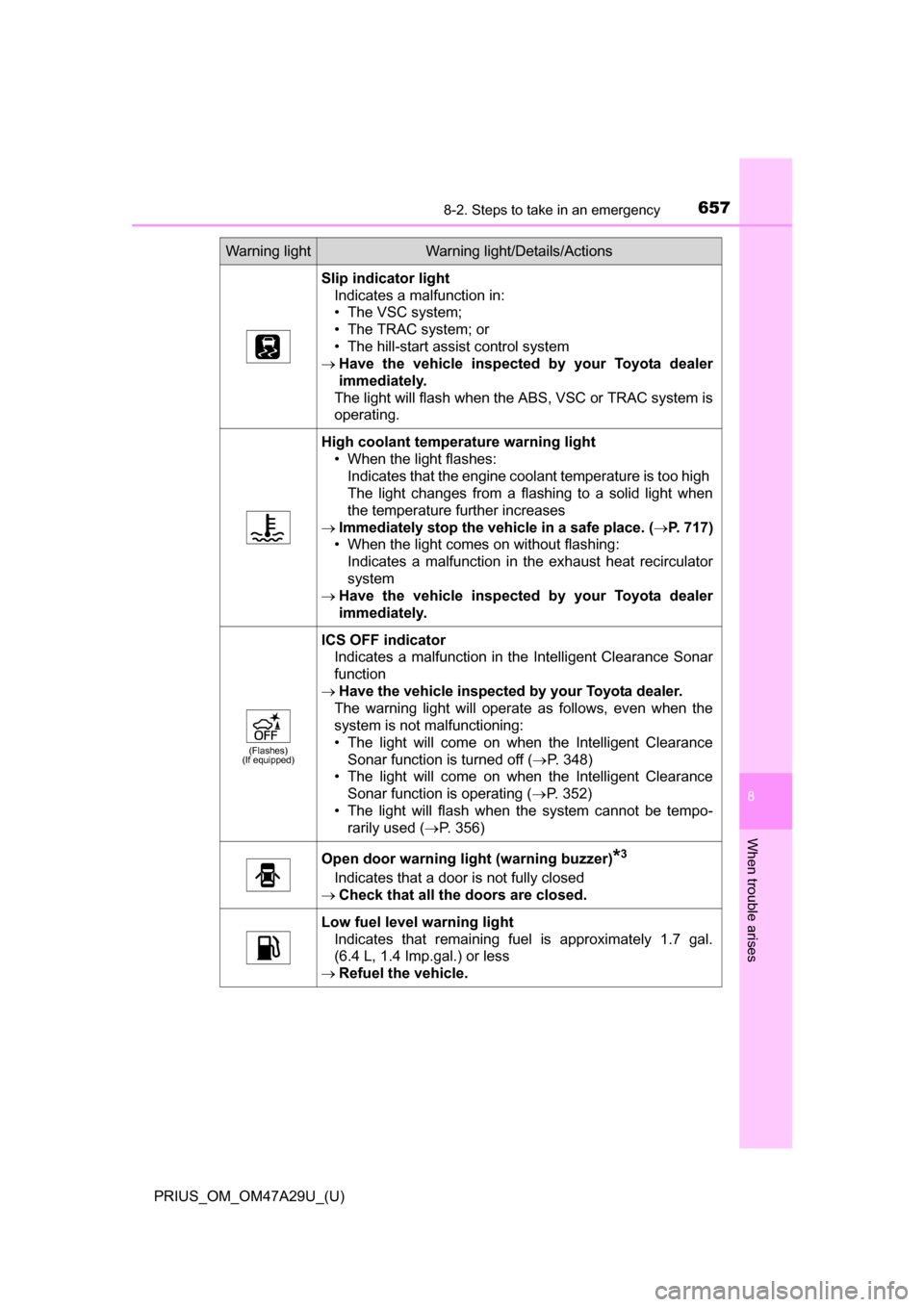
Slip indicator lightIndicates a malfunction in:
• The VSC system;
• The TRAC system; or
• The hill-start assist control system
Have the vehicle inspected by your Toyota dealer
immediately.
The light will flash when the ABS, VSC or TRAC system is
operating.
High coolant temperat ure warning light
• When the light flashes:
Indicates that the engine coolant temperature is too high
The light changes from a flashing to a solid light when
the temperature further increases
Immediately stop the vehicle in a safe place. ( P. 717)
• When the light comes on without flashing: Indicates a malfunction in the exhaust heat recirculator
system
Have the vehicle inspected by your Toyota dealer
immediately.
(Flashes)
(If equipped)
ICS OFF indicator
Indicates a malfunction in the Intelligent Clearance Sonar
function
Have the vehicle inspected by your Toyota dealer.
The warning light will operate as follows, even when the
system is not malfunctioning:
• The light will come on when the Intelligent Clearance Sonar function is turned off ( P. 348)
• The light will come on when the Intelligent Clearance Sonar function is operating ( P. 352)
• The light will flash when the system cannot be tempo- rarily used ( P. 356)
Open door warning light (warning buzzer)*3
Indicates that a door is not fully closed
Check that all the doors are closed.
Low fuel level warning light
Indicates that remaining fuel is approximately 1.7 gal.
(6.4 L, 1.4 Imp.gal.) or less
Refuel the vehicle.
Warning lightWarning light/Details/Actions
Page 667 of 800
6678-2. Steps to take in an emergency
PRIUS_OM_OM47A29U_(U)
8
When trouble arises
■Warning messages
The warning messages explained below may differ from the actual messages
according to operation conditions and vehicle specifications.
■ System warning lights
The master warning light does not come on or flash in the following cases.
Instead, a separate system warning light will come on along with a message
shown on the multi-information display.
●“Antilock Brake System Malfunction Visit Your Dealer”:
The ABS warning light comes on. ( P. 656)
● “Braking Power Low Visit Your Dealer”:
The brake system warning light (yellow) will come on. ( P. 655)
● Indicates that a door is not fully closed while the vehicle is stopped.:
The Open door warning light comes on. ( P. 657)
■ If “Visit Your Dealer” is shown
The system or part shown on the multi-information display is malfunctioning.
Have the vehicle inspected by your Toyota dealer.
■ If a message about an operation is shown
●If a message about an operation of the accelerator pedal or brake pedal is
shown
A warning message about an operation of the brake pedal may be shown
while the driving assist systems such as PCS (Pre-Collision System) (if
equipped) or the dynamic radar cruise control with full-speed range (if
equipped) is operating. If a warning message is shown, be sure to deceler-
ate the vehicle or follow an instruction shown on the multi-information dis-
play.
● A warning message is shown when Drive-Start Control, Brake Override Sys-
tem or Intelligent Clearance Sonar (if equipped) operates ( P. 209, 210,
352). Follow the instructions on the multi-information display.
● If a message about an operation of the power switch is shown
An instruction for operation of the power switch is shown when the incorrect
procedure for starting the hybrid system is performed or the power switch is
operated incorrectly. Follow the instructions shown on the multi-information
display to operate the power switch again.
● If a message about a shift operation is shown
To prevent the shift position from bei ng selected incorrectly or the vehicle
from moving unexpectedly, the shift position may be changed automatically
( P. 236) or operating the shift lever may be required. In this case, change
the shift position following the instructions on the multi-information display.
● If a message or image about an open/close state of a part or replenishment
of a consumable is shown
Confirm the part indicated by the multi-information display or a warning light,
and then perform the coping method such as closing the open door or
replenishing a consumable.
Page 685 of 800
6858-2. Steps to take in an emergency
PRIUS_OM_OM47A29U_(U)
8
When trouble arises
WARNING
■When using the compact spare tire
●Remember that the spare tire provided is specifically designed for use
with your vehicle. Do not use your spare tire on another vehicle.
●Do not use more than one compact spare tire simultaneously.
●Replace the spare tire with a standard tire as soon as possible.
●Avoid sudden acceleration, abrupt steering, sudden braking and shift-
ing operations that cause sudden engine braking.
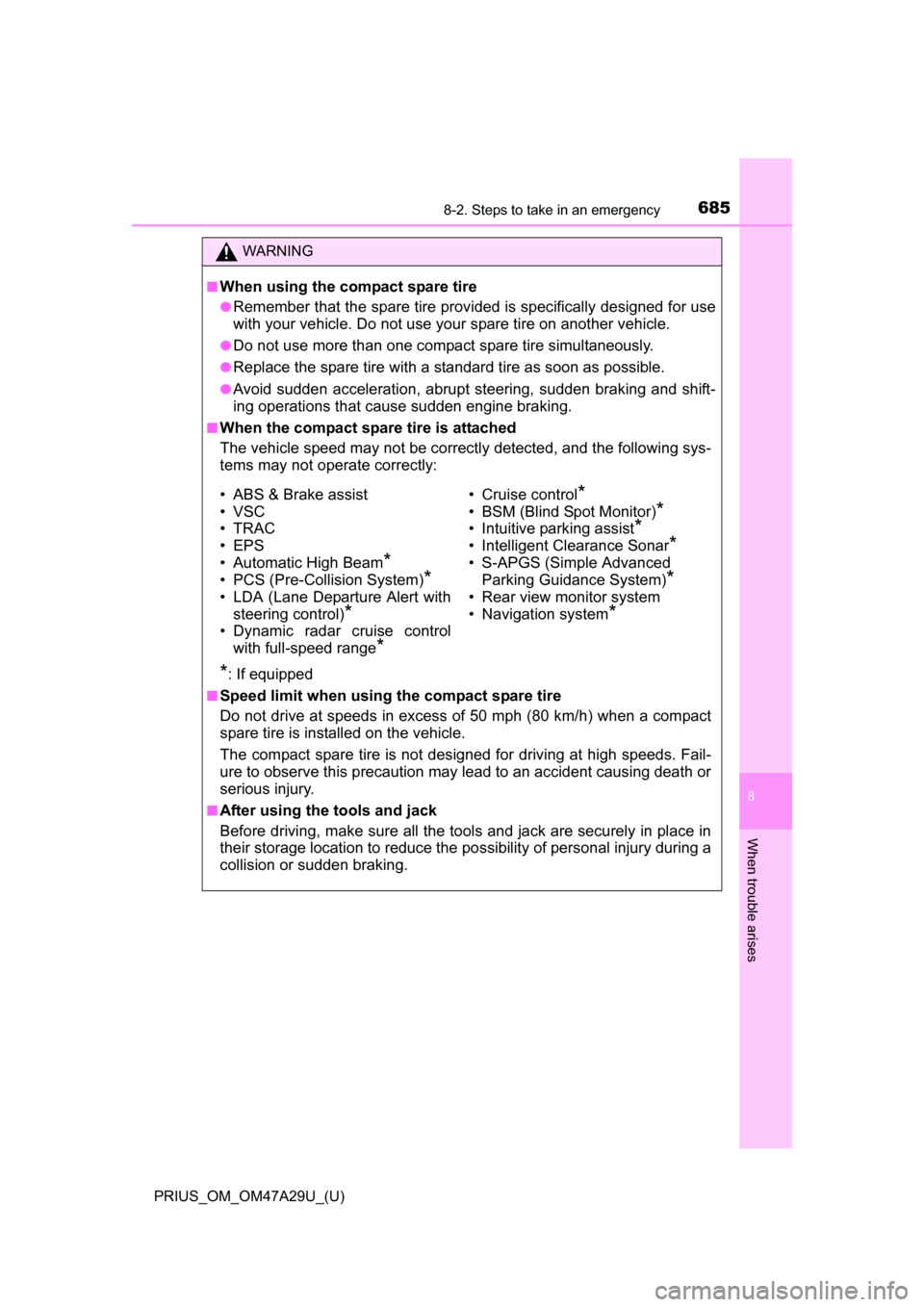
■When the compact spare tire is attached
The vehicle speed may not be correctly detected, and the following sys-
tems may not operate correctly:
*: If equipped
■Speed limit when using the compact spare tire
Do not drive at speeds in excess of 50 mph (80 km/h) when a compact
spare tire is installed on the vehicle.
The compact spare tire is not designed for driving at high speeds. Fail-
ure to observe this precaution may lead to an accident causing death or
serious injury.
■After using the tools and jack
Before driving, make sure all the tools and jack are securely in place in
their storage location to reduce the po ssibility of personal injury during a
collision or sudden braking.
• ABS & Brake assist
• VSC
•TRAC
• EPS
• Automatic High Beam
*
• PCS (Pre-Collision System)*
• LDA (Lane Departure Alert with steering control)
*
• Dynamic radar cruise control
with full-speed range
*
• Cruise control*
• BSM (Blind Spot Monitor)*
• Intuitive parking assist*
• Intelligent Clearance Sonar*
• S-APGS (Simple Advanced Parking Guidance System)
*
• Rear view monitor system
• Navigation system
*
Page 782 of 800
782Alphabetical index
PRIUS_OM_OM47A29U_(U)
Alphabetical index
A/C ............................................ 512Air conditioning filter ............. 621
Automatic air conditioning
system ......... ....................... 512
Climate control ...................... 516
Eco score (A/C score)........... 136
Fresh air intake system......... 516
Humidity sensor .................... 519
Settings screen ..................... 515
S-FLOW mode ...................... 514
ABS
(Anti-lock Brake System)...... 404Function ................................ 404
Warning light ......................... 656
Air conditioning filter .............. 621
Air conditioning system.......... 512 Air conditioning filter ............. 621
Automatic air conditioning
system ......... ....................... 512
Climate control ...................... 516
Eco score (A/C score)........... 136
Fresh air intake system......... 516
Humidity sensor .................... 519
Settings screen ..................... 515
S-FLOW mode ...................... 514
Air intake vent ............................ 83 Airbags ....................................... 36
Airbag operating conditions .... 44
Airbag precautions for
your child .............................. 39
Airbag warning light .............. 656
Correct driving posture ........... 28
Curtain shield airbag operating conditions ............. 45
Curtain shield airbag precautions........................... 42
Front passenger occupant
classification syst em ............ 50
General airbag precautions .... 39
Locations of airbags ............... 36
Modification and disposal of airbags ............................. 43
Side airbag operating
conditions ............................. 45
Side airbag precautions .......... 41
Side and curtain shield airbags operating
conditions ............................. 45
Side and curtain shield
airbags precautions .............. 42
SRS airbag instructions for Canadian owners ............... 765
SRS airbags ........................... 36
Anchor brackets ........................ 74
A
Page 783 of 800
783Alphabetical index
PRIUS_OM_OM47A29U_(U)
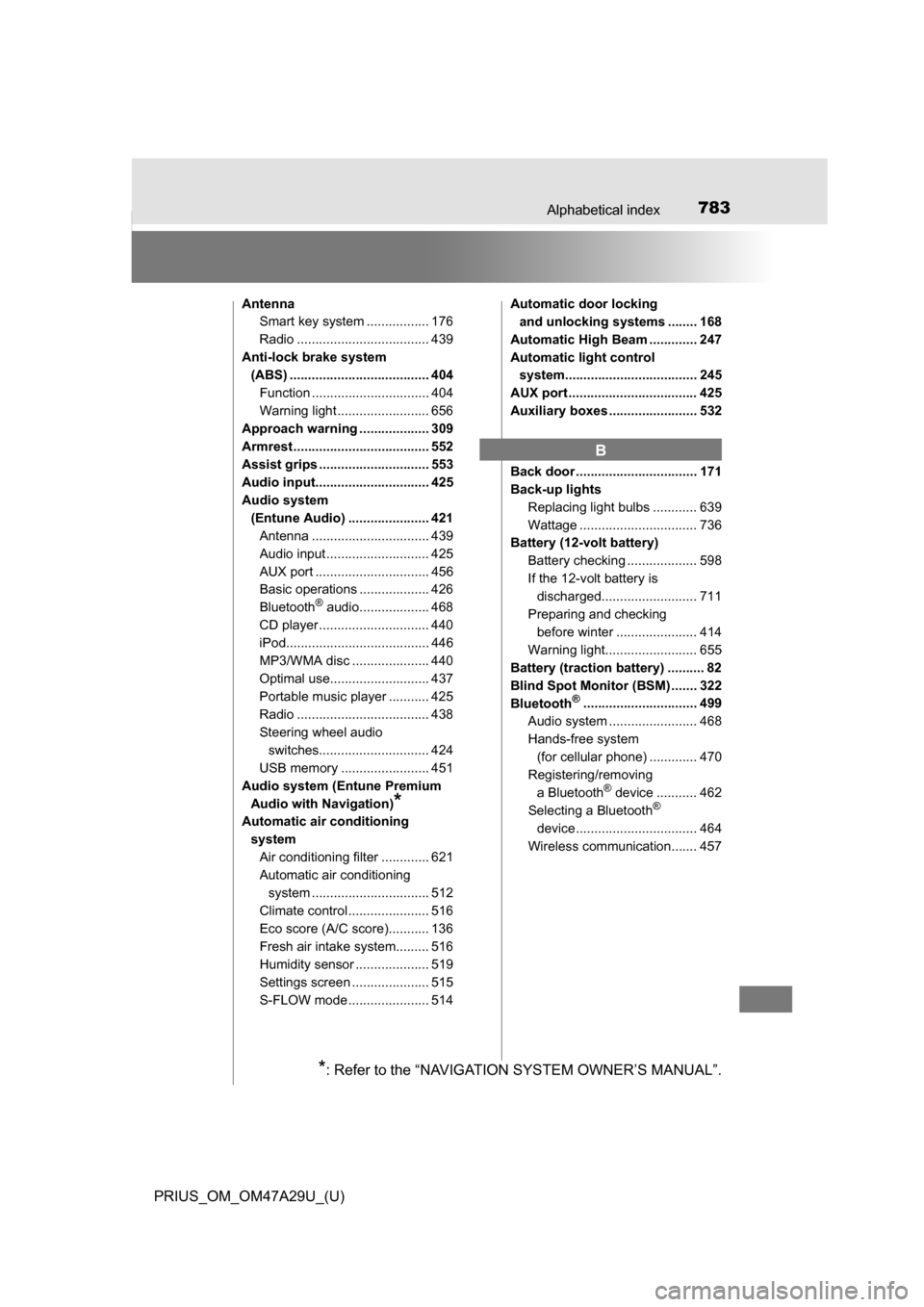
AntennaSmart key system ................. 176
Radio .................................... 439
Anti-lock brake system (ABS) ...................................... 404
Function ................................ 404
Warning light ......................... 656
Approach warning ................... 309
Armrest ..................................... 552
Assist grips .............................. 553
Audio input............................... 425
Audio system
(Entune Audio) ...................... 421Antenna ................................ 439
Audio input ............................ 425
AUX port ............................... 456
Basic operations ................... 426
Bluetooth
® audio................... 468
CD player .............................. 440
iPod....................................... 446
MP3/WMA disc ..................... 440
Optimal use........................... 437
Portable music player ........... 425
Radio .................................... 438
Steering wheel audio switches.............................. 424
USB memory ........................ 451
Audio system (Entune Premium Audio with Navigation)
*
Automatic air conditioning systemAir conditioning filter ............. 621
Automatic air conditioning system ......... ....................... 512
Climate control ...................... 516
Eco score (A/C score)........... 136
Fresh air intake system......... 516
Humidity sensor .................... 519
Settings screen ..................... 515
S-FLOW mode ...................... 514 Automatic door locking
and unlocking systems ........ 168
Automatic High Beam ............. 247
Automatic light control system.................................... 245
AUX port ................................... 425
Auxiliary boxes ........................ 532
Back door ................................. 171
Back-up lights Replacing light bulbs ............ 639
Wattage ................................ 736
Battery (12-volt battery)
Battery checking ................... 598
If the 12-volt battery is discharged.......................... 711
Preparing and checking before winter ...................... 414
Warning light......................... 655
Battery (traction battery) .......... 82
Blind Spot Monitor (BSM) ....... 322
Bluetooth
®............................... 499
Audio system ....... ................. 468
Hands-free system (for cellular phone) ............. 470
Registering/removing
a Bluetooth
® device ........... 462
Selecting a Bluetooth®
device ................................. 464
Wireless communication....... 457
B
*: Refer to the “NAVIGATION SYSTEM OWNER’S MANUAL”.
Page 798 of 800
798Alphabetical index
PRIUS_OM_OM47A29U_(U)
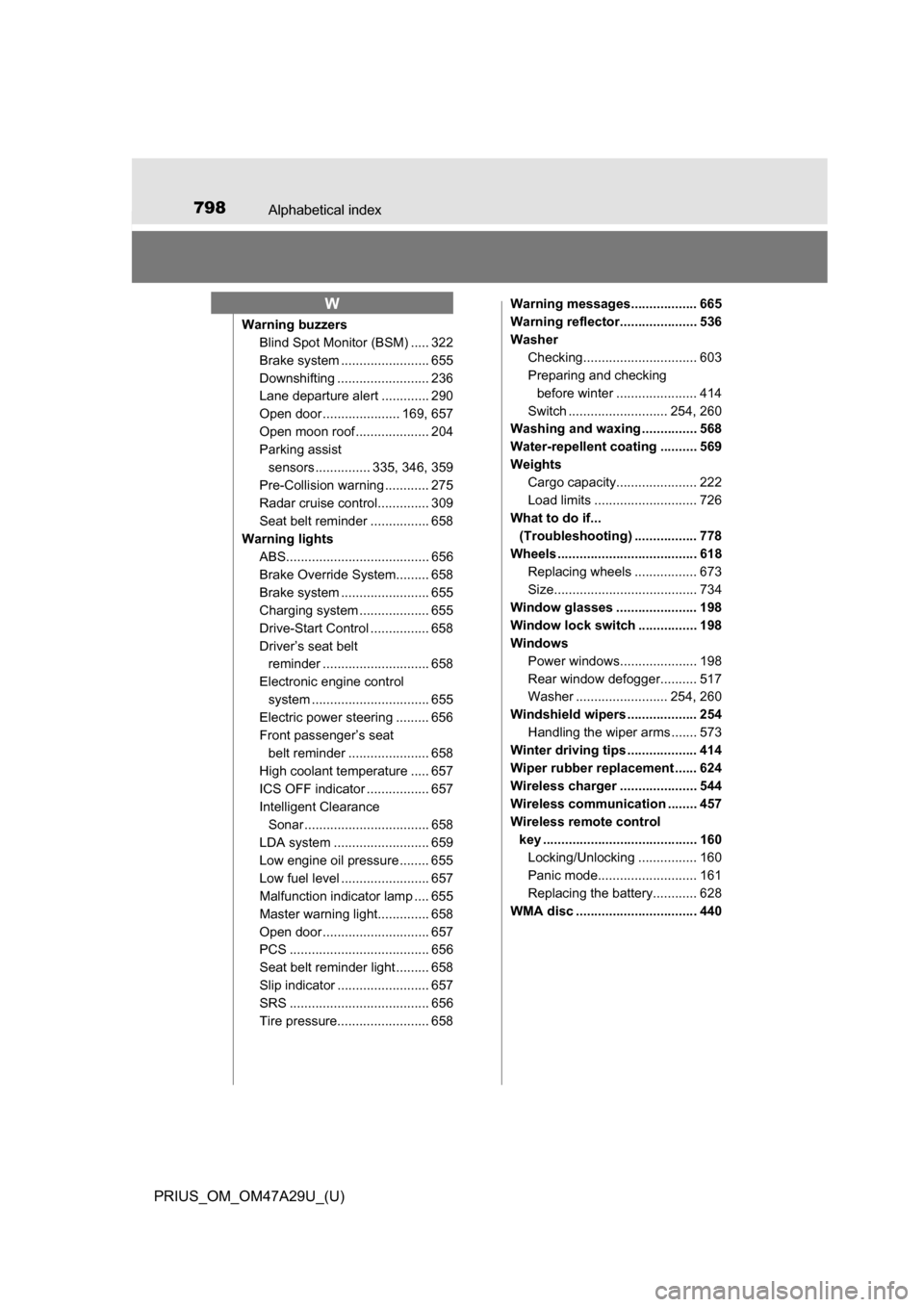
Warning buzzersBlind Spot Monitor (BSM) ..... 322
Brake system ....... ................. 655
Downshifting ......................... 236
Lane departure alert ............. 290
Open door ..................... 169, 657
Open moon roof .................... 204
Parking assist sensors ............... 335, 346, 359
Pre-Collision warning ............ 275
Radar cruise control.............. 309
Seat belt reminder ................ 658
Warning lights ABS....................................... 656
Brake Override System......... 658
Brake system ....... ................. 655
Charging system ................... 655
Drive-Start Control ................ 658
Driver’s seat belt reminder ............................. 658
Electronic engine control system ......... ....................... 655
Electric power steering ......... 656
Front passenger’s seat
belt reminder ...................... 658
High coolant temperature ..... 657
ICS OFF indicator ................. 657
Intelligent Clearance Sonar .................................. 658
LDA system .......................... 659
Low engine oil pressure ........ 655
Low fuel level ........................ 657
Malfunction indicator lamp .... 655
Master warning light.............. 658
Open door ............................. 657
PCS ...................................... 656
Seat belt reminder light ......... 658
Slip indicator ......................... 657
SRS ...................................... 656
Tire pressure......................... 658 Warning messages.................. 665
Warning reflector..................... 536
Washer
Checking............................... 603
Preparing and checking before winter ...................... 414
Switch ........................... 254, 260
Washing and waxing ............... 568
Water-repellent coating .......... 569
Weights Cargo capacity...................... 222
Load limits ............................ 726
What to do if... (Troubleshooting) ................. 778
Wheels ...................................... 618 Replacing wheels ................. 673
Size....................................... 734
Window glasses ...................... 198
Window lock switch ................ 198
Windows Power windows..................... 198
Rear window defogger.......... 517
Washer ......................... 254, 260
Windshield wipers ................... 254 Handling the wiper arms ....... 573
Winter driving tips ................... 414
Wiper rubber replacement ...... 624
Wireless charger ..................... 544
Wireless communication ........ 457
Wireless remote control key .......................................... 160Locking/Unlocking ................ 160
Panic mode........................... 161
Replacing the battery............ 628
WMA disc ................................. 440
W