Unit TOYOTA PRIUS 2016 4.G User Guide
[x] Cancel search | Manufacturer: TOYOTA, Model Year: 2016, Model line: PRIUS, Model: TOYOTA PRIUS 2016 4.GPages: 800, PDF Size: 16.69 MB
Page 146 of 800
146
PRIUS_OM_OM47A29U_(U)
2. Instrument cluster
Head-up display
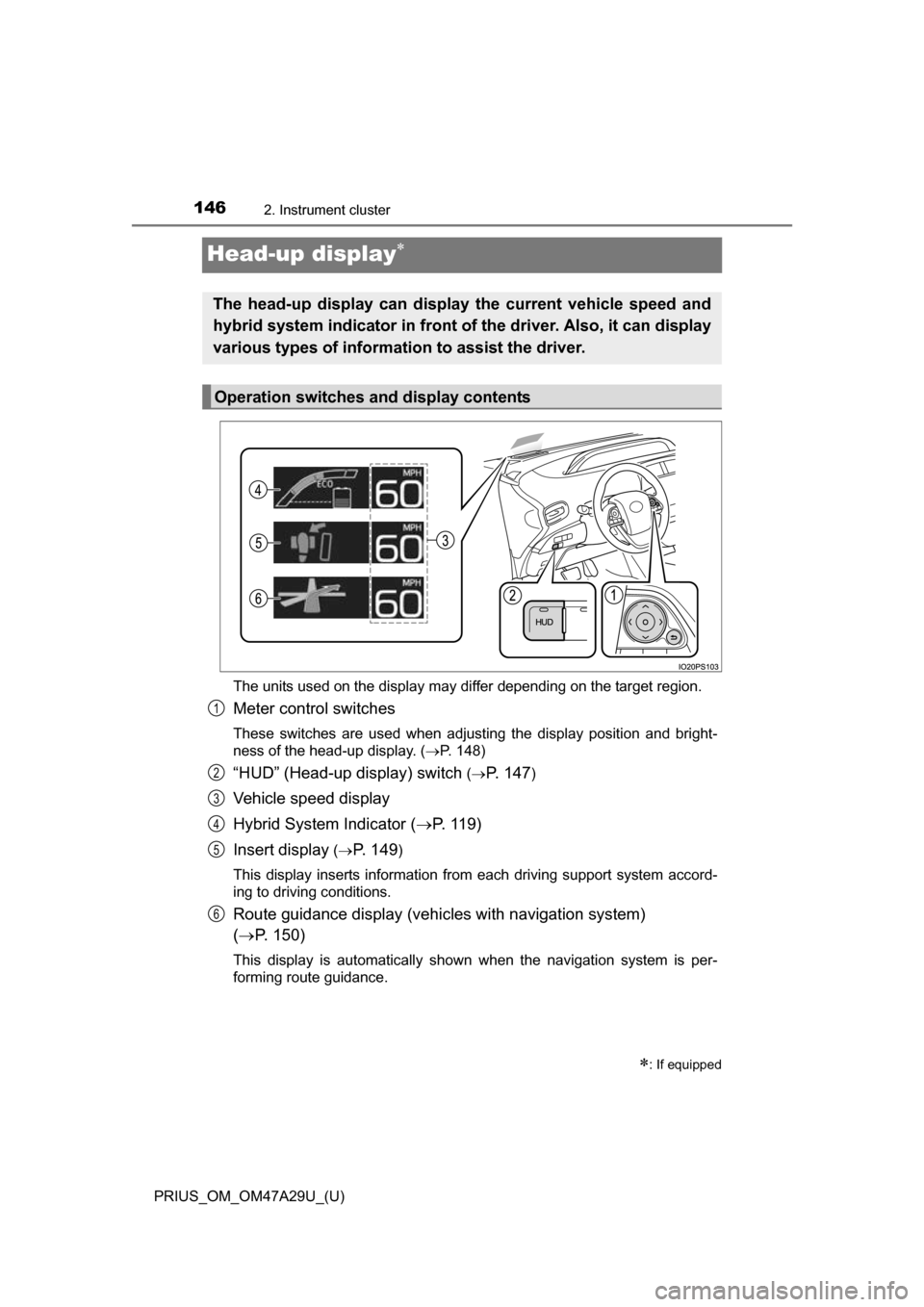
The units used on the display may differ depending on the target region.
Meter control switches
These switches are used when adjusting the display position and bright-
ness of the head-up display. (P. 148)
“HUD” (Head-up display) switch (P. 1 4 7)
Vehicle speed display
Hybrid System Indicator ( P. 119)
Insert display
( P. 1 4 9)
This display inserts information from each driving support system accord-
ing to driving conditions.
Route guidance display (vehicles with navigation system)
( P. 150)
This display is automatically shown when the navigation system is per-
forming route guidance.
: If equipped
The head-up display can display the current vehicle speed and
hybrid system indicator in front of the driver. Also, it can display
various types of information to assist the driver.
Operation switches and display contents
1
2
3
4
5
6
Page 150 of 800
150
PRIUS_OM_OM47A29U_(U)
2. Instrument cluster
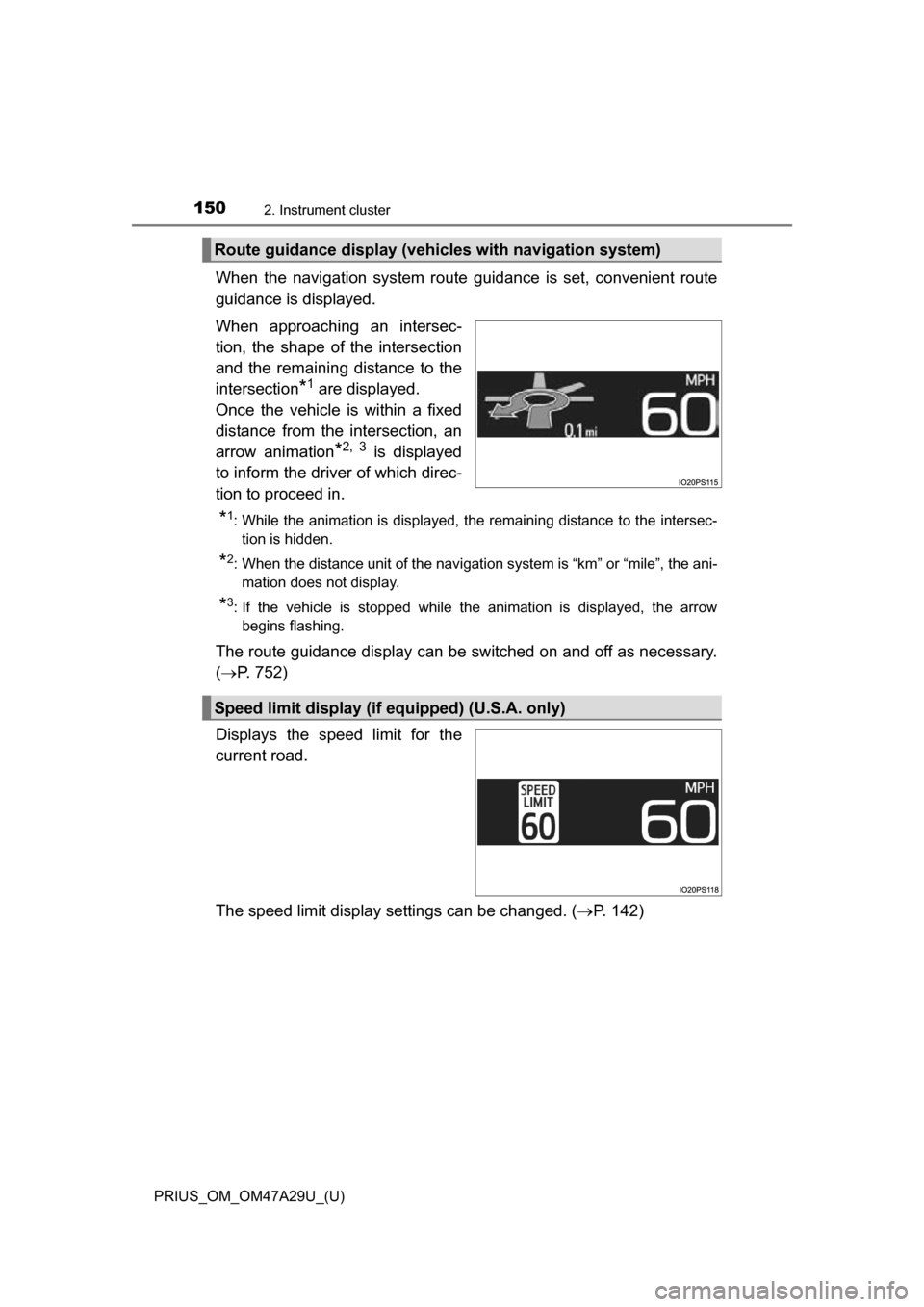
When the navigation system route guidance is set, convenient route
guidance is displayed.
When approaching an intersec-
tion, the shape of the intersection
and the remaining distance to the
intersection
*1 are displayed.
Once the vehicle is within a fixed
distance from the intersection, an
arrow animation
*2, 3 is displayed
to inform the driver of which direc-
tion to proceed in.
*1: While the animation is displayed, the remaining distance to the intersec- tion is hidden.
*2: When the distance unit of the navigation system is “km” or “mile”, the ani-mation does not display.
*3: If the vehicle is stopped while the animation is displayed, the arrowbegins flashing.
The route guidance display can be switched on and off as necessary.
( P. 752)
Displays the speed limit for the
current road.
The speed limit display settings can be changed. ( P. 142)
Route guidance display (vehicles with navigation system)
Speed limit display (if equipped) (U.S.A. only)
Page 414 of 800
414
PRIUS_OM_OM47A29U_(U)
4-6. Driving tips
Winter driving tips
●Use fluids that are appropriate to the prevailing outside tempera-
tures.
• Engine oil
• Engine/power control unit coolant
• Washer fluid
● Have a service technician inspec t the condition of the 12-volt bat-
tery.
● Have the vehicle fitted with four snow tires or purchase a set of tire
chains for the front tires.
Ensure that all tires are the same size and brand, and that chains match
the size of the tires.
Perform the following accordin g to the driving conditions:
● Do not try to forcibly open a window or move a wiper that is frozen.
Pour warm water over the frozen area to melt the ice. Wipe away
the water immediately to prevent it from freezing.
● To ensure proper operation of the climate control system fan,
remove any snow that has accumulated on the air inlet vents in
front of the windshield.
● Check for and remove any excess ice or snow that may have accu-
mulated on the exterior lights, ve hicle’s roof, chassis, around the
tires or on the brakes.
● Remove any snow or mud from the bottom of your shoes before
getting in the vehicle.
Carry out the necessary preparations and inspections before
driving the vehicle in winter. Always drive the vehicle in a man-
ner appropriate to the prevailing weather conditions.
Preparation for winter
Before driving the vehicle
Page 429 of 800
429
PRIUS_OM_OM47A29U_(U)
5-2. Setup
5
Audio system
General settings
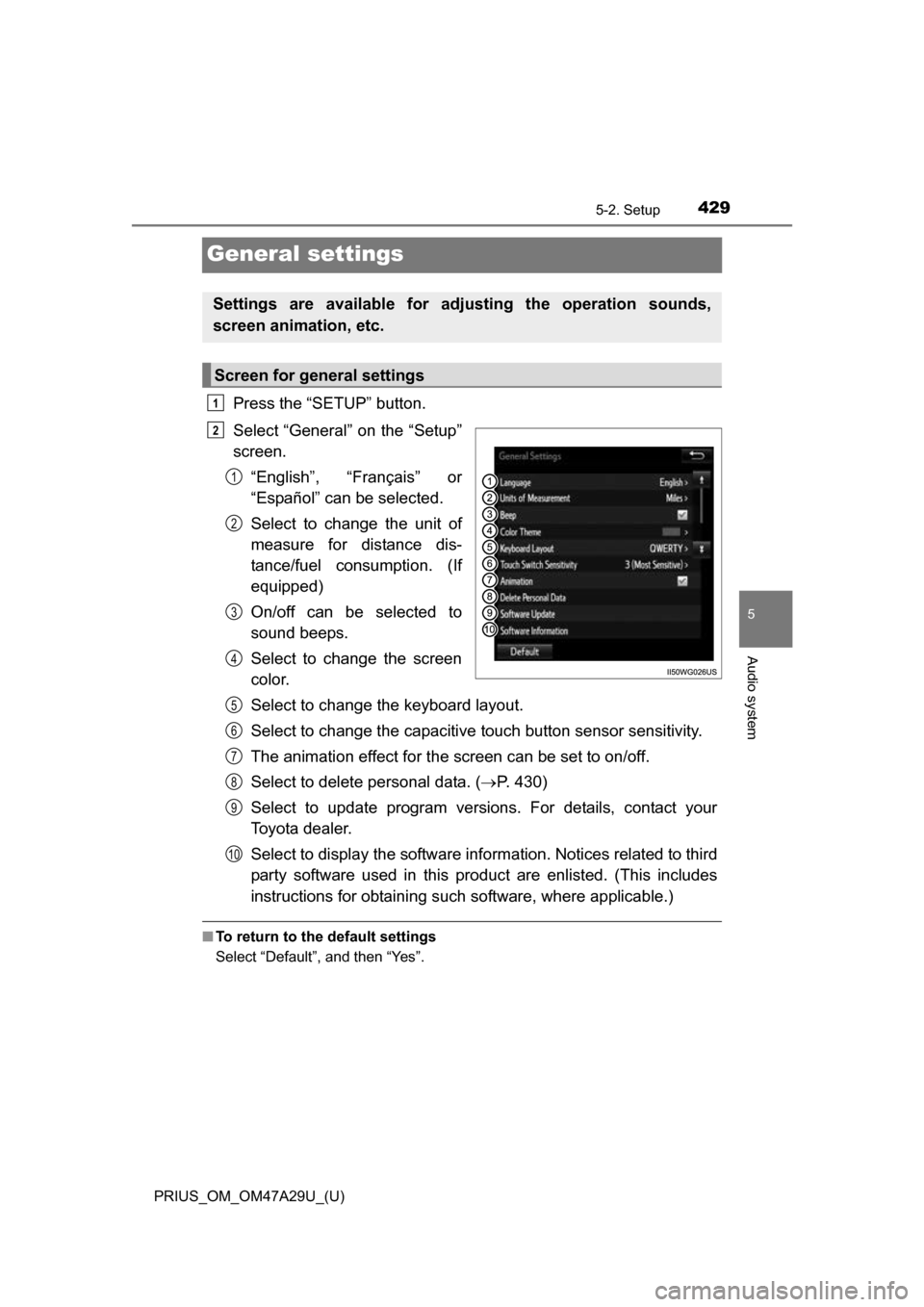
Press the “SETUP” button.
Select “General” on the “Setup”
screen.“English”, “Français” or
“Español” can be selected.
Select to change the unit of
measure for distance dis-
tance/fuel consumption. (If
equipped)
On/off can be selected to
sound beeps.
Select to change the screen
color.
Select to change the keyboard layout.
Select to change the capacitive touch button sensor sensitivity.
The animation effect for the screen can be set to on/off.
Select to delete personal data. ( P. 430)
Select to update program versions. For details, contact your
Toyota dealer.
Select to display the software info rmation. Notices related to third
party software used in this pr oduct are enlisted. (This includes
instructions for obtaining such software, where applicable.)
■ To return to the default settings
Select “Default”, and then “Yes”.
Settings are available for adjusting the operation sounds,
screen animation, etc.
Screen for general settings
1
2
1
2
3
4
5
6
7
8
9
10
Page 504 of 800
5045-10. Bluetooth®
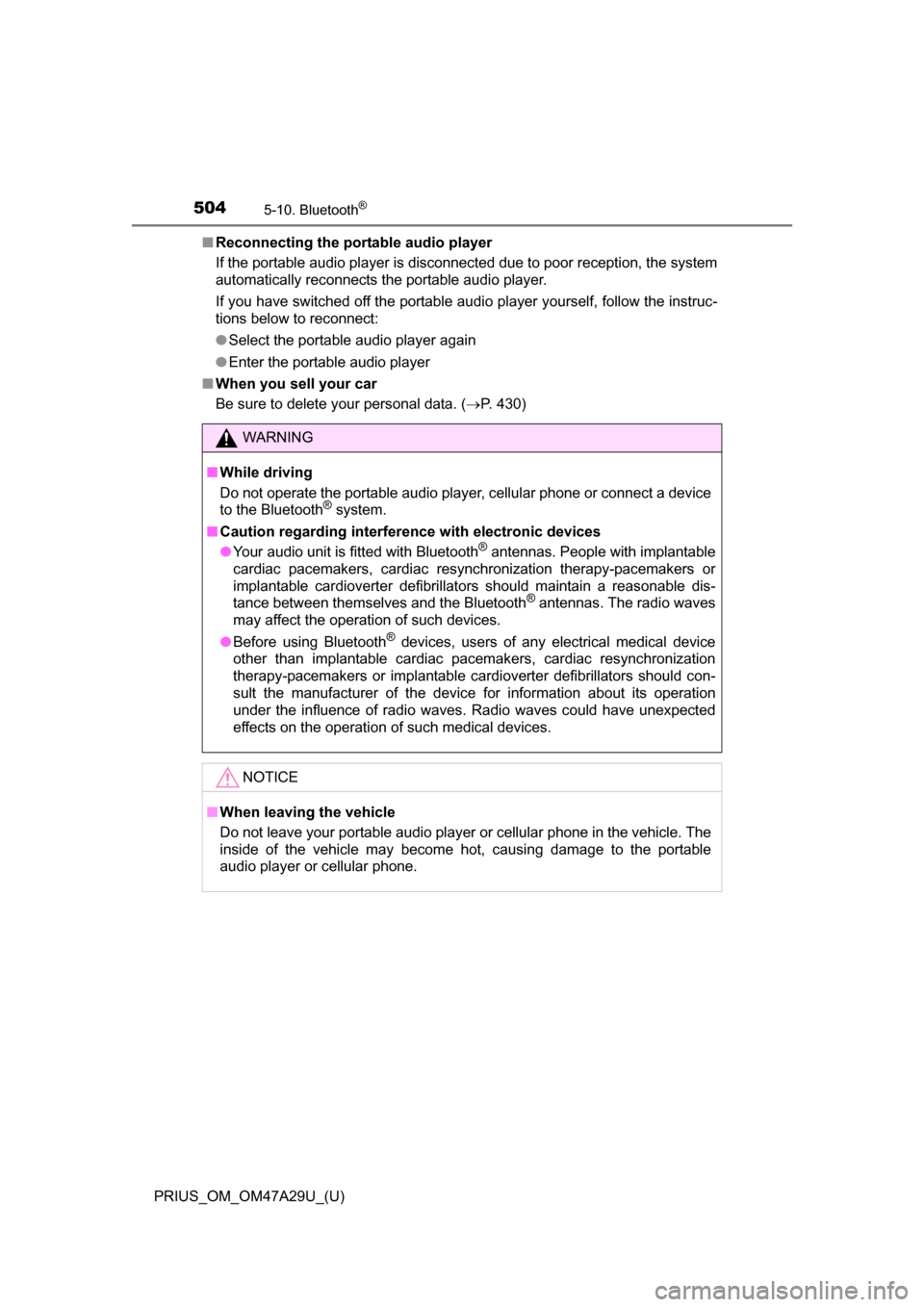
PRIUS_OM_OM47A29U_(U)■
Reconnecting the portable audio player
If the portable audio player is disconnected due to poor reception, the system
automatically reconnects the portable audio player.
If you have switched off the portable audio player yourself, follow the instruc-
tions below to reconnect:
●Select the portable audio player again
● Enter the portable audio player
■ When you sell your car
Be sure to delete your personal data. ( P. 430)
WARNING
■While driving
Do not operate the portable audio player, cellular phone or connect a device
to the Bluetooth
® system.
■ Caution regarding interfer ence with electronic devices
● Your audio unit is fitted with Bluetooth
® antennas. People with implantable
cardiac pacemakers, cardiac resynchronization therapy-pacemakers or
implantable cardioverter defibrillators should maintain a reasonable dis-
tance between themselves and the Bluetooth
® antennas. The radio waves
may affect the operation of such devices.
● Before using Bluetooth
® devices, users of any electrical medical device
other than implantable cardiac pacemakers, cardiac resynchronization
therapy-pacemakers or implantable cardioverter defibrillators should con-
sult the manufacturer of the device for information about its operation
under the influence of radio waves. Radio waves could have unexpected
effects on the operation of such medical devices.
NOTICE
■ When leaving the vehicle
Do not leave your portable audio player or cellular phone in the vehicle. The
inside of the vehicle may become hot, causing damage to the portable
audio player or cellular phone.
Page 563 of 800
PRIUS_OM_OM47A29U_(U)
5636-4. Using the other interior features
6
Interior features
■Safety Connect Services Information
●Phone calls using the vehicles Bluetooth® technology will not be possible
during Safety Connect.
● Safety Connect is available beginning Fall 2009 on select Toyota models.
Contact with the Safety Connect response center is dependent upon the
telematics device being in operative condition, cellular connection availabil-
ity, and GPS satellite signal reception, which can limit the ability to reach the
response center or receive emergency service support. Enrollment and
Telematics Subscription Service Agreement required. A variety of subscrip-
tion terms is available; charges vary by subscription term selected.
● Automatic Collision Notification, Emergency Assistance, Stolen Vehicle
Location, and Enhanced Roadside Assistance will function in the United
States, including Hawaii and Alaska, and in Canada. No Safety Connect
services will function outside of the United States in countries other than
Canada.
● Safety Connect services are not subject to section 255 of the Telecommuni-
cations Act and the device is not TTY compatible.
■ Languages
The Safety Connect response center will offer support in multiple languages.
The Safety Connect system will offer voice prompts in English and Spanish.
Please indicate your language of choice when enrolling.
■ When contacting th e response center
You may be unable to contact the response center if the network is busy.
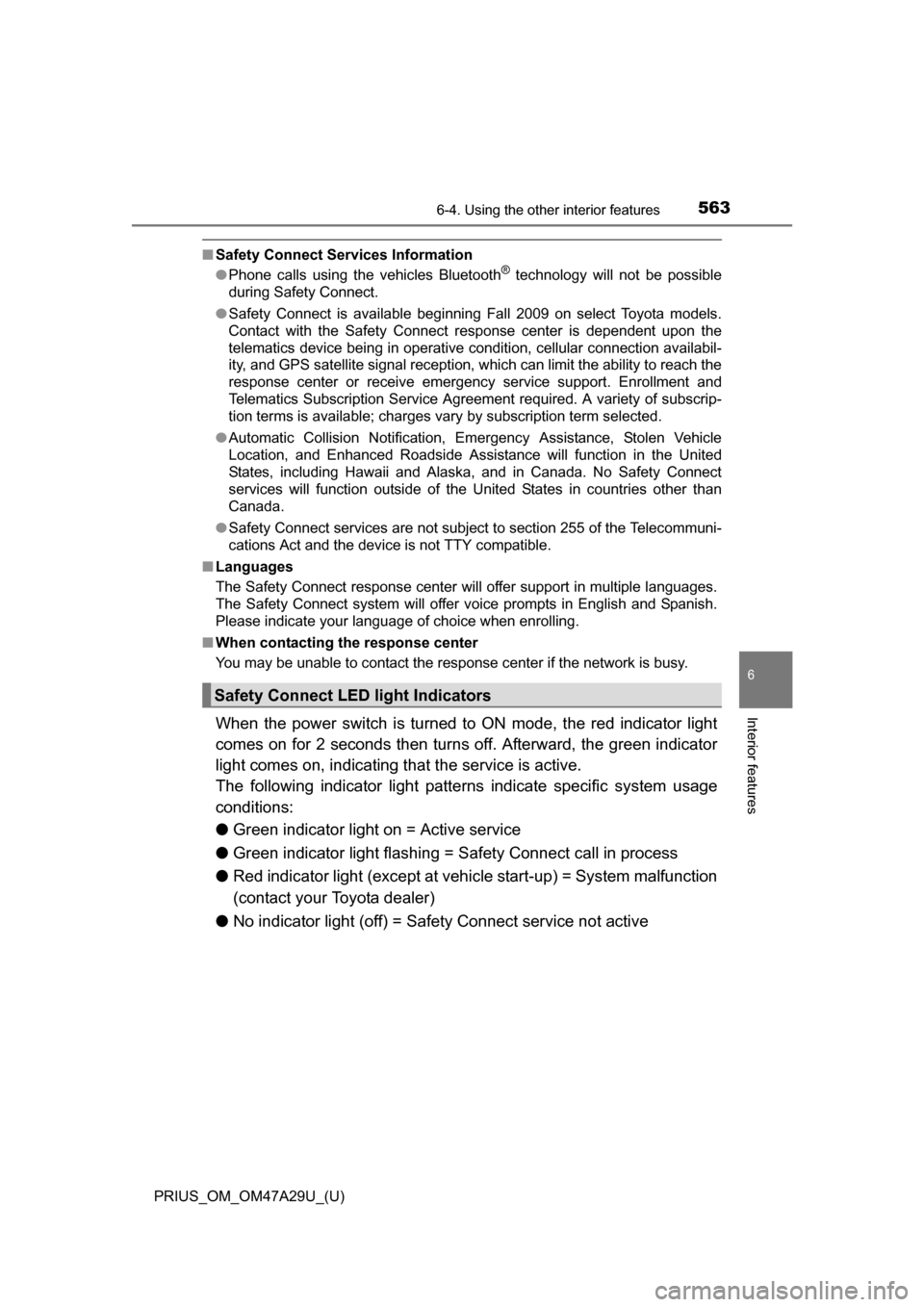
When the power switch is turned to ON mode, the red indicator light
comes on for 2 seconds then turns off. Afterward, the green indicator
light comes on, indicating t hat the service is active.
The following indicator light patterns indicate specific system usage
conditions:
● Green indicator light on = Active service
● Green indicator light flashing = Sa fety Connect call in process
● Red indicator light (except at vehi cle start-up) = System malfunction
(contact your Toyota dealer)
● No indicator light (off) = Safety Connect service not active
Safety Connect LE D light Indicators
Page 581 of 800
581
PRIUS_OM_OM47A29U_(U)
7-2. Maintenance
7
Maintenance and care
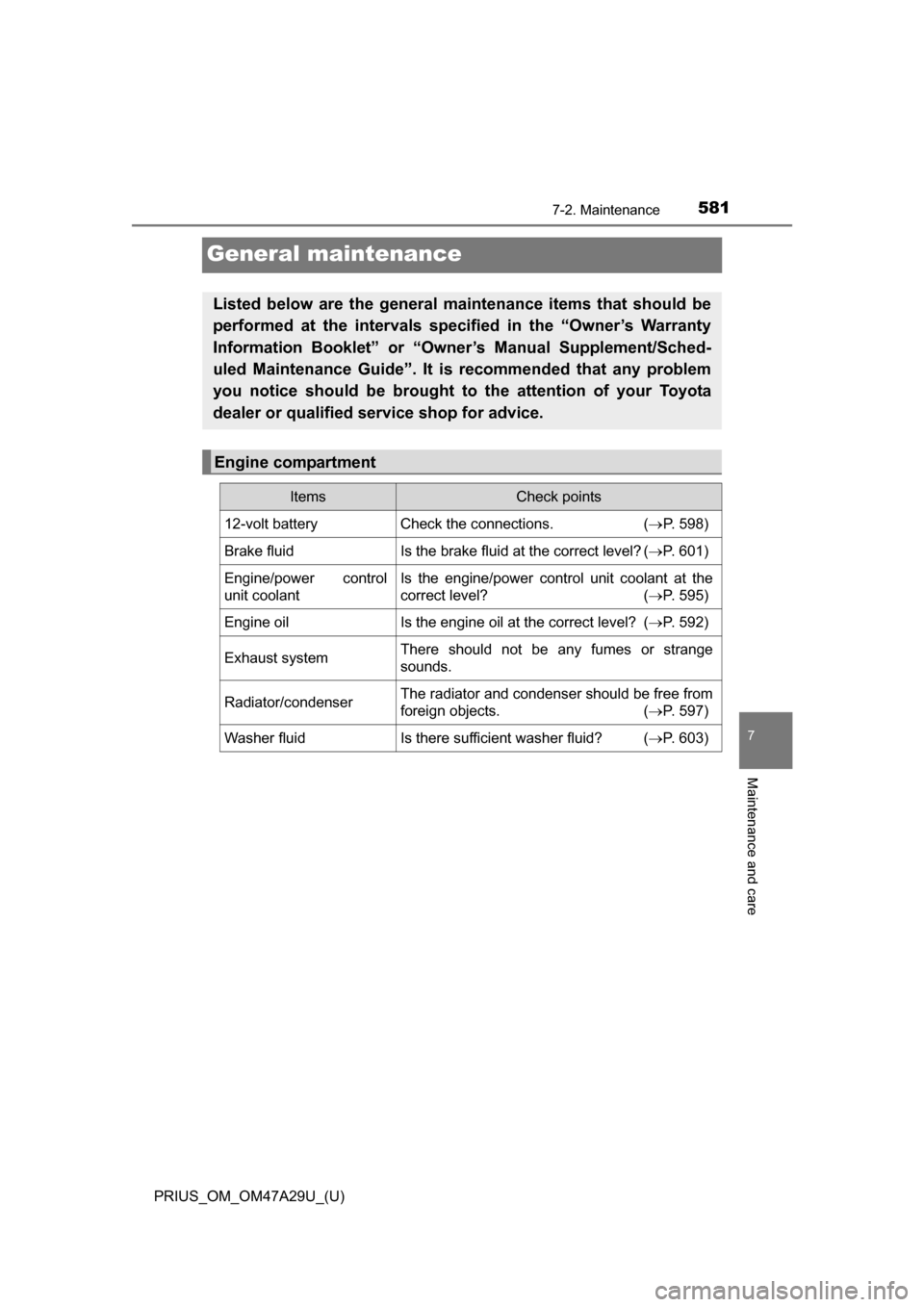
General maintenance
Listed below are the general maintenance items that should be
performed at the intervals specified in the “Owner’s Warranty
Information Booklet” or “Owner’s Manual Supplement/Sched-
uled Maintenance Guide”. It is recommended that any problem
you notice should be brought to the attention of your Toyota
dealer or qualified service shop for advice.
Engine compartment
ItemsCheck points
12-volt batteryCheck the connections. (P. 598)
Brake fluidIs the brake fluid at the correct level? ( P. 601)
Engine/power control
unit coolantIs the engine/power control unit coolant at the
correct level? (P. 595)
Engine oilIs the engine oil at the correct level? (P. 592)
Exhaust systemThere should not be any fumes or strange
sounds.
Radiator/condenserThe radiator and condenser should be free from
foreign objects. (P. 597)
Washer fluidIs there sufficient washer fluid? (P. 603)
Page 585 of 800
585
PRIUS_OM_OM47A29U_(U)
7-3. Do-it-yourself maintenance
7
Maintenance and care
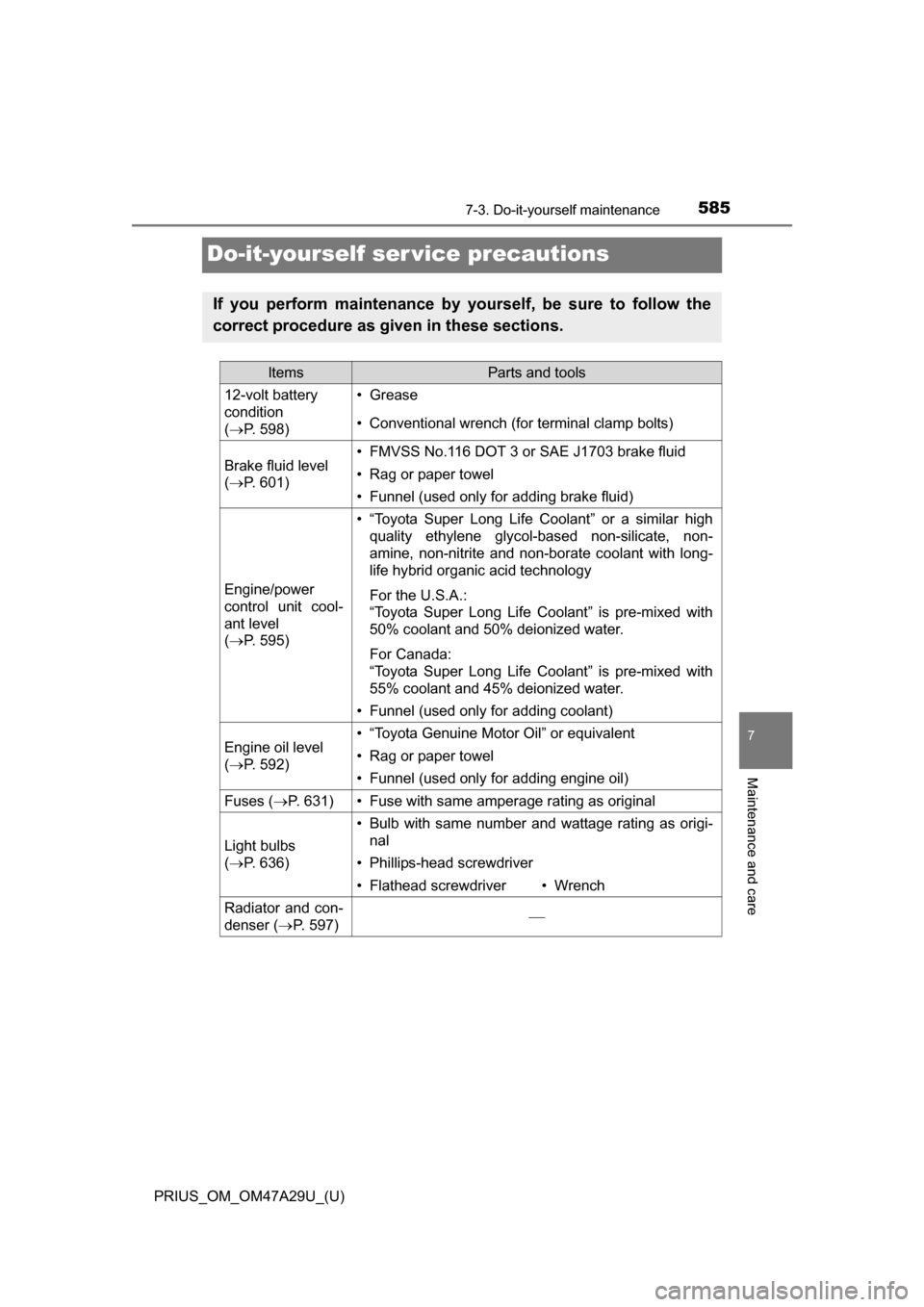
Do-it-yourself ser vice precautions
If you perform maintenance by yourself, be sure to follow the
correct procedure as given in these sections.
ItemsParts and tools
12-volt battery
condition
(P. 598)•Grease
• Conventional wrench (for terminal clamp bolts)
Brake fluid level
(P. 601)• FMVSS No.116 DOT 3 or SAE J1703 brake fluid
• Rag or paper towel
• Funnel (used only for adding brake fluid)
Engine/power
control unit cool-
ant level
(P. 595)
• “Toyota Super Long Life Coolant” or a similar high
quality ethylene glycol-based non-silicate, non-
amine, non-nitrite and non-borate coolant with long-
life hybrid organic acid technology
For the U.S.A.:
“Toyota Super Long Life Coolant” is pre-mixed with
50% coolant and 50% deionized water.
For Canada:
“Toyota Super Long Life Coolant” is pre-mixed with
55% coolant and 45% deionized water.
• Funnel (used only for adding coolant)
Engine oil level
(P. 592)• “Toyota Genuine Motor Oil” or equivalent
• Rag or paper towel
• Funnel (used only for adding engine oil)
Fuses ( P. 631)• Fuse with same amperage rating as original
Light bulbs
(P. 636)
• Bulb with same number and wattage rating as origi-
nal
• Phillips-head screwdriver
• Flathead screwdriver• Wrench
Radiator and con-
denser ( P. 597)
Page 586 of 800
586
PRIUS_OM_OM47A29U_(U)
7-3. Do-it-yourself maintenance
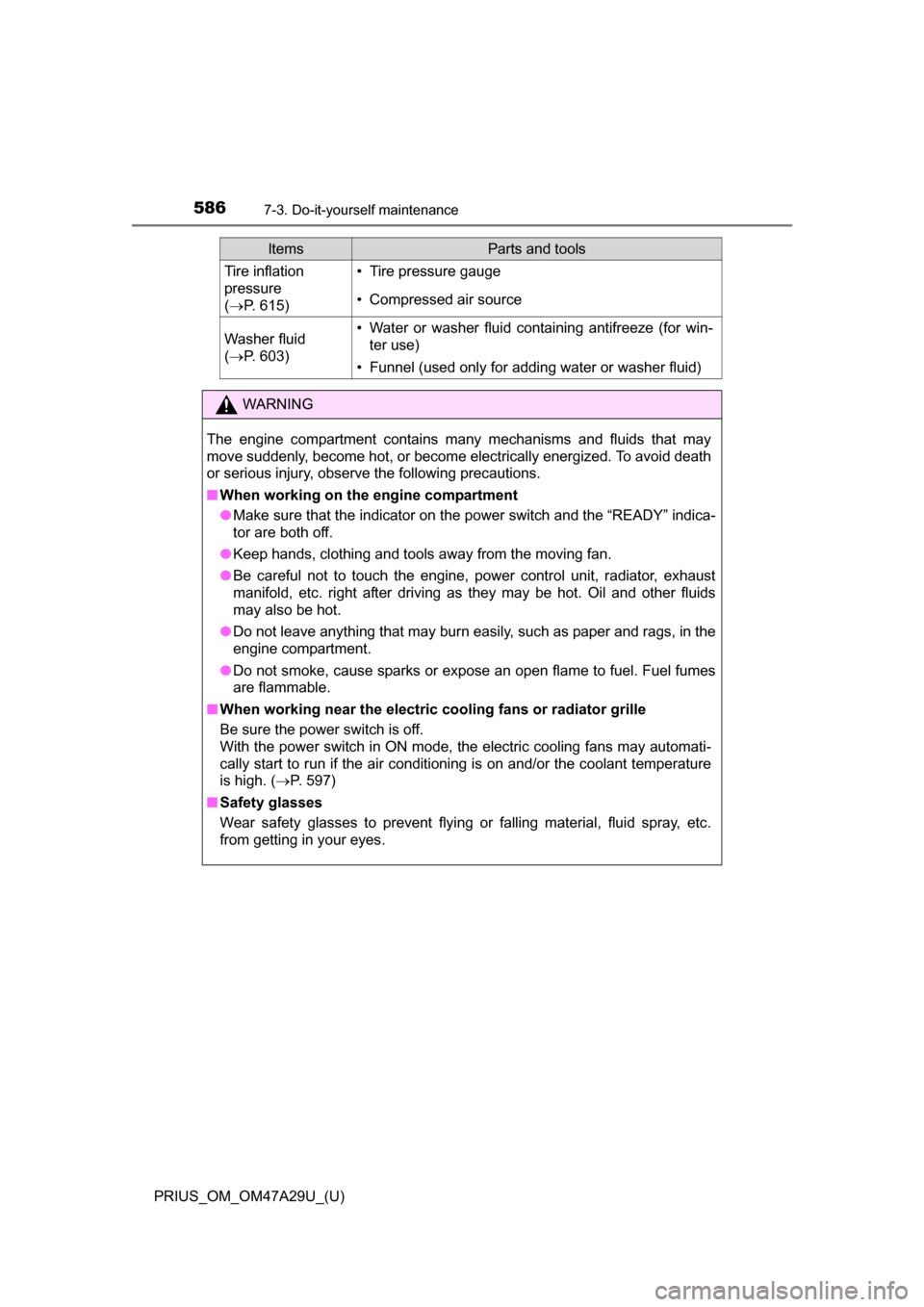
Tire inflation
pressure
(P. 615)• Tire pressure gauge
• Compressed air source
Washer fluid
(P. 603)• Water or washer fluid containing antifreeze (for win-
ter use)
• Funnel (used only for adding water or washer fluid)
WARNING
The engine compartment contains many mechanisms and fluids that may
move suddenly, become hot, or become electrically energized. To avoid death
or serious injury, observe the following precautions.
■ When working on the engine compartment
●Make sure that the indicator on the power switch and the “READY” indica-
tor are both off.
● Keep hands, clothing and tools away from the moving fan.
● Be careful not to touch the engine, power control unit, radiator, exhaust
manifold, etc. right after driving as they may be hot. Oil and other fluids
may also be hot.
● Do not leave anything that may burn easily, such as paper and rags, in the
engine compartment.
● Do not smoke, cause sparks or expose an open flame to fuel. Fuel fumes
are flammable.
■ When working near the electric cooling fans or radiator grille
Be sure the power switch is off.
With the power switch in ON mode, t he electric cooling fans may automati-
cally start to run if the air conditioning is on and/or the coolant temperature
is high. ( P. 597)
■ Safety glasses
Wear safety glasses to prevent flying or falling material, fluid spray, etc.
from getting in your eyes.
ItemsParts and tools
Page 591 of 800
591
PRIUS_OM_OM47A29U_(U)
7-3. Do-it-yourself maintenance
7
Maintenance and care
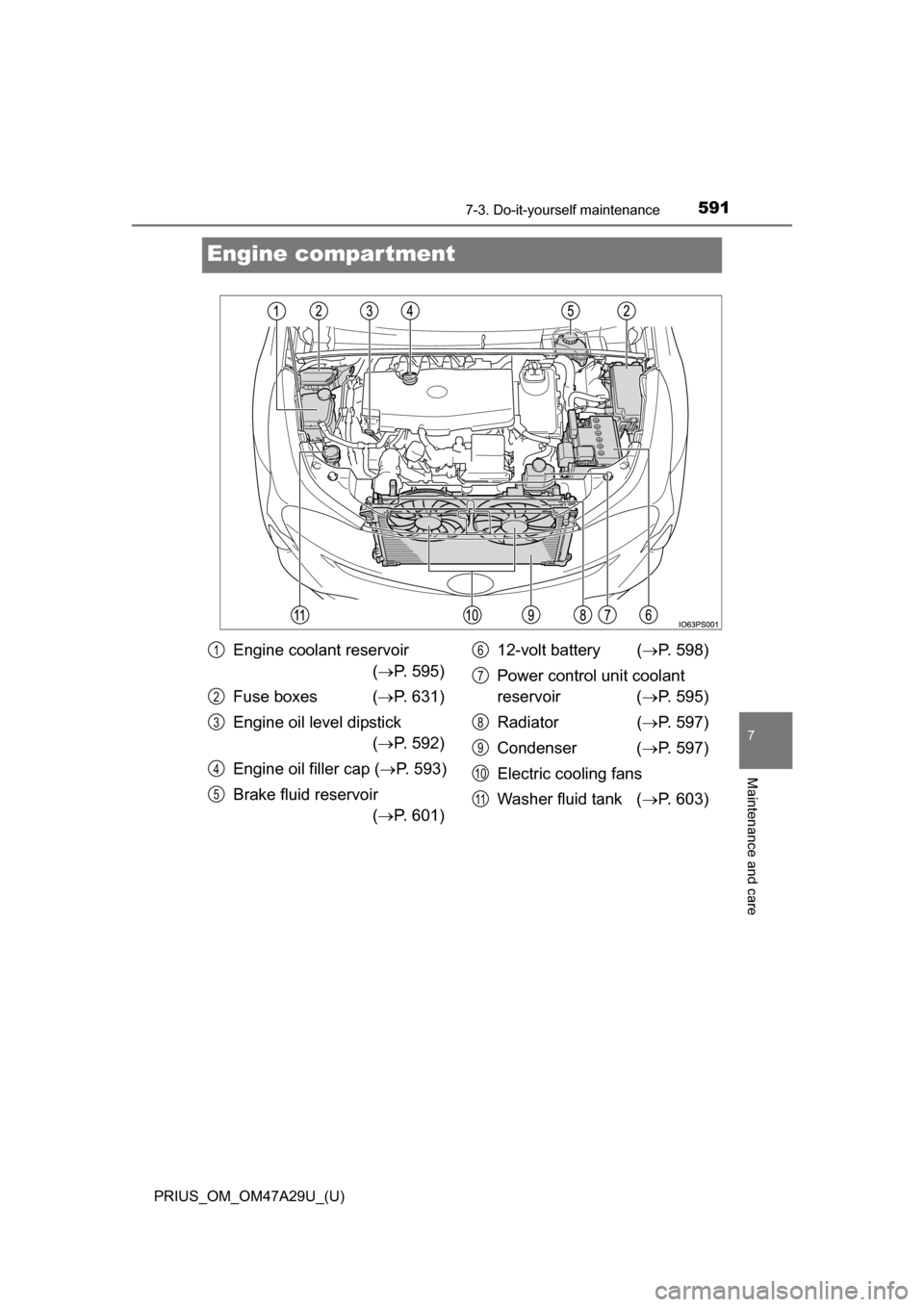
Engine compartment
Engine coolant reservoir ( P. 595)
Fuse boxes ( P. 631)
Engine oil level dipstick ( P. 592)
Engine oil filler cap ( P. 593)
Brake fluid reservoir ( P. 601) 12-volt battery (
P. 598)
Power control unit coolant
reservoir ( P. 595)
Radiator ( P. 597)
Condenser ( P. 597)
Electric cooling fans
Washer fluid tank ( P. 603)1
2
3
4
5
6
7
8
9
10
11