brake sensor TOYOTA PRIUS 2016 4.G User Guide
[x] Cancel search | Manufacturer: TOYOTA, Model Year: 2016, Model line: PRIUS, Model: TOYOTA PRIUS 2016 4.GPages: 800, PDF Size: 16.69 MB
Page 346 of 800
346
PRIUS_OM_OM47A29U_(U)
4-5. Using the driving support systems
Intelligent Clearance Sonar
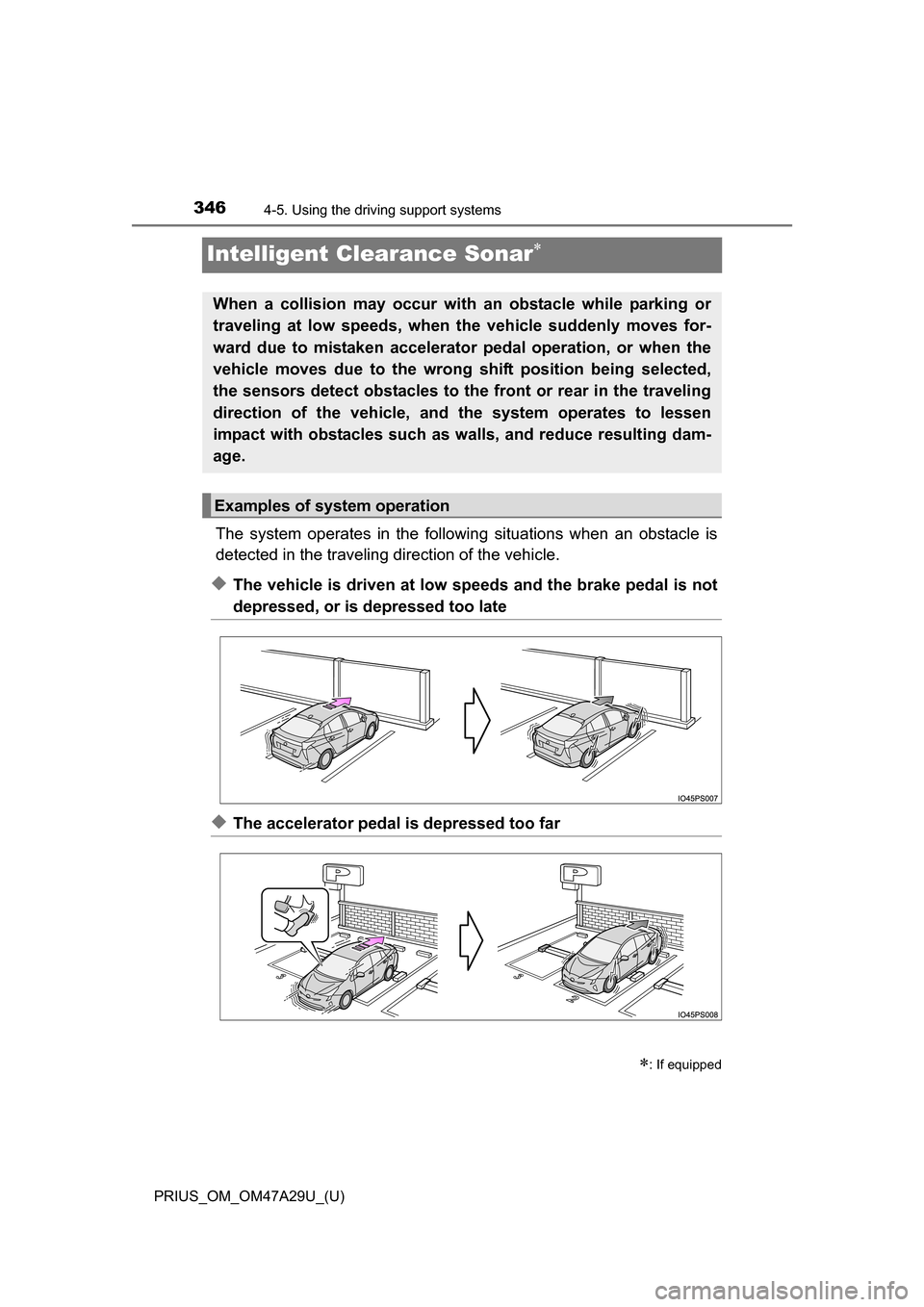
The system operates in the following situations when an obstacle is
detected in the traveling direction of the vehicle.
◆The vehicle is driven at low speeds and the brake pedal is not
depressed, or is depressed too late
◆The accelerator pedal is depressed too far
: If equipped
When a collision may occur with an obstacle while parking or
traveling at low speeds, when the vehicle suddenly moves for-
ward due to mistaken accelerator pedal operation, or when the
vehicle moves due to the wrong shift position being selected,
the sensors detect obstacles to the front or rear in the traveling
direction of the vehicle, and the system operates to lessen
impact with obstacles such as walls, and reduce resulting dam-
age.
Examples of system operation
Page 353 of 800
PRIUS_OM_OM47A29U_(U)
3534-5. Using the driving support systems
4
Driving
■Sensor detection range
The detection range of the Intelligent Clearance Sonar function differs from
the detection range of the clearance sonar ( P. 339).
Therefore, even if the clearance sonar detects an obstacle and provides a
warning, the Intelligent Clearance Sonar may not start operating.
■ System operation
When the vehicle is stopped by system operation, the Intelligent Clearance
Sonar function stops and the ICS OFF indicator illuminates.
■ System recovery
When the Intelligent Clearance Sonar function is stopped by system opera-
tion and you would like to resume operation, either turn the Intelligent Clear-
ance Sonar ON again ( P. 335), or turn the power switch off and then back
on. Furthermore, when the vehicle moves with an obstacle no longer in the
traveling direction of the vehicle, or when the traveling direction of the vehicle
changes (such as when switching from moving forward to backing up, and
vice versa), system operation automatically resumes.
■ Obstacles not detected by the sensors
The following obstacles may not be detected by the sensors.
●Objects such as people, cloth and snow, that are difficult for sonic waves to
reflect off of. (In particular, people may also not be detected depending on
the type of clothing they are wearing.)
● Objects not perpendicular with the ground, objects not at a right angle to the
traveling direction of the vehicle, uneven objects or waving objects
● Low objects
● Thin objects such as wires, fences, ropes and signposts
● Objects that are extremely close to the bumper
■ Clearance sonar buzzer
Regardless of whether the clearance sonar is ON or OFF ( P. 335), if the
Intelligent Clearance Sonar function is not stopped ( P. 348), when the front
or rear sensors detect an obstacle and brake control is performed, the clear-
ance sonar buzzer also sounds and a notification of the approximate distance
to the obstacle is provided.
Page 354 of 800
354
PRIUS_OM_OM47A29U_(U)
4-5. Using the driving support systems
■Situations when the system may opera te even though there is no possi-
bility of a collision
In the following situations, the system may operate even though there is no
possibility of a collision.
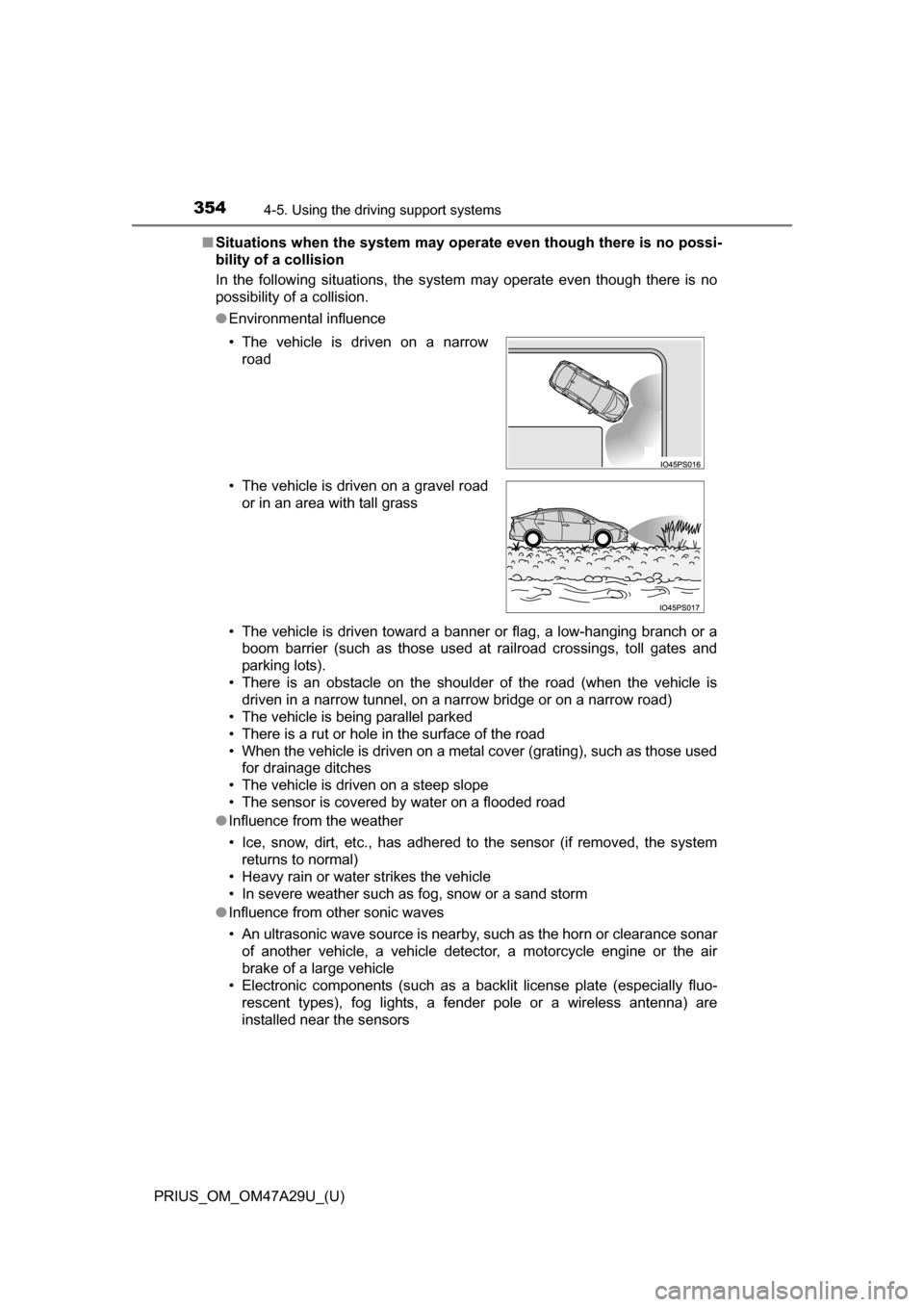
● Environmental influence
• The vehicle is driven toward a banner or flag, a low-hanging branch or a
boom barrier (such as those used at railroad crossings, toll gates and
parking lots).
• There is an obstacle on the shoulder of the road (when the vehicle is driven in a narrow tunnel, on a narrow bridge or on a narrow road)
• The vehicle is being parallel parked
• There is a rut or hole in the surface of the road
• When the vehicle is driven on a metal cover (grating), such as those used for drainage ditches
• The vehicle is driven on a steep slope
• The sensor is covered by water on a flooded road
● Influence from the weather
• Ice, snow, dirt, etc., has adhered to the sensor (if removed, the system
returns to normal)
• Heavy rain or water strikes the vehicle
• In severe weather such as fog, snow or a sand storm
● Influence from other sonic waves
• An ultrasonic wave source is nearby, such as the horn or clearance sonar
of another vehicle, a vehicle detector, a motorcycle engine or the air
brake of a large vehicle
• Electronic components (such as a backlit license plate (especially fluo-
rescent types), fog lights, a fender pole or a wireless antenna) are
installed near the sensors
• The vehicle is driven on a narrow
road
• The vehicle is driven on a gravel road or in an area with tall grass
Page 355 of 800
PRIUS_OM_OM47A29U_(U)
3554-5. Using the driving support systems
4
Driving
●Changes in the vehicle
• The vehicle is tilted a large amount
• The height of the vehicle has drastically changed due to the carried load
(the nose tilts up or down)
• The direction of the sensor has deviated due to a collision or other impact
■ In the unlikely event that the Intell igent Clearance Sonar function mistak-
enly operates at a crossing or elsewhere
Even in the unlikely event that the Intelligent Clearance Sonar function mis-
takenly operates at a crossing or elsewhere, brake control is canceled after
approximately 2 seconds, allowing you to proceed forward and leave the
area. Furthermore, brake control is also canceled when the brake pedal is
depressed. Depressing the accelerator pedal again allows you to proceed
forward and leave the area.
■ Situations in which the system may not operate normally
In the following situations, the system may not operate normally.
●Environmental influence
• There is an obstacle that cannot be detected between the vehicle and
another obstacle that can be detected
• An obstacle such as another vehicle, a motorcycle, a bicycle or a pedes-
trian cuts in front of the vehicle or jumps out from the side.
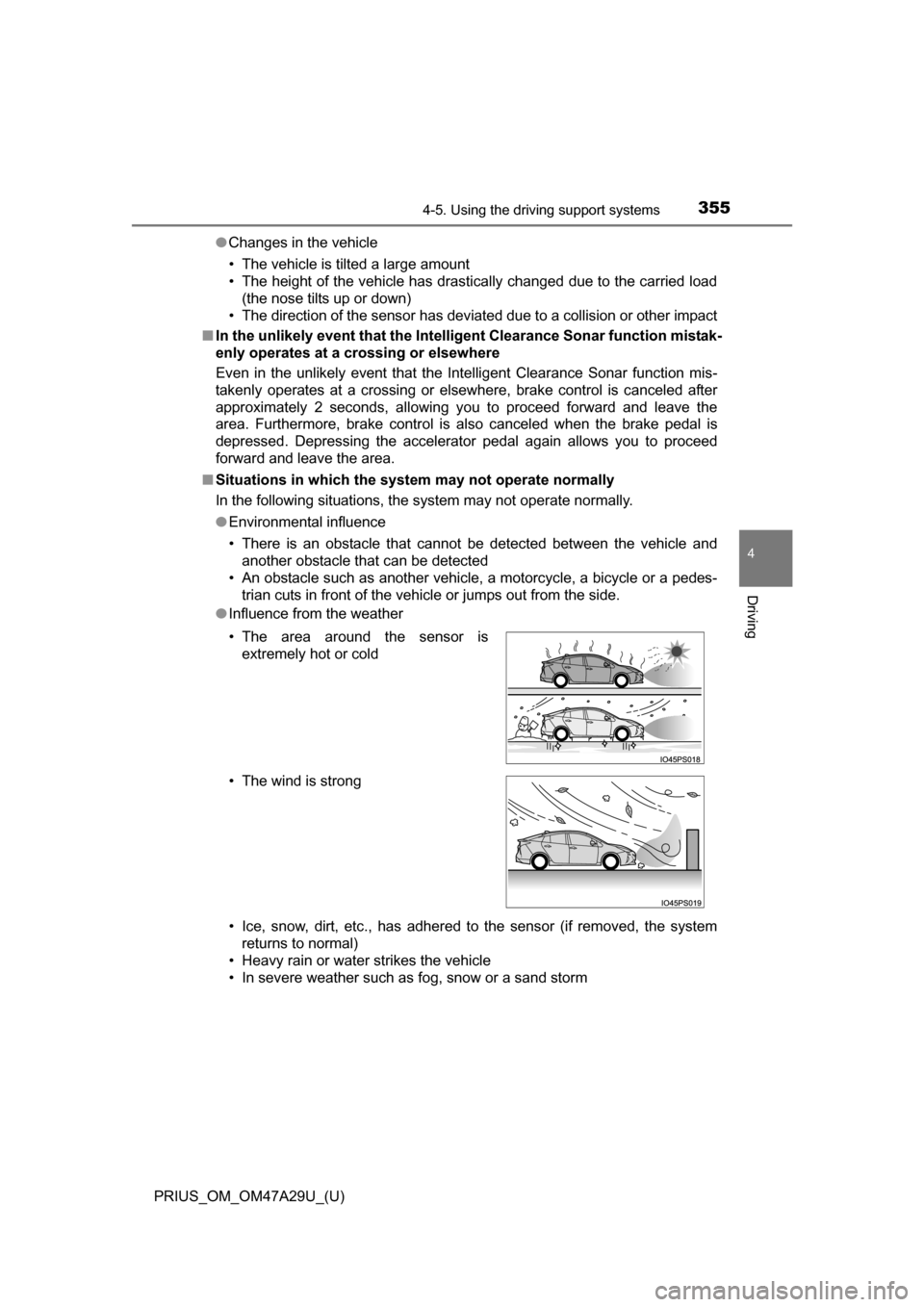
● Influence from the weather
• Ice, snow, dirt, etc., has adhered to the sensor (if removed, the system
returns to normal)
• Heavy rain or water strikes the vehicle
• In severe weather such as fog, snow or a sand storm • The area around the sensor is extremely hot or cold
• The wind is strong
Page 356 of 800
356
PRIUS_OM_OM47A29U_(U)
4-5. Using the driving support systems
●Influence from other sonic waves
• An ultrasonic wave source is nearby, such as the horn or clearance sonar
of another vehicle, a vehicle detector, a motorcycle engine or the air
brake of a large vehicle
• Electronic components (such as a backlit license plate (especially fluo- rescent types), fog lights, a fender pole or a wireless antenna) are
installed near the sensors
● Changes in the vehicle
• The vehicle is tilted a large amount
• The height of the vehicle has drastically changed due to the carried load
(the nose tilts up or down)
• The direction of the sensor has deviated due to a collision or other impact
■ Intelligent Clearance Sonar function while the Simple Advanced Parking
Guidance System is operating
P. 361
■ When removing and installing the 12-volt battery
The system needs to be initialized.
The system can be initialized by driving the vehicle straight ahead for 5 sec-
onds or more at a speed of approximately 22 mph (35 km/h) or higher.
■ When “ICS Unavailable” is displayed on the multi-information display
and the ICS OFF indicator flashes
● Ice, snow, dirt, etc., may have adhered to the sensor. If this occurs, remove
the ice, snow, dirt, etc., from the sensor to return the system to normal.
Also, a warning message may be displayed at low temperatures due to ice
forming on the sensor, and the sensor may not detect obstacles. Once the
ice melts, the system will return to normal.
● If this message is shown even after removing dirt from the sensor, or shown
when the sensor was not dirty to begin with, have the vehicle inspected at
your Toyota dealer.
● System initialization may not have been performed after removal and instal-
lation of the 12-volt battery. Perform system initialization.
■ When “ICS Malfunction Visit Your Deal er” is displayed on the multi-infor-
mation display, the ICS OFF indi cator flashes and the buzzer sounds
The system may not be operating properly. Have the vehicle inspected at
your Toyota dealer.
Page 357 of 800
PRIUS_OM_OM47A29U_(U)
3574-5. Using the driving support systems
4
Driving
WARNING
■For safe use
Do not rely solely upon the system. Relying solely upon the system may
lead to an unexpected accident.
●Driving safely is the sole responsibility of the driver. Pay careful attention
to the surrounding conditions in order to ensure safe driving. The Intelli-
gent Clearance Sonar function can provide support to lessen the severity
of collisions. However, it may not operate depending on the situation.
● The Intelligent Clearance Sonar function is not a system designed to com-
pletely stop the vehicle. Furthermore, even if the Intelligent Clearance
Sonar function is able to stop the vehicle, brake control is canceled after
approximately 2 seconds, so depress the brake pedal immediately.
■ In order for the system to operate properly
Make sure to observe the following precautions regarding the sensors
( P. 348). Failure to observe these precautions may cause the sensors
not to operate properly, and may result in an unexpected accident.
● Do not perform work such as modification, disassembly or painting
● Only perform replacements using genuine parts
● Do not subject the area around the sensors to any impacts
● Do not damage the sensors, and always keep them clean
■ Handling the suspension
Do not modify the suspension, as changes to the height or incline of the
vehicle may prevent the sensors from correctly detecting obstacles, may
cause the system not operate, or may cause the system to operate unnec-
essarily.
Page 384 of 800
384
PRIUS_OM_OM47A29U_(U)
4-5. Using the driving support systems
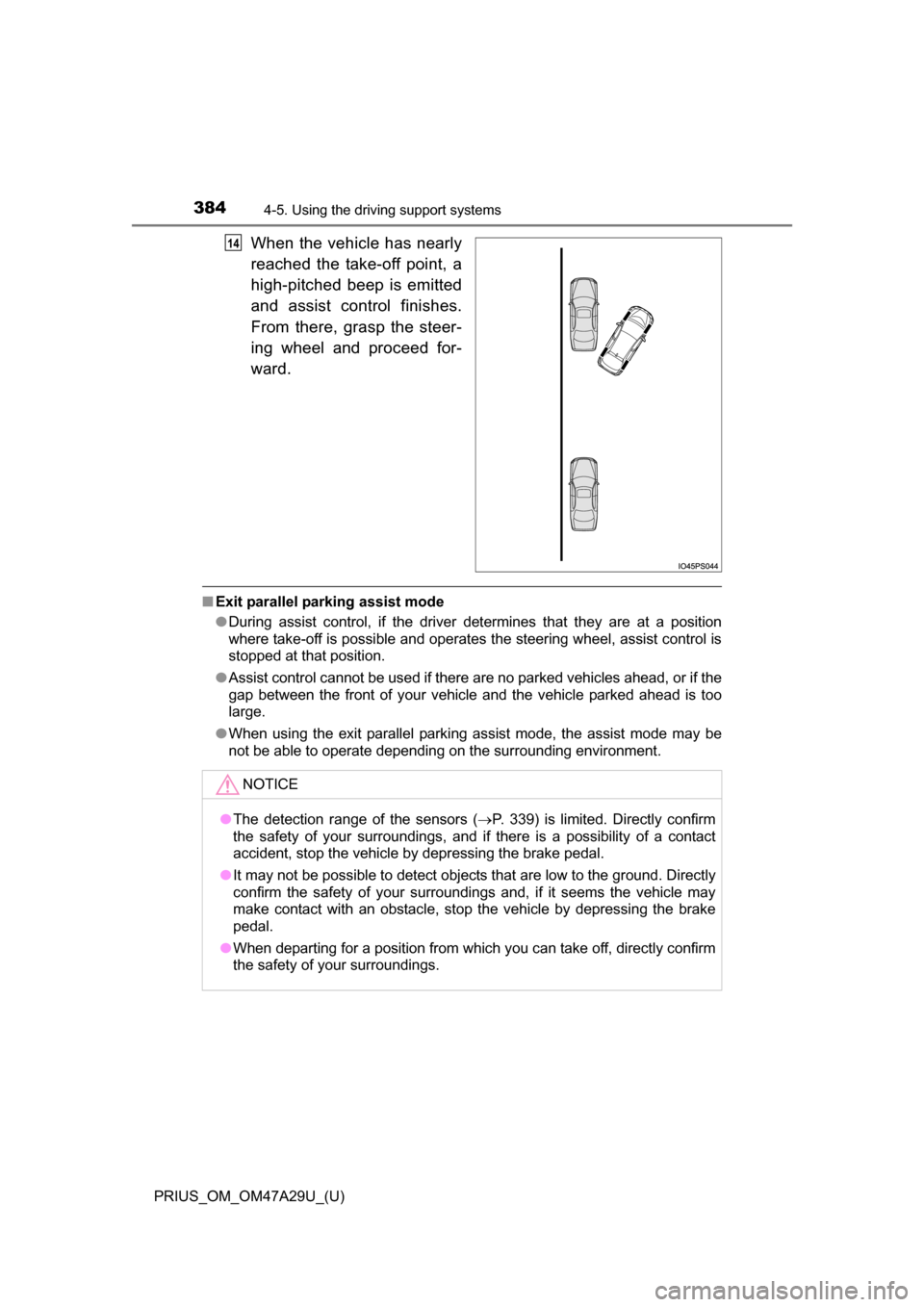
When the vehicle has nearly
reached the take-off point, a
high-pitched beep is emitted
and assist control finishes.
From there, grasp the steer-
ing wheel and proceed for-
ward.
■Exit parallel parking assist mode
●During assist control, if the driver determines that they are at a position
where take-off is possible and operates the steering wheel, assist control is
stopped at that position.
● Assist control cannot be used if there are no parked vehicles ahead, or if the
gap between the front of your vehicle and the vehicle parked ahead is too
large.
● When using the exit parallel parking assist mode, the assist mode may be
not be able to operate depending on the surrounding environment.
14
NOTICE
● The detection range of the sensors ( P. 339) is limited. Directly confirm
the safety of your surroundings, and if there is a possibility of a contact
accident, stop the vehicle by depressing the brake pedal.
● It may not be possible to detect objects that are low to the ground. Directly
confirm the safety of your surroundings and, if it seems the vehicle may\
make contact with an obstacle, stop the vehicle by depressing the brake
pedal.
● When departing for a position from which you can take off, directly confirm
the safety of your surroundings.
Page 393 of 800
PRIUS_OM_OM47A29U_(U)
3934-5. Using the driving support systems
4
Driving
WARNING
●Observe the following precautions, as the sensors may stop functioning
properly which may lead to an accident.
• Do not subject the sensor to strong shocks by hitting it, etc. The sen-
sors may not function properly.
• When using a high-pressure washer to wash the vehicle, do not spray
water directly on the sensors. Equipment may not function properly if
subjected to an impact from strong water pressure. If the vehicle
bumper strikes something, equipment may not operate properly due to
a sensor malfunction. Have the vehicle inspected at your Toyota dealer.
● In the following situations, the sensors may not operate normally and may
lead to an accident. Drive carefully.
• Obstacles cannot be detected in the side areas until a scan of the side
areas is completed ( P. 341).
• Even after the scan of the side areas is completed, obstacles such as other vehicles, people or animals that approach from the sides cannot
be detected.
• The sensor is frozen (if it thaws, the system returns to normal). A warn- ing message may display at particularly low temperatures due to the
sensor freezing and it may not detect parked vehicles.
• The sensor is blocked by someone’s hand.
• The vehicle is tilted a large amount.
• The temperature is extremely hot or cold.
• The vehicle is driven on undulating r oads, slopes, gravel roads, in areas
with tall grass, etc.
• An ultrasonic wave source is nearby, such as the horn or sensors of another vehicle, a motorcycle engine or the air brake of a large vehicle.
• Heavy rain or a water strikes the vehicle.
• The angle of the sensor may be deviated when assist control starts even if there is a parked vehicle next to the target parking spot. Have
the vehicle inspected at your Toyota dealer.
• Do not install any accessories within the sensor detection range.
Page 656 of 800
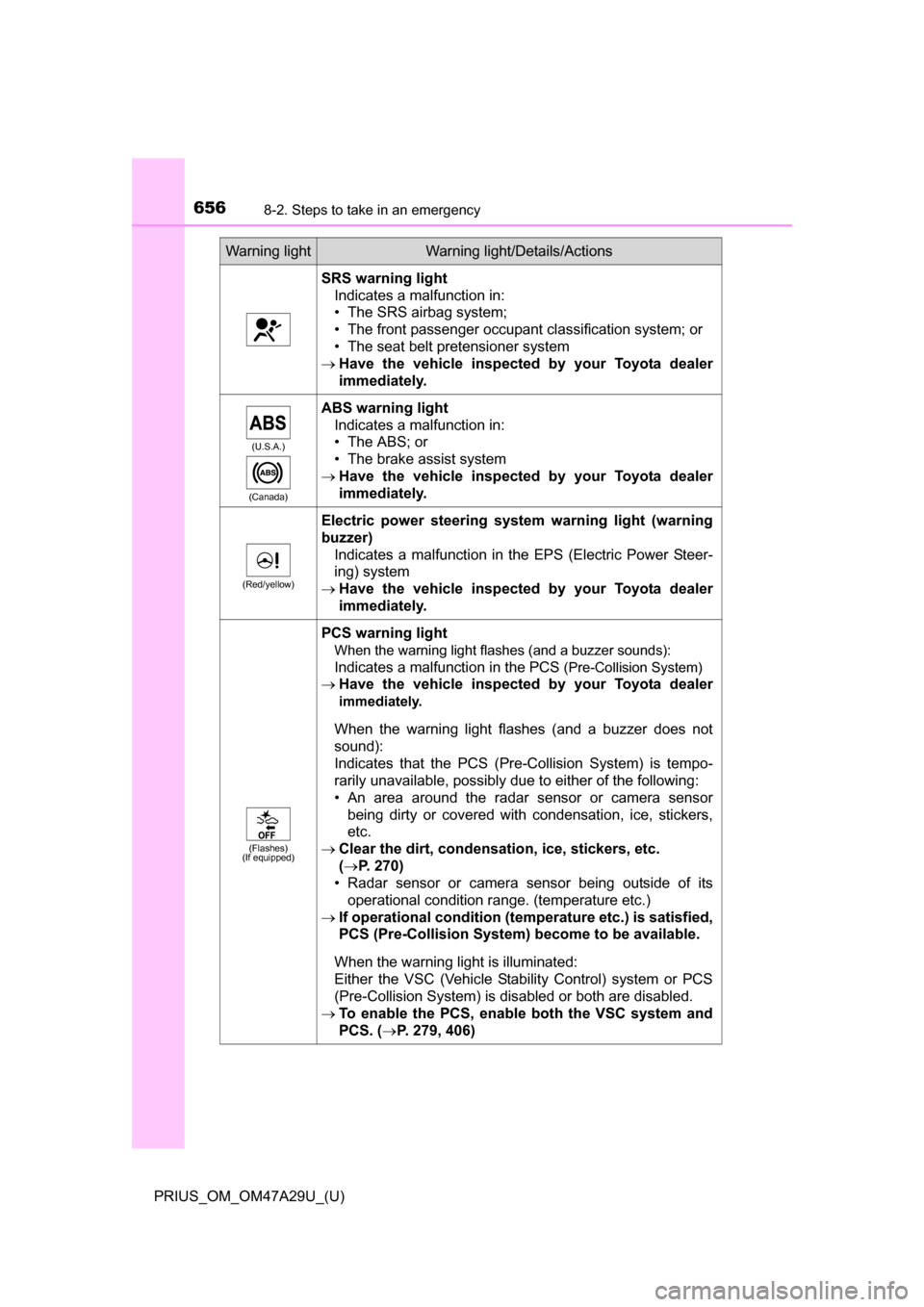
6568-2. Steps to take in an emergency
PRIUS_OM_OM47A29U_(U)
SRS warning lightIndicates a malfunction in:
• The SRS airbag system;
• The front passenger occupant classification system; or
• The seat belt pretensioner system
Have the vehicle inspected by your Toyota dealer
immediately.
(U.S.A.)
(Canada)
ABS warning light Indicates a malfunction in:
• The ABS; or
• The brake assist system
Have the vehicle inspected by your Toyota dealer
immediately.
(Red/yellow)
Electric power steering system warning light (warning
buzzer)
Indicates a malfunction in the EPS (Electric Power Steer-
ing) system
Have the vehicle inspected by your Toyota dealer
immediately.
(Flashes)
(If equipped)
PCS warning light
When the warning light flashes (and a buzzer sounds):
Indicates a malfunction in the PCS
(Pre-Collision System)
Have the vehicle inspected by your Toyota dealer
immediately.
When the warning light flashes (and a buzzer does not
sound):
Indicates that the PCS (Pre-Collision System) is tempo-
rarily unavailable, possibly due to either of the following:
• An area around the radar sensor or camera sensor
being dirty or covered with condensation, ice, stickers,
etc.
Clear the dirt, condensation, ice, stickers, etc.
(P. 270)
• Radar sensor or camera sensor being outside of its operational condition range. (temperature etc.)
If operational condition (tem perature etc.) is satisfied,
PCS (Pre-Collision System) become to be available.
When the warning light is illuminated:
Either the VSC (Vehicle Stability Control) system or PCS
(Pre-Collision System) is disabled or both are disabled.
To enable the PCS, enable both the VSC system and
PCS. ( P. 279, 406)
Warning lightWarning light/Details/Actions
Page 782 of 800
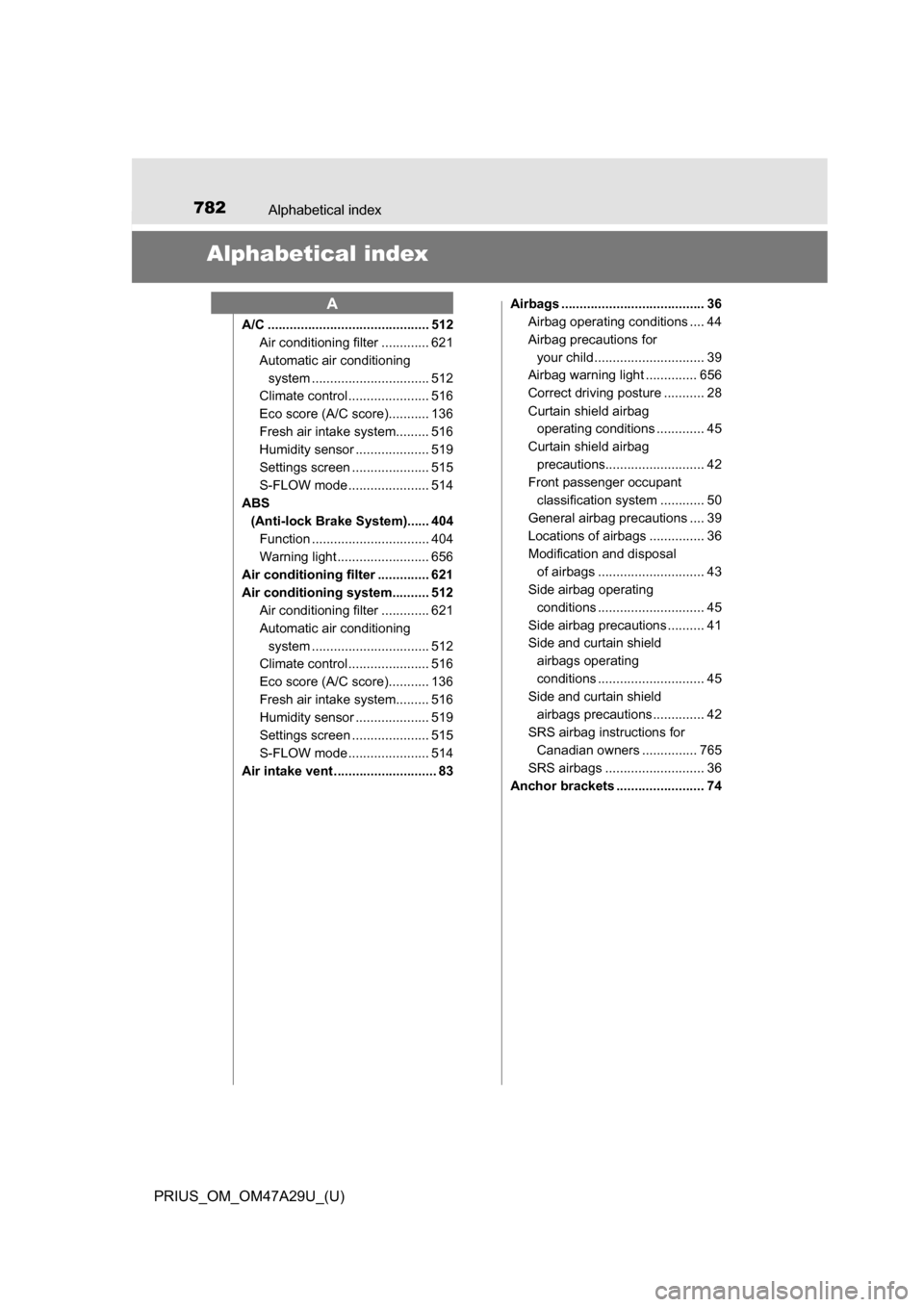
782Alphabetical index
PRIUS_OM_OM47A29U_(U)
Alphabetical index
A/C ............................................ 512Air conditioning filter ............. 621
Automatic air conditioning
system ......... ....................... 512
Climate control ...................... 516
Eco score (A/C score)........... 136
Fresh air intake system......... 516
Humidity sensor .................... 519
Settings screen ..................... 515
S-FLOW mode ...................... 514
ABS
(Anti-lock Brake System)...... 404Function ................................ 404
Warning light ......................... 656
Air conditioning filter .............. 621
Air conditioning system.......... 512 Air conditioning filter ............. 621
Automatic air conditioning
system ......... ....................... 512
Climate control ...................... 516
Eco score (A/C score)........... 136
Fresh air intake system......... 516
Humidity sensor .................... 519
Settings screen ..................... 515
S-FLOW mode ...................... 514
Air intake vent ............................ 83 Airbags ....................................... 36
Airbag operating conditions .... 44
Airbag precautions for
your child .............................. 39
Airbag warning light .............. 656
Correct driving posture ........... 28
Curtain shield airbag operating conditions ............. 45
Curtain shield airbag precautions........................... 42
Front passenger occupant
classification syst em ............ 50
General airbag precautions .... 39
Locations of airbags ............... 36
Modification and disposal of airbags ............................. 43
Side airbag operating
conditions ............................. 45
Side airbag precautions .......... 41
Side and curtain shield airbags operating
conditions ............................. 45
Side and curtain shield
airbags precautions .............. 42
SRS airbag instructions for Canadian owners ............... 765
SRS airbags ........................... 36
Anchor brackets ........................ 74
A