display TOYOTA PRIUS 2016 4.G Owners Manual
[x] Cancel search | Manufacturer: TOYOTA, Model Year: 2016, Model line: PRIUS, Model: TOYOTA PRIUS 2016 4.GPages: 800, PDF Size: 16.69 MB
Page 515 of 800
PRIUS_OM_OM47A29U_(U)
5156-1. Using the air conditioning system and defogger
6
Interior features
Press the .
Adjust the temperature setting.
To stop the operation, press the .
■Automatic mode indicator
If the fan speed setting or air fl ow modes are operated, the auto-
matic mode indicator goes off. However, automatic mode for func-
tions other than that operated is maintained.
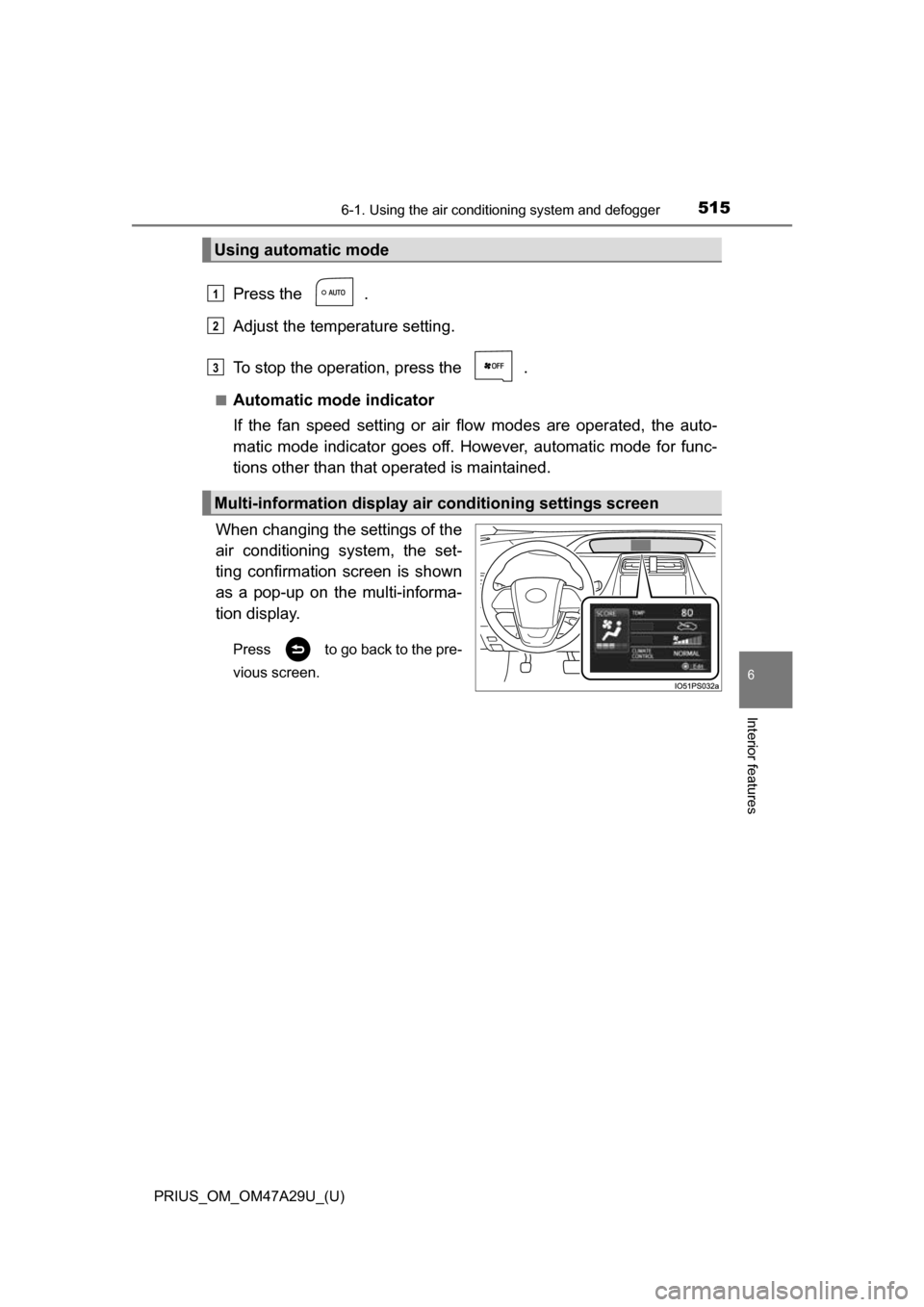
When changing the settings of the
air conditioning system, the set-
ting confirmation screen is shown
as a pop-up on the multi-informa-
tion display.
Press to go back to the pre-
vious screen.
Using automatic mode
Multi-information display air conditioning settings screen
1
2
3
Page 516 of 800
5166-1. Using the air conditioning system and defogger
PRIUS_OM_OM47A29U_(U)■
Switching between outside air and recirculated air modes
Press .
The mode switches between outside air mode (indicator off) and recir-
culated air mode (indicator on) each time is pressed.
■
Fresh air intake system while parking
When parking, the system automatically switches to fresh air intake
mode to encourage better air circulation throughout the vehicle,
helping to reduce odors that occur when starting the vehicle.
■Using the Climate control
Press the .
When “ECO” is displayed on the air conditioning screen, the air
conditioning is controlled with lo w fuel consumption prioritized such
as reducing fan speed, etc.
The Climate control is turned on when the power switch is turned to ON
mode while the driving mode is Eco drive mode.
Pressing again will cancel climate control.
Other functions
Page 519 of 800
PRIUS_OM_OM47A29U_(U)
5196-1. Using the air conditioning system and defogger
6
Interior features
■Using automatic mode
Fan speed is adjusted automatically according to the temperature setting and
the ambient conditions.
Therefore, the fan may stop for a while until warm or cool air is ready to flow
immediately after the button is pressed.
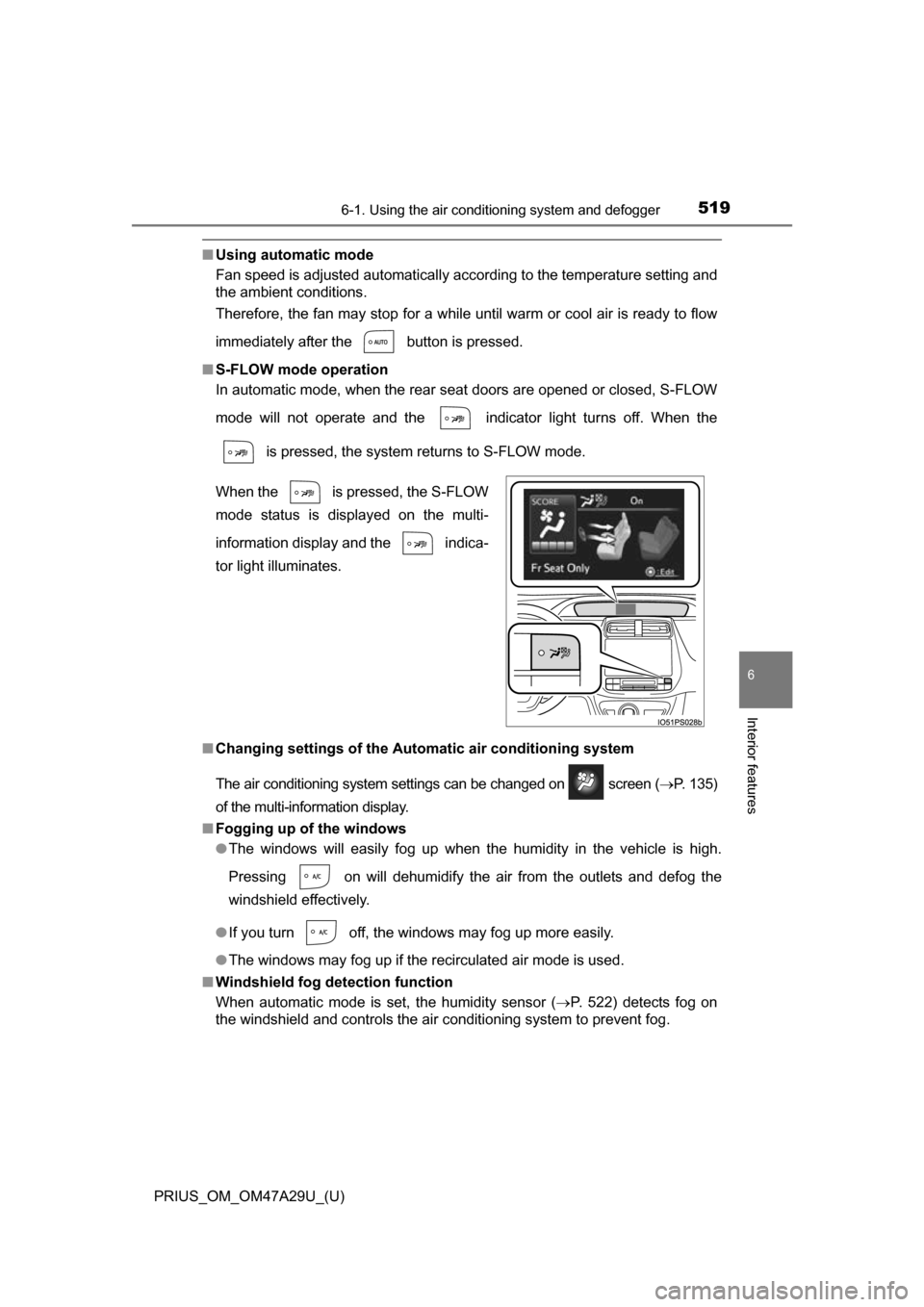
■ S-FLOW mode operation
In automatic mode, when the rear seat doors are opened or closed, S-FLOW
mode will not operate and the indicator light turns off. When the
is pressed, the system returns to S-FLOW mode.
■ Changing settings of the Automatic air conditioning system
The air conditioning system settings can be changed on screen ( P. 135)
of the multi-information display.
■ Fogging up of the windows
●The windows will easily fog up when the humidity in the vehicle is high.
Pressing on will dehumidify the air from the outlets and defog the
windshield effectively.
● If you turn off, the windows may fog up more easily.
● The windows may fog up if the recirculated air mode is used.
■ Windshield fog detection function
When automatic mode is set, the humidity sensor (P. 522) detects fog on
the windshield and controls the air conditioning system to prevent fog. When the is pressed, the S-FLOW
mode status is displayed on the multi-
information display and the indica-
tor light illuminates.
Page 551 of 800
PRIUS_OM_OM47A29U_(U)
5516-4. Using the other interior features
6
Interior features
WARNING
■Conditions in which the function may not operate correctly
In the following conditions, it may not operate correctly
●The portable device is fully charged
● There is foreign matter between the charge area and portable device
● The temperature of the portable device gets higher from charging
● The charging surface of the portable device is facing up
● The placement of the portable device is out of alignment with the charge
area
● Near a TV tower, electric power plant, gas station, radio station, large dis-
play, airport or other facility that generates strong radio waves or electrical
noise
● When the electronic key is in contact with, or is covered by the following
metallic objects
• Cards to which aluminum foil is attached
• Cigarette boxes that have aluminum foil inside
• Metallic wallets or bags
• Coins
• Hand warmers made of metal
• Media such as CDs and DVDs
● When other wireless keys (that emit radio waves) are being used nearby
In addition, excluding the above-mentioned, when the charger does not per-
form normally or the operation display lamp is flashing continuously, it is
considered that the wireless charger is malfunctioning. Contact your Toyota
dealer.
■ To prevent failure or damage to data
●Do not bring magnetic cards, such as credit cards, or magnetic recording
media, etc., close to the charger while charging, otherwise, data may dis-
appear under the influence of magnetism. Also, do not bring precision
instruments such as wrist watches, etc., close to the charger, as such
objects may break.
● Do not leave portable devices in the cabin. The temperature inside the
cabin may become high, when under the sun, and cause damage to the
device.
■ To prevent 12-volt battery discharge
When the hybrid system is stopped, do not use the wireless charger for a
long time.
Page 579 of 800
PRIUS_OM_OM47A29U_(U)
5797-2. Maintenance
7
Maintenance and care
■Repair and replacement
It is recommended that genuine Toyota parts be used for repairs to ensure
performance of each system. If non-Toyota parts are used in replacement or if
a repair shop other than a Toyota dealer performs repairs, confirm the war-
ranty coverage.
■ Resetting the message indicating maintenance is required (U.S.A. only)
After the required maintenance is preformed according to the maintenance
schedule, please reset the message.
To reset the message, follow the procedures described below:
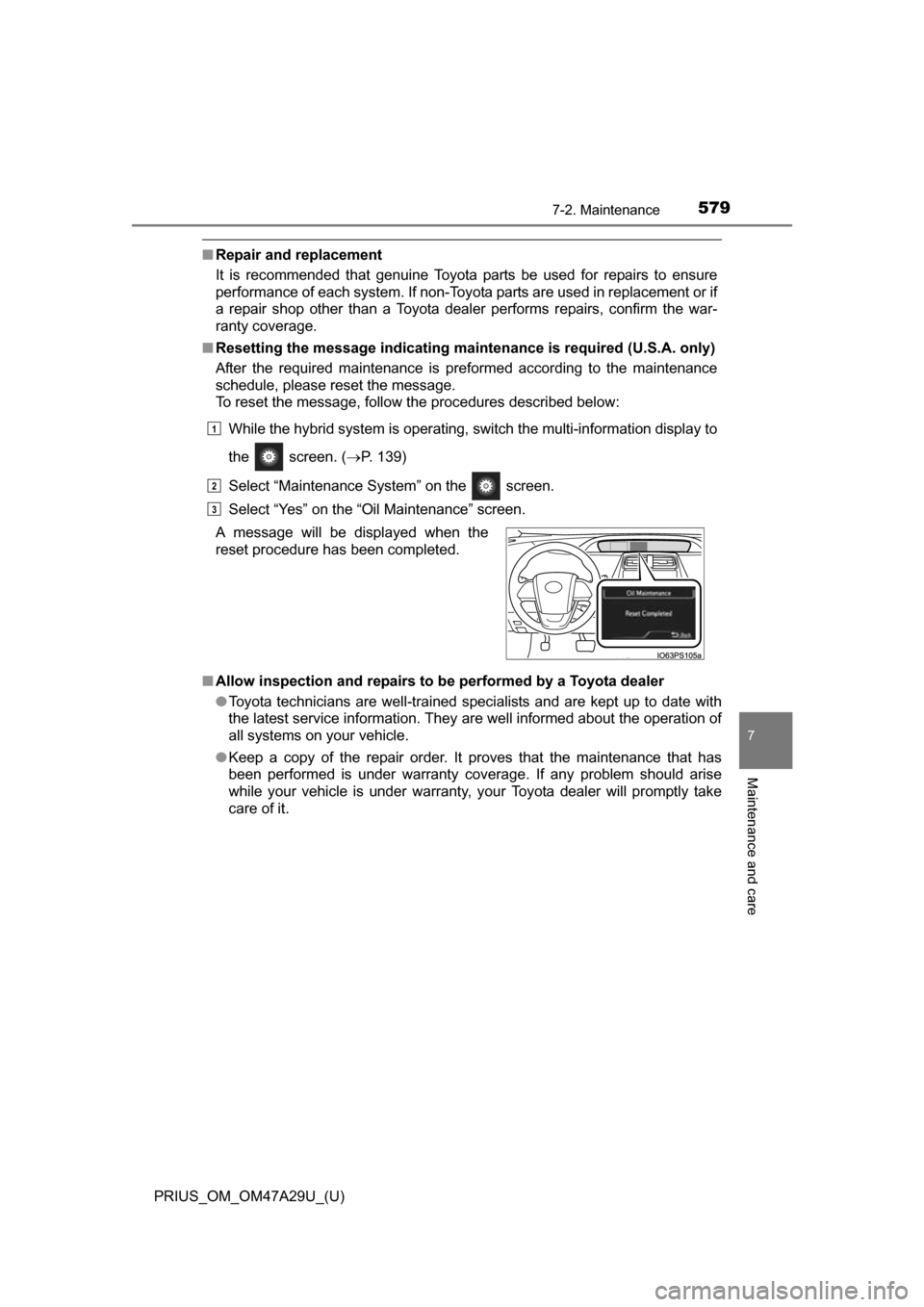
While the hybrid system is operating, switch the multi-information display to
the screen. ( P. 139)
Select “Maintenance System” on the screen.
Select “Yes” on the “Oil Maintenance” screen.
■ Allow inspection and repairs to be performed by a Toyota dealer
●Toyota technicians are well-trained specialists and are kept up to date with
the latest service information. They are well informed about the operation of
all systems on your vehicle.
● Keep a copy of the repair order. It proves that the maintenance that has
been performed is under warranty cove rage. If any problem should arise
while your vehicle is under warranty, your Toyota dealer will promptly take
care of it.
A message will be displayed when the
reset procedure has been completed.
1
2
3
Page 608 of 800
608
PRIUS_OM_OM47A29U_(U)
7-3. Do-it-yourself maintenance
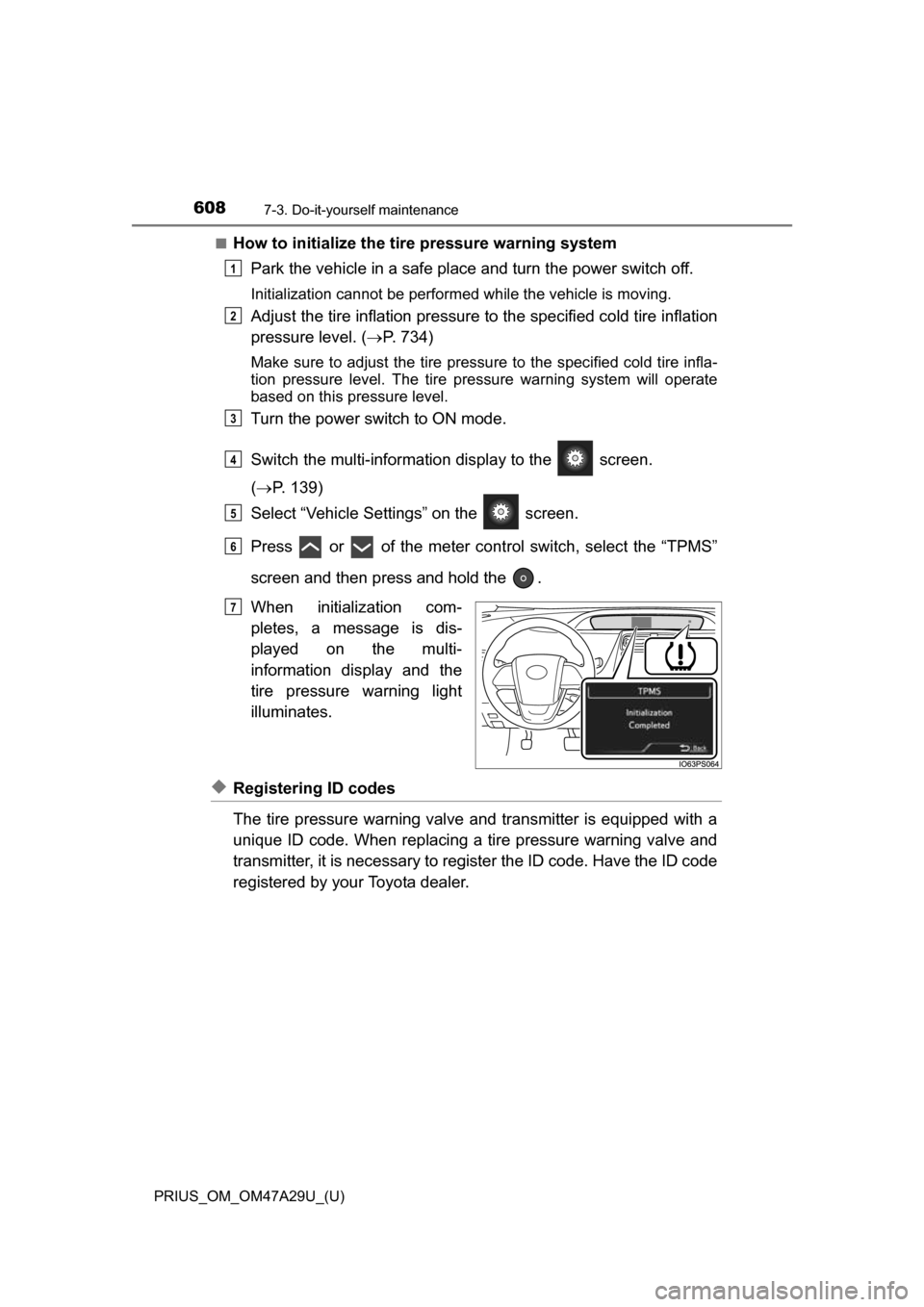
■How to initialize the tire pressure warning systemPark the vehicle in a safe place and turn the power switch off.
Initialization cannot be performed while the vehicle is moving.
Adjust the tire inflation pressure to the specified cold tire inflation
pressure level. ( P. 734)
Make sure to adjust the tire pressu re to the specified cold tire infla-
tion pressure level. The tire pressure warning system will operate
based on this pressure level.
Turn the power switch to ON mode.
Switch the multi-informatio n display to the screen.
( P. 139)
Select “Vehicle Settin gs” on the screen.
Press or of the meter cont rol switch, select the “TPMS”
screen and then press and hold the .
When initialization com-
pletes, a message is dis-
played on the multi-
information display and the
tire pressure warning light
illuminates.
◆Registering ID codes
The tire pressure warning valve and transmitter is equipped with a
unique ID code. When replacing a tire pressure warning valve and
transmitter, it is necessary to register the ID code. Have the ID code
registered by your Toyota dealer.
1
2
3
4
5
6
Until Complete
7
Page 611 of 800
PRIUS_OM_OM47A29U_(U)
6117-3. Do-it-yourself maintenance
7
Maintenance and care
■Situations in which the tire pressure warning system may not oper-
ate properly
●In the following cases, the tire pressure warning system may not operate
properly.
• If non-genuine Toyota wheels are used.
• When a replacement tire is used , the system may not operate cor-
rectly due to the structure of the replacement tire.
• A tire has been replaced with a tire that is not of the specified size.
• Tire chains etc. are equipped.
• An auxiliary-supported run- flat tire is equipped.
• If a window tint that affects the radio wave signals is installed.
• If there is a lot of snow or ice on the vehicle, particularly around the
wheels or wheel housings.
• If the tire inflation pressure is extremely higher than the specified level.
• If wheel without the tire pressure warning valve and transmitter is
used.
• If the ID code on the tire pressure warning valves and transmitters is not registered in the tire pressure warning computer.
●Performance may be affected in the following situations.
• Near a TV tower, electric power plant, gas station, radio station, largedisplay, airport or other facility that generates strong radio waves or
electrical noise
• When carrying a portable radio, cellular phone, cordless phone or other wireless communication device
●When the vehicle is parked, the time taken for the warning to start or go
off could be extended.
●When tire inflation pressure declines rapidly for example when a tire has
burst, the warning may not function.
■The initialization operation
●Make sure to carry out in itialization after adjusting the tire inflation pres-
sure.
Also, make sure the tires are cold be fore carrying out initialization or tire
inflation pressure adjustment.
●If you have accidentally turned the power switch off during initialization,
it is not necessary to press the reset switch again as initialization will
restart automatically when the power switch has been turned to ON
mode for the next time.
●If you accidentally press the reset s witch when initialization is not neces-
sary, adjust the tire inflation pressu re to the specified level when the
tires are cold, and conduct initialization again.
Page 612 of 800
612
PRIUS_OM_OM47A29U_(U)
7-3. Do-it-yourself maintenance
■When initialization of the tire pressure warning system has failed
Initialization can be completed in a few minutes. However, in the following
cases, the settings have not been recorded and the system will not oper-
ate properly. If repeated attempts to record tire inflation pressure settings
are unsuccessful, have the vehicle inspected by your Toyota dealer.
●When operating the tire pressure wa rning reset switch, the tire pressure
warning light does not flash 3 times and the setting message does not
appear on the multi-information display.
●After driving for a certain period of time since the initialization has been
completed, the warning light comes on after blinking for 1 minutes.
■Certification for the tire pressure warning system
For vehicles sold in the U.S.A.
FCC ID: PAXPMVC010
NOTE
This device complies with part 15 of the FCC Rules. Operation is subject
to the following two conditions: (1) This device may not cause harmful
interference, and (2) this device must accept any interference received,
including interference that may cause undesired operation.
FCC WARNING
Changes or modifications not expressly approved by the party responsi-
ble for compliance could void the user ’s authority to operate the equip-
ment.
For vehicles sold in Canada
NOTE
Operation is subject to the following two conditions: (1) this device may
not cause interference, and (2) this device must accept any interference,
including interference that may cause undesired operation of the device.
Page 645 of 800
645
PRIUS_OM_OM47A29U_(U)
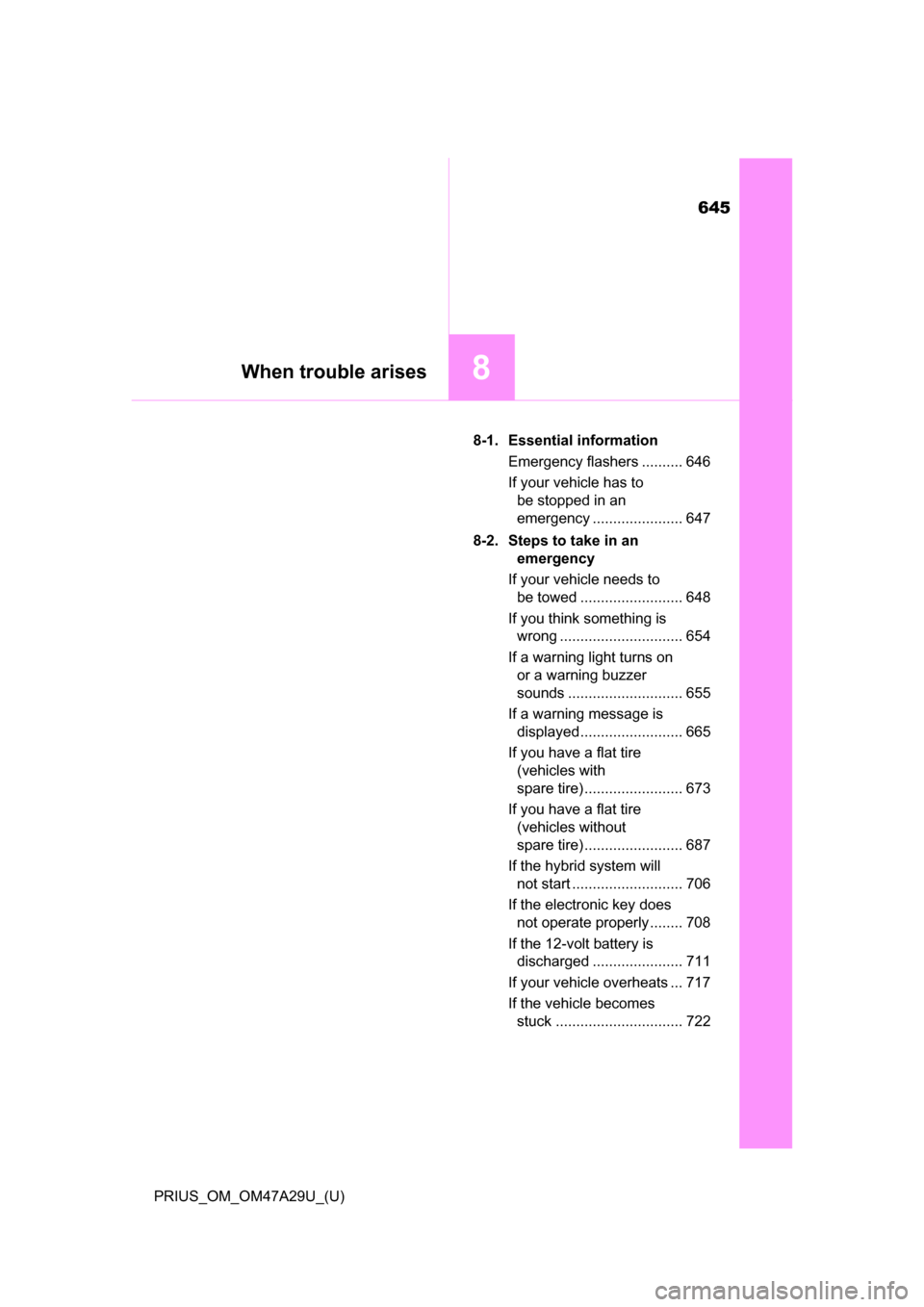
8When trouble arises
8-1. Essential informationEmergency flashers .......... 646
If your vehicle has to be stopped in an
emergency ...................... 647
8-2. Steps to take in an emergency
If your vehicle needs to be towed ......................... 648
If you think something is wrong .............................. 654
If a warning light turns on or a warning buzzer
sounds ............................ 655
If a warning message is displayed ......................... 665
If you have a flat tire (vehicles with
spare tire) ........................ 673
If you have a flat tire (vehicles without
spare tire) ........................ 687
If the hybrid system will not start ........................... 706
If the electronic key does not operate properly........ 708
If the 12-volt battery is discharged ...................... 711
If your vehicle overheats ... 717
If the vehicle becomes stuck ............................... 722
Page 648 of 800
648
PRIUS_OM_OM47A29U_(U)
8-2. Steps to take in an emergency
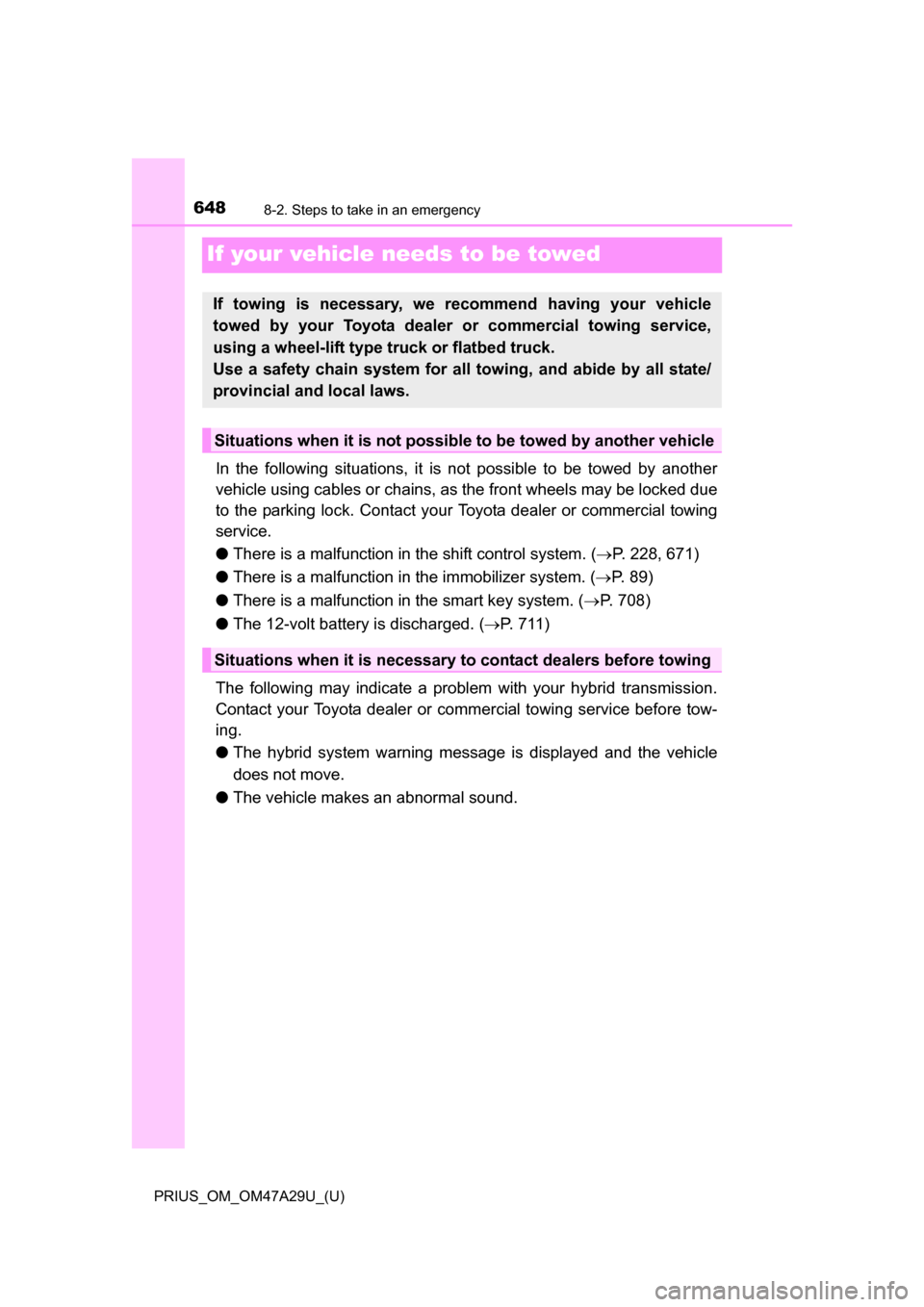
If your vehicle needs to be towed
In the following situations, it is not possible to be towed by another
vehicle using cables or chains, as the front wheels may be locked due
to the parking lock. Contact your Toyota dealer or commercial towing
service.
●There is a malfunction in the shift control system. ( P. 228, 671)
● There is a malfunction in the immobilizer system. ( P. 89)
● There is a malfunction in the smart key system. ( P. 708)
● The 12-volt battery is discharged. ( P. 711)
The following may indicate a problem with your hybrid transmission.
Contact your Toyota dealer or commercial towing service before tow-
ing.
● The hybrid system warning messa ge is displayed and the vehicle
does not move.
● The vehicle makes an abnormal sound.
If towing is necessary, we re commend having your vehicle
towed by your Toyota dealer or commercial towing service,
using a wheel-lift type truck or flatbed truck.
Use a safety chain system for all towing, and abide by all state/
provincial and local laws.
Situations when it is not possibl e to be towed by another vehicle
Situations when it is necessary to contact dealers before towing