change wheel TOYOTA PRIUS 2017 4.G Owner's Manual
[x] Cancel search | Manufacturer: TOYOTA, Model Year: 2017, Model line: PRIUS, Model: TOYOTA PRIUS 2017 4.GPages: 796, PDF Size: 20.13 MB
Page 380 of 796
380
PRIUS_OM_OM47B54U_(U)
4-5. Using the driving support systems
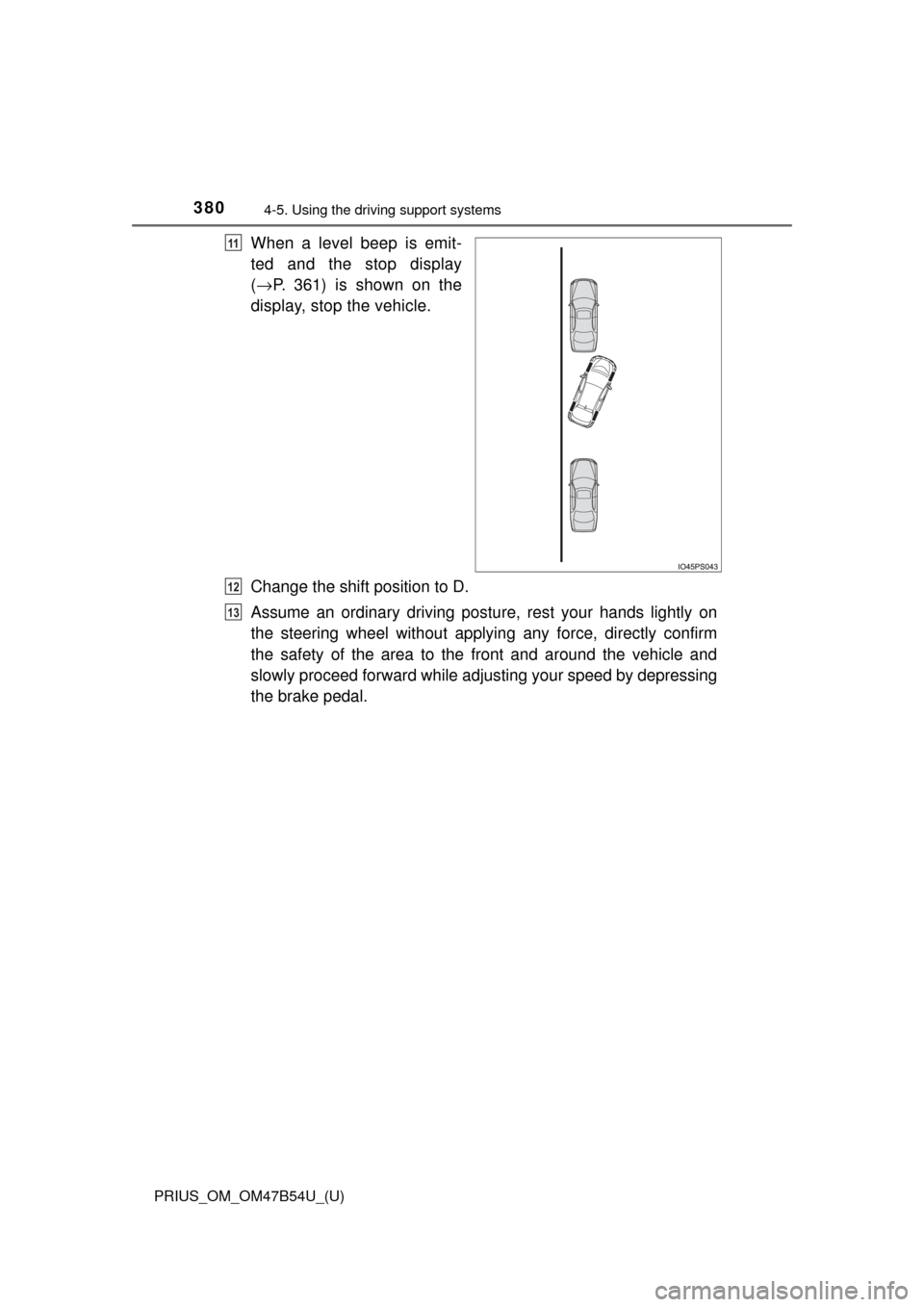
When a level beep is emit-
ted and the stop display
(→ P. 361) is shown on the
display, stop the vehicle.
Change the shift position to D.
Assume an ordinary driving postu re, rest your hands lightly on
the steering wheel without applying any force, directly confirm
the safety of the area to the front and around the vehicle and
slowly proceed forward while adjus ting your speed by depressing
the brake pedal.11
12
13
Page 384 of 796
384
PRIUS_OM_OM47B54U_(U)
4-5. Using the driving support systems
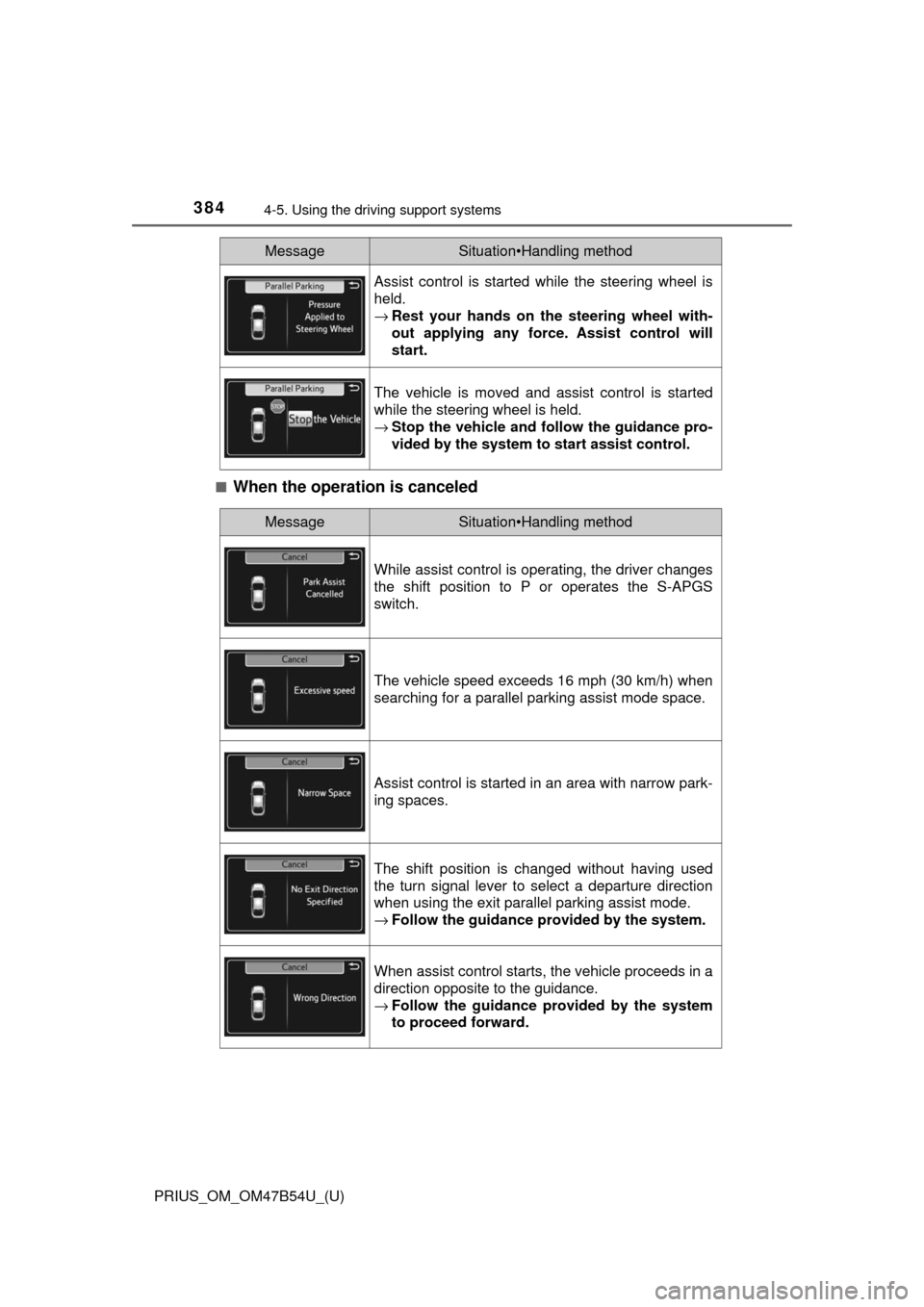
■When the operation is canceled
Assist control is started while the steering wheel is
held.
→Rest your hands on the steering wheel with-
out applying any force. Assist control will
start.
The vehicle is moved and assist control is started
while the steering wheel is held.
→Stop the vehicle and fo llow the guidance pro-
vided by the system to start assist control.
MessageSituation•Handling method
MessageSituation•Handling method
While assist control is operating, the driver changes
the shift position to P or operates the S-APGS
switch.
The vehicle speed exceeds 16 mph (30 km/h) when
searching for a parallel parking assist mode space.
Assist control is started in an area with narrow park-
ing spaces.
The shift position is changed without having used
the turn signal lever to select a departure direction
when using the exit parallel parking assist mode.
→ Follow the guidance provided by the system.
When assist control starts, the vehicle proceeds in a
direction opposite to the guidance.
→Follow the guidance provided by the system
to proceed forward.
Page 400 of 796

400
PRIUS_OM_OM47B54U_(U)
4-5. Using the driving support systems
WARNING
■When using the rear view monitor system
The rear view monitor system is a supplemental device intended to assist
the driver when backing up. When backing up, be sure to visually check all
around the vehicle both directly and using the mirrors before proceeding.
Observe the following precautions to avoid an accident that could result in
death or serious injuries.
● Never depend on the rear view monitor system entirely when backing up.
The image and the position of the guide lines displayed on the screen may
differ from the actual state.
Use caution, just as you would when backing up any vehicle.
● Be sure to back up slowly, depressing the brake pedal to control vehicle
speed.
● The instructions given are only guide lines.
When and how much to turn the steering wheel will vary according to traf-
fic conditions, road surface conditions, vehicle condition, etc. when park-
ing. It is necessary to be fully aware of this before using the rear view
monitor system.
● When parking, be sure to check that the parking space will accommodate
your vehicle before maneuvering into it.
● Do not use the rear view monitor system in the following cases:
• On icy or slick road surfaces, or in snow
• When using tire chains or emergency tires
• When the back door is not closed completely
• On roads that are not flat or straight, such as curves or slopes
● In low temperatures, the screen may darken or the image may become
faint. The image could distort when the vehicle is moving, or you may
become unable to see the image on the screen. Be sure to visually check
all around the vehicle both directly and using the mirrors before proceed-
ing.
● If the tire sizes are changed, the position of the fixed guide lines displayed
on the screen may change.
● The camera uses a special lens. The distances between objects and
pedestrians that appear in the image displayed on the screen will differ
from the actual distances. ( →P. 395)
Page 432 of 796
432
PRIUS_OM_OM47B54U_(U)
5-3. Using the Multimedia system
Selecting the audio source
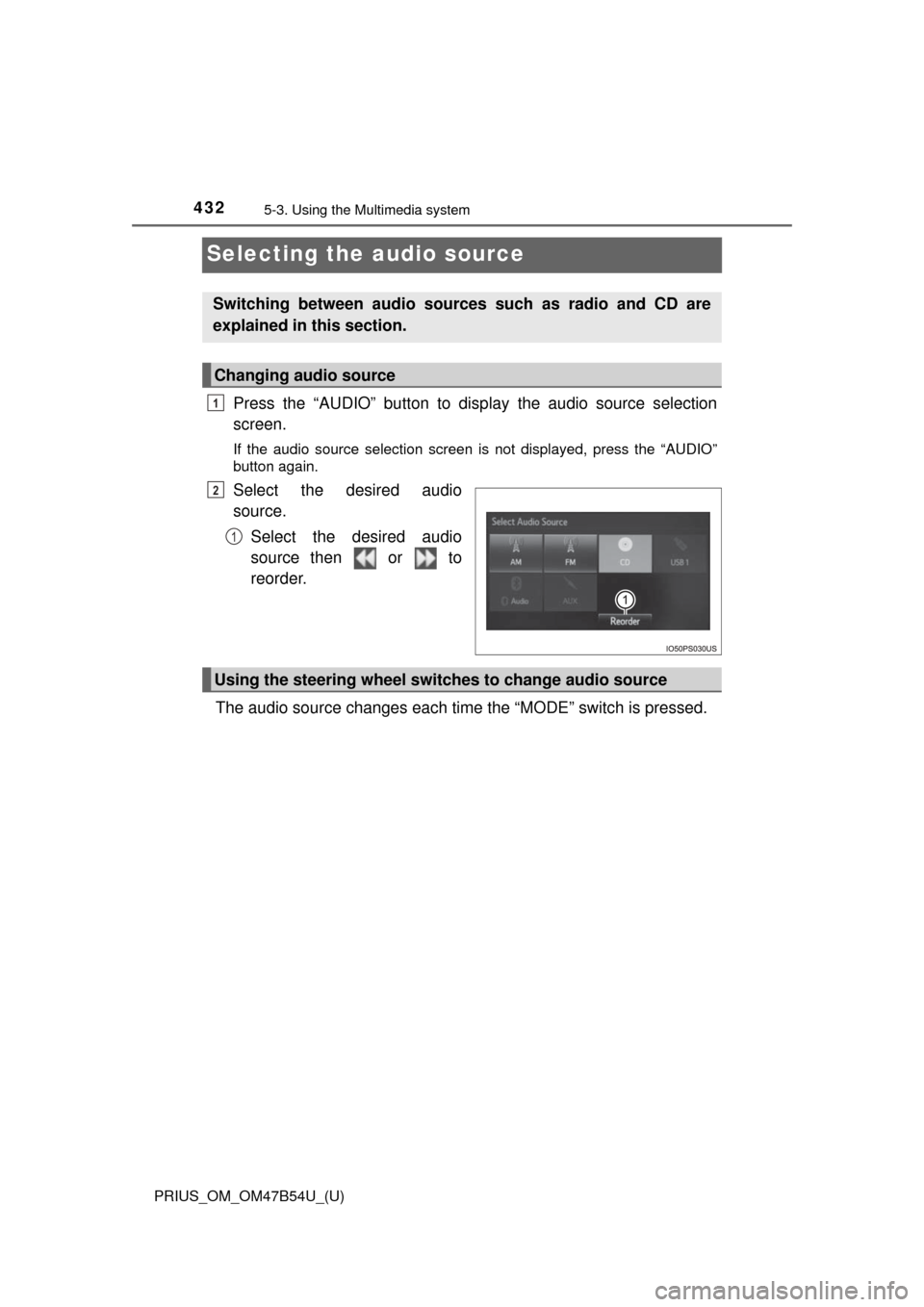
Press the “AUDIO” button to display the audio source selection
screen.
If the audio source selection screen is not displayed, press the “AUDIO”
button again.
Select the desired audio
source.
Select the desired audio
source then or to
reorder.
The audio source changes each time the “MODE” switch is pressed.
Switching between audio sources such as radio and CD are
explained in this section.
Changing audio source
1
2
1
Using the steering wheel switches to change audio source
Page 660 of 796
6608-2. Steps to take in an emergency
PRIUS_OM_OM47B54U_(U)
WARNING
■When the electric power steering system warning light comes on
When the light comes on yellow, the assist to the power steering is
restricted. When the light comes on red, the assist to the power steering is
lost and handling operations of the steering wheel become extremely
heavy. When steering wheel operations are heavier than usual, grip the
steering wheel firmly and operate it using more force than usual.
■
If the tire pressure warning light comes on
Be sure to observe the following precautions. Failure to do so could
cause a loss of vehicle control and result in death or serious injury.
●Stop your vehicle in a safe place as soon as possible. Adjust the tire
inflation pressure immediately.
●Vehicles with spare tire: If the tire pressure warning light comes on
even after tire inflation pressure adjustment, it is probable that you
have a flat tire. Check the tires. If a tire is flat, change it with the spare
tire and have the flat tire repaired by the nearest Toyota dealer.
●Vehicles with emergency tire puncture repair kit: If the tire pressure
warning light comes on even after ti re inflation pressure adjustment, it
is probable that you have a flat tire . Check the tires. If a tire is flat,
repair the flat tire by using emer gency tire puncture repair kit.
●Avoid abrupt maneuvering and braking. If the vehicle tires deteriorate,
you could lose control of the steering wheel or the brakes.
■If a blowout or sudden air leakage should occur
The tire pressure warning system may not activate immediately.
Page 720 of 796
7208-2. Steps to take in an emergency
PRIUS_OM_OM47B54U_(U)
WARNING
■When attempting to free a stuck vehicle
If you choose to push the vehicle back and forth to free it, make sure the
surrounding area is clear to avoid striking other vehicles, objects or people.
The vehicle may also lunge forward or lunge back suddenly as it becomes
free. Use extreme caution.
■ When changing the shift position
Be careful not to change the shift position with the accelerator pedal
depressed.
This may lead to unexpected rapid acceleration of the vehicle that may
cause an accident resulting in death or serious injury.
NOTICE
■To avoid damage to the hybrid transmission and other components
● Avoid spinning the front wheels and depressing the accelerator pedal
more than necessary.
● If the vehicle remains stuck even after these procedures are performed,
the vehicle may require towing to be freed.